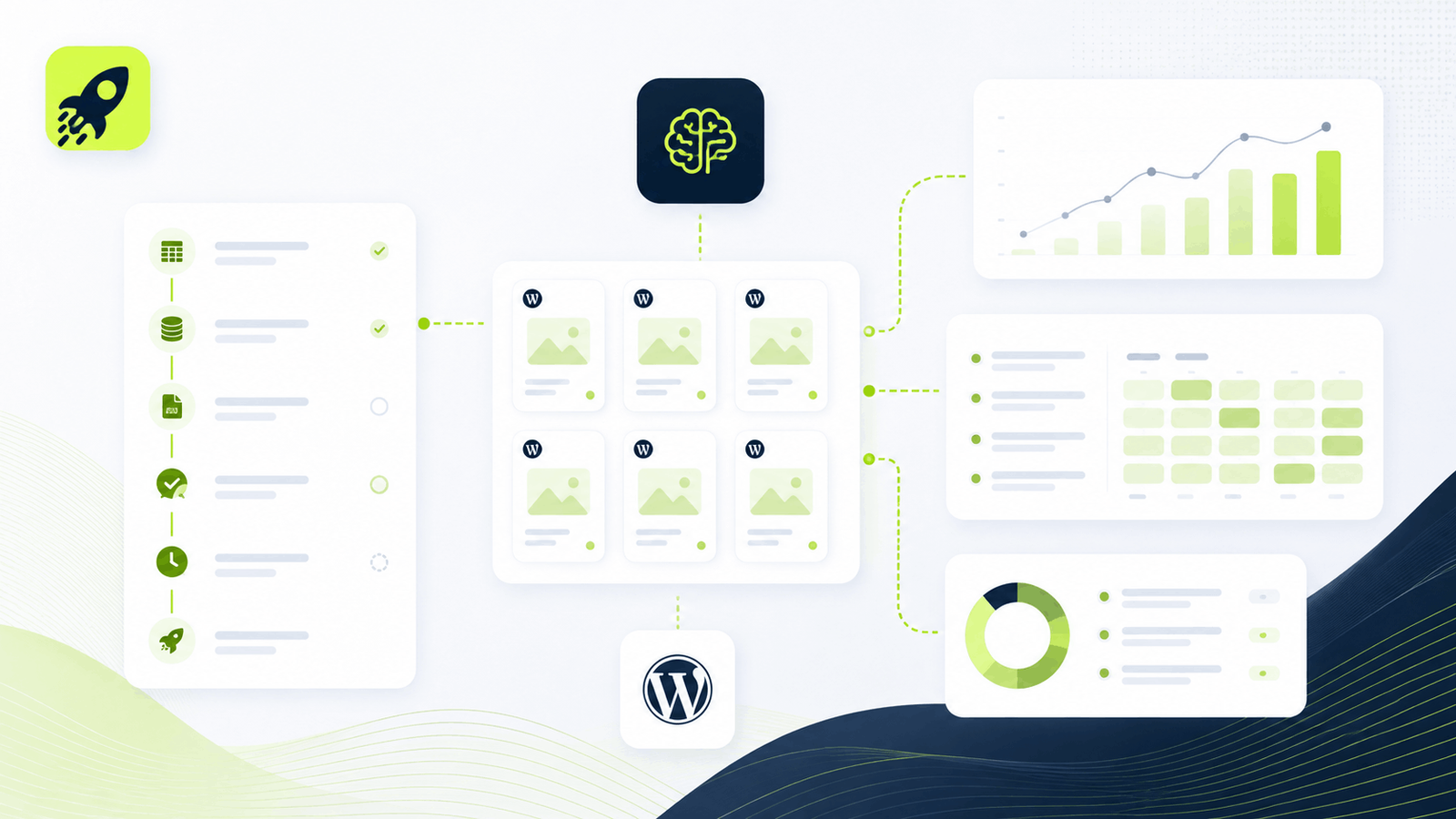
Programmatic SEO is a method of creating search-focused pages at scale by combining repeatable keyword patterns, structured data, reusable page templates, and a controlled publishing workflow. Instead of writing every page from a blank document, you define which searches deserve a page, build the data that makes each page useful, design a strong template, and systematically generate or update the pages.
The important word is not scale. It is usefulness. A programmatic SEO campaign can contain 50 pages or 50,000 pages, but the same standard applies: each URL should satisfy a real search intent and provide enough page-specific value to deserve to exist. Google’s current spam policies describe scaled content abuse as creating many pages primarily to manipulate rankings rather than help users. Automation is not the problem by itself; low-value output at scale is.
For WordPress teams, the implementation can be especially practical because the CMS already provides pages, posts, custom post types, media, metadata, sitemaps, taxonomies, page builders, and editorial workflows. Tools such as PageForge can automate the repetitive production layer while keeping the content inside WordPress for review and ownership.
Quick answer: Programmatic SEO works best when you have a repeatable search pattern and a repeatable page experience, but enough unique data, context, or utility to make every generated page independently useful.
Want to test the workflow in WordPress? Install PageForge Free and start with a small CSV and Draft status before scaling.
Table of Contents
- What is programmatic SEO?
- How programmatic SEO works
- Programmatic SEO examples and page patterns
- When programmatic SEO makes sense
- When programmatic SEO is a bad fit
- Programmatic SEO vs traditional SEO
- Keyword research for programmatic SEO
- Building the data model
- Designing the page template
- Using AI without creating scaled content abuse
- Technical SEO for programmatic pages
- Internal linking architecture
- Crawl, indexation, and quality controls
- Programmatic SEO in WordPress
- How PageForge implements the workflow
- End-to-end campaign example
- Measurement framework
- Common mistakes
- Launch checklist
- FAQs
What Is Programmatic SEO?
Programmatic SEO, often shortened to pSEO, is the systematic creation of many related search landing pages from a common data and template model. Ahrefs describes it as creating keyword-targeted pages in an automatic or near-automatic way, while Semrush similarly emphasizes automation, templates, and structured data.
A simple page pattern might be:
{Service} in {City}
If a company provides five services in 30 legitimate service areas, that pattern could theoretically produce 150 service-location combinations. But programmatic SEO is not the act of publishing all 150 combinations. The strategy is deciding which combinations represent real demand, which pages can contain useful local or service-specific information, how those pages should connect to the rest of the site, and how they will be maintained.
Other common patterns include:
{Software} integration with {Platform}{Product} for {Use Case}{Category} in {Location}{Template} for {Profession}{Tool A} vs {Tool B}{Course} in {City}{Salary} for {Role} in {Location}{Calculator} for {Scenario}
Programmatic SEO is automation plus strategy
Automation removes repetitive production work. It does not decide what deserves to be published.
A strong pSEO system usually has five layers:
- Search model: the keyword patterns and intents you have validated.
- Data model: the structured facts and content fields that make pages different.
- Template model: the layout, hierarchy, conditional sections, and conversion design.
- Publishing model: the rules for draft generation, approvals, canonicals, sitemaps, and release cadence.
- Measurement model: the process for improving, merging, pruning, or expanding the page set.
This distinction matters because the easiest part of programmatic SEO is generating URLs. The difficult part is building a system where those URLs remain accurate, discoverable, helpful, and commercially useful over time.
How Programmatic SEO Works
A programmatic SEO campaign normally moves through a repeatable sequence: intent → data → template → generation → QA → linking → publication → measurement.
1. Find a repeatable search pattern
Start with a query type that has consistent intent. The searcher should expect roughly the same kind of answer even when one or more variables change.
For example, “accountant in {city}” has a repeatable local-service intent. “{software} integration with {platform}” has a repeatable product-integration intent. “{template} for {profession}” has a repeatable resource intent.
The pattern is useful only when the variable combinations are meaningful. “Accountant in London” may make sense. “Accountant in Atlantic Ocean” does not. A mathematical combination is not automatically a valid search page.
2. Create the source data
Each intended page becomes a record in a CSV, Google Sheet, database, or other structured source. The record should contain the values needed for the page, not just the primary keyword.
A local-service record might include city, neighborhood, service, availability, phone, address, proof point, pricing note, local FAQ, nearby areas, image, image alt text, meta title, meta description, and related-page links.
3. Build one strong page template
The template defines the page experience: H1, direct answer, proof, product or service details, comparison sections, supporting data, FAQs, internal links, and calls to action. It also defines which parts are fixed, dynamic, conditional, or AI-assisted.
4. Map data into the template
Structured fields become dynamic variables in headings, body content, images, URLs, metadata, schema properties, buttons, and links. The mapping should be deterministic enough to audit. A reviewer should be able to answer, “Where did this claim come from?”
5. Generate a pilot, not the entire dataset
Create a small Draft batch that includes normal rows and edge cases. Test long city names, missing optional fields, unusual characters, duplicate slugs, multiple images, long meta descriptions, conditional sections, and mobile layouts.
6. Connect the pages
Programmatic pages should not become isolated islands. They need parent hubs, breadcrumbs, category pages, relevant siblings, supporting guides, and conversion destinations.
7. Publish in controlled batches and measure
Once the pattern passes QA, publish a limited cohort. Track crawl status, indexing, impressions, clicks, CTR, conversions, duplicate/canonical issues, and page groups with weak or no demand. Expand only when the system proves useful.
Programmatic SEO Examples and Page Patterns
The most useful examples are not “sites with lots of pages.” They are sites where a repeatable data model matches a repeatable user need.
Software integrations
Integration marketplaces are a classic pSEO pattern. A user searching for “connect App A to App B” expects a page that explains whether the integration exists, what it can do, common triggers or actions, setup requirements, and next steps. Zapier is commonly cited because integration combinations naturally create a large search surface.
Location and directory pages
Directories such as Yelp organize businesses by geography and category. Travel sites organize destinations, hotels, attractions, and property types. Real estate platforms organize listings, neighborhoods, home types, and price ranges.
Comparison pages
Comparison patterns such as {Product A} vs {Product B} can scale when the comparisons are grounded in real attributes: pricing, features, limitations, use cases, integrations, support, or audience fit. Thin “versus” pages that repeat the same generic copy with different product names are much weaker.
Template libraries
Design and productivity platforms can create template pages by format, role, industry, or use case. The page becomes useful when it contains an actual template, preview, instructions, examples, and editing path—not merely a keyword-targeted description.
Calculators and converters
Wise is often discussed in programmatic SEO because currency pairs create repeatable converter pages. The landing page provides immediate functionality, current data, and contextual information. The scalable part is the currency pair; the utility is the calculator and financial data.
SaaS industry and audience pages
A SaaS company might create pages for “CRM for real estate teams,” “CRM for recruiting agencies,” and “CRM for consultants.” The structure can be shared, but each page should explain the relevant workflow, pain points, features, examples, integrations, and proof for that audience.
Local service pages
Service-area businesses can combine real services with legitimate locations. A useful local page should contain more than a location token. Local operating details, travel coverage, location-specific proof, regulations, neighborhoods, response times, or local examples can help make the page independently useful.
The pattern across all of these examples is straightforward: the template provides consistency; the data and utility provide differentiation.
When Programmatic SEO Makes Sense
Programmatic SEO is a strong fit when the search opportunity behaves like a structured dataset rather than a collection of unrelated editorial topics.
You have repeatable search intent
The best pSEO opportunities have predictable query structures. Searchers change a city, software product, category, audience, feature, route, destination, or comparison target, but the underlying job remains stable.
You have legitimate entities or combinations
Your business actually serves the locations. Your marketplace actually contains the categories. Your software actually supports the integrations. Your directory actually has records for the entities. The page set reflects reality rather than a keyword spreadsheet disconnected from the product or service.
You have structured or proprietary data
Unique data is one of the strongest foundations for programmatic pages. Inventory, availability, prices, attributes, reviews, locations, specifications, integrations, user-generated content, research, or business-owned operational data can turn a repeatable template into a useful page system.
You can build a consistent conversion path
A programmatic page should help the user do something: compare, calculate, book, call, request a quote, start a trial, download a template, view inventory, or navigate to a more specific record. Pages that exist only to attract a search click are difficult to justify.
You can maintain the source data
Scale magnifies stale information. If you cannot keep prices, locations, inventory, product capabilities, or contact details current, programmatic pages may become a liability. The source-of-truth workflow matters as much as generation speed.
You can support internal discovery
Large page sets need architecture. Hub pages, categories, breadcrumbs, contextual related links, HTML directories, and XML sitemaps should help both users and crawlers understand how the pages fit together.
When Programmatic SEO Is a Bad Fit
Programmatic SEO is not appropriate just because you found a spreadsheet of keywords.
The only difference is a keyword swap
If 95% of the page is identical and the remaining 5% is a city, industry, or product name, the page probably does not provide enough independent value. Adding more words does not fix this; the differentiation needs to matter to the user.
The combinations are artificial
A keyword matrix can create thousands of mathematically possible combinations that nobody needs. Publish the subset supported by search behavior, product reality, data quality, and conversion logic.
You cannot verify the facts
Automation can repeat an error across hundreds of URLs. If your source data is incomplete or unverified, fix the source before generating pages.
You cannot maintain the system
Programmatic SEO creates an ongoing content operation. Products change, businesses move, integrations are deprecated, prices change, and search demand shifts. A campaign without maintenance rules eventually accumulates stale or contradictory pages.
You plan to index everything by default
“Generated” and “indexable” should be separate states. Drafts, incomplete records, near-duplicates, empty combinations, or low-value pages should not automatically enter the sitemap or index.
Your primary goal is manipulating rankings through volume
Google’s scaled content abuse policy focuses on pages created at scale primarily to manipulate rankings rather than help users, regardless of whether they were created with AI, scripts, scraped content, or human labor. A safe strategy begins with the visitor’s task, not the number of URLs you can generate.
Programmatic SEO vs Traditional SEO
Traditional SEO and programmatic SEO are complementary. A site can use editorial guides for broad topics and pSEO landing pages for structured long-tail demand.
| Dimension | Traditional SEO | Programmatic SEO |
|---|---|---|
| Production model | Page-by-page research and writing | Data + reusable template + controlled automation |
| Best fit | Broad topics, thought leadership, complex editorial intent | Repeatable long-tail patterns and structured entities |
| Page volume | Usually lower | Can be much higher |
| Main dependency | Editorial research and subject expertise | Search model, data quality, template quality |
| Differentiation | Unique article or landing page | Unique record-level data, utility, and conditional content |
| QA model | Review each page individually | Review source system, template, representative cohorts, and exceptions |
| Maintenance | Update pages individually | Update source data, templates, and affected cohorts |
| Main risk | Slow coverage or inconsistent production | Thin, duplicate, orphaned, or stale pages at scale |
The distinction is not “human content versus automated content.” Both methods can use research, writers, AI, templates, and data. The difference is the production architecture.
Traditional SEO is ideal when each query needs a substantially different explanation. Programmatic SEO is ideal when many queries share a stable experience but require different facts or entities.
A strong site often combines them. An editorial guide about “how to choose accounting software” can support programmatic pages for “accounting software for agencies,” “accounting software for consultants,” and other qualified segments. The guide builds topical context; the programmatic pages answer the more specific commercial intent.
Keyword Research for Programmatic SEO
Programmatic keyword research is about finding patterns, not collecting a giant list of unrelated phrases.
Start with a head term and modifiers
A basic keyword matrix contains a stable head term and one or more modifier sets.
For a home-services campaign:
- Head term:
roof inspection - Location modifiers:
Austin,Round Rock,Cedar Park - Intent modifiers:
commercial,residential,after storm
You might discover patterns such as {Service} in {City} or {Service} for {Property Type} in {City}. But do not immediately multiply every set. First determine whether the combined intent is real.
Sample the SERPs
Search representative queries manually. Does Google show the same type of page for different modifiers? Are users looking for a local provider, a directory, a product, a guide, or a calculator? If the SERP changes dramatically across variations, one shared template may not fit the whole matrix.
Validate cumulative demand
Individual long-tail keywords often show little recorded volume. That does not make the pattern useless, but it means you should evaluate the cluster rather than rely on one number. Group queries by page family, geography, audience, or product segment and estimate cumulative opportunity conservatively.
Filter combinations before generation
Create a qualification column in the source data. Common criteria include:
- valid product/service availability
- real location or entity
- minimum data completeness
- distinct intent from existing pages
- conversion path exists
- no canonical conflict
- approved for generation
- approved for indexation
This is more important than finding another thousand keywords. A smaller qualified page set is easier to maintain and more likely to produce useful search entry points.
Build an ownership map
Assign one primary URL pattern to each intent. If /software-for-agencies/ and /best-software-for-agencies/ would answer the same need, choose one canonical owner instead of generating both. This reduces cannibalization before it reaches WordPress.
For planning, PageForge provides a free programmatic SEO ROI calculator that can help model a campaign using explicit assumptions rather than page-count optimism.
Build the Data Model Before You Build Pages
The quality of a programmatic campaign is constrained by the quality of its source data. Treat the dataset as a content model, not just a mail-merge file.
A useful rule is one row per intended page, one column per reusable field.
Core fields
Every record should normally have:
record_id— a stable identifier that does not change if the title changespage_titleslugprimary_entityprimary_keywordpage_familypublish_statusapproval_status
Page-specific value fields
These are the fields that prevent the page from becoming a superficial token swap. Depending on the page family, they may include:
- location facts
- product attributes
- service availability
- pricing or pricing context
- inventory
- integrations
- features
- use cases
- eligibility
- local proof
- examples
- statistics owned or verified by the business
- FAQs
- related entities
Media fields
Store image URL or media ID, alt text, caption where necessary, and image role. ### SEO fields
Keep metadata explicit enough to audit:
- SEO title
- meta description
- canonical rule
- index/noindex state
- schema type
- schema properties
- breadcrumb parent
- internal-link destinations
Operational fields
Add owner, reviewer, last-reviewed date, source timestamp, template version, generation status, and publication date. These fields become critical when a campaign reaches hundreds of pages and someone asks why a specific URL exists.
The goal is to make the dataset explain the page. If a row contains only keyword, city, and description, the resulting page will usually have limited differentiation. If the row contains real attributes, evidence, relationships, and publishing rules, the template can produce something more useful.
Design a Programmatic SEO Template That Can Survive Scale
A programmatic template should be judged like a high-value landing page, not like a spreadsheet output.
Start with a direct answer
The first screen should make it obvious what the page is about and why it is useful. Avoid generic intros that could be pasted onto every URL.
Separate four content types
Fixed content explains concepts that truly remain consistent across the page family.
Dynamic content comes directly from structured fields such as product, city, price, feature, or category.
Conditional content appears only when supporting data exists. For example, a “Local regulations” section should not show an empty shell when the record has no verified regulation data.
AI-assisted content can draft prose from structured facts, but should remain grounded in approved source data and editorial rules.
Build for variable lengths
The longest product name, city, testimonial, bullet list, or table row should not break the layout. Test desktop, tablet, and mobile using extreme records before generating a large batch.
Include utility and proof
Depending on the page type, useful sections can include:
- specific facts or specifications
- inventory or availability
- comparison tables
- local coverage
- screenshots
- maps
- calculators
- reviews or verified testimonials
- setup instructions
- FAQs
- related records
- decision criteria
Give the user a next step
The CTA should match the query. A local service page may offer a quote. An integration page may offer “Connect these apps.” A template page may offer “Use this template.” A directory page may lead to a listing or filter.
Use AI Without Creating Scaled Content Abuse
AI can be useful in programmatic SEO, but it should be treated as an augmentation layer, not a substitute for a content model.
Google’s guidance on generative AI content says generative AI can help with research and structure, while generating many pages without adding value can violate the scaled-content-abuse policy. Google’s newer AI search optimization guidance reinforces the same people-first principle and warns against creating separate low-value content for every possible query variation simply to influence search or AI responses.
Ground prompts in row-level facts
Instead of asking an AI model to “write a unique page about roof repair in Austin,” pass a structured context that includes the verified service area, process, materials, licensing facts, local proof, CTA, and prohibited claims.
Use constrained instructions
A useful AI rule set can include:
- use only supplied facts for business-specific claims
- do not invent statistics, awards, prices, testimonials, certifications, or integrations
- say when a required fact is unavailable
- follow the page intent and brand voice
- avoid repetitive filler
- do not mention competitors unless explicitly allowed
- produce only the requested section, not an entire duplicate landing page
Review by page family
You do not necessarily need to manually rewrite every sentence of every page, but you do need a defensible QA method. Review representative outputs, edge cases, and high-value pages. Run duplicate checks across the page family. Sample after prompt or model changes.
Use AI where language helps; use data where facts matter
A verified price should come from the price field, not an AI prompt. An integration status should come from product data. AI is better suited to explanatory transitions, summaries, FAQ drafts, or contextual paragraphs that are constrained by the facts.
Technical SEO for Programmatic Pages
At scale, small technical mistakes become site-wide patterns. Technical SEO should therefore be part of the template and publishing system rather than a cleanup step after launch.
URLs
Use readable, stable slugs. Avoid unnecessary parameters, dates, or IDs when a semantic path works. Do not create several URL patterns for the same intent.
Titles and meta descriptions
Each indexable page should have a useful title and description that reflects its specific content. Dynamic patterns can help, but the result still needs to read naturally. Duplicate titles across a large page family are a sign that the metadata model is too shallow.
Canonicals
Use self-referencing canonicals when each page is the preferred version of its distinct intent. If several generated URLs are near-duplicates, do not use canonical tags as a substitute for fixing the page architecture. Merge, redirect, noindex, or avoid generating the unnecessary variants.
Schema
Structured data should describe what is visibly present on the page. A LocalBusiness schema object needs accurate business data. FAQ schema should match visible FAQs. Product schema should not contain invented prices or reviews. Schema is not a place to hide keywords or unsupported claims.
XML sitemaps
A generated URL should enter the XML sitemap only after it is approved for indexation. Draft, thin, duplicate, or noindex pages should not be promoted as canonical indexable content.
Internal Linking Architecture for Programmatic SEO
Internal linking is one of the most important differences between a page factory and a usable information architecture.
Hub-and-spoke structure
Create a strong parent page for each page family. A “Roof Inspection Locations” hub can link to approved city pages. A “Software Integrations” hub can link to integration categories or individual pairs.
Parent-child relationships
Use hierarchy where the user naturally thinks in hierarchy: country → state → city, category → subcategory → item, software → integration → use case.
Related siblings
A city page can link to nearby cities. A product page can link to related products or comparison pages. A template page can link to templates for adjacent roles. These links should help users continue their task, not merely increase link counts.
Editorial guides
Programmatic pages should link to deeper educational content when the visitor needs context. Editorial guides can also link down into high-intent page families. This two-way relationship helps avoid isolated commercial pages.
Breadcrumbs and HTML directories
Breadcrumbs communicate hierarchy and improve navigation. For very large collections, an HTML sitemap or directory can provide browsable discovery. PageForge includes an HTML sitemap block/shortcode for generated WordPress content, which can support location hubs or campaign indexes when the grouping is useful.
Anchor text
Use descriptive, natural anchors. Do not force the exact target keyword into every link. “See roof inspection services in Round Rock” is often more useful than repeating “roof inspection Round Rock” across dozens of pages.
For WordPress-specific implementation, see the PageForge programmatic SEO WordPress guide.
Crawl, Indexation, and Quality Controls
Generating a page and allowing it into search should be two different decisions.
Start with Draft status
A pilot of five to ten pages is usually enough to expose template problems. Use records that represent normal and difficult cases. Review the rendered page, source HTML, metadata, schema, links, and mobile behavior.
Validate duplicates before publishing
Check target slugs, H1s, SEO titles, canonical destinations, and substantially similar body content. Duplicate protection in the generation tool helps with accidental slug collisions, but intent-level duplication still requires editorial judgment.
Keep incomplete pages out of the index
If a page lacks required data or unique value, do not publish it merely because the record exists. Route it back to the data team or mark it excluded.
Control batch size
Publishing 5,000 pages at once makes it difficult to diagnose problems and determine which changes caused which results. Release cohorts so you can compare template versions, search demand bands, or page types.
Audit crawl signals after launch
Confirm HTTP 200 responses, canonical tags, index/follow directives, sitemap membership, internal links, and server performance. Search Console can help identify discovered-but-not-indexed pages, duplicate canonical decisions, crawl errors, and query coverage.
Improve or prune weak pages
A page that receives no impressions after a reasonable observation period may have no demand, weak internal discovery, poor relevance, technical issues, or insufficient value. Improve it, merge it, redirect it, noindex it, or remove it based on evidence. Programmatic SEO requires lifecycle management, not just launch management.
Programmatic SEO in WordPress
WordPress is a practical platform for programmatic SEO because the output can remain normal, editable CMS content instead of being trapped in a separate landing-page system.
Pages, posts, and custom post types
Different page families may belong in different content models. Local service landing pages may use Pages. A knowledge base may use a custom post type. Supporting blog clusters may use Posts. The correct model depends on navigation and ownership, not on the generation tool.
Page builders and blocks
Gutenberg, Elementor, Divi, reusable blocks, and theme templates can all provide repeatable layouts. The important requirement is that the generation workflow preserves the necessary builder metadata and replaces dynamic values safely.
SEO plugins
Yoast SEO and Rank Math can manage metadata, canonicals, and other SEO fields. A programmatic workflow should write to supported fields predictably and avoid creating a second conflicting metadata layer.
Media library
Generated pages should use WordPress-owned media where possible. This makes image URLs, alt text, optimization, and future replacements easier to manage.
Editorial ownership
If your immediate use case is turning structured files into CMS content, the CSV to WordPress Pages and Google Sheets to WordPress bulk page generation workflows are useful implementation references.
WordPress implementation CTA: Install PageForge Free to test a small CSV campaign with editable WordPress drafts.
How PageForge Implements a Programmatic SEO Workflow
According to the current WordPress.org PageForge listing, the core workflow can use CSV data and dynamic tokens to create WordPress Pages, Posts, or supported custom post types. It supports reusable layouts, dynamic titles and slugs, metadata workflows, schema output, duplicate-slug protection, and internal discovery through its sitemap block or shortcode.
Plan the page system
The AI Site Planner can help structure page ideas, patterns, fields, and supporting content before generation. Treat the output as a planning draft that still requires search-intent and data validation.
Start with structured data
For a controlled file-based workflow, CSV to WordPress Pages maps spreadsheet columns into editable WordPress content. For collaborative teams, the Google Sheets workflow can support a governed shared source in Pro, depending on the current plan and version.
Reuse the page layout
The WordPress Bulk Page Generator can turn each approved record into a WordPress record using a reusable template. Supported workflows include standard WordPress content and compatible Gutenberg, Elementor, and Divi layouts.
Add AI only where it helps
The AI Content Generator can support page-specific drafting when structured tokens alone are not enough. Use row-level facts, constraints, and human review. PageForge also includes optional AI planning, metadata, and blog tooling when a supported provider is configured.
Manage metadata at scale
The Bulk AI Meta Optimization workflow can help draft or update titles and descriptions, but metadata should still be reviewed for duplication, intent, truncation, and accuracy. PageForge supports supported Yoast SEO and Rank Math metadata workflows.
Extend the system as the campaign matures
Additional PageForge workflows cover local SEO location pages, Elementor-specific programmatic templates, schema automation, publishing schedules, internal-link architecture, and supporting AI blog content. Those supporting pages should be linked from this guide only after their final URLs are live and return HTTP 200.
Free versus Pro
PageForge Free currently supports up to 100 pages per generation run from CSV and includes the core template/token workflow plus optional AI planning, metadata, and blog tools with a configured API key. Pro is intended for larger operational workflows such as Google Sheets connectivity, queues, scheduling, larger generation capacity, reports, bulk AI metadata, and per-page AI content depending on the active version and plan.
PageForge workflow CTA: Compare PageForge plans after the free workflow has validated your data model and template.
End-to-End Programmatic SEO Campaign Example
Consider a fictional roofing company that provides three services across 40 legitimate service areas. The team believes service-by-city pages may capture qualified local demand.
Step 1: Build the keyword matrix
Services:
- roof inspection
- emergency roof repair
- commercial roof repair
Locations:
- 40 cities genuinely served by the company
Step 2: Validate the search intent
Step 3: Define the dataset
Each approved row contains:
- stable ID
- service
- city
- county
- service description
- availability
- local office or coverage note
- verified project example where available
- materials supported
- emergency process
- CTA label
- phone
- nearby service areas
- FAQ answers
- image and alt text
- SEO title
- meta description
- canonical rule
- approval status
Step 4: Define the URL pattern
/roofing/{service}/{city}/
The team checks that no existing location or service URLs already own the same intent.
Step 5: Build the template
The template contains:
- H1 with service + location
- direct answer
- service availability and process
- local proof or project details
- materials or problem types
- what to expect
- nearby service areas
- FAQs
- related roofing guides
- quote CTA
Sections with missing verified data are hidden rather than filled with generic AI copy.
Step 6: Generate a pilot
The team generates six WordPress drafts: two high-demand cities, two lower-demand cities, one long location name, and one row missing an optional proof field. They test desktop and mobile layouts, metadata, schema, links, form tracking, and page speed.
Step 7: Build internal links
A roofing-services hub links to service hubs. Each service hub links to approved city pages. City pages link to nearby cities, the parent service, relevant roofing guides, and the quote page. Breadcrumbs reinforce the hierarchy.
Step 8: Publish a controlled cohort
The team publishes 15 pages and records the launch date. Only approved pages enter the XML sitemap. The remaining rows stay Draft or Pending Review.
Step 9: Measure
After sufficient crawl and observation time, the team reviews impressions, queries, clicks, CTR, qualified form submissions, crawl status, duplicate issues, and location-level performance. Pages that get impressions but low CTR may need stronger titles. Pages with no discovery may need better internal links or may represent weak demand.
Step 10: Scale what works
The team fixes any template-wide issues and then publishes the next cohort. The important result is not “72 pages published.” It is a repeatable system where every page has a reason to exist, a source record, an owner, a conversion path, and a measurement plan.
How to Measure Programmatic SEO Performance
Page count is an operational metric, not a success metric.
Indexable and indexed pages
Track how many URLs are approved for indexation and how many are actually indexed. A low indexation rate may indicate technical problems, weak content, duplication, crawl limitations, or a page set that search engines do not consider useful enough.
Impressions and query coverage
Programmatic pages often win through cumulative long-tail visibility. Review impressions by page family and query class. A page with modest traffic can still be valuable if the search intent is highly commercial.
Click-through rate
CTR can reveal whether the title and description align with the query. Segment by template version, intent type, and ranking range before drawing conclusions.
Conversions and conversion quality
Track the business action that matters: qualified leads, trials, purchases, bookings, downloads, or another measurable outcome. Tie analytics events to CRM or commerce data when possible so “conversion” does not mean a low-quality form submission.
Crawl and technical health
Monitor HTTP errors, redirect chains, duplicate titles, canonical conflicts, sitemap issues, slow templates, broken internal links, and schema errors. A template defect can affect an entire cohort.
Pages with no impressions
Cohort analysis
Record launch date, template version, keyword class, demand band, and page family. Cohorts let you compare the effect of template improvements rather than mixing every page into one site-wide average.
Prune, merge, or improve
A mature pSEO system does not keep every URL forever. Improve promising pages, merge overlapping pages, redirect retired entities, noindex low-value records, and remove content that no longer serves users. Maintenance is part of programmatic SEO, not evidence that the strategy failed.
Common Programmatic SEO Mistakes
1. Generating before validating intent
A scalable production system cannot rescue a keyword pattern that does not represent a real search need.
2. Swapping only the target keyword
Changing one noun in an otherwise identical page creates superficial differentiation. Build the page around record-level facts or utility.
3. Using thin source data
If the dataset contains only a keyword, city, and generic paragraph, the output will inherit those limitations.
4. Letting AI invent the differentiators
AI can draft language, but it should not fabricate prices, reviews, case studies, integrations, certifications, or local facts.
5. Duplicate metadata
Titles and descriptions that differ only by a token may be acceptable when the underlying intent truly differs, but widespread duplication often signals weak page ownership or insufficient customization.
6. Orphaning generated pages
A sitemap is not a substitute for useful internal navigation. Connect page families through hubs, categories, breadcrumbs, contextual links, and directories.
7. Using canonicals to hide architecture problems
If 20 generated URLs target the same intent, choose a better URL model. Canonical tags should confirm ownership, not compensate for an unnecessary page set.
8. Publishing everything at once
A huge launch makes problems expensive. Pilot, review, publish cohorts, and use evidence to scale.
9. Ignoring mobile layouts
Dynamic content creates unpredictable line lengths, tables, buttons, and card heights. Test the longest and shortest records across breakpoints.
10. No meaningful conversion action
Traffic without a useful next step can create reporting vanity rather than business value.
11. No data owner
When nobody owns the source data, stale information spreads across the page family. Assign responsibility and review dates.
12. Treating indexation as the goal
A page being indexed does not mean it is useful, competitive, or profitable. Measure discovery, engagement, conversions, and maintenance cost.
13. Creating pages for every AI-search variation
Google’s current AI-search guidance explicitly warns against manufacturing separate content for every possible query variation primarily to influence search systems. Build the best page for the underlying user need instead.
Programmatic SEO Launch Checklist
Before you scale a programmatic SEO campaign, confirm the following:
- The page family has one clear, repeatable search intent.
- Representative SERPs support the intended page type.
- Every planned combination represents a legitimate entity, service, product, location, or use case.
- One canonical URL pattern owns the intent.
- Each record has a stable ID and required source fields.
- Page-specific value is defined before generation.
- The responsive template has been tested with edge cases.
- Fixed, dynamic, conditional, and AI-assisted sections are clearly separated.
- AI prompts are grounded in approved facts and prohibit invented claims.
- Titles, descriptions, slugs, canonicals, and schema rules are mapped.
- Internal-link hubs and breadcrumbs exist.
- A small Draft pilot has been reviewed.
- Duplicate URLs and substantially overlapping pages have been checked.
- Only approved pages enter the XML sitemap.
- Index/noindex decisions are explicit.
- Conversion events and analytics are configured.
- The first publish cohort is intentionally limited.
- Search Console monitoring is ready.
- The team has rules for updating, merging, redirecting, noindexing, and deleting pages.
- Page count is not being used as a substitute for user value.
Frequently Asked Questions About Programmatic SEO
What is programmatic SEO?
Programmatic SEO is the structured creation of search-focused pages at scale using repeatable keyword patterns, data, templates, dynamic fields, and publishing rules. A strong programmatic system automates repetitive production while preserving search-intent validation, page-specific value, internal linking, technical SEO, and editorial review.
Is programmatic SEO spam?
No. Programmatic SEO is a production method, not automatically spam. It becomes risky when large numbers of pages are created primarily to manipulate rankings and provide little or no value to users. Google’s scaled-content-abuse policy applies regardless of whether low-value pages are produced by AI, scripts, scraping, or humans.
Does Google allow programmatic SEO?
Google does not publish a special “programmatic SEO approval” framework. Its Search Essentials and spam policies focus on the quality and purpose of the content. Useful, original pages that satisfy real user needs can be created through many workflows. Creating large amounts of unoriginal content primarily to manipulate rankings can violate spam policies.
Is AI-generated programmatic content safe?
AI-assisted content can be part of a legitimate workflow when it is accurate, useful, grounded in real data, and reviewed. AI becomes a risk when it is used to manufacture large amounts of generic or invented content without added value. Use structured facts for factual claims and AI for constrained drafting where language generation is helpful.
How many programmatic SEO pages should I launch first?
Launch enough pages to test the system, not enough to maximize volume. Five to ten Drafts can reveal template and data problems. A first public cohort might be larger, but it should still be small enough that you can inspect crawl behavior, query coverage, conversions, and technical issues before expanding.
How do I find programmatic SEO keywords?
Look for repeatable query patterns with stable intent. Combine a head term with legitimate modifiers such as location, industry, audience, integration, product, category, comparison target, or use case. Sample representative SERPs, validate cumulative demand, and remove combinations that do not deserve separate pages.
What data do I need for programmatic SEO?
At minimum, each intended page should have a stable ID, target intent, slug inputs, page-specific facts, content fields, metadata, internal-link data, and approval status. Strong campaigns often include richer information such as prices, attributes, availability, local context, images, proof, FAQs, related entities, and timestamps.
Can I do programmatic SEO in WordPress?
Yes. WordPress supports Pages, Posts, custom post types, taxonomies, templates, metadata, schema plugins, media, sitemaps, and editorial workflows. A tool such as PageForge can connect structured CSV or Google Sheets data to reusable WordPress layouts and create editable records in a controlled workflow.
What is the difference between programmatic SEO and traditional SEO?
Traditional SEO usually creates and optimizes pages one by one. Programmatic SEO uses a common data and template architecture for many related pages. Traditional SEO is better for topics that need substantially different editorial treatment; programmatic SEO is better for repeatable long-tail intent supported by structured data or utility.
How do I prevent duplicate content in programmatic SEO?
Start with URL ownership and data qualification. Do not generate multiple patterns for the same intent. Add meaningful record-level data, conditional sections, or utility. Check duplicate slugs, titles, metadata, and body similarity before publication. Merge, redirect, noindex, or avoid generating pages that remain substantially redundant.
How should internal links work on programmatic pages?
Use a deliberate hierarchy: parent hubs, breadcrumbs, relevant siblings, supporting editorial guides, and conversion destinations. Large collections can also use HTML directories or sitemap blocks for discovery. Links should help users navigate the content model rather than being inserted only for keyword signals.
Do all generated pages need to be indexed?
No. Generated, published, and indexable should be separate states. Drafts, incomplete records, thin pages, duplicates, expired entities, and pages without meaningful demand may be excluded from indexation. Only send approved canonical pages into XML sitemaps.
What schema should programmatic SEO pages use?
Use schema that accurately describes the visible page and entity: BreadcrumbList, Product, LocalBusiness, Article, FAQ, Event, or other appropriate types. Do not add schema simply because a generator supports it. Every property should match the page content and be factually correct.
How long does programmatic SEO take to work?
There is no fixed timeline for crawling, indexing, ranking, or traffic. Results depend on demand, competition, site reputation, internal links, technical accessibility, page usefulness, crawl behavior, and many other factors. Measure cohorts over time rather than promising a ranking deadline.
Does PageForge guarantee rankings?
No. PageForge automates parts of the WordPress programmatic SEO production workflow; it does not control search-engine crawling, indexing, or ranking. The plugin itself advises users to validate search intent, page usefulness, data quality, internal links, technical SEO, and ongoing optimization.
Build a Programmatic SEO System, Not a Page Factory
Programmatic SEO is powerful because it converts a repeatable search opportunity into a repeatable operating system. The system can cover long-tail demand that would be inefficient to address page by page, but scale only becomes an advantage when the underlying pages deserve to exist.
Start with search intent. Qualify the combinations. Build a source of truth. Design a template that handles real variation. Use AI as a constrained assistant rather than a fact generator. Connect the pages through a clear information architecture. Publish in cohorts. Measure what gets discovered, what converts, what overlaps, and what should be removed.
For WordPress teams, PageForge can automate the repetitive layer while keeping generated content editable inside the CMS. The free version is suitable for validating a CSV-based campaign in controlled batches; larger Pro workflows can add features such as Google Sheets connectivity, queues, scheduling, reporting, and deeper AI automation depending on the current plan and version.
The objective is not to produce the most URLs. It is to build the smallest page system that covers the qualified search opportunity well—and then scale only where the data proves that the system is useful.
Start with PageForge Free: Install the WordPress plugin
Need larger workflow controls? Compare PageForge plans
Planning the business case first? Use the Programmatic SEO ROI Calculator.