


Create WordPress Pages from CSV Without Rebuilding Every Page by Hand
PageForge helps you create WordPress pages from CSV by connecting structured rows to a reusable WordPress template. Map columns into headings, paragraphs, images, buttons, URLs, SEO titles, meta descriptions, schema fields, and internal links. Generate editable pages, posts, or supported custom post types while keeping review, publishing status, duplicate protection, and future updates inside WordPress.
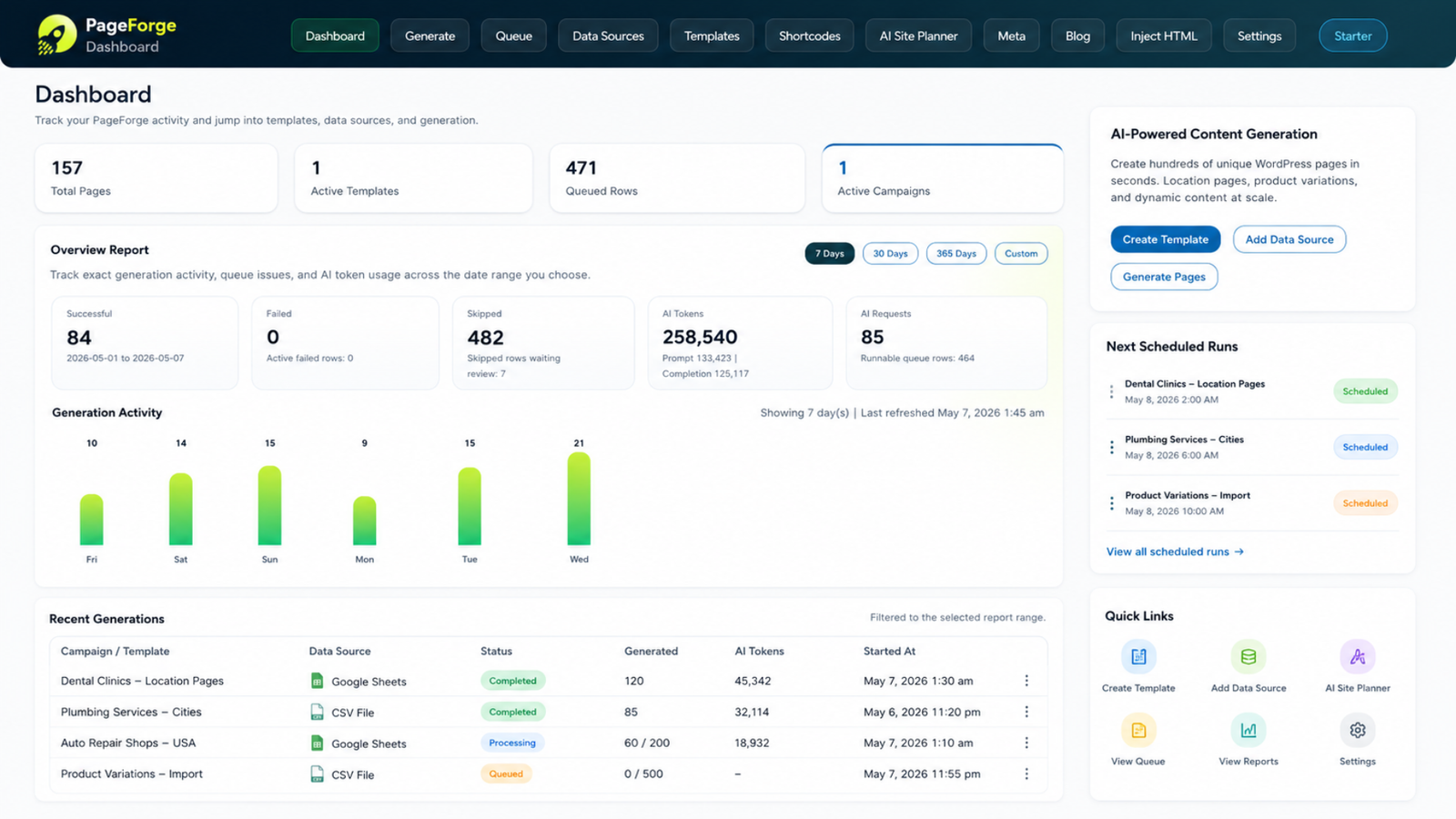
Turn spreadsheet data into native WordPress content without moving the campaign into a closed publishing platform









How do you create WordPress pages from CSV?
What a CSV-to-WordPress page generator actually does
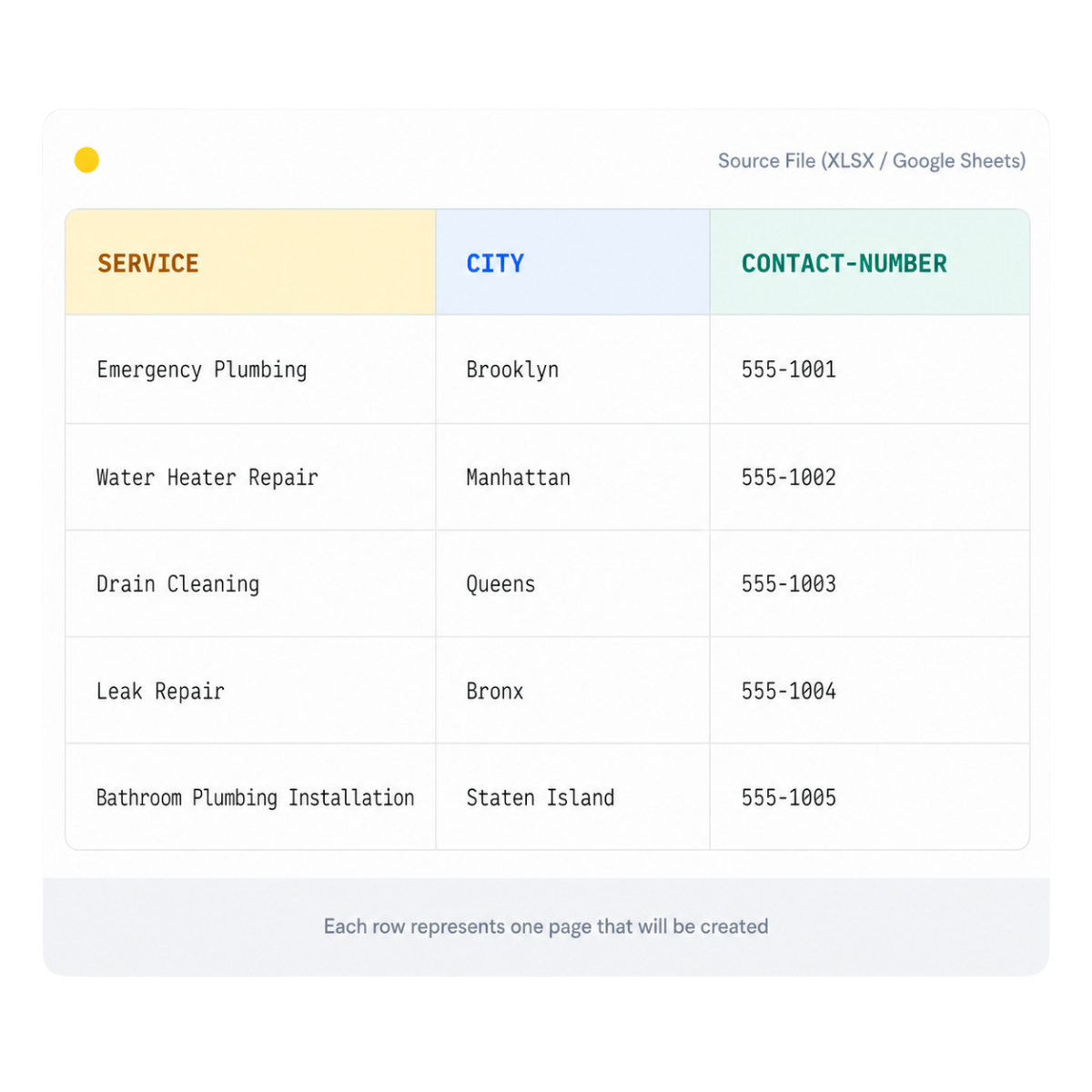
To create WordPress pages from CSV, you first decide which page type should exist and which facts make every page different. Each CSV row represents one intended WordPress record. Columns can store the page title, service, city, product, audience, body sections, image URL, image alt text, CTA label, CTA destination, slug, SEO title, meta description, schema properties, category, publication status, and internal-link targets.
PageForge connects those structured values to a reusable template. Static sections explain information shared by the whole page family, while dynamic placeholders insert row-specific facts. A single layout can therefore produce a service page for each location, an integration page for each software pair, a directory profile for each provider, or a product landing page for each valid attribute combination without rebuilding the design manually.
The objective is not to import as many rows as possible. The objective is to create useful, distinct, editable WordPress pages with accurate data, intentional URLs, consistent design, and a clear place in the site architecture. A strong workflow validates the CSV before generation, creates drafts first, checks duplicates and missing values, reviews representative outputs, and then publishes in controlled batches.
Copying WordPress pages manually becomes unreliable when the opportunity contains hundreds of valid data combinations
Manual page production is linear. An editor duplicates a page, changes the title, replaces several paragraphs, updates the URL, swaps the image, edits the SEO plugin fields, checks the links, saves the draft, and repeats the process. That method works for a few strategic pages. It breaks down when the same content model must cover dozens of services, hundreds of locations, product variations, integrations, categories, or directory entries.
Basic CSV importers solve only part of the problem. They may create WordPress records, yet leave the team to design the layout, manage placeholders, prevent duplicate slugs, build internal links, generate metadata, map schema, choose statuses, and review page quality separately. The result can be technically imported but strategically weak.
A controlled PageForge campaign separates repeatable production from page-specific judgment. The template handles hierarchy and design. The CSV supplies verified differences. Validation catches missing values and conflicts. Draft-first generation exposes problems before they spread. When a repeated issue appears, the team corrects the source column or template once instead of repairing every generated page individually.
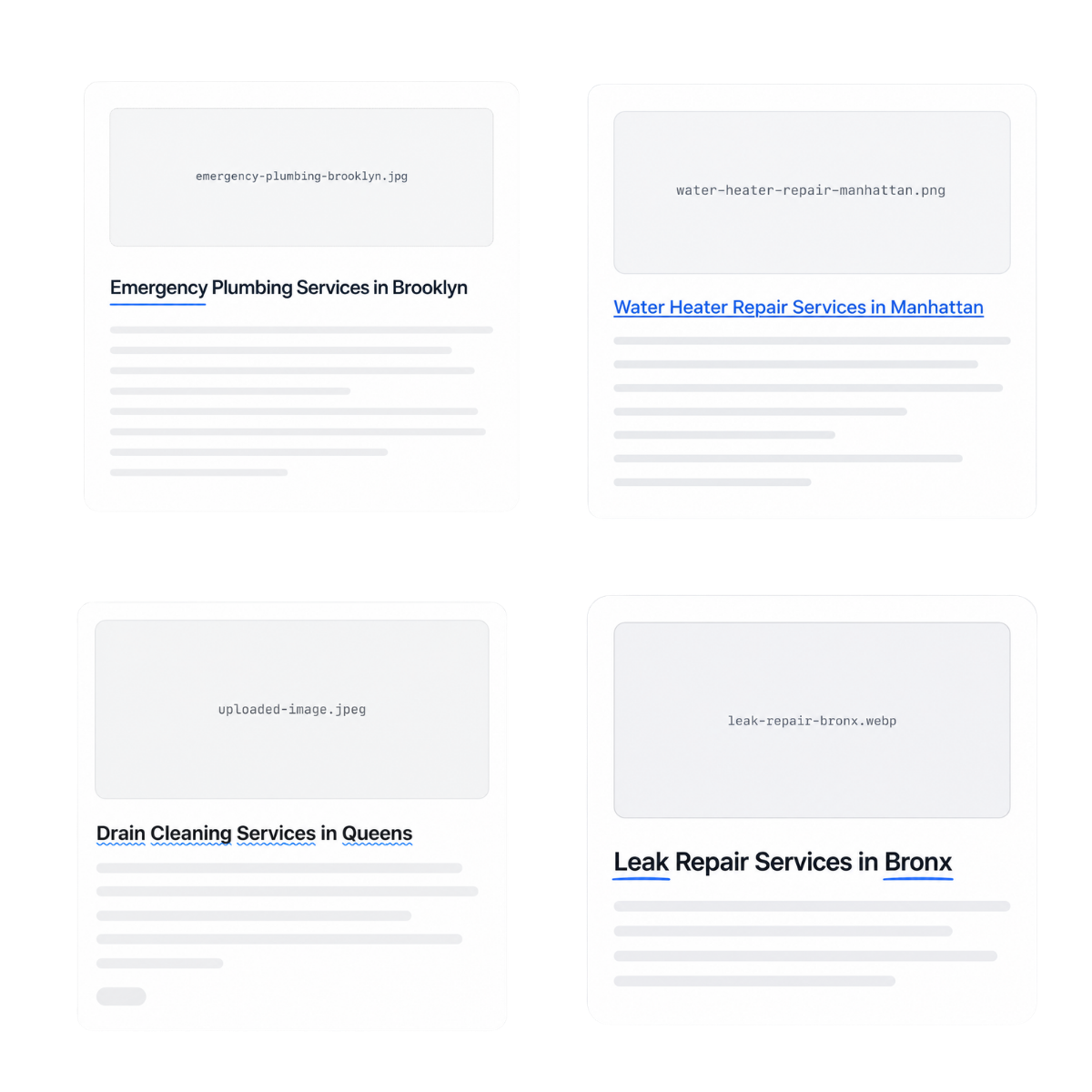
A nine-stage workflow from spreadsheet planning to reviewed WordPress pages
PageForge organizes CSV-driven production as a sequence: intent → page model → CSV → template → mapping → validation → draft → review → publish. Each stage has a clear output and can be tested before the campaign expands.
1. Define one page family and search intent
Choose a specific page type such as “service in city,” “software integration,” “product by attribute,” or “provider profile.” Give that intent one canonical URL pattern and avoid creating multiple templates that answer the same search.
2. Design the CSV data model
Create one row per intended page and one column per reusable field. Include a stable record key, required entities, page-specific facts, content blocks, images, CTA data, URLs, metadata, schema values, categories, and review status.
3. Clean and validate the source file
Standardize headers, remove duplicate rows, confirm UTF-8 encoding, validate required values, normalize URLs, and identify fields that may contain commas, quotation marks, line breaks, or HTML. Invalid rows should stop or enter review instead of generating incomplete pages.
4. Build the reusable WordPress template
Design the full page hierarchy in Elementor, Gutenberg, Divi, or another supported workflow. Include the hero, answer block, feature sections, proof, images, FAQs, internal links, and CTAs before inserting dynamic placeholders.
5. Map CSV columns to dynamic fields
Connect columns to titles, headings, paragraphs, images, alt text, buttons, slugs, SEO fields, schema properties, taxonomies, and supported custom-post-type values. Keep fixed explanatory copy separate from row-specific facts.
6. Preview representative records
Use rows with short values, long values, missing optional fields, unusual characters, and different page types. Confirm token replacement, wrapping, image behavior, URL formation, metadata, and schema before generating a larger batch.
7. Generate a small draft batch
Create five to ten drafts first. Review content accuracy, uniqueness, heading order, responsive layout, links, images, titles, descriptions, canonical logic, schema, and publication status. Fix systematic defects in the CSV or template.
8. Publish in controlled batches
Move only approved pages from Draft or Pending Review to Publish. Use a deliberate cadence, preserve rollback information, clear caches, and verify the live URLs return the correct status and remain indexable.
9. Measure and improve the page family
Monitor crawl discovery, indexation, impressions, query relevance, clicks, conversions, and content quality. Improve the data model, template, internal links, or weak sections before adding more rows to the same pattern.

Correct the column, mapping, or template once before the same defect reaches every generated page
A scalable CSV campaign depends on a reliable source model. Every important value should have a clear owner, format, validation rule, and destination. Required columns may include a stable record ID, page title, slug, primary entity, content fields, image URL, alt text, CTA, category, SEO title, meta description, and schema values. Optional fields should have defined fallback behavior rather than leaving broken tokens or empty cards.
Governance also protects the site from accidental duplication. The source file should identify which combinations are valid, which rows are excluded, which URLs already exist, and which records have been reviewed. A unique key helps prevent the same page from being created twice when the file is corrected or regenerated.
When a repeated issue appears, trace it to the system. Missing city names belong in the data. Broken image links belong in validation. Duplicate slugs belong in URL rules. Thin sections belong in the page model. Incorrect hierarchy belongs in the template. Fixing the source creates a durable improvement and keeps future batches consistent.
Map structured rows into complete, editable WordPress records instead of importing disconnected text fields
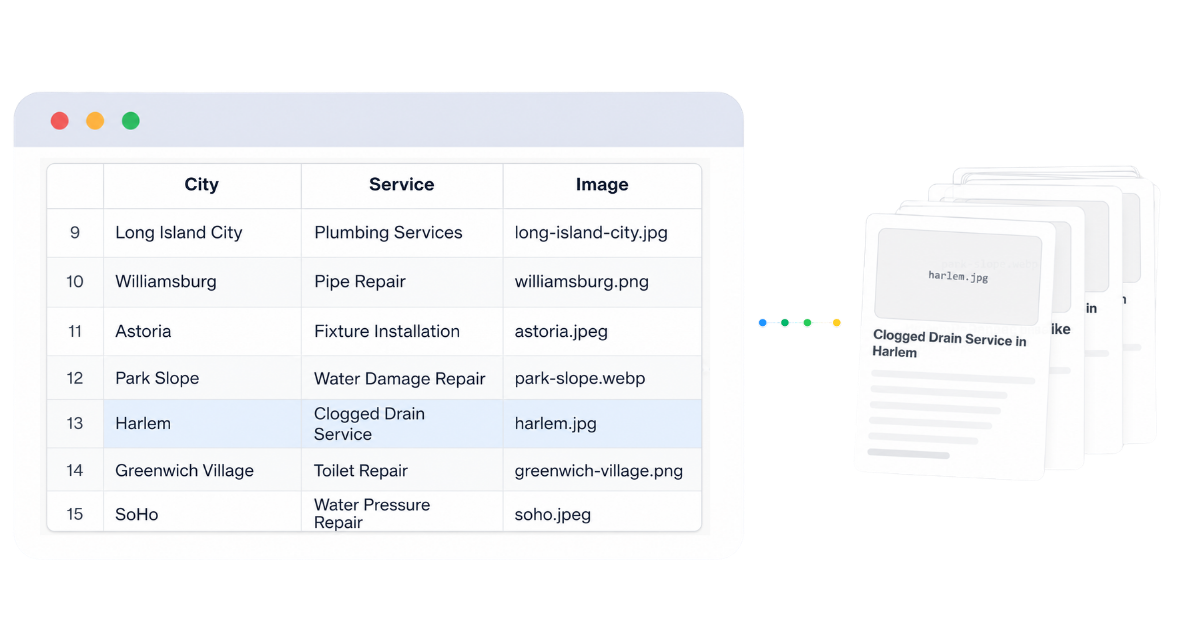
Pages, posts, and supported custom post types
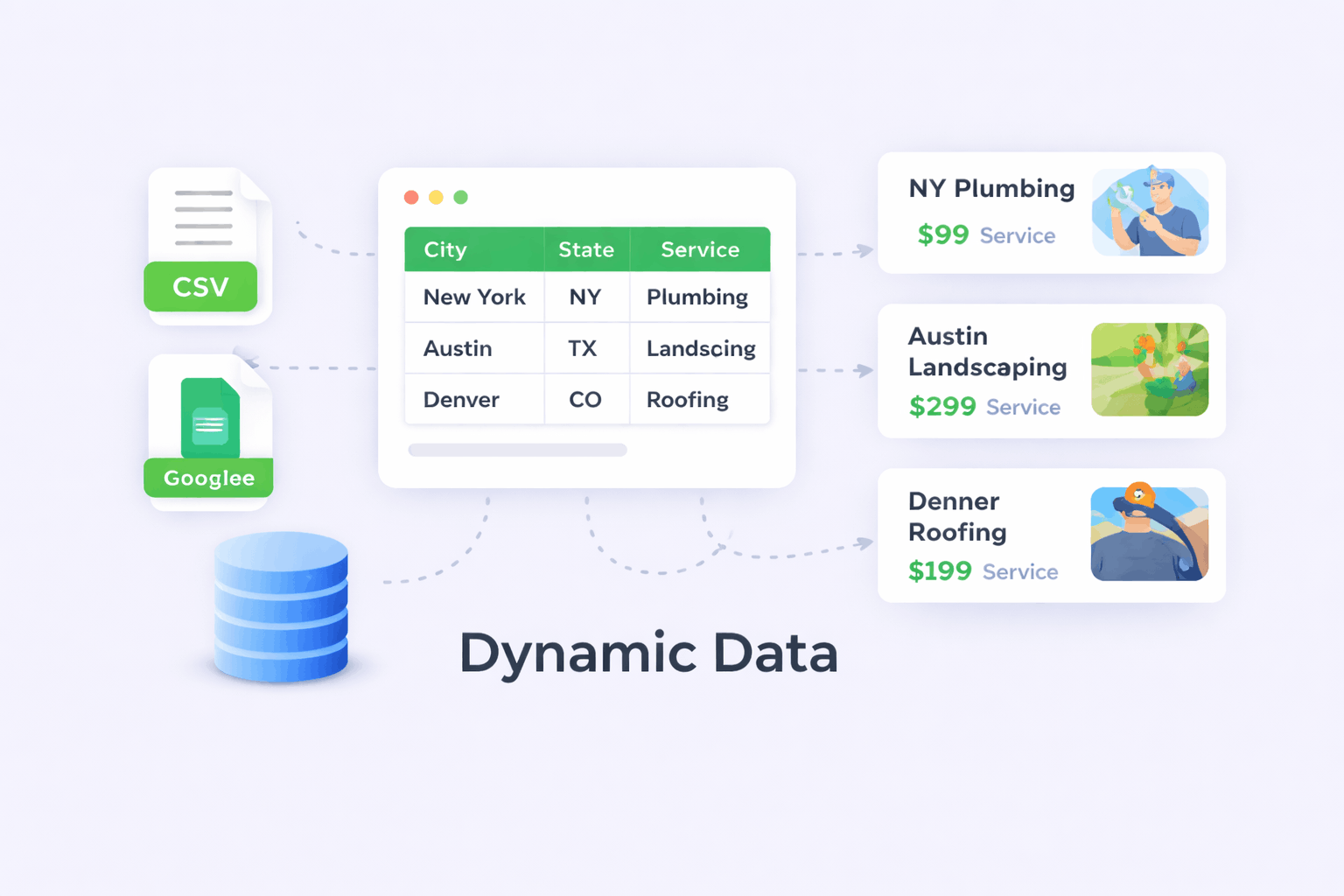
Dynamic content and token mapping

URL, slug, and title generation

SEO metadata and schema mapping

Images, links, and conversion fields

Draft status, duplicate protection, and review
A reliable file uses one row per intended page, predictable headers, stable keys, and explicit validation rules
Start with a small sample file rather than a full production export. Use simple, descriptive headers such as record_id, page_title, slug, service, city, intro, benefit_1, image_url, image_alt, cta_label, cta_url, seo_title, meta_description, and schema_type. Keep one meaning per column.
Store the file as UTF-8 so names, accents, currencies, and multilingual text remain intact. Quote fields that contain commas, quotation marks, or line breaks. Decide whether body fields contain plain text or approved HTML, and sanitize anything that will be rendered. Remove completely empty rows and columns. Confirm every required field contains a value or an intentional fallback.
A stable record_id is essential even when the final URL is derived from other columns. It gives the campaign a durable identifier when titles or slugs change. Add review columns such as status, owner, approved_at, and notes when several people prepare or validate the file.
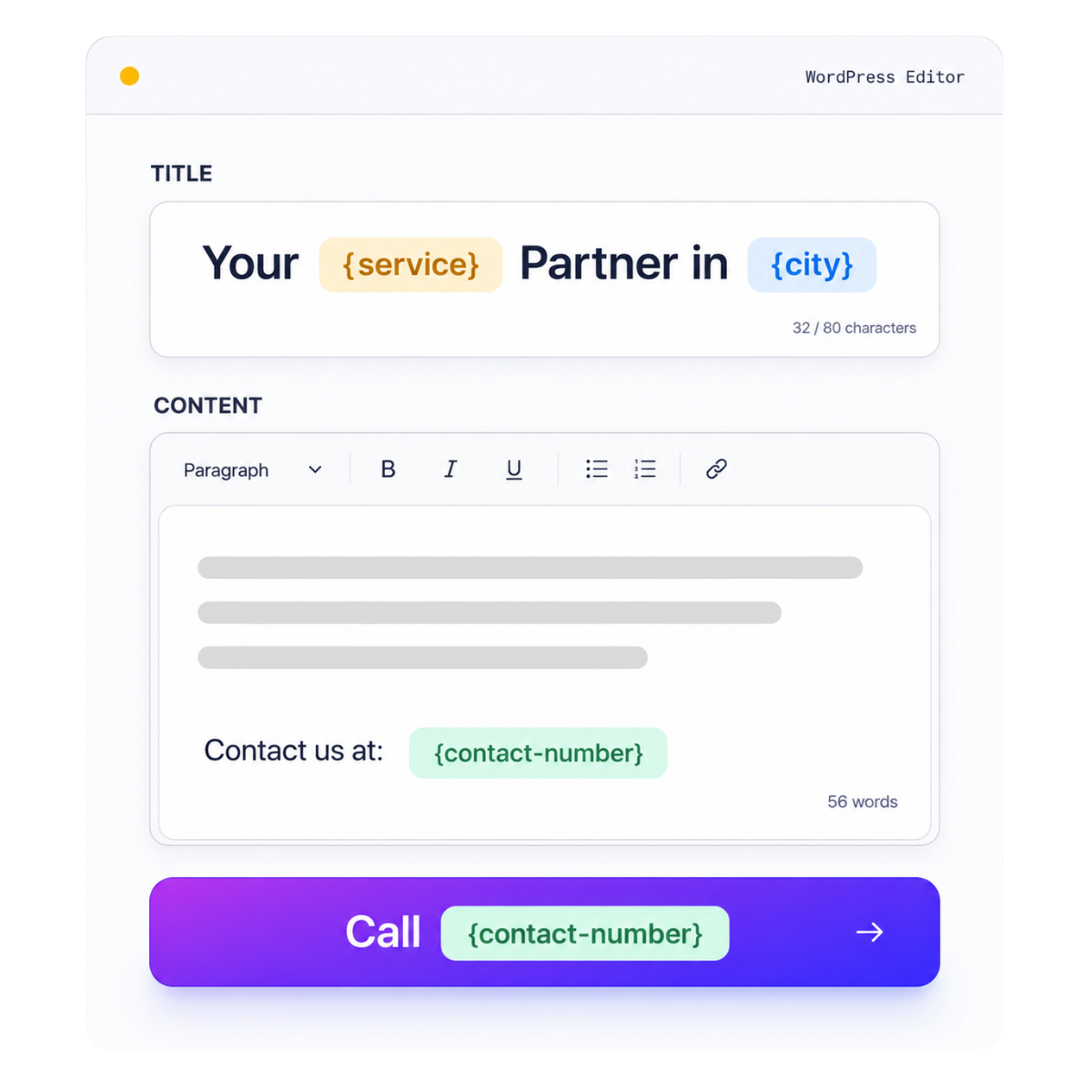
Keep visible content and search fields connected to the same verified source record
URL and metadata mapping should begin with the page intent. A location page may build its slug from service and city. An integration page may require both software names. A directory profile may use a stable profile slug rather than a generated title. Define one pattern per page family and normalize values before they enter the URL.
The same row can supply the WordPress title, H1, SEO title, meta description, breadcrumb label, image alt text, and schema properties. These fields do not need identical wording, but they must describe the same page. A title that says “Emergency Plumber in Austin” should not be connected to schema or body content for another city. Stable mapping prevents this kind of drift.
Use dedicated columns for fields that require editorial control. Do not hide every decision inside a long formula. Explicit seo_title, meta_description, canonical_url, and schema_name columns are easier to validate, review, and update than one opaque generated string. PageForge can combine deterministic tokens with optional AI assistance, but final values should remain grounded in the CSV and visible content.
Design the page once, then let verified rows control the details that genuinely change
A strong CSV campaign begins with a complete template, not an empty shell filled with a large text blob. Build the layout as you would build a high-value manual landing page: one clear H1, an answer-first introduction, useful sections, visual proof, benefits, process, comparison, FAQs, related links, and conversion actions. Then identify which elements are shared and which must vary by row.
Static copy should explain concepts common to the whole page family. Dynamic fields should carry facts such as the service, city, product, audience, feature, availability, pricing qualifier, process detail, image, CTA, or related URL. Conditional sections should disappear when the row lacks meaningful data instead of displaying empty cards or placeholder text.
Keep responsive behavior in the Elementor or WordPress layout rather than rebuilding it in every row. Tablet columns, mobile stacking, image widths, heading sizes, spacing, and button behavior should be validated on the source template. When the template is correct, every generated page inherits the same design standard while the CSV supplies unique content.
Separate shared copy from page-specific facts
Use conditional content instead of empty placeholders
Keep the layout editable after generation
Choose the WordPress record type that matches the content instead of forcing every CSV row into a standard page
Different campaigns require different WordPress structures. Commercial landing pages, service areas, and evergreen feature pages usually fit the Page post type. Blog articles, glossary entries, and editorial resources may belong as Posts. Directories, experts, locations, properties, integrations, or other structured records may use a supported custom post type when the site already defines the fields and archive behavior.
The CSV should include the destination post type or use a separate campaign for each type. Map categories, tags, parent pages, templates, authors, featured images, excerpts, and supported custom fields only when the target WordPress structure is clearly defined. A row should never guess which post type or taxonomy it belongs to.
Test how the active theme and plugins render the selected type. Confirm permalinks, archives, breadcrumbs, schema, sitemaps, search visibility, and editing permissions before generating the full batch. PageForge can create the records, but the surrounding WordPress information architecture must still be intentional.
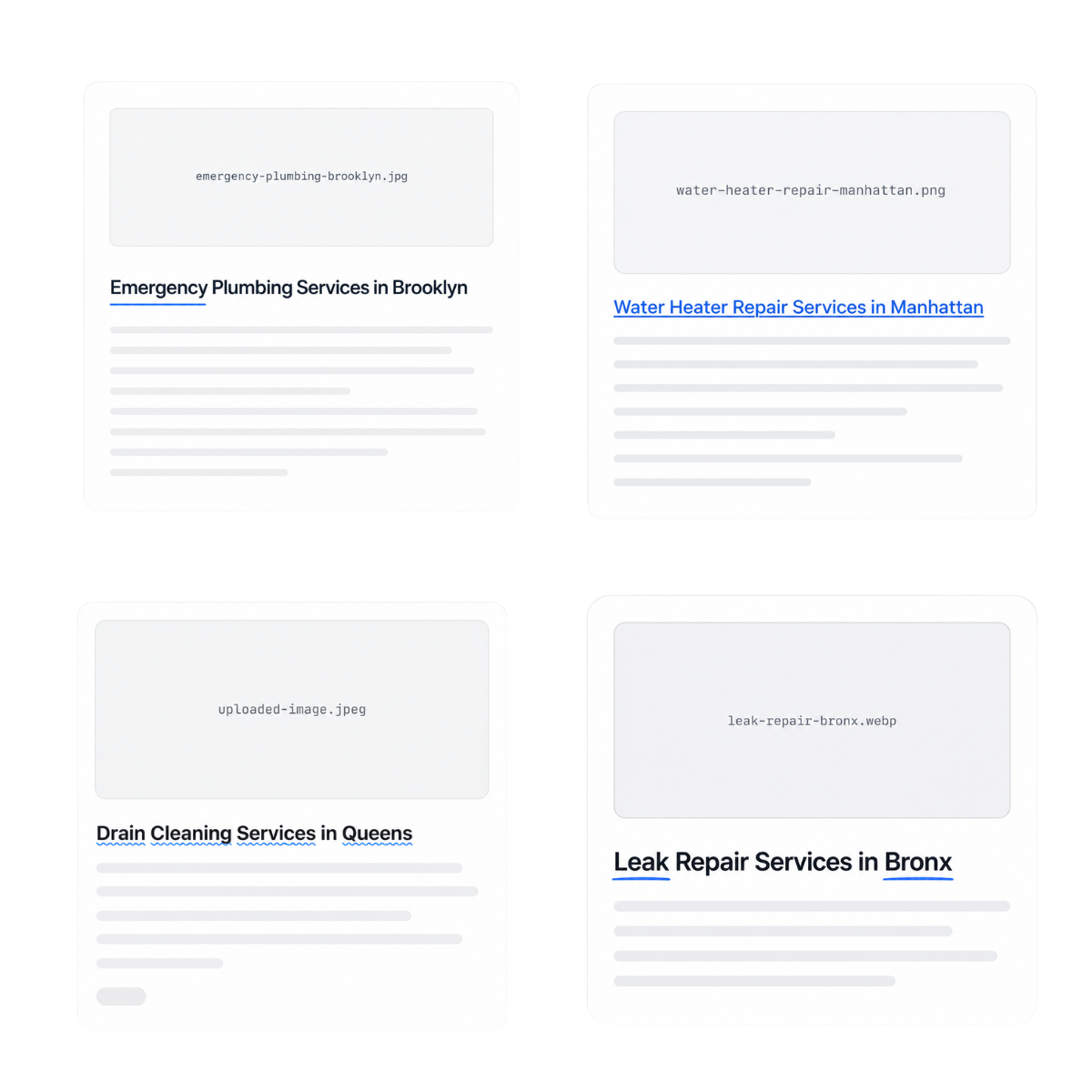
Generate quickly, but protect the site with representative previews, approval states, rollback data, and live URL checks
A CSV can repeat an error across hundreds of pages in seconds. Use that speed only after a pilot proves that the source file and template behave correctly. Review rows with long titles, short descriptions, missing optional fields, unusual characters, multiple images, external links, and different page types. These edge cases reveal layout and mapping defects that a perfect sample row may hide.
Keep the first output as Draft or Pending Review. Inspect WordPress titles, slugs, H1s, body content, images, alt text, buttons, metadata, canonical tags, schema, internal links, mobile layout, and source code. Confirm that caches and SEO plugins show the expected values. When the pilot passes, publish in manageable batches and record which rows were released.
After publication, verify every new URL returns HTTP 200, is allowed to be indexed, appears in the correct sitemap, links to and from relevant pages, and provides a useful conversion route. Retain the CSV version, template version, generation date, reviewer, and page IDs so future corrections can be traced.
Where structured rows remove repetitive production while preserving meaningful page-level differences
Local service and location pages
SaaS integration and feature pages

Agency landing-page campaigns

Directories and marketplace profiles

Products, categories, and comparison pages
Knowledge bases and structured content libraries
From a 600-row service matrix to reviewed, internally linked WordPress landing pages
Consider a regional home-services company offering six services across one hundred valid service areas. The initial spreadsheet contains only service and city names, which is not enough to support 600 useful pages. The team expands the data model with service availability, response hours, coverage notes, local proof, common problems, process steps, FAQs, nearby areas, booking URLs, image references, and unique metadata.
A single Elementor template defines the hero, answer block, service explanation, process, local details, proof, FAQs, nearby links, and booking CTA. PageForge maps the CSV fields into the layout and creates ten drafts that represent different services, long city names, missing optional proof, and varied FAQ sets. Review identifies two issues: some cities produce duplicate slugs, and one optional local-proof section remains visible when blank. The team fixes the slug rule and conditional template behavior before generating the remaining drafts.
The approved pages are published in controlled batches. A parent service hub links to city pages, city pages link to nearby areas, breadcrumbs preserve hierarchy, and relevant guides provide contextual support. Search Console and conversions are monitored by service and location group. The value of the workflow is not merely that 600 records were created. The value is that the campaign now has a governed dataset, reusable template, validation process, internal-link model, and update path for future service changes.
PageForge connects structured rows to complete WordPress templates, SEO fields, review states, and publishing controls
Prevent duplicate URLs, broken tokens, thin pages, invalid rows, empty sections, and large-scale quality regressions
Generate only valid, useful page combinations
Enforce stable keys, unique slugs, and complete fields
Pilot the template and preserve rollback information
Keep every generated record editable, auditable, and connected to the website your team owns
PageForge creates WordPress content rather than exporting a static collection of landing pages to a separate platform. Editors can open the generated record, update an individual paragraph, change an image, correct a link, adjust metadata, or improve the design using the normal WordPress workflow.
Ownership matters after launch. Services change, locations open or close, products gain new attributes, integrations evolve, and search demand shifts. A documented CSV model makes updates easier: change the verified source field, regenerate or update the affected campaign according to the supported workflow, and review the impacted records rather than rebuilding the whole site.
The operational handoff should include the CSV version, column definitions, template, token map, page IDs, slugs, review status, generation date, media sources, metadata fields, schema rules, internal-link plan, and publication log. This gives content, SEO, product, and development teams a shared record of what was created and why.
Validate the page model with a small campaign, then use broader automation when the data and template are proven
PageForge Free is suitable for learning the structured-data workflow and validating a real page family with a controlled CSV batch. Use representative rows to test the template, tokens, URLs, content, images, metadata, schema, internal links, and review process before treating the source file as production-ready.
PageForge Pro is intended for broader programmatic SEO operations and can include capabilities such as larger workflows, Google Sheets connectivity, queues, scheduling, reporting, builder cloning, and additional automation depending on the active plan and version. Confirm live pricing and feature details before publication.
The correct rollout begins with quality, not volume. A ten-row pilot that exposes and fixes source problems is more valuable than a thousand-page import that creates duplicate or incomplete URLs.
Validate the CSV page model
- Representative rows
- Validated template
- Draft-first review
- Stable record keys
Run larger structured campaigns
- Google Sheets collaboration
- Queue and scheduling controls
- Campaign reporting
- Reusable production systems
Who should create WordPress pages from CSV—and when manual production is still the better choice
A strong fit
Best starting condition
Use manual production when
Operational commitment
CSV to WordPress Pages: practical questions answered
-
What does CSV to WordPress page generation mean?
It means using one structured CSV row for each intended WordPress record and mapping the columns into a reusable page or post template. The row can supply titles, slugs, headings, paragraphs, images, links, metadata, schema, taxonomies, and review status. PageForge turns that model into editable WordPress content rather than a static external landing page.
-
How should I structure a CSV for WordPress page generation?
Use one row per intended page and simple headers with one meaning each. Include a stable record ID, title, slug inputs, primary entity, page-specific content, images, alt text, CTA data, SEO title, meta description, schema fields, post type, and review status as required. Validate encoding, quotes, commas, line breaks, empty fields, and duplicates before upload.
-
Can PageForge create posts and custom post types as well as pages?
PageForge can generate Pages, Posts, or supported custom post types according to the campaign configuration. The target type should already fit the site architecture, fields, archives, permissions, and theme behavior. Test representative records before generating a large batch, especially when custom fields, taxonomies, or plugin-controlled post types are involved.
-
Can CSV data populate Elementor or Gutenberg layouts?
Yes. PageForge can connect structured values to reusable supported WordPress layouts, including Elementor and Gutenberg workflows. Build the complete responsive template first, then map columns into headings, text, images, buttons, links, and other supported dynamic positions. Generated records remain editable in WordPress.
-
Can I map CSV columns to slugs, SEO titles, descriptions, and schema?
Yes. A campaign can use dedicated columns or controlled token rules for WordPress titles, URL slugs, SEO titles, meta descriptions, image alt text, canonical logic, and supported schema properties. These values should describe the same visible page, remain unique where required, and pass validation before publication.
-
How are images handled when creating WordPress pages from CSV?
Use columns for the image source, descriptive alt text, caption or label where needed, and the intended placement. Confirm every source URL is accessible and permitted for use. Test image dimensions, cropping, responsive width, lazy loading, and fallback behavior. Do not generate pages with broken images, empty alt fields, or unrelated visuals.
-
How does PageForge prevent duplicate pages and slugs?
Use a stable record ID, one canonical URL pattern per page family, normalized slug inputs, and duplicate checks before generation. The dataset should also identify existing URLs and excluded combinations. When the same campaign is corrected or expanded, the stable key helps the team distinguish a revised record from a new page.
-
Does PageForge require AI to create pages from CSV?
No. Deterministic CSV values and dynamic tokens can create complete pages without AI. Optional AI can add controlled page-specific depth when the structured data and prompts provide enough factual context. AI output should remain grounded in the row, pass validation, and receive human review before publication.
-
Can I publish generated pages as drafts first?
Yes. Draft-first generation is the safest approach for a new template or dataset. Use Draft or Pending Review for a representative batch, inspect the content and technical fields, fix the source system, and publish only approved records. Other supported statuses can be used according to the campaign plan.
-
Will CSV-generated pages be considered doorway pages?
They can be when they exist only to target keyword variations and provide little independent value. Avoid empty location combinations and superficial noun swaps. Every page should represent a real entity, service, product, audience, or topic; contain verified page-specific information; connect to the site hierarchy; and offer a useful next action.
-
Can PageForge guarantee that CSV pages will rank?
No tool can guarantee rankings or indexation. Results depend on search demand, intent match, originality, authority, technical health, crawlability, internal links, competition, user satisfaction, and maintenance. PageForge improves production control, but the generated pages must still deserve discovery and provide a strong experience.
-
What is the safest way to launch a large CSV campaign?
Define one page family, prepare a clean sample CSV, build the complete template, validate mappings, generate five to ten drafts, test edge cases, correct systematic problems, and publish a limited batch. Verify HTTP status, indexability, canonical tags, schema, sitemaps, internal links, mobile layout, and conversions before expanding.


