


AI Content Generator for WordPress SEO Pages
Generate page-specific WordPress SEO content from structured data, reusable prompts, and your preferred AI provider—without surrendering editorial control. PageForge connects row-level facts, Elementor or other supported WordPress layouts, OpenAI, Claude, Gemini, or DeepSeek workflows, SEO metadata, schema, internal links, and draft review in one repeatable campaign system.
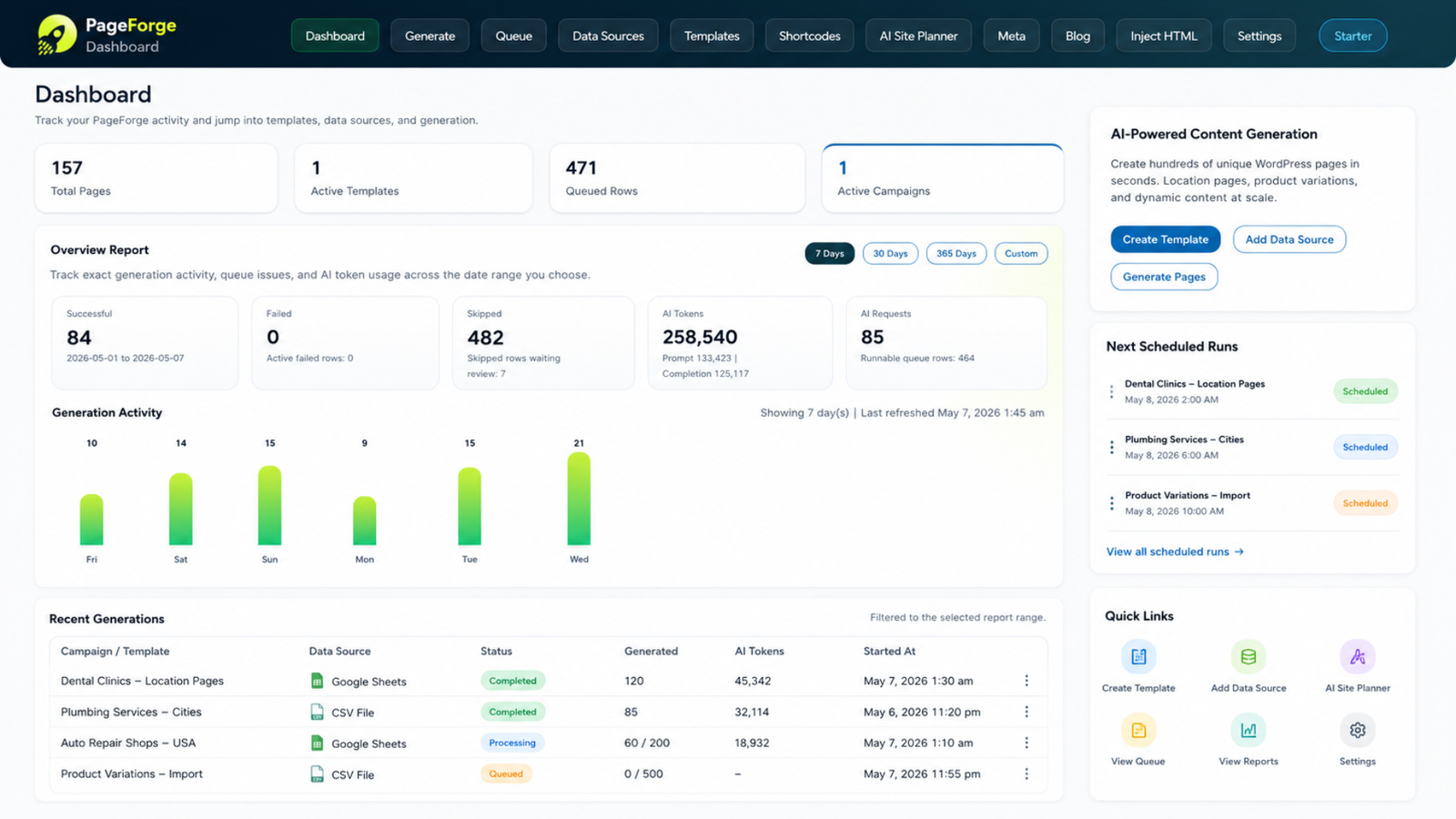
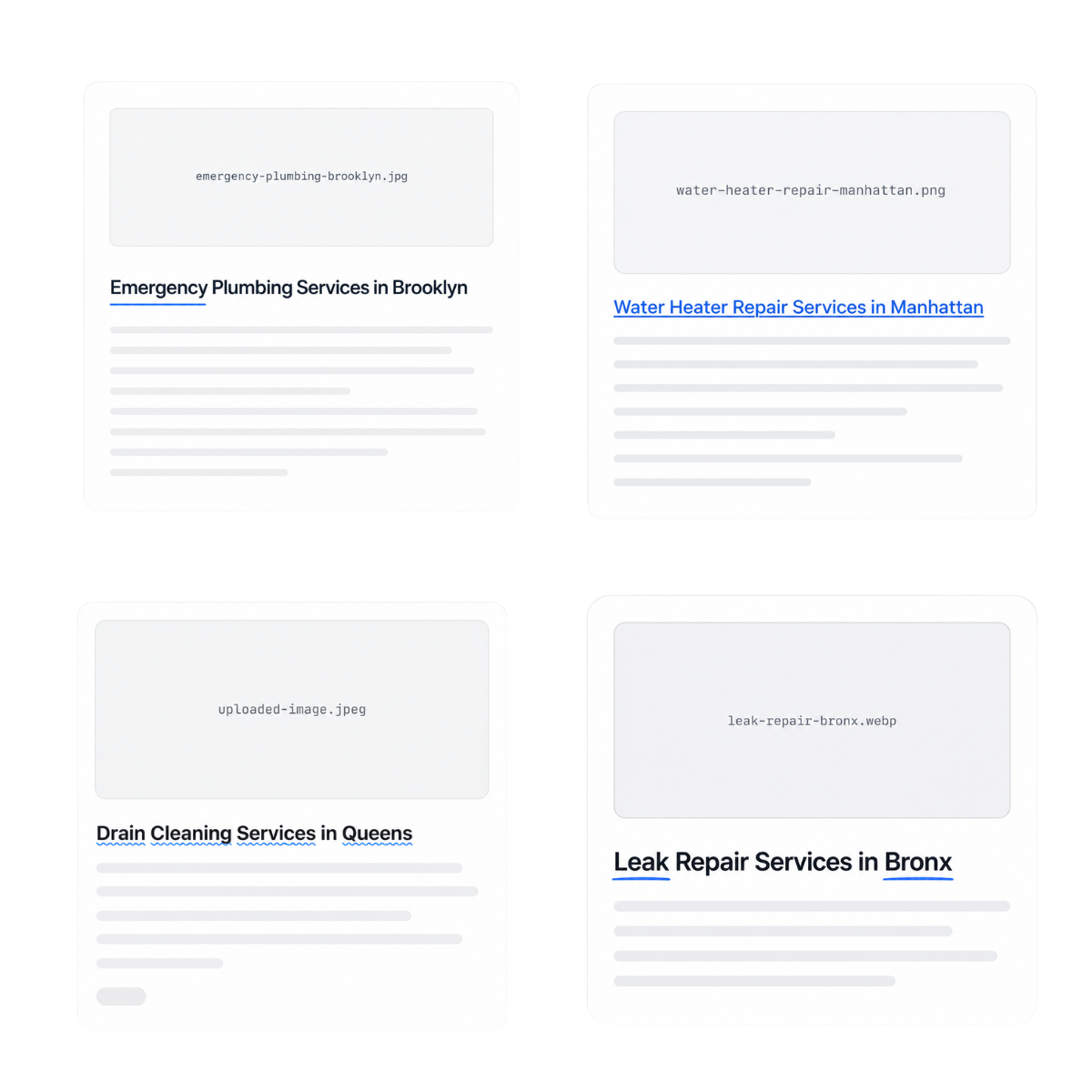
Keep AI content inside the builders, themes, and SEO workflows your team already uses









What is an AI content generator for WordPress SEO pages?
How the PageForge AI content workflow works
An AI content generator for WordPress SEO pages helps a team create useful narrative variation across many related URLs while preserving a controlled design, data model, and editorial process. Instead of copying one paragraph across every location, integration, category, or service page, the system gives each record its own context and asks an AI provider to draft selected sections around that context.
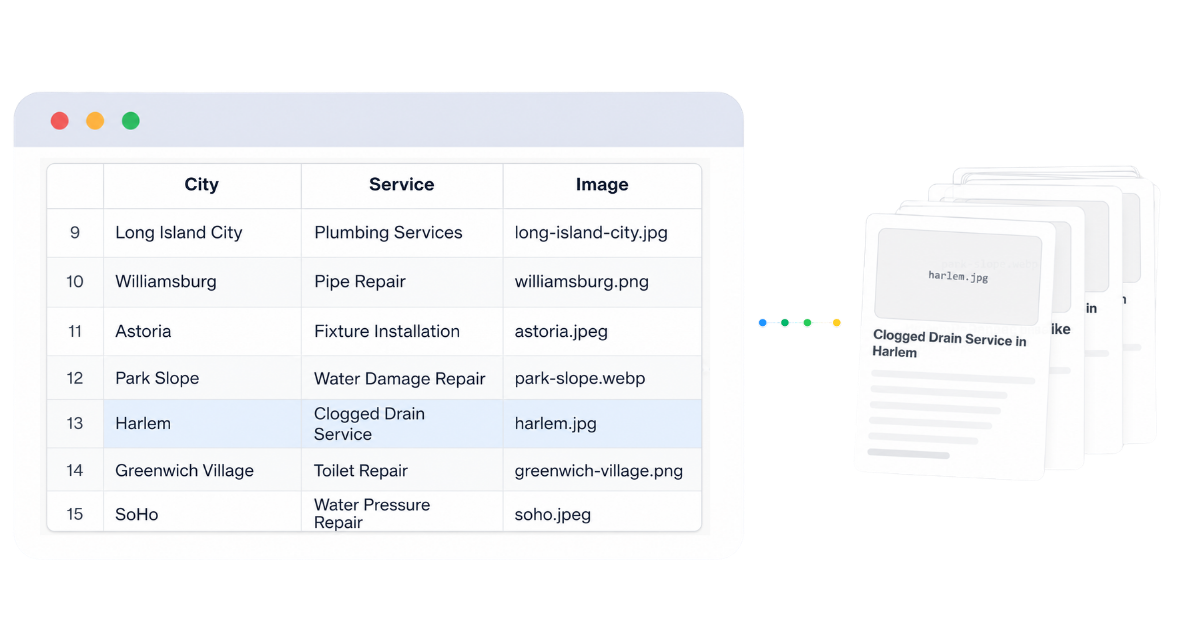
PageForge begins with structured source data. Each row represents an intended WordPress page, post, or supported custom post type. Columns can provide the service, location, audience, product, attributes, benefits, limitations, evidence, FAQs, related links, CTA destination, metadata, and other facts. Reusable prompts reference those values and generate only the sections assigned to them. Stable fields such as names, slugs, addresses, prices, product codes, links, and canonical URLs can remain deterministic.
The WordPress template controls the page hierarchy and responsive design. AI does not need to invent the layout or decide where the CTA belongs. It can draft an introduction, explain a process, summarize benefits, answer questions, compare options, or create localized context while the Elementor or other supported template preserves the visual structure. The resulting page remains editable in WordPress.
PageForge supports workflows with OpenAI, Claude, Gemini, and DeepSeek, using the customer’s own provider key. Generated content should be saved as a draft, reviewed for facts, repetition, geography, brand voice, compliance, and search intent, and published only when the complete page provides independent value. The purpose is not one-click mass publishing. It is a repeatable production system for creating stronger SEO pages with human approval.
A generic prompt cannot safely create hundreds of accurate WordPress SEO pages
Most AI-writing workflows begin with an empty chat box. A marketer types a broad instruction, receives a page draft, copies it into WordPress, fixes the formatting, rewrites unsupported claims, adds metadata, inserts links, checks the mobile layout, and repeats the process for the next URL. That can help with one article. It becomes inefficient and inconsistent when the campaign contains dozens or hundreds of pages.
The problem is not only writing speed. Every page needs dependable context. A service-location page must know the actual service area, availability, local restrictions, proof, and conversion route. An integration page must know capabilities, prerequisites, limitations, and related integrations. A comparison page must distinguish verified differences from marketing opinion. When those facts are not supplied in a controlled structure, the model fills gaps with generic language or confident inventions.
One-shot page prompts also blur responsibilities. The AI may change the intended hierarchy, repeat the same phrases, create conflicting CTAs, invent headings, omit mandatory sections, or produce metadata that does not match the visible content. Editors then correct the same class of error across many pages instead of fixing one source prompt or field mapping.
PageForge separates the system into layers. Structured data controls facts. Reusable prompts control narrative generation. The WordPress template controls layout and hierarchy. SEO mappings control titles, descriptions, schema, and links. Draft-first operations control publication. When a repeated issue appears, the team corrects the relevant layer and regenerates a representative batch rather than manually patching every page.
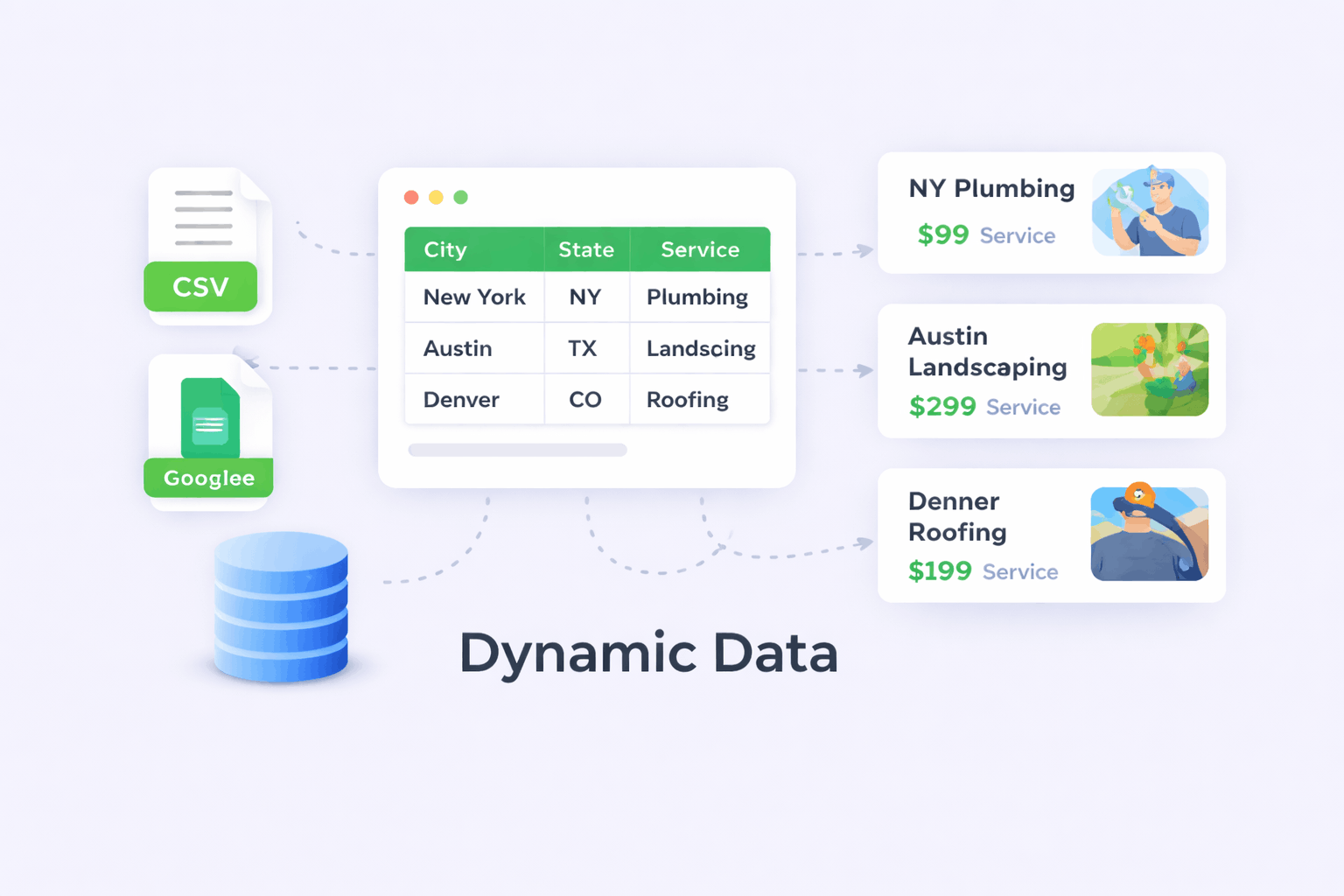
A nine-stage workflow from verified page context to reviewed WordPress content
PageForge follows a controlled sequence: intent → facts → template → prompt → provider → draft → SEO → review → publish. Each stage has a clear owner and can be improved without rebuilding the entire campaign.
1. Define the page intent
Choose one primary query and one page purpose. Decide what the visitor needs to understand, compare, verify, or do. A clear intent prevents prompts from producing broad articles that compete with other pages on the same site.
2. Build the factual context
Create one record per intended page and add verified fields for the entity, service, location, audience, attributes, evidence, restrictions, process, FAQs, related pages, and CTA. Missing facts should remain missing rather than becoming invitations for invention.
3. Design the WordPress hierarchy
Build the Elementor, Gutenberg, Divi, or supported layout first. Define the H1, section order, screenshots, cards, trust elements, comparison, FAQs, and conversion path so AI output enters a stable page rather than deciding the design.
4. Create reusable section prompts
Assign a separate prompt to each narrative task: introduction, benefits, process explanation, local context, comparison summary, objection handling, FAQ answer, or CTA. Specify audience, tone, supplied fields, required output, length, and forbidden claims.
5. Choose and connect the AI provider
Use OpenAI, Claude, Gemini, or DeepSeek through the supported PageForge workflow and your own API key. Select the provider and model according to quality, context requirements, speed, cost, and internal policy.
6. Generate page-specific drafts
Combine reusable prompts with the current row’s data. Keep stable values deterministic and generate only the sections that benefit from language variation. Store the output in normal editable WordPress content fields.
7. Map SEO and structured data
Create unique titles, descriptions, FAQs, image alt text, and schema text where AI adds value, while preserving controlled slugs, canonicals, entity identifiers, and internal links. Schema must describe the visible reviewed page.
8. Review a representative batch
Generate five to ten drafts that cover ordinary and difficult records. Check accuracy, repetition, formatting, geography, brand voice, compliance, links, metadata, schema, images, and mobile behavior. Fix the source data, prompt, or template when an issue repeats.
9. Publish, measure, and improve
Publish in controlled batches, monitor crawl and indexation, study Search Console queries and conversions, update weak prompts, consolidate overlapping pages, and refresh source facts. Scale only after the pattern consistently creates useful pages.

Improve the source prompt once instead of rewriting the same problem across every page
PageForge keeps the repeatable parts of AI production connected. The row controls facts. The prompt controls the writing task. The provider generates the draft. The WordPress template controls placement and design. SEO mappings control how the page is titled, described, structured, and connected.
When reviewers find a repeated issue, they can identify its source. An invented claim belongs in the prompt rules. An incorrect location belongs in the data. A duplicated heading belongs in the template. A weak title pattern belongs in the SEO mapping. Correcting the source is faster and more reliable than editing every generated page separately.
- Verified fields are treated as the source of truth
- Reusable prompts define required and prohibited output
- AI drafts remain separate from final publication
- Human approval is required before scaling the pattern
Everything needed to generate page-specific SEO copy without losing campaign control
Row-level factual context

Reusable section prompts
Multiple AI providers

Search-ready outputs
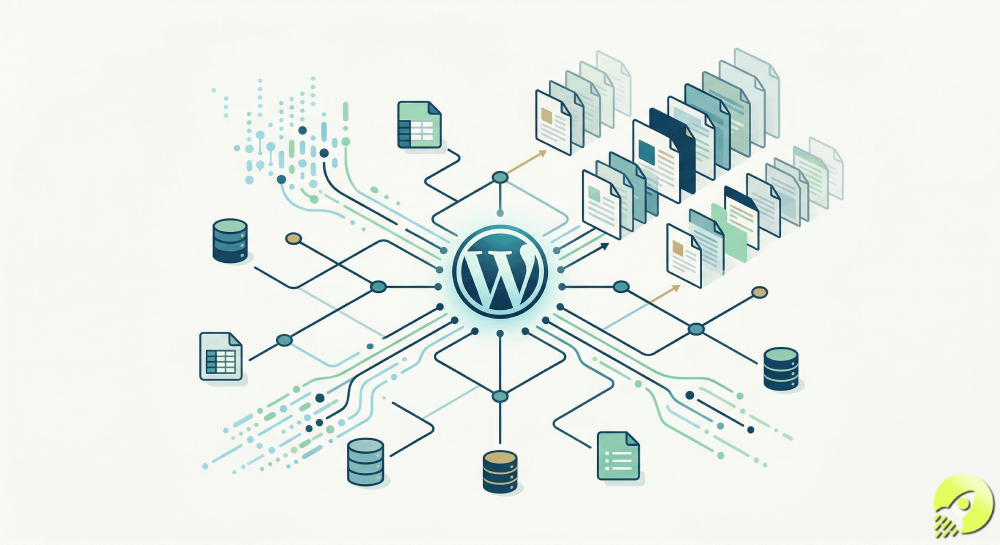
Editable WordPress content
Draft-first publishing
Your spreadsheet should tell the AI what is true—not merely which keyword to repeat
The quality of AI-generated SEO content is limited by the context supplied to the model. A spreadsheet containing only a keyword and city name gives the model almost no reliable material. It can rearrange familiar phrases, but it cannot know the business’s real availability, process, differentiators, restrictions, proof, local relationships, or conversion route.
Build the dataset as a content model. Use one row per intended page and clear columns for the primary entity, search intent, audience, service or product, attributes, benefits, limitations, evidence, terminology, exclusions, FAQs, image references, related URLs, CTA, and approval notes. Add a stable record key so updates can be traced and duplicate rows can be detected.
Separate verified facts from instructions. A field such as service_area contains the business fact. A prompt rule such as “Do not claim service outside the supplied area” tells the model how to use it. This distinction makes review easier and allows the same prompt pattern to work across many rows without confusing facts with editorial guidance.
CSV files are useful for controlled, versioned batches. Google Sheets workflows in PageForge Pro are useful when strategists, subject-matter experts, and reviewers maintain the data together. In both cases, validate required fields, allowed values, duplicates, empty records, and prohibited combinations before content generation. A row that lacks enough evidence for a standalone page should be improved or excluded rather than padded with generic AI copy.
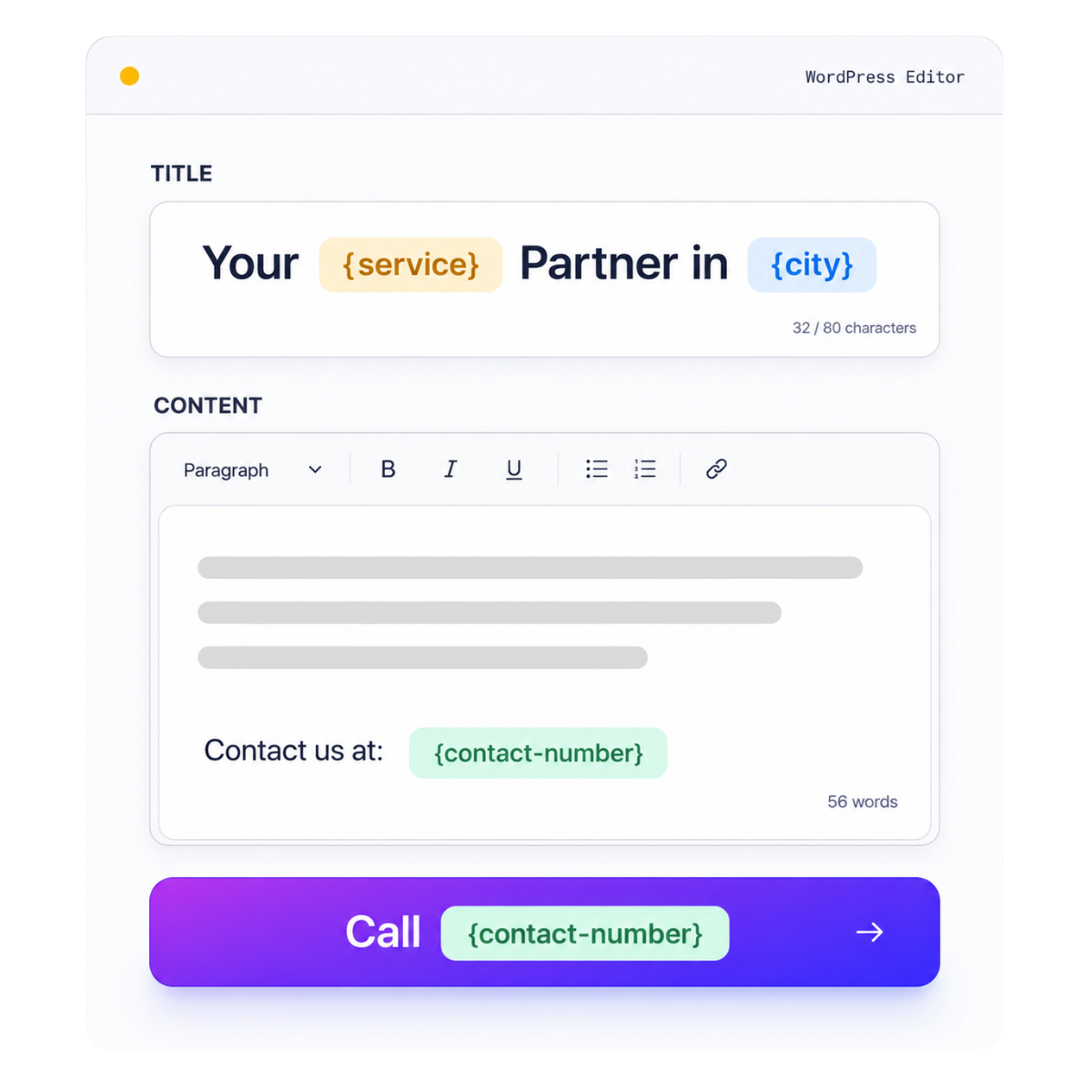
Let the template control hierarchy while AI generates only the sections that need variation
AI content is more useful when it enters a complete page design. PageForge can reuse WordPress layouts so generated pages retain the typography, spacing, cards, screenshots, forms, accordions, buttons, and conversion hierarchy your team has already approved. For Elementor campaigns, use native containers and widgets, define responsive values at every breakpoint, and keep generated text inside normal editable fields.
Organize the page into three layers. The fixed layer contains shared product explanations, navigation, disclosures, and design elements. The structured layer inserts row-specific facts such as names, locations, specifications, prices, or links. The AI layer drafts selected narrative sections that benefit from variation. This division protects important facts and prevents the model from rewriting every part of the page.
Give each AI field a clear role. The introduction should answer the query, not repeat the H1. The benefits section should connect supplied attributes to the current audience. The FAQ should answer questions supported by the row. The CTA should reflect the actual next step. When the output has a defined destination and word range, it is easier to review and less likely to disrupt the design.
Validate the template before scaling. Check one H1, logical H2 and H3 levels, mobile stacking, button widths, image behavior, optional fields, long titles, empty values, and the maximum expected text length. A well-governed prompt cannot rescue a layout that clips content or reproduces broken spacing across every generated page.
Use OpenAI, Claude, Gemini, or DeepSeek without rebuilding the WordPress campaign
PageForge supports OpenAI, Claude, Gemini, and DeepSeek workflows, depending on the installed version and plan. You connect your own provider API key and keep usage under your account. Provider choice can affect tone, context capacity, speed, and cost, but it does not replace prompt governance.
A strong prompt names the page purpose, audience, supplied facts, prohibited assumptions, format, length, tone, and acceptance criteria. It explains what to do when information is missing and which claims require exact source data.
Generate section by section. Introductions, comparisons, local context, FAQs, metadata, and CTAs need different constraints. Separate prompts let the team tune each task and regenerate one weak section without disturbing the complete page.
Keep names, URLs, addresses, prices, dates, legal terms, service areas, and identifiers deterministic. Use AI for explanation around those facts, then review every output for invention, filler, repetition, and brand inconsistency.
Ground prompts in supplied facts
Generate one content task at a time
Keep a human approval gate
Generate useful search snippets and structured answers without handing critical identifiers to the model
An AI content workflow should support the complete page, not only the body copy. PageForge can map structured values into the WordPress title, slug, meta title, meta description, image alt text, social text, FAQ answers, and schema properties. AI can help draft selected fields when language variation improves clarity, while stable identifiers remain controlled by the campaign.
Use deterministic patterns for values that must be exact: canonical URLs, entity names, addresses, product identifiers, taxonomy relationships, and internal-link destinations. Use AI for fields that benefit from interpretation, such as summarizing the page’s value, turning verified attributes into a concise description, or answering a question in plain language. Every generated snippet should match the visible page and avoid claims that are not supported in the record.
Check titles and descriptions for duplication, truncation, vague wording, and keyword stuffing. A good meta title names the topic and brand without forcing every modifier into one line. A good description explains the page’s specific value and gives the searcher a reason to click. Generated FAQ and schema text must be visible on the page and must not contradict the main content.
AI-generated text also needs an internal-link context. Connect the page to its parent feature hub, relevant sibling pages, supporting guides, pricing, documentation, and conversion destinations. Do not allow the model to invent URLs. Supply approved link targets in the dataset or template, use descriptive anchor text, and test the complete link graph before publication.
Separate AI generation from publication and scale only after the review system works
AI generation should create reviewable assets, not irreversible publication. PageForge supports controlled WordPress statuses such as Draft, Pending Review, Private, and Publish, allowing the content team to separate production from launch. For a new prompt or page pattern, drafts are the correct default.
Review a representative batch that includes short and long records, optional fields, unusual terminology, different locations, and difficult combinations. Check whether the H1 and direct answer match the intent, whether every fact comes from the source data, whether the generated sections add information instead of repeating the template, and whether the CTA reflects the real next step.
Technical review is part of content review. Confirm responsive layout, heading order, images and alt text, internal links, title and description uniqueness, canonical behavior, schema validity, indexation settings, and performance. An accurate paragraph inside a broken mobile page is not ready to publish.
When an issue repeats, fix the source layer. Update the dataset when facts are wrong, the prompt when language is wrong, the template when hierarchy is wrong, and the SEO mapping when snippets are wrong. Regenerate the sample batch and repeat the checks. After the pattern is stable, publish in controlled batches and monitor real query, engagement, conversion, and support data.
Where page-specific AI drafting adds the most value inside WordPress
Local service and location pages
SaaS integration libraries

SEO and WordPress agencies

Comparison and alternative pages

Directories and marketplaces
Ecommerce categories and attributes
From a 150-page local SEO matrix to reviewed, page-specific WordPress copy
Consider a home-services company offering six services across twenty-five cities. The theoretical matrix contains 150 combinations, but the team first removes locations outside the real service area, consolidates overlapping intent, and identifies the information each remaining page needs.
The dataset contains service availability, property types, customer problems, approved process steps, restrictions, evidence, related services, booking URL, and local questions. The Elementor template controls the hero, service details, process, proof, FAQs, and CTA. Stable values are inserted directly.
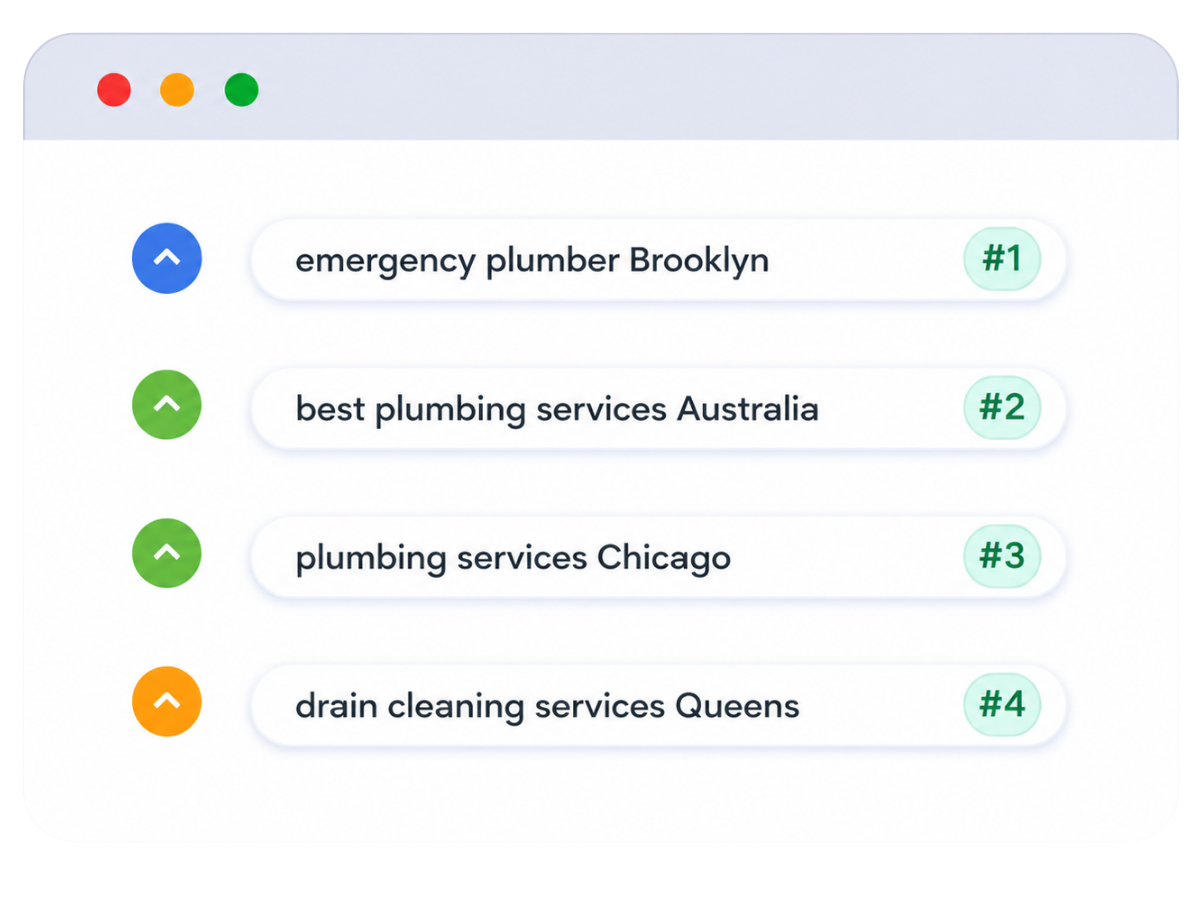
Reusable prompts draft the introduction, process summary, and FAQ answers from the supplied fields. Ten representative drafts are reviewed for geography, facts, repetition, metadata, schema, links, images, and mobile layout. A repeated emergency-service claim is fixed once in the prompt rules and the batch is regenerated.
After validation, pages are published in controlled groups. Search Console and conversion data guide improvements, consolidation, or removal. The value comes from the connected data, prompts, template, review, and measurement system—not maximum output volume.
PageForge connects AI writing to structured data, WordPress templates, SEO fields, and review
Increase useful variation without multiplying hallucinations, thin pages, or duplicated intent
Search engines do not reward a page because a human typed every sentence, and they do not reject a page solely because AI assisted. The relevant questions are whether the page serves a real need, provides trustworthy standalone value, fits the site architecture, and offers a useful next action.
AI makes weak inputs easier to multiply. A vague keyword list can become hundreds of vague pages, and one unsupported claim can spread across a campaign. Define mandatory fields, valid combinations, prohibited claims, and records that should remain ungenerated or noindexed.
Keep source data versioned, use one primary URL per intent, and prevent AI from compensating for missing facts. After launch, review queries, indexation, engagement, conversions, and accuracy. Update prompts, refresh records, merge overlap, and remove pages that cannot provide independent value.
One intent, one primary URL
Verified-data threshold
Representative draft QA
Keep the generated copy, page layout, metadata, and editorial control inside WordPress
PageForge creates content within WordPress, so AI-generated sections participate in the same editorial and technical ecosystem as the rest of the site. Editors can open the page, revise a paragraph, update an image, change a CTA, adjust metadata, and maintain the content after generation instead of depending on a hosted page builder or external AI workspace.
When an Elementor layout is used as the campaign base, the output can retain native containers, headings, text widgets, images, buttons, cards, accordions, and responsive settings. The AI content is one controlled layer inside that layout. Gutenberg, Divi, and other supported workflows follow the same principle: the site owns the published asset and the team remains responsible for its accuracy and performance.
Ownership also matters for updates. Change the source record when a service, location, product, or policy changes. Update the reusable prompt when the editorial requirement changes. Improve the template when the design changes. A connected system makes future maintenance more practical than scattered copy-and-paste drafts.
Use Free to validate prompts and drafts. Upgrade when recurring operations become the constraint.
PageForge Free is a practical starting point for validating a structured content pattern. Use CSV data, dynamic fields, supported AI-provider workflows, editable WordPress output, and controlled publication statuses to test the page intent, prompt quality, template, and review checklist. The current Free workflow supports up to 100 pages per generation run.
PageForge Pro is designed for broader recurring operations. Depending on the current version and plan, this can include Google Sheets collaboration, scheduling, reporting, builder-layout operations, and additional automation. AI usage runs through the customer’s provider key, so provider costs and limits remain separate from the PageForge licence. Confirm current plan details on the live pricing page before publication.
PageForge Free
- Test one page pattern
- Generate representative draft batches
- Review AI output inside WordPress
- Use supported publication statuses
PageForge Pro
- Google Sheets campaign data
- Scheduled or drip publication
- Campaign reporting and operations
- Advanced workflow controls
Who should use PageForge for AI-generated WordPress SEO content—and who should not
A strong fit
Best starting condition
Not a shortcut for
Operational commitment
AI content generator for WordPress SEO pages: questions answered clearly
-
What is an AI content generator for WordPress SEO pages?
It uses structured page data, reusable prompts, and a WordPress template to draft unique sections for related URLs. PageForge connects the drafts to dynamic fields, supported builders, metadata, schema, internal links, WordPress statuses, and human review.
-
How does PageForge create page-specific AI content?
Each page record supplies facts such as the service, location, product, audience, attributes, restrictions, FAQs, and links. Reusable prompts reference those fields and generate assigned sections, while stable values remain controlled by the dataset.
-
Which AI providers can be used with PageForge?
PageForge supports OpenAI, Claude, Gemini, and DeepSeek workflows, depending on version and plan. You use your own provider API key, so provider charges and usage remain under your account; AI credits are not bundled.
-
Does PageForge generate an entire page with one AI prompt?
Section-level generation is usually safer. Separate prompts for introductions, benefits, comparisons, FAQs, and CTAs are easier to review and regenerate. The WordPress template controls hierarchy while structured fields protect critical facts.
-
Can AI-generated content remain editable in Elementor or WordPress?
Yes. Generated text is placed into WordPress-owned pages and supported builder layouts. Elementor headings, text, images, buttons, cards, and responsive settings remain editable through the normal WordPress workflow.
-
How does PageForge reduce hallucinations and unsupported claims?
Treat the dataset as the source of truth. Prompts should list supplied facts, prohibited assumptions, required terminology, and claims that must not be invented. Save drafts and review names, locations, prices, qualifications, statistics, and availability.
-
Can PageForge generate SEO titles, descriptions, FAQs, and schema with AI?
Yes, AI can draft selected SEO fields when grounded in the page record. Keep slugs, canonicals, identifiers, addresses, and links deterministic. Check every output for duplication, length, accuracy, and consistency with visible content.
-
Will AI content automatically rank or appear in AI answers?
No. Performance depends on demand, usefulness, originality, authority, crawlability, technical quality, links, competition, and user satisfaction. PageForge improves production control, but every page must still provide trustworthy, independently useful information.
-
How should local businesses use AI content safely?
Ground local pages in verified service areas, branch details, operating constraints, customer needs, and real conversion options. Do not let AI invent addresses, testimonials, staff, landmarks, or local experience. Review geography before publication.
-
Can agencies reuse prompts across different clients?
Yes, but keep prompt frameworks separate from client facts. Reuse task patterns while supplying each client’s terminology, evidence, restrictions, tone, and compliance rules. Review every new industry and campaign implementation.
-
What review workflow is recommended before publishing?
Generate five to ten representative drafts. Check facts, repetition, images, links, metadata, schema, mobile layout, accessibility, and CTA paths. Correct the shared data, prompt, or template whenever an issue repeats.
-
Is the AI content feature available in PageForge Free or Pro?
Optional AI workflows are available, while broader operational features vary by version and plan. Free is suitable for validation and draft batches; Pro supports larger recurring workflows. Use your own provider key and check live pricing for current limits.


