


Generate WordPress Pages from Google Sheets with a Controlled Bulk Workflow
PageForge connects a governed Google Sheet to reusable WordPress templates so teams can create and maintain search-focused pages without exporting a new file for every revision. Organize one row per intended URL, map columns into Elementor, Gutenberg, Divi, or supported WordPress layouts, and control titles, slugs, content, images, metadata, schema, internal links, review status, scheduling, and reporting from one operational workflow.
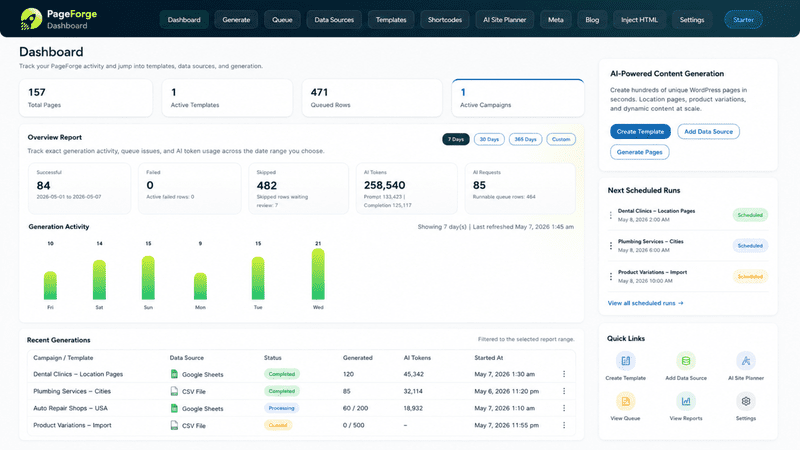
Let marketing, SEO, content, and operations teams maintain one shared source while WordPress remains the publishing system









How does Google Sheets to WordPress bulk page generation work?
What a Google Sheets-to-WordPress workflow actually does
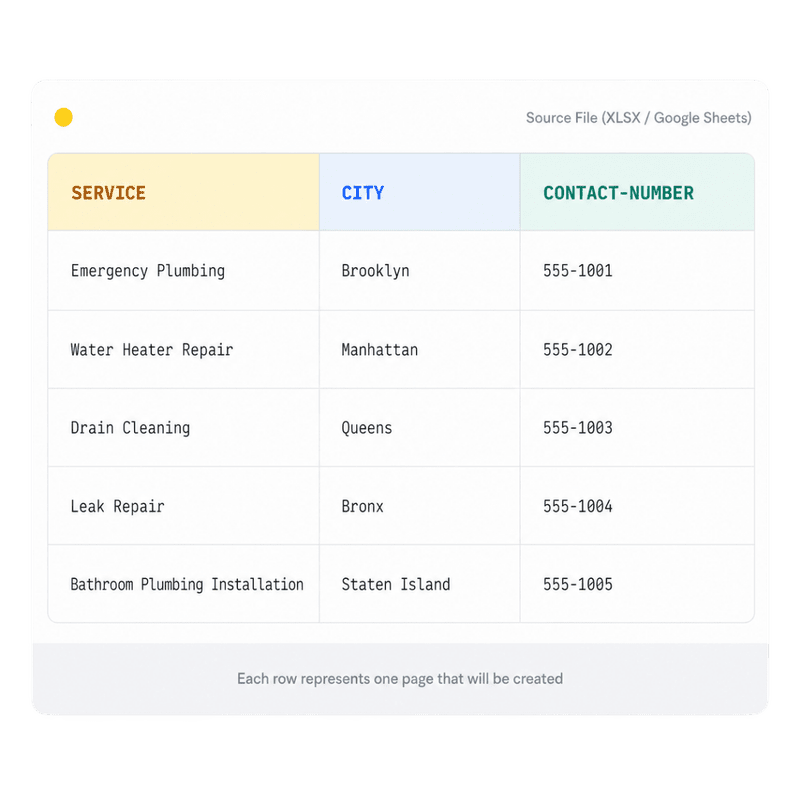
Google Sheets to WordPress bulk page generation uses a shared spreadsheet as the structured source for a repeatable page family. Each row represents an intended WordPress record. Columns can hold the page title, slug inputs, service, city, product, audience, body sections, image references, button labels, destination URLs, SEO title, meta description, schema values, internal links, post type, status, owner, and approval state.
PageForge connects that data to a reusable WordPress layout. Instead of copying a page and replacing values manually, the workflow maps verified cells into supported content and SEO fields. A team member can maintain the source in Google Sheets, while PageForge handles the repetitive WordPress creation process. The result is normal WordPress content that can be reviewed, edited, published, scheduled, updated, or removed through the site your team already owns.
The goal is not to synchronize every possible row to a public URL. The goal is to manage a controlled set of useful pages with clear intent, reliable source data, page-specific value, intentional internal links, and human approval. Google Sheets improves collaboration and data maintenance; PageForge turns that governed source into an auditable WordPress publishing system.
Collaboration becomes risky when any accidental edit can affect hundreds of WordPress pages
A shared Google Sheet is convenient because several people can update services, locations, product attributes, approvals, links, or content fields without working directly inside WordPress. That same convenience introduces operational risk. A renamed column can break a token. A formula error can create an empty title. A pasted value can overwrite a protected URL. A team member can mark an incomplete row as ready before the content, metadata, image, or compliance review is finished.
Manual publishing creates a second problem: the sheet and WordPress begin to drift apart. Editors copy approved values into pages, later changes are made in only one system, and nobody knows which version is authoritative. Exporting a fresh CSV for every update adds more snapshots but does not solve ownership, approvals, duplicate prevention, or change tracking.
A scalable workflow separates collaboration from publication. Google Sheets is the governed source for structured values and review states. PageForge is the controlled bridge into WordPress. WordPress remains the public content system. Stable row IDs, protected ranges, validation rules, draft-first generation, approval columns, duplicate checks, and publication logs keep the three layers aligned.
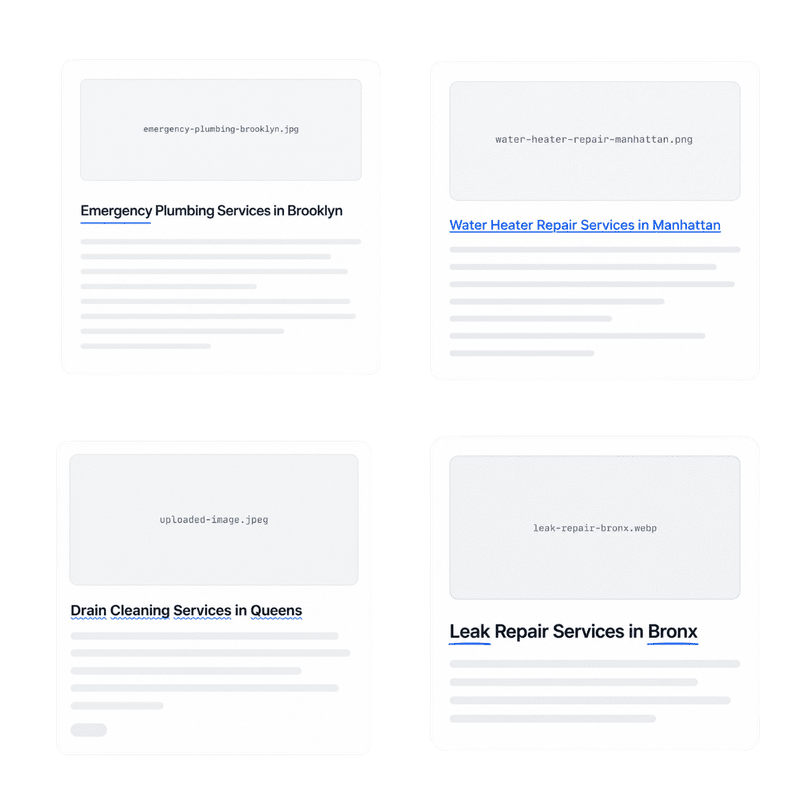
A nine-stage workflow from shared spreadsheet to reviewed WordPress pages
PageForge organizes the process as intent → sheet model → permissions → template → mapping → pilot → approval → publish → measure. Treat each stage as a quality gate. Fix a structural problem in the sheet, mapping, or template before it is repeated across a larger set of pages.
1. Define one page family and search intent
Choose one repeatable page type such as “service in city,” “software integration,” “product for audience,” or “expert in location.” Assign one canonical URL pattern to that intent and document which combinations should not become separate pages.
2. Design the Google Sheet schema
Create one row per intended WordPress record and one column per reusable field. Include a stable record ID, slug inputs, page-specific facts, required content, images, alt text, metadata, schema fields, internal-link targets, owner, review status, and publish eligibility.
3. Configure permissions and validation
Protect IDs, canonical inputs, formulas, and publishing columns. Use dropdowns for status, post type, category, approval, and include/exclude decisions. Validate URLs, dates, required fields, duplicate keys, formula errors, and blank values before PageForge processes the sheet.
4. Build the reusable WordPress template
Design the complete responsive layout in Elementor, Gutenberg, Divi, or another supported workflow. Include the hero, answer section, features, screenshots, proof, comparisons, FAQs, related links, and CTA before mapping dynamic fields.
5. Map sheet columns to WordPress fields
Connect approved columns to titles, headings, paragraphs, images, buttons, slugs, SEO metadata, schema properties, taxonomies, parent pages, post status, and supported custom fields. Keep stable shared copy separate from row-level facts.
6. Generate a representative draft pilot
Test rows with long names, short values, blank optional fields, formulas, line breaks, multiple URLs, different page types, and rejected approval states. Confirm that mappings, wrapping, media, and conditional sections behave correctly.
7. Review and approve the output
Inspect page content, facts, H1s, images, metadata, canonicals, schema, internal links, mobile layouts, and conversion paths. Record the reviewer and decision in the sheet, then correct systematic issues in the source or template.
8. Publish or schedule controlled batches
Move only approved records to Publish, Pending Review, or a scheduled state according to the campaign plan. Preserve the sheet snapshot, source row ID, generated page ID, reviewer, publication date, and rollback information.
9. Measure, refresh, and consolidate
Monitor crawling, indexation, impressions, query relevance, clicks, conversions, and page quality. Improve the shared source and template, update affected records through the supported workflow, and merge or remove pages that do not justify separate URLs.

Correct a shared field, validation rule, or template once before the same issue reaches every generated page
A production sheet needs more than column names. Define the owner, allowed values, source of truth, validation rule, and WordPress destination for every important field. Separate raw inputs from calculated fields. Protect record IDs, slug components, canonical inputs, approval status, and publication controls. Use named tabs for source data, reference values, editorial guidance, excluded combinations, and change history.
Formulas can help assemble titles, slugs, or internal-link destinations, but formulas also fail. Detect #N/A, #REF!, circular references, unexpected blanks, and values that exceed practical title or layout limits. Store explicit final values when a formula is too fragile to govern public content. PageForge should consume the approved publishing view, not an uncontrolled working sheet filled with experiments.
Collaboration is strongest when roles are clear. Data owners maintain factual fields. Editors manage copy and media. SEO reviewers approve intent, metadata, URLs, schema, and internal links. Publishers control release. The sheet should show who changed a record, what is ready, what is blocked, and why.
Connect collaborative structured data to complete, editable WordPress records instead of copying cells into disconnected fields
PageForge combines a Google Sheets source with dynamic tokens, reusable WordPress templates, supported post types, SEO-field mapping, schema, internal links, duplicate protection, review states, queues, scheduling, reporting, and optional AI workflows depending on the active Pro plan and version.
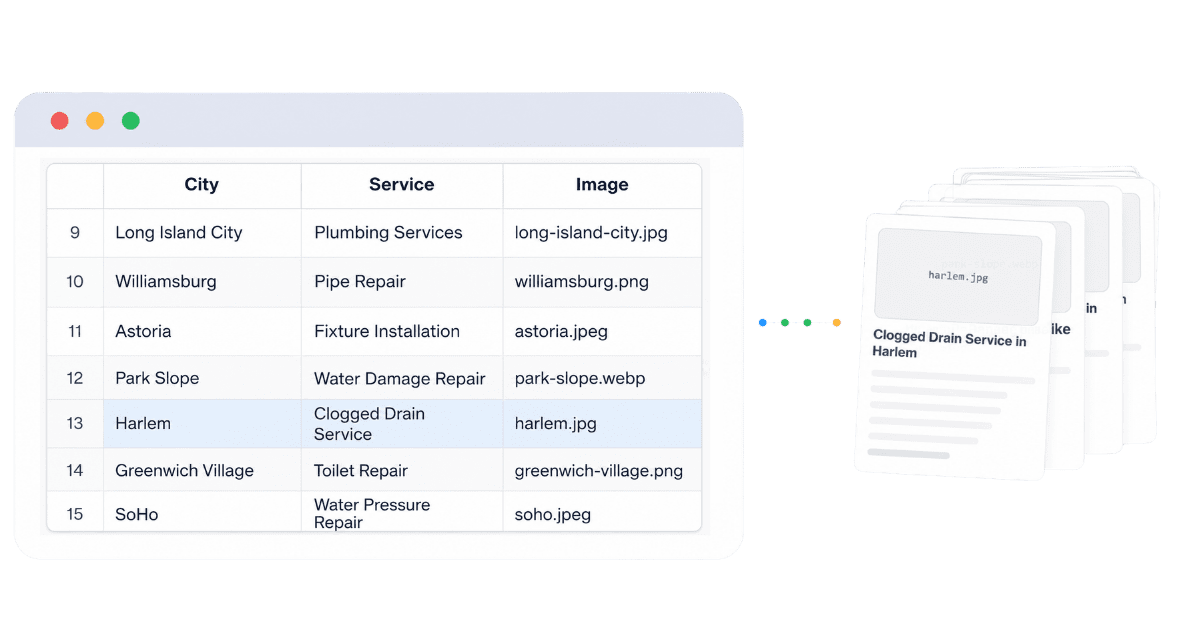
Live collaborative source management
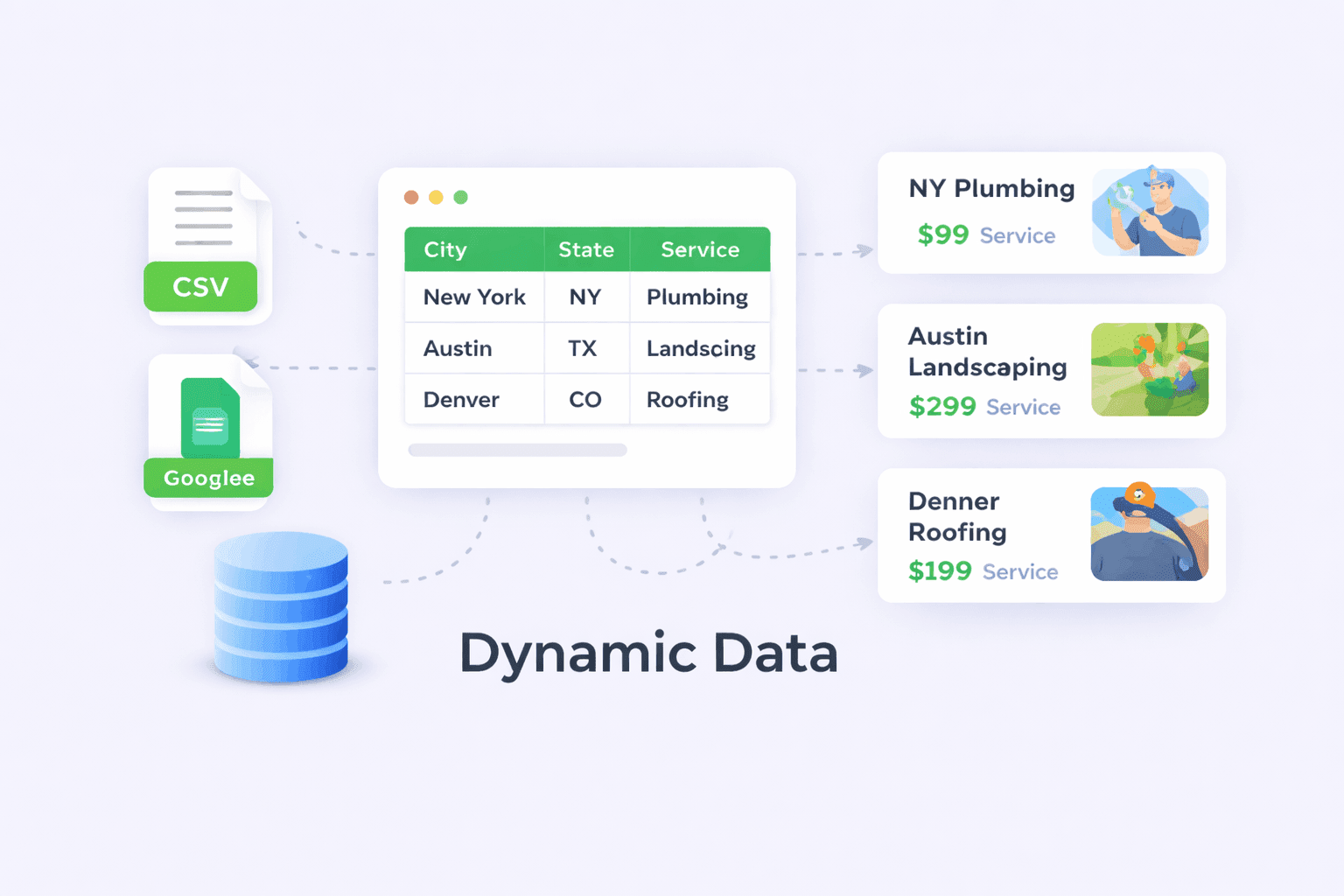
Dynamic content and token mapping

Titles, slugs, and canonical URL inputs

SEO metadata and schema fields

Images, links, and conversion destinations

Approval states, queues, and scheduled publishing
A reliable sheet uses one row per intended page, stable IDs, protected controls, validated fields, and a clean publishing view
Start with a sample tab containing a small set of representative records. Use descriptive headers such as record_id, page_title, slug, service, city, intro, image_url, image_alt, seo_title, meta_description, schema_type, parent_url, approval_status, and publish_status.
Freeze the header row, document the purpose of each column, and use dropdown validation wherever the allowed values are finite. Keep IDs and URL inputs as plain text. Do not rely on locale-sensitive date, number, or currency formatting without testing how the connected workflow reads those cells. Avoid merged cells, hidden mandatory columns, duplicate headers, and formulas that return inconsistent data types.
Create separate tabs for controlled vocabularies, excluded combinations, editorial instructions, media references, and the publication log. Protect ranges that ordinary contributors should not change. Before connecting PageForge, confirm that the authorized account has the required access and that the publishing tab exposes only the final records intended for processing.
Keep visible content and search fields connected to the same approved row
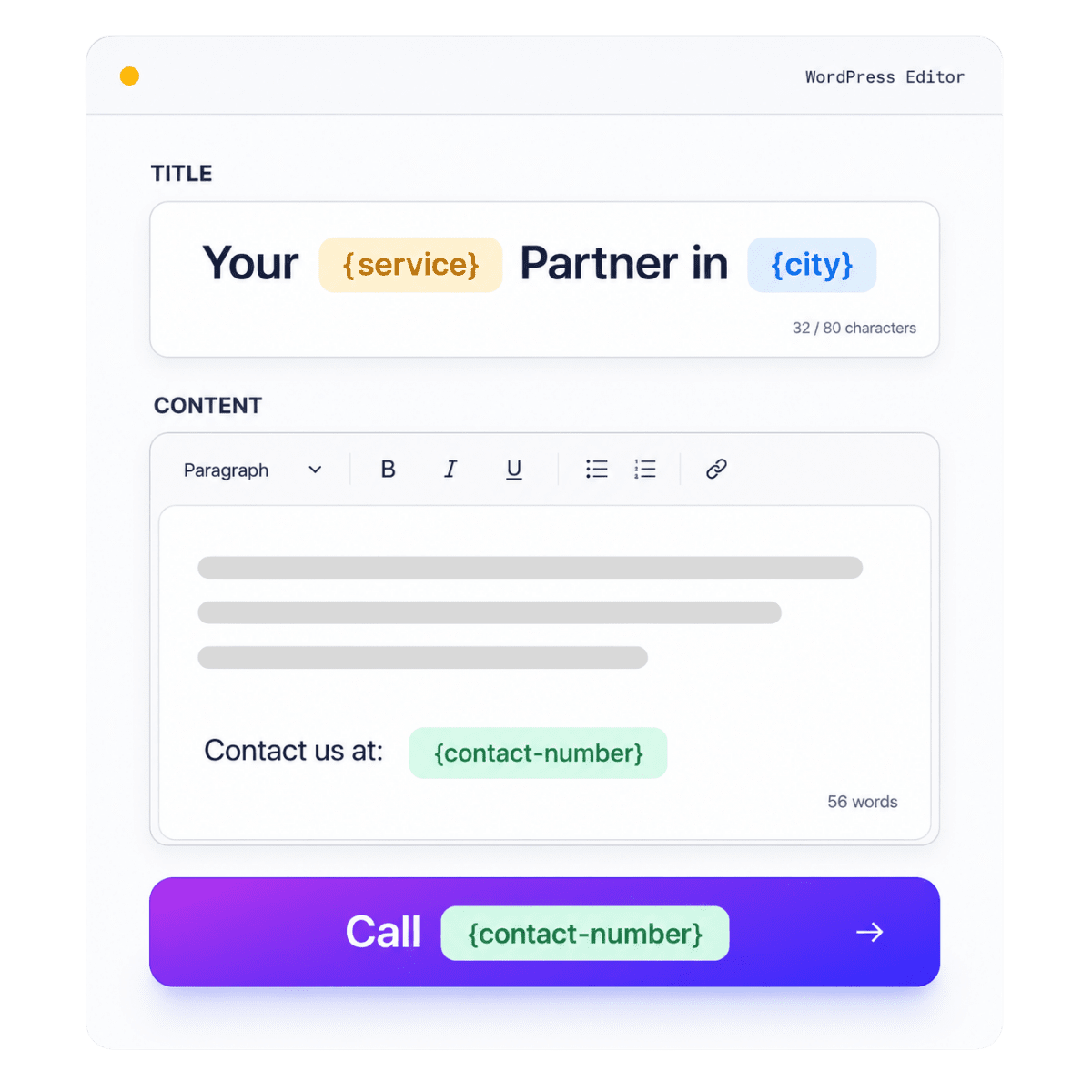
URL and metadata mapping begins with page intent. A local page may build the slug from service and city. An integration page may require two product names. A directory profile may use a stable entity slug rather than a display name that can change. Store the final slug input or use a controlled formula, then validate uniqueness against the existing WordPress site.
Map page titles, H1s, SEO titles, descriptions, canonical rules, image alt text, and schema fields from the same record. Do not allow the SEO title to claim a feature that the body does not describe, or the schema to include a rating, price, availability, or location that is absent from the visible page. Use character checks as editorial guidance rather than blindly truncating important meaning.
Internal links should also be data-driven. Include the parent hub, relevant siblings, contextual guides, and conversion destinations. Validate every internal path and external URL. A generated page that has metadata but no discoverable place in the website architecture is not a complete SEO asset.
Design the page once, then let approved rows control the facts and decisions that genuinely change
A strong Google Sheets workflow begins with a complete responsive template rather than an empty layout filled with one large generated text block. Build the hero, direct answer, feature sections, screenshots, use cases, proof, process, comparison, FAQs, related resources, and CTA as native WordPress or Elementor components.
Decide which information is fixed across the page family and which values belong in the sheet. Stable product explanations and compliance statements can remain in the template. Locations, services, attributes, screenshots, pricing references, availability, proof, links, and page-specific answers should come from verified columns. This separation improves consistency without turning every page into a superficial token swap.
Test the template with the longest expected title, the shortest description, missing optional values, multiple buttons, portrait and landscape images, and mobile breakpoints. Google Sheets makes it easy to add more rows; the template must be able to render those rows responsibly before scale is introduced.
Separate stable template copy from row-specific facts
Use approval and fallback rules instead of empty cells
Keep generated content editable inside WordPress
Choose the WordPress record type that matches the information architecture instead of forcing every sheet row into a standard page
Different page families belong in different WordPress structures. Commercial landing pages, service areas, location pages, and evergreen feature pages usually fit the Page post type. Editorial resources may belong as Posts. Directories, experts, properties, integrations, or other structured entities may use a supported custom post type when the site already defines its fields, permissions, archives, and templates.
The sheet can include a controlled post-type column, but a safer approach is often to maintain separate publishing tabs or campaigns for different record types. Map categories, tags, parent pages, authors, featured images, excerpts, and supported custom fields only when the target structure is documented. A row should not guess which taxonomy or template it belongs to.
Test how the active theme and plugins render each destination type. Confirm permalinks, breadcrumbs, archives, schema, sitemaps, search visibility, permissions, and editing behavior before processing the full set. PageForge can create the records; the surrounding WordPress architecture must still be intentional.
Generate from a shared sheet quickly, but require approvals, snapshots, rollback data, and live URL checks
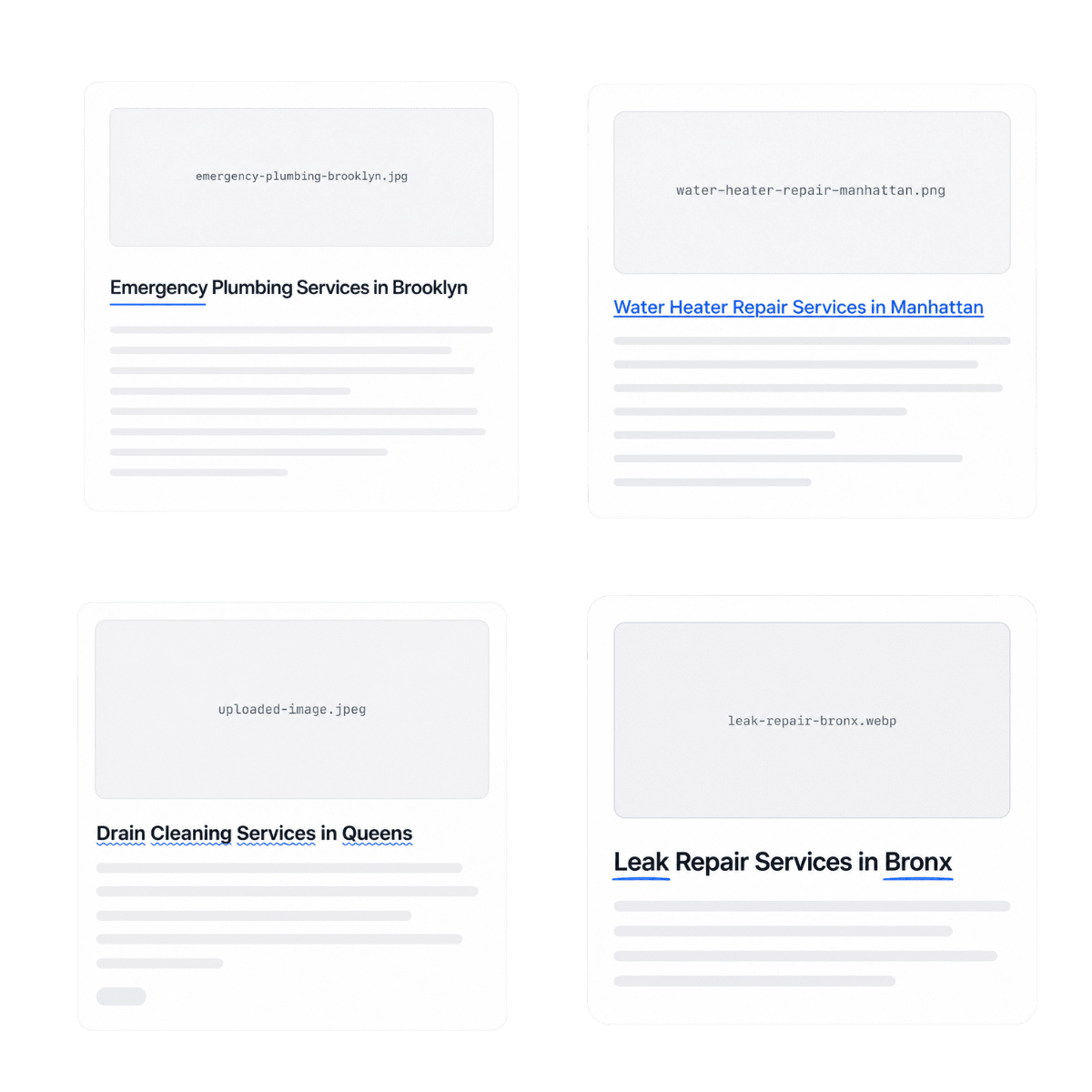
A Google Sheet can distribute an error just as quickly as it distributes a correction. Use that speed only after a representative pilot proves the source, permissions, formulas, mappings, and template. Review rows with long titles, blank optional fields, formula outputs, unusual characters, multiple images, different statuses, and excluded records.
Keep the first output as Draft or Pending Review. Inspect titles, slugs, H1s, content, images, alt text, buttons, metadata, canonicals, schema, internal links, mobile layout, and source code. Confirm that a row marked “needs revision” is not processed and that a sheet edit cannot bypass publication approval.
When the pilot passes, publish or schedule manageable batches. Record the source spreadsheet, tab, row ID, sheet snapshot time, page ID, reviewer, approval status, and publication date. After release, verify HTTP 200 responses, indexability, sitemap inclusion, canonical tags, internal links, and conversion routes. Preserve enough history to understand which source values produced each live page.
Where collaborative structured data removes repetitive production while preserving page-level accuracy and ownership
Local service and location pages
SaaS integration and feature pages

Agency and multi-client operations

Directories and profile collections

Products, categories, and comparison pages
Knowledge bases and structured content libraries
From a collaborative 800-row service matrix to approved, internally linked WordPress landing pages
Consider a national maintenance company offering eight services across one hundred valid service areas. Operations owns service availability and coverage notes. Local managers maintain area-specific proof and contact details. Marketing manages headlines, benefits, images, and CTAs. The SEO team controls slugs, metadata, schema, internal links, and indexation decisions.
The team creates a Google Sheet with stable record IDs and separate tabs for service references, locations, publishing records, and excluded combinations. Dropdowns restrict statuses to Draft Data, Editorial Review, SEO Review, Approved, Scheduled, Published, or Excluded. Protected columns hold canonical inputs, page IDs, and publication timestamps. Formulas assemble proposed titles and slugs, while validation flags duplicates, missing service-area evidence, broken links, and descriptions outside the editorial range.
A single Elementor template defines the hero, direct answer, service details, process, local coverage, proof, FAQs, nearby areas, and booking CTA. PageForge maps the approved publishing tab into WordPress and creates twelve representative drafts. The pilot reveals that two formulas produce identical slugs and one optional proof card remains visible when the source cell is blank. The team fixes the sheet rule and template condition before generating the remaining approved records.
Pages are released in controlled batches. Service hubs link to area pages, area pages link to nearby locations, and supporting guides provide contextual links. Search Console and leads are reviewed by service and region. The value is not simply that 800 records were created. The company now has a shared data model, protected approvals, reusable template, publication history, internal-link plan, and repeatable update process.
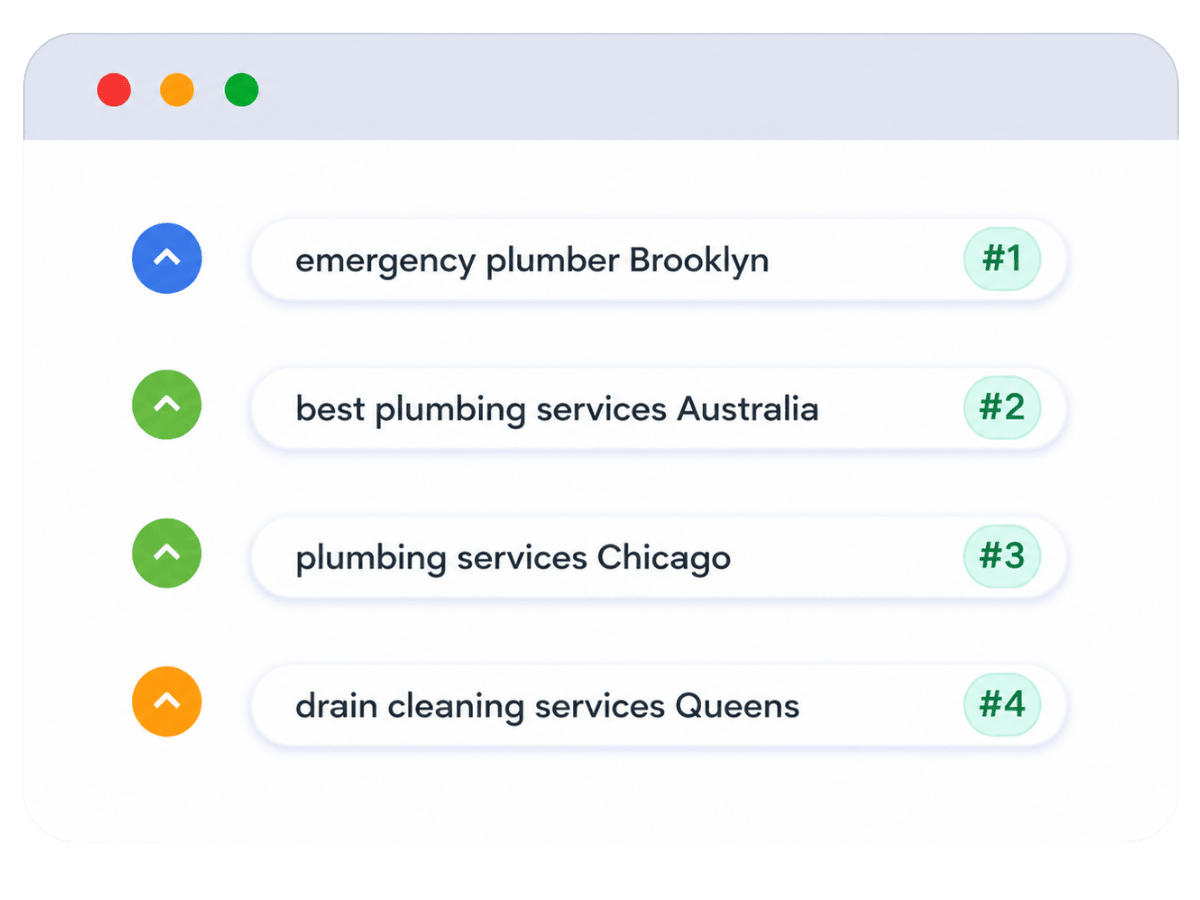
PageForge connects a collaborative source to complete WordPress templates, SEO fields, review states, queues, and publishing controls
Prevent accidental edits, formula failures, duplicate URLs, unauthorized publishing, empty sections, and large-scale quality regressions
Process only approved and useful page combinations
Protect stable IDs, URL inputs, formulas, and publish controls
Pilot changes and preserve source snapshots
Keep every generated record editable, auditable, and connected to the website your team owns
PageForge creates WordPress content rather than replacing the website with an external page platform. Editors can open a generated page, correct a paragraph, update an image, adjust metadata, improve the layout, or respond to an urgent business change through normal WordPress workflows.
The source relationship still matters. Services change, locations open or close, products gain attributes, integrations evolve, and policies are revised. A governed Google Sheet gives operations, content, SEO, and publishing teams a shared update model. Change the verified source field, run the appropriate supported update or generation workflow, review affected records, and document what changed.
The handoff should include the spreadsheet ID, publishing tab, column definitions, permissions, template, token map, page IDs, slugs, statuses, generation dates, media sources, metadata fields, schema rules, internal-link plan, and publication log. This gives future maintainers enough context to improve the system without guessing.
Validate the page model with a controlled CSV pilot, then connect Google Sheets when the data, template, and team process are proven
PageForge Free is suitable for learning the structured-data workflow and validating a real page family with CSV. Use a representative batch to test tokens, URLs, templates, content, images, metadata, schema, internal links, and review procedures.
Google Sheets connectivity is a PageForge Pro workflow intended for teams that need a shared source, larger queues, scheduling, drip publishing, reports, per-page AI, bulk metadata operations, and broader campaign automation depending on the active plan and version. Confirm current plan details before publishing commercial claims.
The correct rollout begins with quality. A ten-row CSV pilot that proves the page model is more valuable than connecting a large live sheet before permissions, formulas, approvals, and template behavior have been tested.
Validate the page model with PageForge Free
Connect and automate the production sheet
Who should generate WordPress pages from Google Sheets—and when a simpler workflow is better
A strong fit
Best starting condition
Use CSV or manual production when
Operational commitment
Google Sheets to WordPress bulk page generation: practical questions answered
- What is Google Sheets to WordPress bulk page generation?
It is a workflow where each approved Google Sheet row represents an intended WordPress record and the columns supply titles, slugs, content, images, links, metadata, schema, status, and other mapped values. PageForge connects the governed sheet to a reusable WordPress template and creates editable WordPress content through a controlled Pro workflow.
- Is Google Sheets connectivity available in PageForge Free?
Live Google Sheets data-source connectivity is a PageForge Pro workflow. PageForge Free uses CSV data and is useful for validating the page model, token mapping, template, URLs, metadata, schema, internal links, and review process before a collaborative production sheet is connected.
- How should I structure the Google Sheet?
Use one row per intended page and one column per reusable field. Include a stable record ID, slug inputs, page-specific facts, content fields, images, alt text, SEO title, meta description, schema properties, parent links, owner, approval status, and publish status. Avoid merged cells, duplicate headers, unprotected formulas, and ambiguous data types.
- Can several team members edit the source sheet?
Yes, collaboration is a primary benefit. Use Google permissions, protected ranges, dropdown validation, named owners, and separate editorial, SEO, and publishing approvals. Contributors should not be able to change stable IDs, canonical inputs, formulas, or publication controls unless their role requires it.
- Can sheet columns populate Elementor or Gutenberg layouts?
Yes. PageForge can connect supported Google Sheets values to reusable WordPress layouts, including Elementor and Gutenberg workflows. Build and test the complete responsive template first, then map columns into supported headings, text, images, buttons, links, metadata, and other dynamic positions.
- Can Google Sheets values control titles, slugs, metadata, and schema?
Yes. Use dedicated approved columns or controlled formulas for WordPress titles, URL slugs, SEO titles, meta descriptions, image alt text, canonical logic, and supported schema properties. The values must remain unique where required and accurately match the visible page.
- What happens when a formula returns an error or a required cell is blank?
The record should be blocked from processing or routed to review. Add validation for formula errors, empty required fields, invalid URLs, duplicate keys, and unapproved statuses. Do not use a generic fallback when the missing information is essential to the page intent or public claim.
- Can PageForge update pages when the sheet changes?
PageForge Pro can include Google Sheets, source-data update, template update, token update, queue, scheduling, and automation workflows depending on the active plan and version. Treat updates as controlled operations: identify affected records, generate or update drafts, review the changes, and preserve a publication log.
- Can generated pages be saved as drafts first?
Yes. Draft-first generation is the safest approach. Process representative approved rows as Draft or Pending Review, inspect content and technical fields, correct the sheet or template, and publish only after the pilot passes desktop, tablet, mobile, metadata, schema, link, and indexability checks.
- Will Google Sheets-generated pages be considered doorway pages?
They can be if rows merely swap keywords and produce no independent value. Each page should represent a real entity, location, product, audience, service, or topic; contain verified page-specific information; connect to the site hierarchy; and provide a useful next action.
- Does PageForge guarantee rankings for generated pages?
No. No tool can guarantee ranking or indexation. Outcomes depend on search demand, intent match, originality, authority, technical health, internal links, crawlability, competition, user satisfaction, and maintenance. PageForge improves production control; the pages must still deserve discovery.
- What is the safest launch process for a large connected sheet?
Validate the page model with a small CSV, create a protected production sheet, connect only the approved publishing tab, generate representative drafts, test edge cases, correct systematic issues, and release a limited batch. Verify HTTP status, canonical tags, schema, sitemaps, internal links, mobile layout, and conversions before expanding.