


Plan a Programmatic SEO Site Structure Before You Generate Pages
The PageForge AI site planner WordPress workflow turns a broad SEO idea into a practical campaign blueprint before hundreds of URLs are created. Define keyword patterns, page types, URL models, source fields, template sections, unique-content requirements, schema, internal links, quality checks, and publishing cadence—then use the approved structure for controlled PageForge generation.
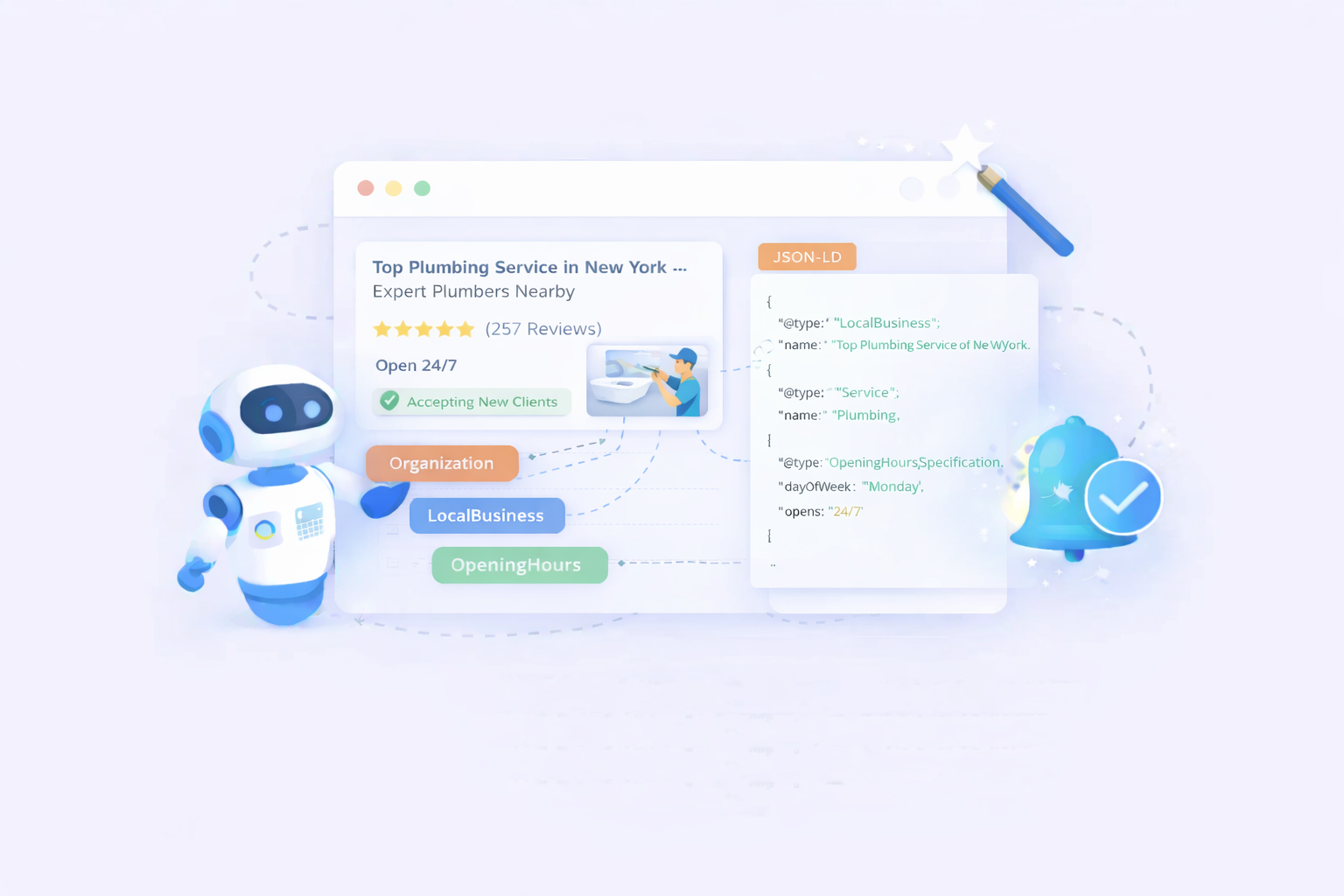
Plan the campaign once, then execute it with the builders, themes, and SEO tools your team already uses
The planner is not a separate hosted website builder. It prepares the campaign architecture for WordPress-owned pages. Use the output with Elementor, Gutenberg, Divi, Beaver Builder, supported themes, CSV or Google Sheets data, WordPress SEO plugins, schema workflows, internal-link hubs, analytics, and PageForge publishing controls.








What is an AI Site Planner for WordPress?
It is a planning system that converts a business, keyword opportunity, or page idea into an organized WordPress SEO campaign before page generation begins.
How PageForge AI Site Planner turns an idea into a campaign blueprint
An AI Site Planner for WordPress helps decide what should be built before bulk generation begins. It starts with the business model, audience, services or products, locations, integrations, categories, search modifiers, conversion goals, and current site structure. Those inputs become defined page families for WordPress pages, posts, products, or supported custom post types.
PageForge AI Site Planner defines the primary keyword pattern, purpose of each page type, URL model, required source fields, template sections, page-specific content requirements, schema type, parent hub, sibling relationships, quality risks, and publication sequence. The result is an actionable campaign blueprint rather than a generic keyword list.
The planner separates strategy from generation. The page map decides which URLs should exist; the data blueprint identifies the facts each record needs; the template blueprint establishes hierarchy, screenshots, proof, FAQs, and CTAs; and the link map connects every page to a hub and relevant siblings. Review these decisions before building the data file, template, and pilot batch.
Generating URLs before defining intent, data, hierarchy, and links creates expensive SEO debt
Programmatic SEO may begin with a formula such as service × location or software × integration, but not every mathematical combination deserves a page. Some terms share intent, some locations are outside the service area, and some combinations cannot provide independent value. Generating the whole matrix first creates duplicate intent, thin pages, orphaned URLs, and long-term maintenance debt.
An incomplete data model creates the same problem. A spreadsheet containing only a keyword, city, and service name leaves too little page-specific substance, so writers or AI systems fill the gaps with generic claims and repeated benefits. Planning should identify the verified fields required for useful pages before production begins.
The architecture must also assign every page a parent, relevant siblings, supporting resources, breadcrumbs, and a conversion route. PageForge AI Site Planner makes those assumptions visible so intent, fields, template structure, schema, links, risks, and publishing cadence can be reviewed before automation multiplies them.
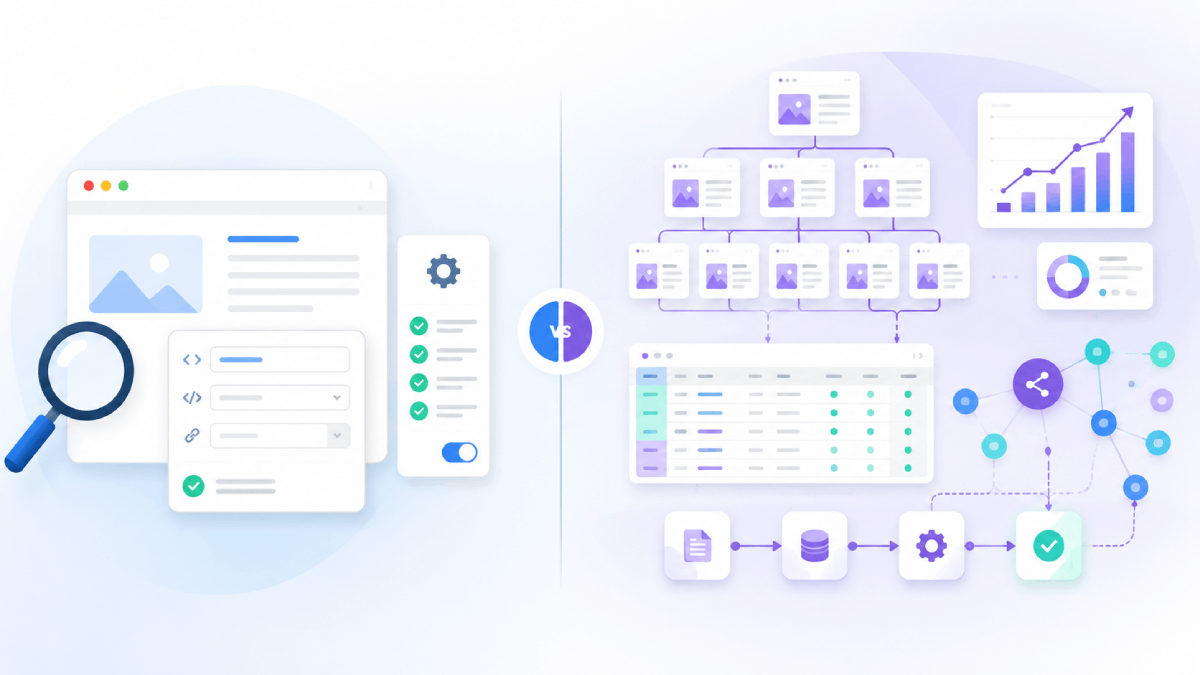
A nine-stage workflow from business inputs to an implementation-ready WordPress SEO map
PageForge organizes planning as a sequence: opportunity → intent → page types → URL model → data fields → template → schema → links → launch. Each stage produces an output that can be checked before the next stage begins.
1. Define the commercial objective
Start with the action the campaign should support: a booking, enquiry, purchase, signup, download, directory visit, or product evaluation. A page set without a measurable user outcome can grow quickly while contributing little business value.
2. Identify repeatable search patterns
List the entities and modifiers that create legitimate demand: services, products, cities, industries, audiences, integrations, features, use cases, models, or categories. Group terms by intent rather than treating every keyword variation as a new page.
3. Choose the page families
Decide which patterns become product pages, feature pages, service pages, location pages, integration pages, category pages, comparisons, directories, guides, or supporting hubs. Give every family one clear purpose and primary query.
4. Design the URL and canonical model
Define stable slugs, parent paths, trailing-slash rules, taxonomy relationships, canonical ownership, and conflict handling. Exclude combinations that would create duplicate URLs or pages with indistinguishable intent.
5. Specify the source-data fields
Describe the CSV or Google Sheets columns required for every page: entity name, audience, attributes, evidence, limitations, location facts, FAQs, images, links, metadata inputs, schema properties, CTA, and approval state.
6. Blueprint the WordPress template
Map the H1, direct answer, core explanation, benefits, proof, workflow, comparison, images, FAQs, related pages, and CTA. Mark which sections are fixed, structured, conditional, or AI-assisted and define responsive behavior before scaling.
7. Plan schema and entity relationships
Select schema types that match visible content and real entities. Define required properties, identifiers, breadcrumbs, organization relationships, product or service details, and the source fields that will populate every value.
8. Build the internal-link graph
Assign a parent hub, sibling rules, breadcrumbs, contextual links, related guides, pricing or documentation links, and conversion destinations. Every generated page should enter the site through a crawlable, useful path.
9. Set QA gates and publishing cadence
Define the pilot size, reviewer, required checks, noindex conditions, approval status, batch size, publication schedule, monitoring period, consolidation rules, and refresh ownership. Scale only after the pilot demonstrates quality and operational control.
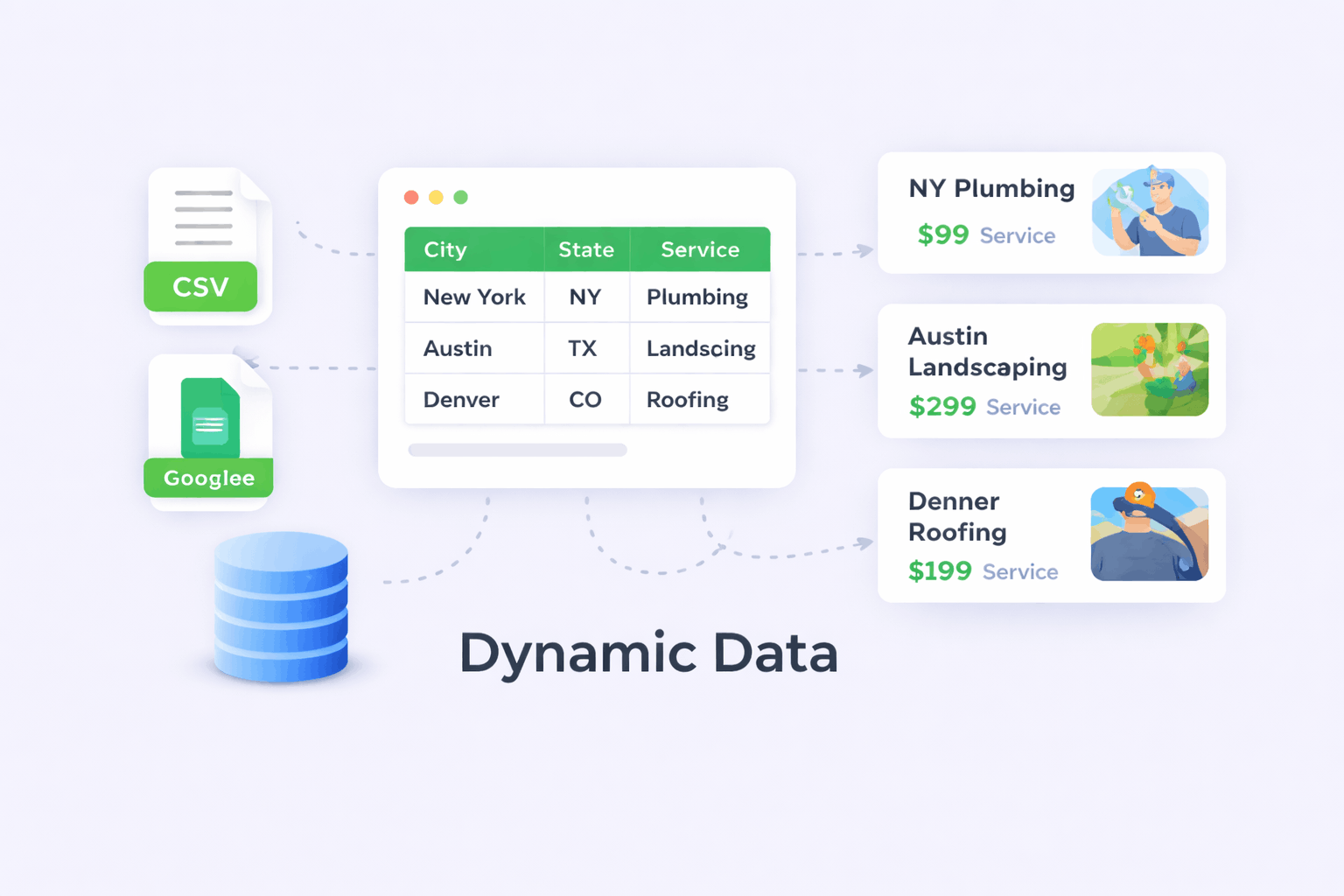
Correct one planning decision before it becomes a repeated problem across hundreds of WordPress pages
The planner connects decisions that are often scattered across keyword sheets, content briefs, wireframes, SEO documents, and developer tickets. The page map controls which URLs exist. The field blueprint controls what each row must know. The template blueprint controls hierarchy and design. The schema map controls structured entities. The link graph controls discovery and navigation. The launch plan controls publication and measurement.
When a reviewer finds a systemic issue, the team can trace it to the architecture. Cannibalization belongs in the intent map. Missing local facts belong in the field blueprint. Repeated empty sections belong in the template rules. Orphan pages belong in the link graph. Unsafe volume belongs in the launch plan. Fixing the source decision is more reliable than editing generated pages individually.
- Every page family has one primary intent and canonical owner.
- Every required field has a source, validation rule, and responsible owner.
- Every page has a parent hub, useful sibling relationships, and a conversion path.
- Every launch batch has defined review gates, measurement, and consolidation rules.
Everything needed to convert an SEO opportunity into a structured, executable WordPress campaign
PageForge combines keyword-pattern planning, page-family design, URL architecture, source-field modelling, template requirements, schema recommendations, internal-link mapping, risk detection, and launch sequencing in one campaign blueprint.
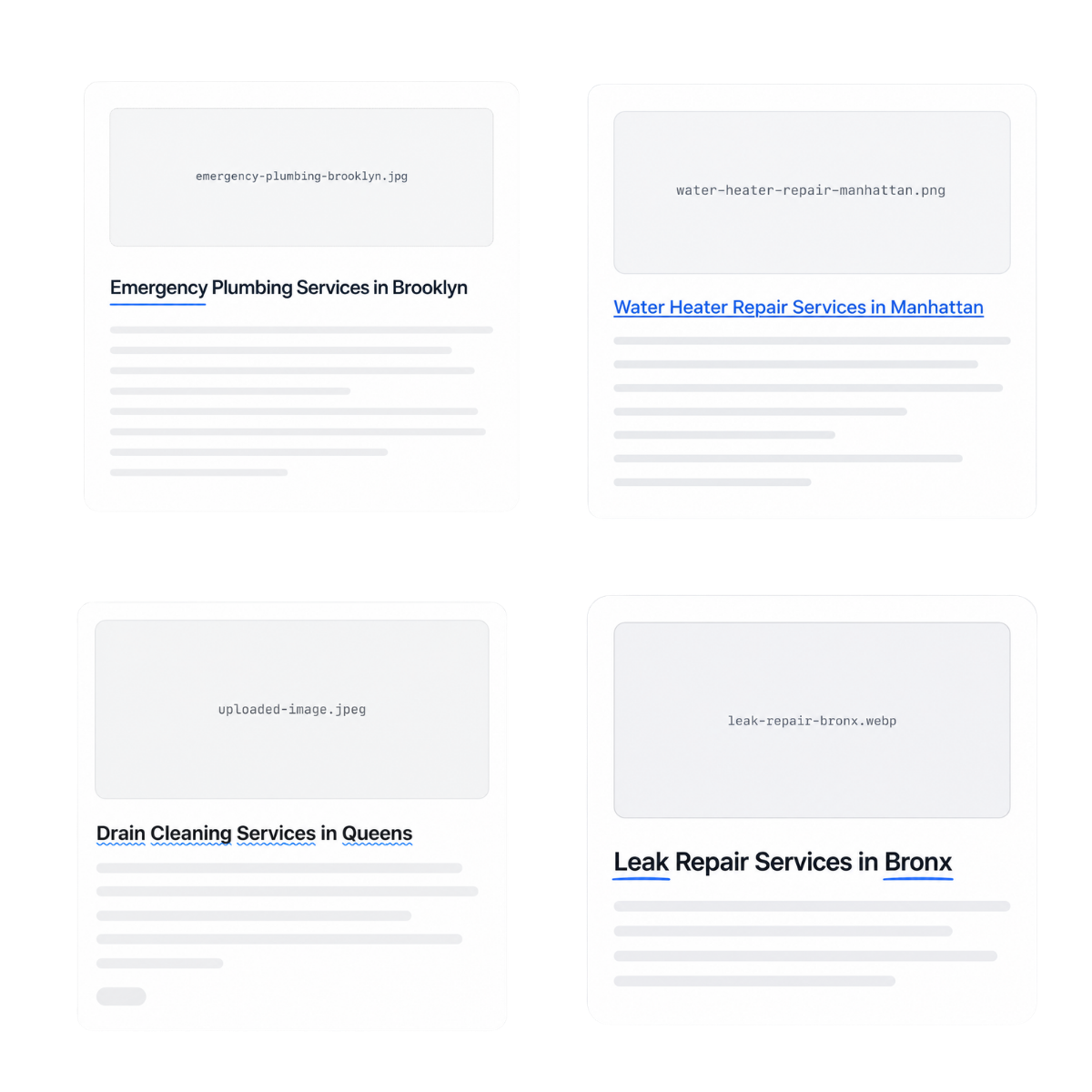
Keyword and intent clusters
Organize services, products, locations, audiences, integrations, attributes, and modifiers by search intent. Separate head-term hubs from long-tail child pages and flag variations that should be consolidated.
Page-type and URL map
Turn approved patterns into page families, titles, H1 models, slugs, parent paths, taxonomy relationships, canonical ownership, and exclusion rules before any URL is generated.

Data-field blueprint
Define the exact CSV or Google Sheets columns needed for page facts, unique sections, images, metadata, schema, links, approvals, and future updates. Identify mandatory, optional, and conditional fields.
Template section architecture
Plan the visible hierarchy for Elementor, Gutenberg, Divi, or another supported workflow, including answer blocks, screenshots, benefits, proof, comparisons, FAQs, related resources, and calls to action.
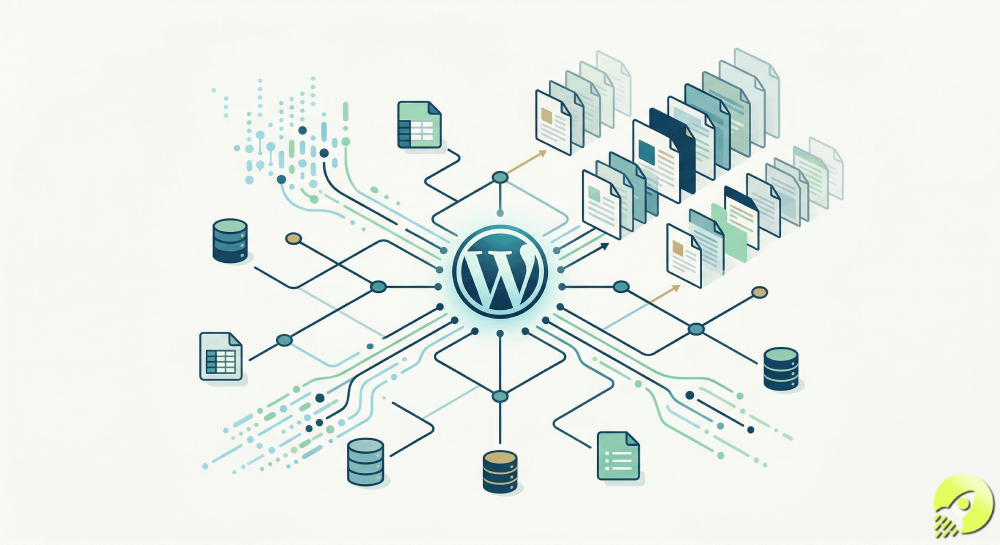
Schema and internal-link plan
Recommend suitable schema types and source properties, then connect each page to its hub, breadcrumbs, relevant siblings, supporting guides, and conversion destination with approved anchors.
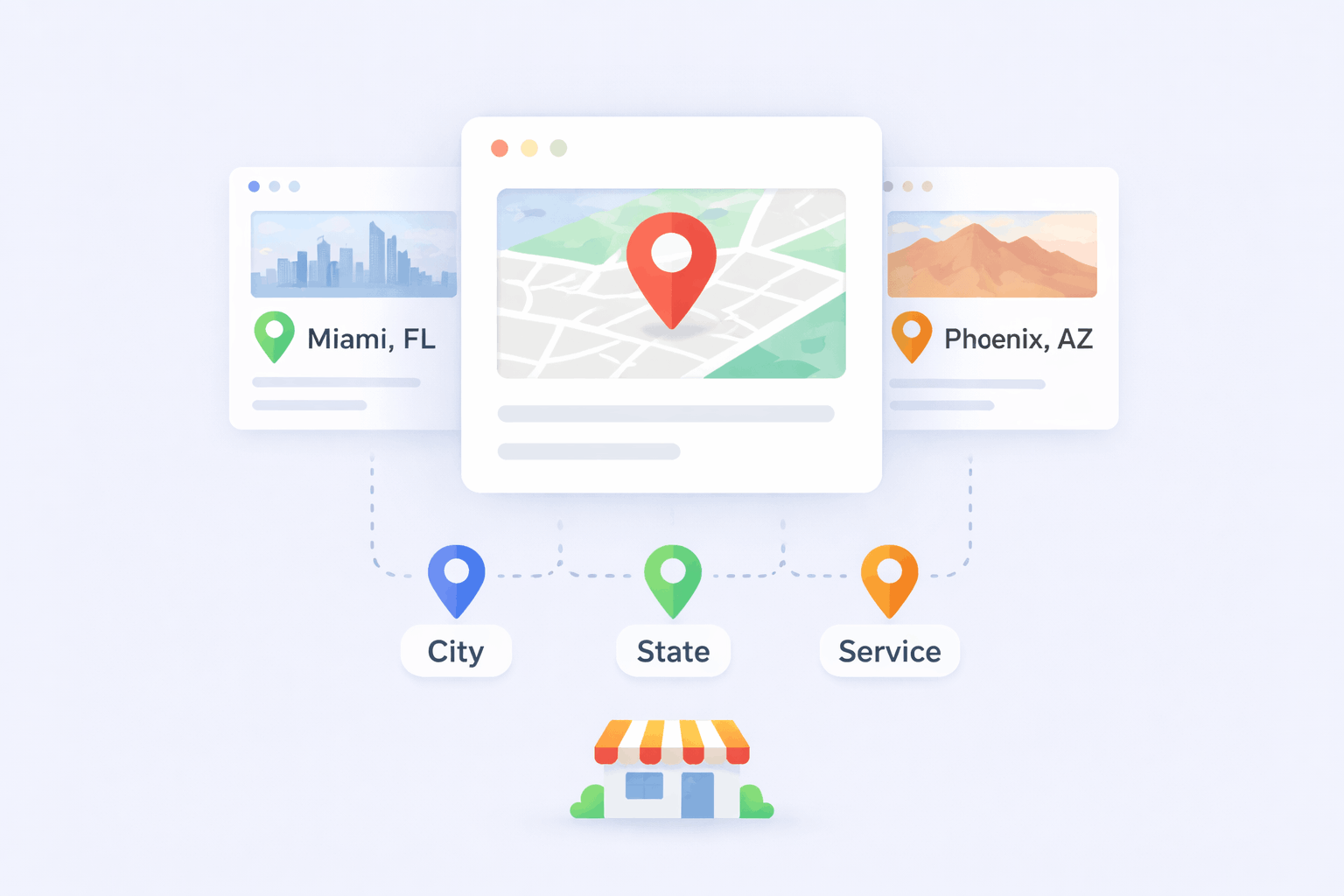
QA and publication roadmap
Surface duplicate-intent risks, missing-data risks, thin-page risks, orphan-page risks, and unsupported combinations. Define a pilot batch, review checklist, statuses, cadence, monitoring, and improvement loop.
Plan the search architecture around intent—not around the largest possible keyword matrix
Begin with the relationship between an entity and the modifier that changes the searcher’s need. A local campaign may combine service and city; a SaaS campaign may combine integration and use case; an ecommerce campaign may combine category and compatibility. The useful pattern is every combination that represents a distinct, supportable intent—not every mathematical possibility.
PageForge AI Site Planner organizes the opportunity into hubs and child page families. The plan states why each family exists, which query it owns, what information makes it different, and which other pages it supports.
Validate demand with Search Console, keyword research, sales enquiries, support questions, site search, competitor research, and subject-matter knowledge. Merge spelling variants that share intent and exclude unsupported locations, integrations, empty categories, and combinations without independent value. A smaller validated architecture is easier to rank, navigate, and maintain.
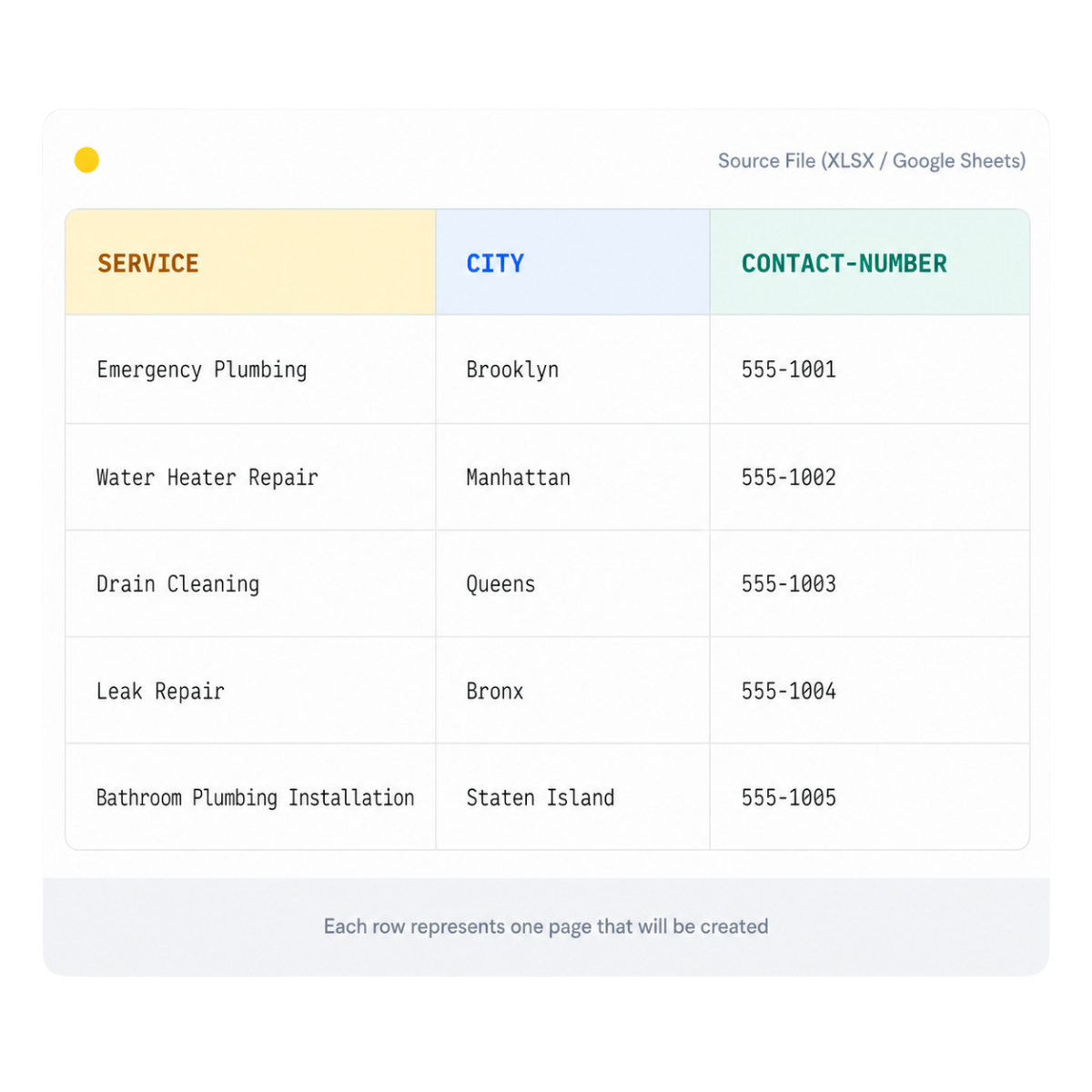
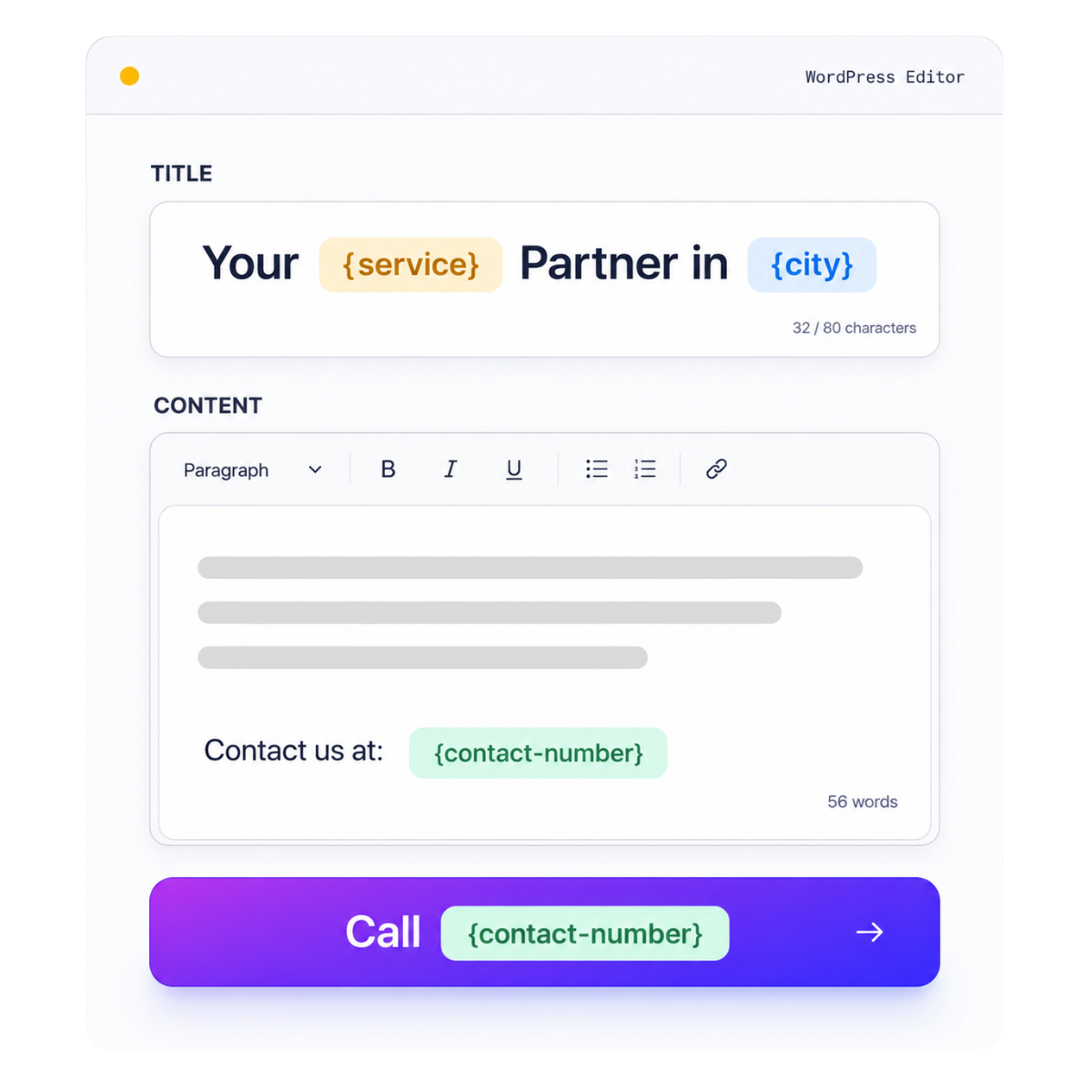
Define what every page must know before a template or AI system attempts to write it
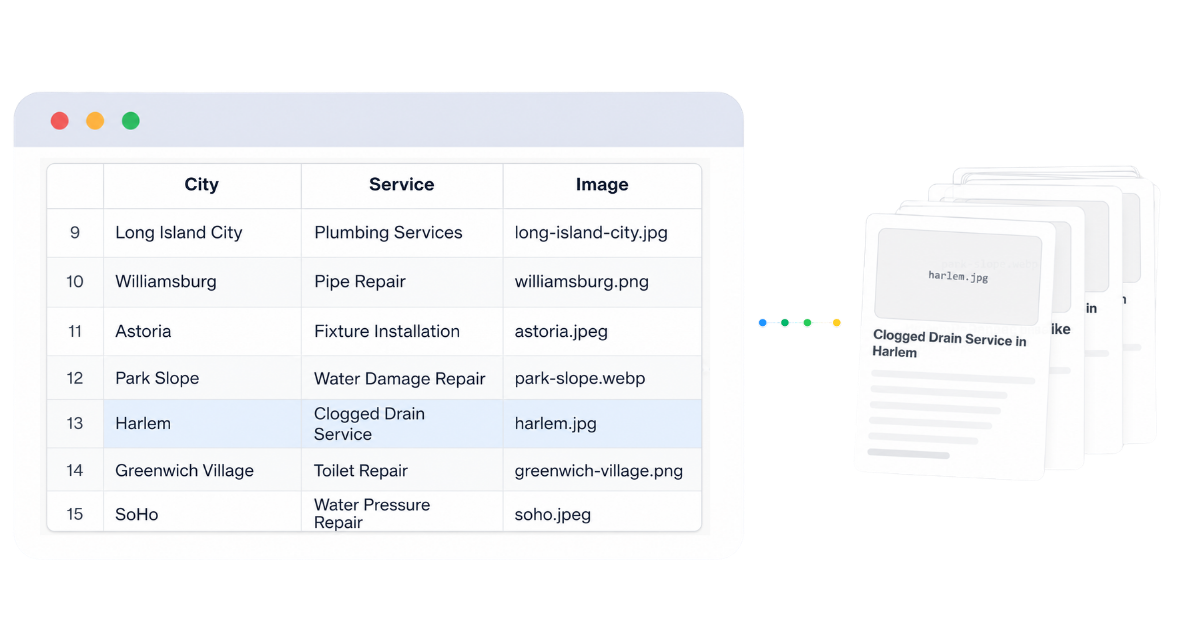
The page map answers which URLs should exist; the data blueprint defines what each URL needs to be useful. PageForge can work with CSV and Google Sheets, but campaign quality depends on fields, validation rules, and ownership established before generation.
Use stable identifiers such as record key, page family, primary entity, parent hub, slug source, canonical owner, status, and update date. Add intent, audience, factual details, availability, evidence, process steps, FAQs, images, conversion destinations, reviewer, approval state, launch batch, and refresh date.
Mark fields as mandatory, optional, conditional, derived, or generated. Use controlled values for page family, schema type, approval status, and parent hub. Validate duplicate keys, missing mandatory values, inconsistent names, duplicate slugs, broken URLs, and prohibited combinations. Records below the minimum field threshold should remain excluded or noindexed.
Design the complete page hierarchy before dynamic fields or AI copy enter the layout
The AI Site Planner should describe the destination page, not merely the keywords. A strong blueprint explains the H1, direct answer, core explanation, proof, process, screenshots, feature or service details, comparison, objections, FAQs, related resources, and conversion path. It also defines which sections appear on every page and which are conditional by page family or record.
Separate the template into four layers. Fixed sections contain approved explanations, disclosures, navigation, and brand elements. Structured sections insert exact row-level values such as names, specifications, addresses, links, and evidence. Conditional sections appear only when the required data exists. AI-assisted sections can draft language around verified facts, but should not invent the page structure or critical identifiers.
Plan for the longest realistic content before scaling. Test long city names, multi-word product names, numerous FAQ items, missing images, optional proof, and records with unusually detailed limitations. Define responsive stacking, mobile heading sizes, button behavior, image ratios, card grids, table overflow, and accordion spacing. A broken template becomes a repeated production defect.
One hierarchy for each page family
Location, integration, comparison, feature, category, and directory pages answer different questions. Give each family its own section order and required evidence instead of forcing every pattern into one generic layout.
Fixed, structured, conditional, and AI-assisted fields
State which content must remain exact, which values come from the dataset, which blocks disappear when data is absent, and which sections may use AI for controlled explanation.
Responsive and editorial acceptance criteria
Define heading rules, maximum text lengths, image requirements, mobile behavior, accessibility checks, CTA consistency, and the minimum content threshold before the first pilot is generated.
Plan titles, entities, breadcrumbs, and crawl paths as part of the page system—not as cleanup after generation
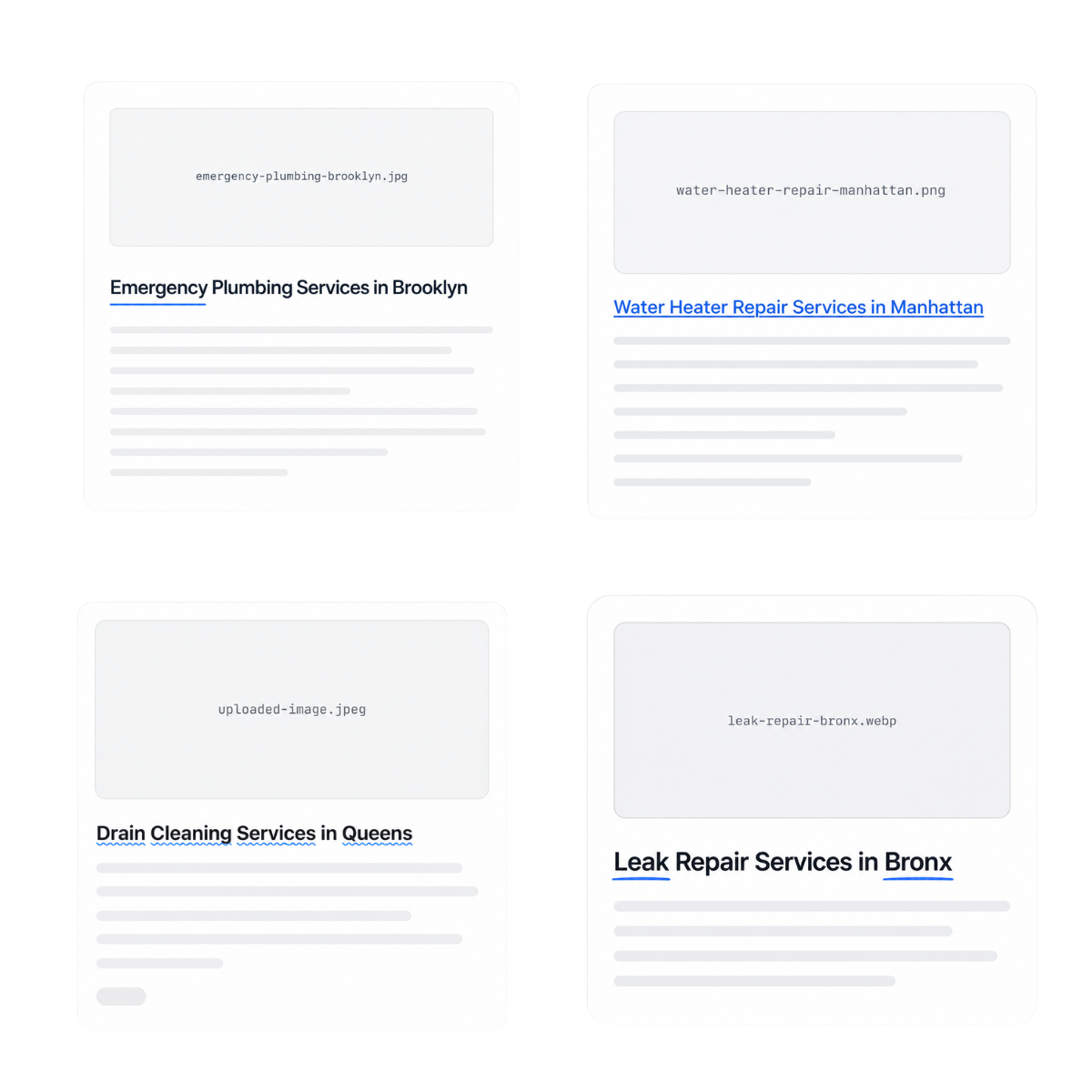
Every page family needs an SEO specification before production: WordPress title, H1 pattern, slug model, meta-title and description inputs, canonical rule, indexation default, parent hub, breadcrumb name, schema type, and internal-link relationships.
Titles and H1s should describe the current page rather than merely insert a keyword. Meta descriptions should use verified differentiators and the actual next action. Canonical rules must be deterministic and should never be delegated to open-ended AI generation.
Schema must reflect visible content and real entities. Name each property and its source field so generation cannot invent values. The link plan should give every page a parent hub, breadcrumbs, relevant siblings, supporting guides, related features, and a conversion destination. Links should help visitors continue their task, not exist only for crawl distribution.
Use the planner output as an execution blueprint, then validate a pilot before any large WordPress launch
The AI Site Planner produces architecture, not permission to mass publish. Treat the output as a structured brief for the strategist, data owner, designer, content reviewer, SEO lead, and WordPress operator. Each recommendation should be checked against real demand, product capabilities, service coverage, compliance requirements, current website content, and technical constraints.
Build one representative WordPress template and a small data sample first. Include ordinary records, edge cases, optional fields, long labels, unusual locations, and combinations that were close to the exclusion threshold. Generate five to ten draft pages. Review the intent, title, H1, direct answer, facts, unique value, images, links, metadata, schema, responsive behavior, accessibility, and conversion route. Fix the plan, data model, or template when a problem repeats.
Only after the pilot passes should the team define a publication batch. Use Draft or Pending Review for new patterns. Publish in a cadence the site can crawl, monitor, and maintain. Track indexation, queries, clicks, engagement, conversions, support feedback, and factual changes. Consolidate pages that attract the same intent, improve pages that have useful impressions but weak engagement, and remove records that cannot support standalone value. Planning continues after launch through measurement and controlled revision.
Where campaign architecture creates the greatest advantage before WordPress page generation
The planner is strongest when a business has a repeatable entity-and-modifier pattern, multiple page families, and enough verified data to produce useful pages—but needs a safer way to decide what to build and how the parts should connect.
Local service and location architecture
Plan service hubs, regional hubs, city pages, service-area rules, nearby-location links, local proof fields, booking routes, and exclusions for locations the business cannot genuinely serve.
SaaS features and integration libraries
Organize feature hubs, integration categories, individual integration pages, use-case pages, alternatives, setup guides, prerequisites, limitations, related tools, and product CTAs without allowing overlapping intents.

SEO agencies and client campaign briefs
Create a repeatable planning document for client approval that defines page volume, data responsibilities, template requirements, screenshots, schema, links, review gates, launch batches, and reporting ownership.

Directories, marketplaces, and profile systems
Design category hubs, location filters, profile pages, taxonomy links, minimum profile depth, moderation fields, review eligibility, duplicate-entity controls, and rules for empty or low-value combinations.

Ecommerce categories and compatibility pages
Plan product-family hubs, category pages, brand or material modifiers, compatibility records, buying guides, inventory thresholds, product links, and exclusions for combinations without products or demand.
Content clusters and comparison libraries
Map pillar pages, supporting guides, comparison criteria, alternative pages, question clusters, update dates, evidence requirements, and contextual links so informational content strengthens commercial pages instead of competing with them.
From a 600-URL idea to a focused, launchable WordPress campaign
Consider a multi-location professional-services firm with eight services across seventy-five cities. The initial matrix contains 600 service-and-city combinations. The planner first separates the objective: generate qualified enquiries for services that are genuinely available in each location. It then groups searches into national service hubs, regional hubs, and city-service pages.
Service coverage removes 140 impossible combinations. Search-intent review consolidates 90 variations that would answer the same need. A minimum-value rule excludes 70 rows that lack local evidence, staff coverage, or a suitable conversion route. The approved architecture contains 300 pages rather than 600.
The data blueprint requires service availability, city and region, customer problem, approved process, local proof, team or office relationship, restrictions, relevant case study, nearby locations, parent hub, FAQs, and booking URL. The location template contains a direct answer, service overview, local considerations, process, proof, related services, nearby areas, FAQs, and enquiry CTA. The schema map uses only properties supported by visible data. The link graph connects each page to the service hub, region hub, selected nearby cities, and relevant guides.
Ten pilot pages reveal that two services need different proof sections and one region requires a different compliance disclaimer. Those changes are made in the architecture and template before generation continues. Pages are published in small batches, Search Console data is reviewed, and the next batch is adjusted. The planner creates value by reducing the matrix, clarifying the data requirements, and making the launch operationally manageable.
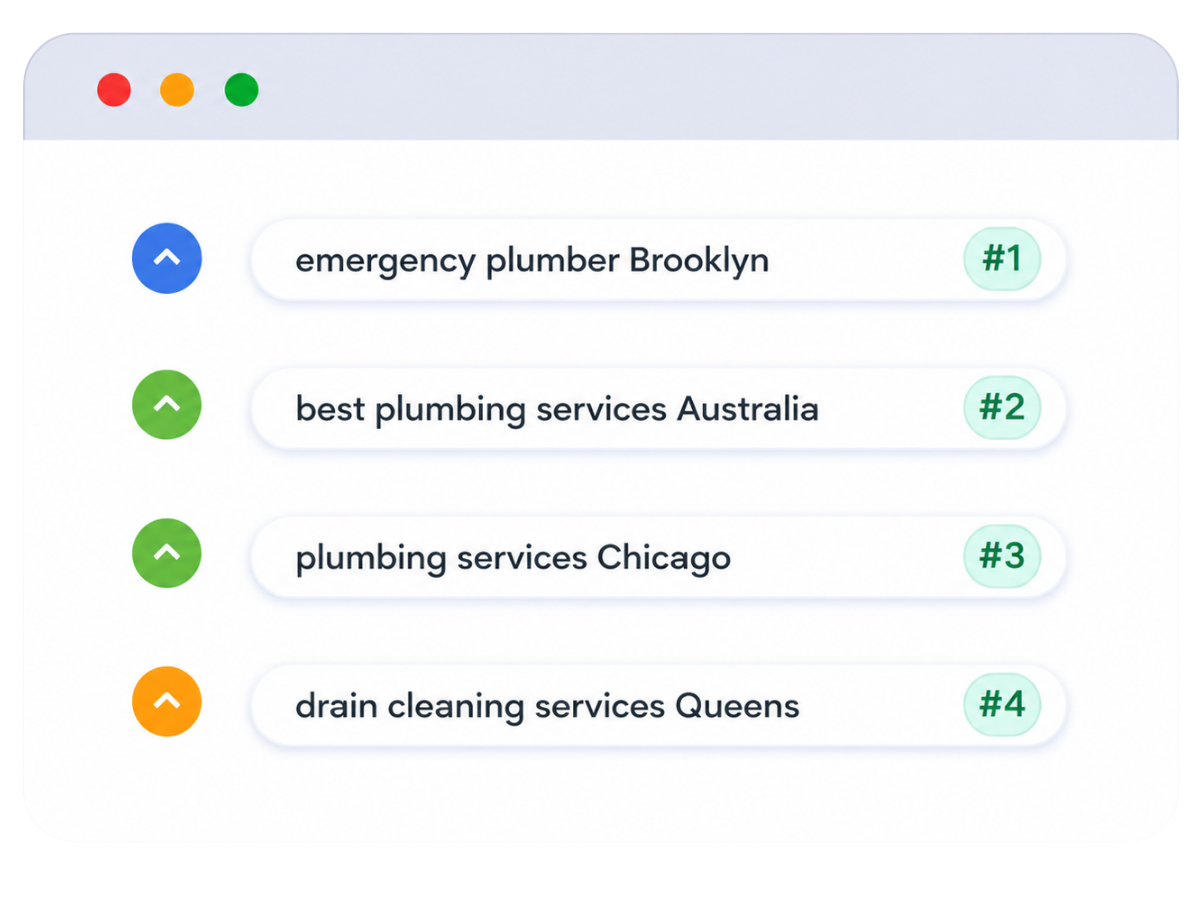
PageForge connects keyword planning to WordPress architecture, data requirements, templates, links, and implementation
Compare the planning approaches by intent control, implementation detail, WordPress readiness, risk visibility, and long-term maintainability.
Reduce cannibalization, thin pages, duplicate URLs, orphaned content, and unmaintainable page volume before generation
Automation magnifies the plan. A clear architecture turns structured information into a coherent website; a weak one multiplies overlapping pages, missing facts, broken links, and maintenance obligations. The AI Site Planner therefore exposes risk instead of maximizing theoretical page count.
Set a minimum-value threshold for every page family. Require distinct intent, verified information, a place in the hierarchy, and a useful next action. Flag invalid combinations, duplicate entities, unsupported locations, empty categories, unavailable integrations, and records without evidence.
Keep canonical ownership explicit, ensure schema matches visible facts, and define when a record remains draft, private, noindexed, consolidated, redirected, or removed. After launch, monitor query overlap, indexation, engagement, conversions, and factual decay so the architecture can be revised.
One intent, one canonical owner
Map each page family and modifier to one primary URL. Consolidate spelling variants, overlapping questions, and duplicate combinations before they enter the generation file.
Minimum data and value threshold
Require enough verified facts, proof, links, and user value for a standalone page. A missing field should stop or condition generation rather than invite generic filler.
Pilot, measurement, and consolidation rules
Test representative records, publish controlled batches, monitor real performance, and merge or remove pages that cannot demonstrate a distinct role in the architecture.
Move from the approved plan to editable WordPress pages without losing the architecture
PageForge AI Site Planner is most valuable when its output becomes an operational handoff. The page-family map informs the WordPress content model. The URL blueprint guides slugs and parent relationships. The field specification becomes the CSV or Google Sheets header set. The template blueprint guides Elementor, Gutenberg, Divi, or another supported layout. The schema map defines structured properties. The link graph informs hubs, breadcrumbs, sibling links, and related resources.
Because the generated pages remain inside WordPress, the team can review and edit them with the same builders, forms, images, SEO plugins, analytics, caching, roles, and publishing processes already in use. PageForge handles the repeatable generation layer, but the site retains ownership of the content and URLs.
Maintenance should follow the same architecture. Update the source record when a service, product, location, integration, or policy changes. Update the template when the hierarchy or design changes. Update the link rules when a new hub or resource is published. Update the planning document when search data reveals overlap or a page family no longer provides value. A connected plan makes change manageable because every page has a documented purpose, source, and relationship.
Validate the architecture first, then choose the generation, collaboration, scheduling, and reporting controls the campaign requires
The planning framework applies to every campaign, regardless of page volume. Start with one approved page family, a clean data sample, a complete responsive template, and five to ten drafts. PageForge Free can help teams validate structured data and a real generation pattern within the current free limits. AI Site Planner availability and advanced operational features depend on the current PageForge version and plan, so confirm the live pricing page before publication.
Broader recurring campaigns may require Google Sheets collaboration, scheduling, reporting, builder-layout operations, larger workflows, or additional automation. The correct plan is the one that supports the approved architecture and review process—not the one that encourages the largest page count.
Validate the campaign foundation
Use a small dataset and representative draft batch to verify the page map, required fields, template hierarchy, metadata, schema, links, mobile layout, and conversion route before scaling.
- One approved page family
- Clean source fields
- Complete WordPress template
- Documented QA checklist
Operate the approved architecture at scale
Use the appropriate PageForge plan when the campaign needs collaborative data, recurring generation, controlled scheduling, reporting, advanced layout operations, and broader automation.
- Google Sheets collaboration
- Scheduled or drip publication
- Campaign reporting
- Advanced workflow controls
Who should use PageForge AI Site Planner for WordPress—and when a simpler process is enough
The planner is designed for teams that can identify a repeatable search opportunity but need a disciplined way to convert it into page families, data requirements, templates, links, QA, and launch operations.
A strong fit
SEO agencies, local and multi-location businesses, SaaS teams, ecommerce brands, directories, marketplaces, franchises, content teams, and WordPress developers planning multiple related pages.
Best starting condition
You know the business objective, target audiences, repeatable entities and modifiers, existing site structure, available facts, and who will review the pilot and maintain the campaign.
Not a shortcut for
Inventing demand, manufacturing local presence, publishing every mathematical combination, replacing subject-matter research, guaranteeing rankings, or avoiding editorial and technical review.
Operational commitment
Someone must own keyword validation, the page map, source data, template, schema, internal links, approval gates, publication cadence, Search Console monitoring, updates, and consolidation decisions.
AI Site Planner for WordPress: campaign-planning questions answered clearly
Use these answers to define the page map, fields, templates, schema, internal links, quality gates, and implementation workflow before generating WordPress pages.
-
What is PageForge AI Site Planner for WordPress?
It is a campaign-planning feature that turns a business model, keyword opportunity, or page idea into a structured WordPress SEO blueprint. The output can define page families, keyword patterns, URL models, source fields, template sections, unique-content requirements, schema, internal links, QA risks, and launch cadence before generation begins.
-
How is an AI Site Planner different from a keyword generator?
A keyword generator expands terms and modifiers. The AI Site Planner goes further by deciding how approved patterns should become a website architecture. It groups intent, assigns canonical page owners, recommends page types, defines URLs and data fields, maps templates and links, and identifies combinations that should be excluded or consolidated.
-
What information should I provide to the planner?
Provide the business objective, audiences, services or products, locations, industries, integrations, features, categories, modifiers, conversion actions, current site structure, available proof, restrictions, and known keyword or Search Console data. Better inputs produce a more practical page map and field blueprint.
-
Can the planner create a page map and URL structure?
Yes. The planning output can organize page families, parent hubs, child pages, slug patterns, taxonomy relationships, canonical ownership, exclusions, and conflict risks. The final URLs should still be reviewed against the current WordPress site before pages are created or redirects are configured.
-
Can it recommend CSV or Google Sheets columns?
Yes. The planner can define mandatory, optional, conditional, derived, generated, and approval fields for each page family. Typical fields include record key, entity, audience, location, attributes, evidence, limitations, FAQs, images, metadata inputs, schema properties, parent hub, related URLs, CTA, reviewer, and status.
-
Does AI Site Planner automatically build the Elementor or Gutenberg template?
The planner can describe the recommended section hierarchy, dynamic fields, conditional blocks, screenshots, proof, FAQs, and responsive acceptance criteria. The actual Elementor, Gutenberg, Divi, or supported template should be built and visually validated in WordPress before a large generation run.
-
How does the planner handle internal linking?
It can assign every page a parent hub, breadcrumbs, relevant sibling rules, supporting guides, related features or services, and a conversion destination. The approved URL targets should come from the site architecture or dataset; AI should not invent links that may not exist.
-
Which schema types can the planner recommend?
Recommendations depend on the visible page and real entity. Common possibilities include WebPage, BreadcrumbList, SoftwareApplication, Service, LocalBusiness, Product, Article, FAQPage, and other appropriate types. Every property must be supported by visible content and a reliable source field.
-
Can the planner prevent duplicate pages and keyword cannibalization?
It can reduce the risk by grouping queries by intent, assigning one canonical owner, identifying duplicate combinations, defining exclusion rules, and flagging page families that overlap. Final decisions still require human review, current-site auditing, and Search Console monitoring after launch.
-
Can I use it to plan local SEO location pages?
Yes. A local plan can map service hubs, regions, cities, service availability, local proof fields, nearby-location links, LocalBusiness or Service schema inputs, booking routes, and exclusions for places the business does not genuinely serve. It should never manufacture addresses, offices, staff, or local presence.
-
Does the AI Site Planner automatically publish all planned pages?
No. Planning and publication should remain separate. Use the approved architecture to prepare the data and template, generate a small draft batch, validate content and technical quality, and publish only through controlled WordPress statuses and batches. Auto-publishing a new pattern without review is not recommended.
-
Will using an AI Site Planner guarantee top rankings?
No tool can guarantee rankings. The planner improves execution discipline by clarifying intent, data, hierarchy, links, and quality gates. Search performance still depends on demand, usefulness, originality, authority, technical health, crawlability, competition, user satisfaction, links, and ongoing improvement.
Connect the AI Site Planner to the wider PageForge programmatic SEO workflow
Use these resources to validate demand, forecast the campaign, create the WordPress template, prepare the data, and execute the approved page architecture.
Programmatic SEO WordPress guide
Learn the complete strategy for structured data, page templates, unique value, schema, internal links, publishing, and measurement.
Programmatic SEO keyword generator
Create and organize service, location, audience, product, and modifier patterns before converting them into page families.
WordPress bulk page generator
Turn the approved data model and template into editable WordPress pages, posts, and supported custom post types.
Internal linking for programmatic SEO
Build crawlable parent hubs, sibling relationships, breadcrumbs, contextual anchors, and related-resource pathways for large page sets.
Programmatic SEO ROI calculator
Model page volume, indexation, demand, clicks, conversions, production cost, maintenance, and expected business value before launch.
Watch the PageForge tutorial
Follow the practical WordPress workflow from campaign setup and data mapping to generated pages and review.
Turn keyword opportunities into a structured WordPress architecture your team can review, build, and improve
Start with the business objective, approved page families, source-field blueprint, responsive template, schema map, internal-link graph, and a small pilot. PageForge helps turn the validated plan into editable WordPress pages while your team controls facts, quality, publication, and measurement.


