



utm.codes
A WordPress plugin that makes building analytics friendly links quick and easy.

Solid choice
utm.codes is a solid plugin choice in 2026, with a few things worth checking first. It runs on 400+ sites, is rated 5/5 and was last updated 2 months ago, and scores 73/100 on our health check.
- Tested with the latest WordPress (7.1)
- Small user base (400+ active installs)
- Very few reviews so far
How does it stack up?
Side-by-side on installs, updates, ratings & support



Daily downloads
Download spikes usually follow a new release — each site that auto-updates counts as a download.
Rankings
Where utm.codes stands todayWordPress.org search rankings
Live position in the plugin search, top 100| Keyword | Position |
|---|---|
| analytics | >100 |
| campaign marketing | #62 |
| google analytics | >100 |
| utm codes | #2 |
Version adoption
Share of active sites per release.
Rating breakdown
★★★★★★★★★★ 5 from 2 reviews
About utm.codes
From the official readme · v1.9.2Description
It’s time to ditch the spreadsheets for a better way to create and manage your campaign marketing links.
utm.codes turns your WordPress admin into a link building powerhouse by making it easier to create, organize, and use your links.
For more information, videos, and helpful tips visit the utm.codes website.
Features
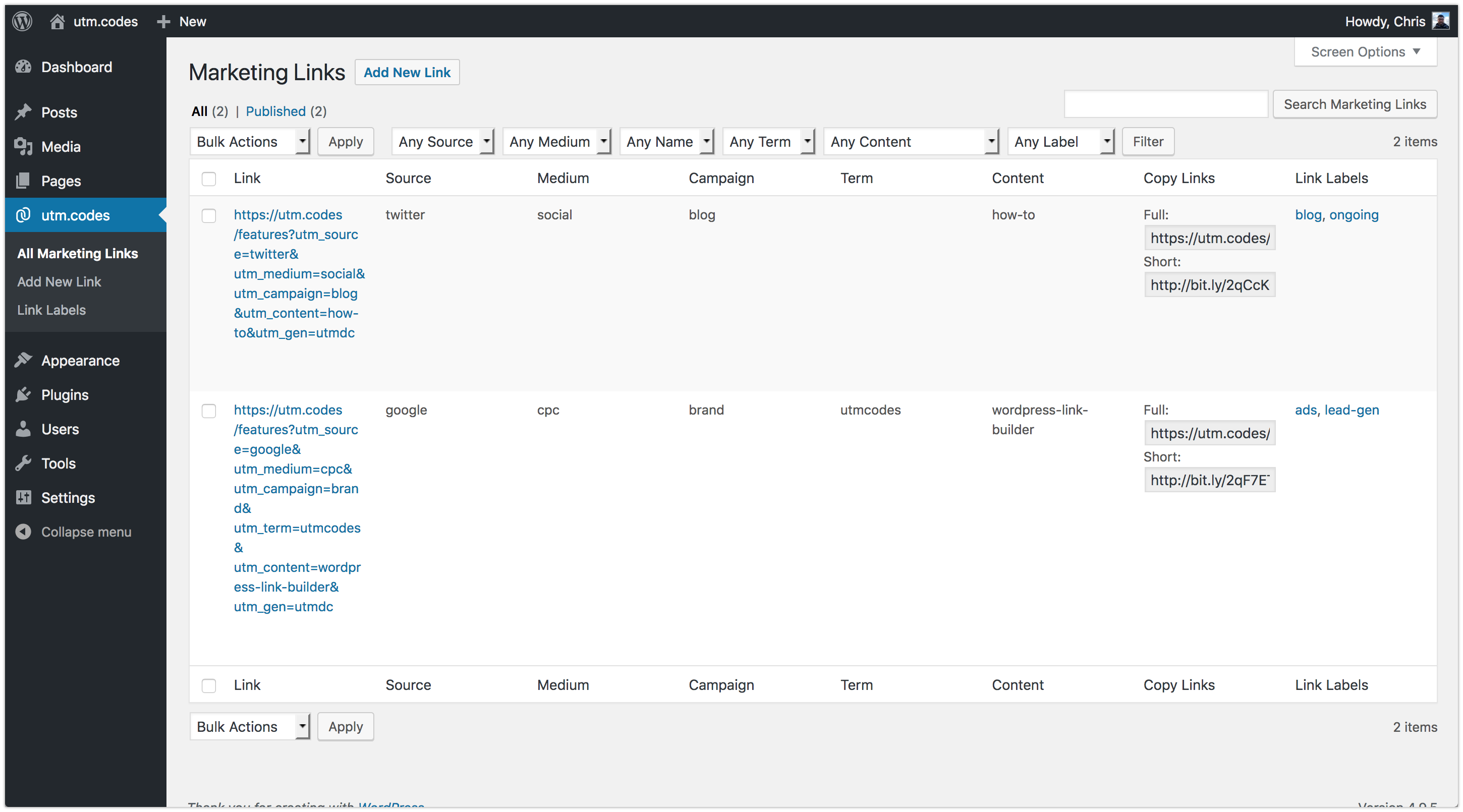
- Easily create campaign marketing links with UTM codes for better campaign analytics
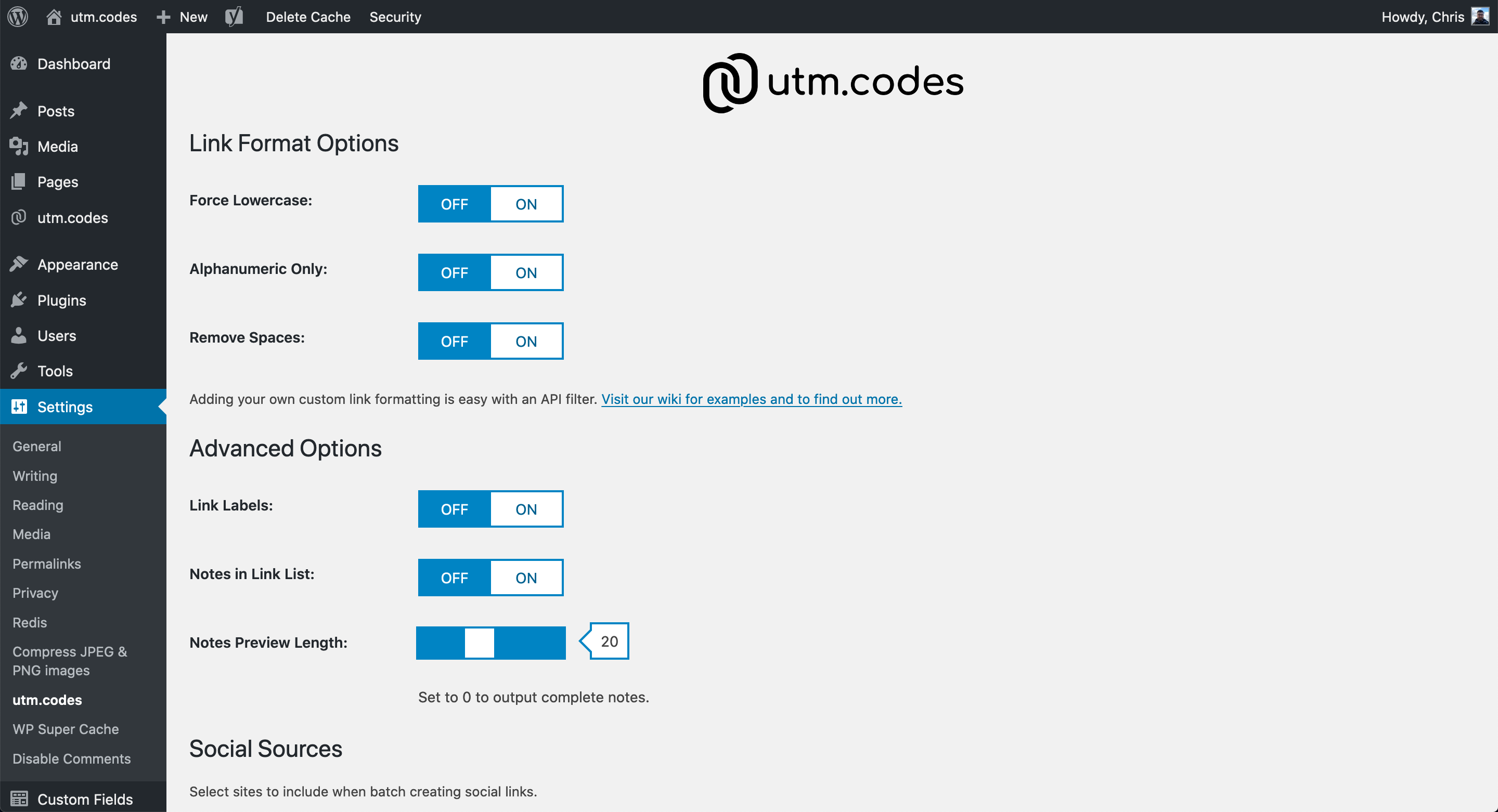
- Automatically format links in lowercase, remove spaces, and remove non alphanumeric characters for more consistent reporting
- Batch create links for all your social networks with just a click
- Search, filter, and easily find existing links using familiar WordPress admin controls
- Automatically detect url error responses to prevent creating bad links
- One click link shortening with Bitly or Rebrandly for easier link sharing
- Save notes with link for team communication, usage context, future reference, and more
- Link element API filter for custom utm code formatting
- Social network options API filter for custom batch link options
- Shortener API filter for custom link shortening
- Supports adding additional custom parameters to links for improved versatility
- Multi-user access within WordPress to share creation and management responsibilities
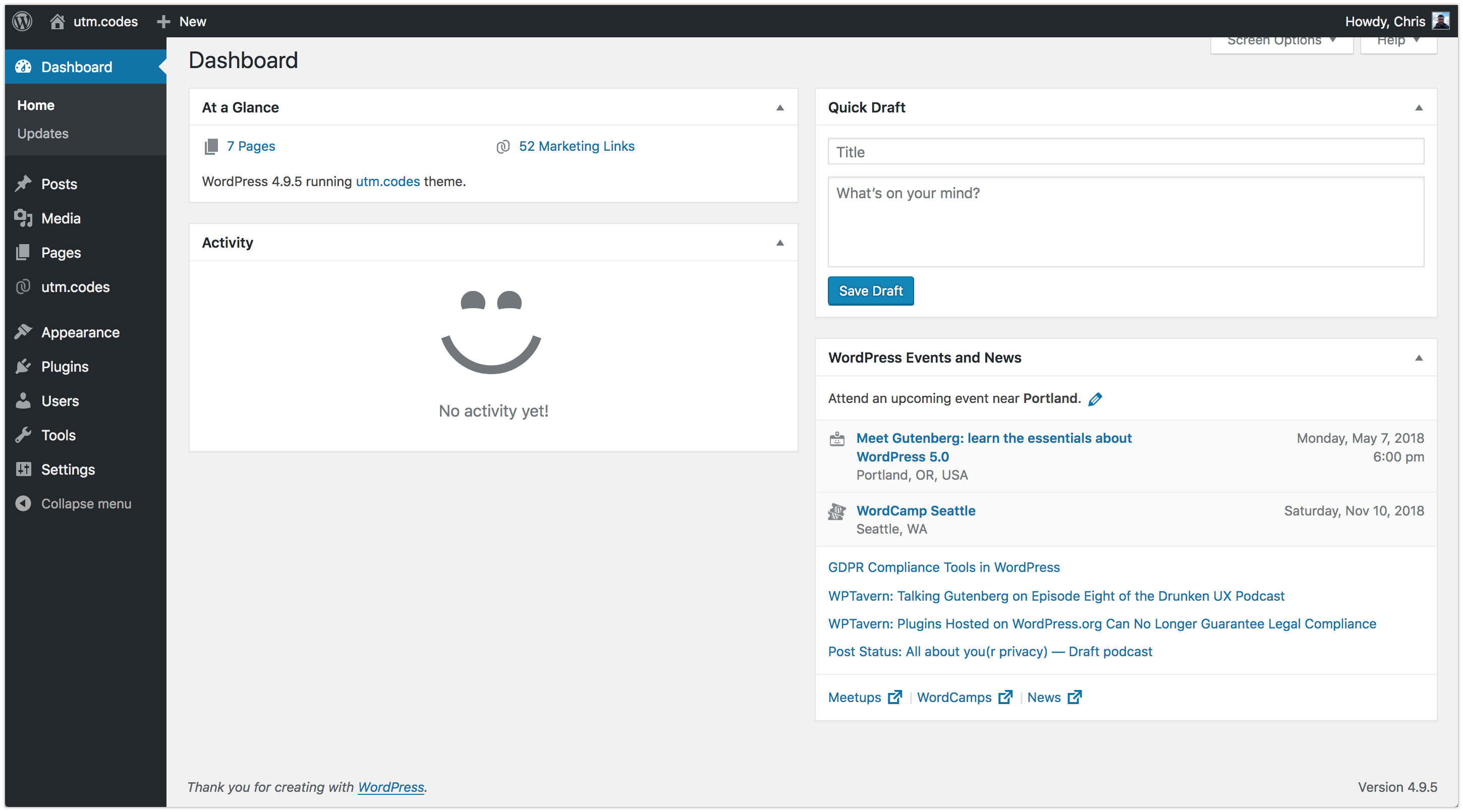
- See your current link count in the admin dashboard “At a Glance”
- Actively tested with WordPress 6.4, 6.5, 6.6, 6.7, 6.8, 6.9, 7.0, and 7.1
- Actively tested with PHP 7.4, 8.0, 8.1, 8.2, 8.3, and 8.4
- Actively tested with MySQL 8.0, 8.4
- 100% Free and Open Source
Installation
Upload the utm.codes plugin to your WordPress site, activate it, and start creating your links.
Settings
Configure your formatting preferences, targeted social networks, link notes, and shortening preferences, under Settings / utm.codes to enable batch creation and shorten when saving links.
Documentation
For additional details about installing, configuring, customizing, and using utm.codes visit our GitHub wiki
Development Resources
utm.codes is built using development code not included in the WordPress.org download because it isn’t required for use. This code includes the webpack build used to create our minified CSS and JavaScript as well as PHPUnit tests to ensure support of new WordPress releases.
All source code associated with utm.codes is open source, free to use for any purpose, and released under the GPL v2.0 license. Development code, including instructions for running both the build and tests, is available at the utm.codes GitHub repository.
You can also browse our build history at GitHub.
Frequently asked questions
Why is the shorten link checkbox missing when I create a link?
Shortening links requires a shortener be configured. Configure shortening under Settings > utm.codes.
Why is the create social links checkbox missing when I create a link?
Batch social link creation requires selection of social networks. Select networks under Settings > utm.codes to create links for your preferred networks when batch creating social links.
What if I need custom parameters in my links?
Simply add the parameter to your Link URL (e.g. https://example.com/?param=value) and utm.codes will append the generated utm code values to the end of the url when you save the link.
What if I need custom parameter formats?
Adding your own custom formatting is easy with an API filter. Visit our GitHub wiki for examples and more details.
What if I want to share links on a social network your settings don’t support?
Adding your own custom social network options is easy with an API filter. Visit our GitHub wiki for examples and more details.
What if I want to shorten my links using a service other than Bitly or Rebrandly?
Adding your own shortener support is easy with a custom shortener class and API filter. Visit our GitHub wiki for examples and more details.
I love this plugin.
That isn’t a question. But thank you.
Changelog
1.9.2
- Supports WordPress versions 6.9, 7.0, 7.1
- Increased stated minimum requirements for WordPress, PHP, and MySQL
Note: While there haven’t been compatibility breaking changes introduced in this release minimum versions have been updated to reflect the versions that are being actively tested. See the utm.codes GitHub repo actions for complete active test details.
1.9.1
- Change usage of wp_remote_get() to wp_safe_remote_get()
- Change usage of wp_remote_post() to wp_safe_remote_post()
- Update dependencies
1.9.0
- Supports WordPress v6.6, 6.7, 6.8
- Update dependencies
- Update developer build/tooling
1.8.5
- Supports WordPress v6.3, v6.4, v6.5
- Update dependencies
1.8.4
- Supports WordPress v6.2
- Update dependencies
- Update minimum requirements
1.8.3
- Supports WordPress v6.1
- Supports PHP 8.2
- Update dependencies
Screenshots


For developers
Is this your plugin? Show off the numbers.
Add a live badge to your site, docs or GitHub README. It updates on its own — no account needed.
Best utm.codes alternatives
All analytics plugins →





FAQ
utm.codes: quick answers
Straight answers, pulled from live WordPress.org data.
Live data from WordPress.org · checked Oct 18, 2026
Is utm.codes free?
Yes. utm.codes is free to download and use from the official WordPress.org plugin directory.
Is utm.codes safe to use in 2026?
utm.codes is a solid plugin choice in 2026, with a few things worth checking first. It runs on 400+ sites, is rated 5/5 and was last updated 2 months ago, and scores 73/100 on our health check.
How many websites use utm.codes?
utm.codes is active on 400+ WordPress websites and has been downloaded 12,672 times since it launched in February 2018. It was downloaded 252 times in the last 30 days.
Does utm.codes work with WordPress 7.1?
Yes. The developer has tested utm.codes up to WordPress 7.1.3, the latest release. It requires WordPress 6.4.0 or newer.
What PHP version does utm.codes need?
utm.codes requires PHP 7.4.0 or higher. Most hosts run PHP 8.x today, so it works on any modern WordPress hosting.
When was utm.codes last updated?
The latest version, 1.9.2, was released on August 15, 2026 (2 months ago).
Who makes utm.codes?
utm.codes is developed and maintained by Chris Carlevato.
What are the best alternatives to utm.codes?
The most popular alternatives to utm.codes are Site Kit by Google (5M+ installs), MonsterInsights (2M+ installs) and WP Statistics (500K+ installs).
Powered by PageForge
Want thousands of pages that rank like these? Build them in an afternoon.
This directory runs on the same engine as PageForge. Turn any spreadsheet, CSV or API into thousands of fast, SEO-ready WordPress pages — with schema, internal links and AI-written copy baked in.
- CSV, Google Sheets & API data sources
- AI content, schema & internal links per page
- Works with Elementor, Gutenberg, Yoast & Rank Math
- Free on WordPress.org — no credit card


