



Site Kit by Google – Analytics, Search Console, AdSense, Speed
Site Kit is a one-stop solution for WordPress users to use everything Google has to offer to make them successful on the web.

Safe pick
Yes — Site Kit by Google is a safe, well-maintained plugin to use in 2026. It runs on 5M+ sites, is rated 4.2/5 and was last updated 2 weeks ago, and scores 92/100 on our health check.
- One of the most-used plugins on the web — 5M+ active sites
- Actively developed — last update 2 weeks ago
- Tested with the latest WordPress (7.1)
- Responsive support — 79% of recent threads resolved
How does it stack up?
Side-by-side on installs, updates, ratings & support



Daily downloads
Download spikes usually follow a new release — each site that auto-updates counts as a download.
Rankings
Where Site Kit by Google stands todayWordPress.org search rankings
Live position in the plugin search, top 100| Keyword | Position |
|---|---|
| adsense | #1 |
| analytics | #1 |
| #1 | |
| pagespeed insights | #1 |
| Search Console | #1 |
Version adoption
Share of active sites per release.
Rating breakdown
★★★★★★★★★★ 4.2 from 1,015 reviews
About Site Kit by Google
From the official readme · v1.191.0Description
Site Kit is the official WordPress plugin from Google for insights about how people find and use your site. Site Kit is the one-stop solution to deploy, manage, and get insights from critical Google tools to make the site successful on the web. It provides authoritative, up-to-date insights from multiple Google products directly on the WordPress dashboard for easy access, all for free.
Bringing the best of Google tools to WordPress
Site Kit includes powerful features that make using these Google products seamless and flexible:
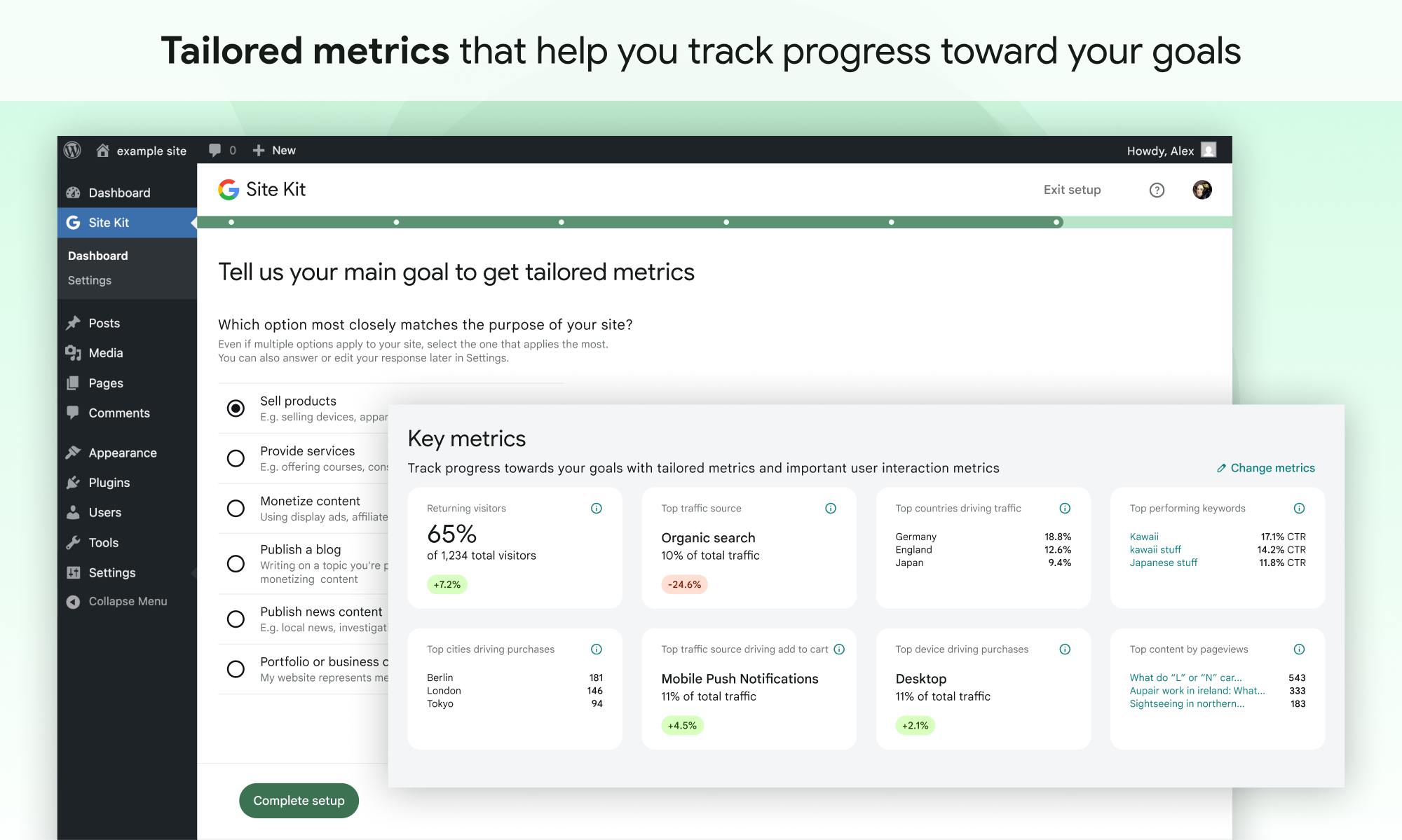
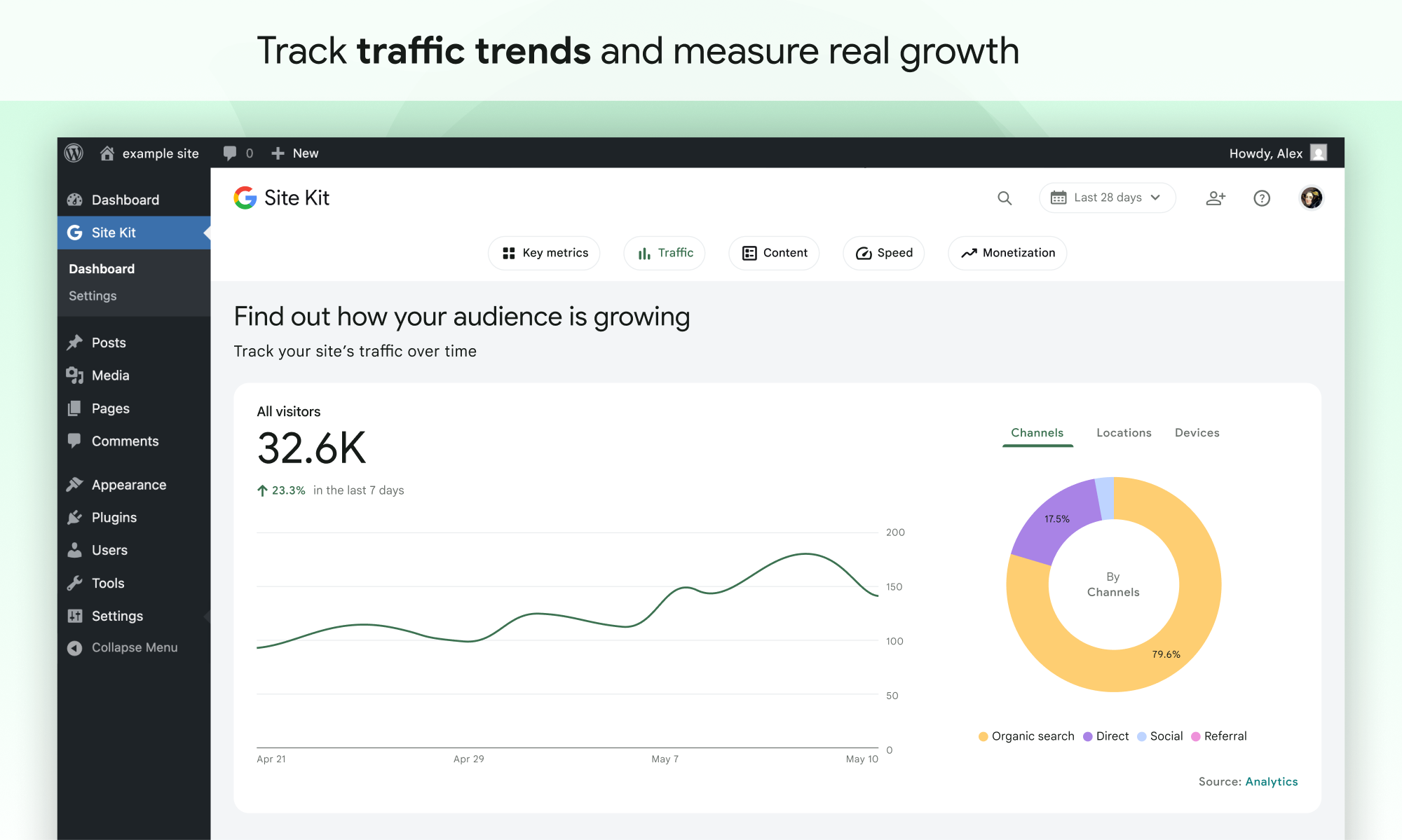
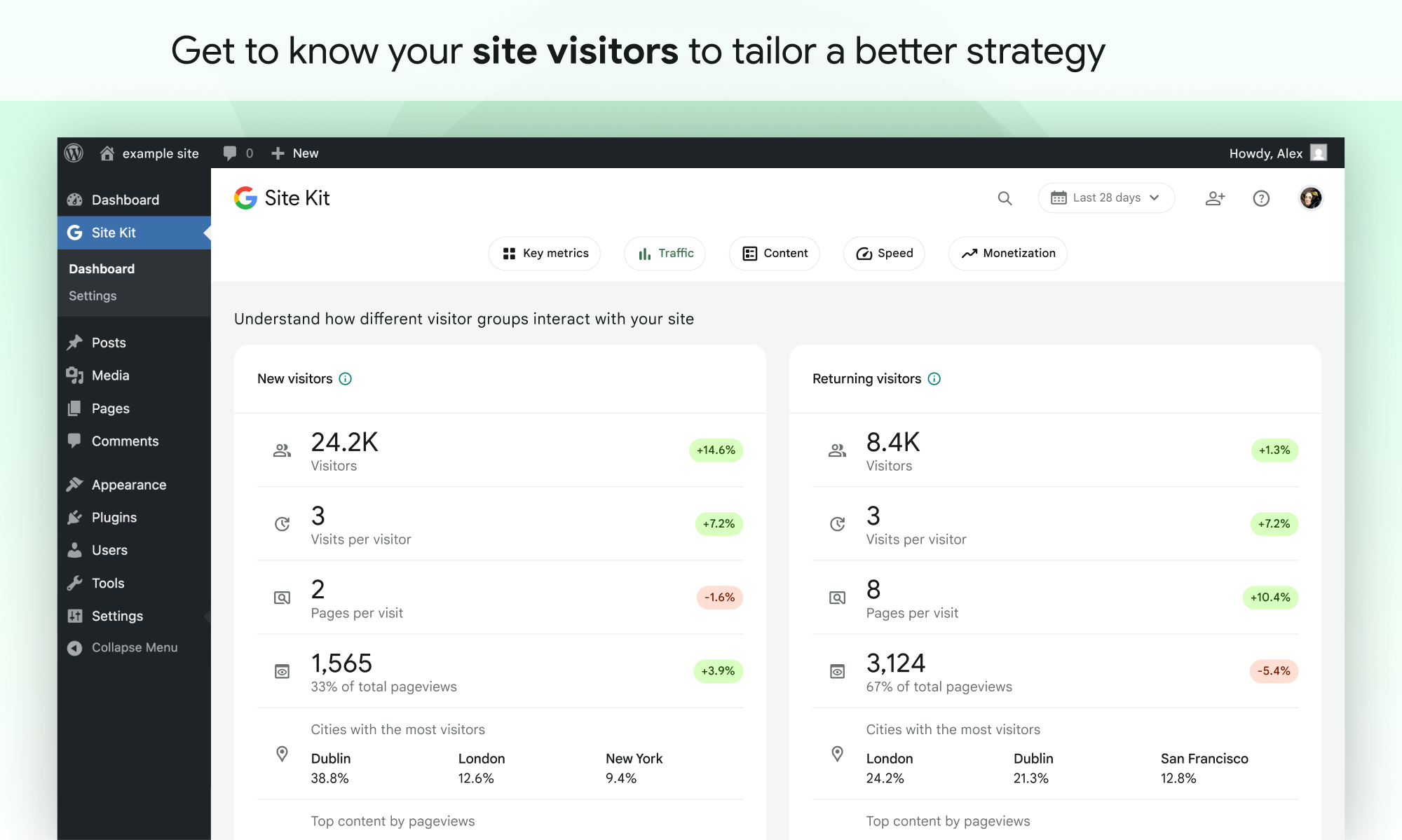
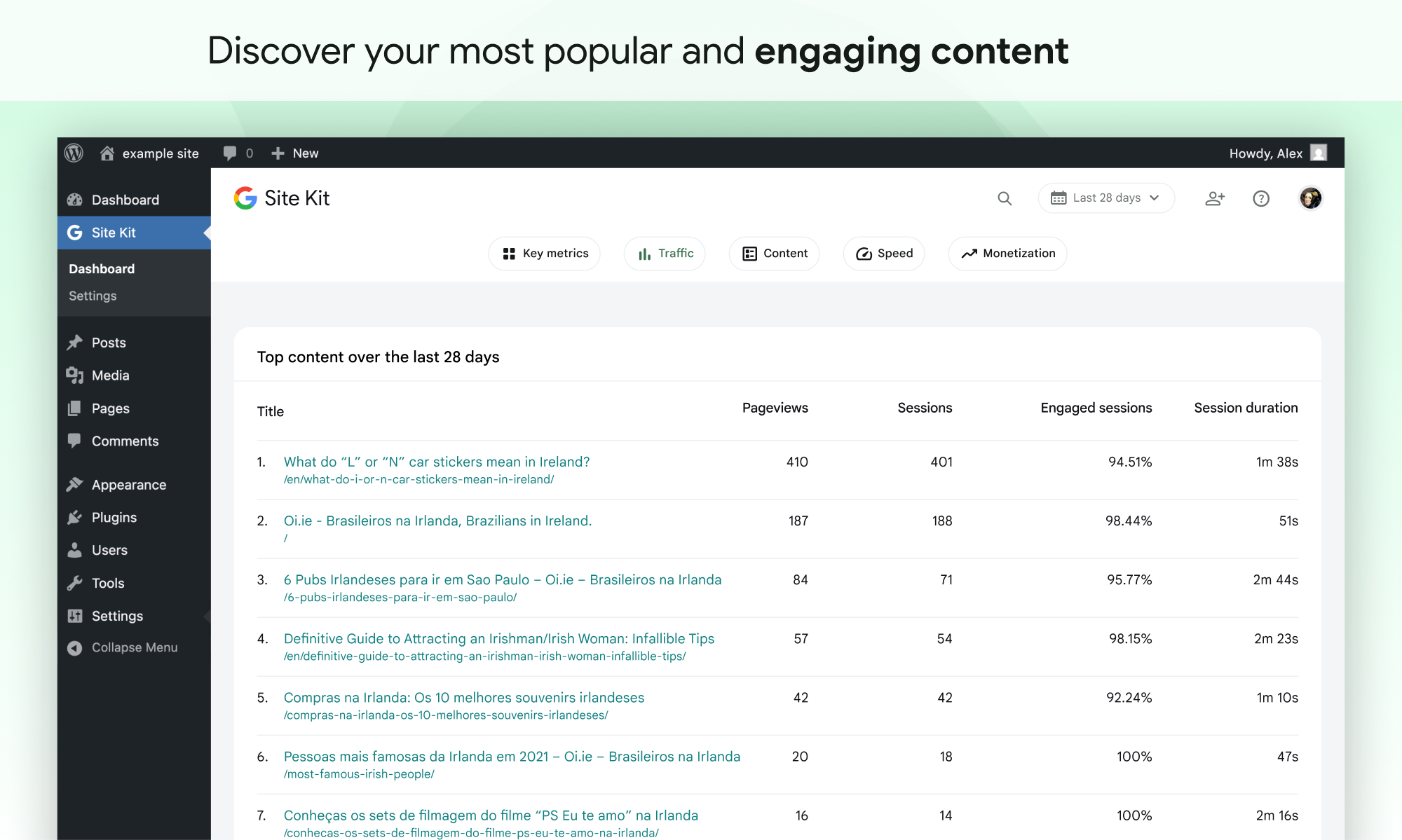
- Easy-to-understand stats directly on your WordPress dashboard
- Official stats from multiple Google tools, all in one dashboard
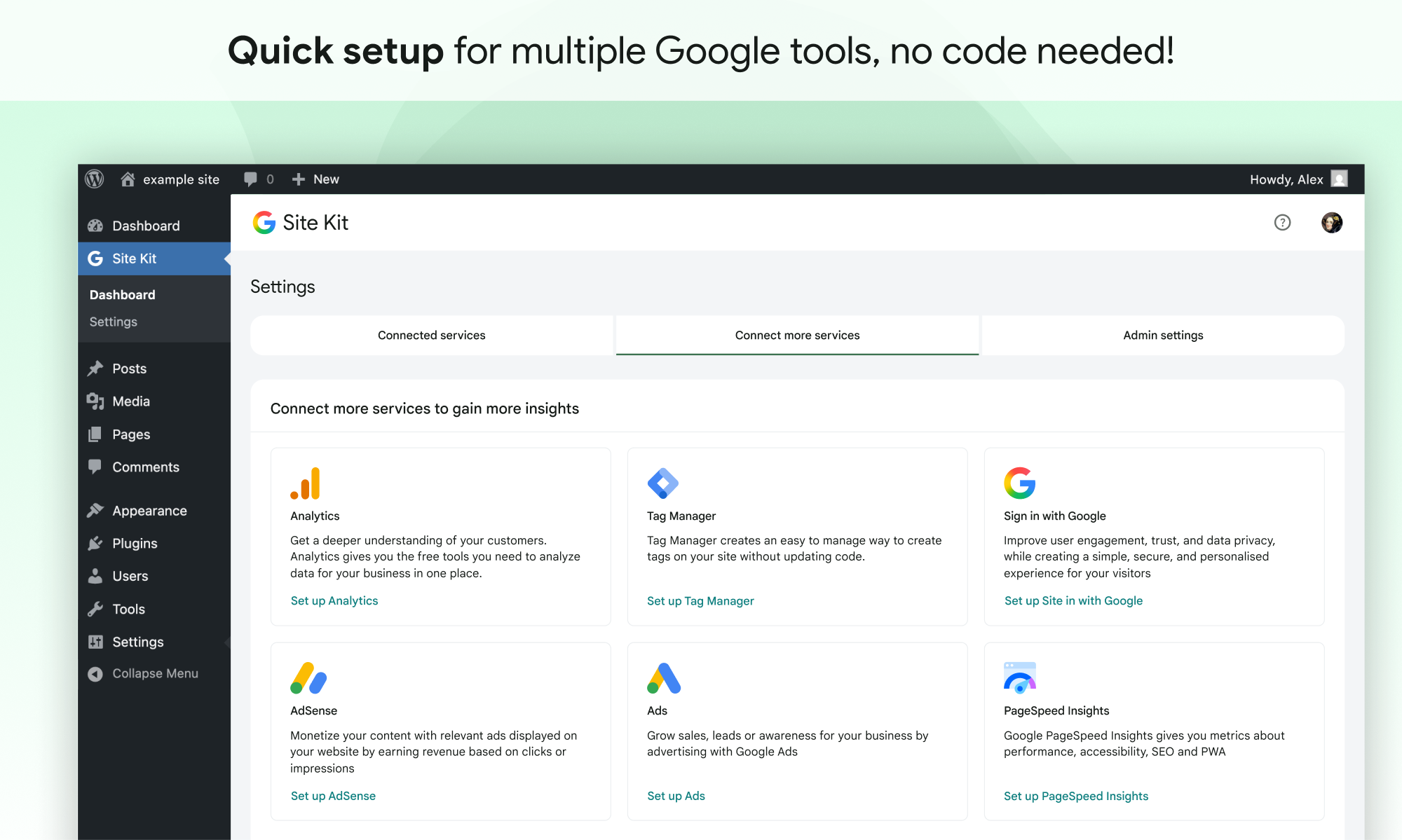
- Quick setup for multiple Google tools without having to edit the source code of your site
- Metrics for your entire site and for individual posts
- Easy-to-manage, granular permissions across WordPress and different Google products
Supported Google tools
Site Kit shows key metrics and insights from different Google products:
- Search Console: Understand how Google Search discovers and displays your pages in Google Search. Track how many people saw your site in Search results, and what query they used to search for your site.
- Analytics: Explore how users navigate your site and track goals you’ve set up for your users to complete.
- AdSense: Keep track of how much your site is earning you.
- PageSpeed Insights: See how your pages perform compared to other real-world sites. Improve performance with actionable tips from PageSpeed Insights.
- Tag Manager: Use Site Kit to easily set up Tag Manager- no code editing required. Then, manage your tags in Tag Manager.
- Sign in with Google: Allows visitors to sign up and log in to your site with their existing Google account.
- Reader Revenue Manager: Helps you grow, retain, and engage your site visitors via subscription, contribution, newsletters, surveys, and custom prompts.
- Ads: Get customers and sell more with targeted traffic from Google Ads.
Installation
Note: Make sure that your website is live. If your website isn’t live yet, Site Kit can’t show you any data.
However, if you have a staging environment in addition to your production site, Site Kit can display data from your production site in the staging environment. Learn how to use Site Kit with a staging environment.
Installation from within WordPress
- Visit Plugins > Add New.
- Search for Site Kit by Google.
- Install and activate the Site Kit by Google plugin.
- Connect Site Kit to your Google account. If there are multiple WordPress admins, keep in mind that each admin must connect their own Google account in order to access the plugin.
Manual installation
- Upload the entire
google-site-kitfolder to the/wp-content/plugins/directory. - Visit Plugins.
- Activate the Site Kit by Google plugin.
- Connect Site Kit to your Google account. If there are multiple WordPress admins, keep in mind that each admin must connect their own Google account in order to access the plugin.
After activation
- Visit the new Site Kit menu.
- Follow the instructions in the setup flow.
- Go to the main Site Kit dashboard which already displays key metrics from Search Console.
- Connect additional Google tools under Site Kit > Settings. Learn more about which tools are right for you.
Changelog
1.191.0
Enhanced
- Add support for plain permalinks to the “Top posts by visitors” column in the “Recent activity” tab. See #13894.
- Add
landingPageandsessionCampaignNameto shared Analytics report dimensions. See #13843. - Remove the dashboard notification to resume a Reader Revenue Manager newsletter express setup, to be replaced by the generic resumption notification provided by the Feature Discovery Hub. See #13794.
- Improve handling of Sign in with Google on sites with shared email addresses. See #13792.
- Add support for tracking in-progress feature setups in the Feature Discovery Hub. See #13784.
- Add the
DraggableListcomponent that shows a list of items which can be dragged to reorder them. See #13725. - Scaffold the Reader Revenue Manager survey CTA’s setup flow. See #13720.
- Add a “Latest content” tab listing recently published posts and their early performance. See #13696.
- Add a feedback prompt to the “Recent activity” tab. See #13693.
- Add link to see Recent Posts to Fresh Data UI. See #13692.
- Add a section to the “Recent activity” tab that shows how the most recently published post is performing. See #13686.
- Show the top posts, channels and referrals driving recent traffic in the “Recent activity” tab. See #13685.
- Show an insight notice comparing recent traffic to the site’s typical performance. See #13684.
- Show fresh visitor, clicks, and impression totals in the “Recent activity” tab. See #13683.
- Add the new date picker’s trigger button and panel, and apply the draft date selection. See #13611.
- Add GA event tracking for the links on the Reader Revenue Manager express setup complete step. See #13574.
- Add GA event tracking for the Reader Revenue Manager express setup flow. See #13573.
- Add GA event tracking for the Reader Revenue Manager setup banner and express setup banner on the dashboard. See #13571.
- Remove the
setupFlowRefreshPhase4feature flag, now that the refreshed setup flow is available to all users. See #13530. - Show a progress bar and error notices on the initial Reader Revenue Manager express setup screen. See #13506.
- Enable setting up dashboard sharing, email reports, and downloading the PDF report from the Feature Discovery Hub. See #13347.
- Enable setting up the enhanced measurement feature on the Feature Discovery Hub. See #13341.
- Return the user to the Feature Discovery Hub when initiating setup there for the Analytics, Ads (PAX flow), and ad blocking recovery features. See #13340.
- Show an error notice in the Feature Discovery Hub when a feature’s setup fails. See #13339.
- Flesh out the Description, Requirements and Screenshots tabs for the Feature Discovery Hub’s detail panel. See #13331.
- Add category filter chips to the Feature Discovery Hub’s “All services and features” tab. See #13329.
- Update the PDF export panel to label the AdSense section “Monetization”, matching the dashboard navigation. See #13318.
- Show only one error when Analytics setup fails. See #13267.
- Update the PDF progress message text. See #13226.
Fixed
- Prevent unnecessary notifications from appearing after completing a newsletter setup. See #13885.
- Scroll Reader Revenue Manager express setup error notices into view. See #13874.
- Fix an issue displaying CTAs from the previously connected publication in Reader Revenue Manager settings. See #13872.
- Fix the Partial data badge pushing its card’s rows out of line with the other card in the Your visitor groups section of the PDF report. See #13221.
Screenshots
For developers
Is this your plugin? Show off the numbers.
Add a live badge to your site, docs or GitHub README. It updates on its own — no account needed.
Best Site Kit by Google alternatives
All adsense plugins →





FAQ
Site Kit by Google: quick answers
Straight answers, pulled from live WordPress.org data.
Live data from WordPress.org · checked Nov 16, 2026
Is Site Kit by Google free?
Yes. Site Kit by Google is free to download and use from the official WordPress.org plugin directory.
Is Site Kit by Google safe to use in 2026?
Yes — Site Kit by Google is a safe, well-maintained plugin to use in 2026. It runs on 5M+ sites, is rated 4.2/5 and was last updated 2 weeks ago, and scores 92/100 on our health check.
How many websites use Site Kit by Google?
Site Kit by Google is active on 5M+ WordPress websites and has been downloaded 293,101,912 times since it launched in October 2019. It was downloaded 5,837,824 times in the last 30 days.
Does Site Kit by Google work with WordPress 7.1?
Yes. The developer has tested Site Kit by Google up to WordPress 7.1.4, the latest release. It requires WordPress 5.2 or newer.
What PHP version does Site Kit by Google need?
Site Kit by Google requires PHP 7.4 or higher. Most hosts run PHP 8.x today, so it works on any modern WordPress hosting.
When was Site Kit by Google last updated?
The latest version, 1.191.0, was released on November 2, 2026 (2 weeks ago).
Who makes Site Kit by Google?
Site Kit by Google is developed and maintained by Google.
What are the best alternatives to Site Kit by Google?
The most popular alternatives to Site Kit by Google are Ad Inserter (300K+ installs), AdRotate Banner Manager (20K+ installs) and Quads Ads Manager for Googl… (20K+ installs).
Powered by PageForge
Want thousands of pages that rank like these? Build them in an afternoon.
This directory runs on the same engine as PageForge. Turn any spreadsheet, CSV or API into thousands of fast, SEO-ready WordPress pages — with schema, internal links and AI-written copy baked in.
- CSV, Google Sheets & API data sources
- AI content, schema & internal links per page
- Works with Elementor, Gutenberg, Yoast & Rank Math
- Free on WordPress.org — no credit card


