


Sendmachine SMS
Send SMS messages directly from WordPress using Sendmachine. Includes support for WooCommerce order status notifications.

Use with caution
Sendmachine SMS works, but test it on a staging site before relying on it in 2026. Was last updated 4 months ago, and scores 49/100 on our health check.
- Small user base (<10 active installs)
- Very few reviews so far
How does it stack up?
Side-by-side on installs, updates, ratings & support


Daily downloads
Download spikes usually follow a new release — each site that auto-updates counts as a download.
Rankings
Where Sendmachine SMS stands todayWordPress.org search rankings
Live position in the plugin search, top 100| Keyword | Position |
|---|---|
| order notifications | >100 |
| sendmachine | #2 |
| sms | >100 |
| sms marketing | >100 |
About Sendmachine SMS
From the official readme · v1.0.1Description
This plugin requires the Sendmachine for WordPress core plugin. WooCommerce is optional and needed only for order SMS notifications.
Once activated, the plugin allows you to:
Send SMS notifications on order status changes (requires WooCommerce)
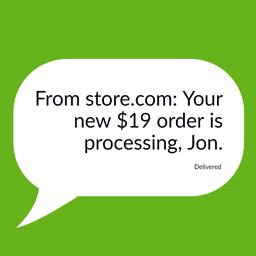
Automatically send an SMS to the customer whenever an order changes status — pending, processing, on-hold, completed, cancelled, refunded, or any custom WooCommerce status. Each status has its own template that you can enable or disable independently.
Customise SMS templates (requires WooCommerce)
Each template supports dynamic variables like {order_number}, {billing_first_name}, {order_status}, {order_total}, {shop_name} and more. Templates can be reset to their default text at any time.
Test mode
Redirect all outgoing SMS messages to a single test phone number without contacting real customers. Useful for verifying templates before going live.
Send admin copy
Optionally receive a copy of every customer SMS on a separate admin phone number.
SMS delivery log (requires WooCommerce)
Every SMS sent is logged – including order reference, recipient, message text, delivery status and timestamp. The log is searchable and paginated.
Click tracking
Optionally enable Sendmachine click tracking on links included in your messages.
Custom sender
Set a sender that appears as the sender name on the customer’s phone. Requires a sender already configured in your Sendmachine account.
External Services
This plugin connects to the Sendmachine API to provide its functionality. Specifically, it:
- Sends SMS messages to customers when a WooCommerce order changes status, using the recipient’s phone number, sender name, and message text.
- Sends a test SMS to a specified phone number from the settings page.
- Retrieves your account’s SMS credit balance for display in the WordPress admin.
This service is contacted whenever you send or test an SMS, or when the SMS credit balance is refreshed in the admin dashboard.
- Service: https://www.sendmachine.com
- Privacy Policy: https://www.sendmachine.com/confidentialitate.html
- Terms of Service: https://www.sendmachine.com/termeni-si-conditii.html
Installation
- Make sure Sendmachine for WordPress is installed and active.
- In your WordPress admin panel, go to Plugins > New Plugin, search for Sendmachine SMS and click Install now
- Alternatively, download the plugin and upload the contents of
sendmachine-sms.zipto your plugins directory, which usually is/wp-content/plugins/ - Activate the plugin through the ‘Plugins’ menu in WordPress
- Go to Sendmachine > Settings > Orders SMS and configure your sender and phone numbers.
- If you use WooCommerce, go to Sendmachine > Settings > Orders SMS Templates to enable and customise the message templates for each order status.
Frequently asked questions
Does this plugin work without Sendmachine for WordPress?
No. This is an addon and requires the Sendmachine for WordPress core plugin to function.
Does this plugin require WooCommerce?
No. WooCommerce is optional. Without it, order SMS features (notifications, templates, history) will not be available, but the plugin will still activate and other SMS features will work normally.
Do I need a Sendmachine account?
Yes. You can create one for free. SMS credits are purchased separately through your Sendmachine account.
Which order statuses are supported?
All standard WooCommerce statuses are supported: pending, processing, on-hold, completed, cancelled and refunded. Custom statuses registered by other plugins are also detected automatically.
Can I disable notifications for certain statuses?
Yes. Each status has its own template with an individual enable/disable toggle in Sendmachine > Settings > Orders SMS Templates.
Where can I see sent messages?
Go to Sendmachine > Orders SMS History to see a log of all sent messages including delivery status.
What variables can I use in templates?
{order_id}, {order_number}, {order_reference}, {order_status}, {order_total}, {order_date}, {billing_first_name}, {billing_last_name}, {shop_name}, {tracking_number}.
Screenshots


For developers
Is this your plugin? Show off the numbers.
Add a live badge to your site, docs or GitHub README. It updates on its own — no account needed.
Best Sendmachine SMS alternatives
All order notifications plugins →





FAQ
Sendmachine SMS: quick answers
Straight answers, pulled from live WordPress.org data.
Live data from WordPress.org · checked Oct 3, 2026
Is Sendmachine SMS free?
Yes. Sendmachine SMS is free to download and use from the official WordPress.org plugin directory.
Is Sendmachine SMS safe to use in 2026?
Sendmachine SMS works, but test it on a staging site before relying on it in 2026. Was last updated 4 months ago, and scores 49/100 on our health check.
How many websites use Sendmachine SMS?
Sendmachine SMS is active on <10 WordPress websites and has been downloaded 341 times since it launched in April 2026. It was downloaded 56 times in the last 30 days.
Does Sendmachine SMS work with WordPress 7.1?
Sendmachine SMS is officially tested up to WordPress 7.0.6, while the latest release is 7.1.2. It may still work, but try it on a staging site first.
What PHP version does Sendmachine SMS need?
Sendmachine SMS requires PHP 7.0 or higher. Most hosts run PHP 8.x today, so it works on any modern WordPress hosting.
When was Sendmachine SMS last updated?
The latest version, 1.0.1, was released on May 25, 2026 (4 months ago).
Who makes Sendmachine SMS?
Sendmachine SMS is developed and maintained by sendmachine.
What are the best alternatives to Sendmachine SMS?
The most popular alternatives to Sendmachine SMS are Hippoo Mobile App for WooCo… (1K+ installs), Management App for WooComme… (800+ installs) and SMS for WooCommerce (50+ installs).
Powered by PageForge
Want thousands of pages that rank like these? Build them in an afternoon.
This directory runs on the same engine as PageForge. Turn any spreadsheet, CSV or API into thousands of fast, SEO-ready WordPress pages — with schema, internal links and AI-written copy baked in.
- CSV, Google Sheets & API data sources
- AI content, schema & internal links per page
- Works with Elementor, Gutenberg, Yoast & Rank Math
- Free on WordPress.org — no credit card


