



ShoutOUT SMS for WooCommerce
Allow your WooCommerce website to send SMS notifications to your customers.

Consider an alternative
ShoutOUT SMS for WooCommerce shows warning signs in 2026 — compare the alternatives below before installing. It runs on 10+ sites, is rated 5/5 and was last updated 2 years ago, and scores 30/100 on our health check.
- Small user base (10+ active installs)
- Very few reviews so far
- No update in 2 years
- Only tested up to WordPress 6.5 (latest is 7.1)
How does it stack up?
Side-by-side on installs, updates, ratings & support


Daily downloads
Download spikes usually follow a new release — each site that auto-updates counts as a download.
Rankings
Where ShoutOUT SMS for WooCommerce stands todayWordPress.org search rankings
Live position in the plugin search, top 100| Keyword | Position |
|---|---|
| order notifications | >100 |
| ShoutOUT | #4 |
| ShoutOUT Lite | #2 |
| sms | >100 |
| woo | >100 |
Version adoption
Share of active sites per release.
Rating breakdown
★★★★★★★★★★ 5 from 1 reviews
About ShoutOUT SMS for WooCommerce
From the official readme · v2.0.0Description
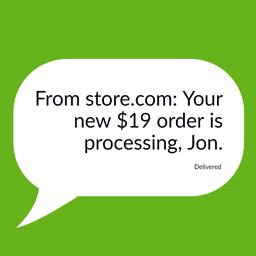
Keep customers updated with automated SMS for order notifications
Current features:
- Auto send status updates
- Different SMS send corresponding to different WooCommerce Order Status
- Customizable message variables using {{shop_name}}, {{order_id}}, {{order_amount}}, {{order_status}}
- Customizable message text
Requirements
A ShoutOUT Lite account.
Installation
Automatic installation
Automatic installation is the easiest option as WordPress handles the file transfers itself and you don’t need to leave your web browser. To do an automatic install, log in to your WordPress dashboard, navigate to the Plugins menu and click Add New.
In the search field type “ShoutOUT SMS for WooCommerce” and click Search Plugins. Once you’ve found our plugin you can view details about it such as the the rating and description. Most importantly, of course, you can install it by simply clicking Install Now.
Manual Installation
- Unzip the files and upload the folder into your plugins folder (/wp-content/plugins/) overwriting previous versions if they exist
- Activate the plugin in your WordPress admin area.
or
- Log into WordPress Dashboard , navigate to the Plugins menu and click Add New.
- Click “Upload Plugin” then chose “shoutout_sms_for_woocommerce.zip” file. Next click “Install Now”.
- Activate the plugin in your WordPress admin area.
configuration
Easy steps to install the plugin:
- Upload “shoutout_sms_for_woocommerce” folder/directory to the /wp-content/plugins/ directory
- Activate the plugin through the ‘Plugins’ menu in WordPress.
Changelog
Easily add ShoutOUT SMS for WooCommerce to your WordPress WooCommerce website.
3.0.0
- Release Date – 23th Jan, 2019
- Updated shoutout sdk to the latest version
2.0.0
- Release Date – 27th Jun, 2018
- Updated shoutout sdk to the latest version
1.0.3
- Release Date – 4th Jan, 2017
- Fixed issue with version and plugin name
1.0.2
- Release Date – 3rd Jan, 2017
- Fixed issue with configure page
1.0.1
- Release Date – 2nd Jan 2017
- First Version
1.0.0
- Release Date – 30th Dec, 2016
- Pre Release
Screenshots


For developers
Is this your plugin? Show off the numbers.
Add a live badge to your site, docs or GitHub README. It updates on its own — no account needed.
Best ShoutOUT SMS for WooCommerce alternatives
All order notifications plugins →





FAQ
ShoutOUT SMS for WooCommerce: quick answers
Straight answers, pulled from live WordPress.org data.
Live data from WordPress.org · checked Oct 4, 2026
Is ShoutOUT SMS for WooCommerce free?
Yes. ShoutOUT SMS for WooCommerce is free to download and use from the official WordPress.org plugin directory.
Is ShoutOUT SMS for WooCommerce safe to use in 2026?
ShoutOUT SMS for WooCommerce shows warning signs in 2026 — compare the alternatives below before installing. It runs on 10+ sites, is rated 5/5 and was last updated 2 years ago, and scores 30/100 on our health check.
How many websites use ShoutOUT SMS for WooCommerce?
ShoutOUT SMS for WooCommerce is active on 10+ WordPress websites and has been downloaded 2,165 times since it launched in January 2017. It was downloaded 56 times in the last 30 days.
Does ShoutOUT SMS for WooCommerce work with WordPress 7.1?
ShoutOUT SMS for WooCommerce is officially tested up to WordPress 6.5.12, while the latest release is 7.1.2. It may still work, but try it on a staging site first.
When was ShoutOUT SMS for WooCommerce last updated?
The latest version, 2.0.0, was released on August 27, 2024 (2 years ago).
Who makes ShoutOUT SMS for WooCommerce?
ShoutOUT SMS for WooCommerce is developed and maintained by shoutoutlabs.
What are the best alternatives to ShoutOUT SMS for WooCommerce?
The most popular alternatives to ShoutOUT SMS for WooCommerce are Hippoo Mobile App for WooCo… (1K+ installs), Management App for WooComme… (800+ installs) and SMS for WooCommerce (50+ installs).
Powered by PageForge
Want thousands of pages that rank like these? Build them in an afternoon.
This directory runs on the same engine as PageForge. Turn any spreadsheet, CSV or API into thousands of fast, SEO-ready WordPress pages — with schema, internal links and AI-written copy baked in.
- CSV, Google Sheets & API data sources
- AI content, schema & internal links per page
- Works with Elementor, Gutenberg, Yoast & Rank Math
- Free on WordPress.org — no credit card


