

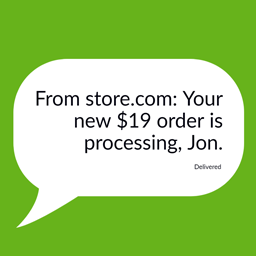
SMS for WooCommerce
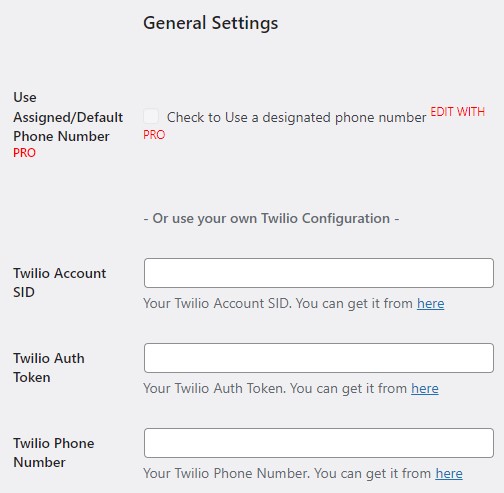
Use your own Twilio number or just setup without a number and one will be designated for your store (only PRO users get a free number).

Use with caution
SMS for WooCommerce works, but test it on a staging site before relying on it in 2026. It runs on 50+ sites, is rated 5/5 and was last updated 12 months ago, and scores 47/100 on our health check.
- Small user base (50+ active installs)
- Very few reviews so far
- Only tested up to WordPress 6.8 (latest is 7.1)
How does it stack up?
Side-by-side on installs, updates, ratings & support



Daily downloads
Download spikes usually follow a new release — each site that auto-updates counts as a download.
Rankings
Where SMS for WooCommerce stands todayWordPress.org search rankings
Live position in the plugin search, top 100| Keyword | Position |
|---|---|
| Bulk SMS | #18 |
| order notifications | >100 |
| sms | #49 |
| twilio | #75 |
| woocommerce | >100 |
Version adoption
Share of active sites per release.
Rating breakdown
★★★★★★★★★★ 5 from 1 reviews
About SMS for WooCommerce
From the official readme · v2.8.3Description
Free Designated number or your own number
Use your own Twilio number or just setup without a number and one will be designated for your store (only PRO users get a free number).
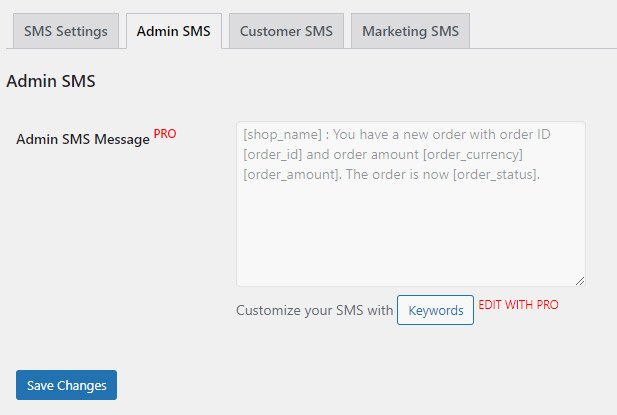
SMS Order updates to admins, customers and more
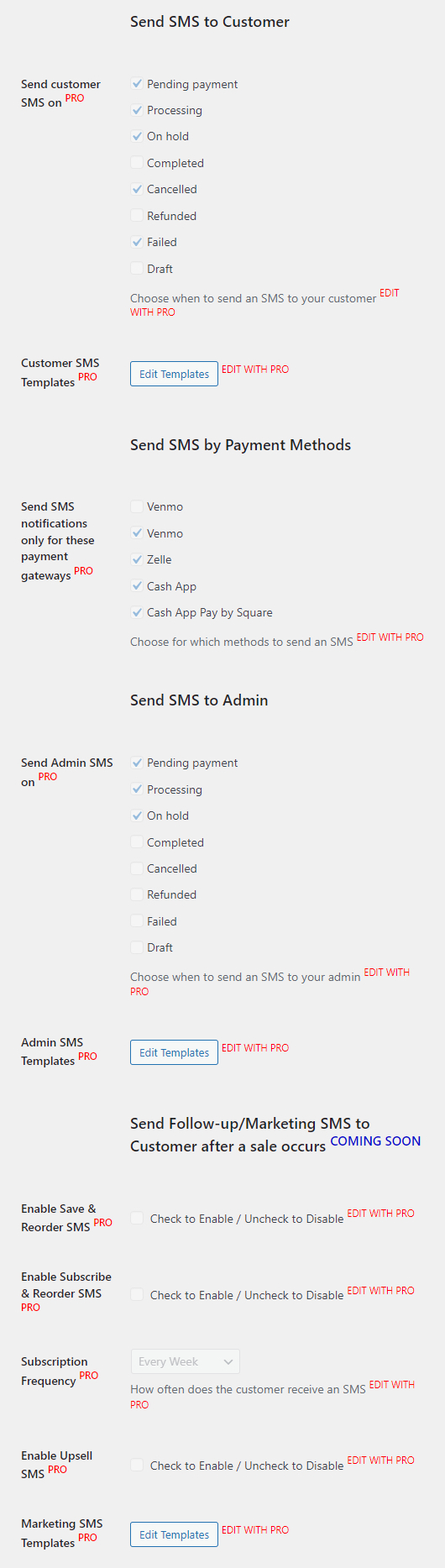
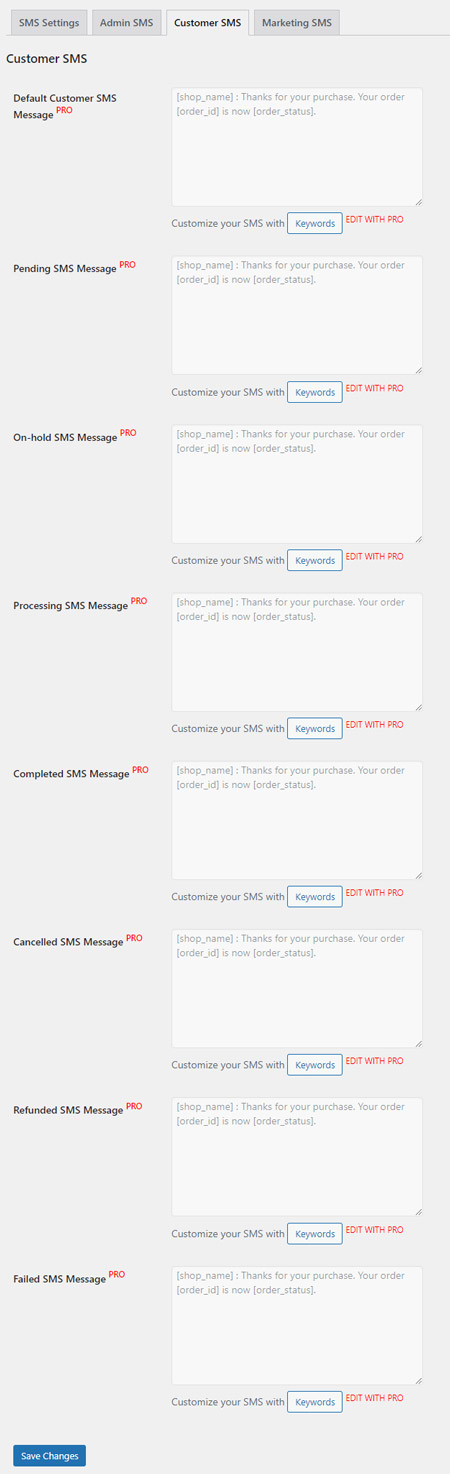
With SMS for Woocommerce, you can send SMS notifications to your customers when an order is placed, cancelled, or refunded, etc.
But that’s just the beginning. There are 4 kinds of SMS groups you can send:
- Admin SMS - Order updates sent to admin(s)
- Bulk SMS - personalized SMS/Email to multiple users at once
- Customer SMS - Order updates sent to customers
- Marketing SMS - Upsells, cross-sells, order again SMS, single order to subscriptions, etc
Wait! There is more.
SMS Order updates for the right orders to the right people
You can specify what kinds of orders you want to send SMS notifications for.
- Send SMS for specific Payment Methods
- Send SMS for specific Order Status
SMS templates, Shortcodes and Personalization
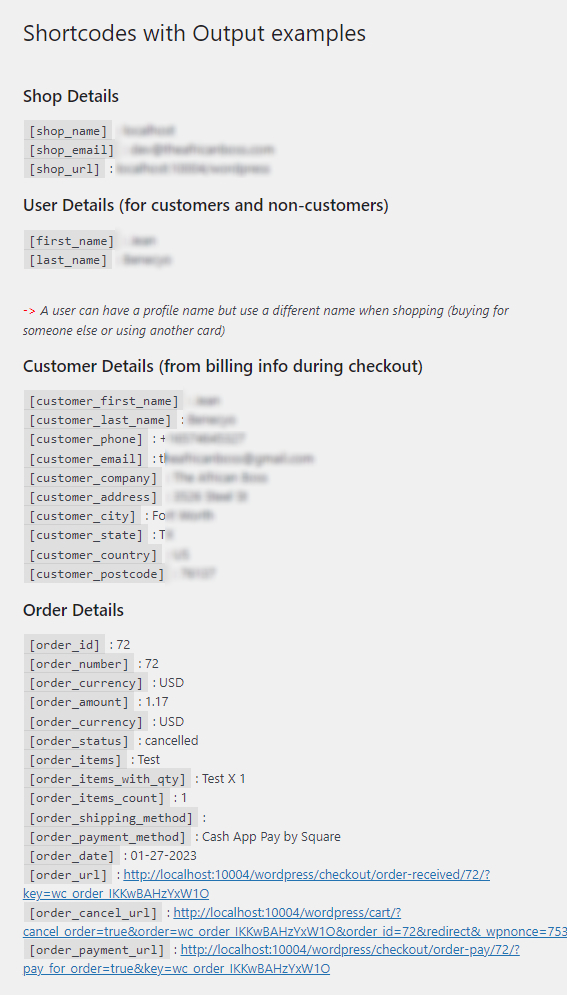
Use shortcode templates like [first_name] to send personalized SMS messages to your customers.
Bulk SMS/Emails to user roles, order statuses
Our robust Bulk SMS/Emails allows you to send bulk SMS to all your users and customers.
But wait! You get to specify whether you want to send to all but can also send to specific users and groups.
- Need to send personalized SMS/Email to all administrators or authors, etc on your site? We got you.
- Need to send personalized SMS/Email to all customers whose orders are still pending payment? We got you.
- How about selecting some users out of the groups above? We got you.
HPOS compatibility & WooCommerce Blocks support
Demo
An example of the plugin in use here
See the screenshots
Usage
After activating the plugin, add your Twilio settings such as your Admin Phone Number, Twilio Account SID, Twilio Auth Token, Twilio Phone Number to start sending SMS notifications.
You can also use a designated number for your store if you do not have a Twilio account.
Unlock more great features for you and your customers and priority support with a PRO license. Upgrade
Installation
From Dashboard ( WordPress admin )
- Go to Plugins -> Add New
- Search for SMS for WooCommerce
- Click on Install Now
- Activate the plugin through the “Plugins” menu in WordPress.
Using cPanel or FTP
- Download ‘SMS for WooCommerce’ from The African Boss
- Unzip wc-sms.zip file and
- Upload wc-sms folder to the “/wp-content/plugins/” directory.
- Activate the plugin through the “Plugins” menu in WordPress.
After Plugin Activation
Find and click WC SMS in your admin dashboard left sidebar to access WC SMS settings
or
Go to ‘Woocommerce > Settings > Payments’ screen to configure the plugin
Also you can visit the plugin page for further setup instructions.
Changelog
Introducing billing: https://console.twilio.com/us1/billing/manage-billing/billing-overview
2.8.2-2.8.3 Nov 15-Dec 1, 2025
- WCSMS_WooCommerce_Notification performance improvements
- Abandoned wpdb calls for optimized get methods
- wcsms_bulkemail_hook performance improvements
- Running send_bulkemail in background through Action Scheduler for increased performance
- wcsms_fetch_orders_in_batches and wc_get_orders in 500 order batches
- Fixed minor bugs and maintenance release
- init load_plugin_textdomain for translations
- WooCommerce Blocks support: declare_compatibility for cart_checkout_blocks
- Improved all around code
- Updated Woocommerce and WordPress compatibility
- Updated Freemius to v2.11.0-v2.13.0
2.8.1-2.8.1.1 Nov 15-Dec 15, 2024
- HPOS compatibility & WooCommerce Blocks support
- Improved all around code
- Updated Woocommerce and WordPress compatibility
- Updated Freemius to v2.9.0+
2.8 Sep 15th, 2024
- Improved plus_on_phone_number
- get_order_phone_number
- Improved twilio-send
- Added wcsms_log
- Removed apilayer number validation
- Updated Woocommerce, WordPress, and Freemius compatibility
2.7 Aug 15th, 2023
- Using wp_remote for the create/read API instead of the Twilio SDK
- Updated the Twilio single & bulk send message function
- Updated from Freemius global wcsms_fs to function
- Removed the Twilio SDK and SplClassLoader
- Removed admin jquery modal
- Extracting domain from site URL
- Internalizate phone number
- Updated Freemius to v2.5.10
- Updated Woocommerce and WordPress compatibility
2.6 Feb 9th, 2023
- Added the [order_number] SMS shortcode
- Use order_number instead of order_id in SMS message for Cash App, Venmo, Zelle
- Added “Reply STOP to stop alerts” to the SMS messages
2.4.1-2.5 Aug-Oct 14th, 2022
- Better Bulk SMS list presentation with numbering
- Bulk SMS dialog box with where to start sending messages
- Bulk SMS set_time_limit(0)
- plus_on_phone_number
- Better phone vs email selection when sending out message
- get_order_number to get_id in replace_order_keyword
- Fetch the most recent 1000 Twilio Messages
- filtering woocommerce shop_order
- fixed amount currency in message sent
- Do not show empty Zelle info
- Better inclusion for registered vs guest customers
- Removed no longer relevant admin assets
- Updated Woocommerce, WordPress, and Freemius compatibility
Screenshots


For developers
Is this your plugin? Show off the numbers.
Add a live badge to your site, docs or GitHub README. It updates on its own — no account needed.
Best SMS for WooCommerce alternatives
All Bulk SMS plugins →





FAQ
SMS for WooCommerce: quick answers
Straight answers, pulled from live WordPress.org data.
Source: WordPress.org
Is SMS for WooCommerce free?
Yes. SMS for WooCommerce is free to download and use from the official WordPress.org plugin directory.
Is SMS for WooCommerce safe to use in 2026?
SMS for WooCommerce works, but test it on a staging site before relying on it in 2026. It runs on 50+ sites, is rated 5/5 and was last updated 12 months ago, and scores 47/100 on our health check.
How many websites use SMS for WooCommerce?
SMS for WooCommerce is active on 50+ WordPress websites and has been downloaded 6,787 times since it launched in March 2022. It was downloaded 296 times in the last 30 days.
Does SMS for WooCommerce work with WordPress 7.1?
SMS for WooCommerce is officially tested up to WordPress 6.8.13, while the latest release is 7.1.5. It may still work, but try it on a staging site first.
What PHP version does SMS for WooCommerce need?
SMS for WooCommerce requires PHP 5.0 or higher. Most hosts run PHP 8.x today, so it works on any modern WordPress hosting.
When was SMS for WooCommerce last updated?
The latest version, 2.8.3, was released on December 4, 2025 (12 months ago).
Who makes SMS for WooCommerce?
SMS for WooCommerce is developed and maintained by The African Boss.
What are the best alternatives to SMS for WooCommerce?
The most popular alternatives to SMS for WooCommerce are WSMS (formerly WP SMS): SMS… (7K+ installs), Fast2SMS (100+ installs) and Branded SMS Pakistan (40+ installs).
Powered by PageForge
One template and a spreadsheet. A real page for every search.
PageForge turns each row of a CSV into a WordPress page with its own title, URL, SEO fields and schema, built on the layout you already designed. Free on WordPress.org.
- CSV and XLSX, plus Google Sheets on Professional and Enterprise
- Its own title, URL, SEO fields and schema for every page
- Works with the block editor, Elementor, Divi and Avada
- Free on WordPress.org, no credit card