



OptiImage – Upload Optimizer
The OptiImage – Upload Optimizer plugin is designed to automatically compress and optimize images uploaded through the frontend of your WordPress site, as well as images uploaded to the WordPress media library, using…

Consider an alternative
OptiImage – Upload Optimizer shows warning signs in 2026 — compare the alternatives below before installing. Was last updated 2 years ago, and scores 24/100 on our health check.
- Small user base (<10 active installs)
- Very few reviews so far
- No update in over a year
- Only tested up to WordPress 6.6 (latest is 7.1)
How does it stack up?
Side-by-side on installs, updates, ratings & support



Daily downloads
Download spikes usually follow a new release — each site that auto-updates counts as a download.
Rankings
Where OptiImage – Upload Optimizer stands todayWordPress.org search rankings
Live position in the plugin search, top 100| Keyword | Position |
|---|---|
| compress | >100 |
| frontend compress | #58 |
| frontend upload | >100 |
| image optimization | >100 |
| Optimize | >100 |
About OptiImage – Upload Optimizer
From the official readme · v1.0Description
The OptiImage – Upload Optimizer plugin is designed to automatically compress and optimize images uploaded through the frontend of your WordPress site, as well as images uploaded to the WordPress media library, using the powerful Imagick PHP library. This ensures your website loads faster and runs more efficiently!
Key Features
- Automatic Compression: Images uploaded from the frontend are automatically compressed, saving you time and effort.
- Faster Loading Times: Optimized images help your web pages load quicker, enhancing the experience for your visitors.
- Supports Popular Formats: Compatible with JPEG, JPG, and PNG images, allowing you to use the formats you prefer.
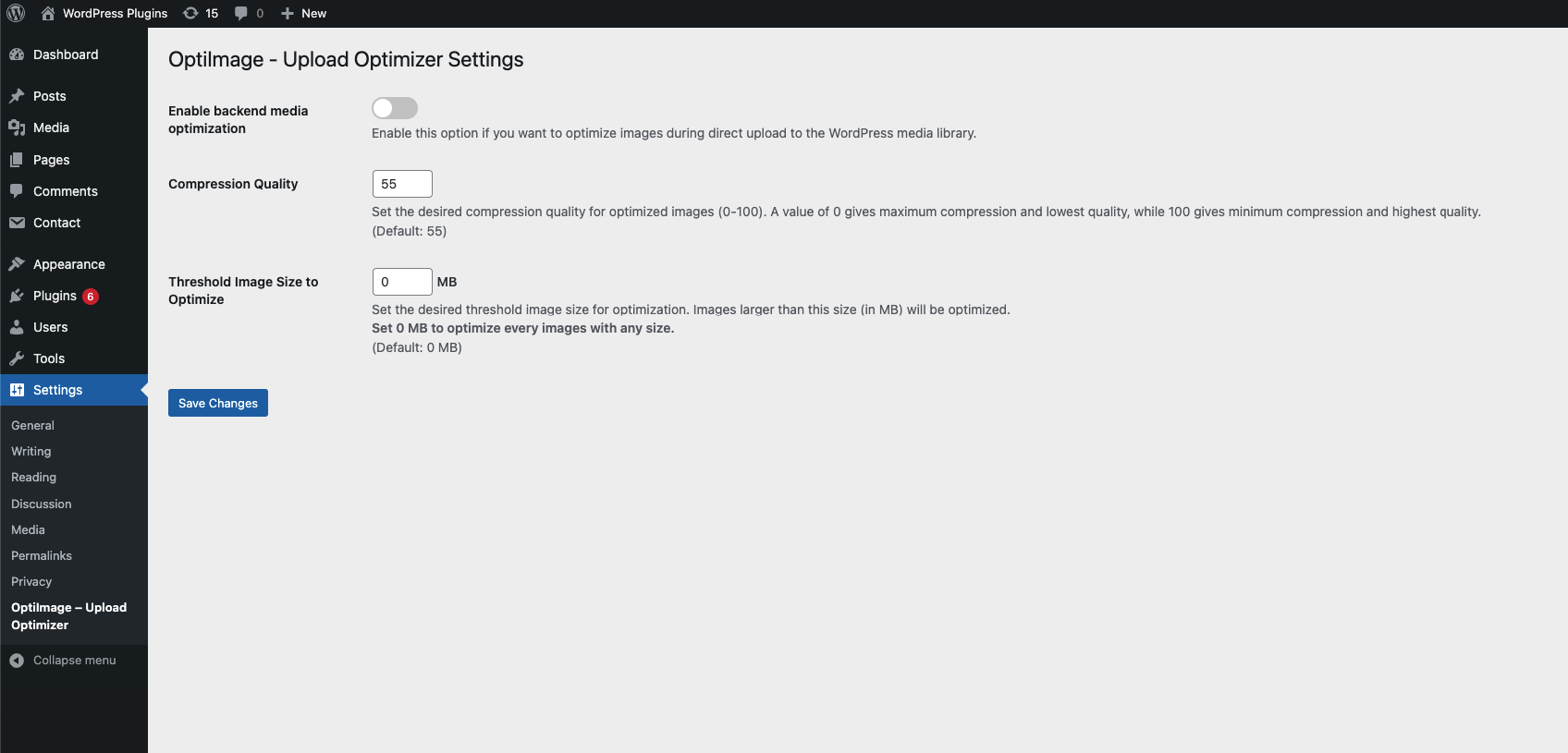
- Customizable Quality: Adjust the compression quality to achieve the right balance between image clarity and file size.
- User-Friendly: Simple to set up and easy to use, even if you’re not technically inclined.
Compatibility
This plugin works seamlessly with popular frontend form plugins like:
* Contact Form 7
* WP Forms
* Gravity Forms
* Elementor Form
By using OptiImage – Upload Optimizer, you can reduce image file sizes without sacrificing quality, resulting in a more efficient website that keeps your visitors engaged! Plus, enjoy the added benefit of optimizing images uploaded directly to your WordPress media library.
Need Plugin Support?
Please submit a request here for Support. We will get back to you quickly.
Installation
Installing the plugin is easy. Just follow these steps:
- From the dashboard of your site, navigate to Plugins –> Add New.
- Select the Upload option and hit “Choose File.”
- When the popup appears select the optimize-image-before-upload.zip file from your desktop.
- Follow the on-screen instructions and wait till the upload completes.
- When it’s finished, activate the plugin via the prompt. A message will display confirming activation was successful.
Frequently asked questions
What image formats does OptiImage support?
OptiImage supports JPEG, JPG, and PNG formats for image uploads.
Does the plugin optimize images uploaded to the media library?
Yes, OptiImage automatically compresses images uploaded both from the frontend and the WordPress media library.
Can I adjust the compression quality?
Absolutely! You can customize the compression quality to find the right balance between image clarity and file size.
Which form plugins are compatible with OptiImage?
OptiImage works seamlessly with popular form plugins, including Contact Form 7, WP Forms, Gravity Forms, and Elementor Form.
Will optimizing my images affect their quality?
While OptiImage reduces file sizes, it uses advanced compression techniques to ensure there’s no significant loss in image quality.
Do I need to configure any settings after installation?
While you can adjust settings to suit your needs, the plugin works out of the box with default settings for immediate optimization.
Is there any impact on website performance?
Yes! By compressing images, OptiImage helps improve your website’s loading speed, enhancing overall performance and user experience.
Changelog
Initial release of the OptiImage - Upload Optimizer Plugin.
1.0
- Initial release of the OptiImage – Upload Optimizer Plugin.
Screenshots

For developers
Is this your plugin? Show off the numbers.
Add a live badge to your site, docs or GitHub README. It updates on its own — no account needed.
Best OptiImage – Upload Optimizer alternatives
All compress plugins →





FAQ
OptiImage – Upload Optimizer: quick answers
Straight answers, pulled from live WordPress.org data.
Live data from WordPress.org · checked Sep 30, 2026
Is OptiImage – Upload Optimizer free?
Yes. OptiImage – Upload Optimizer is free to download and use from the official WordPress.org plugin directory.
Is OptiImage – Upload Optimizer safe to use in 2026?
OptiImage – Upload Optimizer shows warning signs in 2026 — compare the alternatives below before installing. Was last updated 2 years ago, and scores 24/100 on our health check.
How many websites use OptiImage – Upload Optimizer?
OptiImage – Upload Optimizer is active on <10 WordPress websites and has been downloaded 642 times since it launched in October 2024. It was downloaded 37 times in the last 30 days.
Does OptiImage – Upload Optimizer work with WordPress 7.1?
OptiImage – Upload Optimizer is officially tested up to WordPress 6.6.9, while the latest release is 7.1.2. It may still work, but try it on a staging site first.
What PHP version does OptiImage – Upload Optimizer need?
OptiImage – Upload Optimizer requires PHP 7.4 or higher. Most hosts run PHP 8.x today, so it works on any modern WordPress hosting.
When was OptiImage – Upload Optimizer last updated?
The latest version, 1.0, was released on October 7, 2024 (2 years ago).
Who makes OptiImage – Upload Optimizer?
OptiImage – Upload Optimizer is developed and maintained by Yudiz Solutions Ltd..
What are the best alternatives to OptiImage – Upload Optimizer?
The most popular alternatives to OptiImage – Upload Optimizer are EWWW Image Optimizer (1M+ installs), Minify HTML (10K+ installs) and Cimo (10K+ installs).
Powered by PageForge
Want thousands of pages that rank like these? Build them in an afternoon.
This directory runs on the same engine as PageForge. Turn any spreadsheet, CSV or API into thousands of fast, SEO-ready WordPress pages — with schema, internal links and AI-written copy baked in.
- CSV, Google Sheets & API data sources
- AI content, schema & internal links per page
- Works with Elementor, Gutenberg, Yoast & Rank Math
- Free on WordPress.org — no credit card


