


EWWW Image Optimizer
Comprehensive image optimization with WebP, AVIF, Lazy Load, and more. Optimize images automatically for Faster Sites and Happy Visitors.

Safe pick
Yes — EWWW Image Optimizer is a safe, well-maintained plugin to use in 2026. It runs on 1M+ sites, is rated 4.8/5 and was last updated 1 week ago, and scores 88/100 on our health check.
- One of the most-used plugins on the web — 1M+ active sites
- Loved by users — 4.8/5 from 1,846 reviews
- Actively developed — last update 1 week ago
- Tested with the latest WordPress (7.1)
- Slow support — only 38% of recent threads resolved
How does it stack up?
Side-by-side on installs, updates, ratings & support



Daily downloads
Download spikes usually follow a new release — each site that auto-updates counts as a download.
Rankings
Where EWWW Image Optimizer stands todayWordPress.org search rankings
Live position in the plugin search, top 100| Keyword | Position |
|---|---|
| compress | #11 |
| convert | #7 |
| lazy load | #10 |
| resize | #4 |
| webp | #15 |
Version adoption
Share of active sites per release.
Rating breakdown
★★★★★★★★★★ 4.8 from 1,846 reviews
About EWWW Image Optimizer
From the official readme · v8.9.2Description
Are you frustrated by a slow website? Do over-sized images make you say “ewww”… Image optimization with EWWW Image Optimizer helps you make your site faster, improve your bounce rate, and boost your SEO. But most importantly, make your visitors happier so they keep coming back for more.
Why use EWWW Image Optimizer?
Get all this for free:
- Unlimited image optimization to compress images of any size
- Local image optimization mode compatible with most web hosts
- Lossless JPG, PNG, GIF, and SVG image optimization (8% average savings)
- WebP conversion compatible with all web hosts (60% average savings)
- Optimize images from any plugin
- Image Detective to help you identify improperly scaled images and better optimize LCP images
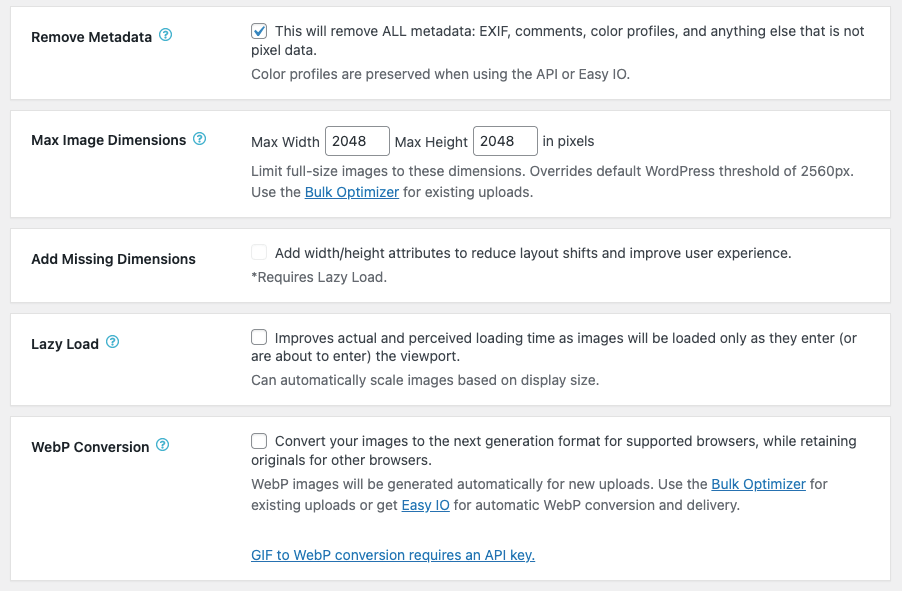
- Resize images at upload or in bulk
- Lazy Load with auto-scaling for responsive images–uses properly-sized placeholders to prevent layout shift (CLS)
- Sharpen thumbnail images for better quality
- Adjust JPG and WebP quality (AVIF quality configurable in premium)
- Control creation and optimization of individual WordPress thumbnails
- Convert images to the best format (GIF to PNG, PNG to JPG or vice versa)
- Local image backups
- Preserve GIF animations in thumbnails
- Free email support
EWWW Image Optimizer is the only plugin that lets you optimize images using tools on your own web server (jpegtran, optipng, pngout, pngquant, gifsicle, cwebp). This requires the PHP exec() function and a compatible Linux, Windows, MacOS, or FreeBSD web server. If your web server is not compatible, we offer unlimited lossless JPG image optimization and WebP conversion via our Compress API for free.
Upgrade to Premium for:
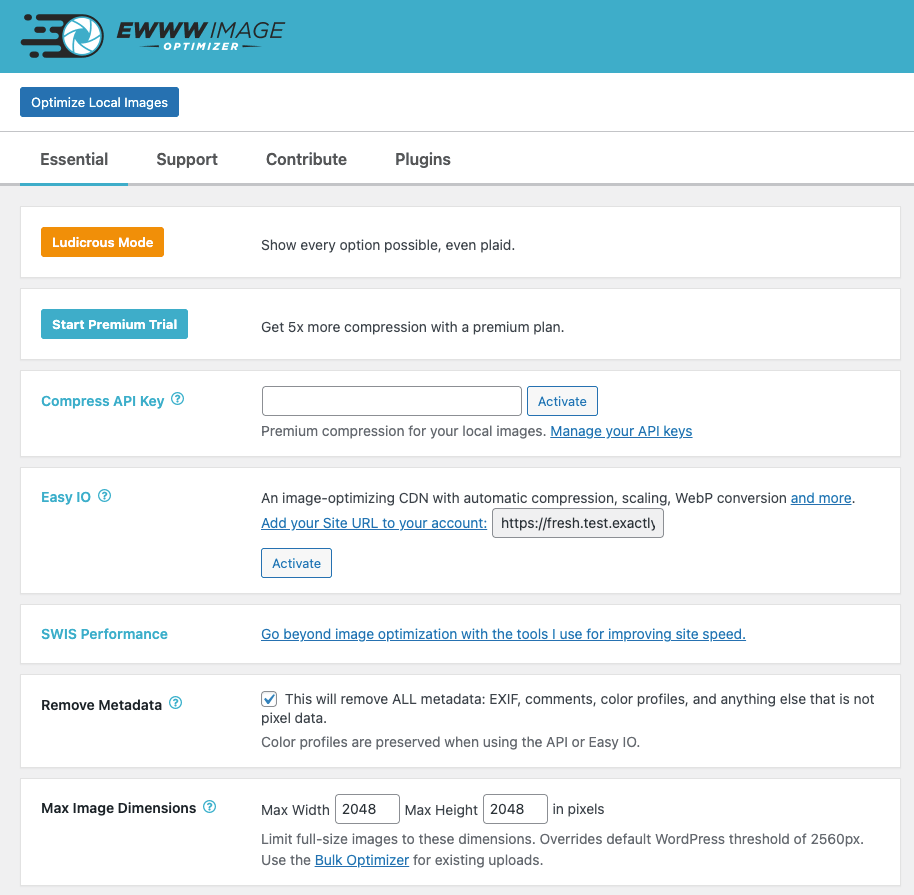
- 5x premium image optimization
- PDF optimization
- Automatic scaling for all images, even those in external CSS
- One-click WebP & AVIF conversion and delivery
- Enhanced responsive images that use correct dimensions for all devices
- WebP image optimization
- Deliver High-DPI images to devices with 2x and 3x screens (retina)
- Watermark images
- CDN delivery for images, CSS, JS, and fonts with custom domain name option
- 30-day cloud-based backups
- Premium support
Premium plans include SWIS Performance plugin with:
- Page caching
- Enable browser caching with long cache lifetimes
- Defer JS/CSS to eliminate render blocking requests
- Minify JS/CSS
- Critical CSS generation to prevent layout shifting (CLS)
- Optimize font display/self-host Google fonts
- Preload assets like fonts and LCP images
- Reduce unused JS/CSS
- Manage speculative loading
Automatic Everything
Optimize images on your entire site with a single click. With Easy IO CDN, images are automatically compressed, scaled to fit the page and device size, lazy loaded, and converted to next-gen WebP and AVIF formats.
Support
We provide free one-on-one email support to everyone.
Do you have an idea to make EWWW Image Optimizer even better? Share it and vote on future features!
Found a bug? Report the issue on GitHub, and we’ll get it fixed!
You may report security issues through our Patchstack Vulnerability Disclosure Program. The Patchstack team helps validate, triage and handle any security vulnerabilities. Report a security vulnerability.
Bulk Optimize
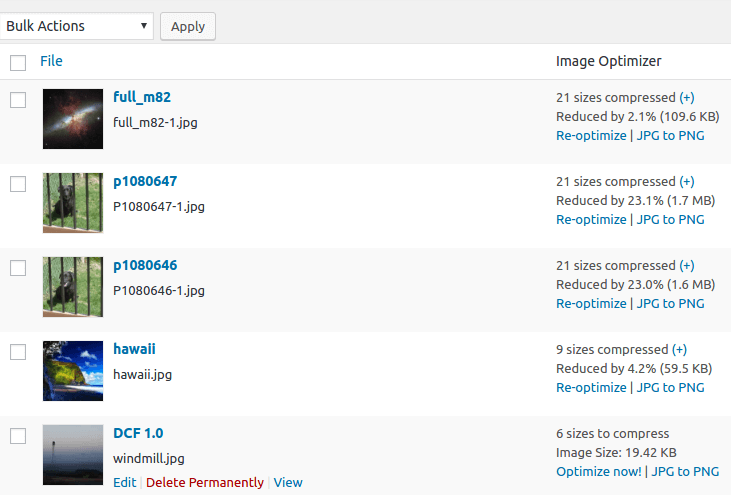
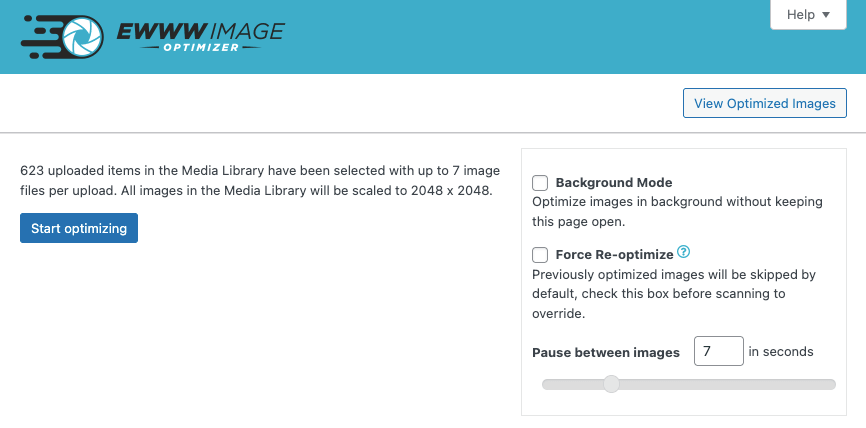
Optimize images, all from a single page. This includes the Media Library, your theme, and a handful of pre-configured folders (see Optimize Everything Else below). GRAND FlaGallery, NextCellent and NextGEN have their own Bulk Optimize pages.
Optimize Everything Else
Configure any folder within your WordPress install to optimize images. The Bulk Optimizer will compress theme images, BuddyPress avatars, BuddyPress Activity Plus images, Meta Slider slides, WP Symposium Pro avatars, GD bbPress attachments, Grand Media Galleries, and any user-specified folders. You can also use Scheduled optimization or run the optimizer from WP-CLI if that’s more your thing.
Plugin Compatibility
EWWW Image Optimizer has been tested with thousands of plugins and themes, here are just a few of the most common ones: BuddyPress (Activity Plus add-on too), Cloudinary, Easy Watermark, FileBird, FooGallery, GD bbPress Attachments, GRAND FlAGallery, Gmedia Photo Gallery, MediaPress, Meta Slider, Microsoft Azure Storage, MyArcadePlugin, NextGEN Gallery, Regenerate Thumbnails, Weglot, WP Offload Media, WPML, WP Retina 2x, WP RSS Aggregator, WP Symposium, and more…
WebP Images
If you want simple, get automatic WebP conversion with Easy IO, and be done with it! Otherwise, you can generate WebP versions of unlimited images with the Bulk Optimizer. Deliver them to supported browsers with Apache-style rewrite rules, JS WebP Rewriting, or Picture WebP Rewriting. EWWW Image Optimizer even works with the WebP option in the Cache Enabler plugin from KeyCDN.
AVIF Images
AVIF conversion is built into the Easy IO CDN. Once your site is setup with Easy IO, edit the site settings to enable AVIF, and you’re done!
WP-CLI
Allows you to run all batch image processes from the command line, instead of the web interface. Optimize images even faster, run it in ‘screen’ or via regular cron (instead of wp-cron, which can be unpredictable on low-traffic sites). Install WP-CLI from wp-cli.org, and run ‘wp-cli.phar help ewwwio optimize’ for more information or see the Docs.
CDN Support
WP Offload Media is the officially supported (and recommended) plugin for uploads to Amazon S3, Digital Ocean Spaces, and Google Cloud Storage. Check our compatibility list for details on other plugins. All pull mode CDNs like Cloudflare, KeyCDN, Bunny CDN and Sucuri work automatically, but you will need to purge the CDN cache after you optimize images with bulk optimization.
Client-Side Media Processing
EWWW IO is fully compatible with browser-based thumbnail generation, but if you encounter any issues, you may disable the in-browser image handling in Ludicrous Mode.
Translations
Huge thanks to all our translators, see the full list!
If you would like to help translate this plugin, join the team.
Signup to receive updates when new strings are available for translation.
Credits
Written by Shane Bishop with special thanks to my Lord and Savior. Based upon CW Image Optimizer, which was written by Jacob Allred at Corban Works, LLC. CW Image Optimizer was based on WP Smush.it. Jpegtran is the work of the Independent JPEG Group. PEL is the work of Martin Geisler, Lars Olesen, and Erik Oskam. Easy IO and HTML parsing classes based upon the Photon module from Jetpack.
Installation
- The plugin will attempt to install jpegtran, optipng, and gifsicle automatically for you. This requires that the wp-content folder is writable by the user running the web server.
- If the binaries don’t run locally, you may sign up for cloud-based optimization: https://ewww.io/plans/
- Visit the settings page to customize the plugin for your site.
- Recommended Activate the Easy IO CDN and/or run the bulk process to compress your existing images.
- Done!
If these steps do not work, see the additional documentation. If you need further assistance using the plugin, please visit our Support Page.
Webhosts
To find out if your webhost works with the EWWW Image Optimizer, you can check the official list.
Changelog
- Feature requests can be viewed and submitted on our feedback portal
- If you would like to help translate this plugin in your language, join the team
8.9.2
Release Date – November 10, 2026
- added: eio_lazy_noscript and eio_webp_noscript filters to modify/suppress noscript fall-back elements
- changed: Add Missing Dimensions no longer fills in height/width if only one dimension is missing
- fixed: Easy IO skips manually generated srcset attributes with relative URLs
- fixed: Easy IO only rewrites first background image in a CSS property when parsing internal style elements
- fixed: optimization results not shown when bulk optimization is in WebP Only mode
- fixed: failure to remove local images after optimization when using S3 Uploads plugin
- fixed: local optimization blocked on WP NET VPS hosting
- security: improved HTML attribute parsing applied to all front-end filters
8.9.1
Release Date – October 29, 2026
- deprecated: support for PHP versions older than 8.2 will be removed in version 9.0.0
- fixed: some images are not auto-optimized if thumbnail dimensions are set to zero
- fixed: WebP thumbnails for images edited within WordPress use incorrect source image
- fixed: Force Re-optimize does not recreate WebP images when using ImageMagick
- security: Lazy Load HTML attribute parsing is now stricter and more secure
8.9.0
Release Date – October 13, 2026
- added: option to disable resizing via maximum dimensions on media uploader and in post editor
- fixed: regression in Easy IO handling of style attributes causes HTML entities to be double-encoded
- fixed: PNG metadata not removed when using local optipng
- fixed: images with fetchpriority=”high” do not get skipped by Lazy Load when Picture WebP delivery is enabled
- fixed: duplicate WebP delivery checks run on settings page
- fixed: race condition with some LiteSpeed servers causes incorrect WebP test image to display
- fixed: images too small for thumbnails failed to optimize automatically on upload
- security: yet more hardening against stored XSS attacks, thanks to WPScan for reporting
8.8.0
Release Date – September 24, 2026
- added: quality setting for Premium compression, Premium Plus removed/migrated to quality 77
- fixed: fatal error when fetching remote images via WP Offload Media due to strict type casting
- fixed: multisite file modification outside upload directory
- security: PHP object injection, reported by Karthik Ramakrishnan
- security: further hardening of stored XSS fix, reported by Charles Vosburgh and Intrudify
- security: prevent reflected XSS
8.7.7
Release Date – September 1, 2026
- fixed: LQIP/DCIP inputs not available immediately after Easy IO activation
- security: ensure all CDN image URLs are properly escaped to prevent XSS
8.7.6
Release Date – August 20, 2026
- added: option to disable client-side media processing in WP 7.1, mostly for animated GIF images and indexed (palette) PNG images
- fixed: compatibility with client-side media processing in WP 7.1
- fixed: Easy IO modifies URLs in REST API endpoints used by media uploader in WP 7.1
- fixed: WebP conversion via Imagick throws fatal error when source file goes missing
- fixed: PNG to JPG conversion via API sometimes results in black background for 8-bit images
- fixed: Auto-scaling sometimes makes images too large (or too small) when CSS width is set to
auto
Screenshots
For developers
Is this your plugin? Show off the numbers.
Add a live badge to your site, docs or GitHub README. It updates on its own — no account needed.
Best EWWW Image Optimizer alternatives
All compress plugins →




FAQ
EWWW Image Optimizer: quick answers
Straight answers, pulled from live WordPress.org data.
Source: WordPress.org
Is EWWW Image Optimizer free?
Yes. EWWW Image Optimizer is free to download and use from the official WordPress.org plugin directory. The developer also sells premium add-ons or a Pro version with extra features.
Is EWWW Image Optimizer safe to use in 2026?
Yes — EWWW Image Optimizer is a safe, well-maintained plugin to use in 2026. It runs on 1M+ sites, is rated 4.8/5 and was last updated 1 week ago, and scores 88/100 on our health check.
How many websites use EWWW Image Optimizer?
EWWW Image Optimizer is active on 1M+ WordPress websites and has been downloaded 51,719,091 times since it launched in June 2012. It was downloaded 1,003,560 times in the last 30 days.
Does EWWW Image Optimizer work with WordPress 7.1?
Yes. The developer has tested EWWW Image Optimizer up to WordPress 7.1.5, the latest release. It requires WordPress 6.8 or newer.
What PHP version does EWWW Image Optimizer need?
EWWW Image Optimizer requires PHP 7.4 or higher. Most hosts run PHP 8.x today, so it works on any modern WordPress hosting.
When was EWWW Image Optimizer last updated?
The latest version, 8.9.2, was released on November 10, 2026 (1 week ago).
Who makes EWWW Image Optimizer?
EWWW Image Optimizer is developed and maintained by Shane Bishop.
What are the best alternatives to EWWW Image Optimizer?
The most popular alternatives to EWWW Image Optimizer are Minify HTML (10K+ installs), Cimo (10K+ installs) and WP Super Minify • Minify, C… (8K+ installs).
Powered by PageForge
One template and a spreadsheet. A real page for every search.
PageForge turns each row of a CSV into a WordPress page with its own title, URL, SEO fields and schema, built on the layout you already designed. Free on WordPress.org.
- CSV and XLSX, plus Google Sheets on Professional and Enterprise
- Its own title, URL, SEO fields and schema for every page
- Works with the block editor, Elementor, Divi and Avada
- Free on WordPress.org, no credit card