



Image Optimizer, Resizer and CDN – Sirv
Serve perfectly optimized images, videos, models and 360 spins. The best WordPress & WooCommerce CDN plugin for media.

Safe pick
Yes — Image Optimizer, Resizer and CDN is a safe, well-maintained plugin to use in 2026. It runs on 1K+ sites, is rated 4.9/5 and was last updated 1 month ago, and scores 83/100 on our health check.
- Loved by users — 4.9/5 from 265 reviews
- Tested with the latest WordPress (7.1)
How does it stack up?
Side-by-side on installs, updates, ratings & support



Daily downloads
Download spikes usually follow a new release — each site that auto-updates counts as a download.
Rankings
Where Image Optimizer, Resizer an… stands todayWordPress.org search rankings
Live position in the plugin search, top 100| Keyword | Position |
|---|---|
| cdn | #8 |
| compress | #44 |
| image | >100 |
| Optimize | #75 |
| resize | #23 |
Version adoption
Share of active sites per release.
Rating breakdown
★★★★★★★★★★ 4.9 from 265 reviews
About Image Optimizer, Resizer and CDN – Sirv
From the official readme · v8.2.5Description
Accelerate your website and improve SEO with Sirv – the most complete image CDN and media optimization plugin for WordPress & WooCommerce.
Automatically resize, compress and serve videos & images in next-gen formats, from Sirv’s fast CDN in 25 major cities.
Why is Sirv the best choice for WordPress image optimization?
- Automatic optimization
- Automatic scaled images
- Automatic next-gen formats (AVIF & WebP)
- Smaller files than any other WP optimization plugin
- Incredibly fast CDN
- Perfect on WooCommerce
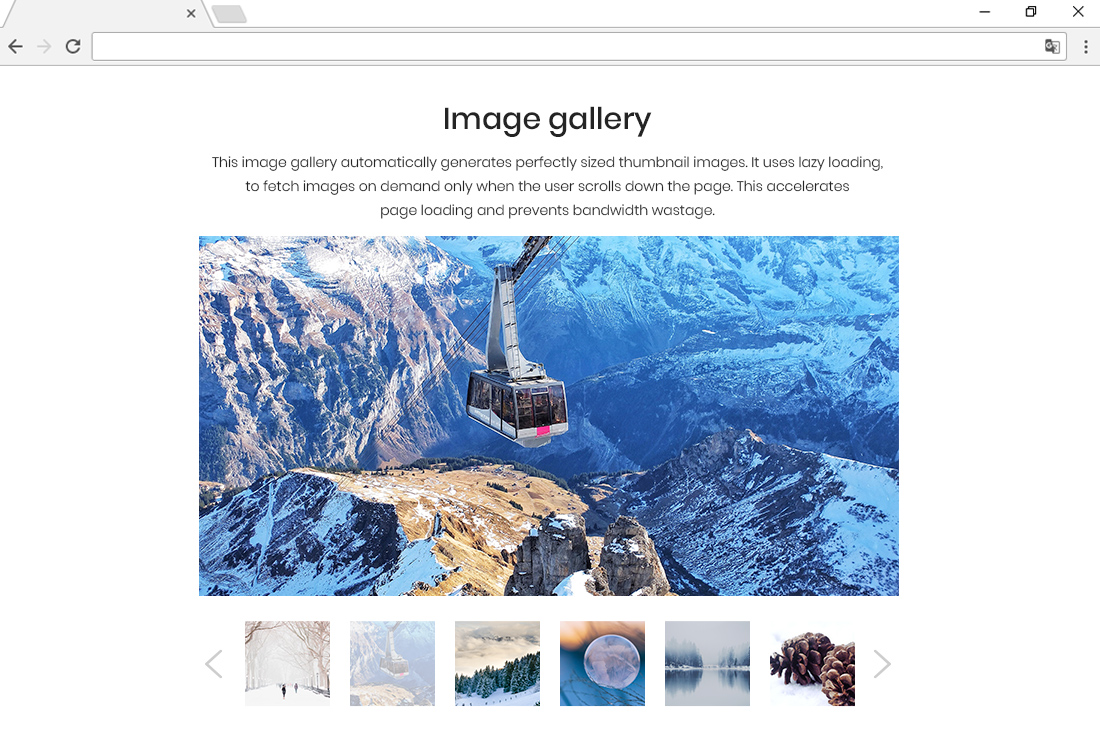
- Lazy loading
The best WordPress image optimizer – you don’t need to lift a finger. Just install the plugin and Sirv will automatically serve perfectly scaled and optimized images possible file-size. Every option is easily configured, if you wish to change the defaults.
Optimize your WordPress Media Library
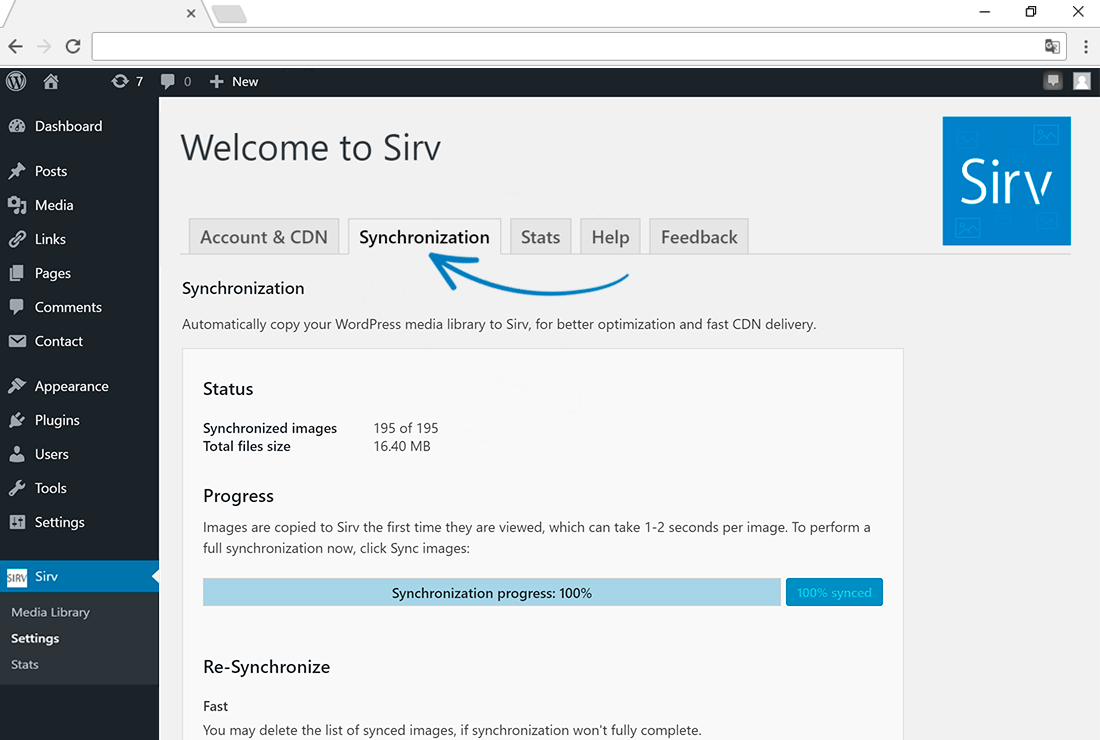
Automatically optimize your existing WordPress media library images, without lifting a finger. Sirv can automatically copy your media library to Sirv, from where images will be served as highly optimized images across Sirv’s fast, global WordPress CDN (19 worldwide locations).
All these images (and more) can be automatically optimized by Sirv:
- Media gallery images
- Featured images
- WooCommerce product & category images
- Images added via other plugins or scripts
- Images added via “Add Media” button
- CSS background images
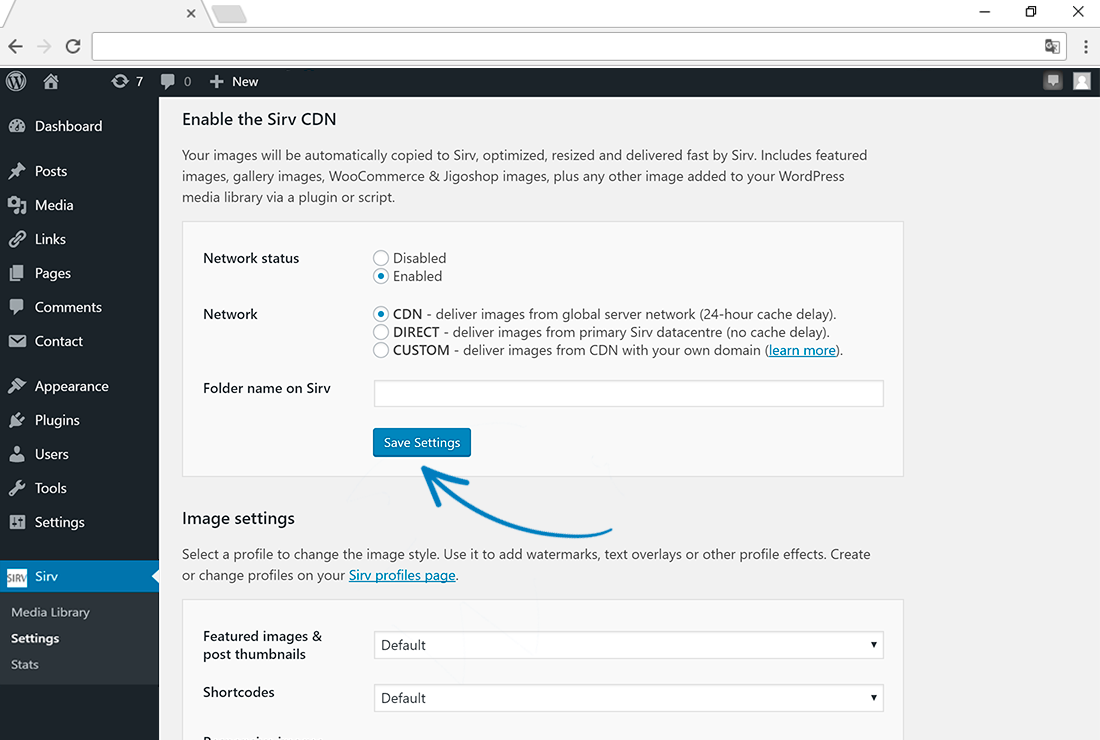
Simply enable the Sirv CDN and images will sync to your Sirv account automatically.
See the complete list of features of Sirv’s fresh new take on media hosting and optimization.
Take your WooCommerce sales to another level
- Optimization & CDN delivery of all your product images
- Ultra-deep image zoom, 3D GLB models and 360-spin for your media viewer
- Add image watermarks
- Add text captions
- Serves your files wherever you need them – websites, apps, feeds, social media, email campaigns
Image zoom
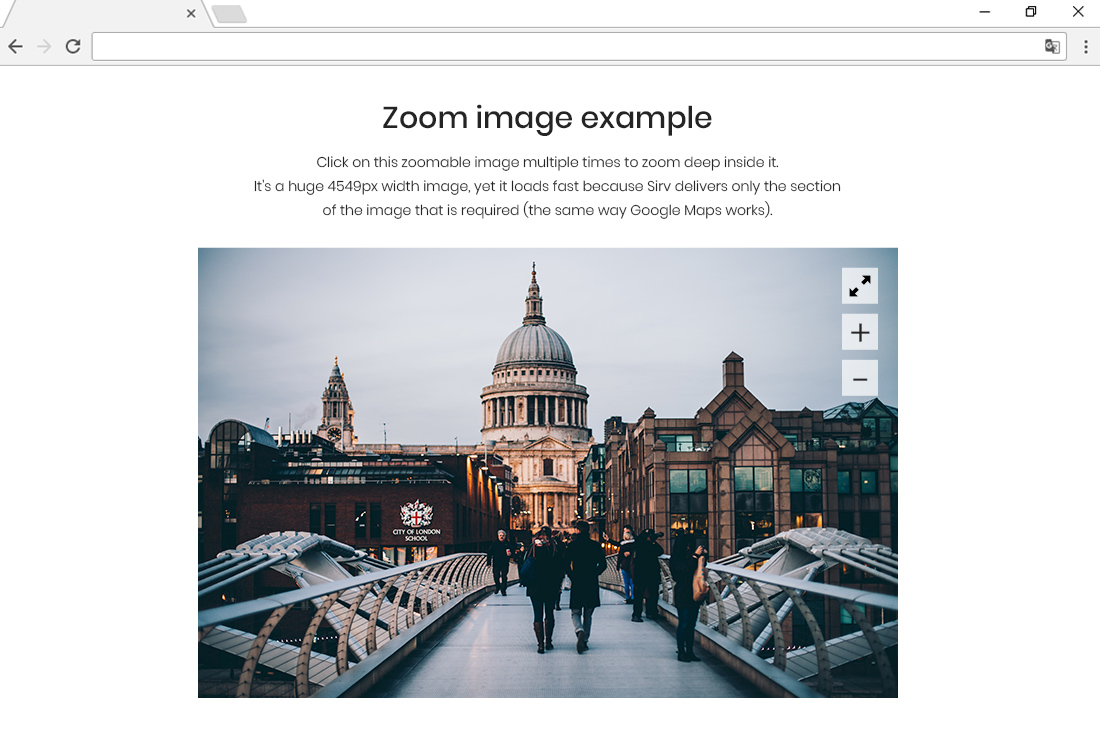
Sirv loves huge images – it can zoom deep inside them very fast. No matter how big, images load fast, just like zooming on a Google Map. The bigger your images, the more impressive this image zoom is – perfect if you have really high quality images.
Video streaming
Any video you upload to Sirv will be converted to different resolution video streams, for instant playback. Every user will receive the most optimal stream for their device, screen and network connection speed.
3D models (GLB and USDZ)
Upload your 3D models to Sirv and embed them in your web pages and product galleries. It’s easy and automated with Sirv Media Viewer. No coding needed. It also provides Augmented Reality (AR) automatically.
360 spin
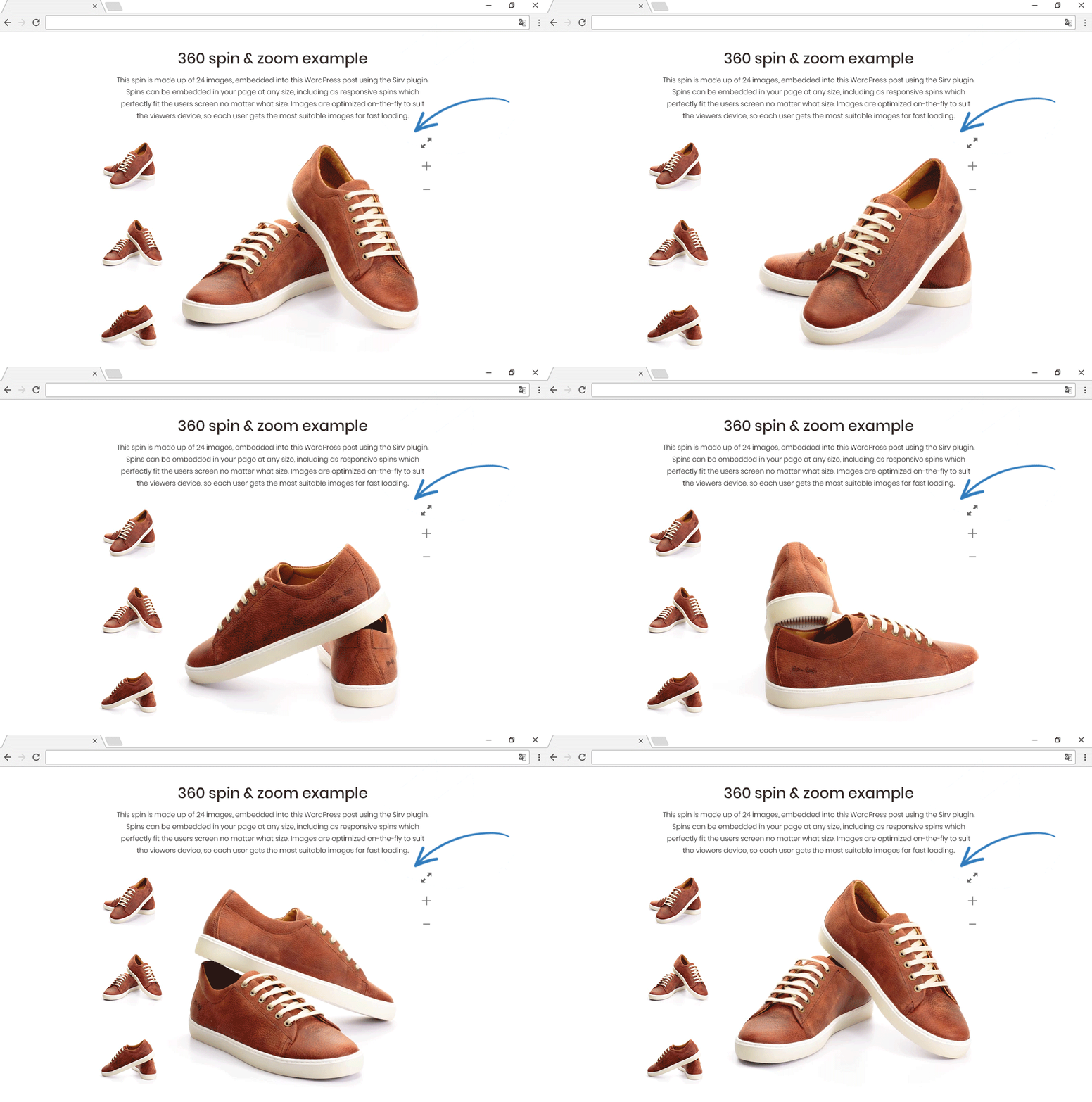
Shoppers adore spinning products around to see them from all sides. If you’re selling something online, maybe with WooCommerce, Sirv provides a stunning 360-degree photography experience. Simply upload a set of photos and a 360 spin will be immediately ready to embed in your page. It feels incredible on desktop and mobile alike, especially the big full-screen 360 spin view.
Free and paid plans are available, depending on your needs. See “Price Plans” below.
What our users say
★★★★★
“We’ve halved the load time on mobiles of a site that we had already done quite a bit of work on to get image sizes down.” @martingfisher★★★★★
“So far the best CDN plugin for WordPress. Please, never disappear!” @mavenickster★★★★★
“I was looking for a CDN fast and easy (no need to code)! Sirv is the best – Just upload your photos to your WordPress library and voilà “roulez jeunesse!!!” (French expression). Very good service!” @disconance★★★★★
“Sirv is fantastic! I have a lot of images on my website, and most of them are large, which resulted in slow site speeds, even with a CDN. What I love about Sirv is that they offer a CDN service, but also dynamically resize images based on the user’s browser/device, and serve the right file type. It has meant HUGE speed improvements on my website.” @basellen
Optimal format (every time)
Google loves next-gen image formats for SEO, but it’s a pain to convert all your images and keep track of them. Sirv solves that. It automatically delivers images to each user in the most optimal format. Usually that’ll be AVIF or WebP and the filesize is dramatically smaller, so Google will reward you with better search ranking.
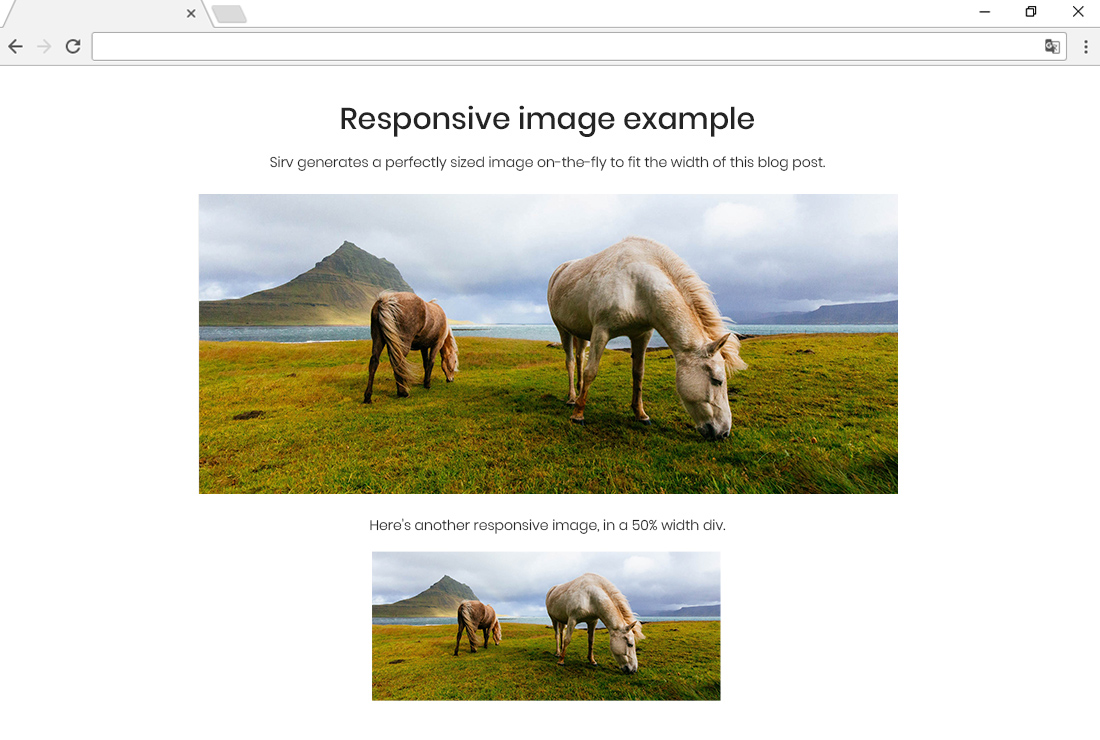
Sirv’s intelligence always serves the smallest possible file format to each users’ browser. It is 100% automatic. Plus, images are automatically scaled down to the suitable width/height and they’re lazy loaded, so you’ll really have the best possible image solution for WordPress.
Price plans
Sirv is a professional image hosting and WordPress CDN service. Most websites require a paid plan. Sirv also provides a free plan for light usage (500 MB storage and 2 GB monthly transfer).
- Free 0.5 GB storage, $0/month
- Business 5 GB storage, $19/month
- Business 12 GB storage, $39/month
- Business 20 GB storage, $59/month
- Business 40 GB storage, $89/month
- Business 60 GB storage, $119/month
- Business 100 GB storage, $199/month
- Enterprise: tailored to your needs – Contact us.
We believe in fair and transparent pricing:
- Upgrade/downgrade any time.
- Start/stop any time.
- Complete and easy access to your images.
- No credit card required for the Free plan.
Further reading
Keep learning with these helpful resources:
- Sirv for WordPress documentation.
- Sirv for WooCommerce documentation.
- The official Sirv Help Center & Documentation.
- Serve images from your own domain name.
Next steps…
Installation
- Search for the Sirv plugin via the Plugins section of your WordPress dashboard.
- Install and activate the plugin.
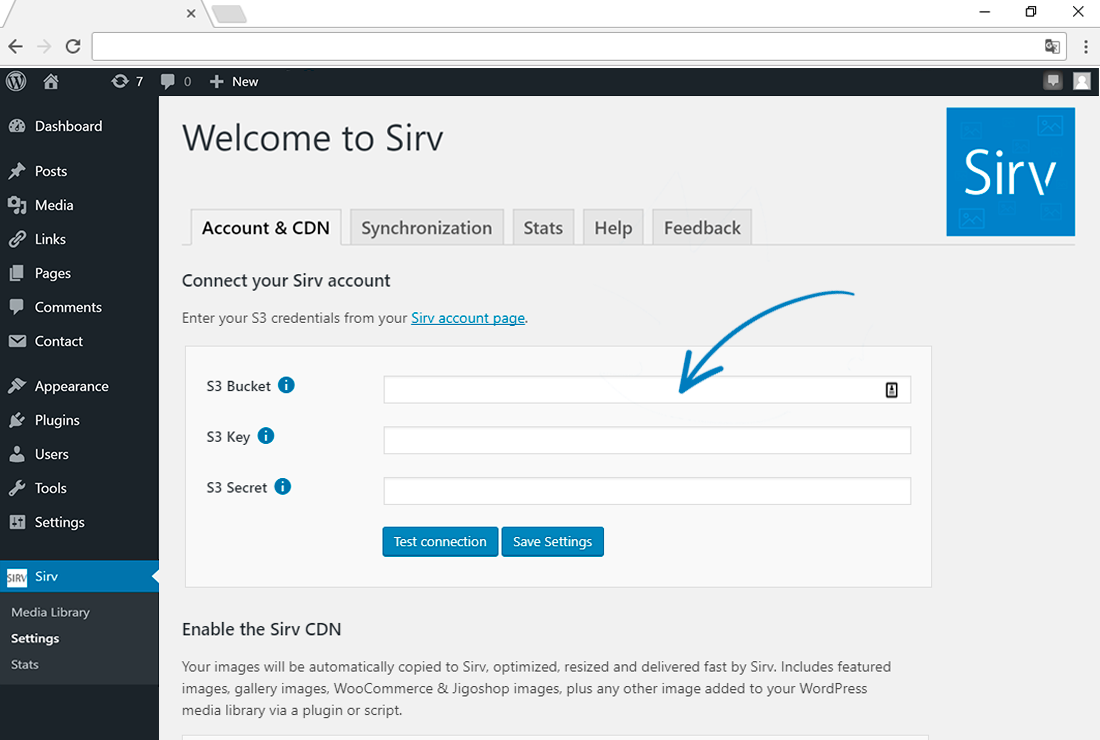
- Go to the Settings page and copy/paste the S3 settings from this page of your Sirv account. You only need to do this once.
Frequently asked questions
Is Sirv free to try?
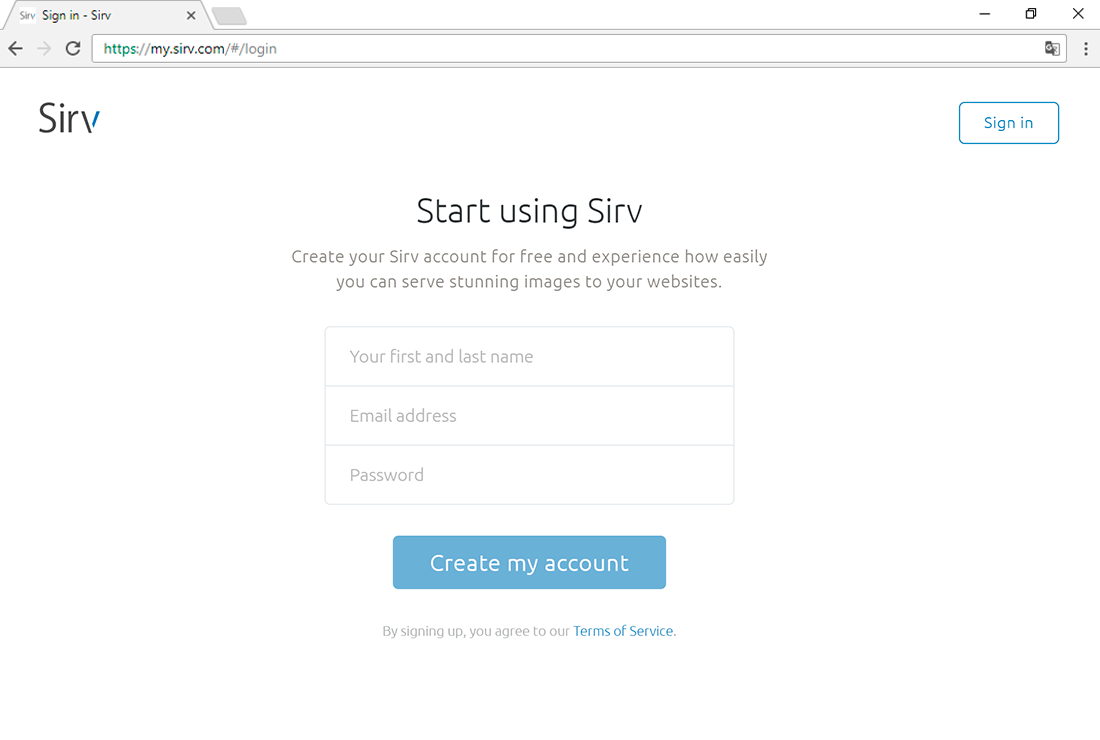
Yes. Create a free account and get 5 GB for 30 days. Then you continue on the Free plan with 500 MB storage + 2 GB bandwidth or choose from the pricing plans.
How do I enable next-gen image optimization?
WebP & AVIF are enabled by default. Sirv automatically serves your images in the best format for each users’ browser and screen. Usually AVIF or WebP are the smallest file-size, so you’ll get Google-recommended next-gen formats automatically, no matter what the original format was.
Can I serve images from my own domain name?
You can serve images from any domain or subdomain that you own. It comes free with any paid account. Just create a new CNAME record and your media will be optimized and served rapidly over HTTPS from Sirv. Follow this short tutorial.
Can I host other files, as well as images?
You can serve almost any file from your Sirv account. Use it as a WordPress CDN to deliver JS files, CSS files, text/CSV/XML files, PDFs, PSDs and more. Sirv is a complete CDN hosting solution for static files, with the best possible image optimization and delivery.
What happens to my original images if I disable the plugin?
Any images in your WordPress media library are safe, Sirv does not modify them. If you turn off our plugin, your site will keep working.
What makes Sirv stand out among other image optimization plugins?
You’ll achieve every media SEO best practice with Sirv. Next gen formats, scaled images, outstanding optimization, CDN delivery, lazy loading, alt tags. It is designed for videos, images, 3D models and 360 spins. It has a beautiful media viewer for single assets or galleries.
What formats does Sirv support?
JPEG, PNG, GIF, WebP, AVIF, APNG, HEIC and many more.
Is Sirv better than other WordPress image optimization plugins?
People tell us they prefer Sirv to other plugins (Smush, Cloudinary, ImgIX, Imagify, ShortPixel) because Sirv optimizes images smaller, has more features, is entirely automated and loads files faster anywhere in the world, thanks to Sirv’s CDN.
Can I use Sirv with Cloudflare?
Yes. Cloudflare and Sirv work perfectly together on the same site. Sirv will serve your images, Cloudflare will serve your other files.
The plugin doesn’t work with my theme
Sirv works instantly on 98% of WordPress sites. If Sirv doesn’t instantly work for you, we can usually resolve that within 24 hours (Mon-Fri). Just send us a message containing a login to your WordPress admin from our secure form and we’ll solve it ASAP.
Can I use Sirv with Elementor?
Yes, Sirv works with Elementor. The Sirv plugin automatically copies your Elementor images to your Sirv account. There’s also a button in Elementor to “Add Sirv Media” to your pages.
Can I use Sirv with Divi?
Yes, Sirv works with Divi. It will automatically sync and serve your Divi images. You can also use the Add Sirv Media button to embed your Sirv library images into Divi pages.
Where can I learn more about using Sirv?
The official Sirv Help Center is full of easy advice, including: Dynamic Imaging Image Zoom 360 Spin API Responsive-Imaging
How can I report security bugs?
You can report security bugs through the Patchstack Vulnerability Disclosure Program. The Patchstack team help validate, triage and handle any security vulnerabilities. Report a security vulnerability.
Changelog
Start using this official first release of the Sirv plugin for WordPress.
8.2.5 (2026-08-19)
- Tested with the latest WordPress version 7.1.
- Added support for the Gutenberg editor in frame mode.
8.2.4 (2026-06-10)
- Fixed WooCommerce main variation image not saving.
- Fixed UI/design issues for WordPress 7.0.
8.2.3 (2026-05-20)
- Tested with the latest WordPress version 7.0.
- Improved color scheme compatibility for WordPress 7.0.
- Fixed radio button and checkbox layout conflicts with Elementor.
- Fixed remote Sirv data refresh action for products and variations.
- Fixed an “undefined variable” PHP notice during image placeholder usage.
- Optimized sirv.js script loading logic.
8.2.2 (2026-03-30)
- Fixed an issue that prevented saving Sirv product image.
8.2.1 (2026-03-21)
- Tested with the latest WordPress version 6.9.4.
- Improved product metadata saving logic.
- Fixed an issue with URL escaping in shortcodes.
- Resolved a bug where CSS image styles were not saving correctly.
- Optimized Gutenberg blocks by removing redundant frontend dependencies and adding asset caching.
8.2.0 (2026-03-10)
- Show image placeholder in product gallery.
- Improved SQL queries for potentially better performance.
- Tested for WordPress version 7.0 (scheduled for April 9, 2026 ).
- Many small fixes and optimizations.
Screenshots

For developers
Is this your plugin? Show off the numbers.
Add a live badge to your site, docs or GitHub README. It updates on its own — no account needed.
Best Image Optimizer, Resizer and… alternatives
All cdn plugins →





FAQ
Image Optimizer, Resizer and CDN: quick answers
Straight answers, pulled from live WordPress.org data.
Live data from WordPress.org · checked Sep 27, 2026
Is Image Optimizer, Resizer and CDN free?
Yes. Image Optimizer, Resizer and CDN is free to download and use from the official WordPress.org plugin directory.
Is Image Optimizer, Resizer and CDN safe to use in 2026?
Yes — Image Optimizer, Resizer and CDN is a safe, well-maintained plugin to use in 2026. It runs on 1K+ sites, is rated 4.9/5 and was last updated 1 month ago, and scores 83/100 on our health check.
How many websites use Image Optimizer, Resizer and CDN?
Image Optimizer, Resizer and CDN is active on 1K+ WordPress websites and has been downloaded 136,978 times since it launched in July 2015. It was downloaded 1,088 times in the last 30 days.
Does Image Optimizer, Resizer and CDN work with WordPress 7.1?
Yes. The developer has tested Image Optimizer, Resizer and CDN up to WordPress 7.1.2, the latest release. It requires WordPress 3.0.1 or newer.
What PHP version does Image Optimizer, Resizer and CDN need?
Image Optimizer, Resizer and CDN requires PHP 5.6 or higher. Most hosts run PHP 8.x today, so it works on any modern WordPress hosting.
When was Image Optimizer, Resizer and CDN last updated?
The latest version, 8.2.5, was released on August 19, 2026 (1 month ago).
Who makes Image Optimizer, Resizer and CDN?
Image Optimizer, Resizer and CDN is developed and maintained by Sirv CDN and Image Hosting.
What are the best alternatives to Image Optimizer, Resizer and CDN?
The most popular alternatives to Image Optimizer, Resizer and CDN are W3 Total Cache (900K+ installs), SpeedyCache (600K+ installs) and Breeze Cache (300K+ installs).
Powered by PageForge
Want thousands of pages that rank like these? Build them in an afternoon.
This directory runs on the same engine as PageForge. Turn any spreadsheet, CSV or API into thousands of fast, SEO-ready WordPress pages — with schema, internal links and AI-written copy baked in.
- CSV, Google Sheets & API data sources
- AI content, schema & internal links per page
- Works with Elementor, Gutenberg, Yoast & Rank Math
- Free on WordPress.org — no credit card


