



SpeedyCache – Cache, Optimization, Performance
SpeedyCache is a WordPress cache plugin that helps you improve performance of your WordPress site by caching, minifying, and compressing your website.

Safe pick
Yes — SpeedyCache is a safe, well-maintained plugin to use in 2026. It runs on 600K+ sites, is rated 4.4/5 and was last updated 3 days ago, and scores 90/100 on our health check.
- Proven at scale on 600K+ active sites
- Actively developed — last update 3 days ago
- Tested with the latest WordPress (7.1)
- Momentum — downloads up 149.5% vs the previous 30 days
How does it stack up?
Side-by-side on installs, updates, ratings & support



Daily downloads
Download spikes usually follow a new release — each site that auto-updates counts as a download.
Rankings
Where SpeedyCache stands todayWordPress.org search rankings
Live position in the plugin search, top 100| Keyword | Position |
|---|---|
| cache | #13 |
| cdn | #27 |
| minify | #13 |
| pagespeed | #18 |
| seo | >100 |
Version adoption
Share of active sites per release.
Rating breakdown
★★★★★★★★★★ 4.4 from 30 reviews
About SpeedyCache
From the official readme · v1.4.2Description
SpeedyCache is a WordPress cache plugin that helps you improve performance of your WordPress site by caching, minifying, and compressing your website.
You can find our official documentation at https://speedycache.com/docs. We are also active in our community support forums on wordpress.org if you are one of our free users. Our Premium Support Ticket System is at https://softaculous.deskuss.com
Home Page | Support | Documents
Other than caching SpeedyCache can also do the following:-
1. It can minify and combine CSS/JS giving even better optimization as it reduces the file sizes and reduces the HTTP requests to the server.
2. Eliminate render-blocking JavaScript resources helping your website to load faster.
3. Lazy load images so that the images can be requested only if they come into the viewport.
4. GZIP files to reduce the size of the file sent from the server.
Free Features
- Caching: Storing copies of the web pages of the desktop version. Caching happens when a user visits a webpage on your website
- Preload: Preload makes sure the user always sees the cached version of your website as it periodically creates cache.
- Combine CSS: Combines CSS files present in the header of the page reducing HTTP requests.
- Minify CSS: Reduces the size of the CSS files.
- Automatic Cache: Creates cache of post when it gets deleted if preload is enabled.
- Combine JS: Combines JS files present in the header of the page reducing HTTP requests.
- GZIP: It applies GZIP compression on the files hence reducing the file size sent from the server.
- Browser Caching: Caches the website on the browser of the client for repeating visitors.
- DNS-Prefetch: DNS prefetch is a technique that improves website performance by resolving domain names in advance, before they are needed.
- Disable Emojis: You can remove the emoji inline CSS and wp-emoji-release.min.js.
- Exclude: You can exclude certain Pages, User-Agent, Cookies, CSS, or JS from being cached.
- CDN: CDN helps improve website speed by placing the static files of your cached on their network of servers hence helping deliver content faster at any point in the world.
- Display Swap: Adds display swap to Google font URL, so when Google font loads the font will stay visible this is enabled by default.
- Purge Varnish: If enabled it will purge Varnish cache, whenever cache from SpeedyCache is purged.
- Gravatar Cache: Host Gravatars on your server.
- *Improve Font Rendering:** Adding CSS property of text-rendering to prioritize speed of render of Fonts.
GET SUPPORT AND PRO FEATURES
Get professional support and more features to make your website load faster with SpeedyCache
Pro Features:-
- Image Optimization: Image optimization is a way to convert an image to next-gen image formats like webp which load images faster on the web.
- Instant Page: It loads the page just before user clicks the link, reducing the page load time.
- Google Fonts: Google fonts are also seen as render-blocking so this feature helps load Google fonts asynchronously.
- Local Google Fonts: Cache the Google fonts to be compliant with the GDPR rules.
- Lazy Load: Loading all assets at once can make the page load slower hence lazy load helps by only loading certain resources when they come into the viewport.
- Minify HTML: It removes empty lines, line breaks, minifies inline Js And Css, removes comments and space in Tags
- Minify JS: Reduces JS file size.
- Delay JS: Delays the JS to load on user interaction to reduce or remove the issue of Unused JS.
- Advanced Combine JS: Combines JS files placed in the footer section helping reduce HTTP calls.
- Render blocking JS: Before rendering a page the browser parses the HTML to create a DOM tree and if an external script comes it has to stop and wait for the script to execute hence the rendering of the page ends up taking time, hence Render blocking JS feature helps in deferring the load of JS after the render has happened hence the first load get faster.
- Delete Cache Stats: Provides statistics about the cached files of Desktop or Mobile version and combined/ minified version of CSS and JS.
- Mobile Cache: Caches the mobile version of your website and shows that version on mobile devices.
- Database Cleanup: Database cleanup helps you free up your database storage from temporary data, trashed contents, and post revisions which may take a lot of your database storage.
- PreConnect: Preconnect improves website loading times by establishing early connections to third-party domains.
- Preload: Preload improves website performance by downloading resources in advance, before they are needed.
- Critical CSS: Extracts the CSS used by the page in the visible viewport at the time of load.
- Unused CSS: Removes the unused CSS, keeping the CSS that is being used by the paged, which reduces the size of CSS used on the page.
- Object Cache: It makes the object to persist by using Redis, to improve availability of the cache.
- Bloat Remover: Options to remove unnecessary features of WordPress or WooCommerce.
- Image Dimension: Adds dimensions to the image tag which does not have width or height, to reduce (CLS)Cumulative Layout Shift.
- Lazy Render HTML: User can lazy render HTML elements which are not in view-port.
- Preload Critical Images: Preload above-the-fold images to improve LCP(Largest Contentful paint).
AI Abilities
SpeedyCache exposes AI Abilities through the WordPress Abilities API, allowing AI clients, assistants, and MCP (Model Context Protocol) adapters to securely interact with your site’s caching and performance settings.
Free Abilities
- Get SpeedyCache Settings: Returns the current cache configuration, including cache status, logged-in users, mobile cache, preload, Varnish, CDN, and related settings.
- Delete All Cache: Clears the entire page cache and optionally removes minified files, fonts, and database cache.
- Delete Cache For A URL: Clears the cache for one or more specific URLs.
- Delete Cache For A Post: Clears the cache for a specific post ID. Use 1-20 for the homepage.
- Get Cache Statistics: Returns basic cache statistics, including the total number of cached HTML files and their combined storage size.
- Get File Optimization Settings: Returns HTML, CSS, and JavaScript optimization settings, including combine, minify, delay JavaScript, lazy loading, and related options.
- Get CDN Settings: Returns the current CDN configuration, including CDN status, CDN URL, supported file types, and configured include and exclude keywords.- List Cache Exclude Rules: Returns all configured cache exclusion rules.
- List Cache Exclude Rules: Returns all configured cache exclusion rules.
- Delete A Cache Exclude Rule: Deletes a specific cache exclusion rule.
- Get Preload Status: Returns the current preload status, including the total number of URLs and the remaining items.
- Build The Preload List: Rebuilds the preload URL list and restarts the preload process.
- Export SpeedyCache Settings: Exports SpeedyCache plugin settings in JSON format.
Pro Abilities
- Optimize The Database: Performs database optimization by cleaning revisions, spam comments, trash, and other unnecessary data.
- Get Database Optimization Settings: Returns advanced database optimization settings and scheduled cleanup options.
- List Cache Delete Logs: Returns cache deletion logs with the associated trigger information.
- Get Cache Statistics: Returns cache statistics for desktop, mobile, CSS, and JavaScript files.
- Get Image Optimization Stats: Returns image optimization statistics, including optimized images, pending images, and storage savings.
- Get Image Optimization Settings: Returns image optimization settings, including compression level, WebP conversion, automatic optimization, and EXIF options.
- Revert All Image Optimizations: Restores all optimized images from their original backups.
- Get Object Cache Settings: Returns Redis object cache settings, including host, port, TTL, and serialization configuration.
- Flush The Object Cache: Clears all Redis object cache entries.
- Get Object Cache Status: Returns the current Redis object cache status and memory usage information.
- Get Bloat Settings: Returns all bloat reduction settings, including XML-RPC, jQuery Migrate, oEmbeds, Heartbeat, and other optimization options.
- Get License Status: Returns the current SpeedyCache Pro license status and expiration details.
Caching
SpeedyCache caches the website by creating static files on the server and delivers those static files to most of the users who visit the website, The static files eliminate the heavy load of Querying the database for data hence the load of your website is faster.
You can preload as many pages as you want, and preloading caches the website in regular intervals of time to reduce the load on the server.
Deleting Cache on New/updating Post.
You can decide to delete the cache on the creation or updating of a post so that the cache can always stay updated.
Minifying/Combining CSS and JS
SpeedyCache helps minify the JS and CSS hence it reduces the file sizes.
Combining JS combines the CSS and JS fines reducing the file count and making the server handle lesser requests.
Cache Lifespan
Cache Lifespan is a way to schedule the deletion of cache.
Exclude
Exclude is a way to prevent SpeedyCache from caching certain files/ user-agents/ cookies.
CDN (Content Delivery Network)
CDN helps you host your static content on a distributed network optimized to deliver internet content faster it’s not a replacement to a web host. It caches your files on the network edge and delivers the content to the user through the closest and fastest server.
SpeedyCache helps you integrate a CDN by rewriting the URLs of the static files you want to host on the CDN or in the Case of Cloudflare it helps with the purging of the cache on the Cloudflare servers.
[Pro] Image Optimization
Image optimization is a way to convert your images from old formats like JPG and PNG to the new next-gen formats like webp which is designed with the web as the target platform to load images faster. webp images result in smaller and richer images that make the web faster.
We provide 3 ways to convert your images to webp.
GD(a PHP extension), Imagick(a PHP extension), and cwebp(a webp conversion utility from Google).
[Pro] Bloat Remover
SpeedyCache has 12 bloat removal options which are listed below.
1. Disable Dashicons
2. Update Heartbeat
3. Limit Post Revisions
4. Disable XML-RPC
5. Disable Google Fonts
6. Disable jQuery Migrate
7. Disable RSS feeds
8. Disable Gutenberg
9. Disable OEmbeds
10. Disable Block Editor CSS
11. Disable Cart Fragments
12. Disable WooCommerce Assets
[Pro] Database Cleanup
Data cleanup cleans the database by removing the following data:-
1. Post Revisions
2. Trashed Content
3. Trashed and Spam comments
4. Trackbacks and pingbacks
5. All Transient options
6. Expired Transient Options
Frequently asked questions
How to install SpeedyCache
Go To your WordPress install -> Plugins -> Add New Button -> In Search Box, Look For SpeedyCache -> Click on Install.
How will I know if my website got cached
You can either go to the Delete Cache Tab where you will find Stats about the Cache or you can just visit your website in incognito mode and Inspect the HTML and at the last, you will find a comment saying that page got cached with time.
How can I report security bugs?
You can report security bugs through the Patchstack Vulnerability Disclosure Program. The Patchstack team help validate, triage and handle any security vulnerabilities. Report a security vulnerability.
Changelog
1.4.2 (23rd September 2026)
- [Improvement Pro] Added Code Signing: Every update now verifies the code signature to ensure secure updates.
1.4.1 (11th September 2026)
- [Pro-Feature] Support for Pro AI Abilities: Database Optimization & Settings, Cache Delete Logs, Advanced Cache Stats, Image Optimization Stats & Controls, Revert Images, Object Cache Management, Bloat Settings, and License Status.
- [Feature] Support for AI Abilities: Get Settings, Delete Cache (All, URL, Post), Get Cache Statistics, File Optimization Settings, CDN Settings, Exclude Rules, Preload Management, and Export Settings.
- [Feature] Added an option to reset all SpeedyCache settings to their default values.
- [Improvement] Excluded high-priority fetch requests to improve cache fetching performance.
- [Improvement] Added multi-language caching support for WPML, allowing cache preloading for all active site languages instead of just English.
- [Bug-Fix] Fixed an issue where a blank alt attribute (
alt="") was added to images during lazy loading. - [Bug-Fix] Fixed an issue with spaces and line breaks in Non-Cache Groups not being properly sanitized and saved.
- [Bug-Fix] Normalized PageSpeed score output to integer values to prevent decimal overflow in the UI.
- [Task] Tested with WordPress 7.1
1.4.0 (24rd June 2026)
- [Feature Pro] Cloudflare Page cache rules, allowing you to cache the pages on the edge, option available in CDN tab.
- [Improvement] Now htaccess rules are update where they already were, in place of always adding to the top.
- [Bug-Fix Pro] There was a issue with excluding Defer JS scripts, that has been fixed.
1.3.9 (31st March 2026)
- [Security Fix] There was a minor issue related to Combine CSS that has been fixed, was reported by Chiao-Lin Yu (Steven Meow) – Trend Micro
- [Task] Tested with WordPress 7.0
1.3.8 (24rd March 2026)
- [Improvement] SpeedyCache now honors DONOTCACHEPAGE constant.
- [Bug-Fix Pro] wp_cache_flush_runtime was flushing Redis cache as well, this has been fixed to flush only the PHP object cache.
- [Bug-Fix Pro] Images converted to webp using “Modern Image Formats” plugin were shown in the list of images to be optimized in SpeedyCache Image optimization, this has been fixed.
- [Bug-Fix Pro] When doing Optimize all in image optimization, for some errors the response was being returned as null this has been fixed.
- [Bug-Fix] Cache lifespan was not deleting the directories, this has been fixed.
- [Bug-Fix] Password protected pages were getting cached once a correct password was entered, this has been fixed.
- [Bug-Fix] Combine JS was adding self closing script tag, this has been fixed.
- [Task] Calculation of memory used by File based cache was calculated on every settings page load. This has been changed to caching the file size in options table, for faster retrieval.
1.3.7 (18th December 2025)
- [Feature Pro] Auto optimization for database added.
- [Improvement] Other and Bunny CDN will add it’s URL as preconnect when enabled.
- [Bug Fix Pro] There was an issue with flushing of DB in Object cache that has been fixed.
- [Task] Tested with WordPress 6.9
Screenshots
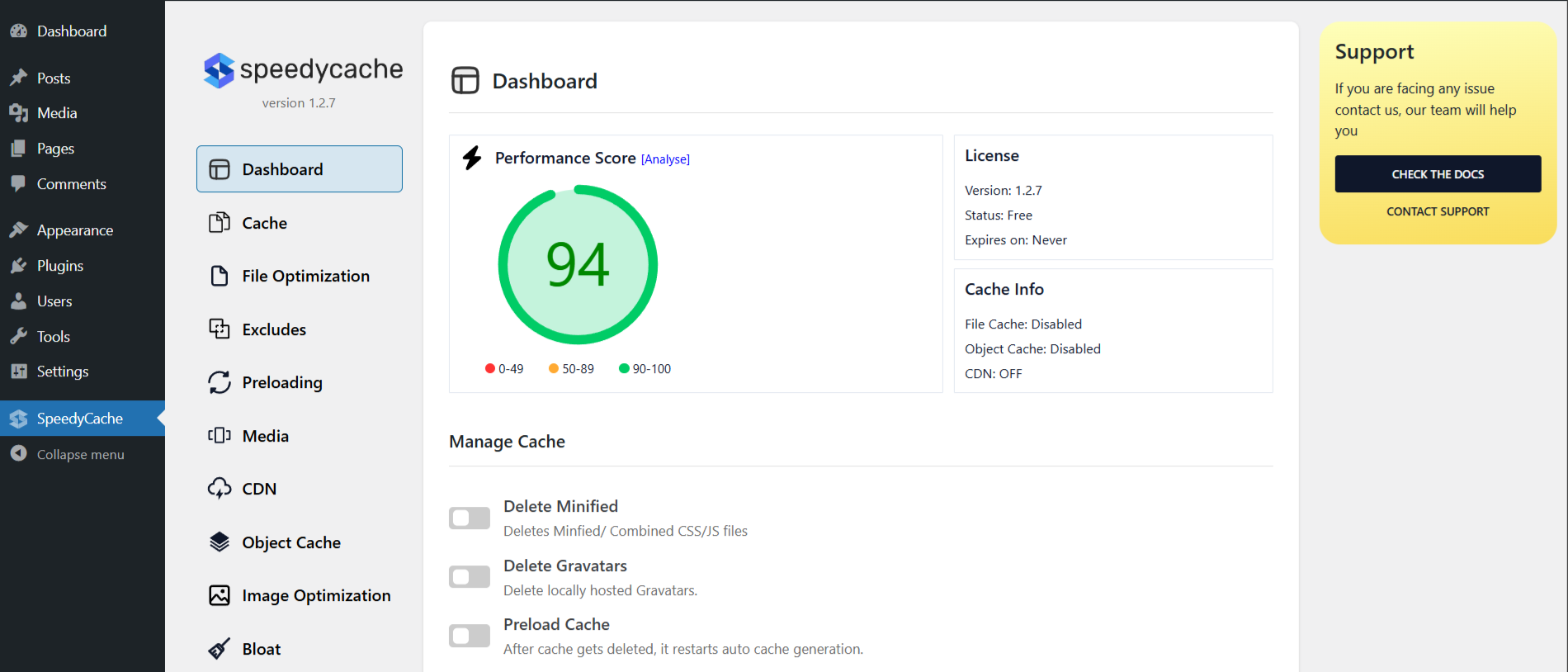
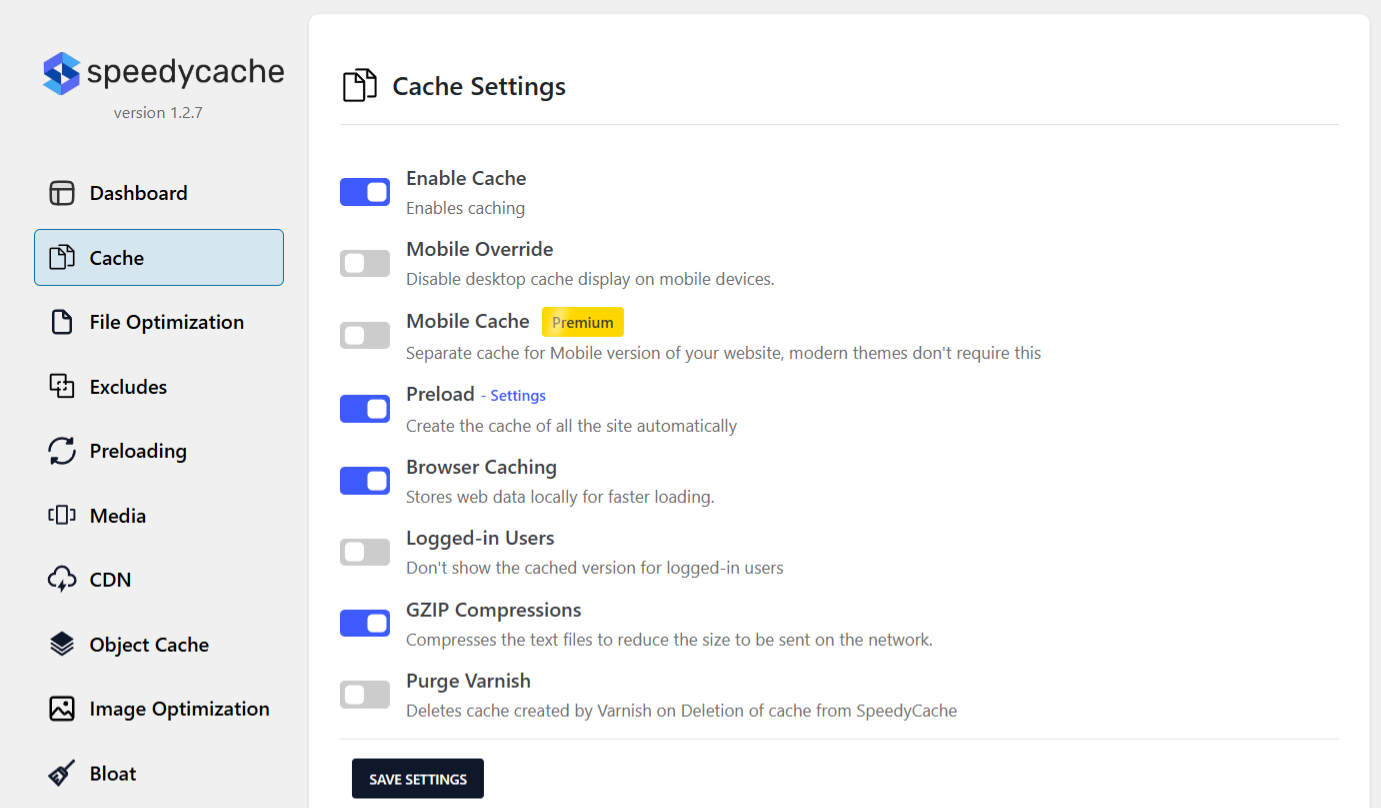
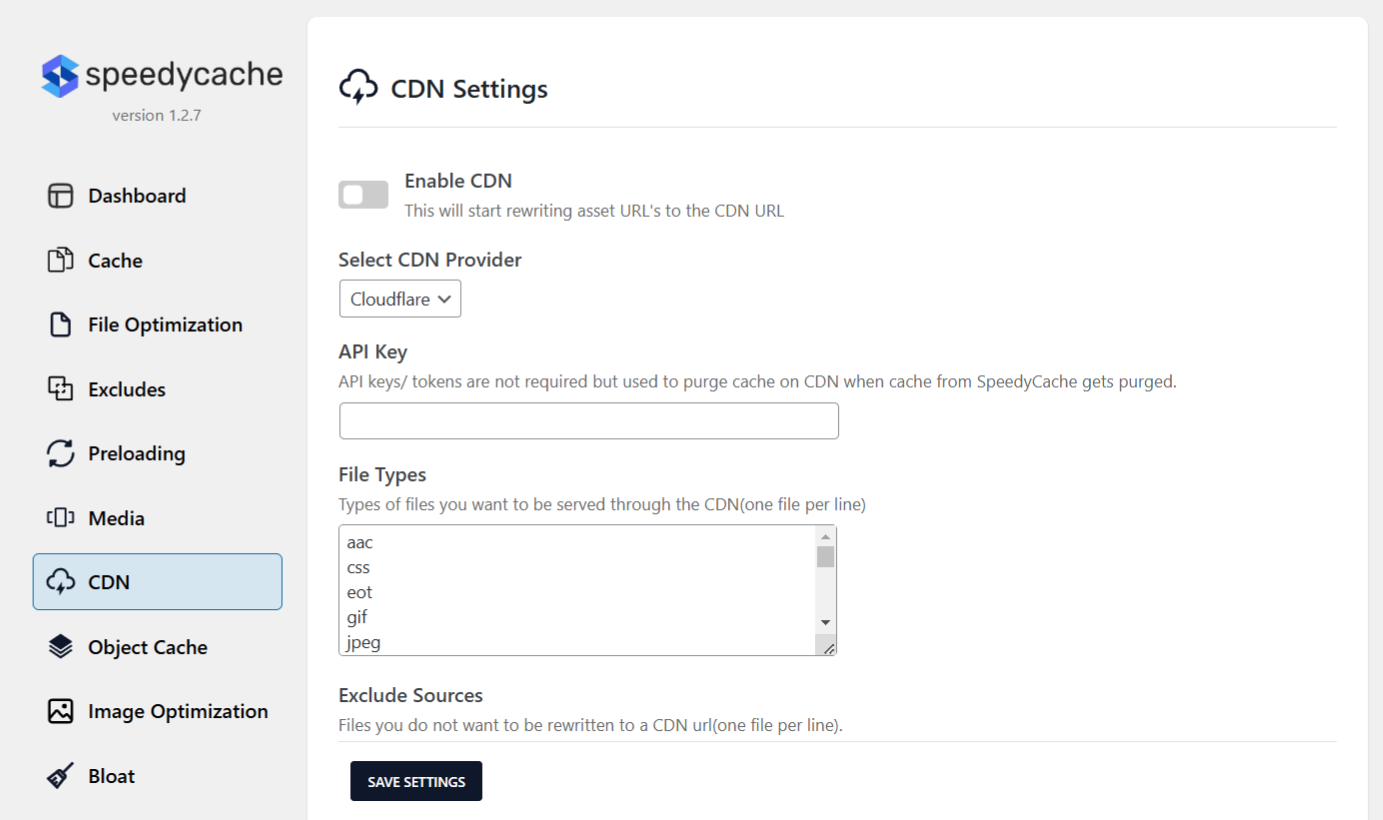
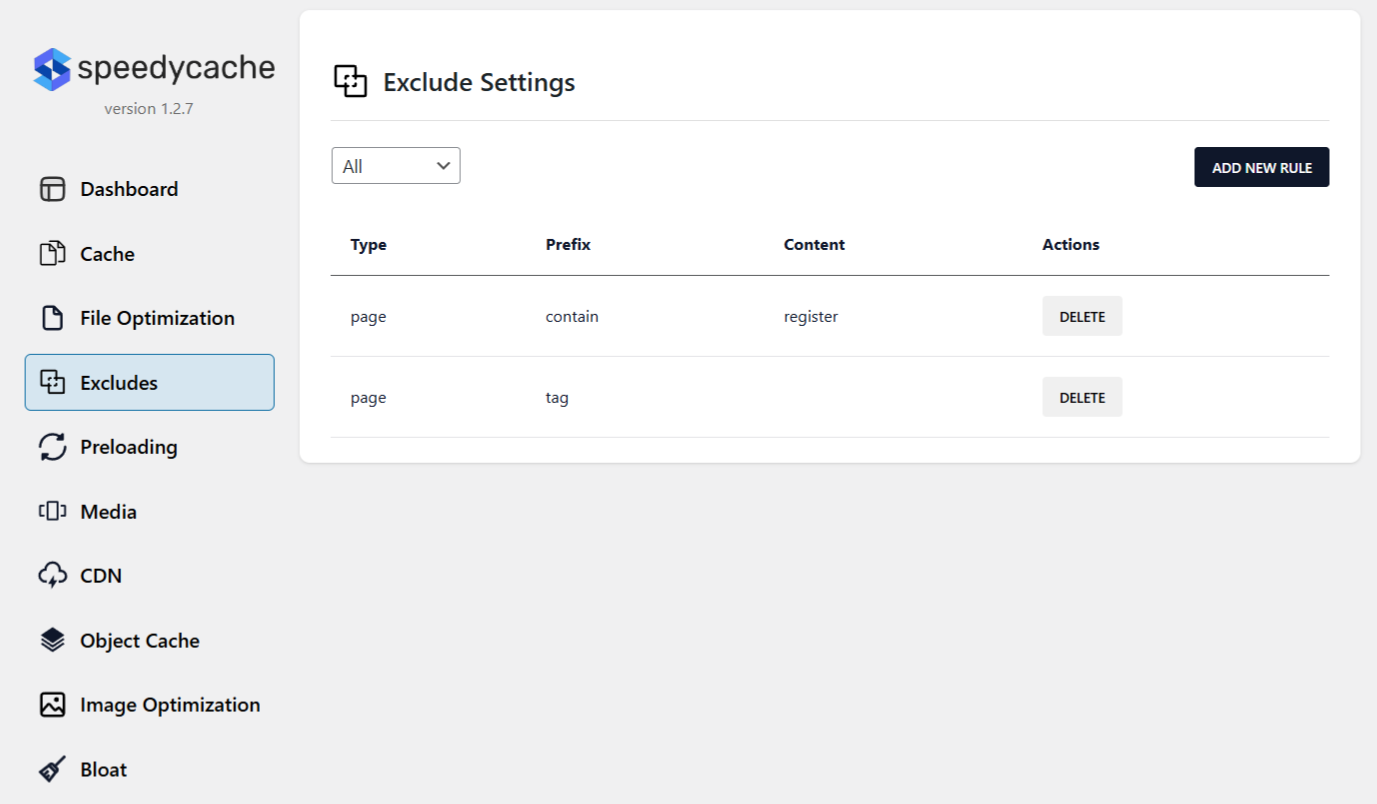
For developers
Is this your plugin? Show off the numbers.
Add a live badge to your site, docs or GitHub README. It updates on its own — no account needed.
Best SpeedyCache alternatives
All cache plugins →




FAQ
SpeedyCache: quick answers
Straight answers, pulled from live WordPress.org data.
Live data from WordPress.org · checked Sep 26, 2026
Is SpeedyCache free?
Yes. SpeedyCache is free to download and use from the official WordPress.org plugin directory.
Is SpeedyCache safe to use in 2026?
Yes — SpeedyCache is a safe, well-maintained plugin to use in 2026. It runs on 600K+ sites, is rated 4.4/5 and was last updated 3 days ago, and scores 90/100 on our health check.
How many websites use SpeedyCache?
SpeedyCache is active on 600K+ WordPress websites and has been downloaded 4,737,829 times since it launched in February 2023. It was downloaded 231,624 times in the last 30 days.
Does SpeedyCache work with WordPress 7.1?
Yes. The developer has tested SpeedyCache up to WordPress 7.1.2, the latest release. It requires WordPress 4.7 or newer.
What PHP version does SpeedyCache need?
SpeedyCache requires PHP 7.0 or higher. Most hosts run PHP 8.x today, so it works on any modern WordPress hosting.
When was SpeedyCache last updated?
The latest version, 1.4.2, was released on September 23, 2026 (3 days ago).
Who makes SpeedyCache?
SpeedyCache is developed and maintained by Softaculous.
What are the best alternatives to SpeedyCache?
The most popular alternatives to SpeedyCache are WP Super Cache (1M+ installs), WP Fastest Cache (1M+ installs) and WP-Optimize (1M+ installs).
Powered by PageForge
Want thousands of pages that rank like these? Build them in an afternoon.
This directory runs on the same engine as PageForge. Turn any spreadsheet, CSV or API into thousands of fast, SEO-ready WordPress pages — with schema, internal links and AI-written copy baked in.
- CSV, Google Sheets & API data sources
- AI content, schema & internal links per page
- Works with Elementor, Gutenberg, Yoast & Rank Math
- Free on WordPress.org — no credit card


