


Jetpack VideoPress
The finest video hosting for WordPress. Drag and drop videos through the WordPress editor and keep the focus on your content, not the ads.

Solid choice
Jetpack VideoPress is a solid plugin choice in 2026, with a few things worth checking first. It runs on 7K+ sites, is rated 4/5 and was last updated 4 days ago, and scores 79/100 on our health check.
- Actively developed — last update 4 days ago
- Tested with the latest WordPress (7.1)
How does it stack up?
Side-by-side on installs, updates, ratings & support



Daily downloads
Download spikes usually follow a new release — each site that auto-updates counts as a download.
Rankings
Where Jetpack VideoPress stands todayWordPress.org search rankings
Live position in the plugin search, top 100| Keyword | Position |
|---|---|
| cdn | #39 |
| video | #40 |
| video hosting | #9 |
| video player | #34 |
| video streaming | #5 |
Version adoption
Share of active sites per release.
Rating breakdown
★★★★★★★★★★ 4 from 16 reviews
About Jetpack VideoPress
From the official readme · v3.6Description
AD-FREE, CUSTOMIZABLE VIDEO PLAYER FOR WORDPRESS
With an immersive design, VideoPress is ideal for videographers, creators, filmmakers, educators, and bloggers seeking to upload high-quality videos with ease.
Built for WordPress
Take advantage of full integration with the best video hosting plugin created specifically for WordPress. Bring your ideas to the screen and save time by managing your videos in the same interface as your website. You can drag and drop videos directly into WordPress, and manage them in the media library.
Ad-free videos offer a better experience
Tired of video companies sending your customers to their app to view videos? Or worse, showing inappropriate ads to your site visitors? Our customizable video player for WordPress keeps people on your site so the spotlight is all yours. With VideoPress, you can avoid intrusive ads or imposing player branding.
High-quality, lightning-fast video hosting
Take the complexity out of self-hosting videos. VideoPress offers fully-hosted videos and a CDN to ensure instant video speed for your audience around the globe. With our powerful and reliable hosting infrastructure, you can provide your audience with fast-motion videos with 60 FPS and full 4K resolution.
A complete video experience from the WordPress Editor
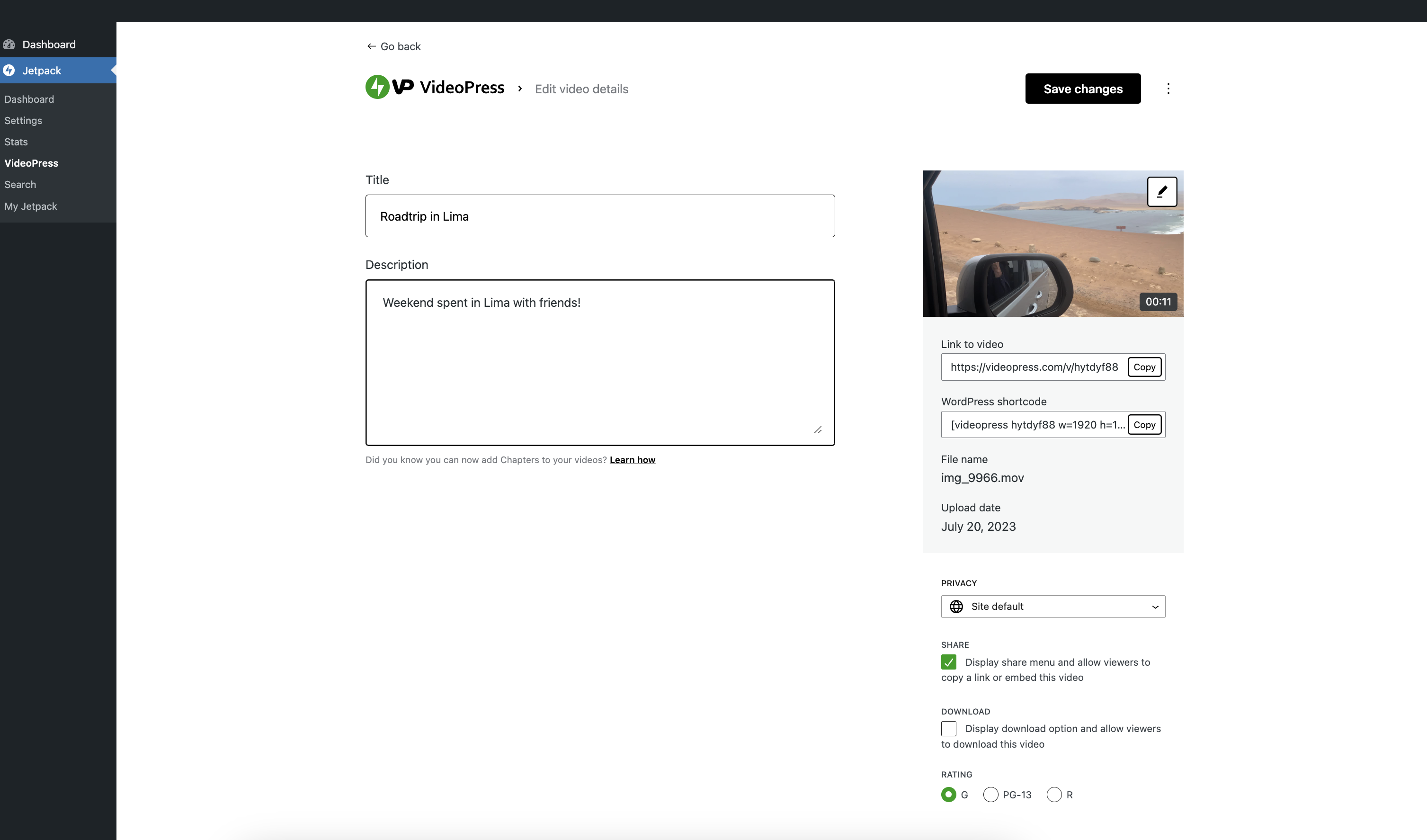
With the Jetpack VideoPress Block, adding videos to your content has never been easier. This powerful tool lets you effortlessly insert videos straight from the WordPress Editor and comes packed with advanced features like subtitles, captions, chapters, private videos, and poster images.
- Adaptive Streaming – Videos play back faster by automatically adjusting video quality based on bandwidth and display size. The viewer can still choose the quality they’d like in the menu.
- Reliable Global Hosting and Video CDN – Built on WordPress.com’s world-class cloud infrastructure, your videos are stored in multiple servers across the globe to ensure quick delivery no matter where your audience is.
- Subtitles, Captions, and Chapters – Simply upload your text tracks via the VideoPress block and they will be available on the video as soon as you publish.
- Progress Bar Color Match – The VideoPress seekbar now adapts its color to match the scenes in your videos. This makes your content really pop.
- Optimized for mobile – Switch between mobile and desktop without missing a beat.
- Picture-in-picture – Pop out the video from the web browser for easier viewing.
- Unlimited Logins – Work with a team? We don’t charge per seat, so everyone that works on your site can have their own login.
- High-Resolution Videos Up to 4K – Watch crisp images on any display and screen size. We’ve added video display for 1440p, 60 FPS, and full 4K resolution.
- Ad-free video – Keep the spotlight on your content, not on ads you can’t control.
Your one-stop solution for video management
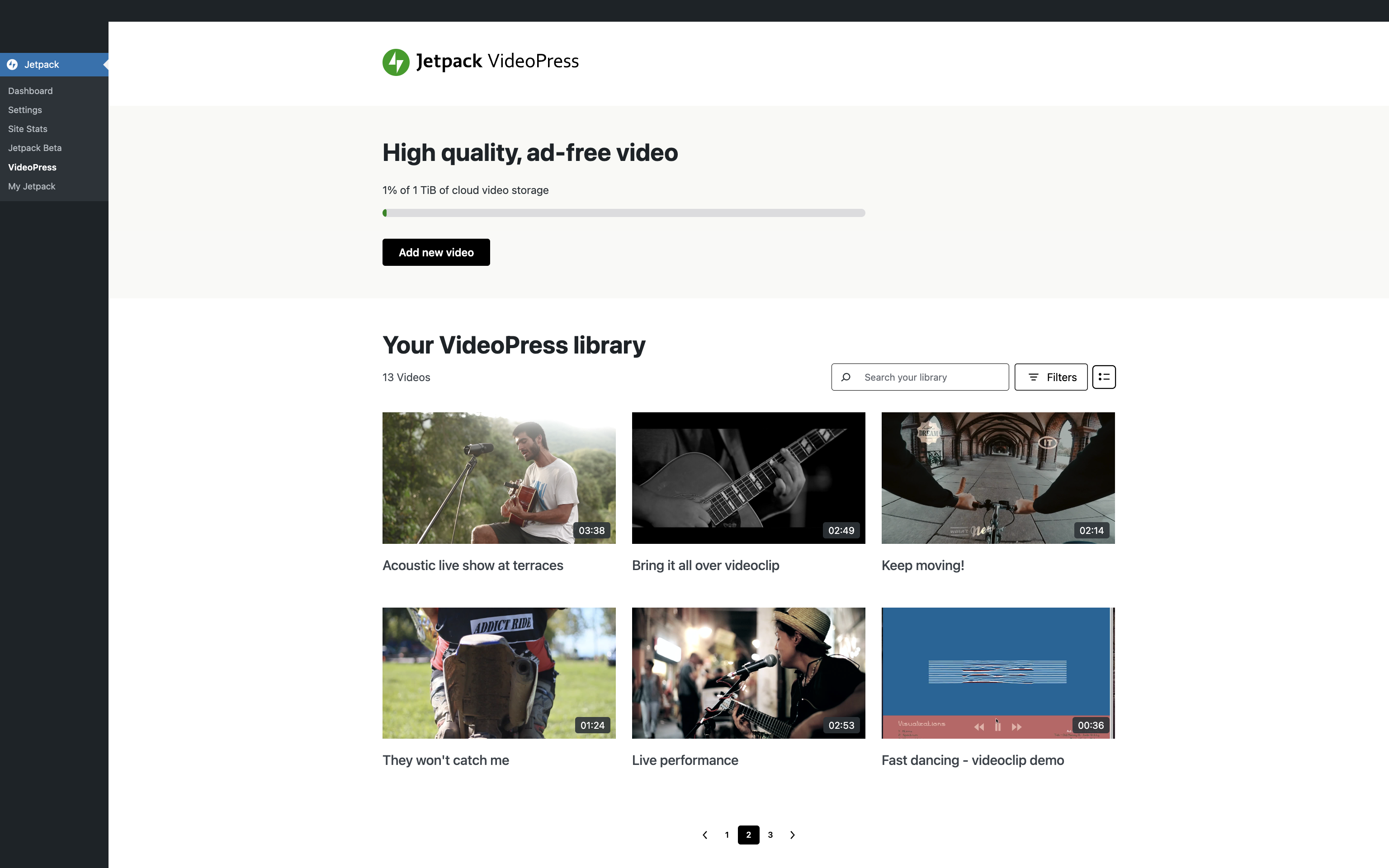
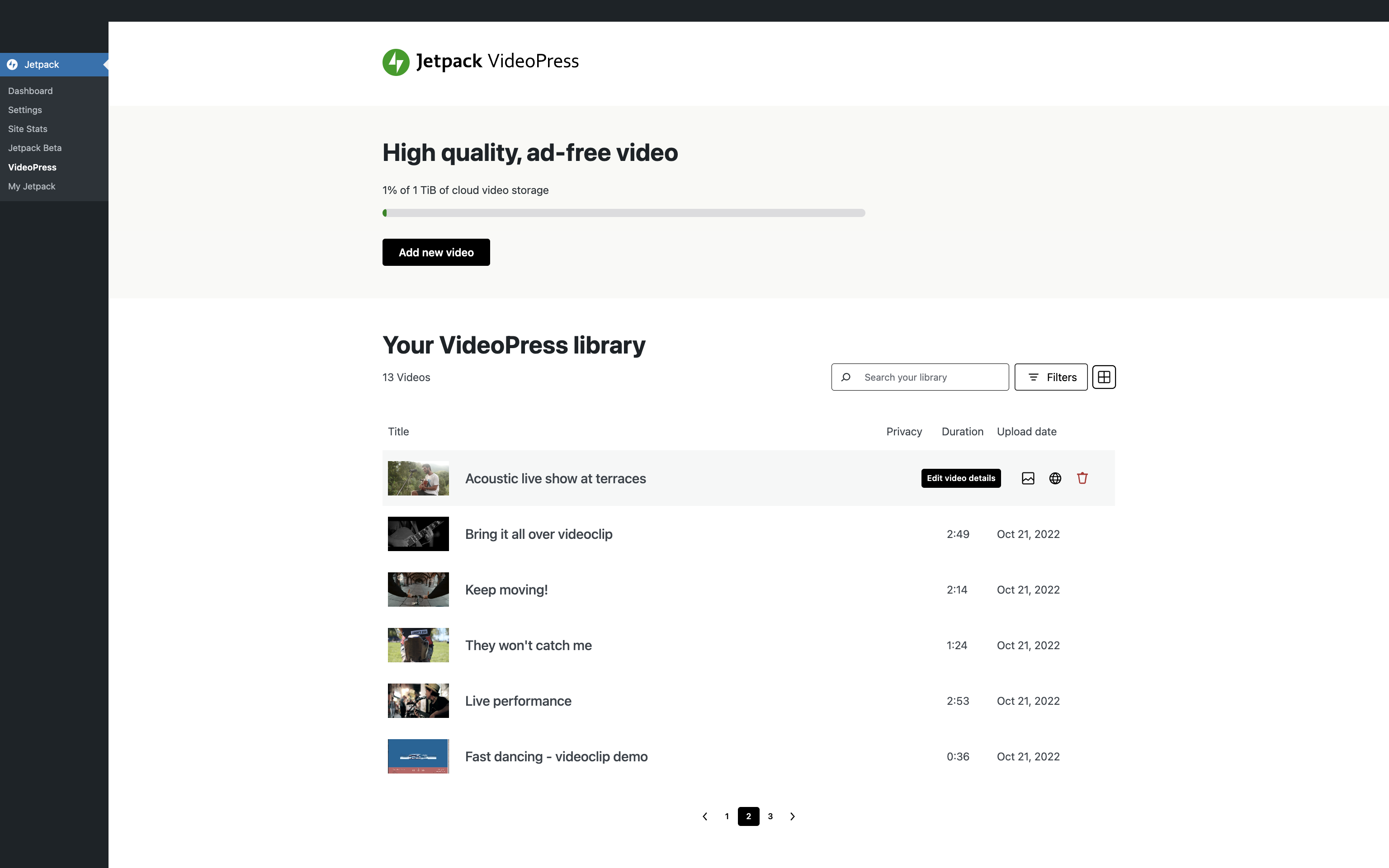
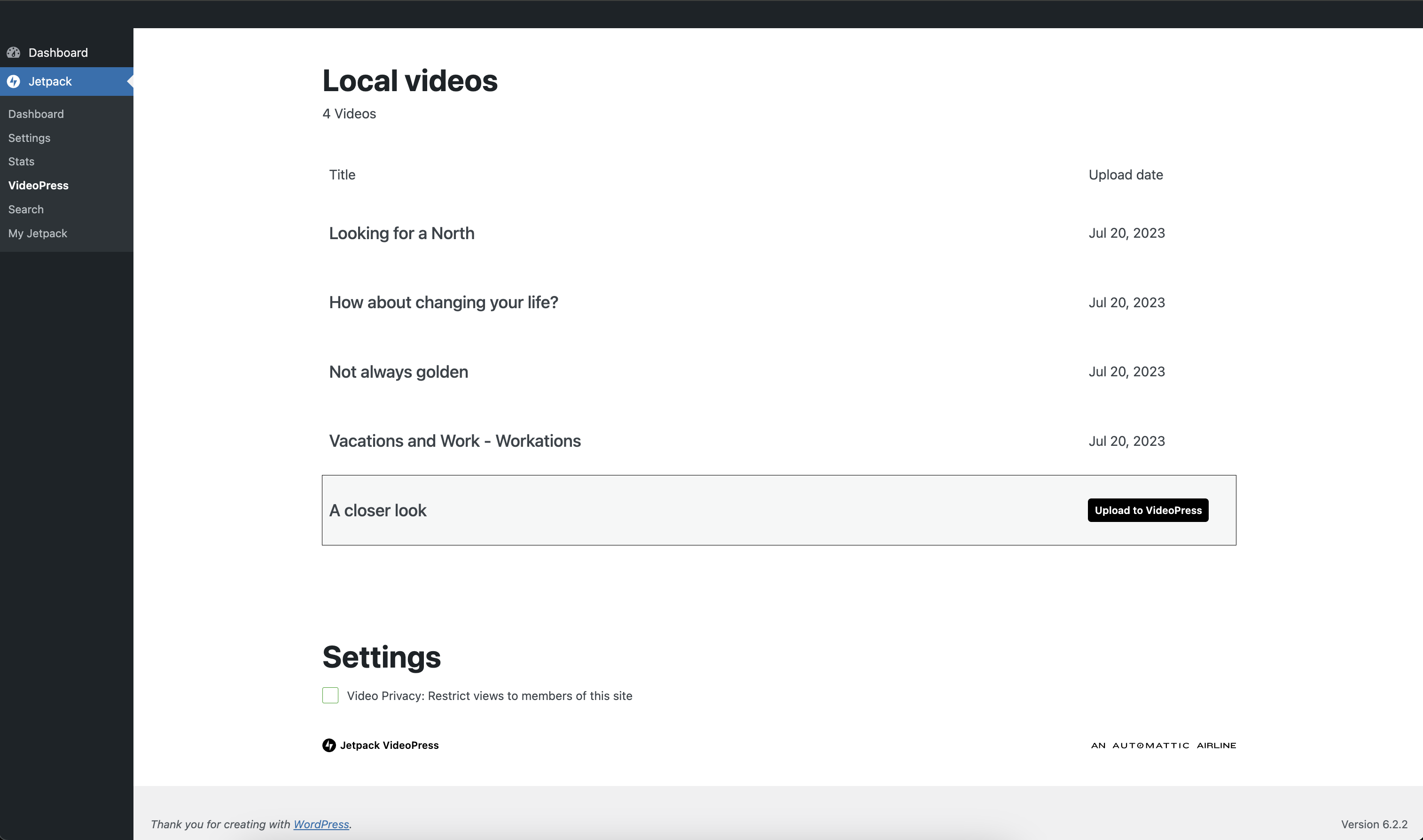
The VideoPress Dashboard is a centralized space to upload and manage your video library. Filter your library by rating or privacy setting, view your library in multiple ways, and upload local videos to your Jetpack cloud library.
WITH 💚 BY JETPACK
Installation
Installation
- To begin, click on the Plugins link in the left hand sidebar, then click Add New.
- Search for VideoPress. The latest version will be in the search results. Click the Install Now button.
- Next, click the Activate button. After activating, you will be prompted to set up VideoPress.
Frequently asked questions
Is Jetpack VideoPress free?
Jetpack VideoPress is free to try. You get free video hosting for WordPress for one video with a file size of up to 1 GB. To get unlimited videos with a total storage of up to 1 TB, upgrade to the paid plan.
Is Jetpack VideoPress included in a Jetpack plan?
Jetpack’s video player for WordPress is included in the Jetpack Complete plan. It is not currently included in any other plan.
Is there a storage limit?
The free plan has a limit of 1 video and 1 GB. The paid plan has a storage limit of 1 TB.
Is there a file size limit?
The file size limit is 5 GB. However, on slower networks, there is a chance the network will time out before being able to upload larger videos to a WordPress site.
Changelog
3.6 – 2026-09-23
Added
- Add a Latest Videos Playlist block that plays the site’s newest VideoPress videos, with the number of videos set in the block settings.
Changed
- My Jetpack: Answer module switch clicks immediately, and explain what happened when a change fails.
- With the inline player setting on, draw the play button like the player’s and show a loading spinner from the click until the player has loaded.
Fixed
- Chapters: Show specific validation messages for chapters entered in video descriptions.
- Connection: Report a broken connection on My Jetpack’s connection card instead of claiming everything looks good, and show a break only the connection owner can repair as a warning, not an error, to everyone else.
- Fix private video playback on sites using WPML.
- Footer: Hide Products and Help links when My Jetpack is unavailable.
- My Jetpack: Point users who cannot connect the site at an administrator, instead of an onboarding screen they cannot complete.
- My Jetpack: Show each notice once instead of twice.
- Pricing: Open information tooltips with the keyboard and dismiss them with Escape.
- Show each number on the views trends chart’s value axis once when counts are small.
- With the inline player setting on, show the poster of private videos, and of videos the server could not look up, before they are played instead of a black box.
Screenshots
For developers
Is this your plugin? Show off the numbers.
Add a live badge to your site, docs or GitHub README. It updates on its own — no account needed.
Best Jetpack VideoPress alternatives
All cdn plugins →





FAQ
Jetpack VideoPress: quick answers
Straight answers, pulled from live WordPress.org data.
Live data from WordPress.org · checked Sep 27, 2026
Is Jetpack VideoPress free?
Yes. Jetpack VideoPress is free to download and use from the official WordPress.org plugin directory.
Is Jetpack VideoPress safe to use in 2026?
Jetpack VideoPress is a solid plugin choice in 2026, with a few things worth checking first. It runs on 7K+ sites, is rated 4/5 and was last updated 4 days ago, and scores 79/100 on our health check.
How many websites use Jetpack VideoPress?
Jetpack VideoPress is active on 7K+ WordPress websites and has been downloaded 196,390 times since it launched in October 2022. It was downloaded 13,461 times in the last 30 days.
Does Jetpack VideoPress work with WordPress 7.1?
Yes. The developer has tested Jetpack VideoPress up to WordPress 7.1.2, the latest release. It requires WordPress 7.0 or newer.
What PHP version does Jetpack VideoPress need?
Jetpack VideoPress requires PHP 7.4 or higher. Most hosts run PHP 8.x today, so it works on any modern WordPress hosting.
When was Jetpack VideoPress last updated?
The latest version, 3.6, was released on September 23, 2026 (4 days ago).
Who makes Jetpack VideoPress?
Jetpack VideoPress is developed and maintained by Automattic.
What are the best alternatives to Jetpack VideoPress?
The most popular alternatives to Jetpack VideoPress are W3 Total Cache (900K+ installs), SpeedyCache (600K+ installs) and Breeze Cache (300K+ installs).
Powered by PageForge
Want thousands of pages that rank like these? Build them in an afternoon.
This directory runs on the same engine as PageForge. Turn any spreadsheet, CSV or API into thousands of fast, SEO-ready WordPress pages — with schema, internal links and AI-written copy baked in.
- CSV, Google Sheets & API data sources
- AI content, schema & internal links per page
- Works with Elementor, Gutenberg, Yoast & Rank Math
- Free on WordPress.org — no credit card


