


Add to Calendar Button
Create beautiful buttons, where people can add events to their calendars. Highly customizable. As shortcode or via a convenient block.

Safe pick
Yes — Add to Calendar Button is a safe, well-maintained plugin to use in 2026. It runs on 3K+ sites, is rated 5/5 and was last updated 2 months ago, and scores 83/100 on our health check.
- Tested with the latest WordPress (7.1)
How does it stack up?
Side-by-side on installs, updates, ratings & support


Daily downloads
Download spikes usually follow a new release — each site that auto-updates counts as a download.
Rankings
Where Add to Calendar Button stands todayWordPress.org search rankings
Live position in the plugin search, top 100| Keyword | Position |
|---|---|
| button | #14 |
| calendar | #9 |
| Event | >100 |
| RSVP | #14 |
| widget | >100 |
Version adoption
Share of active sites per release.
Rating breakdown
★★★★★★★★★★ 5 from 11 reviews
About Add to Calendar Button
From the official readme · v3.1.0Description
Make your events get saved.
This WordPress plugin lets you create beautiful buttons with calendar links, where people can add events to their calendars.
All of this with just a few clicks and highly customizable, using the popular Add to Calendar Button script.
Check out the official website for a comprehensive demo and overview.
🛠️ INTEGRATED IN SECONDS
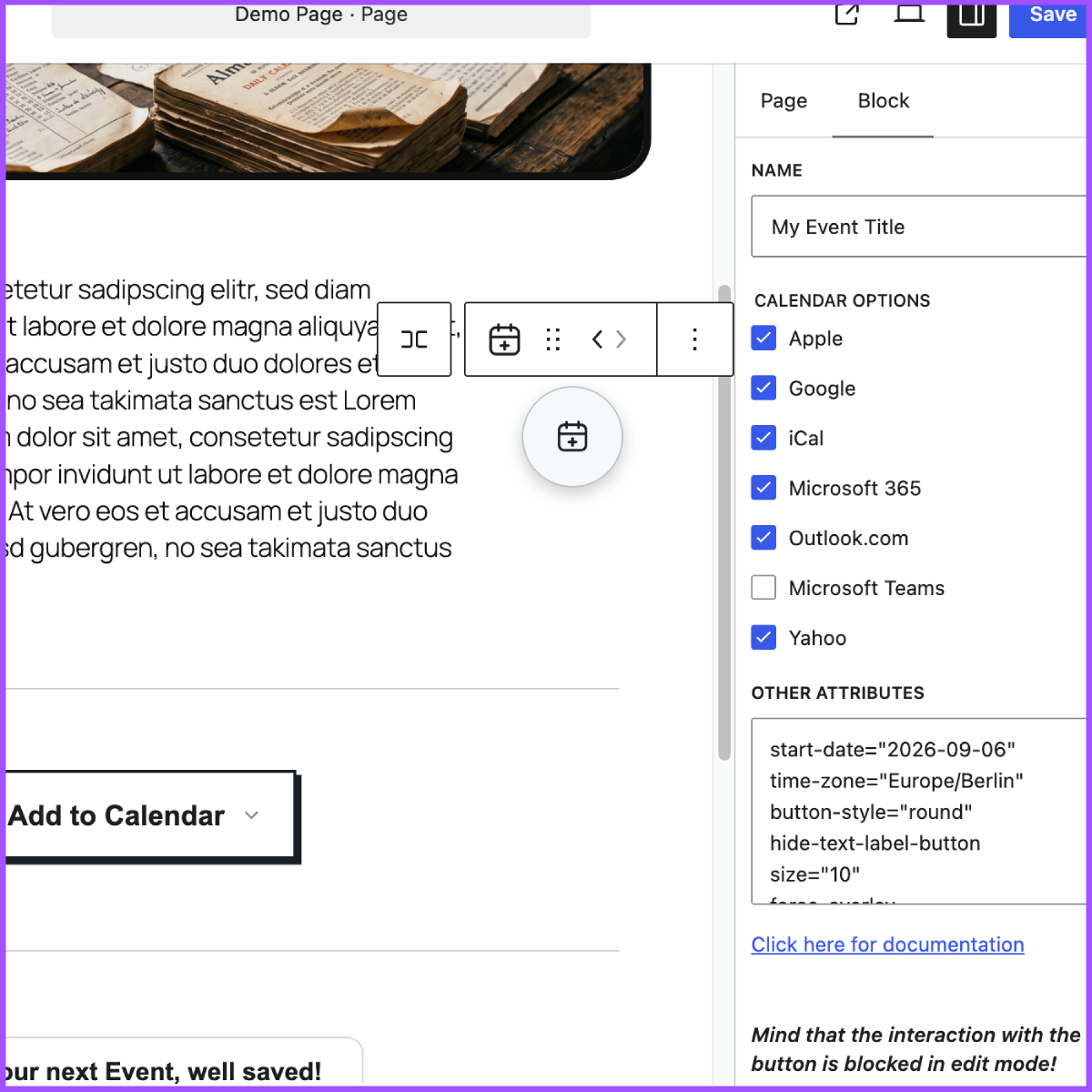
You can either use the shortcode [add-to-calendar-button] or the Gutenberg Block.
With the PRO version, it only takes the ID to make it fly.
In the no-PRO case, you simply place the necessary attributes directly in the shortcode, or at the Gutenberg Block settings.
(Mind that you cannot use ‘[‘ and ‘]’ characters, when going for the shortcode option! For content formatting, you can use {‘{‘}xxx{‘}’} instead of [xxx] there.)
🚀 GO PRO
Go even further with the PRO version…
→ Manage all details and styling via a convenient web app.
→ Use the same button to let people RSVP to your events – fully managed.
→ Get auto-generated landing pages and shareable links for your events.
→ Have better guidance for your users, when they add events to their calendars and things don’t go as expected.
👉 Learn more at add-to-calendar-pro.com.
✨ SUPPORTED CALENDARS
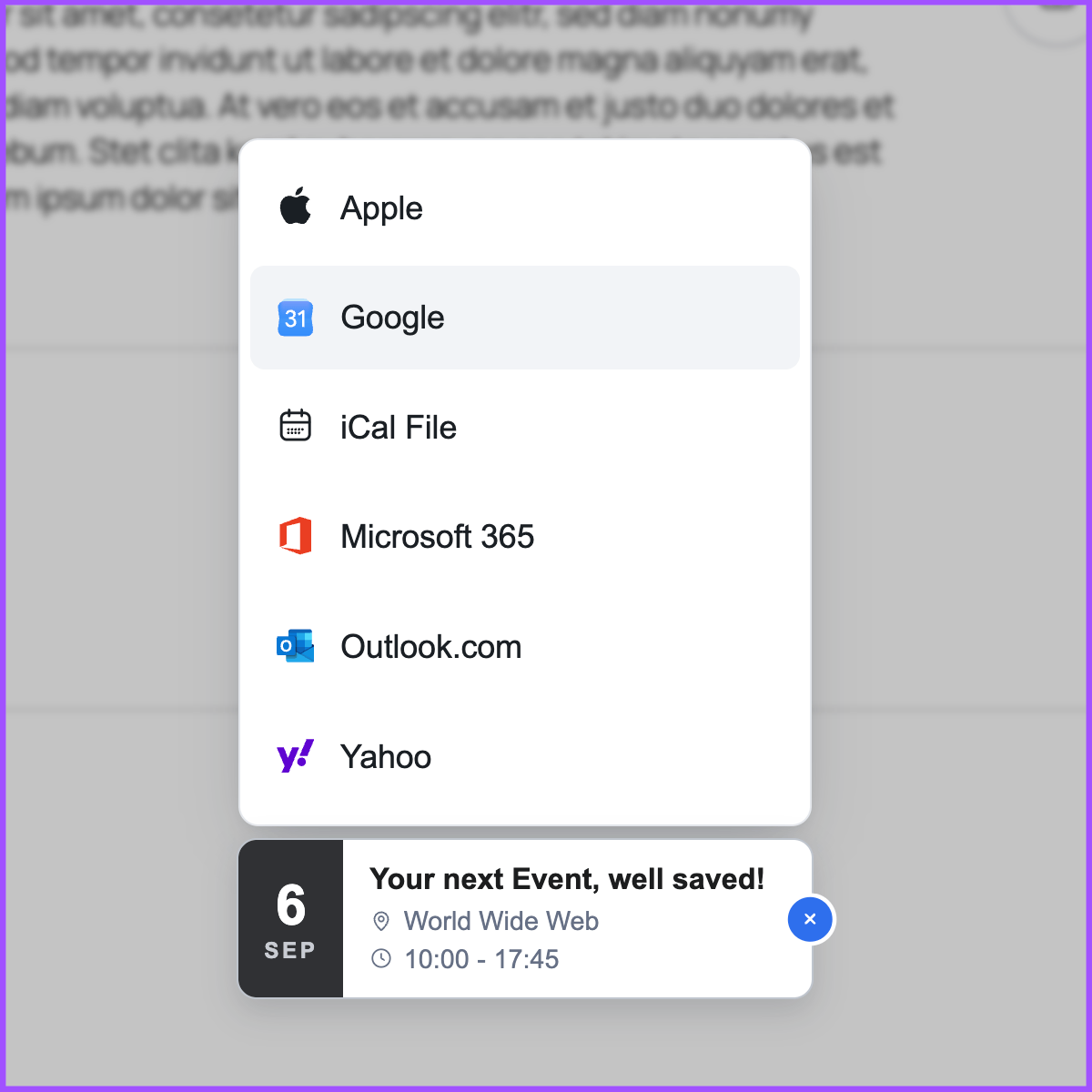
- Google Calendar.
- Yahoo Calender.
- Microsoft 365, Outlook, and Teams.
- Automatically generated iCal/ics files (for all other calendars, like Apple).
📆 SUPPORTED EVENT TYPES
- Timed and all-day events.
- One-time, multi-date, recurring.
- Most robust time zone and daylight saving management.
- Dynamic dates (like “today + 3”).
🎨 ADJUST THE LOOK
The button comes with multiple themes as well as a dark and light mode.
You can easily adjust almost every element by setting the respective simple attributes.
In case you want to go all-in, you can also manipulate all kinds of colors and further styling.
🖖 EXPERT ACCESSIBILITY
- Optimized and adjustable UX (for desktop and mobile).
- Dynamic dropdown positioning.
- Taking care of all those edge cases, where some scenarios do not support specific setups (like WebView blocking downloads); utilizing beautiful user guidance workarounds.
- Auto-generated Schema.org rich (structured) data for better SEO.
- Full support for mouse, touch, or keyboard input (W3C WAI compliant).
- Aside from the WordPress editor, the button itself supports 20+ languages, incl. RTL text for Arabic; but also offers the option to customize all labels and text blocks.
📄 ABOUT THE LICENSE
Mind that the script to actually generate the Add to Calendar Button uses the Elastic License 2.0 (ELv2)!
This usually comes with no restrictions for you, but it forbids you to rework the core script and provide the product (generating an add-to-calendar-button) to others as a managed service.
In almost every case, this will not affect you. If you are not sure, because you are building some kind of SaaS, where you are using the plugin, simply contact us.
Installation
Simply install the plugin via the usual WordPress process – either via the admin panel or by downloading and uploading it.
After the installation, you need to activate the plugin as usual by clicking the respective trigger at your plugins page.
That’s it. You can now use it via the shortcode [add-to-calendar-button] or the Gutenberg Block (simply search for it).
Changelog
new "attendee" option better lazy loading of external css
3.1
- Improved loading strategy for non-default styles and languages
3.0
- Updated the underlying Add to Calendar Button script to version 3.
- English and the default style remain embedded; all other languages and styles now load on demand from versioned files in the local plugin installation.
- Added support for official kebab-case settings, load-all-styles, and the new ics-* options. Supported version 2 aliases remain available.
- Added 19 languages, refreshed styles, and improved accessibility.
- Reduced the plugin build dependency tree and automated runtime asset packaging.
2.10
- Better responsive versions on very small screens for modals and date buttons
2.9
- Hebrew localization added
2.8
- ⚠️ Attention: Date buttons now show the next possible date in multi-date and recurrence cases.
- Full recurrence UNTIL support.
- Mitigating edge cases where ics files with unsupported time zones loaded into Google calendar.
- Now always blocking background scroll on open modals.
- Replacing ical with apple on iOS and the other way around on Android, unless explicitly overridden via optionsMobile and optionsIOS.
- Minor change to date button style for better accessibility.
2.7
- Hungarian localization added
- No more X-cursor to close lists and modals
- For oneOption cases, no longer show the calendar icon on the main button
- Subtle style updates
- Force specific option on iOS (via optionsIOS) and Android (via optionsMobile)
Screenshots
For developers
Is this your plugin? Show off the numbers.
Add a live badge to your site, docs or GitHub README. It updates on its own — no account needed.
Best Add to Calendar Button alternatives
All button plugins →




FAQ
Add to Calendar Button: quick answers
Straight answers, pulled from live WordPress.org data.
Live data from WordPress.org · checked Nov 16, 2026
Is Add to Calendar Button free?
Yes. Add to Calendar Button is free to download and use from the official WordPress.org plugin directory.
Is Add to Calendar Button safe to use in 2026?
Yes — Add to Calendar Button is a safe, well-maintained plugin to use in 2026. It runs on 3K+ sites, is rated 5/5 and was last updated 2 months ago, and scores 83/100 on our health check.
How many websites use Add to Calendar Button?
Add to Calendar Button is active on 3K+ WordPress websites and has been downloaded 117,040 times since it launched in January 2023. It was downloaded 1,629 times in the last 30 days.
Does Add to Calendar Button work with WordPress 7.1?
Yes. The developer has tested Add to Calendar Button up to WordPress 7.1.4, the latest release. It requires WordPress 6.3 or newer.
What PHP version does Add to Calendar Button need?
Add to Calendar Button requires PHP 7.4 or higher. Most hosts run PHP 8.x today, so it works on any modern WordPress hosting.
When was Add to Calendar Button last updated?
The latest version, 3.1.0, was released on September 30, 2026 (2 months ago).
Who makes Add to Calendar Button?
Add to Calendar Button is developed and maintained by Add to Calendar.
What are the best alternatives to Add to Calendar Button?
The most popular alternatives to Add to Calendar Button are AddQuicktag (100K+ installs), WP Edit (40K+ installs) and Forget About Shortcode Butt… (20K+ installs).
Powered by PageForge
Want thousands of pages that rank like these? Build them in an afternoon.
This directory runs on the same engine as PageForge. Turn any spreadsheet, CSV or API into thousands of fast, SEO-ready WordPress pages — with schema, internal links and AI-written copy baked in.
- CSV, Google Sheets & API data sources
- AI content, schema & internal links per page
- Works with Elementor, Gutenberg, Yoast & Rank Math
- Free on WordPress.org — no credit card


