


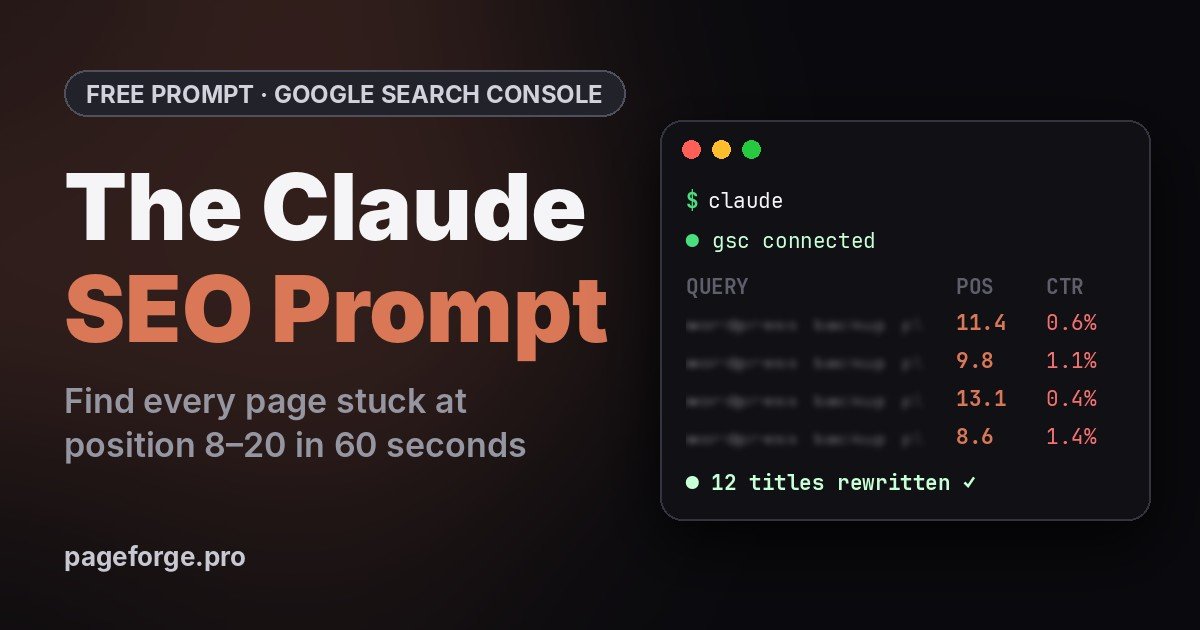

This is the exact Claude SEO prompt from my Instagram reel. It plugs Claude into Google Search Console, finds every query stuck at position 8–20, and rewrites the titles keeping those pages off page 1.
Copy it below. If Claude isn’t connected to your Search Console yet, the 10-minute setup is right after it.
Use my Google Search Console data for <yourdomain.com>, last 28 days, dimensions query + page.

1. Find every query with average position between 8 and 20 and at least 100 impressions.
2. Group them by page: total impressions, current CTR, top 5 queries per page.
3. Estimate extra clicks per month if each page moved to position 3–5. State the CTR curve you assume.
4. For the top 10 pages, write a new title tag (max 60 characters) and meta description (max 155 characters) that use the main query, match search intent and promise one concrete benefit.
5. Flag pages where the title is not the problem (thin content, wrong intent, cannibalisation) instead of rewriting them.
6. Output one table sorted by estimated clicks gained: page, main query, position, impressions, CTR, est. clicks gained, new title, new meta.
Why position 8–20 is where the easy traffic is
Queries ranking 8–20 sit at the bottom of page 1 or the top of page 2. Google already thinks the page is relevant. It just isn’t winning the click.
My own dashboard showed 187,000 impressions in 28 days, a 1.2% click-through rate and an average position of 13.3. Plenty of visibility, almost no clicks.
These pages rarely need new content. A title that matches the query, a meta description that promises something concrete and a few internal links are often enough to move them. The prompt finds them and ranks them by how many clicks you stand to gain, so you fix the biggest wins first.
What you need
| Tool | What it does here | Cost |
|---|---|---|
| Claude Code | Runs the prompt and talks to Search Console | Paid Claude plan or Anthropic Console account |
| Google Search Console | Your query and page data | Free |
| Google Cloud project | Lets Claude read Search Console through its API | Free |
| Node.js 18 or later | Runs the Search Console connector | Free |
Setup: connect Claude to Search Console in 10 minutes
1. Install Claude Code
On macOS, Linux or WSL:
curl -fsSL https://claude.ai/install.sh | bashOn Windows PowerShell:
irm https://claude.ai/install.ps1 | iexOpen a new terminal and run claude --version. If it prints a version number, you’re set. Full options are in the Claude Code docs.
2. Turn on the Search Console API
In the Google Cloud Console, create a project (or pick one). Go to APIs & Services → Library, search for Google Search Console API and click Enable.
3. Create a service account and download its key
Go to APIs & Services → Credentials → Create credentials → Service account. Open the new account, then Keys → Add key → JSON. A file downloads. Treat it like a password and keep it out of any public folder or Git repo.
4. Give the service account read access in Search Console
In Search Console, open your property, then Settings → Users and permissions → Add user. Paste the service account email (it ends in iam.gserviceaccount.com) and choose Restricted. That’s read-only, and you can remove it any time.
5. Add the Search Console connector to Claude Code
Swap in the real path to your JSON key and run:
claude mcp add --env GOOGLE_APPLICATION_CREDENTIALS=/path/to/your-key.json --transport stdio --scope user gsc \
  -- npx -y mcp-server-gsc
This uses mcp-server-gsc, an open-source MCP server. It’s a community project, not made by Google or Anthropic, so read its README before giving it your key. --scope user makes it available in every folder you open Claude in.
6. Check it’s connected
Run claude, then type /mcp. You should see gsc listed as connected.
Run the Claude SEO prompt
Paste the prompt and replace <yourdomain.com> with your property exactly as Search Console names it: sc-domain:example.com for a domain property, or https://example.com/ for a URL-prefix property. Claude pulls the data and returns one table.
Example output (sample data):
| Page | Main query | Pos. | Impr. | CTR | Est. clicks/mo | New title |
|---|---|---|---|---|---|---|
| /backup-plugin/ | wordpress backup plugin free | 11.4 | 18.2K | 0.6% | +410 | Free WordPress Backup Plugin (2026): 1-Click Restore |
| /seo-plugin-guide/ | best seo plugin for wordpress | 9.8 | 14.7K | 1.1% | +320 | Best SEO Plugin for WordPress: 7 Tested, 1 Clear Winner |
| /programmatic-seo/ | programmatic seo wordpress | 8.6 | 8.3K | 1.4% | +250 | Programmatic SEO on WordPress: 500 Pages From 1 Template |
What to do with the table
- Update the top 5 titles and meta descriptions in Yoast, Rank Math or your theme, starting with the biggest estimated-clicks number.
- Add 2–3 internal links to each of those pages from related posts, using the main query as the anchor text.
- Request indexing for each updated URL with Search Console’s URL Inspection tool.
- Wait 2–4 weeks, then run the prompt again and compare positions.
- Rewrite, don’t retitle, any page Claude flags as “title isn’t the problem”. Those need better content or a different search intent.
3 more prompts to run on the same connection
Find pages competing for the same query
Using my Search Console data for <yourdomain.com>, last 90 days, find queries where two or more of my pages get impressions. For each, show the pages, their positions and clicks, and recommend which page should own the query and what to do with the others (merge, redirect or re-target).Fix page-1 results nobody clicks
Using my Search Console data for <yourdomain.com>, last 28 days, list pages with average position 1–5 but CTR below 3%. For each, write a new title and meta description and explain in one line why the current one loses the click.Catch pages that are slowly dying
Compare my Search Console data for <yourdomain.com> for the last 28 days against the previous 28 days. List the 15 pages that lost the most clicks, the queries that dropped for each, and the most likely reason.From fixing pages to building them: PageForge
The prompt fixes the pages you already have. The next lever is the pages you don’t have yet: one for every city, service, product or comparison people search for.
PageForge is a free WordPress plugin for exactly that. Design one template, connect a CSV, and it generates pages with their own titles, URLs, meta descriptions and schema.
- One template + a CSV becomes pages, posts or custom post types, up to 100 per run on the free plan
- Dynamic titles, URLs, headings, meta descriptions and schema
- Works with Gutenberg, Elementor, Divi and Avada, plus Yoast, Rank Math, SEOPress and All in One SEO
- Hub pages and internal links through its Sitemap block
- Optional AI with your own OpenAI, Claude, Gemini or DeepSeek key
- MCP support, so Claude can read, validate and preview your generated pages; live edits through MCP come with Pro
Want a quick baseline before you run the prompt? Try the free SEO analyzer and the AI search readiness checker.
FAQ
Is the Claude SEO prompt free?
Yes. The prompt and the Search Console API are free. Claude Code needs a paid Claude plan or an Anthropic Console account.
Will Claude change anything on my site?
No. With this setup Claude only reads your Search Console data. The new titles appear in its reply, and you decide what to publish.
Is it safe to connect my Search Console?
The service account only gets Restricted (read-only) access to the properties you add it to, and you can remove it any time under Users and permissions. Keep the JSON key private, since anyone holding it can read that data.
Does it work with other AI tools?
The prompt works in any AI client that can reach your Search Console data through MCP. The setup steps on this page are for Claude Code.
How often should I run it?
Every 4 weeks. Give changed pages 2–4 weeks before judging the result.
Came from Instagram? I post a new Claude SEO workflow every week at @s.k.sinha_2000. Comment on the next reel and the prompt lands in your DMs.