



WAC Flow – Automation Connect
Connect Elementor form submissions to Telegram with configurable, background automation scenarios.

Use with caution
WAC Flow – Automation Connect works, but test it on a staging site before relying on it in 2026. Was last updated 1 month ago, and scores 60/100 on our health check.
- Tested with the latest WordPress (7.1)
- Small user base (<10 active installs)
- Very few reviews so far
How does it stack up?
Side-by-side on installs, updates, ratings & support



Daily downloads
Download spikes usually follow a new release — each site that auto-updates counts as a download.
Rankings
Where WAC Flow stands todayWordPress.org search rankings
Live position in the plugin search, top 100| Keyword | Position |
|---|---|
| automation | >100 |
| forms | >100 |
| integrations | >100 |
| Notifications | >100 |
About WAC Flow – Automation Connect
From the official readme · v1.0.1Description
WAC Flow – Automation Connect lets site administrators create automation scenarios inside WordPress. The Free edition includes an Elementor Forms trigger and a Telegram action and connection.
With the Free edition you can:
- Start a scenario when an Elementor form is submitted.
- Build a Telegram message from submitted form values.
- Store Telegram credentials in a reusable connection.
- Run live actions through a background queue.
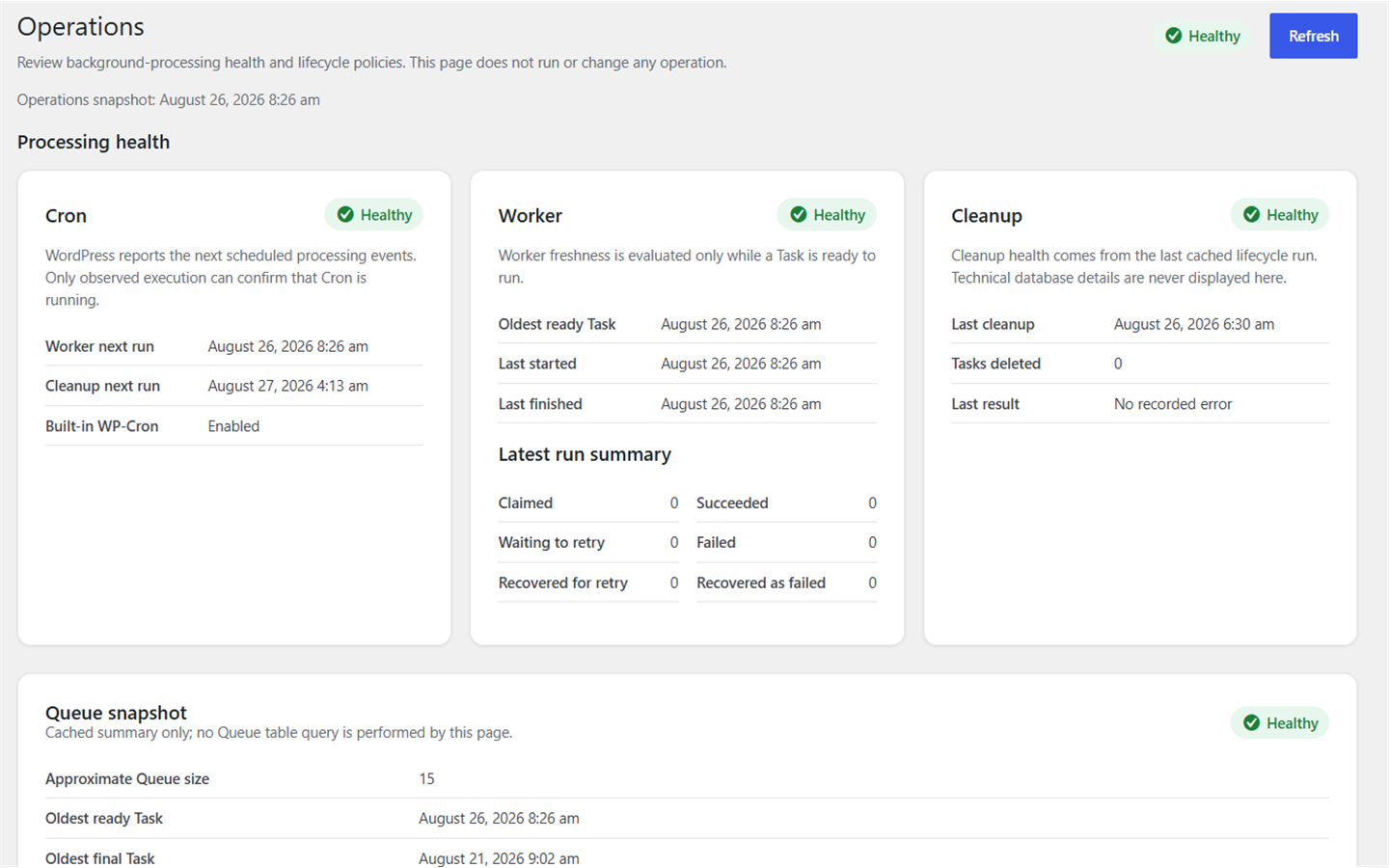
- Review execution logs, queue status, and operational health in WordPress admin.
- Test connections and scenarios before using them with live submissions.
Live scenarios are processed by WP-Cron. Sites with low traffic, disabled loopback requests, or strict hosting environments may need a real server cron job that calls WordPress cron reliably.
Automation Connect Pro is a separate commercial edition for licensed customers and includes Gravity Forms trigger support. The Free edition works independently and does not require Pro.
External services
This plugin connects to the Telegram Bot API to deliver messages configured by the site administrator.
When a Telegram connection is tested or an enabled scenario runs, the plugin sends the bot token in the Telegram API request URL and sends the destination chat ID, rendered message text, and optional parse mode to https://api.telegram.org. A rendered message may contain Elementor form values selected by the administrator. Telegram receives and processes this information under its own terms and privacy policy.
Telegram Bot API documentation: https://core.telegram.org/bots/api
Telegram Terms of Service: https://telegram.org/tos
Telegram Privacy Policy: https://telegram.org/privacy
On WordPress environments explicitly marked local, the development source supports an optional, developer-configured gateway. The gateway is not a public service supplied by this plugin, is not intended for production use, and requires server-side constants that are not included in the plugin package. When configured, it receives the Telegram bot token, destination chat ID, rendered message text, optional parse mode, and a gateway authentication key before forwarding the request to Telegram. Developers are responsible for the gateway, its security, and its privacy terms. Production environments connect directly to the Telegram Bot API.
Privacy and data
The plugin stores scenario configuration, connection configuration, execution logs, and background queue records in the site’s WordPress database. For scenario executions, the execution log stores the submitted trigger data, the rendered message as plain text, error details, and a safe diagnostic projection of the action result. Telegram diagnostics are limited to delivery status, HTTP and retry metadata, provider error code, message ID, and delivery time; raw provider responses and chat or sender metadata are not stored for new executions or displayed for historical executions. A Telegram connection test returns its result to the administrator but does not create an execution log through the scenario runtime. Telegram bot tokens are stored as encrypted credentials and are decrypted only when needed on the server.
Live form event data is temporarily stored in the background queue so the action can run. The queue payload is erased when a task reaches a final succeeded or failed state. Final succeeded task records are retained for 15 days and final failed task records for 45 days. Pending, running, and retry tasks are not removed by that retention cleanup.
The site owner decides which submitted values are included in a Telegram message and is responsible for providing any notices, consent, retention policy, or other privacy measures required for the site and its users.
Installation
- Install WAC Flow – Automation Connect through the WordPress Plugins screen, or upload the plugin files to the plugins directory.
- Activate WAC Flow – Automation Connect.
- Open Automation > Connections and create a Telegram connection with a bot token and destination chat ID.
- Test the connection.
- Open Automation > Create Scenario, select an Elementor Forms trigger and the Telegram action, then configure the form and message.
- Test the scenario and enable it when it is ready for live submissions.
- Use Automation > Operations if live actions remain queued or WP-Cron needs attention.
Elementor must be installed and active to use the Elementor Forms trigger. A Telegram bot and a destination chat that the bot can access are required to send messages.
Frequently asked questions
Which integrations are included in the Free edition?
The Free edition includes the Elementor Forms trigger and the Telegram action and connection. Gravity Forms trigger support is part of the separately licensed Pro edition.
Does the Free edition require Pro or a license key?
No. The Free edition is independent and does not require the Pro edition or a commercial license.
What do I need to connect Telegram?
You need a Telegram bot token and the numeric chat ID or supported destination identifier for a chat that the bot can access. Keep the token private.
What information is sent to Telegram?
The plugin sends the destination chat ID, the rendered message, and an optional parse mode. The bot token is part of the Telegram API request URL. If the message template uses submitted form values, those selected values become part of the rendered message sent to Telegram.
Why does a live action remain in the queue?
Live actions depend on WP-Cron. Check Automation > Operations. On low-traffic sites or hosts where WordPress loopback requests are unreliable, configure a real server cron job to call WordPress cron regularly.
Is the Local Telegram Gateway a hosted service?
No. It is an optional development path for environments explicitly marked local. It is not provided as a public service, is not intended for production, and must be configured and secured by the developer who owns it.
How long are queue records retained?
Succeeded task records are retained for 15 days and failed task records for 45 days. Their event payload is erased as soon as the task reaches either final state. Pending, running, and retry tasks are not deleted by the final-task retention cleanup.
Does deactivating or deleting the plugin remove stored data?
No automatic data-removal workflow is currently provided. Before deleting the plugin, site owners should apply their own backup and data-retention policy.
Changelog
Updated the public plugin name; runtime behavior and stored data are unchanged.
1.0.1
- Updated the public plugin name for a distinctive WordPress.org identity.
1.0.0
- Initial Free release.
- Added Elementor Forms trigger support.
- Added Telegram connections, connection testing, and message actions.
- Added background processing for live scenarios.
- Added execution logs, queue visibility, and operational health status.
Screenshots
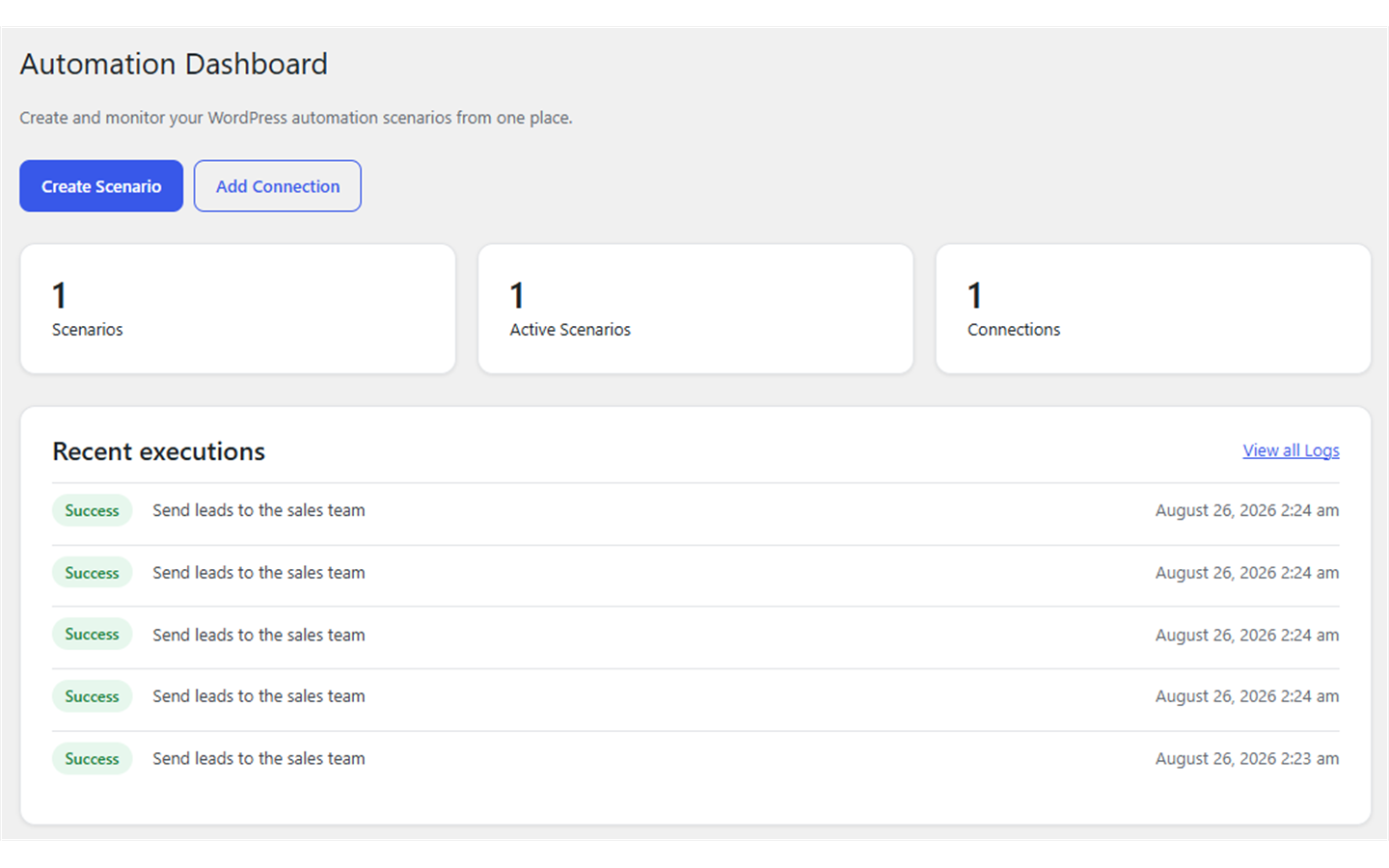
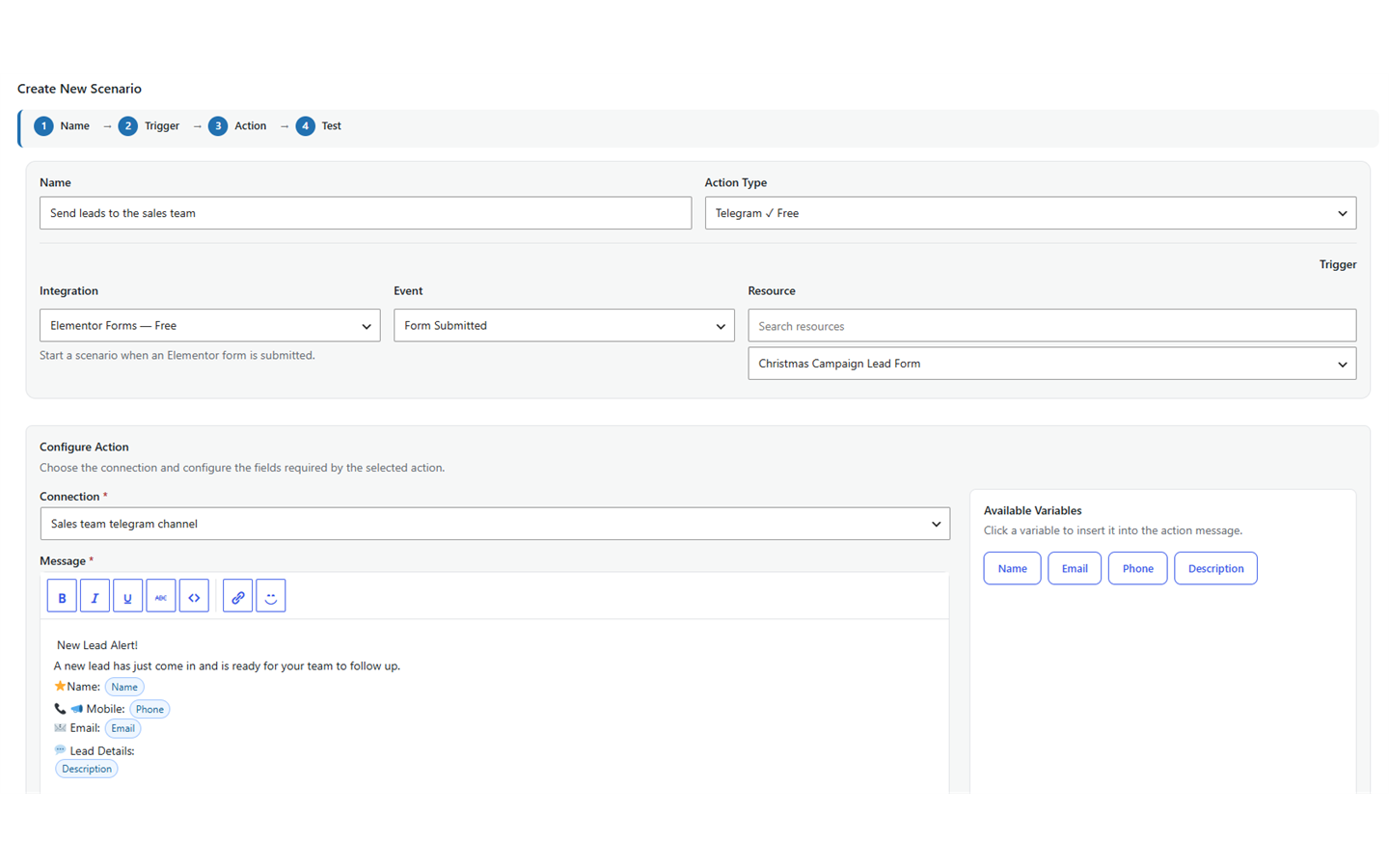
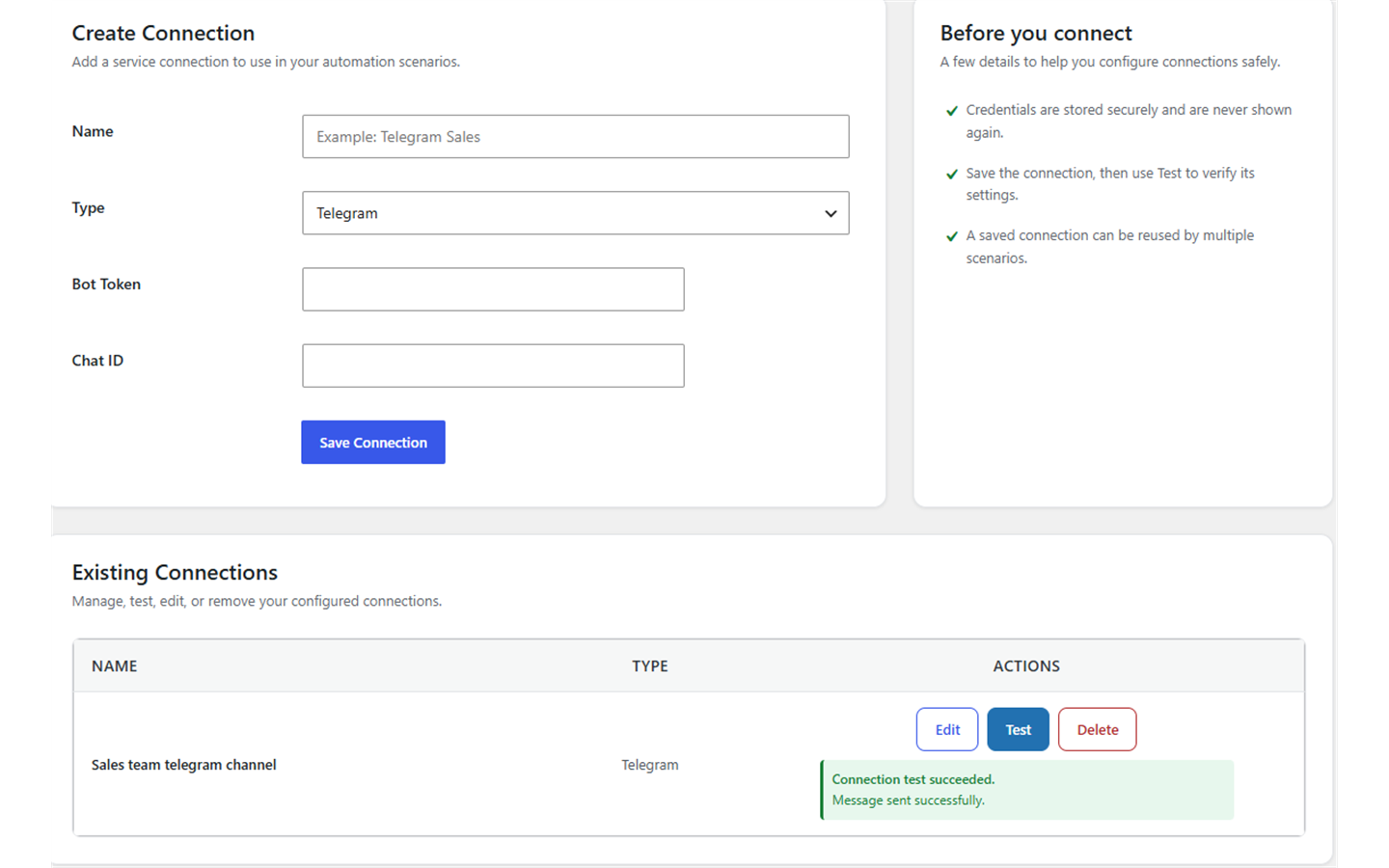
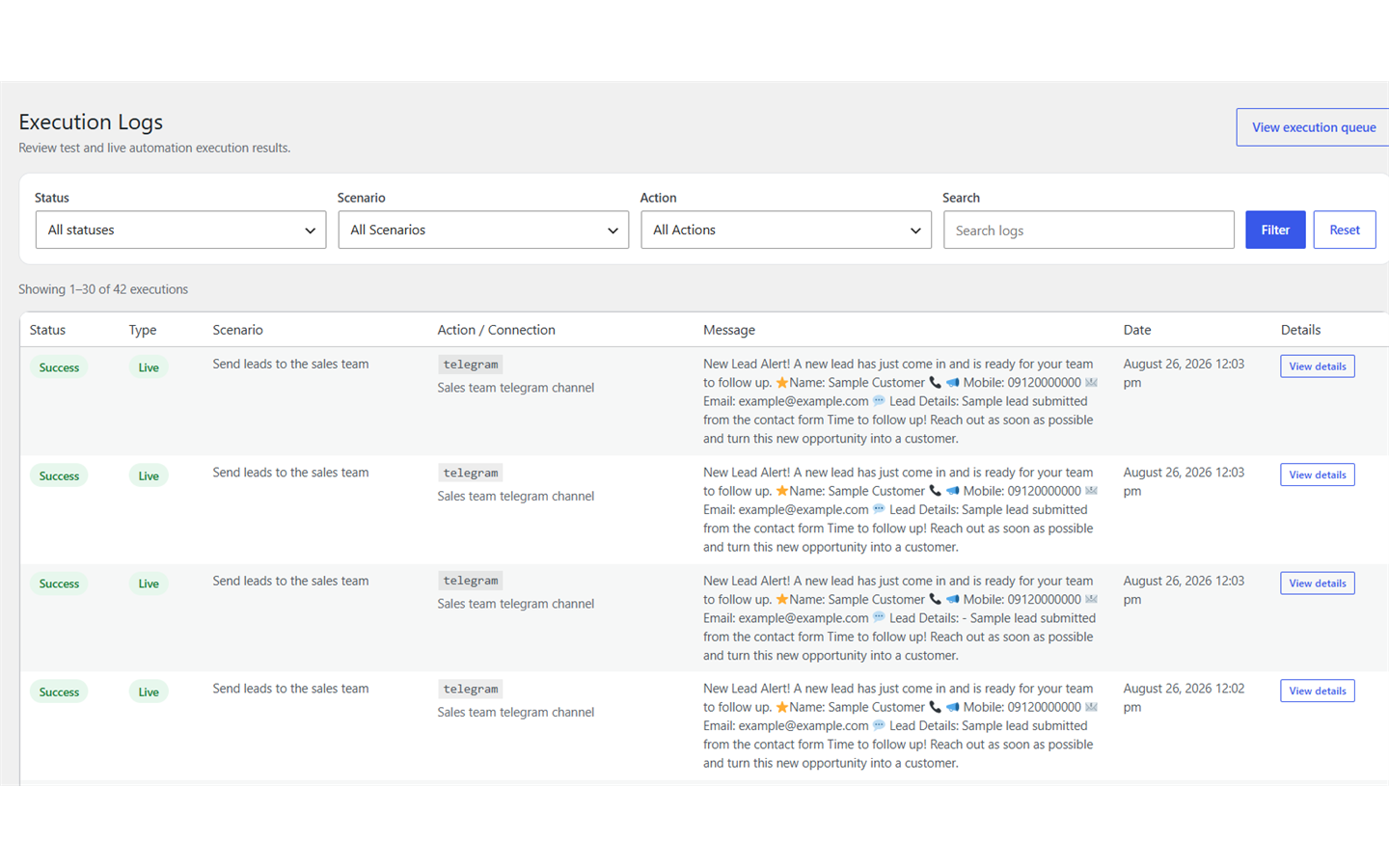
For developers
Is this your plugin? Show off the numbers.
Add a live badge to your site, docs or GitHub README. It updates on its own — no account needed.
Best WAC Flow – Automation Connect alternatives
All automation plugins →





FAQ
WAC Flow – Automation Connect: quick answers
Straight answers, pulled from live WordPress.org data.
Live data from WordPress.org · checked Oct 6, 2026
Is WAC Flow – Automation Connect free?
Yes. WAC Flow – Automation Connect is free to download and use from the official WordPress.org plugin directory.
Is WAC Flow – Automation Connect safe to use in 2026?
WAC Flow – Automation Connect works, but test it on a staging site before relying on it in 2026. Was last updated 1 month ago, and scores 60/100 on our health check.
How many websites use WAC Flow – Automation Connect?
WAC Flow – Automation Connect is active on <10 WordPress websites and has been downloaded 143 times since it launched in September 2026. It was downloaded 92 times in the last 30 days.
Does WAC Flow – Automation Connect work with WordPress 7.1?
Yes. The developer has tested WAC Flow – Automation Connect up to WordPress 7.1.3, the latest release. It requires WordPress 6.5 or newer.
What PHP version does WAC Flow – Automation Connect need?
WAC Flow – Automation Connect requires PHP 7.4 or higher. Most hosts run PHP 8.x today, so it works on any modern WordPress hosting.
When was WAC Flow – Automation Connect last updated?
The latest version, 1.0.1, was released on September 4, 2026 (1 month ago).
Who makes WAC Flow – Automation Connect?
WAC Flow – Automation Connect is developed and maintained by mohsenshah.
What are the best alternatives to WAC Flow – Automation Connect?
The most popular alternatives to WAC Flow – Automation Connect are OttoKit: All-in-One Automat… (90K+ installs), Zapier for WordPress (50K+ installs) and Uncanny Automator (40K+ installs).
Powered by PageForge
Want thousands of pages that rank like these? Build them in an afternoon.
This directory runs on the same engine as PageForge. Turn any spreadsheet, CSV or API into thousands of fast, SEO-ready WordPress pages — with schema, internal links and AI-written copy baked in.
- CSV, Google Sheets & API data sources
- AI content, schema & internal links per page
- Works with Elementor, Gutenberg, Yoast & Rank Math
- Free on WordPress.org — no credit card


