


W3NetLab Debug Log Console
Run time-limited debug sessions, keep errors hidden from visitors, and inspect complete log entries safely.

Use with caution
W3NetLab Debug Log Console works, but test it on a staging site before relying on it in 2026. Was last updated 2 months ago, and scores 55/100 on our health check.
- Small user base (<10 active installs)
- Very few reviews so far
How does it stack up?
Side-by-side on installs, updates, ratings & support


Daily downloads
Download spikes usually follow a new release — each site that auto-updates counts as a download.
Rankings
Where W3NetLab Debug Log Console stands todayWordPress.org search rankings
Live position in the plugin search, top 100| Keyword | Position |
|---|---|
| debug | >100 |
| developer-tools | >100 |
| error log | >100 |
| logging | >100 |
| troubleshooting | >100 |
About W3NetLab Debug Log Console
From the official readme · v1.0.0Description
W3NetLab Debug Log Console helps administrators troubleshoot WordPress without exposing PHP errors on the public website.
It goes beyond a basic log viewer by combining controlled debug activation, automatic shutoff, runtime verification, protected storage, and memory-safe inspection in one dashboard tool.
Standout features
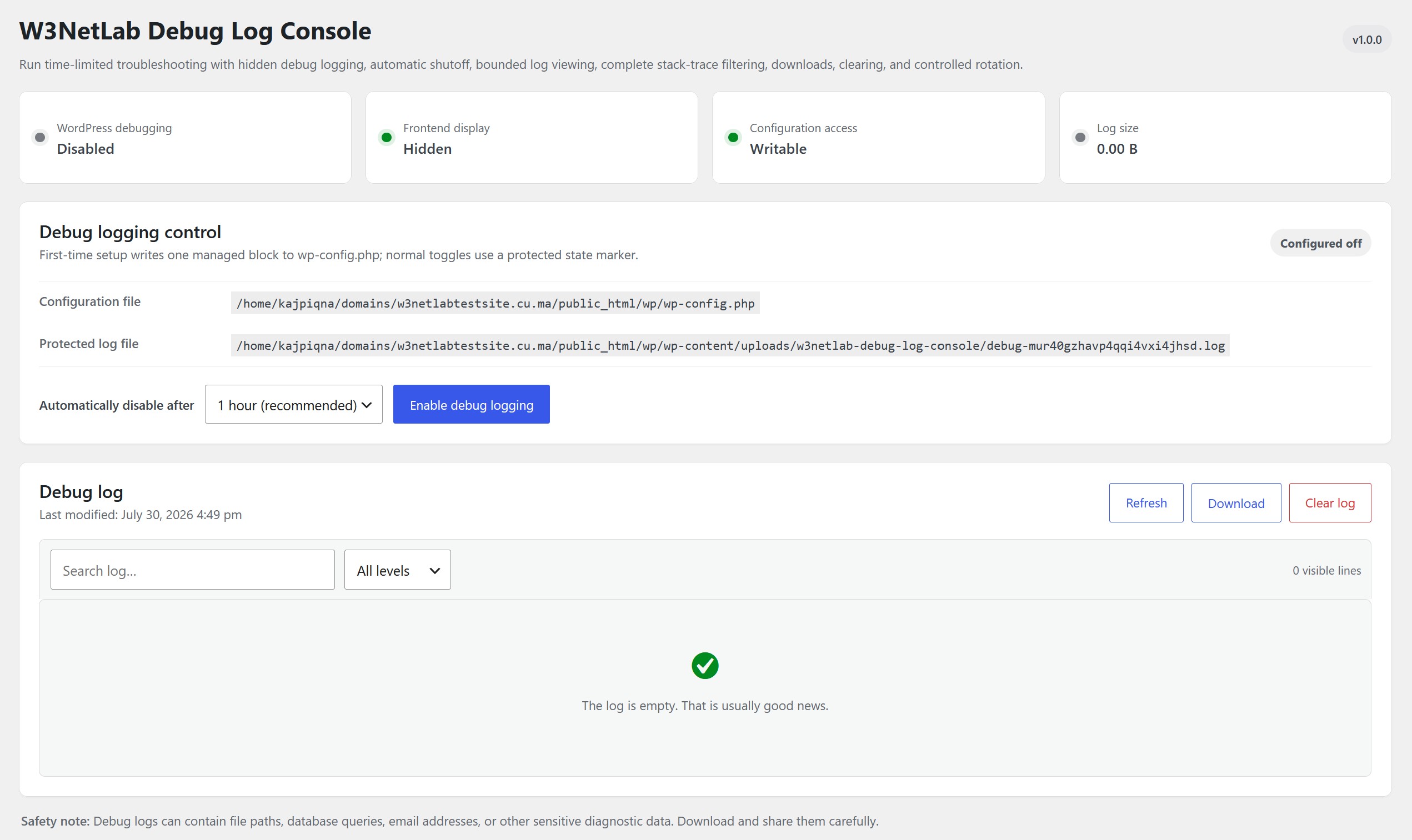
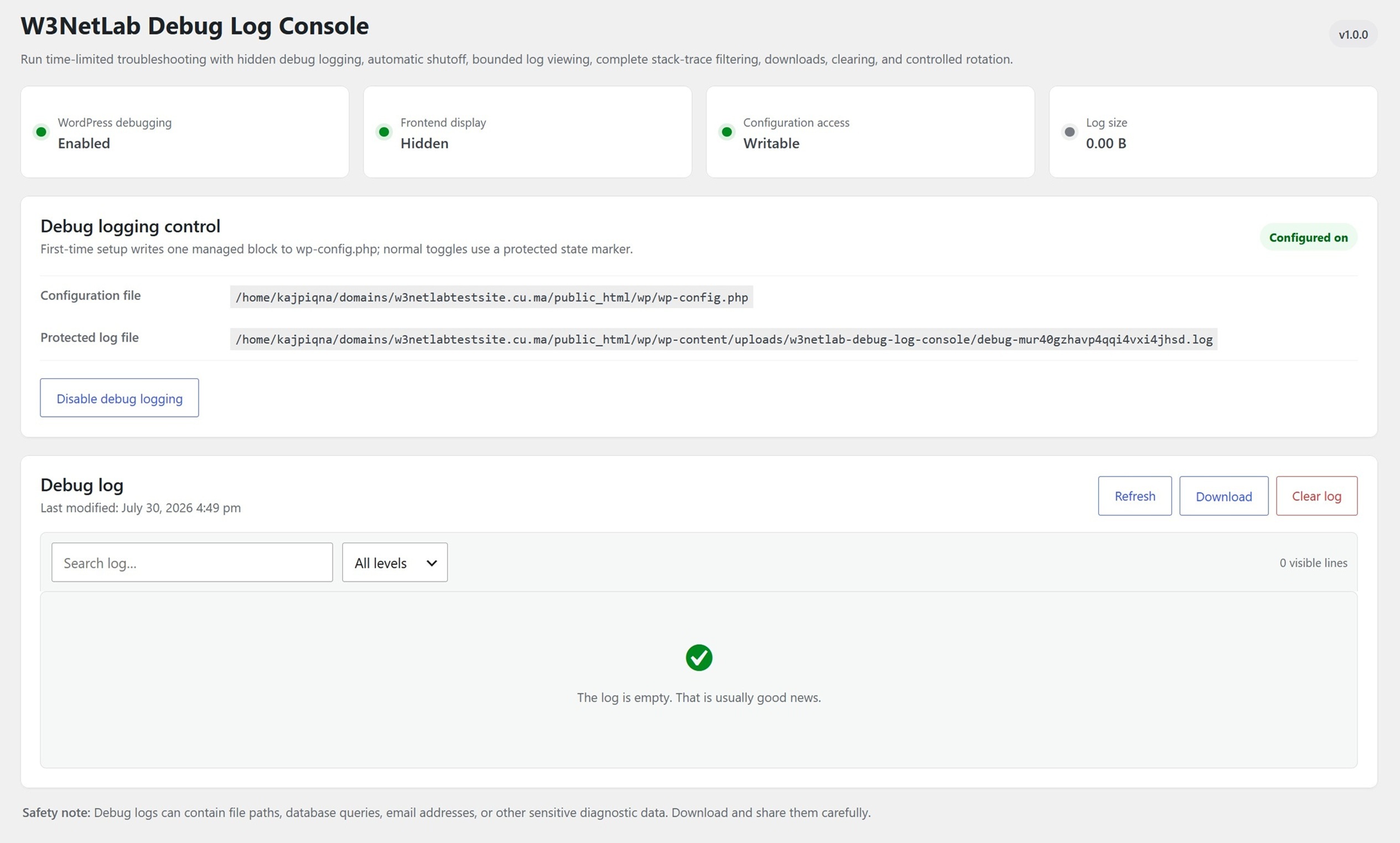
- Enable or disable debug logging from Tools > Debug Log Console.
- Keep frontend error display disabled while logging is active.
- Automatically stop logging after 10 minutes, 30 minutes, 1 hour, 6 hours, or 24 hours.
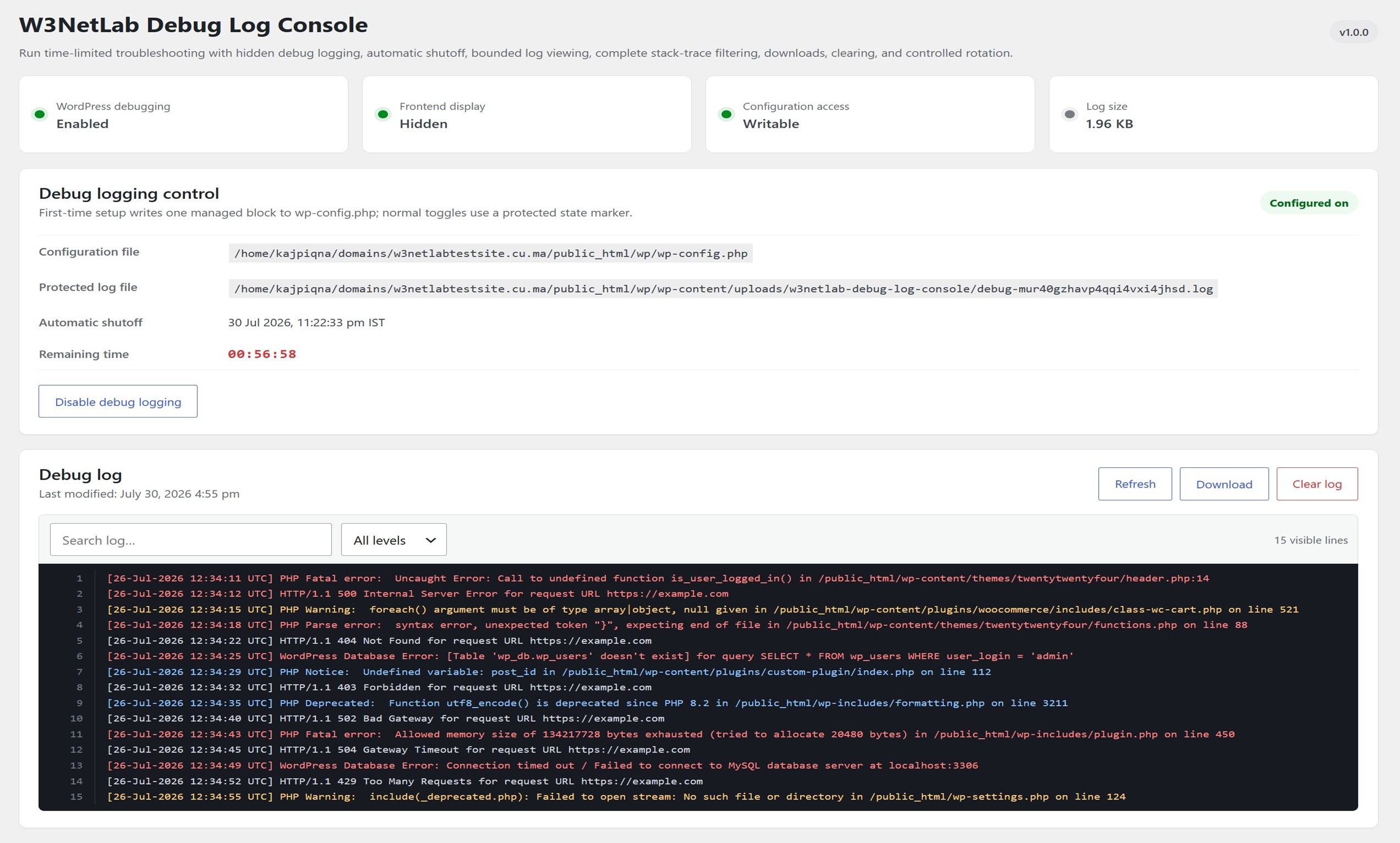
- See the local shutoff time and a live
hh:mm:sscountdown. - Search and filter complete multi-line entries without losing stack traces.
- Read only the newest 512 KB and display up to 1,500 lines to avoid large-log memory exhaustion.
- Download, clear, or rotate the active log through protected administrator actions.
- Verify that the loaded debug constants match the requested state and fail safely when they do not.
- Detect existing debug definitions and resolve only supported cases after explicit administrator approval.
- Store logs locally with no telemetry, tracking, remote assets, or external log service.
Protected log storage
Logs are stored in a w3netlab-debug-log-console folder under the runtime uploads directory resolved by WordPress. The active log uses a randomized filename.
The plugin creates Apache/OpenLiteSpeed and IIS access-control files plus an index file. It validates paths, rejects symbolic links, and never creates temporary PHP files beside wp-config.php.
Configuration safety
Automatic setup is available only when WordPress has safe direct access to a regular, writable wp-config.php file. Updates are limited to recognized debug definitions and the plugin-owned block, then read back and verified. If verification fails, the plugin attempts to restore the original content.
Normal enable, disable, and automatic-shutoff operations use a protected marker. If the requested configuration does not take effect, the marker is removed and logging is not reported as enabled.
Installation
- Install and activate W3NetLab Debug Log Console.
- Open Tools > Debug Log Console.
- Choose a shutoff duration and click Enable debug logging.
On multisite, use Network Admin > Settings > Debug Log Console.
Frequently asked questions
Are errors displayed to website visitors?
No. The managed configuration keeps WP_DEBUG_DISPLAY disabled.
How are large logs handled?
The viewer reads only the final 512 KB and displays no more than 1,500 lines. Downloads are streamed in small chunks. Logs larger than 10 MB can be moved into one protected previous-log archive.
Why might the enable button be unavailable?
Safe direct configuration access or protected uploads storage may be unavailable, or unsupported debug definitions may already control WordPress. The plugin remains disabled and shows the detected condition. For host-managed configuration, contact the hosting provider.
What happens when the plugin is deactivated?
The enable marker is removed first. The plugin then removes its managed configuration block and restores any supported definitions it previously preserved. Existing log data remains available if the plugin is activated again.
What happens when the plugin is deleted?
Uninstall removes plugin options, protected log storage, the standard managed configuration block, and any supported definitions the plugin previously preserved.
Does the plugin send data anywhere?
No. Logs and settings stay on the WordPress installation.
Screenshots
For developers
Is this your plugin? Show off the numbers.
Add a live badge to your site, docs or GitHub README. It updates on its own — no account needed.
Best W3NetLab Debug Log Console alternatives
All debug plugins →




FAQ
W3NetLab Debug Log Console: quick answers
Straight answers, pulled from live WordPress.org data.
Live data from WordPress.org · checked Sep 28, 2026
Is W3NetLab Debug Log Console free?
Yes. W3NetLab Debug Log Console is free to download and use from the official WordPress.org plugin directory.
Is W3NetLab Debug Log Console safe to use in 2026?
W3NetLab Debug Log Console works, but test it on a staging site before relying on it in 2026. Was last updated 2 months ago, and scores 55/100 on our health check.
How many websites use W3NetLab Debug Log Console?
W3NetLab Debug Log Console is active on <10 WordPress websites and has been downloaded 138 times since it launched in July 2026. It was downloaded 53 times in the last 30 days.
Does W3NetLab Debug Log Console work with WordPress 7.1?
W3NetLab Debug Log Console is officially tested up to WordPress 7.0.6, while the latest release is 7.1.2. It may still work, but try it on a staging site first.
What PHP version does W3NetLab Debug Log Console need?
W3NetLab Debug Log Console requires PHP 7.4 or higher. Most hosts run PHP 8.x today, so it works on any modern WordPress hosting.
When was W3NetLab Debug Log Console last updated?
The latest version, 1.0.0, was released on July 31, 2026 (2 months ago).
Who makes W3NetLab Debug Log Console?
W3NetLab Debug Log Console is developed and maintained by W3netLab Innovations.
What are the best alternatives to W3NetLab Debug Log Console?
The most popular alternatives to W3NetLab Debug Log Console are WP Crontrol (300K+ installs), Query Monitor (200K+ installs) and Debug Bar (20K+ installs).
Powered by PageForge
Want thousands of pages that rank like these? Build them in an afternoon.
This directory runs on the same engine as PageForge. Turn any spreadsheet, CSV or API into thousands of fast, SEO-ready WordPress pages — with schema, internal links and AI-written copy baked in.
- CSV, Google Sheets & API data sources
- AI content, schema & internal links per page
- Works with Elementor, Gutenberg, Yoast & Rank Math
- Free on WordPress.org — no credit card


