



Code Profiler – WordPress Performance Profiling and Debugging Made Easy
A profiler to measure the performance of your WordPress plugins and themes.

Safe pick
Yes — Code Profiler is a safe, well-maintained plugin to use in 2026. It runs on 8K+ sites, is rated 4.3/5 and was last updated 3 days ago, and scores 86/100 on our health check.
- Actively developed — last update 3 days ago
- Tested with the latest WordPress (7.1)
- Momentum — downloads up 93.5% vs the previous 30 days
How does it stack up?
Side-by-side on installs, updates, ratings & support



Daily downloads
Download spikes usually follow a new release — each site that auto-updates counts as a download.
Rankings
Where Code Profiler stands todayWordPress.org search rankings
Live position in the plugin search, top 100| Keyword | Position |
|---|---|
| benchmark | #4 |
| debug | #22 |
| Optimize | >100 |
| performance | #27 |
| profiler | #1 |
Version adoption
Share of active sites per release.
Rating breakdown
★★★★★★★★★★ 4.3 from 36 reviews
About Code Profiler
From the official readme · v1.9.6Description
A profiler to measure the performance of your WordPress plugins and themes.
Code Profiler helps you to measure the performance of your plugins and themes at the PHP level and to quickly find any potential problem in your WordPress installation.
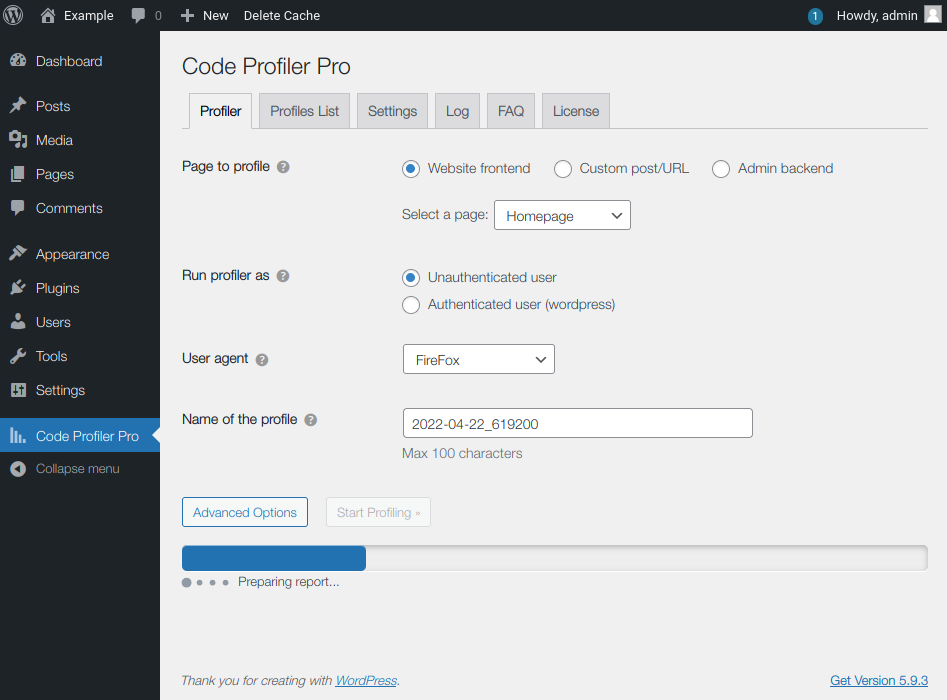
You can profile the frontend and backend of WordPress, as well a cron events, a custom URL, send a POST payload, custom cookies and HTTP headers to profile a contact form, a checkout process or an AJAX action among many other possibilities.
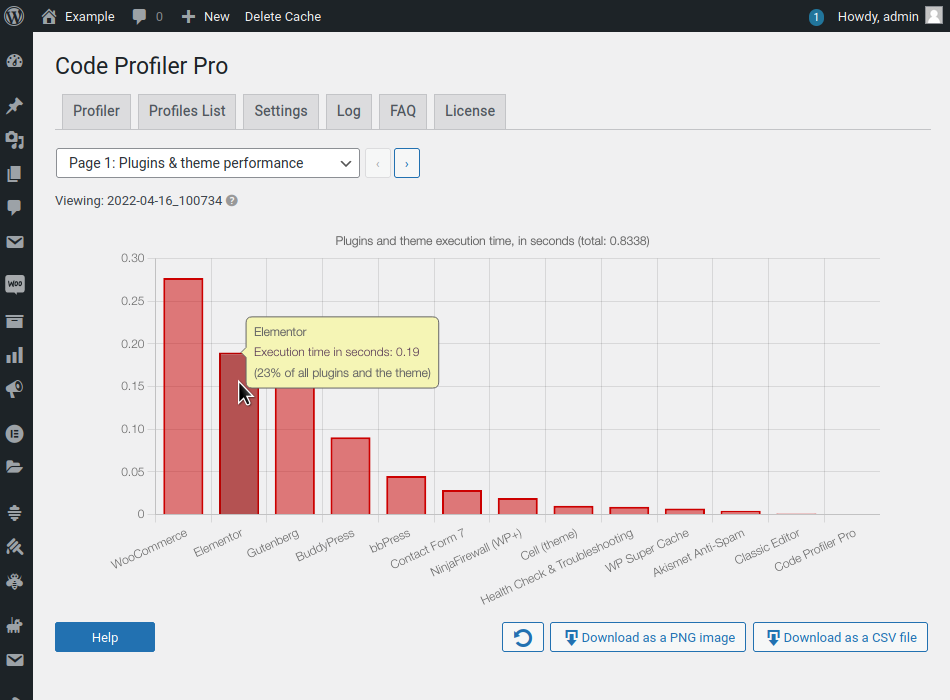
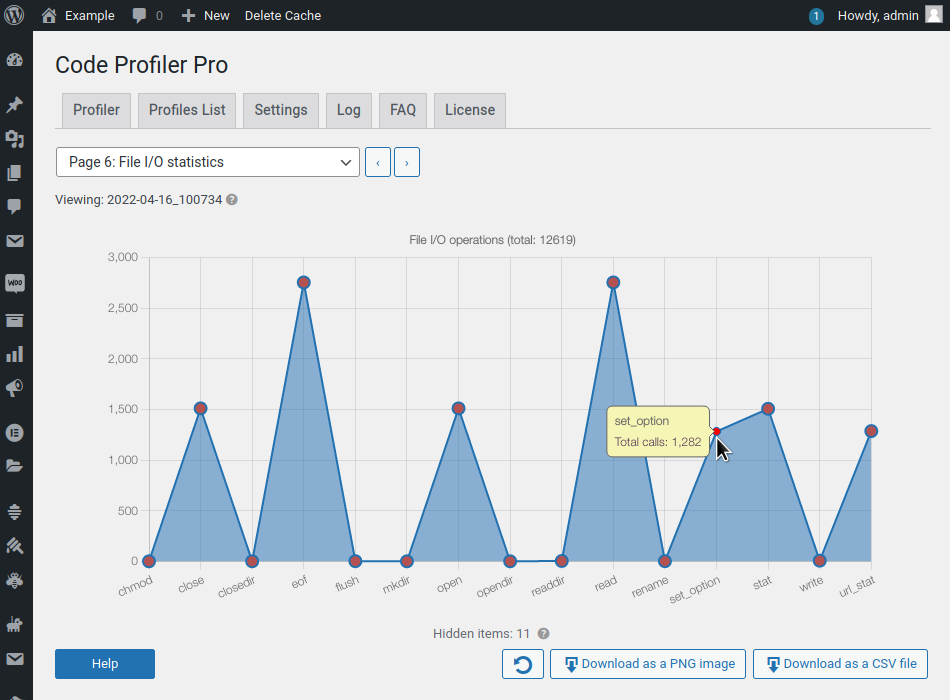
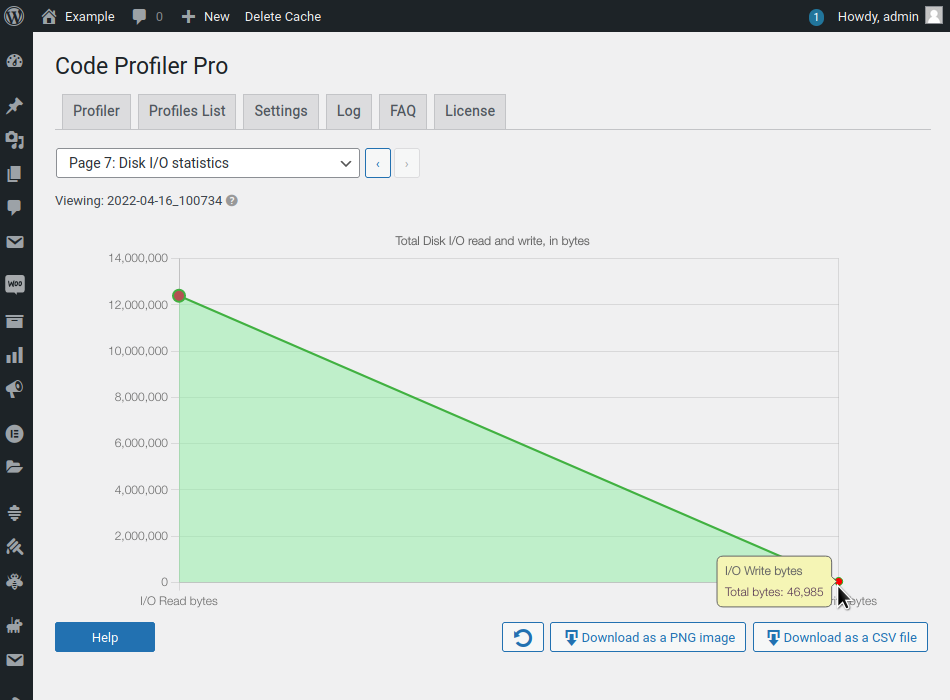
It generates an extremely detailed and easy to read analysis in the form of charts and tables that shows not only which plugin or theme, but also which PHP script, class, method and function is slowing down your website. It displays many useful additional information such as database queries, file I/O operations and disk I/O usage as well.
It makes it very simple to locate any bottleneck problem in your themes or plugins in order to solve it and speed up your website.
Install, activate it and you can start profiling your site right away.
Features
- Plugins & themes performance profiling.
- [Pro] Scripts performance profiling.
- [Pro] Methods & functions performance profiling.
- [Pro] Database queries performance.
- [Pro] Remote connections monitoring.
- [Pro] File I/O operations monitoring.
- File I/O statistics.
- Disk I/O monitoring.
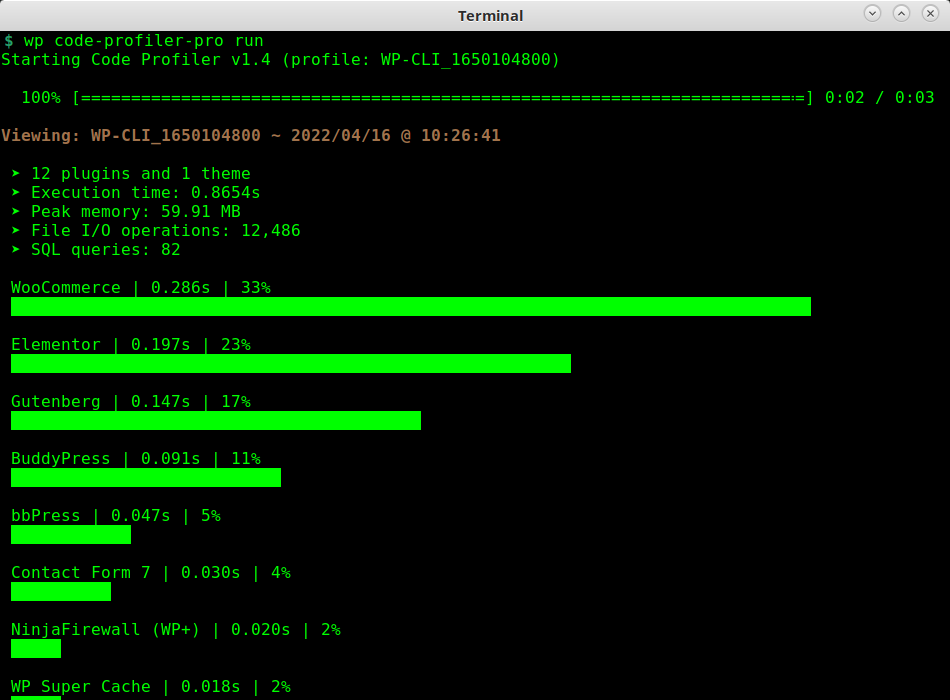
- WP-CLI integration.
- Export charts in PNG image format.
- GET/POST methods, custom cookies and HTTP headers.
- [Pro] Export all tables and charts in CSV file format.
- [Pro] Filtering options
Learn more about Code Profiler Pro.
Installation
- Upload the ZIP file from the WordPress “Plugins > Add New” menu.
- Activate the plugin.
- Plugin settings are located in the ‘Code Profiler’ menu.
Frequently asked questions
What are the differences between Code Profiler and services such as Google PageSpeed or GTmetrix?
They are completely different: Code Profiler analyzes the code performance of your plugins and themes on your server, at the PHP level. Google PageSpeed and GTmetrix, instead, analyze the content of a web page from a browser’s perspective.
Do I need to deactivate Code Profiler when I’m not using it ?
There’s no need to deactivate Code Profiler when you don’t use it, it has no performance impact on your site. Because an update can affect the performance of your site, you should consider running it after every plugin or theme update.
Is Code Profiler multisite compatible?
Code Profiler is multisite compatible. Note however that for security reasons, only the superadmin can run it.
What are the requirements for running Code Profiler?
WordPress >=5.0. PHP >=7.1 or 8.x.
What is your Privacy Policy?
Code Profiler does not collect any private data from you or your visitors. It does not use cookies either. Your website can run Code Profiler and be compliant with the General Data Protection Regulation (GDPR) or other similar privacy laws.
Changelog
1.9.6 (23 September 2026)
- Better error handling during the profiler activation and deactivation.
- [Pro version] : The “Do not display more than X rows in a table” option applies now to the table of the “Profiles List” page too.
- Fixed a problem with multiline strings that some localization tools doesn’t seem to handle correctly.
1.9.5 (12 June 2026)
- Fixed a bug where users couldn’t download the grah as a PNG image with the latest version of FireFox (151.0.2+).
1.9.4 (09 June 2026)
- This release includes many small fixes and adjustments to make Code Profiler better (bugs fixed, better error management etc).
1.9.3 (18 May 2026)
- Fixed small UI compatibility issues with WordPress 7.0.
1.9.2 (24 April 2026)
- Removed the warning about composer; it was confusing and has become obsolete.
- Updated the profiler’s browser signatures.
- [Pro version] : Removed a double-slash bug in file paths.
- Fixed a bug where the HTTP response log could be empty.
1.9.1 (19 March 2026)
- Cron events can be profiled with WP-CLI using the
--wpcronparameter.
Screenshots
![[Pro version]: Scripts performance.](https://ps.w.org/code-profiler/assets/screenshot-6.png?rev=2713230)
![[Pro version]: Methods and Functions performance.](https://ps.w.org/code-profiler/assets/screenshot-7.png?rev=2713230)
![[Pro version]: CSV Export.](https://ps.w.org/code-profiler/assets/screenshot-8.png?rev=2713230)
![[Pro version]: CSV Export.](https://ps.w.org/code-profiler/assets/screenshot-9.png?rev=2713230)
For developers
Is this your plugin? Show off the numbers.
Add a live badge to your site, docs or GitHub README. It updates on its own — no account needed.
Best Code Profiler alternatives
All benchmark plugins →





FAQ
Code Profiler: quick answers
Straight answers, pulled from live WordPress.org data.
Live data from WordPress.org · checked Sep 26, 2026
Is Code Profiler free?
Yes. Code Profiler is free to download and use from the official WordPress.org plugin directory.
Is Code Profiler safe to use in 2026?
Yes — Code Profiler is a safe, well-maintained plugin to use in 2026. It runs on 8K+ sites, is rated 4.3/5 and was last updated 3 days ago, and scores 86/100 on our health check.
How many websites use Code Profiler?
Code Profiler is active on 8K+ WordPress websites and has been downloaded 255,209 times since it launched in December 2021. It was downloaded 6,942 times in the last 30 days.
Does Code Profiler work with WordPress 7.1?
Yes. The developer has tested Code Profiler up to WordPress 7.1.2, the latest release. It requires WordPress 5.0 or newer.
What PHP version does Code Profiler need?
Code Profiler requires PHP 7.1 or higher. Most hosts run PHP 8.x today, so it works on any modern WordPress hosting.
When was Code Profiler last updated?
The latest version, 1.9.6, was released on September 23, 2026 (3 days ago).
Who makes Code Profiler?
Code Profiler is developed and maintained by bruandet.
What are the best alternatives to Code Profiler?
The most popular alternatives to Code Profiler are Hosting Benchmark tool (4K+ installs), MO Cache (1K+ installs) and WPPerformanceTester (1K+ installs).
Powered by PageForge
Want thousands of pages that rank like these? Build them in an afternoon.
This directory runs on the same engine as PageForge. Turn any spreadsheet, CSV or API into thousands of fast, SEO-ready WordPress pages — with schema, internal links and AI-written copy baked in.
- CSV, Google Sheets & API data sources
- AI content, schema & internal links per page
- Works with Elementor, Gutenberg, Yoast & Rank Math
- Free on WordPress.org — no credit card


