



Visionati
AI-powered alt text, captions, and product descriptions. Choose from leading AI models.

Use with caution
Visionati works, but test it on a staging site before relying on it in 2026. It runs on 10+ sites, is rated 5/5 and was last updated 7 months ago, and scores 45/100 on our health check.
- Small user base (10+ active installs)
- Very few reviews so far
- Only tested up to WordPress 6.9 (latest is 7.1)
How does it stack up?
Side-by-side on installs, updates, ratings & support



Daily downloads
Download spikes usually follow a new release — each site that auto-updates counts as a download.
Rankings
Where Visionati stands todayWordPress.org search rankings
Live position in the plugin search, top 100| Keyword | Position |
|---|---|
| accessibility | >100 |
| AI | >100 |
| Alt Text | >100 |
| product descriptions | >100 |
| woocommerce | >100 |
Version adoption
Share of active sites per release.
Rating breakdown
★★★★★★★★★★ 5 from 2 reviews
About Visionati
From the official readme · v1.0.2Description
Visionati generates image alt text, captions, and product descriptions powered by your choice of AI model. Pick the model that works best for your content: Claude (Anthropic), Gemini (Google), OpenAI, Grok (xAI), Jina AI, and more.
Why alt text matters:
- Screen readers depend on alt text to describe images to visually impaired users
- Search engines use alt text to understand and index your images
- Missing alt text hurts both accessibility compliance and SEO rankings
- Most WordPress sites have hundreds of images with no alt text at all
What Visionati does:
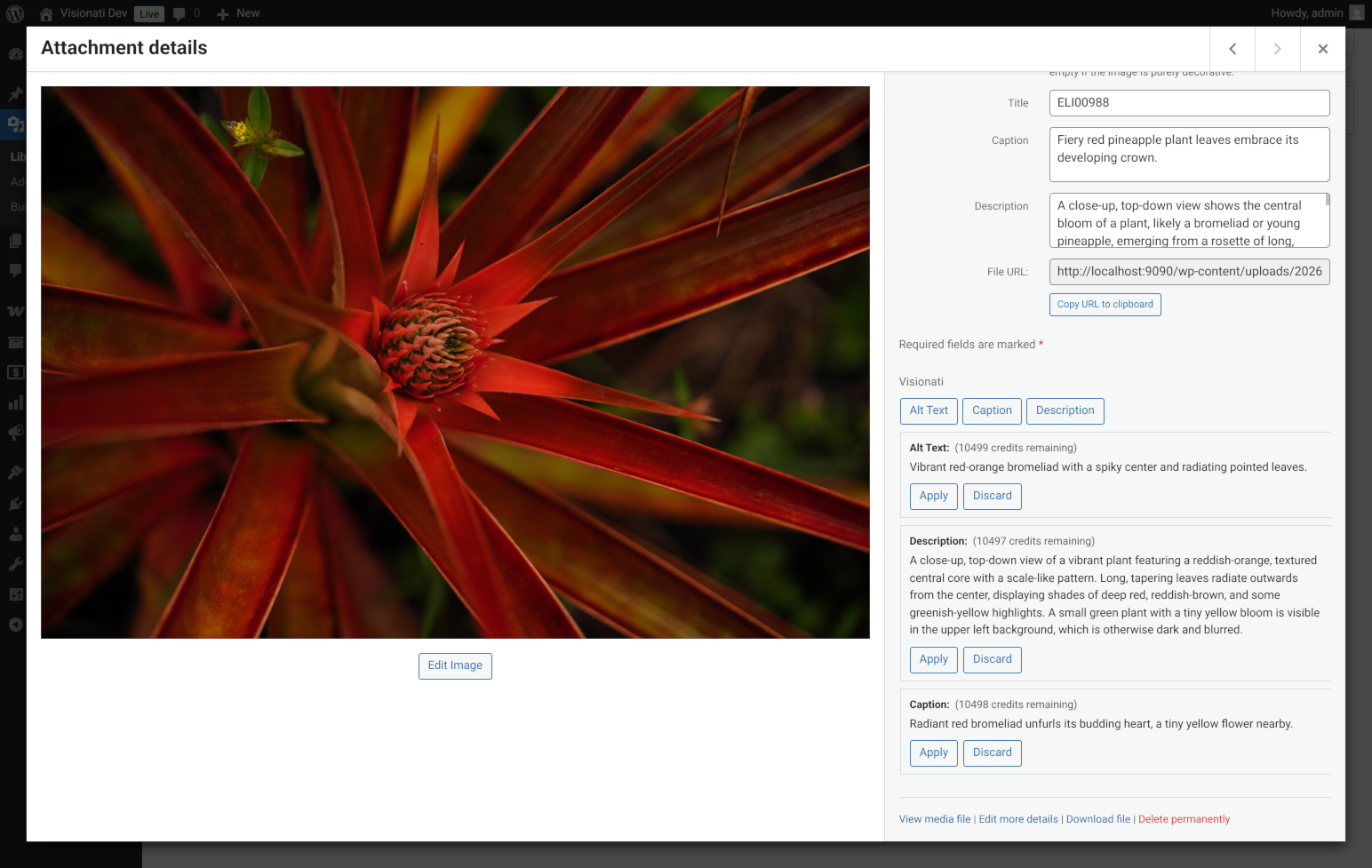
- Preview before apply — generate a description, review it, then apply or discard. No surprises.
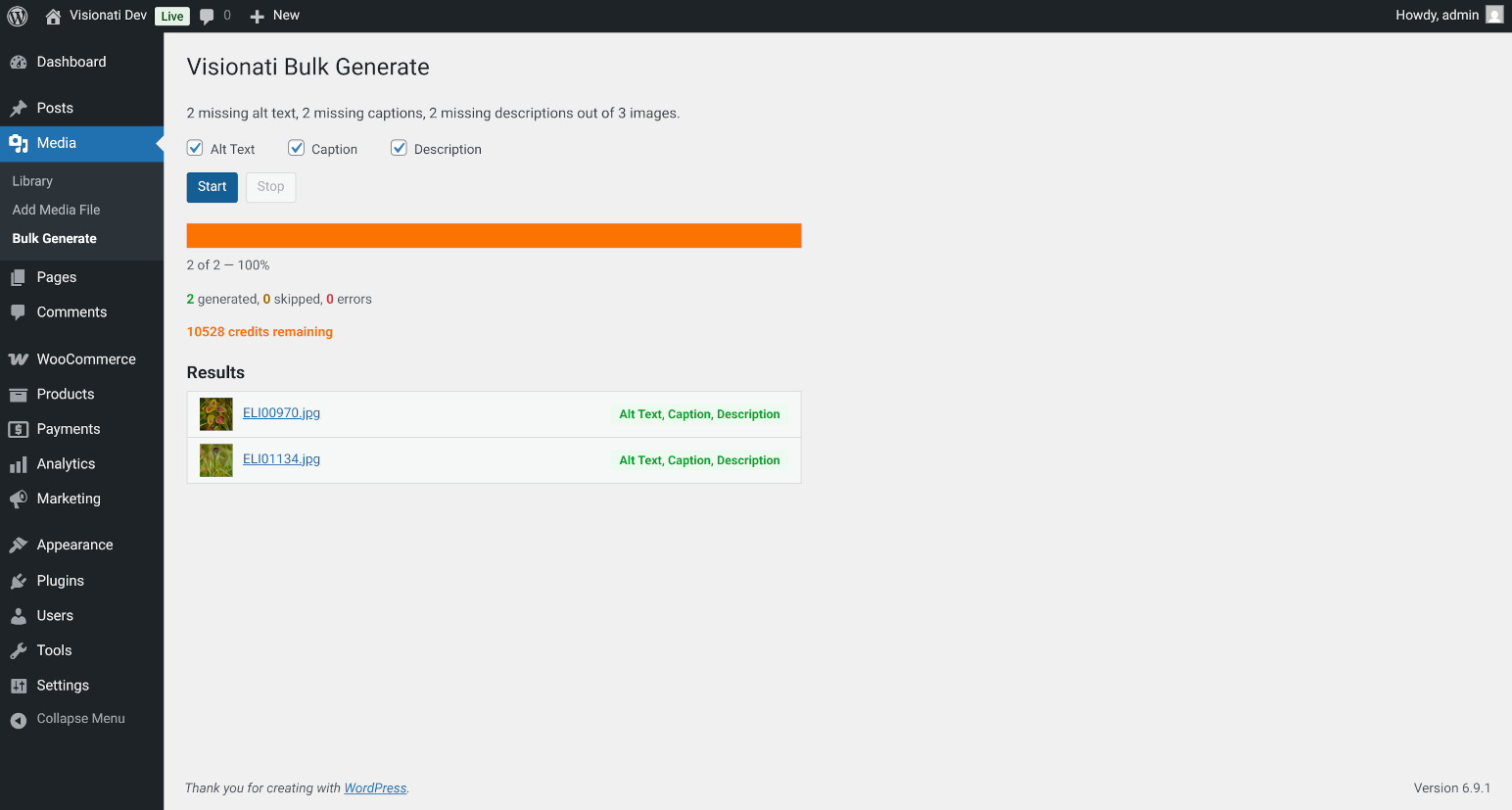
- Generates alt text, captions, and descriptions for any image in your Media Library, one at a time or in bulk
- Auto-generates on upload so new images get alt text immediately
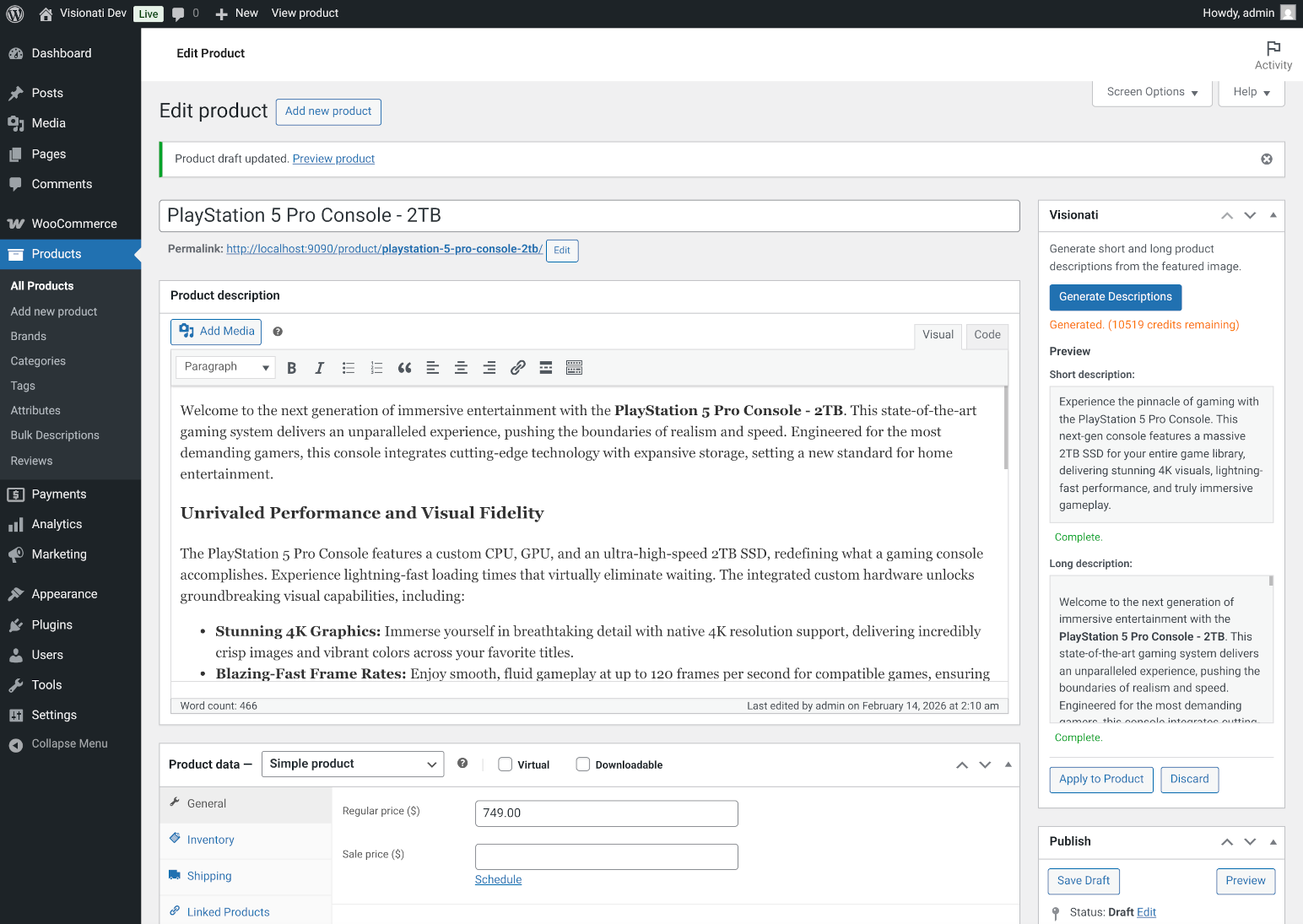
- WooCommerce product descriptions from product images, including short and long descriptions with product context. Apply each description independently or both at once.
- Pick your AI model with optional per-context overrides. One global default, override any context individually. Gemini for fast media fields, Claude for WooCommerce product descriptions.
- Debug mode — toggle in settings, traces to the browser console. No server access needed.
- 12 built-in roles shape the AI output for different contexts: Alt Text, Artist, Caption, Comedian, Critic, Ecommerce, General, Inspector, Promoter, Prompt, Realtor, and Tweet
- Custom prompts for full control over what the AI generates
- 160+ languages supported for output
How it works:
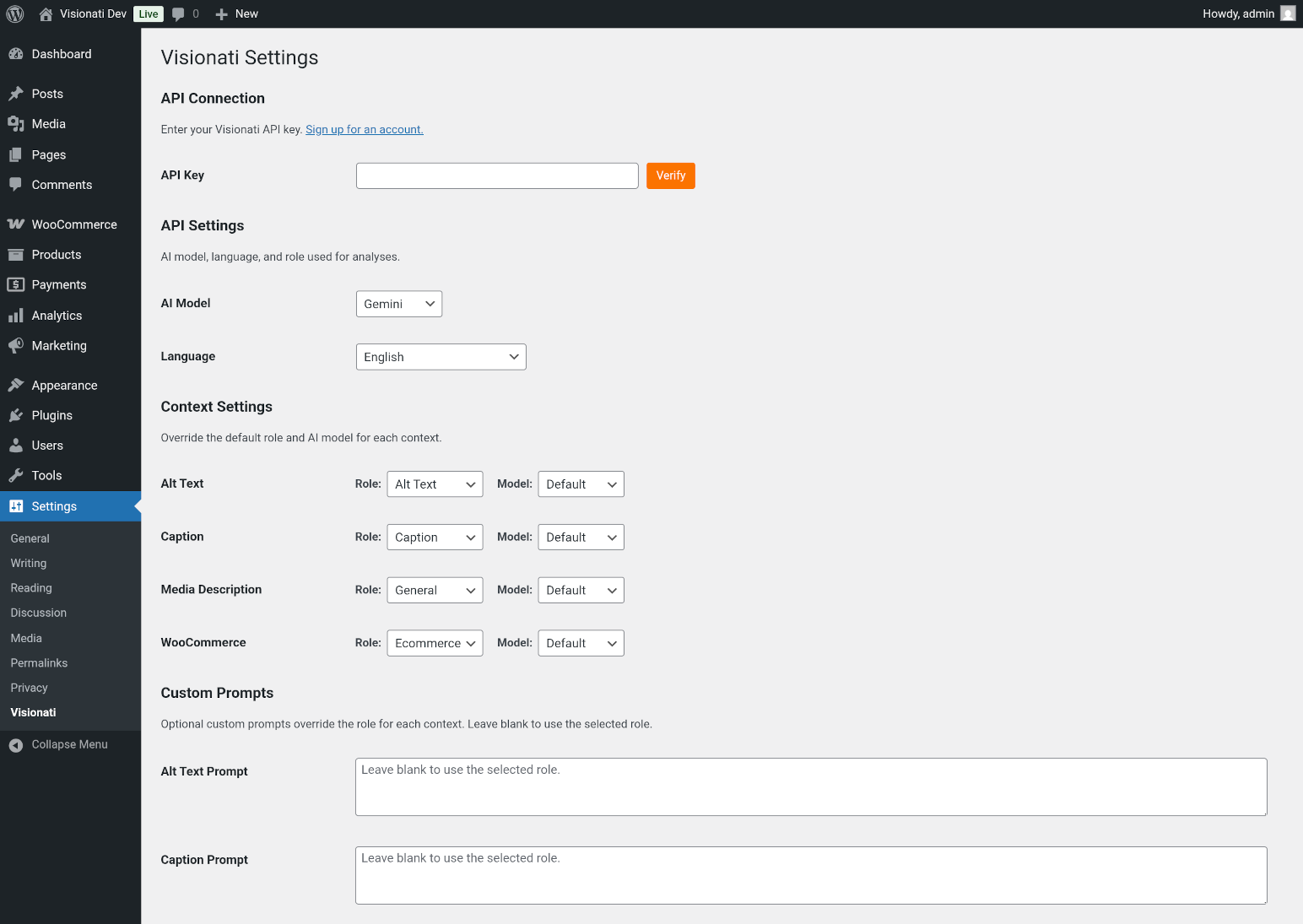
- Install the plugin and enter your Visionati API key
- Pick your AI model (default: Gemini). Optionally override the model per context in settings.
- Click Alt Text, Caption, or Description on any image. A preview appears. Review it, then Apply or Discard.
- The right AI role is used automatically for each field. Bulk generation processes your entire library without previews.
Images are sent securely as base64 data directly from your server. This works everywhere: localhost, staging sites, password-protected sites, and private networks. The Visionati API never needs to reach back to your WordPress site.
Credits:
Visionati uses a credit-based system. See pricing details on the website. Sign up for an account to get started.
Third-Party Service:
This plugin sends image data to the Visionati API for analysis. By using this plugin, you agree to the Visionati Terms of Service and Privacy Policy. No data is sent until you configure an API key and initiate an analysis.
Installation
- Upload the
visionatifolder to/wp-content/plugins/ - Activate the plugin through the Plugins menu
- Go to Settings → Visionati and enter your API key
- Click “Verify” to confirm the connection
- Select your preferred AI models and language
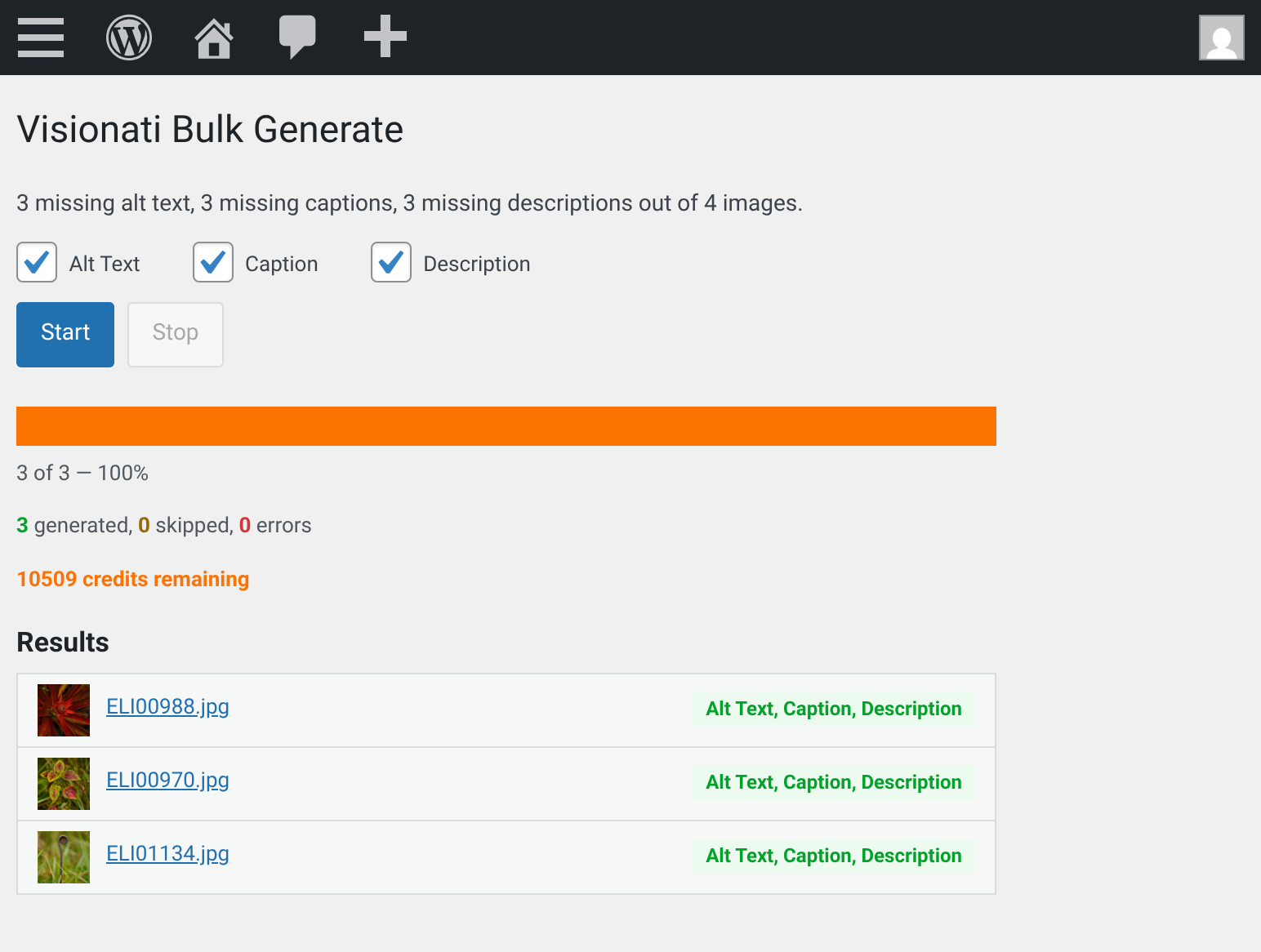
- Start generating alt text from the Media Library or the Bulk Generate page
Frequently asked questions
Do I need an API key?
Yes. Visionati is a paid API service. Sign up at api.visionati.com to get your API key and purchase credits.
How much does it cost?
Visionati uses a credit-based system. Cost depends on which AI model you choose. You can use different models for different contexts (e.g. Gemini for alt text, Claude for product descriptions). See pricing details on the website.
Does it work on localhost and staging sites?
Yes. The plugin sends images as base64 data directly from your server, so the Visionati API never needs to access your site. This works behind firewalls, on localhost, staging environments, and password-protected sites.
What image formats are supported?
JPEG, PNG, GIF, WebP, and BMP.
Does it work with WooCommerce?
Yes. When WooCommerce is active, the plugin adds a “Generate Descriptions” button to product edit screens and a bulk action to the Products list. It generates both short and long product descriptions using the product image, name, categories, and attributes for context. Each description can be applied independently or both at once.
Can I customize what the AI generates?
Yes. Choose from 12 built-in roles (Alt Text, Ecommerce, General, etc.) or write your own custom prompts. Each context (alt text, caption, description, WooCommerce) can use a different role and a different AI model.
What AI models are available?
Choose from Claude (Anthropic), Gemini (Google), OpenAI, Grok (xAI), Jina AI, LLaVA, and BakLLaVA. Pick one global default and optionally override per context. Default: Gemini.
Will it overwrite my existing alt text?
Not by default. There is an “Overwrite Existing” setting you can enable if you want to regenerate alt text for images that already have it.
What languages are supported?
Over 160 languages. Set your preferred language in the plugin settings and all AI-generated text will be in that language.
Changelog
WordPress.org Plugin Check compliance: improved escaping, sanitization, and i18n. No functionality changes.
1.0.2
- Fixed all WordPress Plugin Check (PCP) errors and warnings for WordPress.org compliance
- Added translators comments for all strings with placeholders (required for i18n)
- Escaped checkbox output using WordPress
checked()function - Added input sanitization for description fields with
sanitize_textarea_field() - Removed raw
$_POSTaccess from debug logging - Removed deprecated
load_plugin_textdomain()call (handled automatically by WordPress since 4.6) - Prefixed global variables in
uninstall.phpper WordPress naming conventions - Added
.distignorefor clean plugin distribution packaging - Added Plugin Check to Docker development environment for automated compliance testing
1.0.1
- Verified compatibility with updated API status lifecycle and 24-hour async response TTL
1.0.0
- Initial release
- Preview before apply: generate a description, review it, then apply or discard
- Single AI model default with optional per-context overrides
- Per-field generation: separate Alt Text, Caption, and Description buttons in Media Library
- Each button uses the appropriate role (Alt Text, Caption, General) for best results
- Bulk generation with field selection (Alt Text, Caption, Description) and progress tracking
- Confirmation dialog before bulk operations with image/product count and overwrite warning
- Resume preserves previous log entries and accumulated counters
- Only images that need work are queued; images with existing content are skipped
- Automatic stop on credit exhaustion
- Auto-generate on image upload (configurable per field); multiple fields run in parallel
- Auto-generate failures surfaced as admin notices (not just error logs)
- WooCommerce product description generation (short and long) with product context
- WooCommerce per-field apply: accept short and long descriptions independently or both at once
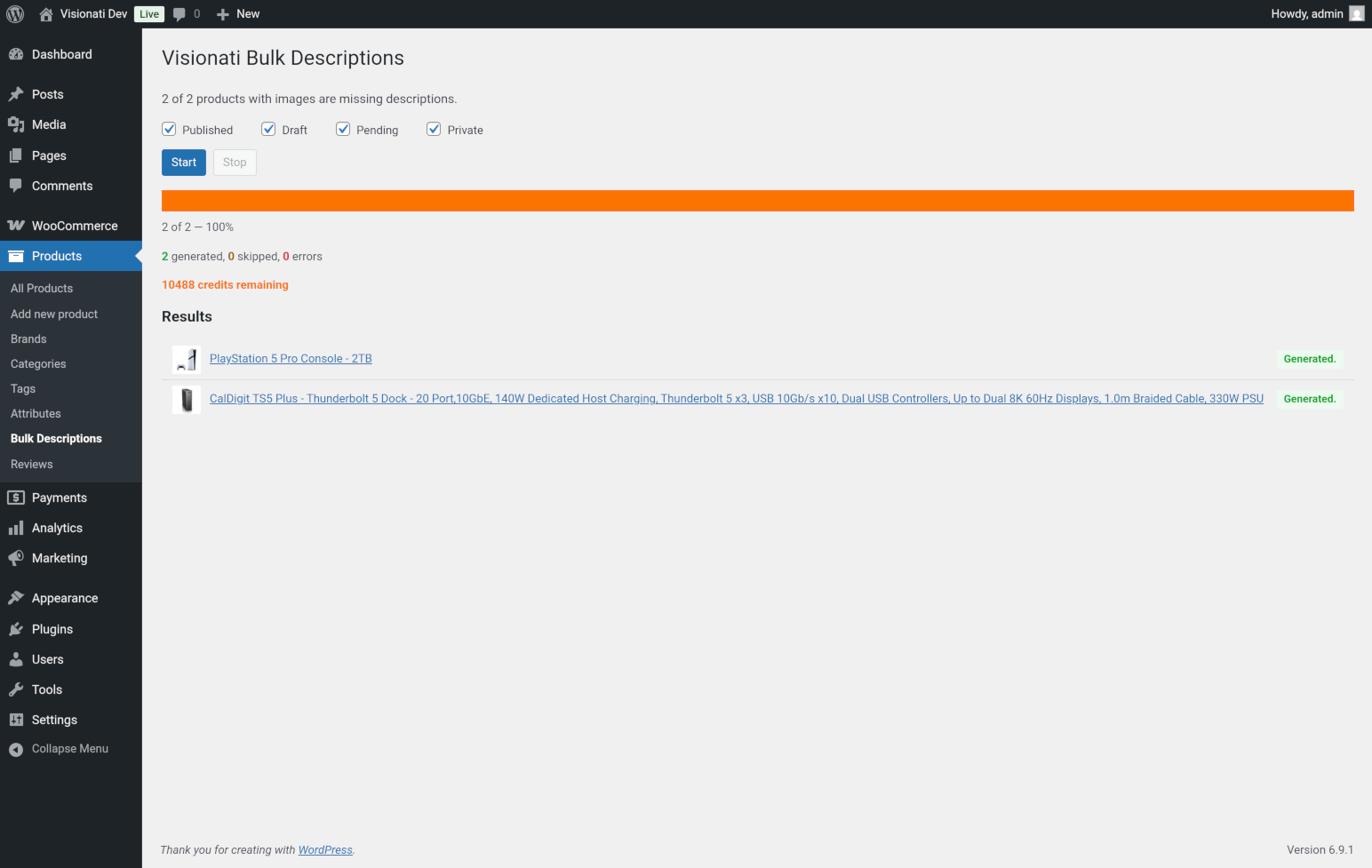
- WooCommerce bulk action for product descriptions; also generates alt text for featured images if missing
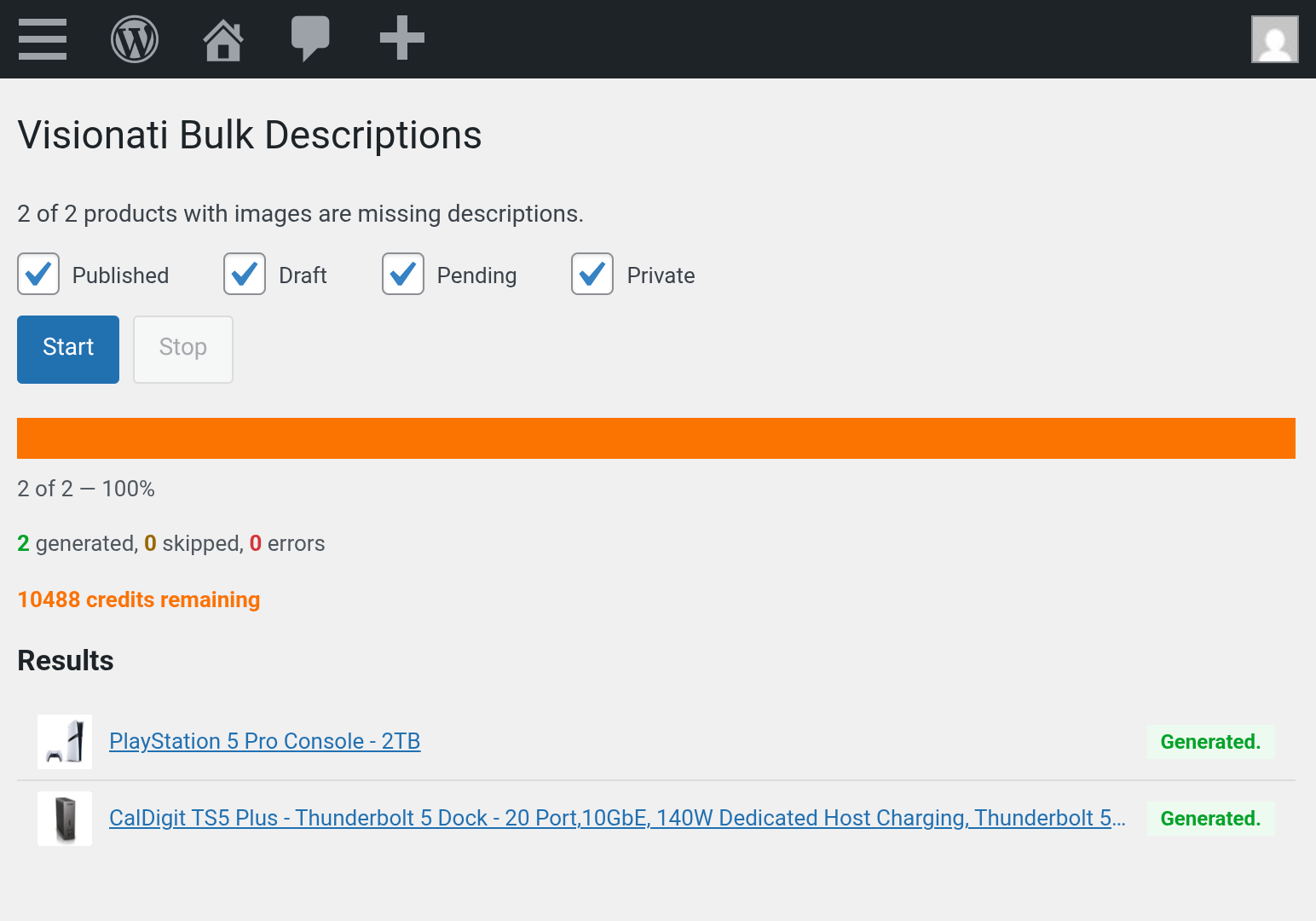
- WooCommerce bulk status filter: choose which product statuses to include (Published, Draft, Pending, Private) with live-updating counts
- 12 context-aware roles: Alt Text, Artist, Caption, Comedian, Critic, Ecommerce, General, Inspector, Promoter, Prompt, Realtor, Tweet
- Custom prompt support with WooCommerce placeholders ({product_name}, {categories}, {price})
- 160+ language support
- 7 AI models: Claude, Gemini, OpenAI, Grok, Jina AI, LLaVA, BakLLaVA
- Debug mode: toggle in settings, traces to browser console (F12)
- Docker development environment for local testing
- Clean uninstall: all plugin data removed from database when plugin is deleted
Screenshots
For developers
Is this your plugin? Show off the numbers.
Add a live badge to your site, docs or GitHub README. It updates on its own — no account needed.
Best Visionati alternatives
All accessibility plugins →





FAQ
Visionati: quick answers
Straight answers, pulled from live WordPress.org data.
Live data from WordPress.org · checked Oct 11, 2026
Is Visionati free?
Yes. Visionati is free to download and use from the official WordPress.org plugin directory.
Is Visionati safe to use in 2026?
Visionati works, but test it on a staging site before relying on it in 2026. It runs on 10+ sites, is rated 5/5 and was last updated 7 months ago, and scores 45/100 on our health check.
How many websites use Visionati?
Visionati is active on 10+ WordPress websites and has been downloaded 1,288 times since it launched in March 2026. It was downloaded 424 times in the last 30 days.
Does Visionati work with WordPress 7.1?
Visionati is officially tested up to WordPress 6.9.10, while the latest release is 7.1.3. It may still work, but try it on a staging site first.
What PHP version does Visionati need?
Visionati requires PHP 7.4 or higher. Most hosts run PHP 8.x today, so it works on any modern WordPress hosting.
When was Visionati last updated?
The latest version, 1.0.2, was released on March 3, 2026 (7 months ago).
Who makes Visionati?
Visionati is developed and maintained by Visionati.
What are the best alternatives to Visionati?
The most popular alternatives to Visionati are Web Accessibility (formally… (500K+ installs), Auto Image Attributes From… (100K+ installs) and Accessibility by UserWay (80K+ installs).
Powered by PageForge
Want thousands of pages that rank like these? Build them in an afternoon.
This directory runs on the same engine as PageForge. Turn any spreadsheet, CSV or API into thousands of fast, SEO-ready WordPress pages — with schema, internal links and AI-written copy baked in.
- CSV, Google Sheets & API data sources
- AI content, schema & internal links per page
- Works with Elementor, Gutenberg, Yoast & Rank Math
- Free on WordPress.org — no credit card


