


SimpleTOC – Table of Contents Block
SEO-friendly Table of Contents Gutenberg block. No JavaScript or CSS by default.

Safe pick
Yes — SimpleTOC is a safe, well-maintained plugin to use in 2026. It runs on 10K+ sites, is rated 4.9/5 and was last updated 1 week ago, and scores 94/100 on our health check.
- Proven at scale on 10K+ active sites
- Loved by users — 4.9/5 from 77 reviews
- Actively developed — last update 1 week ago
- Tested with the latest WordPress (7.1)
- Momentum — downloads up 84.7% vs the previous 30 days
How does it stack up?
Side-by-side on installs, updates, ratings & support



Daily downloads
Download spikes usually follow a new release — each site that auto-updates counts as a download.
Rankings
Where SimpleTOC stands todayWordPress.org search rankings
Live position in the plugin search, top 100| Keyword | Position |
|---|---|
| accessibility | #69 |
| block | >100 |
| table | #24 |
| table of contents | #7 |
| toc | #3 |
Version adoption
Share of active sites per release.
Rating breakdown
★★★★★★★★★★ 4.9 from 77 reviews
About SimpleTOC – Table of Contents Block
From the official readme · v7.4.0Description
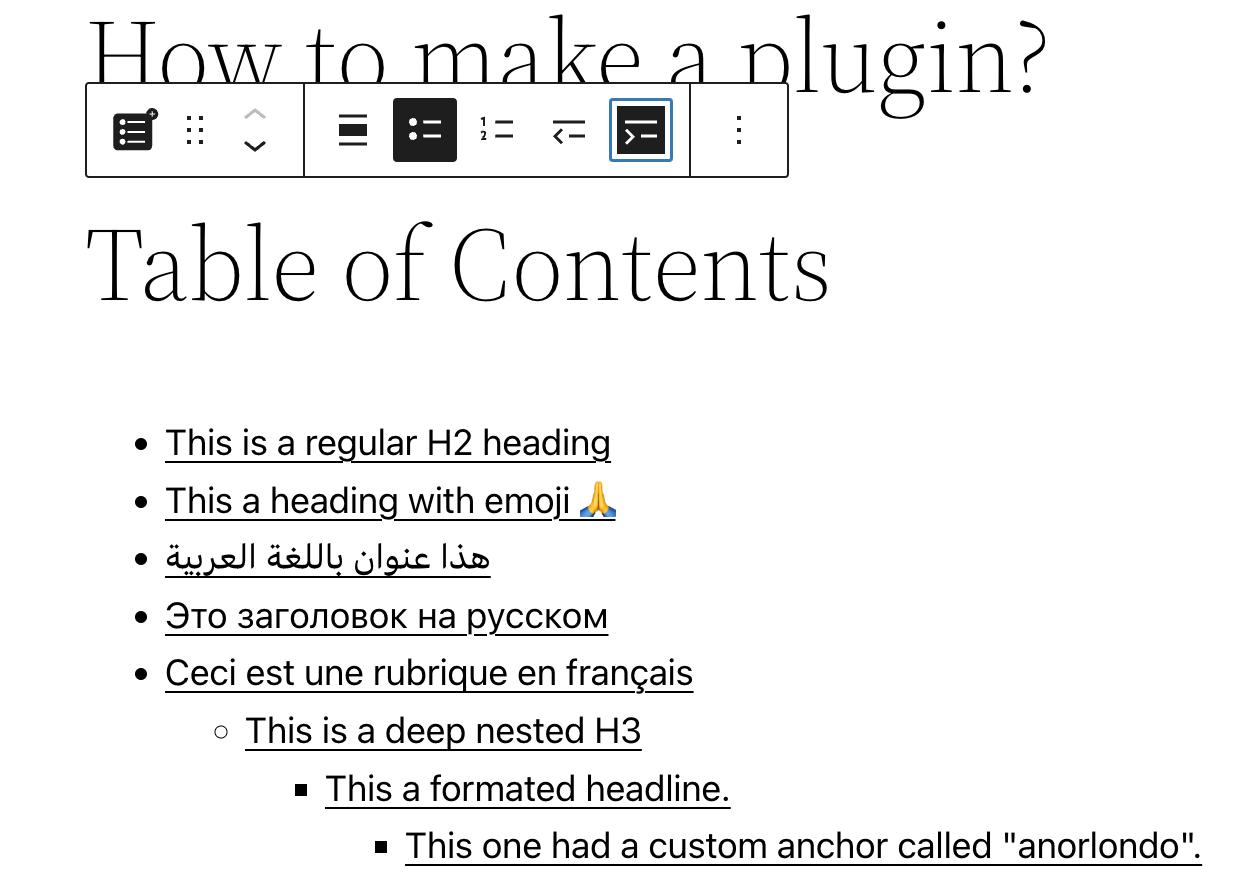
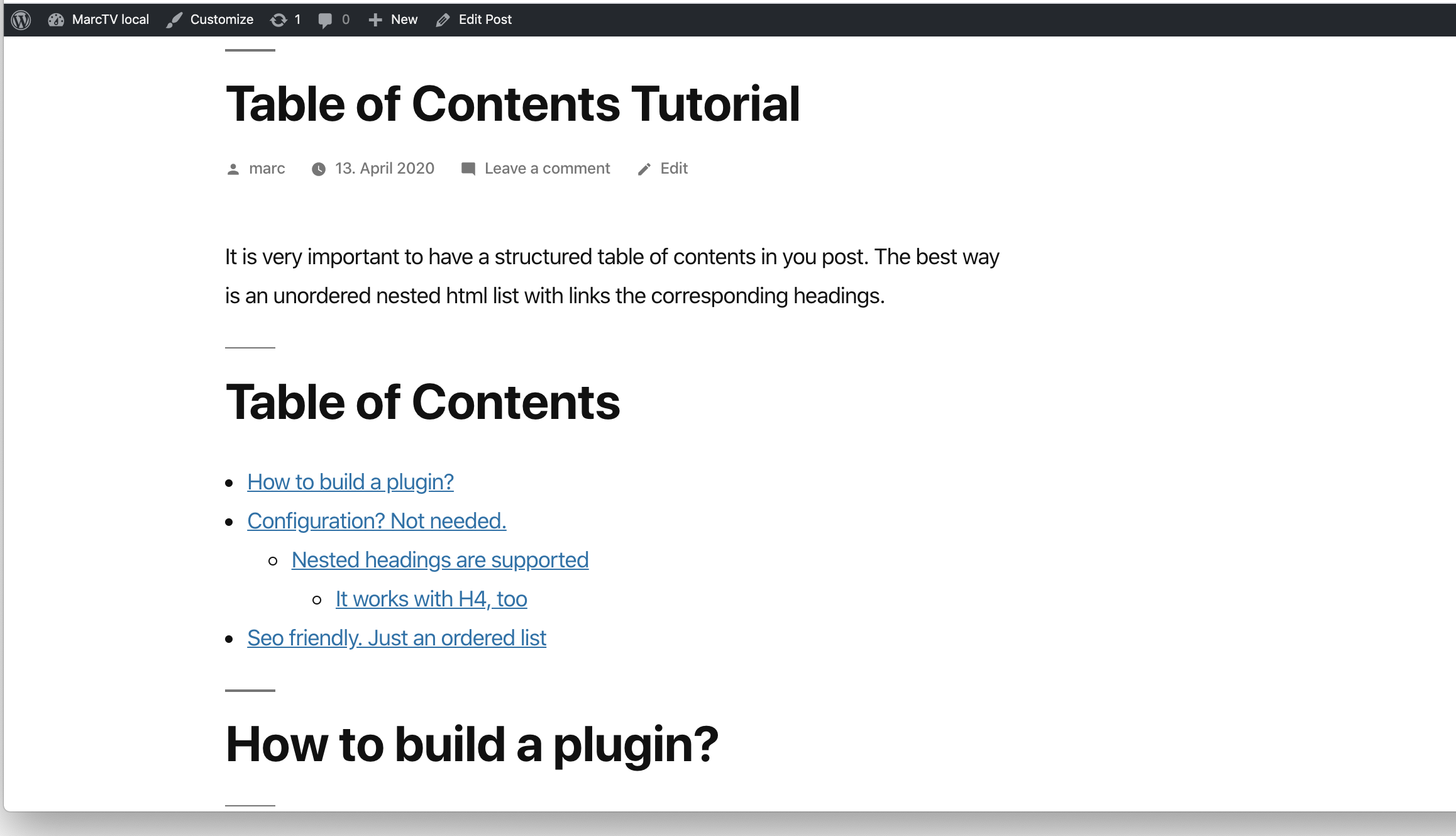
Add a Table of Contents block to your posts and pages. The TOC is a nested list of links to all heading found in the post or page. To use it, simply add a block and search for “SimpleTOC” or just “TOC”.
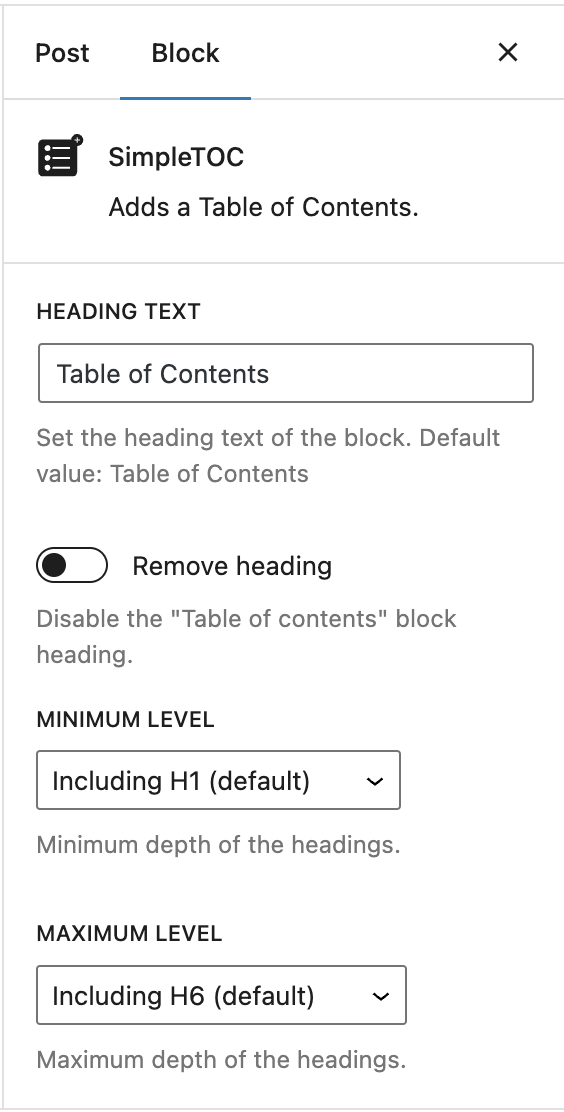
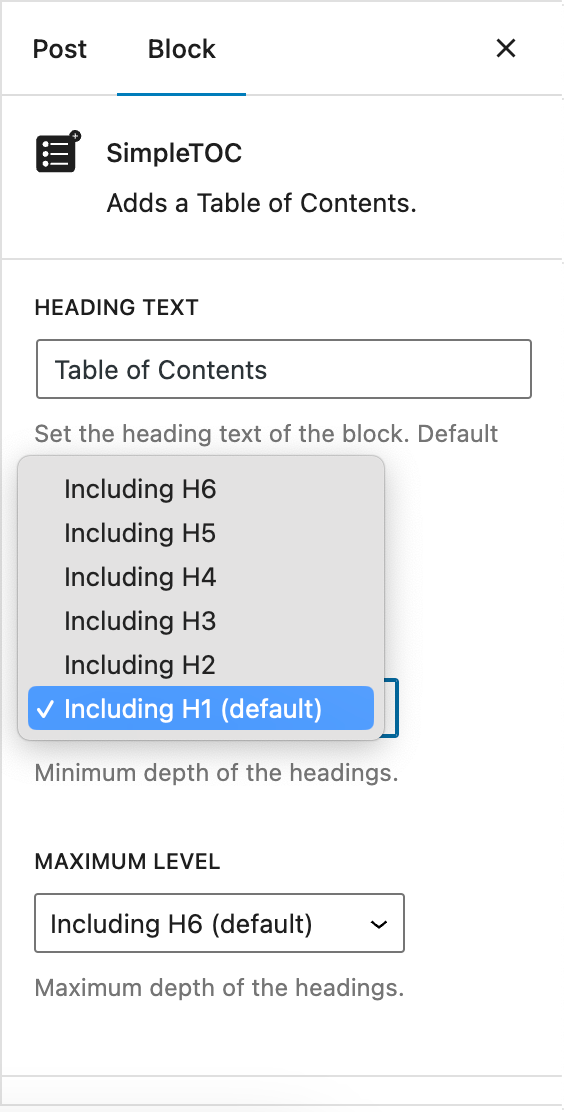
The maximum depth of the toc can be configured in in the blocks’ sidebar among many other options. There can hide the headline “Table of Contents” and add your own by using a normal heading block.
Spin up a new WordPress instance with the SimpleTOC plugin already installed.
User Feedback
“It is lightweight, stable, and fully compatible with WordPress Full Site Editing. A reliable solution that integrates seamlessly and performs exactly as expected.”
— @js100 on wordpress.org“Does the job perfectly, and adds no bloat.”
— @clicknathan on wordpress.org“Simple yet powerful. Great plugin that does exactly what you need.”
— @mixey on wordpress.org
Accessibility
This plugin is designed & developed for WCAG 2.2 level AA conformance. The plugin is tested with assistive technology and intended to be accessible, however some third party plugins or themes may affect the individual accessibility on a given website. If you find an accessibility issue, please let us know and we’ll try to address it promptly.
Hidden TOCs use native <details> and <summary> semantics without extra ARIA references that require custom IDs.
Features
- Designed for Gutenberg.
- Zero configuration: Add the SimpleTOC block to your post and that’s it.
- Minimal and valid HTML output.
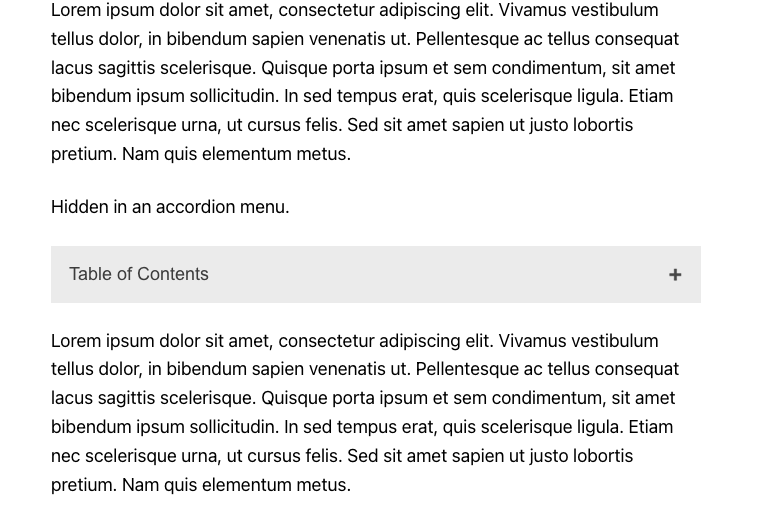
- Utilizes the browser’s built-in details tag for a collapsible interface.
- No JavaScript or CSS by default. Optional features such as the accordion menu, smooth scrolling, or box style add minimal assets only when enabled.
- Optional Box style in Gutenberg’s Styles tab with a default gray background.
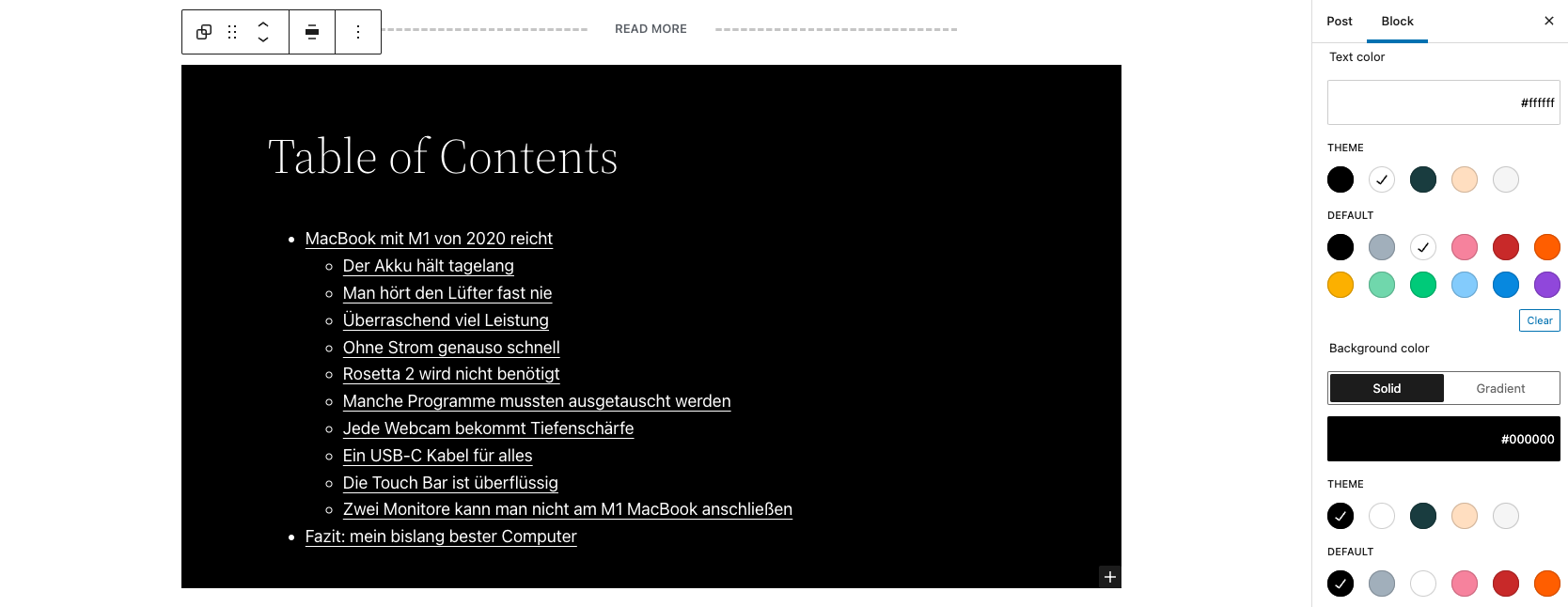
- Native text, link, background, spacing, and typography controls.
- Global block styling through theme.json.
- Inherits the style of your theme.
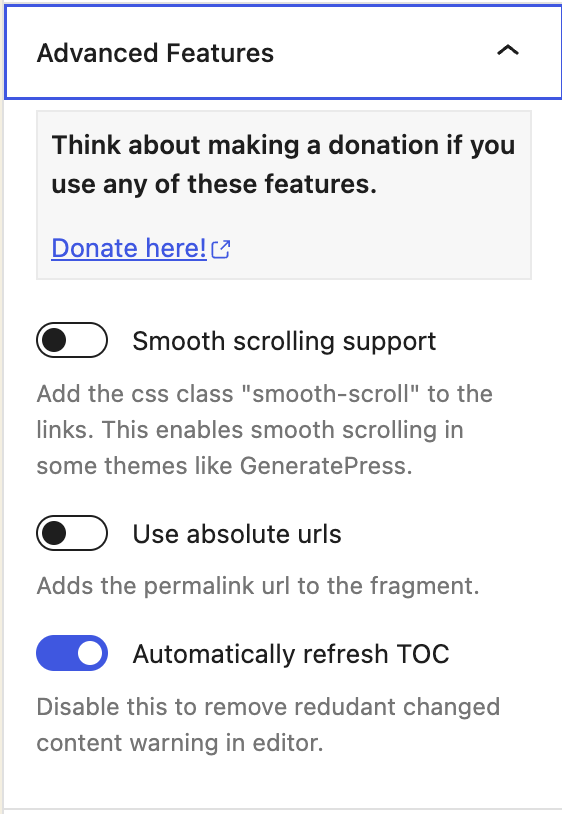
- Smooth scrolling effect using CSS.
- Accessibility built-in by following web standards.
- Standard Gutenberg block wrapper with navigation role and ARIA label attributes.
- Translated in multiple languages. Including German, Japanese, Chinese (Taiwan), Dutch, Brazilian Portuguese, French, Spanish and Latvia.
- Ideal for creating a Frequently Asked Questions section on your website.
Customization
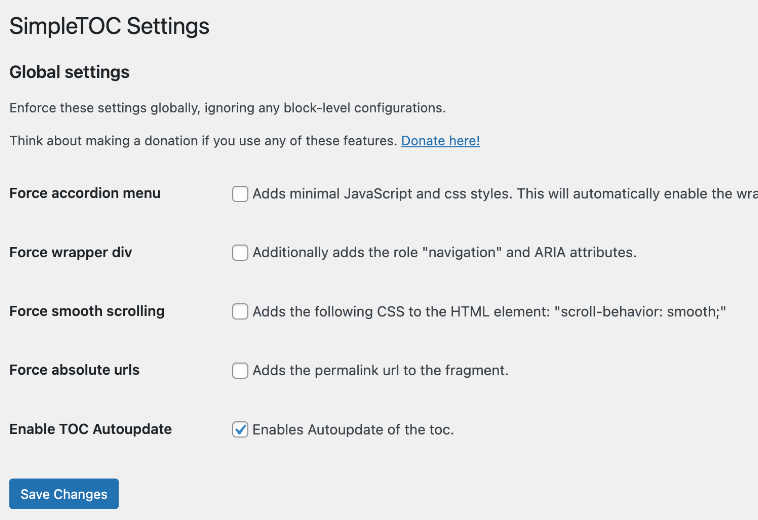
- Administrators can utilize global settings to supersede the individual block settings.
- Set text, link, and background colors in Gutenberg’s Styles tab.
- Native block support for wide and full width.
- Set vertical margins and padding with native spacing controls.
- Control the maximum depth of the headings.
- Choose between an ordered, bullet HTML list. Or indent the list.
- Select the Box style directly in Gutenberg’s Styles tab.
- Select a heading level or turn it into a paragraph.
- Disable the h2 heading of the TOC block and add your own.
Highlight the current section
Enable “Highlight current section” under Advanced Features in the SimpleTOC block settings. The link for the current section is underlined as visitors scroll. This option is off by default. To enable it for all blocks, turn on “Force highlight current section” under Settings > SimpleTOC. The global setting takes precedence over individual block settings. Developers can override the global setting with the simpletoc_scroll_spy_enabled filter.
This feature uses native CSS scroll-target-group and :target-current. Browser support is limited. Browsers without support keep the normal table of contents and working links. No JavaScript fallback or polyfill is included. Highlighting applies to headings on the current page and does not make the table of contents sticky.
Compatibility
- GeneratePress and Rank Math support.
- Works with popular AMP plugins.
How to contribute
SimpleTOC is open-source and developed on GitHub Pages. If you find a bug or have an idea for a feature please feel free to contribute and create a pull request.
Credits
Many thanks to Tom J Nowell and and Sally CJ who both helped me a lot with my questions over at wordpress.stackexchange.com
And many more thanks to all the developers on GitHub who helped me making SimpleTOC what it is today!
Thanks to Quintus Valerius Soranus for inventing the Table of Contents around 100 BC.
Installation
SimpleTOC can be found and installed via the Plugin menu within WordPress administration (Plugins -> Add New). Alternatively, it can be downloaded from WordPress.org and installed manually…
In Gutenberg, add a block and search for “SimpleTOC” or just “TOC”. Please save your content before you use the block.
Frequently asked questions
Configuring Global Settings in SimpleTOC
SimpleTOC allows you to configure global settings for your WordPress website. These settings can be enforced globally, overriding any block-level configurations that may exist. To access these settings, navigate to the SimpleTOC section of the WordPress Settings.
How do I add colors or the Box style to SimpleTOC?
Select the SimpleTOC block and open Gutenberg’s Styles tab. Choose the Box style or use the native color controls to set text, link, and background colors. Native spacing controls are available for vertical margins and padding.
How to exclude a single heading from the TOC?
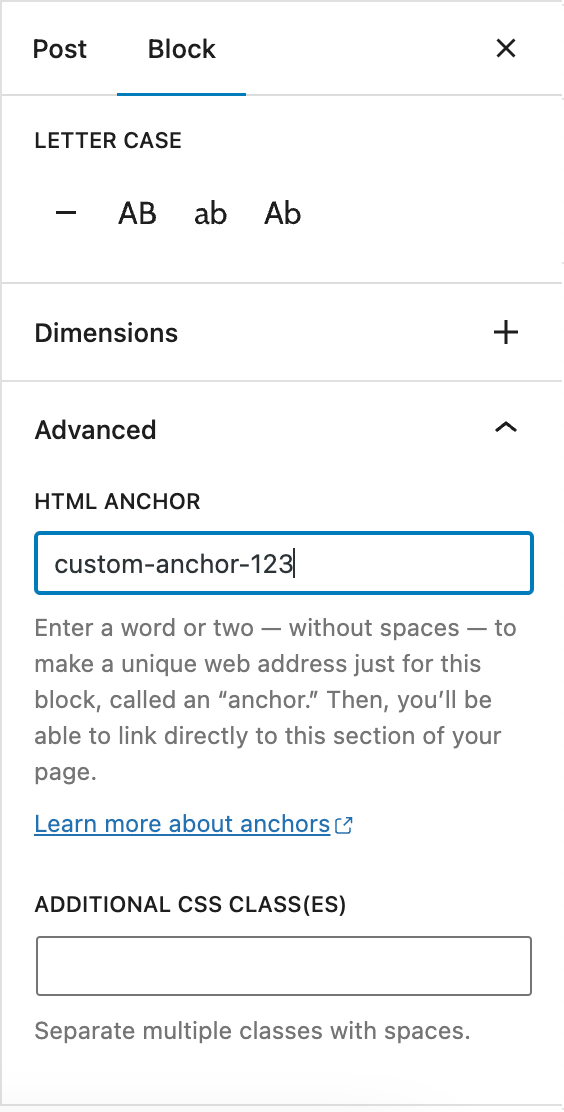
If you really want to hide a single heading from the table of contents, then add the CSS class “simpletoc-hidden” to a heading block. You can find this field in the same place as the HTML anchor field: In the Block > Advanced sidebar. But first, think about the reason you would like to hide a specific heading. Maybe you would like to remove all headings of a specific depth level. Then there is an option for that in the blocks options in Gutenberg. If you think this heading should not be part of the toc perhaps it is not needed in the post itself?
I would like to save my SimpleTOC settings as default. Is that possible?
You can convert your configured SimpleTOC block into a reusable block in Gutenberg. It will keep its settings. This way, you can use your desired settings for each new post by adding the reusable block.
How can I style SimpleTOC through theme.json?
Add styles for the simpletoc/toc block to your theme.json. SimpleTOC uses the standard Gutenberg block wrapper and supports native colors, vertical margins, padding, font size, and line height settings. The following example sets default colors, spacing, and typography for every SimpleTOC block: { "$schema": "https://schemas.wp.org/trunk/theme.json", "version": 3, "styles": { "blocks": { "simpletoc/toc": { "color": { "background": "#f5f5f5", "text": "#1e1e1e" }, "elements": { "link": { "color": { "text": "#0057b8" } } }, "spacing": { "margin": { "top": "1.5rem", "bottom": "1.5rem" }…
How to allow developers to exclude specific headings programmatically?
Use the ‘simpletoc_excluded_blocks’ filter. For example, this code will exclude heading blocks that are inside a column block. Example: add_filter( 'simpletoc_excluded_blocks', function ( array $blocks ) { $blocks[] = 'core/column'; return $blocks; } );
How do I change the color of the accordion menu?
The heavy plus character I used can not be colored with css without hacks. But you can change the icon to something else and change the color of the new icon. .simpletoc-collapsible::after { content: "✖"; color: #e94c89; }
How do I add SimpleTOC to all articles automatically?
I don’t see an easy solution at the moment. SimpleTOC is only a block that can be placed in your post. If there was a plugin that adds blocks to every post, then this would be the solution. I think this should be another separate plug-in to keep the code of SimpleTOC clean and … well, simple.
Changelog
7.4.0
- Added: Optional CSS-only scroll spy to underline the current section link in supporting browsers. Enable Highlight current section in the block settings or enforce it globally under Settings > SimpleTOC. No JavaScript or polyfill is added.
Screenshots
For developers
Is this your plugin? Show off the numbers.
Add a live badge to your site, docs or GitHub README. It updates on its own — no account needed.
Best SimpleTOC alternatives
All accessibility plugins →





FAQ
SimpleTOC – Table of Contents Block: quick answers
Straight answers, pulled from live WordPress.org data.
Live data from WordPress.org · checked Sep 26, 2026
Is SimpleTOC free?
Yes. SimpleTOC is free to download and use from the official WordPress.org plugin directory.
Is SimpleTOC safe to use in 2026?
Yes — SimpleTOC is a safe, well-maintained plugin to use in 2026. It runs on 10K+ sites, is rated 4.9/5 and was last updated 1 week ago, and scores 94/100 on our health check.
How many websites use SimpleTOC?
SimpleTOC is active on 10K+ WordPress websites and has been downloaded 622,461 times since it launched in April 2020. It was downloaded 17,288 times in the last 30 days.
Does SimpleTOC work with WordPress 7.1?
Yes. The developer has tested SimpleTOC up to WordPress 7.1.2, the latest release. It requires WordPress 6.2 or newer.
What PHP version does SimpleTOC need?
SimpleTOC requires PHP 7.3 or higher. Most hosts run PHP 8.x today, so it works on any modern WordPress hosting.
When was SimpleTOC last updated?
The latest version, 7.4.0, was released on September 18, 2026 (1 week ago).
Who makes SimpleTOC?
SimpleTOC is developed and maintained by Marc Tönsing.
What are the best alternatives to SimpleTOC?
The most popular alternatives to SimpleTOC are Web Accessibility (formally… (500K+ installs), Auto Image Attributes From… (100K+ installs) and Accessibility by UserWay (80K+ installs).
Powered by PageForge
Want thousands of pages that rank like these? Build them in an afternoon.
This directory runs on the same engine as PageForge. Turn any spreadsheet, CSV or API into thousands of fast, SEO-ready WordPress pages — with schema, internal links and AI-written copy baked in.
- CSV, Google Sheets & API data sources
- AI content, schema & internal links per page
- Works with Elementor, Gutenberg, Yoast & Rank Math
- Free on WordPress.org — no credit card


