


Tahhan JMAP Mailer
Send WordPress emails via the modern JMAP protocol — no SMTP ports needed.

Use with caution
Tahhan JMAP Mailer works, but test it on a staging site before relying on it in 2026. Was last updated 6 days ago, and scores 46/100 on our health check.
- Actively developed — last update 6 days ago
- Small user base (<10 active installs)
- Very few reviews so far
- Only tested up to WordPress 6.7 (latest is 7.1)
How does it stack up?
Side-by-side on installs, updates, ratings & support



Daily downloads
Download spikes usually follow a new release — each site that auto-updates counts as a download.
Rankings
Where Tahhan JMAP Mailer stands todayWordPress.org search rankings
Live position in the plugin search, top 100| Keyword | Position |
|---|---|
| >100 | |
| jmap | #1 |
| >100 | |
| smtp | >100 |
| transactional email | >100 |
About Tahhan JMAP Mailer
From the official readme · v1.4.0Description
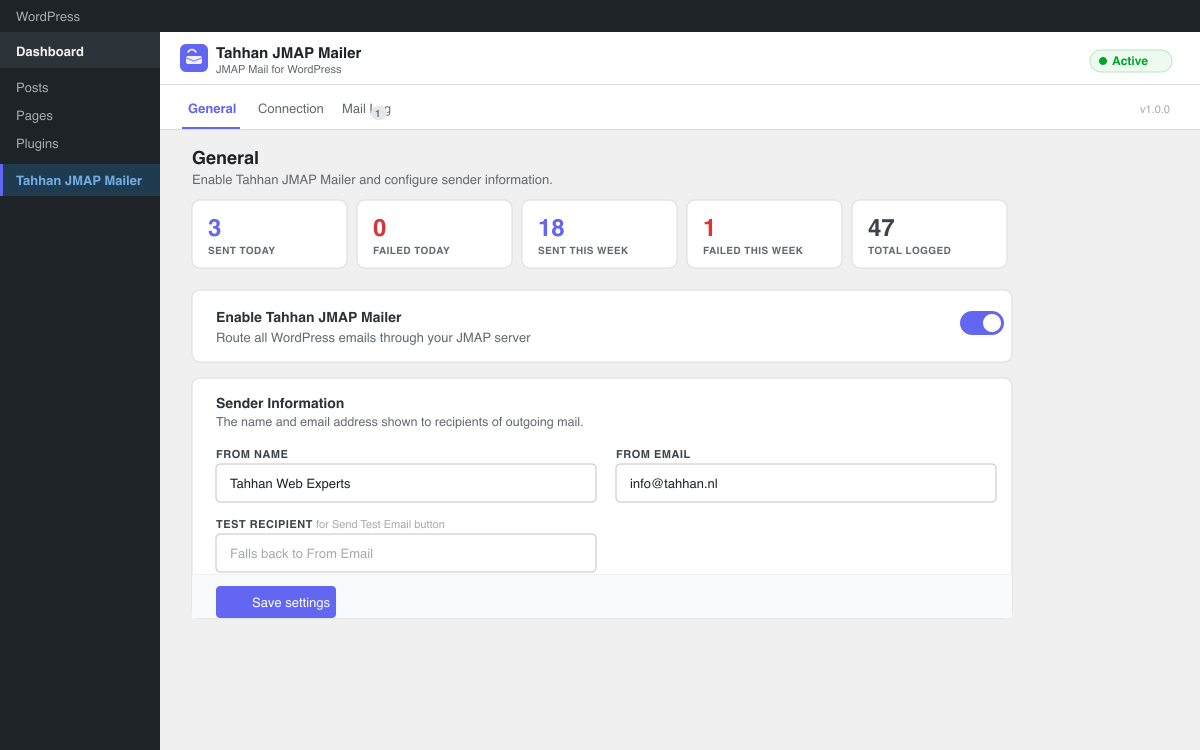
Tahhan JMAP Mailer replaces WordPress’s built-in mailer with the modern JMAP protocol (RFC 8620 / RFC 8621). JMAP is the successor to IMAP and SMTP, designed from scratch for the modern web. It communicates over standard HTTPS, works through firewalls and NAT without any special port configuration, and is natively supported by leading mail servers such as Stalwart Mail Server, Fastmail, and Cyrus IMAP.
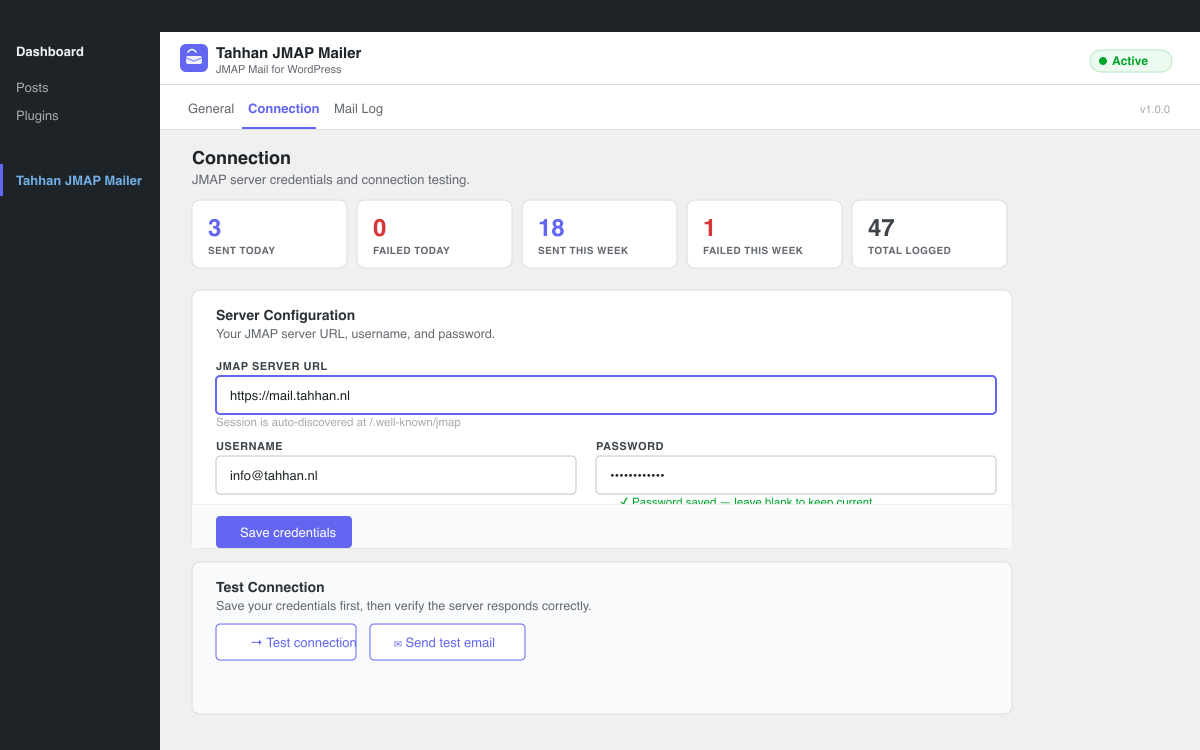
Unlike SMTP plugins that require relay credentials, third-party services, or open ports, Tahhan JMAP Mailer connects directly to your own JMAP-capable mail server using HTTP Basic authentication over an encrypted HTTPS connection. The JMAP session is auto-discovered from /.well-known/jmap — no manual API URL configuration needed.
Tahhan JMAP Mailer is built as a proper WordPress plugin: it uses wp_remote_get/post, WP_Error, WordPress nonces, and the standard sanitization and escaping APIs throughout. There are zero external PHP dependencies. It hooks into pre_wp_mail to intercept every wp_mail() call site-wide and deliver the email through a two-step JMAP pipeline: Email/set to create the email object, followed by EmailSubmission/set to submit it for delivery.
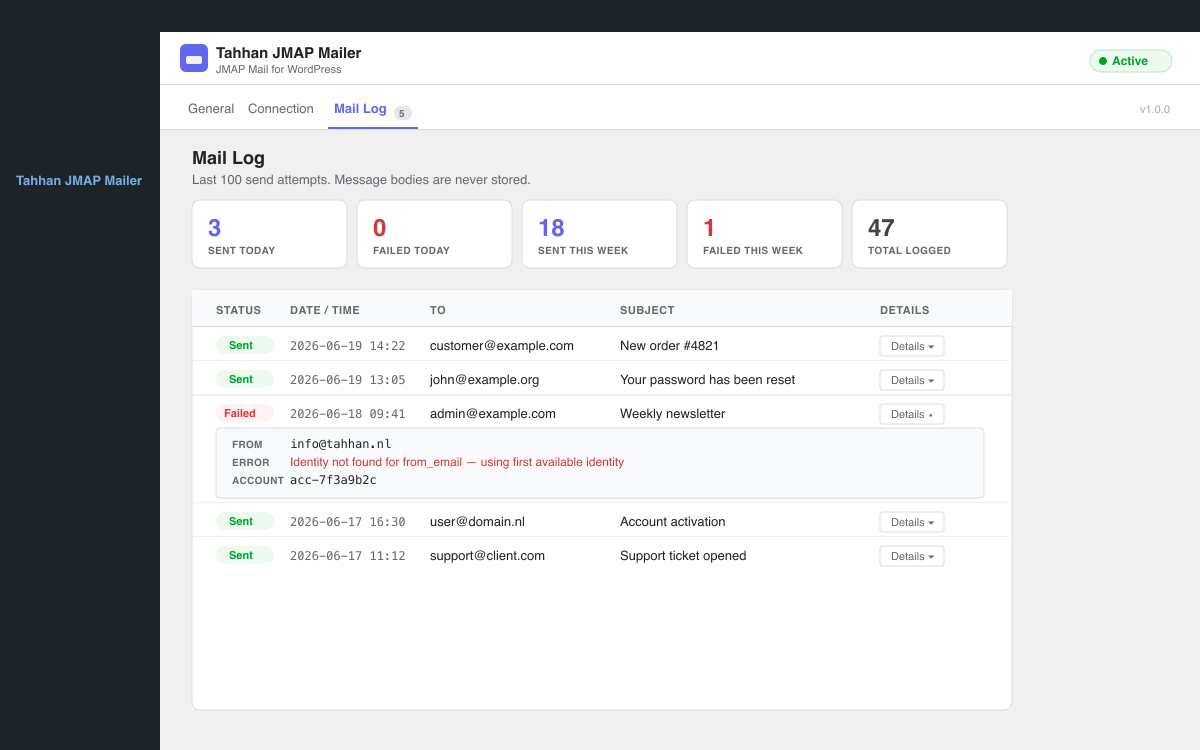
Every send attempt is logged (recipient, subject, status, JMAP IDs) in a capped mail log — message bodies are never stored. The plugin ships with a full admin UI including a setup wizard, live connection testing, multi-account management, conditional routing rules, a retry queue with exponential backoff, open tracking, CSV log export, and WooCommerce email type detection.
Features
- JMAP Protocol — Full RFC 8620 / RFC 8621 implementation, two-step Email/set + EmailSubmission/set delivery
- Auto-discovery — JMAP session discovered automatically from
/.well-known/jmap - Multi-account — Configure multiple JMAP accounts (Primary, Transactional, etc.)
- Advanced routing rules — Route emails based on recipient domain/email (with wildcard and regex support), subject, body, attachments, or plugin type. Override the From address and set a fallback account per rule
- Retry queue — Failed sends automatically retried via WP-Cron with exponential backoff
- Open tracking — Optional 1×1 pixel tracking for HTML emails, entirely self-hosted
- WooCommerce integration — Detect and route WooCommerce order, customer, and admin emails
- Mail log — Last 100 send attempts with recipient, subject, status, JMAP IDs, error details
- CSV export — Download the full mail log as a CSV file
- Multiple identities — Per-account JMAP sending identities with auto-resolve support
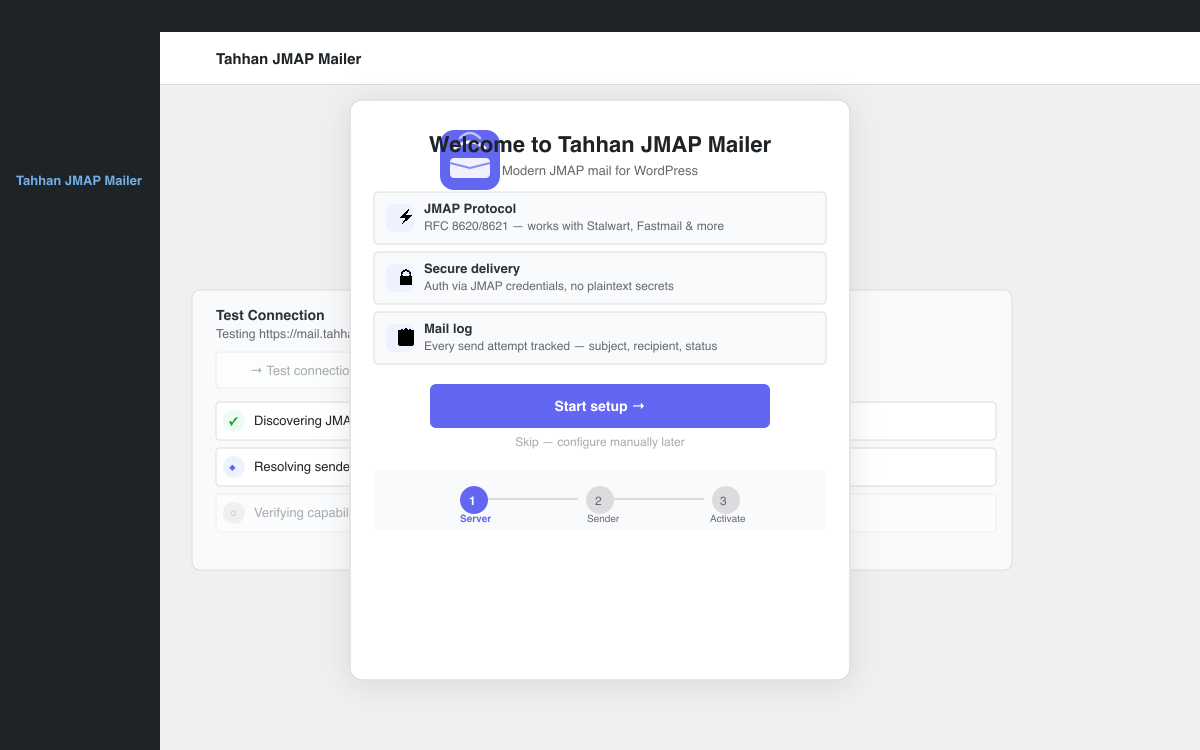
- Setup wizard — Guided first-time configuration with step-by-step instructions
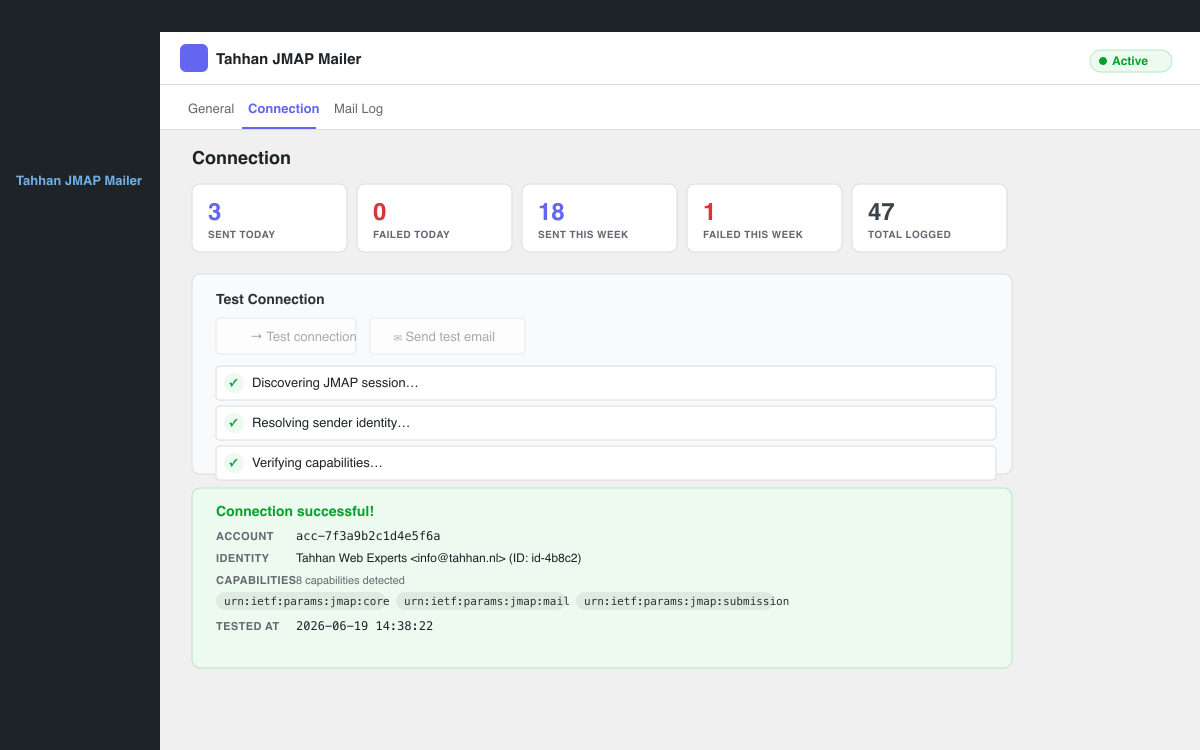
- Live connection testing — AJAX-based JMAP session test with step-by-step feedback
- No external dependencies — Zero third-party PHP libraries required
Compatible Servers
Tahhan JMAP Mailer works with any mail server that implements RFC 8621 (JMAP for Mail):
- Stalwart Mail Server — Full JMAP support, recommended for self-hosted setups
- Fastmail — Full JMAP support, commercial hosted service
- Cyrus IMAP — Full JMAP support, enterprise self-hosted
- Apache James — Full JMAP support, open source Java-based server
- Any RFC 8621-compliant server — The plugin uses only standard JMAP capabilities
Installation
- Download the plugin ZIP from the WordPress.org plugin directory or the GitHub releases page.
- In your WordPress admin, go to Plugins -> Add New -> Upload Plugin.
- Upload the ZIP file and click Install Now.
- Click Activate Plugin.
- Go to Tahhan JMAP Mailer in the left menu and follow the setup wizard to configure your JMAP server.
Frequently asked questions
What is JMAP?
JMAP (JSON Meta Application Protocol) is a modern, open-standard protocol (RFC 8620 / RFC 8621) designed as the successor to IMAP and SMTP. It communicates over HTTPS using JSON, works through firewalls without special port configuration, and is significantly more efficient than legacy email protocols.
How is JMAP different from SMTP?
SMTP was designed in 1982 and requires specific TCP ports (25, 465, 587) that are often blocked by firewalls and hosting providers. JMAP works over standard HTTPS (port 443), requires no relay configuration, has no port restrictions, and uses a modern JSON-based API that is far easier to work with programmatically.
Which mail servers support JMAP?
Stalwart Mail Server, Fastmail, Cyrus IMAP, and Apache James all support JMAP fully. Any server implementing RFC 8621 will work with Tahhan JMAP Mailer.
Does Tahhan JMAP Mailer work with WooCommerce?
Yes. Tahhan JMAP Mailer includes WooCommerce email type detection. You can create routing rules that detect WooCommerce emails (order confirmations, customer invoices, admin notifications) and route them to a dedicated transactional email account for better deliverability.
Can I use multiple JMAP accounts?
Yes. The Accounts tab lets you configure multiple JMAP accounts. You can set one as the Primary account (used by default) and configure additional accounts such as a dedicated transactional account for WooCommerce or a support-specific account.
How do routing rules work?
Routing rules are evaluated in order from top to bottom. The first matching rule wins. Each rule can match on recipient email, recipient domain, sender email, subject content, or plugin/email type. You can match ANY condition (OR logic) or ALL conditions (AND logic). Non-matching emails fall back to the Primary account.
What is the retry queue?
When an email fails to send, Tahhan JMAP Mailer can automatically retry it via WP-Cron. You configure the maximum number of retry attempts (1-5) and an initial delay (5 minutes to 1 hour). Each subsequent retry doubles the delay (exponential backoff). Permanently failed emails are marked as “exhausted” in the mail log.
What is open tracking?
Open tracking embeds a 1×1 transparent pixel in outgoing HTML emails. When a recipient opens the email, the pixel loads from your WordPress site, recording the open event. Plain-text emails are never tracked. All tracking data stays on your own server — nothing is sent to external services. You should disclose tracking in your privacy policy.
What is the mail log?
The mail log records every send attempt: timestamp, recipient address, subject line, send status (sent/failed), JMAP account and identity IDs, email object ID, and any error message. Message bodies, CC/BCC addresses, and attachment contents are never stored. The log is capped at 100 entries.
Can I export the mail log?
Yes. On the Mail Log tab, click “Export CSV” to download all log entries as a CSV file. The export includes timestamp, recipient, subject, status, account ID, identity ID, email ID, and error message.
What PHP version is required?
PHP 7.4 or higher. The plugin is tested with PHP 7.4, 8.0, 8.1, 8.2, and 8.3.
What WordPress version is required?
WordPress 5.8 or higher. The plugin is tested up to WordPress 6.7.
What is the Primary account?
The Primary account is the fallback account used for all emails that do not match a routing rule. It is created automatically during setup from your initial JMAP credentials. You can edit the Primary account’s credentials on the Connection tab or in the Accounts tab.
How do sender identities work?
A JMAP identity defines the “From” name and email address used when sending. Tahhan JMAP Mailer can auto-resolve the correct identity by matching your configured From Email to an identity on the JMAP server. You can also manually select a specific identity from the Connection tab by clicking “Load identities” after saving your credentials.
How do I test the connection?
Go to Tahhan JMAP Mailer -> Connection and click “Test connection”. The plugin will discover the JMAP session, resolve your sender identity, and verify server capabilities. You can also click “Send test email” to fire a real email through the full send pipeline to your configured test recipient.
Changelog
Critical fix: emails failed with "Message has to belong to at least one mailbox". The plugin now finds a fallback mailbox automatically.
1.4.0
- Added: Wildcard matching for recipient email, recipient domain, and sender email conditions — e.g. @example.com, orders.
- Added: Regex matching (/pattern/i) for email, domain, subject, and body conditions
- Added: “Body contains” routing condition — route emails based on message body text
- Added: “Has attachments” routing condition — route emails with or without file attachments
- Added: Per-rule From override — set a custom From name and email address per routing rule
- Added: Fallback account per routing rule — if the target account fails to connect, automatically try a fallback account before falling back to primary
1.3.7
- Fixed: Routing rules with to_email and to_domain conditions now correctly match display-name address format (e.g. “John Doe john@example.com“)
- Fixed: Attachment path check no longer permits sibling directories that share a prefix with the uploads directory
- Fixed: get_identity() and get_mailbox_id_by_role() now auto-discover the JMAP session when called before request(), preventing empty accountId errors
- Fixed: Account name in routing table was double-escaped, causing & to render as &
- Fixed: Added fallback guards for $accounts and $rules variables in the settings template
- Improved: Removed dead wizard JavaScript code (initWizard, goStep, renderProgress, validateStep) that targeted non-existent elements and silently did nothing
- Improved: Merged two DOMContentLoaded handlers into one for predictable boot order
1.3.6
- Security: Block cross-origin redirects during JMAP session discovery
- Security: Restrict email attachments to the WordPress uploads directory
- Security: Add nonce verification to wizard dismiss action
- Security: Sanitize CSV export against formula injection attacks
- Fixed: REST namespace updated to tahhan-jmap-mailer/v1
- Fixed: Asset version string was incorrectly suffixed with .5
- Fixed: CSV export filename now uses correct plugin name
- Fixed: Tested up to changed to 6.7 (WordPress 7.0 does not exist)
- Improved: has_filter check replaced with precise Mailer::is_hooked() method
1.3.5
- Fixed: Text domain is ‘tahhan-jmap-mailer’ throughout, matching the plugin slug
- Fixed: Output escaping issues in admin template
- Fixed: Input sanitization now uses wp_unslash() before processing POST data
- Improved: Tested up to WordPress 6.7
1.3.4
- Fixed: Stats block appeared twice on the General tab
1.3.3
- Fixed: “Message has to belong to at least one mailbox” — the plugin now resolves a fallback mailbox when the server has no Sent folder with role “sent”. It tries sent → archive → inbox → first available mailbox before giving up.
Screenshots
For developers
Is this your plugin? Show off the numbers.
Add a live badge to your site, docs or GitHub README. It updates on its own — no account needed.
Best Tahhan JMAP Mailer alternatives
All email plugins →





FAQ
Tahhan JMAP Mailer: quick answers
Straight answers, pulled from live WordPress.org data.
Live data from WordPress.org · checked Sep 29, 2026
Is Tahhan JMAP Mailer free?
Yes. Tahhan JMAP Mailer is free to download and use from the official WordPress.org plugin directory.
Is Tahhan JMAP Mailer safe to use in 2026?
Tahhan JMAP Mailer works, but test it on a staging site before relying on it in 2026. Was last updated 6 days ago, and scores 46/100 on our health check.
How many websites use Tahhan JMAP Mailer?
Tahhan JMAP Mailer is active on <10 WordPress websites and has been downloaded 333 times since it launched in June 2026. It was downloaded 105 times in the last 30 days.
Does Tahhan JMAP Mailer work with WordPress 7.1?
Tahhan JMAP Mailer is officially tested up to WordPress 6.7.9, while the latest release is 7.1.2. It may still work, but try it on a staging site first.
What PHP version does Tahhan JMAP Mailer need?
Tahhan JMAP Mailer requires PHP 7.4 or higher. Most hosts run PHP 8.x today, so it works on any modern WordPress hosting.
When was Tahhan JMAP Mailer last updated?
The latest version, 1.4.0, was released on September 23, 2026 (6 days ago).
Who makes Tahhan JMAP Mailer?
Tahhan JMAP Mailer is developed and maintained by Mustafa tahhan.
What are the best alternatives to Tahhan JMAP Mailer?
The most popular alternatives to Tahhan JMAP Mailer are WP Mail SMTP by WPForms (4M+ installs), MC4WP: Mailchimp for WordPr… (1M+ installs) and Easy WP SMTP (500K+ installs).
Powered by PageForge
Want thousands of pages that rank like these? Build them in an afternoon.
This directory runs on the same engine as PageForge. Turn any spreadsheet, CSV or API into thousands of fast, SEO-ready WordPress pages — with schema, internal links and AI-written copy baked in.
- CSV, Google Sheets & API data sources
- AI content, schema & internal links per page
- Works with Elementor, Gutenberg, Yoast & Rank Math
- Free on WordPress.org — no credit card


