



MC4WP: Mailchimp for WordPress
The #1 Mailchimp plugin for WordPress. Allows you to add a multitude of newsletter sign-up methods to your site.

Safe pick
Yes — MC4WP: Mailchimp for WordPress is a safe, well-maintained plugin to use in 2026. It runs on 1M+ sites, is rated 4.8/5 and was last updated 2 weeks ago, and scores 97/100 on our health check.
- One of the most-used plugins on the web — 1M+ active sites
- Loved by users — 4.8/5 from 1,497 reviews
- Actively developed — last update 2 weeks ago
- Tested with the latest WordPress (7.1)
How does it stack up?
Side-by-side on installs, updates, ratings & support



Daily downloads
Download spikes usually follow a new release — each site that auto-updates counts as a download.
Rankings
Where MC4WP: Mailchimp for WordPr… stands todayWordPress.org search rankings
Live position in the plugin search, top 100| Keyword | Position |
|---|---|
| >100 | |
| form | >100 |
| mailchimp | #1 |
| newsletter | #22 |
| subscribe | #5 |
Version adoption
Share of active sites per release.
Rating breakdown
★★★★★★★★★★ 4.8 from 1,497 reviews
About MC4WP: Mailchimp for WordPress
From the official readme · v4.14.1Description
Allowing your visitors to subscribe to your newsletter should be easy. With this plugin, it finally is.
This plugins helps you grow your email list in Mailchimp. You can use it to create good looking and accessible sign-up forms or integrate with any other existing form on your WordPress site, like your contact, comment or checkout form.
Some (but not all) features
-
Connect with your Mailchimp account in seconds.
-
Sign-up forms which are good looking, user-friendly and mobile optimized. You have complete control over the form fields and can build your forms using native HTML.
-
Seamless integration with the following plugins:
- WordPress Comment Form
- WordPress Registration Form
- Contact Form 7
- WooCommerce
- Gravity Forms
- Ninja Forms 3
- WPForms
- BuddyPress
- MemberPress
- Events Manager
- Easy Digital Downloads
- Give
- UltimateMember
- HTML Forms
- AffiliateWP
-
Is the plugin you want to integrate with not listed above? You can probably still use our custom integration feature. Alternatively, the plugin comes with a PHP API to programmatically add a new subscriber to Mailchimp.
-
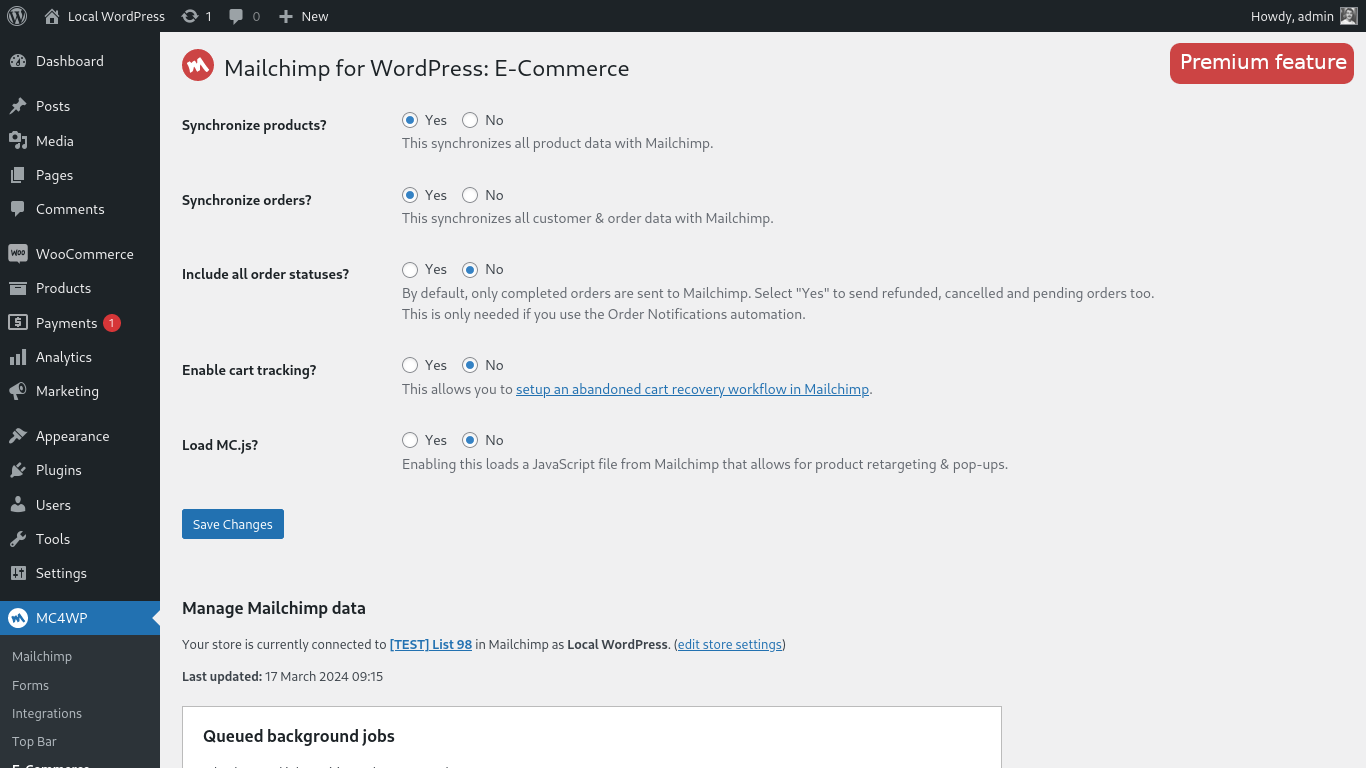
Mailchimp for WordPress Premium: Send your WooCommerce orders to Mailchimp so you can see exactly what each subscriber purchased and how much revenue your email campaigns are generating.
-
A multitude of available add-on plugins and integrations:
-
Well documented through our knowledge base.
-
Developer friendly. For some inspiration, check out our repository of example code snippets.
-
Ready for PHP 8.5, but backwards-compatible all the way down to PHP 7.4.
What is Mailchimp?
Mailchimp is a newsletter service that allows you to send out email campaigns to a list of email subscribers. It is free for lists with up to 500 email subscribers, which is why it is the newsletter-service of choice for thousands of small businesses across the globe.
If you are not yet using Mailchimp, creating an account is 100% free and only takes you about 30 seconds.
Support
If you need some help in setting up the plugin, you have various options:
- Search through our knowledge base.
- Open a topic in the WordPress.org plugin support forums
- If you’re a premium user, send an email to the email address listed inside the plugin.
Translations
You can help translate this plugin into your language using your WordPress.org account.
Development
This plugin is being developed on GitHub. If you want to collaborate, please look at ibericode/mailchimp-for-wordpress.
Customizing the plugin
The plugin provides various filter and action hooks that allow you to modify or extend the default behavior. We’re also maintaining a collection of sample code snippets.
Installation
Installing the plugin
- In your WordPress admin panel, go to Plugins > New Plugin, search for Mailchimp for WordPress and click “Install now“
- Alternatively, download the plugin and upload the contents of
mailchimp-for-wp.zipto your plugins directory, which usually is/wp-content/plugins/. - Activate the plugin
- Set your API key in the plugin settings.
Configuring Sign-Up Form(s)
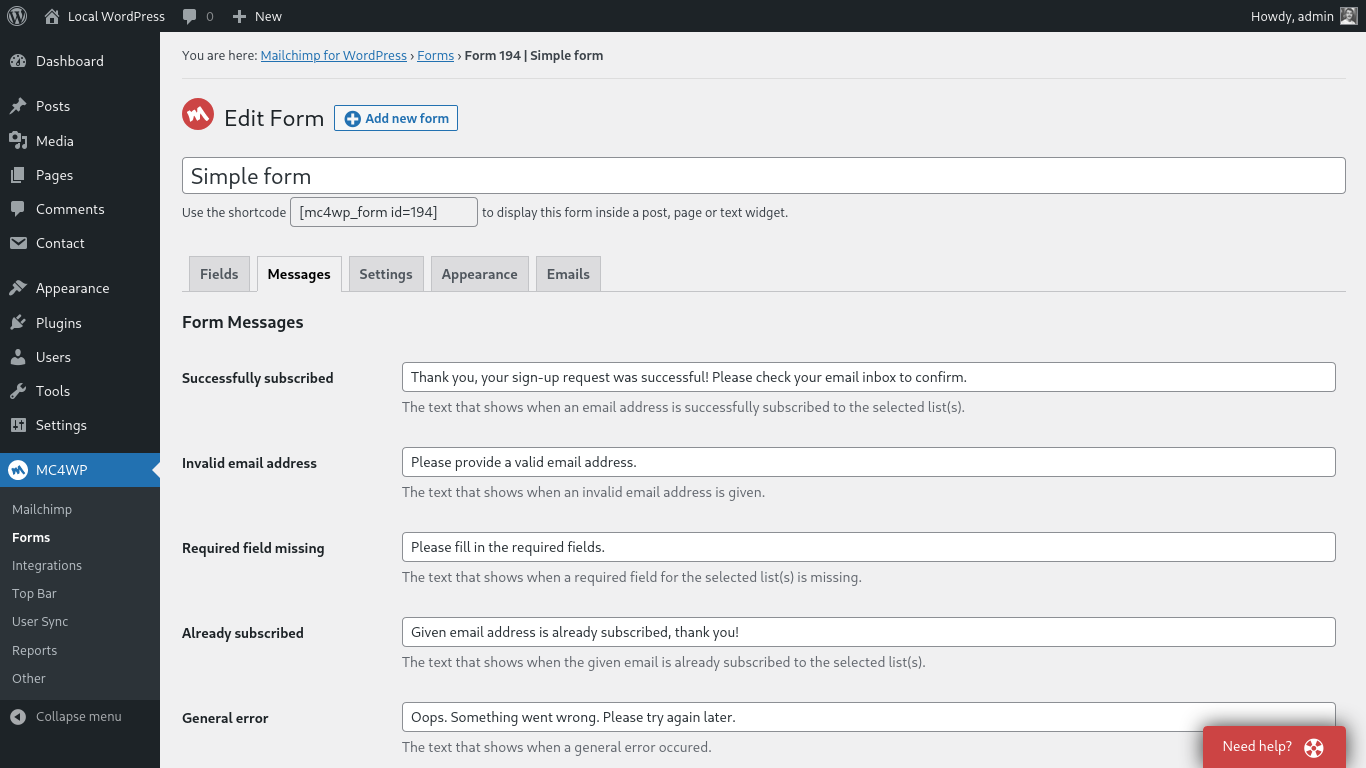
- Go to Mailchimp for WP > Forms
- Select at least one list to subscribe people to.
- (Optional) Add more fields to your form.
- Embed a sign-up form in pages or posts using the
[mc4wp_form]shortcode or Gutenberg block. - Show a sign-up form in your widget areas using the “Mailchimp Sign-Up Form” widget.
- Show a sign-up form from your theme files by using the
mc4wp_show_form()PHP function.
Need help?
Please take a look at the MC4WP knowledge base first.
If you can’t find an answer there, please look through the plugin support forums or start your own topic.
Frequently asked questions
Where can I find my Mailchimp API key?
You can find your Mailchimp API key here
How to display a form in posts or pages?
Use the [mc4wp_form] shortcode or the Gutenberg block.
How to display a form in widget areas like the sidebar or footer?
Go to Appearance > Widgets and use the Mailchimp for WP Form widget that comes with the plugin.
How to add a sign-up checkbox to my Contact Form 7 form?
Use the following shortcode in your CF7 form to display a newsletter sign-up checkbox. [mc4wp_checkbox "Subscribe to our newsletter?"] Our knowledge base has more information on connecting Contact Form 7 and Mailchimp.
The form shows a success message but subscribers are not added to my list(s)?
If the form shows a success message, there is no doubt that the sign-up request succeeded. Mailchimp could have a slight delay sending the confirmation email though. Please check again in a few minutes (sometimes hours) and don’t forget to check your junk folder too. When you have double opt-in disabled, new subscribers will be seen as imports by Mailchimp. They will not show up in your daily digest emails or statistics. We always recommend leaving double opt-in enabled.
How can I style the sign-up form?
You can use custom CSS to style the sign-up form if you do not like the themes that come with the plugin. The following selectors can be used to target the various form elements. .mc4wp-form { ... } /* the form element */ .mc4wp-form p { ... } /* form paragraphs */ .mc4wp-form label { ... } /* labels */ .mc4wp-form input { ... } /* input fields */ .mc4wp-form input[type="checkbox"] { ... } /* checkboxes */ .mc4wp-form input[type="submit"] { ... } /* submit button */ .mc4wp-alert { ... } /* success & error messages */ .mc4wp-success { ... } /* success message */ .mc4wp-error { ... } /* error…
How do I show a sign-up form in a pop-up?
We recommend the Boxzilla pop-up plugin for this. You can use the form shortcode in your pop-up box to show a sign-up form.
How do I subscribe from my WooCommerce checkout form?
You can use our WooCommerce integration for that. How to subscribe to Mailchimp from the WooCommerce checkout form.
How to connect my WooCommerce store with Mailchimp?
You can find instructions for connecting your WooCommerce store with Mailchimp on our website.
I’m getting an “HTTP Error” when trying to connect to Mailchimp.
the “HTTP Error” type is usually because of a firewall configuration issue or outdated software on your web server. Please contact your webhost and ask them to check the following: Whether remote HTTP requests to https://api.mailchimp.com are allowed. Whether cURL and the PHP-cURL extension are installed and updated to a recent version.
Where do I report security bugs found in this plugin?
Please report security bugs found in the source code of the Mailchimp for WordPress plugin through the Patchstack Vulnerability Disclosure Program. The Patchstack team will assist you with verification, CVE assignment, and notify the developers of this plugin.
My question is not listed here.
Please search through our knowledge base.
Changelog
Minor improvements and re-added support for Goodbye Captcha integration.
4.14.1
Release date: Sep 10, 2026
- Security: Escape dynamic content tags based on where they appear in the HTML. Values in URL attributes can no longer use a protocol like
javascript:, and values in event handler attributes are removed. - Integrations: Prosopo Procaptcha now follows the alignment of the surrounding form. Thanks Chris Taylor!
- Integrations: Fix Prosopo Procaptcha breaking other scripts on the page when the theme wraps the form in paragraph tags. Thanks Chris Taylor!
- Misc: Fix the Mailchimp Site Tracking Pixel not finding an already connected site for the same domain, for example when it was registered with a
www.prefix or on a multisite subdirectory install. - Misc: Log the full Mailchimp error message when the Site Tracking Pixel fails to connect.
4.14.0
Release date: Aug 4, 2026
- Integrations: Show the sign-up checkbox on the admin “Add New User” form. Thanks arnelap!
- Misc: Add a code snippet for sending the WordPress username to Mailchimp with User Sync.
- Misc: Update WordPress Coding Standards to 3.4 and fix a few incorrect type annotations.
4.13.1
Release date: Jun 22, 2026
- Forms: Improve handling of pasted
<form>wrapper tags in form content. - Forms: Remove
mc4wp_default_form_idoption. We now default to first available form. - Forms: Improve the
{email}dynamic content tag by detecting common lowercase email field names. - Misc: Adhere to DB, Security, I18n sniffs from WordPress Coding Standards.
- Misc: Prevent direct access to plugin configuration files.
- Misc: Remove the plugin review request from the footer of plugin admin pages.
- Security: Add Patchstack vulnerability disclosure instructions to the plugin FAQ and security policy.
4.13.0
Release date: Jun 1, 2026
- Improve performance by preloading core plugin classes and skipping dynamic content tag parsing when no tags are present.
- Improve security for admin AJAX requests by adding a nonce check and stricter audience ID handling.
- Improve dynamic content tag replacement by removing broken regular expressions.
- Improve form preview output by disabling PHP error display during preview rendering.
- Update JavaScript dependencies and pass admin script data using
wp_add_inline_script().
4.12.6
Release date: May 26, 2026
- Fix integrations losing runtime options like double opt-in when sign-up attempts are processed asynchronously. Thanks Jon Parker!
- Fix Site Tracking Pixel setting not being saved when disabling it.
- Improve accessibility of generated form fields by wrapping inputs in labels and using fieldsets for checkbox and radio fields.
- Improve validation and sanitization of submitted form data.
- Improve debug log safety by truncating overly long messages and improving email address obfuscation. Thanks Jack Feldcher!
Screenshots

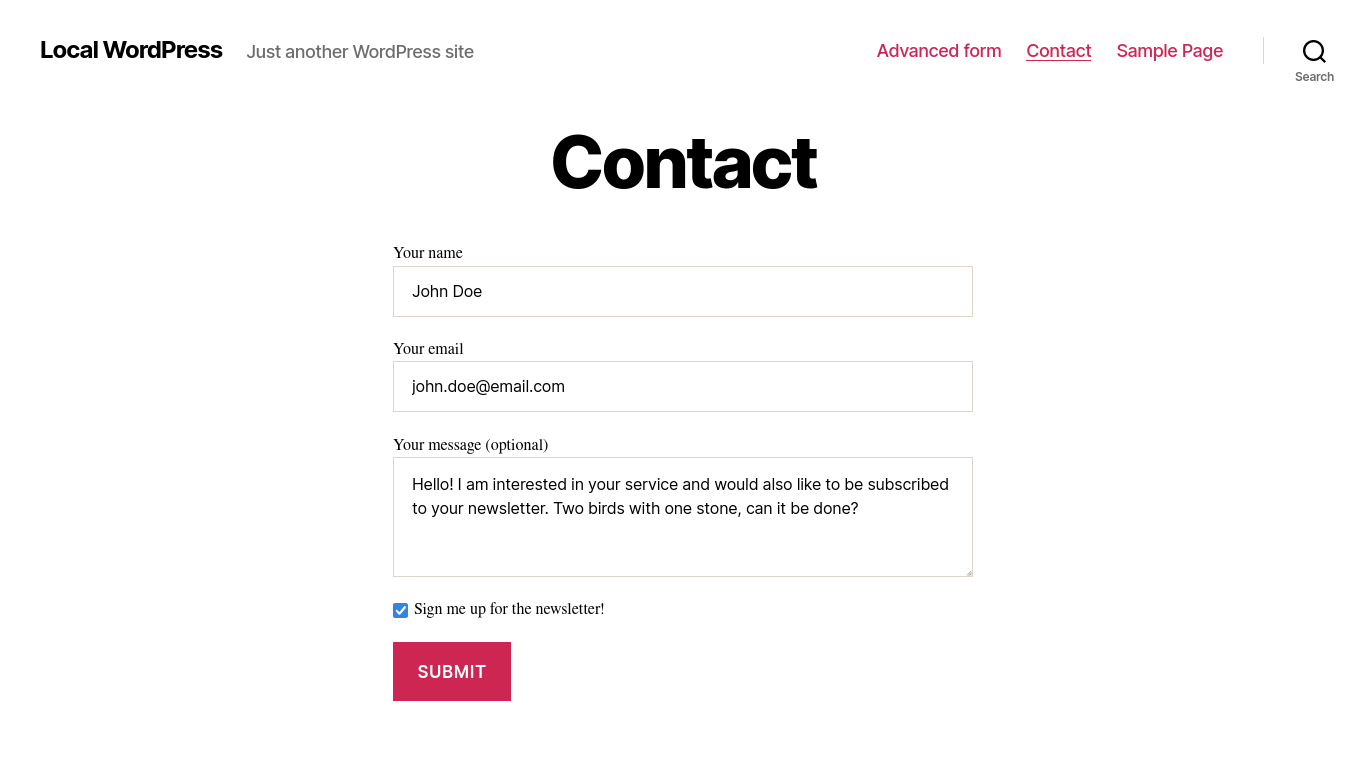


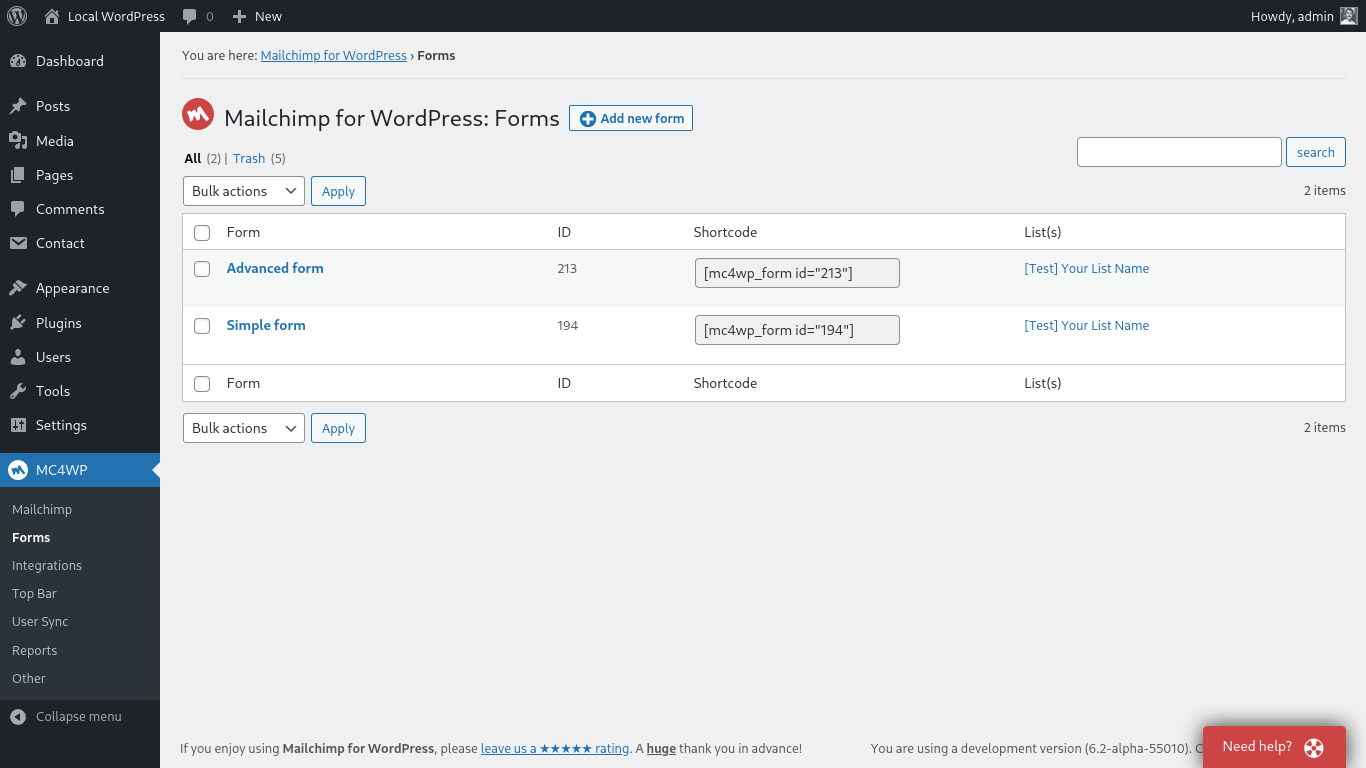
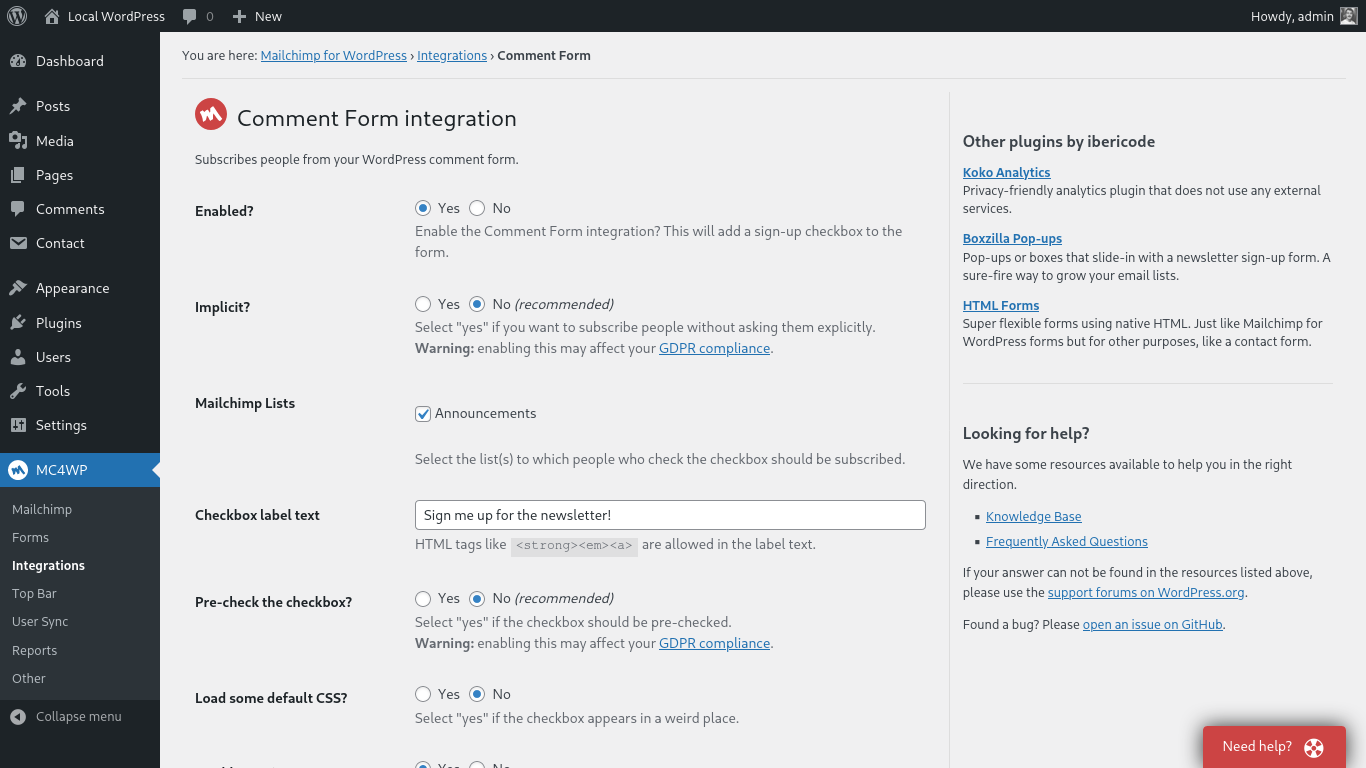
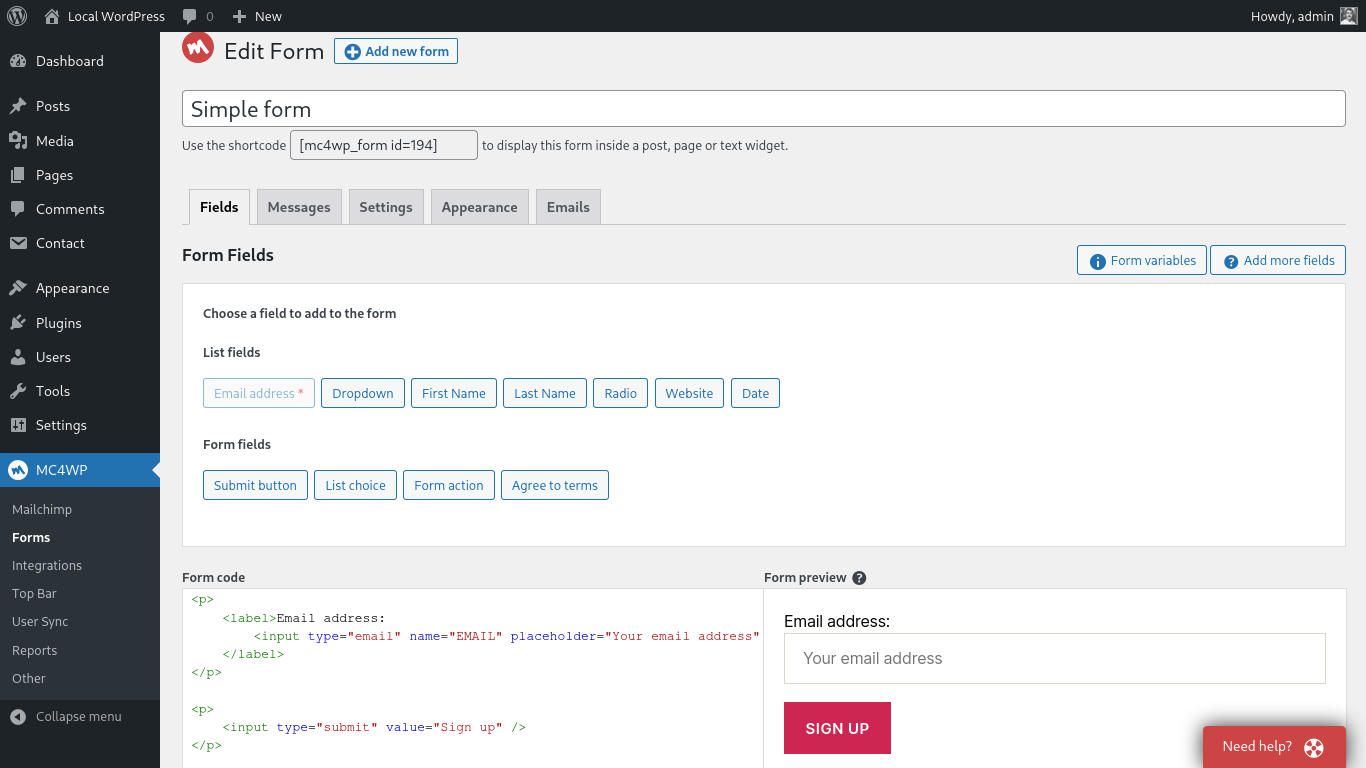
For developers
Is this your plugin? Show off the numbers.
Add a live badge to your site, docs or GitHub README. It updates on its own — no account needed.
Best MC4WP: Mailchimp for WordPress alternatives
All email plugins →





FAQ
MC4WP: Mailchimp for WordPress: quick answers
Straight answers, pulled from live WordPress.org data.
Live data from WordPress.org · checked Sep 28, 2026
Is MC4WP: Mailchimp for WordPress free?
Yes. MC4WP: Mailchimp for WordPress is free to download and use from the official WordPress.org plugin directory.
Is MC4WP: Mailchimp for WordPress safe to use in 2026?
Yes — MC4WP: Mailchimp for WordPress is a safe, well-maintained plugin to use in 2026. It runs on 1M+ sites, is rated 4.8/5 and was last updated 2 weeks ago, and scores 97/100 on our health check.
How many websites use MC4WP: Mailchimp for WordPress?
MC4WP: Mailchimp for WordPress is active on 1M+ WordPress websites and has been downloaded 78,334,579 times since it launched in June 2013. It was downloaded 720,687 times in the last 30 days.
Does MC4WP: Mailchimp for WordPress work with WordPress 7.1?
Yes. The developer has tested MC4WP: Mailchimp for WordPress up to WordPress 7.1.2, the latest release. It requires WordPress 5.3 or newer.
What PHP version does MC4WP: Mailchimp for WordPress need?
MC4WP: Mailchimp for WordPress requires PHP 7.4 or higher. Most hosts run PHP 8.x today, so it works on any modern WordPress hosting.
When was MC4WP: Mailchimp for WordPress last updated?
The latest version, 4.14.1, was released on September 16, 2026 (2 weeks ago).
Who makes MC4WP: Mailchimp for WordPress?
MC4WP: Mailchimp for WordPress is developed and maintained by Danny van Kooten.
What are the best alternatives to MC4WP: Mailchimp for WordPress?
The most popular alternatives to MC4WP: Mailchimp for WordPress are WP Mail SMTP by WPForms (4M+ installs), Easy WP SMTP (500K+ installs) and WP Mail Logging (300K+ installs).
Powered by PageForge
Want thousands of pages that rank like these? Build them in an afternoon.
This directory runs on the same engine as PageForge. Turn any spreadsheet, CSV or API into thousands of fast, SEO-ready WordPress pages — with schema, internal links and AI-written copy baked in.
- CSV, Google Sheets & API data sources
- AI content, schema & internal links per page
- Works with Elementor, Gutenberg, Yoast & Rank Math
- Free on WordPress.org — no credit card


