



Synapse – Data Bridge for Automation
The data bridge for WordPress. A powerful REST API to monitor sites and automate workflows with n8n, Zapier, Make, and your own scripts.

Consider an alternative
Synapse shows warning signs in 2026 — compare the alternatives below before installing. It runs on 20+ sites and was last updated 12 months ago, and scores 39/100 on our health check.
- Small user base (20+ active installs)
- Very few reviews so far
- Only tested up to WordPress 6.8 (latest is 7.1)
How does it stack up?
Side-by-side on installs, updates, ratings & support



Daily downloads
Download spikes usually follow a new release — each site that auto-updates counts as a download.
Rankings
Where Synapse stands todayWordPress.org search rankings
Live position in the plugin search, top 100| Keyword | Position |
|---|---|
| automation | >100 |
| make | >100 |
| monitoring | >100 |
| n8n | #64 |
| rest-api | >100 |
Version adoption
Share of active sites per release.
About Synapse – Data Bridge for Automation
From the official readme · v1.0.0Description
Tired of logging into countless WordPress sites for routine checks? Synapse transforms your website into a powerful “WordPress Data Bridge”, giving you programmatic access to the data you need. Connect your site to automation platforms like n8n, Zapier, Make, or your own custom applications.
Synapse is the essential tool for developers, agencies, and security-conscious site owners who want to build efficient workflows, monitor sites remotely, and manage WordPress like a pro.
A POWERFUL LOCAL DASHBOARD & ROBUST API IN ONE
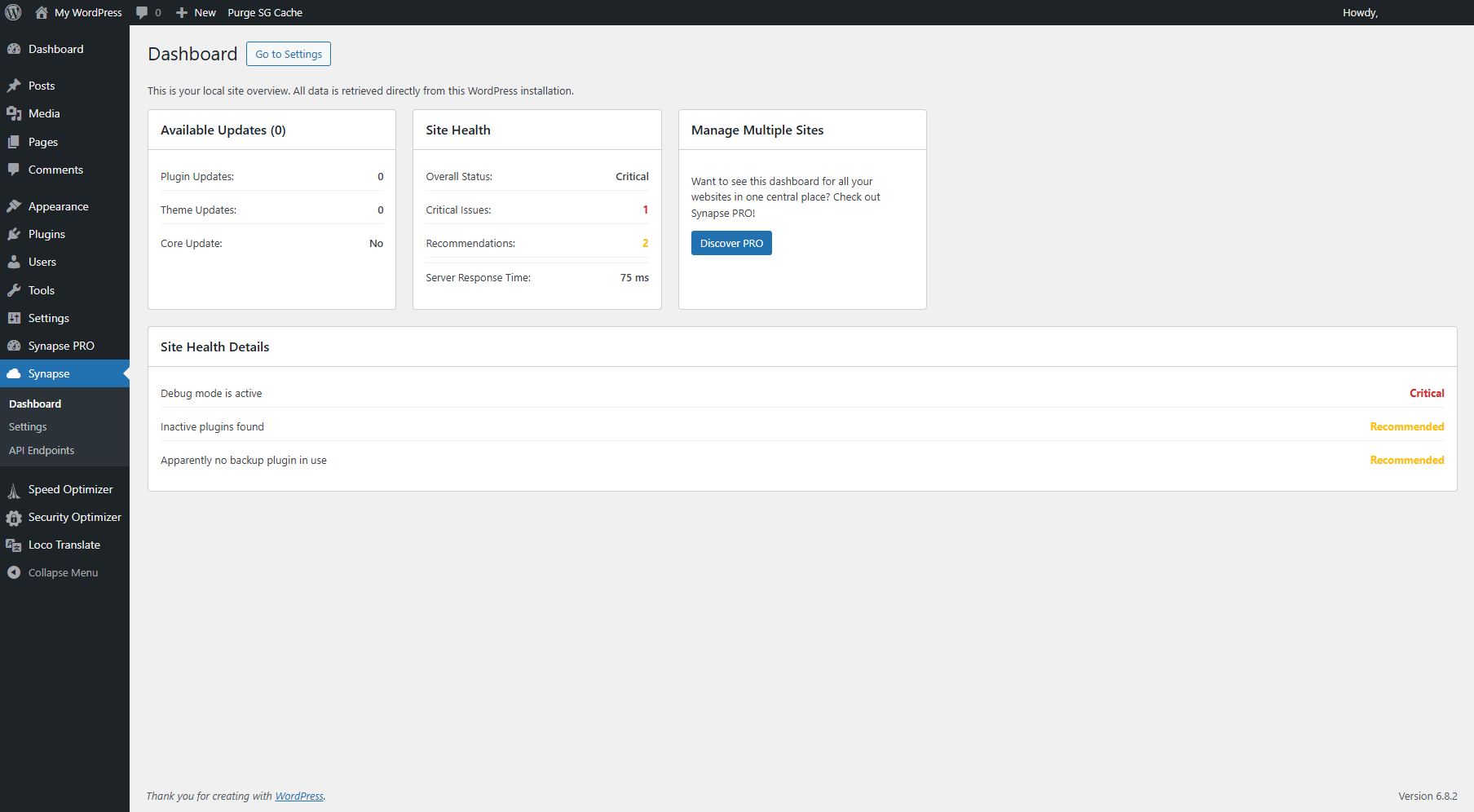
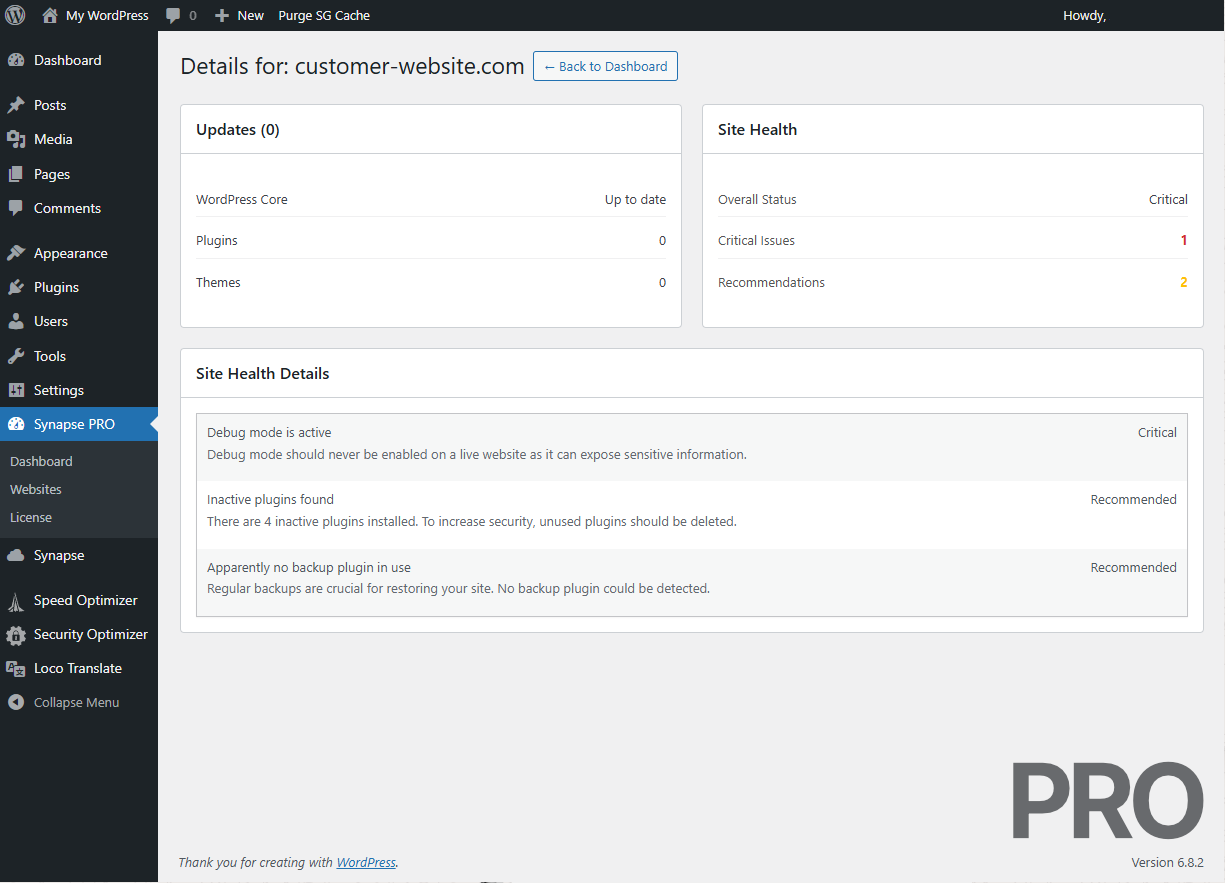
Even as a standalone tool, Synapse provides a valuable local dashboard in your WordPress admin area. Get an instant overview of:
- Available Updates: All pending updates for core, plugins, and themes at a glance.
- Website Health Status: Proactively monitor your site’s health and security.
- Moderation Queue: See how many comments or posts are awaiting your approval.
But the true power lies in its API. See the full User Documentation to get started.
KEY API FEATURES (FREE VERSION)
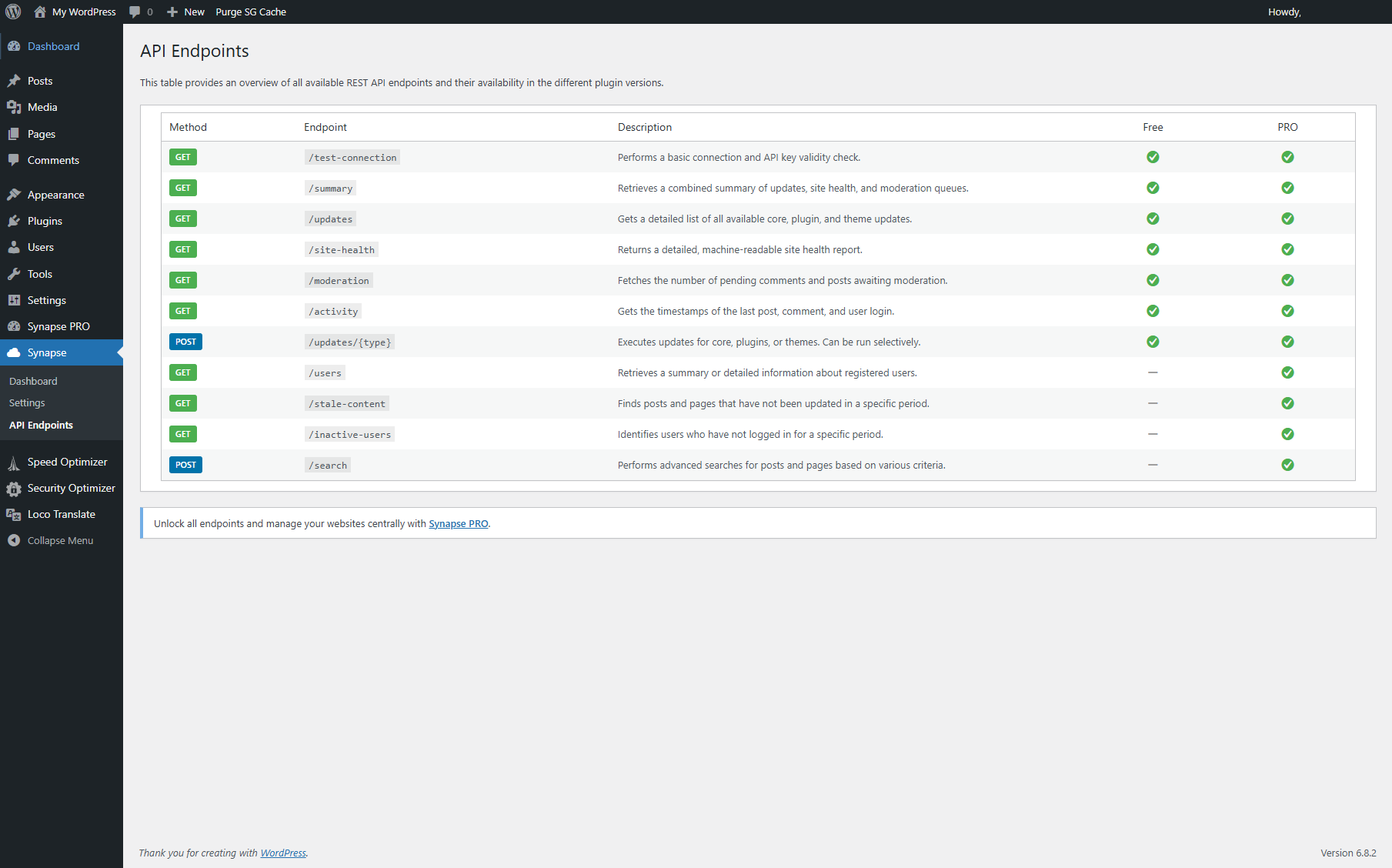
The free version provides the endpoints you need for essential monitoring and maintenance:
- Monitor Available Updates (
/updates): Get a detailed JSON list of all pending WordPress core, plugin, and theme updates. - Check Site Health (
/site-health): Receive a comprehensive, machine-readable status report on your site’s performance and security. - View Moderation Queue (
/moderation): Check the number of pending comments and posts. - Execute Remote Updates (
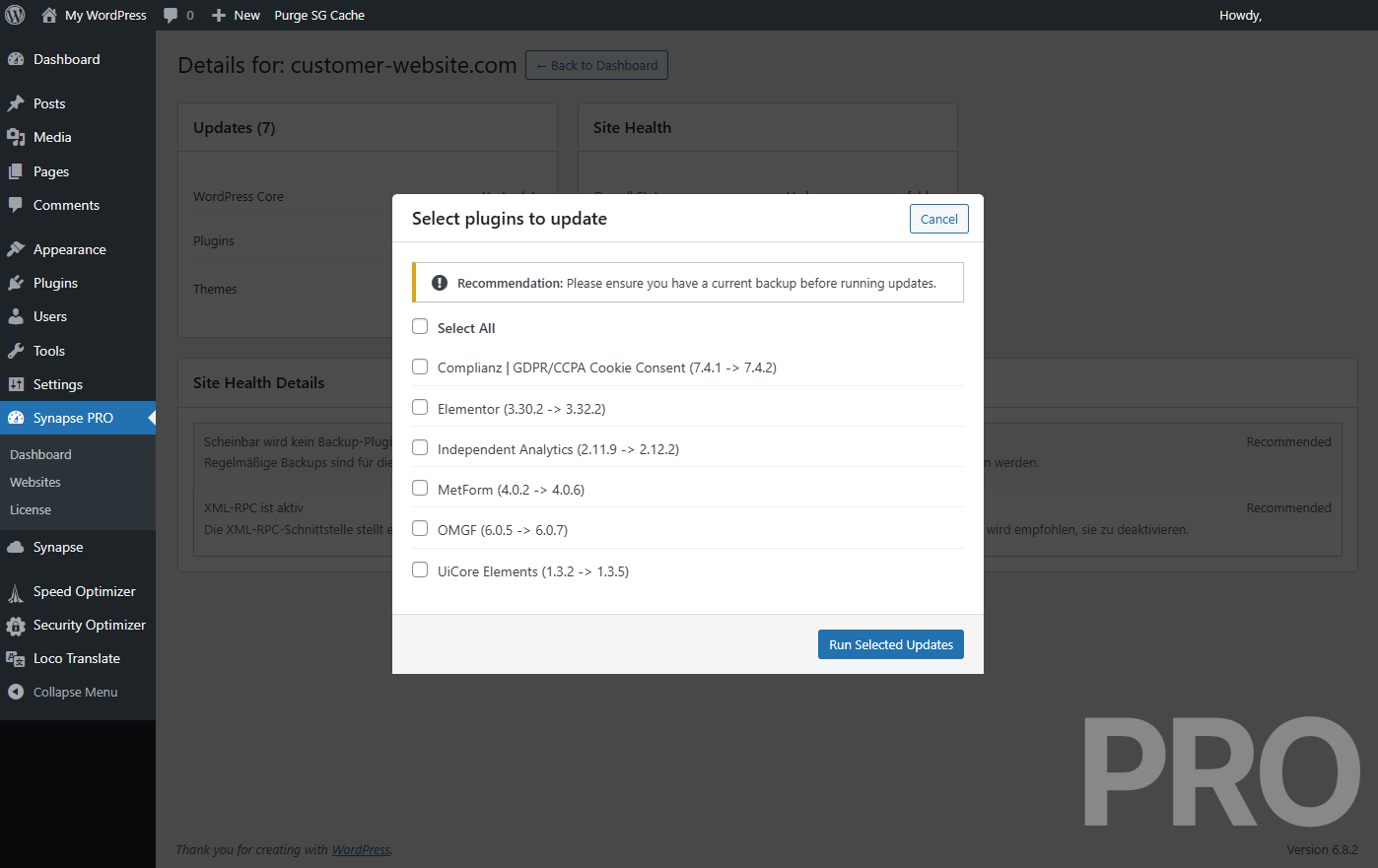
/updates/...): Trigger plugin, theme, or core updates securely and remotely—perfect for automated maintenance scripts.
Explore the full Synapse REST API Documentation to see all possibilities.
WHAT CAN YOU BUILD WITH SYNAPSE? (AUTOMATION USE CASES)
Synapse is designed to be the central hub for your WordPress automation workflows. Here are just a few examples:
- Proactive Security Monitoring: Build a daily workflow in n8n that checks for security updates and sends a notification to your Slack or Discord channel.
- Instant Issue Alerts: Set up an automation that sends a push notification to your phone the moment your site’s health status becomes “critical”.
- Efficient Content Management: Automatically create a new task in Trello or Asana whenever a new post is submitted for moderation.
- Automated Maintenance Workflows: Create a script that automatically creates a backup of your site and then triggers all pending plugin and theme updates via the Synapse API.
FROM A SINGLE SITE TO AN ENTIRE NETWORK
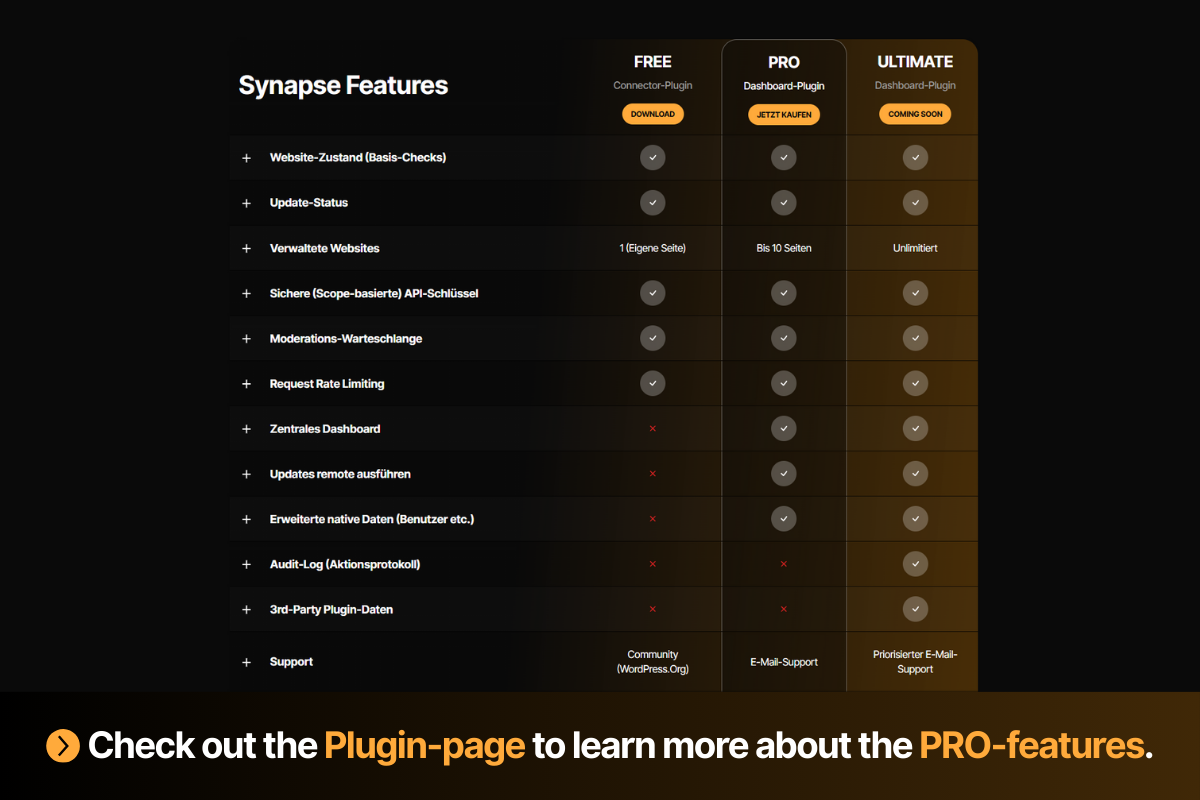
This free plugin is the perfect “Connector” to monitor and manage a single WordPress site.
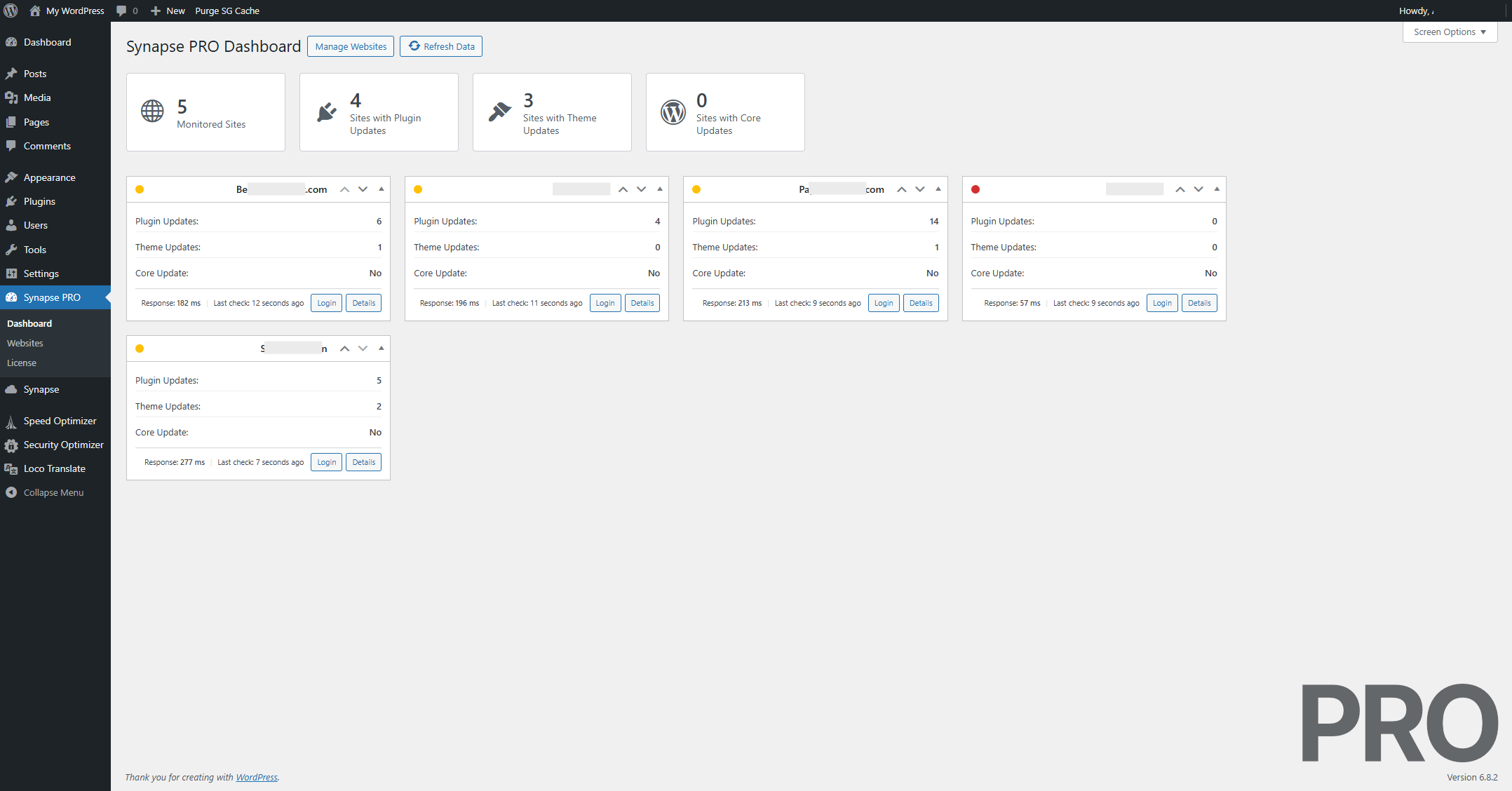
Looking to manage multiple client sites from a single, central dashboard? The Synapse PRO version allows you to connect all your websites and manage them from one central location, run selective updates without logging in, and much more. The upcoming Synapse ULTIMATE will provide advanced API endpoints for user and content management, making it the ultimate tool for agencies and power users.
Frequently asked questions
How do I connect WordPress to n8n, Zapier, or Make?
Synapse is the easiest way. Once you install the plugin, generate a secure API key in the settings. Then, in your automation tool, use the “HTTP Request” or “Webhook” node to call the API endpoints provided by this plugin (e.g., https://YOUR-DOMAIN.com/wp-json/synapse/v1/updates?api_key=YOUR_KEY).
Is it safe to expose my WordPress data via an API?
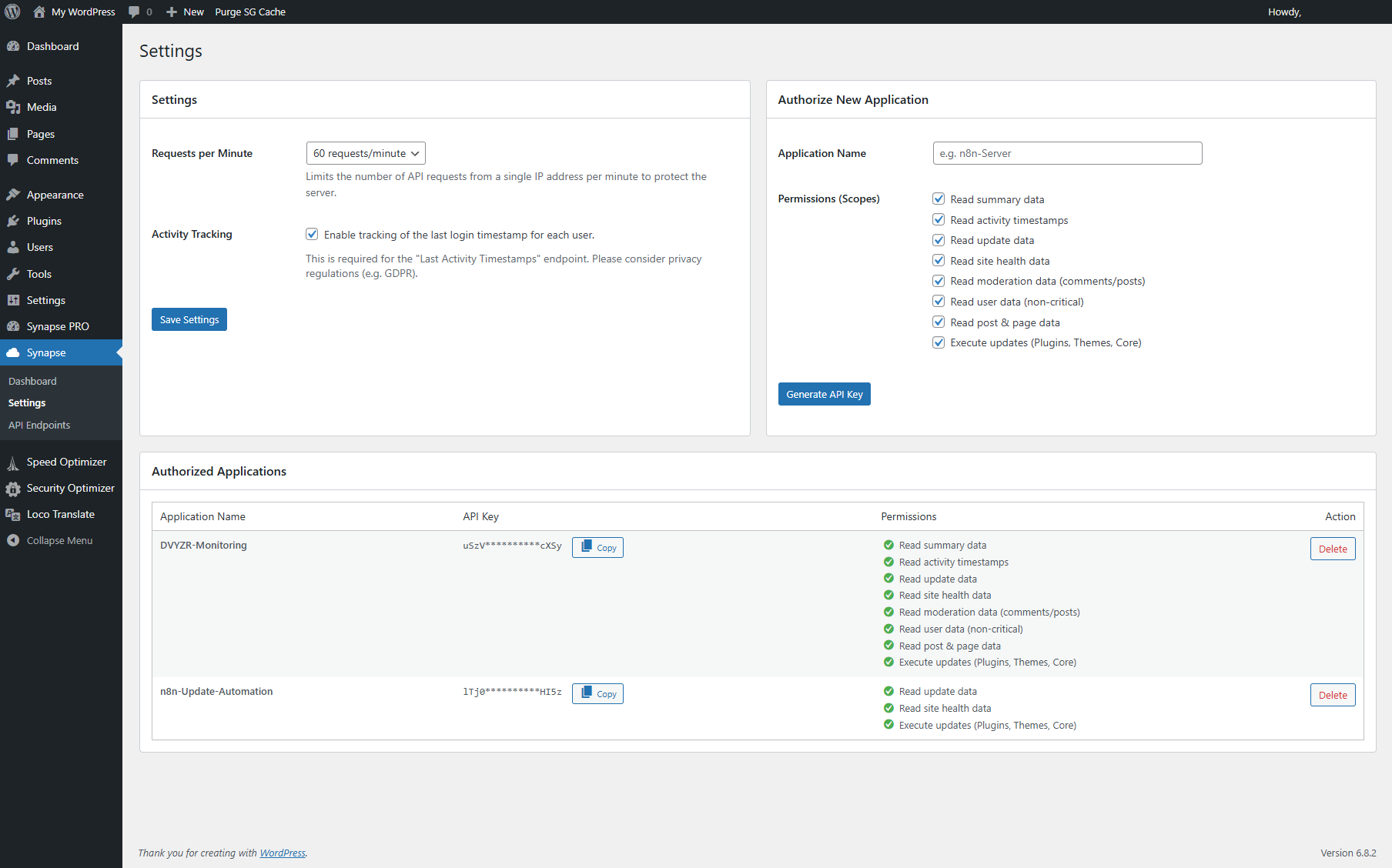
Yes, security is our top priority. All requests require a unique, 40-character API key. Furthermore, our granular permission system allows you to create keys with specific access rights (“scopes”). For example, you can create a key that can only read update information but cannot execute updates.
What data can I access with the free version?
The free version gives you access to the most critical monitoring data: Update Status, a full Site Health check, and the Moderation Queue. You can also use it to remotely execute updates for core, themes, and plugins.
Can I use this plugin to manage multiple websites?
This free plugin is designed to be installed on each individual site you want to connect. To manage all your sites from a single, central dashboard, you need our PRO version. The PRO version is the command center for agencies and professionals managing multiple client sites.
Changelog
Initial stable release.
1.0.0
- Initial release of Synapse.
- Feature: Added API endpoints for Update Status, Site Health, and Moderation Queue.
- Feature: Added API endpoints to remotely execute Core, Plugin, and Theme updates.
- Feature: Implemented a local dashboard for a quick overview of site status.
- Security: Implemented scope-based API keys for granular access control.
Screenshots
For developers
Is this your plugin? Show off the numbers.
Add a live badge to your site, docs or GitHub README. It updates on its own — no account needed.
Best Synapse alternatives
All automation plugins →





FAQ
Synapse – Data Bridge for Automation: quick answers
Straight answers, pulled from live WordPress.org data.
Live data from WordPress.org · checked Oct 7, 2026
Is Synapse free?
Yes. Synapse is free to download and use from the official WordPress.org plugin directory.
Is Synapse safe to use in 2026?
Synapse shows warning signs in 2026 — compare the alternatives below before installing. It runs on 20+ sites and was last updated 12 months ago, and scores 39/100 on our health check.
How many websites use Synapse?
Synapse is active on 20+ WordPress websites and has been downloaded 500 times since it launched in October 2025. It was downloaded 74 times in the last 30 days.
Does Synapse work with WordPress 7.1?
Synapse is officially tested up to WordPress 6.8.11, while the latest release is 7.1.3. It may still work, but try it on a staging site first.
What PHP version does Synapse need?
Synapse requires PHP 7.4 or higher. Most hosts run PHP 8.x today, so it works on any modern WordPress hosting.
When was Synapse last updated?
The latest version, 1.0.0, was released on October 23, 2025 (12 months ago).
Who makes Synapse?
Synapse is developed and maintained by DVYZR.
What are the best alternatives to Synapse?
The most popular alternatives to Synapse are OttoKit: All-in-One Automat… (90K+ installs), Zapier for WordPress (50K+ installs) and Uncanny Automator (40K+ installs).
Powered by PageForge
Want thousands of pages that rank like these? Build them in an afternoon.
This directory runs on the same engine as PageForge. Turn any spreadsheet, CSV or API into thousands of fast, SEO-ready WordPress pages — with schema, internal links and AI-written copy baked in.
- CSV, Google Sheets & API data sources
- AI content, schema & internal links per page
- Works with Elementor, Gutenberg, Yoast & Rank Math
- Free on WordPress.org — no credit card


