


Subscribe2 – Form, Email Subscribers & Newsletters
Sends a list of subscribers an email notification when you publish new posts.

Solid choice
Subscribe2 is a solid plugin choice in 2026, with a few things worth checking first. It runs on 10K+ sites, is rated 3.5/5 and was last updated 2 days ago, and scores 67/100 on our health check.
- Proven at scale on 10K+ active sites
- Actively developed — last update 2 days ago
- Momentum — downloads up 43.3% vs the previous 30 days
How does it stack up?
Side-by-side on installs, updates, ratings & support



Daily downloads
Download spikes usually follow a new release — each site that auto-updates counts as a download.
Rankings
Where Subscribe2 stands todayWordPress.org search rankings
Live position in the plugin search, top 100| Keyword | Position |
|---|---|
| >100 | |
| notify | #23 |
| posts | >100 |
| subscribe | #22 |
| subscription | #100 |
Version adoption
Share of active sites per release.
Rating breakdown
★★★★★★★★★★ 3.5 from 116 reviews
About Subscribe2
From the official readme · v10.50Description
Summary
Subscribe2 provides a comprehensive subscription management and email notification system for WordPress blogs that sends email notifications to a list of subscribers when you publish new content to your blog.
A full description of features is below.
Email notifications can be sent on a per-post basis or periodically in a Digest email. Additionally, certain categories can be excluded from inclusion in the notification and posts can be excluded on an individual basis by setting a custom field.
Subscriptions
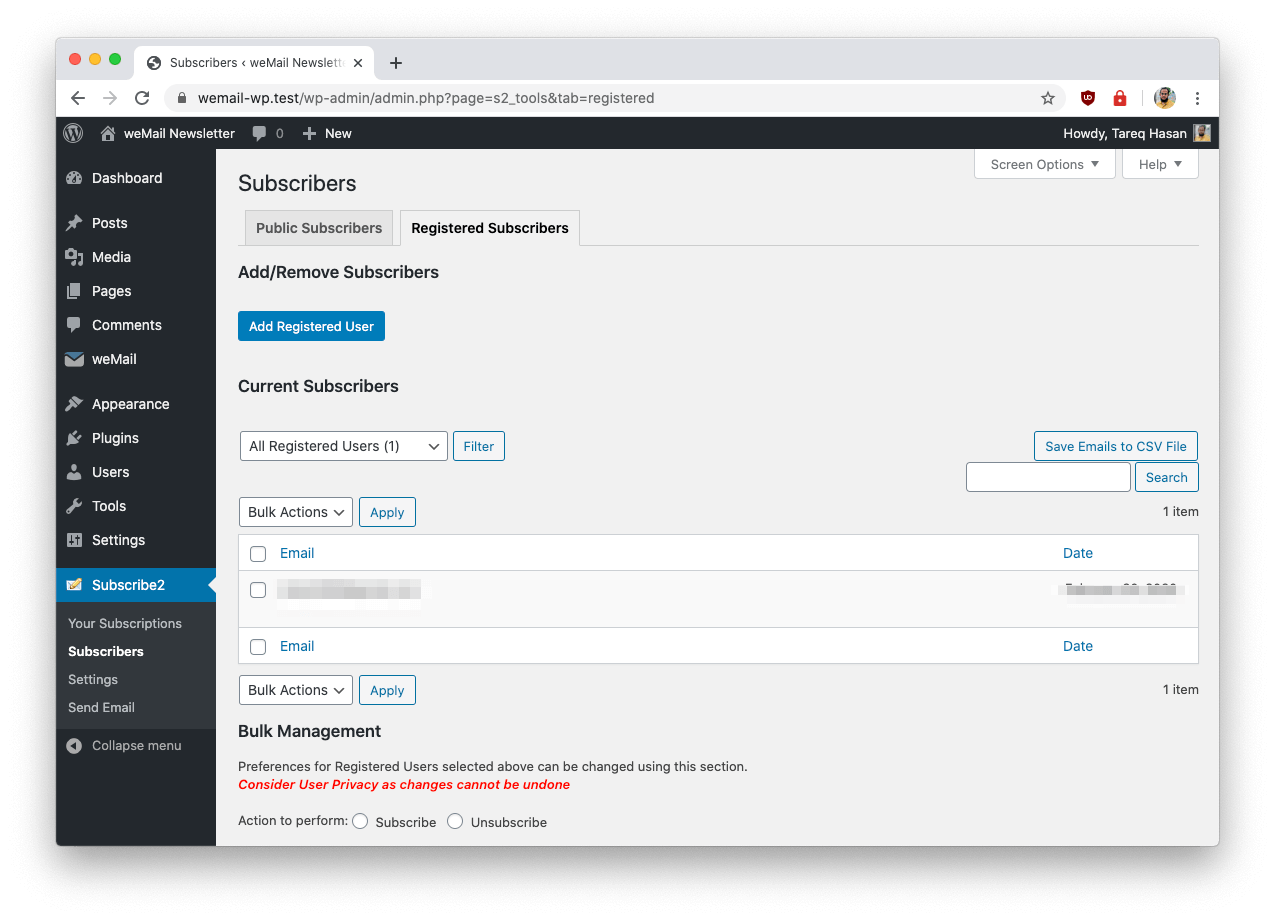
Subscription requests allows users to publicly subscribe (Public Subscribers) by submitting their email address in an easy to use form or to register with your blog (Registered Users) which enables greater flexibility over the email content for per-post notifications for the subscriber. Admins are given control over the presentation of the email notifications, can bulk manage subscriptions for users and manually send email notices to subscribers.
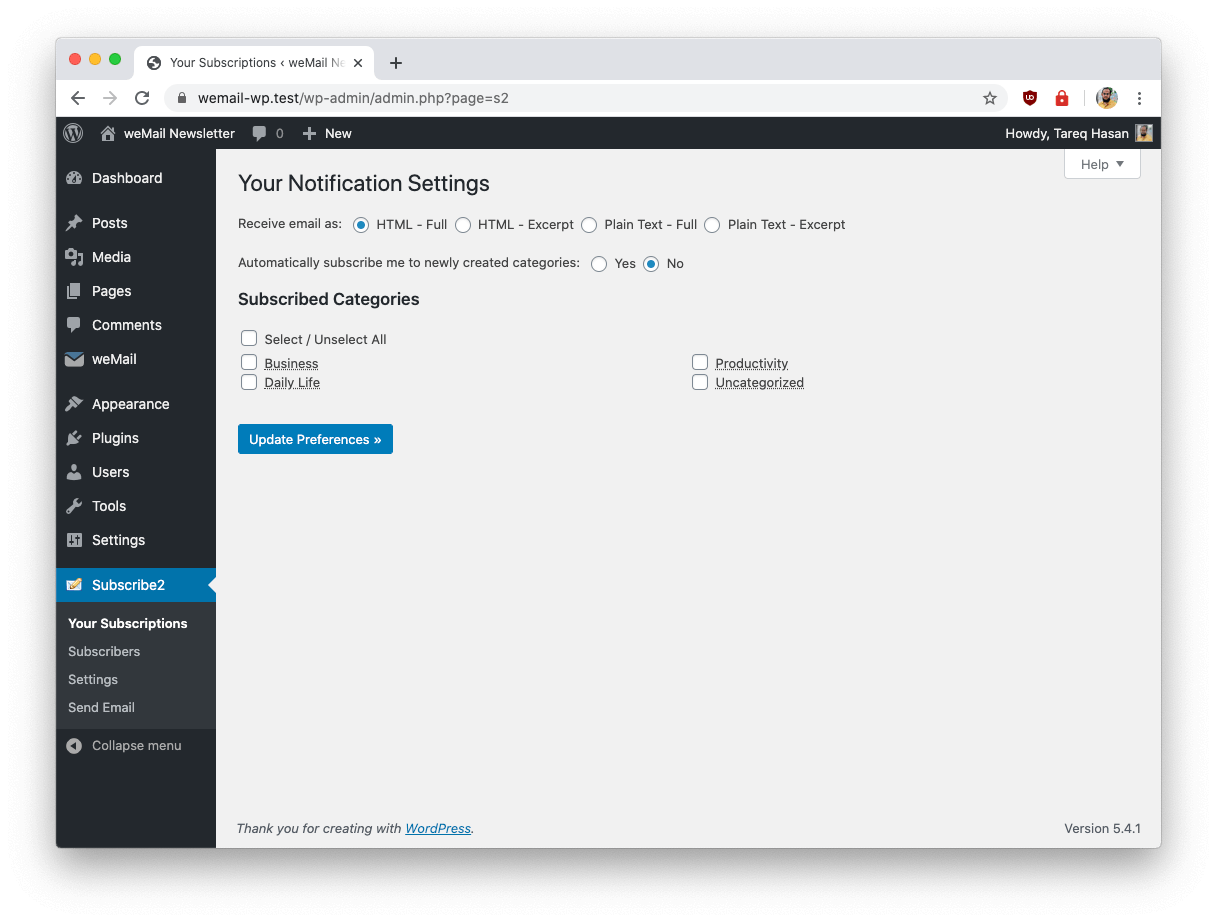
The format of the email can also be customised for per-post notifications, Subscribe2 can generate emails for each of the following formats:
- plaintext excerpt.
- plaintext full post (Registered Users only).
- HTML excerpt (Registered Users only).
- HTML full post (Registered Users only).
If you want to grow your subscriber lists, send automated campaigns to huge subscriber lists, you should upgrade to weMail.
Privacy Policy
Subscribe2 uses Appsero SDK to collect some telemetry data upon user’s confirmation. This helps us to troubleshoot problems faster & make product improvements. Learn more about how Appsero collects and uses this data.
Installation
AUTOMATIC INSTALLATION
- Log in to your WordPress blog and visit Plugins -> Add New.
- Search for Subscribe2, click “Install Now” and then Activate the Plugin
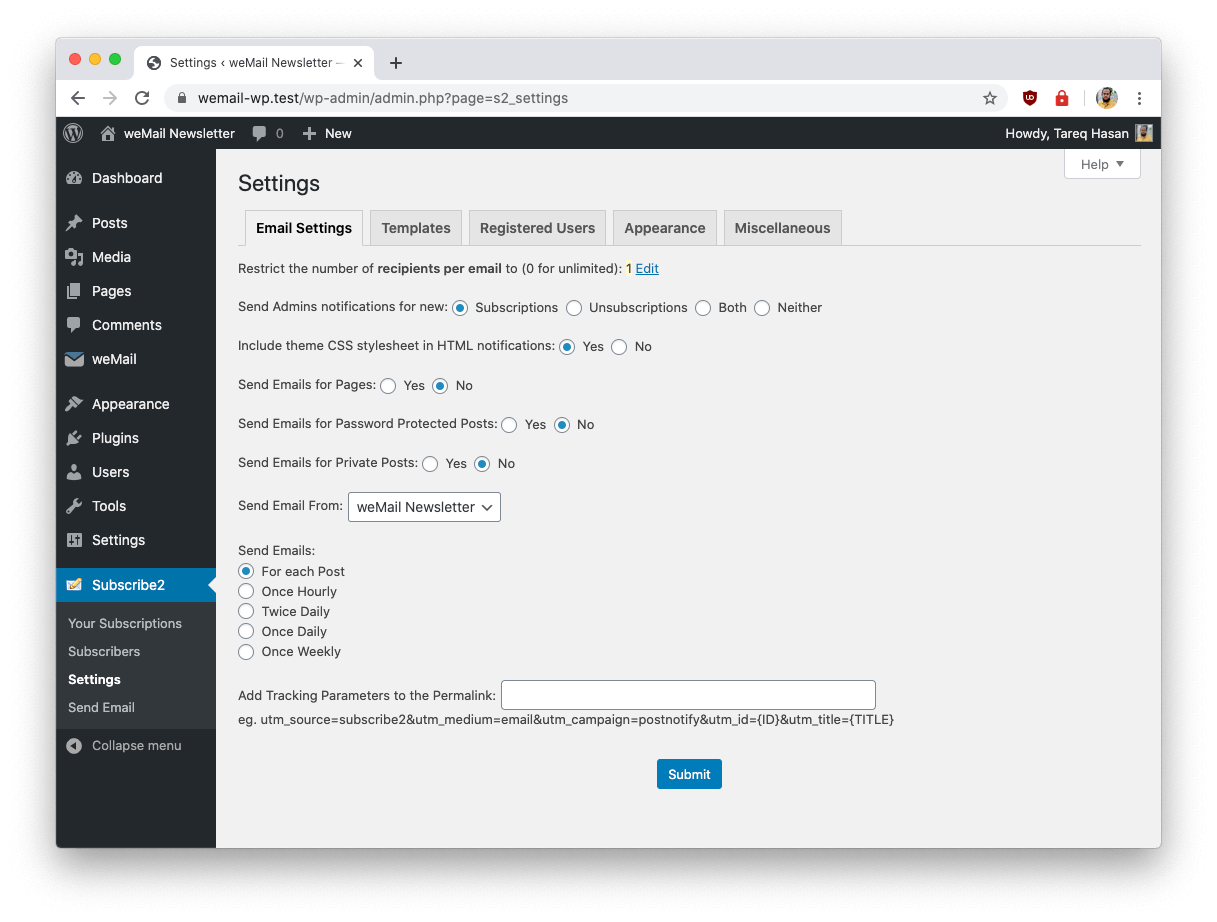
- Visit the “Subscribe2 -> Settings” menu.
- Configure the options to taste, including the email template and any categories which should be excluded from notification
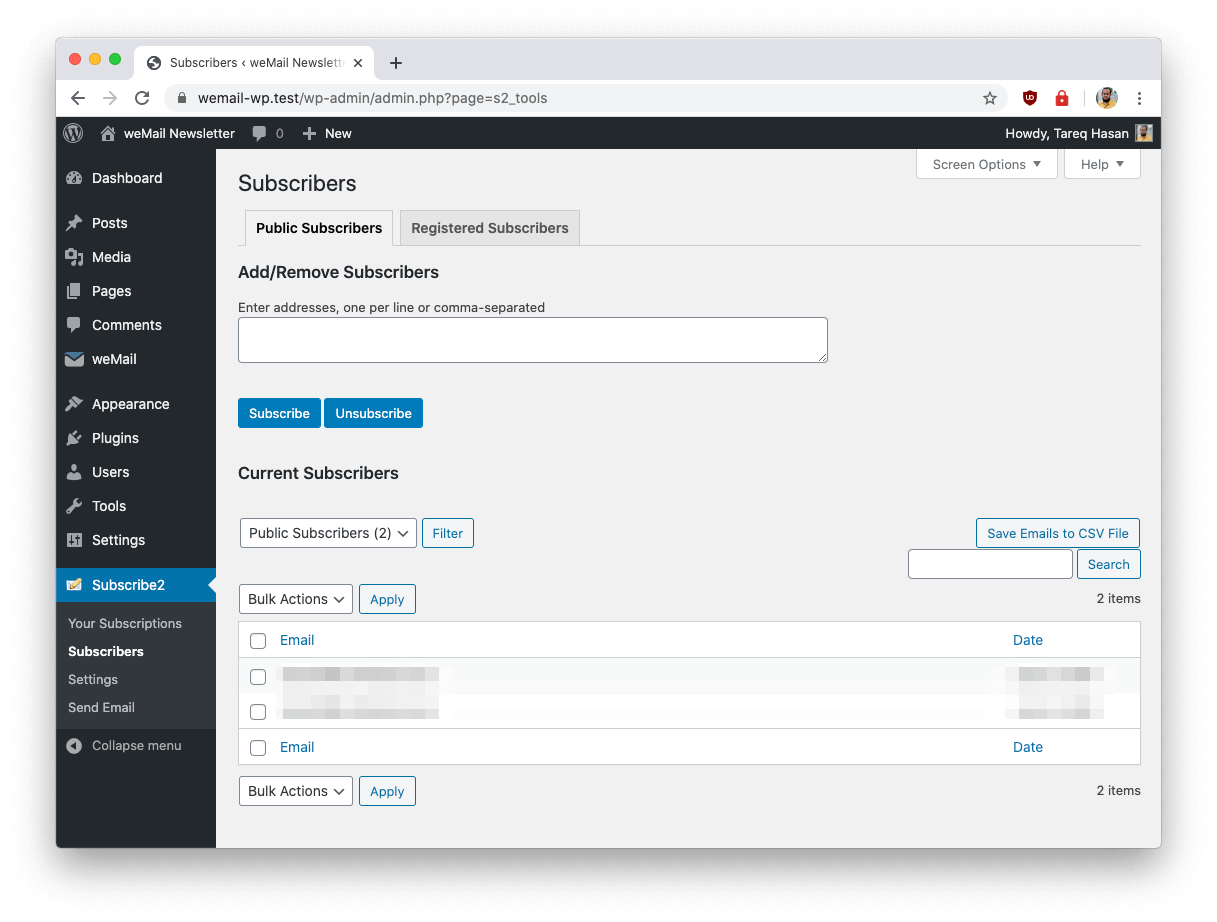
- Visit the “Subscribe2 -> Subscribers” menu.
- Manually subscribe people as you see fit.
- Create a WordPress Page to display the subscription form. When creating the page, you may click the “S2” button on the QuickBar to automatically insert the Subscribe2 token. Or, if you prefer, you may manually insert the Subscribe2 shortcode or token: [subscribe2] or the HTML invisible
<!--subscribe2-->Ensure the token is on a line by itself and that it has a blank line above and below.
This token will automatically be replaced by dynamic subscription information and will display all forms and messages as necessary. - In the WordPress “Settings” area for Subscribe2 select the page name in the “Appearance” section that of the WordPress page created in step 7.
MANUAL INSTALLATION
- Copy the entire /subscribe2/ directory into your /wp-content/plugins/ directory.
- Activate the plugin.
- Visit the “Subscribe2 -> Settings” menu.
- Configure the options to taste, including the email template and any categories which should be excluded from notification
- Visit the “Subscribe2 -> Subscribers” menu.
- Manually subscribe people as you see fit.
- Create a WordPress Page to display the subscription form. When creating the page, you may click the “S2” button on the QuickBar to automatically insert the Subscribe2 token. Or, if you prefer, you may manually insert the Subscribe2 shortcode or token: [subscribe2] or the HTML invisible
<!--subscribe2-->Ensure the token is on a line by itself and that it has a blank line above and below.
This token will automatically be replaced by dynamic subscription information and will display all forms and messages as necessary. - In the WordPress “Settings” area for Subscribe2 select the page name in the “Appearance” section that of the WordPress page created in step 7.
Changelog
10.50 (16th November, 2026)
- Security: One-click unsubscribe links ({UNSUBLINK}) could be forged, allowing anyone who knew a public subscriber’s email address to remove them from the list. Each link now carries a secret key and is only honoured when the key matches. Unsubscribe links in emails sent before this update no longer work; subscribers can still unsubscribe through the subscription form.
- Fix: When notification emails were sent individually, every recipient after the first received the first recipient’s unsubscribe link. Each recipient now gets their own link.
10.49 (11th November, 2026)
- Fix: The “Save Emails to CSV File” button on the Subscribers screen exported a file containing only the header row whenever more than one subscriber was listed, because the line breaks separating the addresses were stripped before the list was split. The list is now split and each address sanitized individually, restoring one row per subscriber.
- Fix: The exported CSV file no longer HTML-encodes its data. Subscriber display names and category names containing & or ‘ appeared as & and ‘ in the downloaded file.
10.48 (23rd September, 2026)
- Fix: Stored Cross-Site Scripting in the Subscribers list table. The signup IP address recorded for public subscribers was rendered unescaped, allowing content stored through the AJAX subscription form (available when the popup style subscription form is enabled) to execute in an administrator’s browser. Subscriber email addresses in the list are now escaped as well.
- Fix: The AJAX subscription handler now validates the submitted IP address and stores an empty value when it is not a valid IP address.
- Fix: Submitting array values to the subscription form or the AJAX handler no longer causes a PHP fatal error on public pages.
- Enhance: get_remote_ip() now validates each address header and ignores values that are not valid IP addresses.
10.47 (10th September, 2026)
- Fix: SQL injection in the bulk “change email format” action for registered subscribers. The submitted format value was interpolated into an UPDATE statement instead of being passed through $wpdb->prepare().
- Fix: Broken access control on the block editor REST endpoints. Sending a preview now requires permission to edit the specific post, resending a notification requires the same capability as the Send Email screen (manage_options, filterable through s2_capability) in addition to permission to edit the post, and the settings endpoint requires manage_options. The two defaults the block editor sidebar needs are now served by a separate read-only endpoint limited to those settings and to users who can edit posts.
- Fix: Block editor email preview always used the digest branch because the plugin options were read from an undefined property, which also caused an “Undefined array key” warning during preview.
- Fix: Subscription confirmation links no longer emit PHP warnings when the s2 parameter is missing or malformed (such as an array).
- Fix: PHP 8.2 “creation of dynamic property” deprecation notices by declaring previously undeclared class properties.
- Fix: PHP 8.1+ “passing null” deprecation notices when building notification emails.
10.46 (27th July, 2026)
- Fix: The email request parameter was reflected unescaped into the email field’s inline onfocus/onblur JavaScript handlers.
- Enhance: The email field prompt now uses the standard placeholder attribute instead of inline JavaScript handlers.
10.45 (29th Dec, 2025)
- Enhance: Capability checks added for better security.
Screenshots
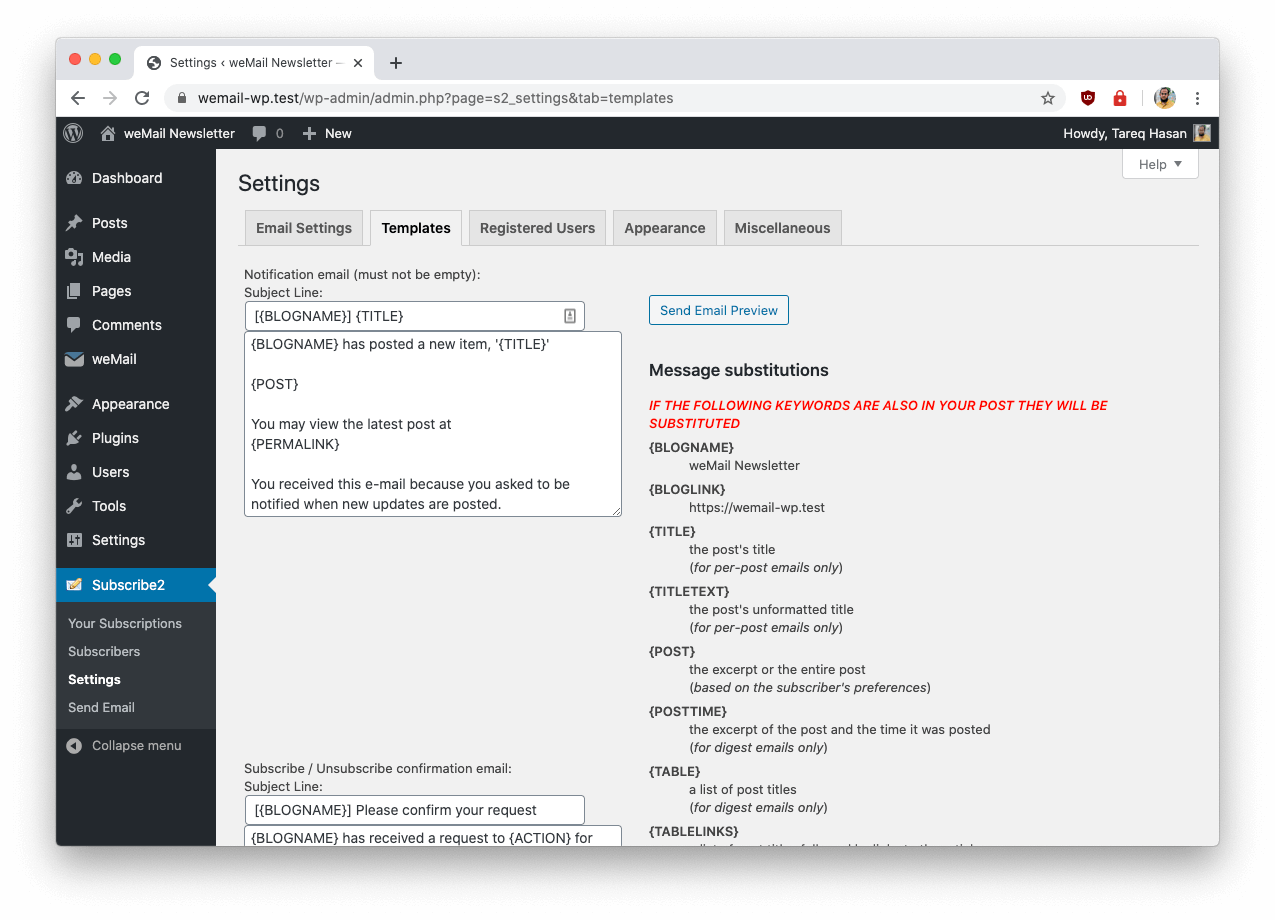
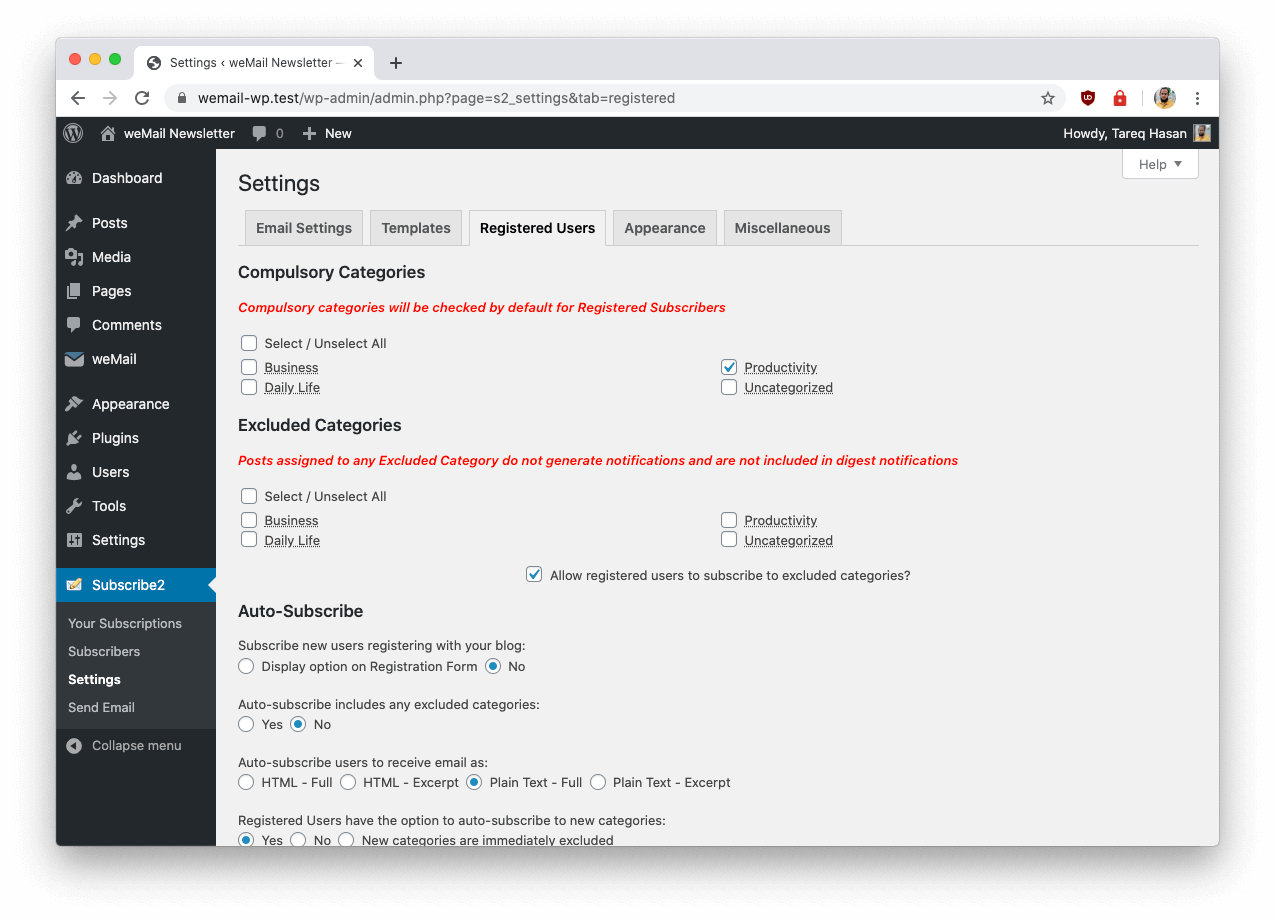
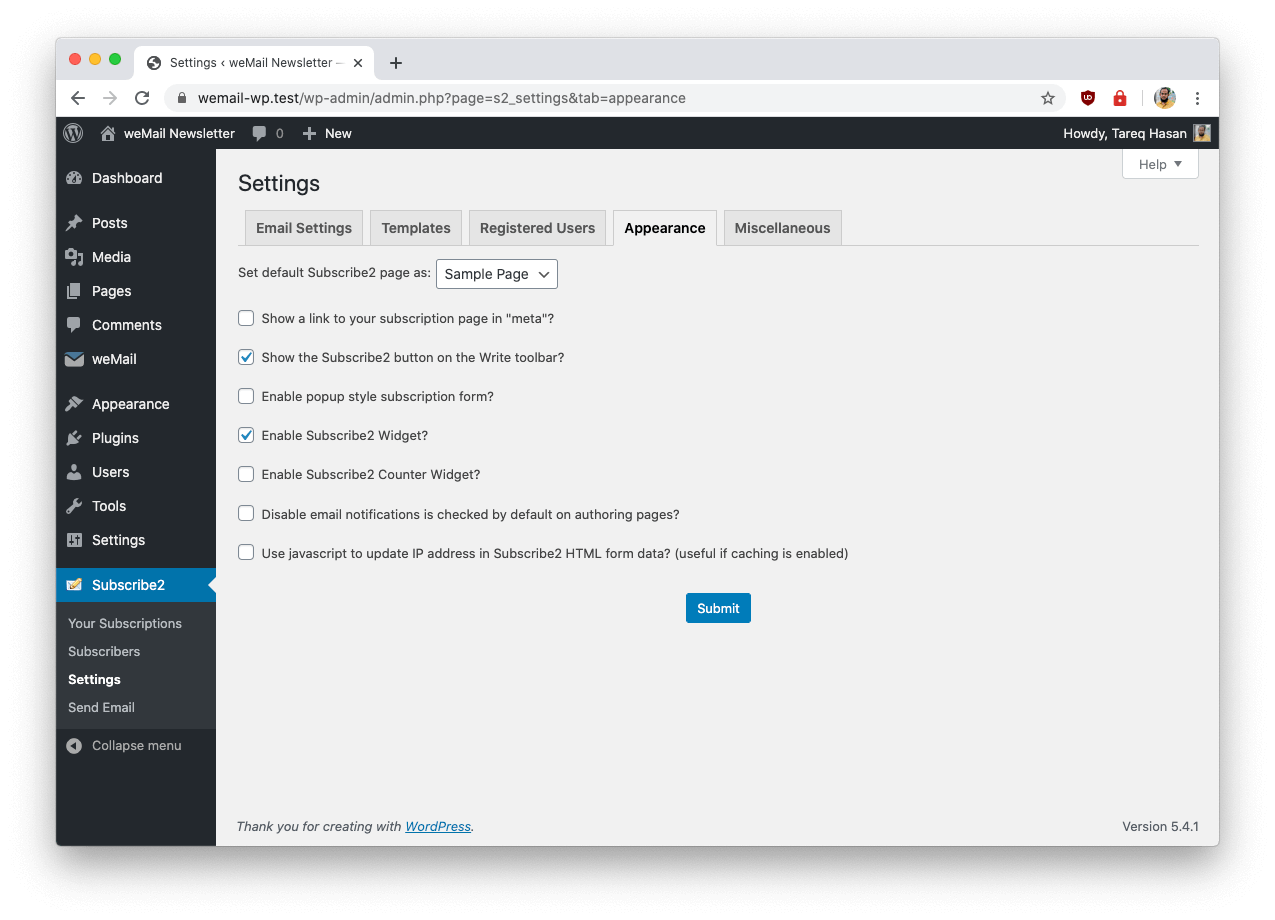
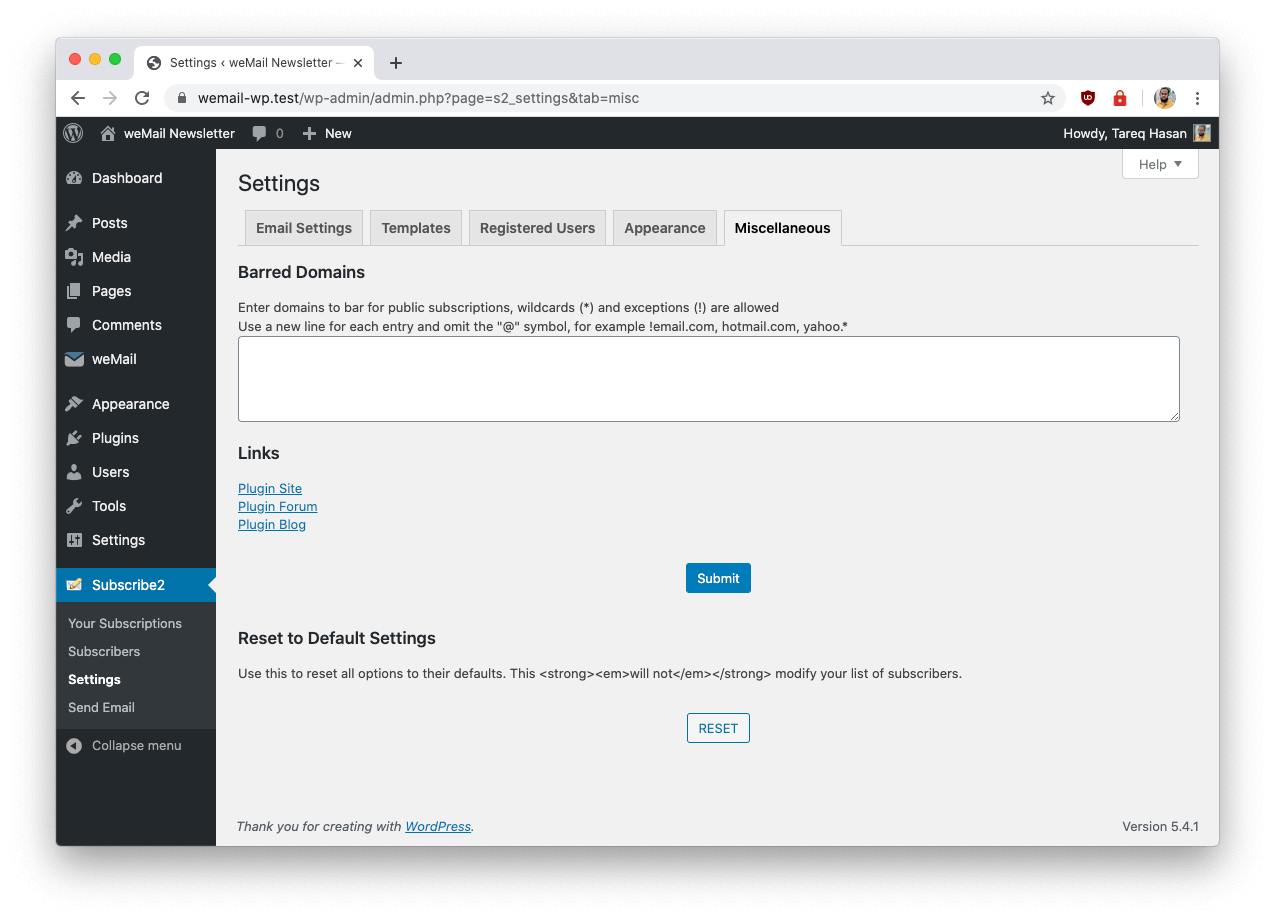
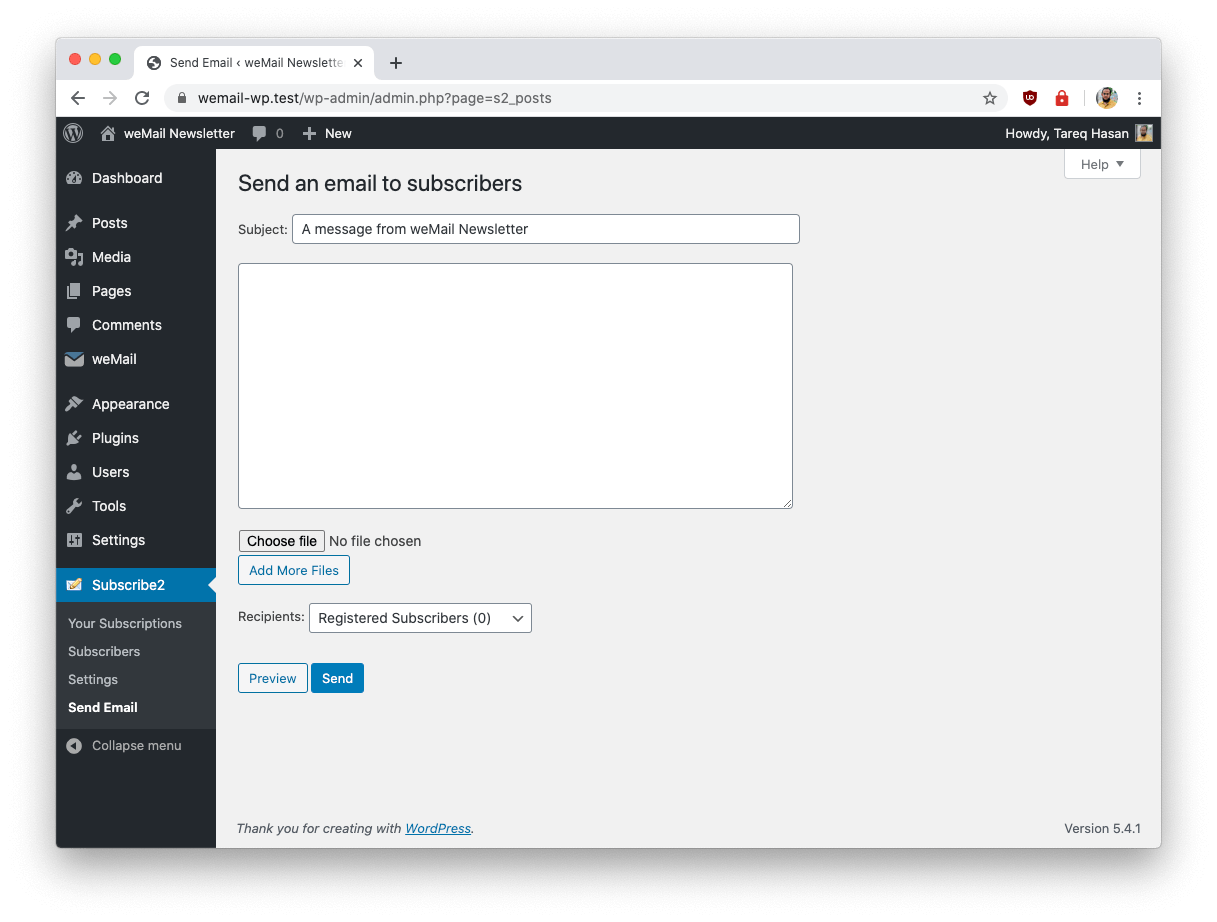
For developers
Is this your plugin? Show off the numbers.
Add a live badge to your site, docs or GitHub README. It updates on its own — no account needed.
Best Subscribe2 alternatives
All email plugins →





FAQ
Subscribe2: quick answers
Straight answers, pulled from live WordPress.org data.
Live data from WordPress.org · checked Nov 18, 2026
Is Subscribe2 free?
Yes. Subscribe2 is free to download and use from the official WordPress.org plugin directory.
Is Subscribe2 safe to use in 2026?
Subscribe2 is a solid plugin choice in 2026, with a few things worth checking first. It runs on 10K+ sites, is rated 3.5/5 and was last updated 2 days ago, and scores 67/100 on our health check.
How many websites use Subscribe2?
Subscribe2 is active on 10K+ WordPress websites and has been downloaded 2,506,810 times since it launched in June 2005. It was downloaded 15,477 times in the last 30 days.
Does Subscribe2 work with WordPress 7.1?
Subscribe2 is officially tested up to WordPress 7.0.8, while the latest release is 7.1.4. It may still work, but try it on a staging site first.
What PHP version does Subscribe2 need?
Subscribe2 requires PHP 5.4 or higher. Most hosts run PHP 8.x today, so it works on any modern WordPress hosting.
When was Subscribe2 last updated?
The latest version, 10.50, was released on November 16, 2026 (2 days ago).
Who makes Subscribe2?
Subscribe2 is developed and maintained by weDevs.
What are the best alternatives to Subscribe2?
The most popular alternatives to Subscribe2 are WP Mail SMTP by WPForms (4M+ installs), MC4WP: Mailchimp for WordPr… (1M+ installs) and Easy WP SMTP (500K+ installs).
Powered by PageForge
Want thousands of pages that rank like these? Build them in an afternoon.
This directory runs on the same engine as PageForge. Turn any spreadsheet, CSV or API into thousands of fast, SEO-ready WordPress pages — with schema, internal links and AI-written copy baked in.
- CSV, Google Sheets & API data sources
- AI content, schema & internal links per page
- Works with Elementor, Gutenberg, Yoast & Rank Math
- Free on WordPress.org — no credit card


