



Shortcoder — Create Shortcodes for Anything
Create custom "Shortcodes" easily for HTML, JavaScript, CSS code snippets and use the shortcodes within posts, pages & widgets

Safe pick
Yes — Shortcoder is a safe, well-maintained plugin to use in 2026. It runs on 100K+ sites, is rated 4.9/5 and was last updated 2 weeks ago, and scores 81/100 on our health check.
- Proven at scale on 100K+ active sites
- Loved by users — 4.9/5 from 227 reviews
- Actively developed — last update 2 weeks ago
- Tested with the latest WordPress (7.1)
How does it stack up?
Side-by-side on installs, updates, ratings & support



Daily downloads
Download spikes usually follow a new release — each site that auto-updates counts as a download.
Rankings
Where Shortcoder stands todayWordPress.org search rankings
Live position in the plugin search, top 100| Keyword | Position |
|---|---|
| code | #90 |
| html | #48 |
| javascript | #28 |
| shortcode | #9 |
| snippets | #26 |
Version adoption
Share of active sites per release.
Rating breakdown
★★★★★★★★★★ 4.9 from 227 reviews
About Shortcoder
From the official readme · v6.6Description
Shortcoder plugin allows to create a custom shortcodes for HTML, JavaScript, CSS and other code snippets. Now the shortcodes can be used in posts/pages and the snippet will be replaced in place.
✍ Create shortcodes easily
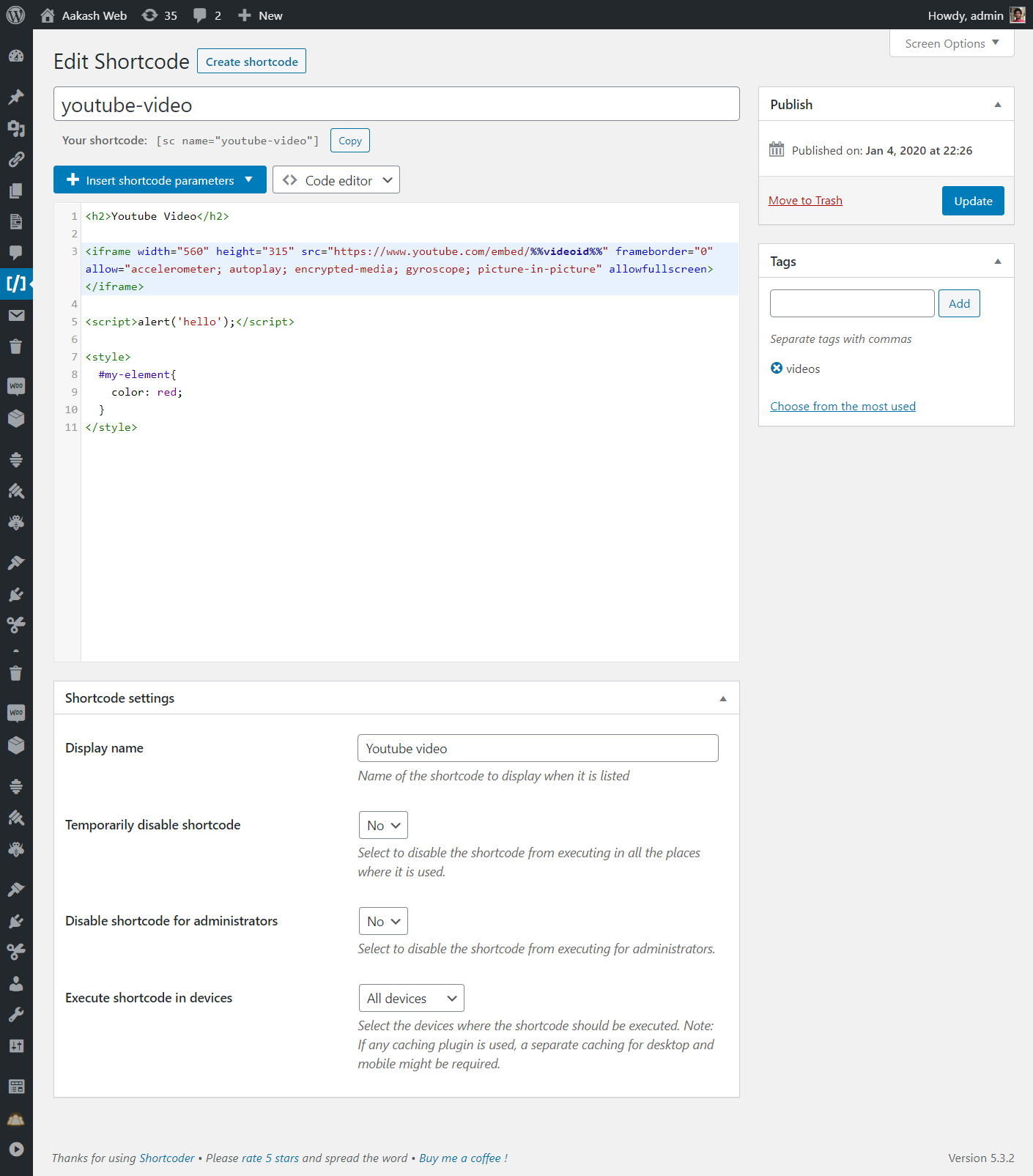
- Give a name for the shortcode
- Paste the HTML/JavaScript/CSS as shortcode content
- Save !
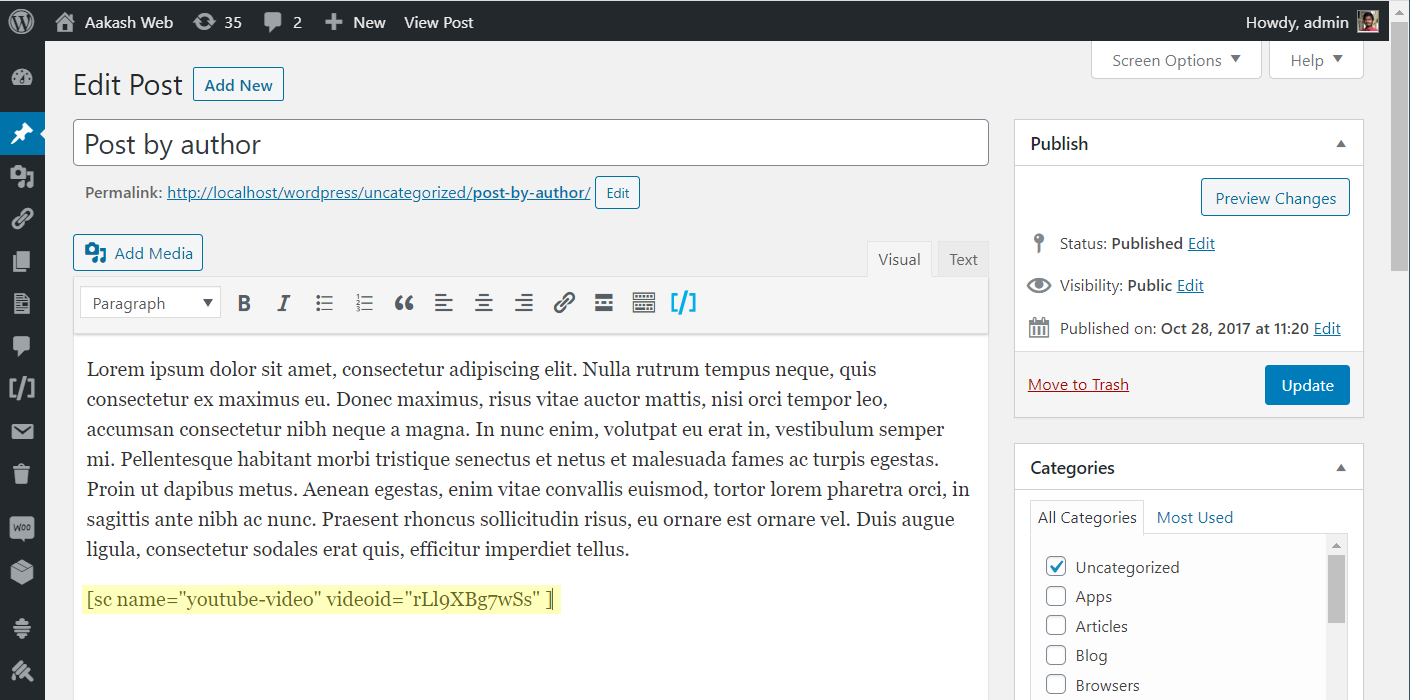
- Now insert the shortcode
[sc name="my_shortcode"]in your post/page. - Voila ! You got the HTML/Javascript/CSS in your post.
✨ Features
- Create custom shortcodes easily and use them in any place where shortcode is supported.
- Have any HTML, Javascript, CSS as Shortcode content.
- Insert: Custom parameters in shortcode
- Insert: WordPress parameters in shortcode
- Multiple editors: Code, Visual and text modes.
- Globally disable the shortcode when not needed.
- Disable shortcode on desktop, mobile devices.
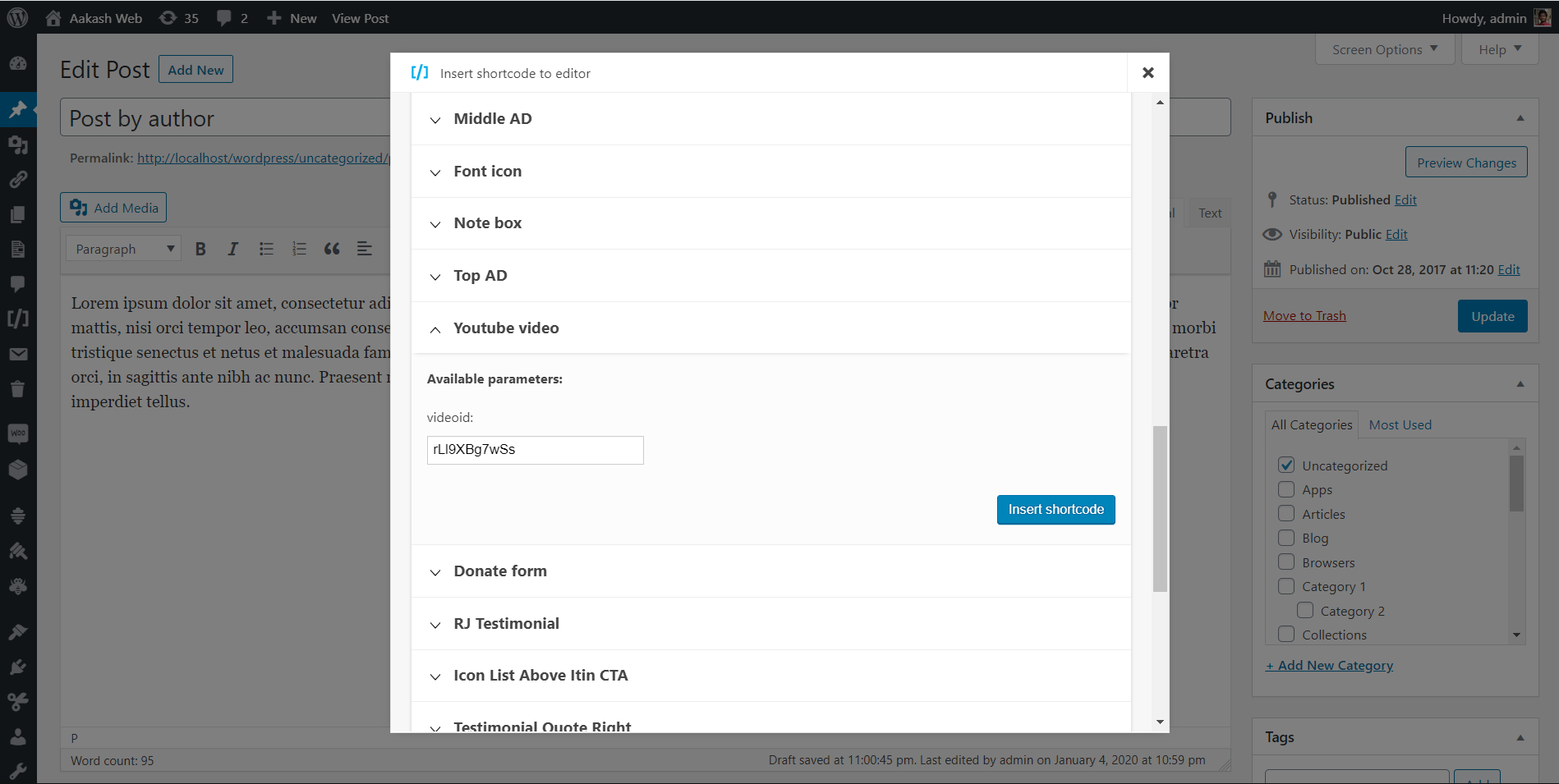
- A button in post editor to pick the shortcodes to insert.
- Execute blocks HTML in shortcode content.
- Insert shortcodes in Gutenberg/block editor.
🎲 An example usage
- Create a shortcode named “adsenseAd” in the Shortcoder admin page.
- Paste the adsense code in the box given and save it.
- Use
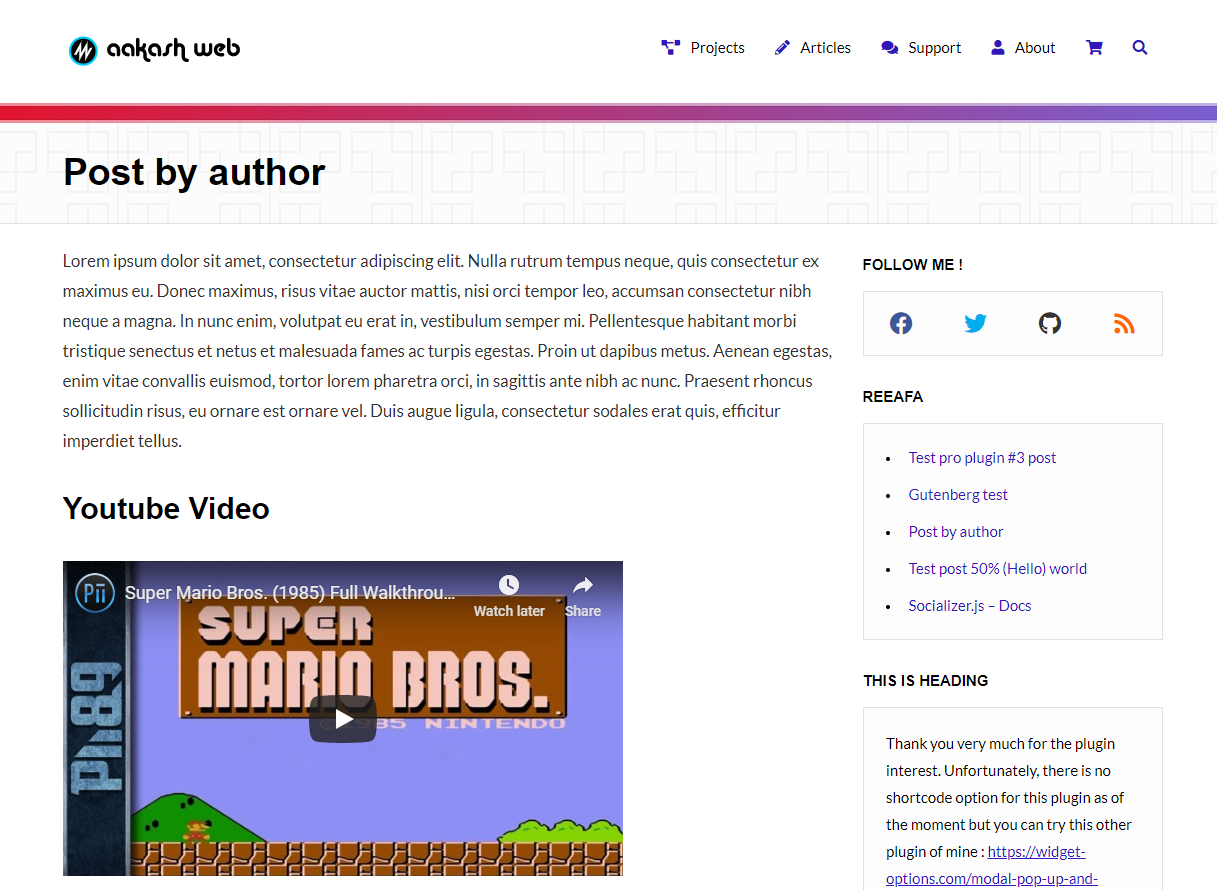
[sc name="adsenseAd"]in your posts and pages. - Tada !!! the ad code is replaced and it appears in the post.
- Now you can edit the ad code at one place and the code is updated in all the locations where the shortcode is used.
Similarly shortcodes can be created for frequently used snippets.
You can also add custom parameters (like %%id%%) inside the snippets, and change it’s value like [sc name="youtube" id="GrlRADfvjII"] when using them.
🧱 Using in block editor
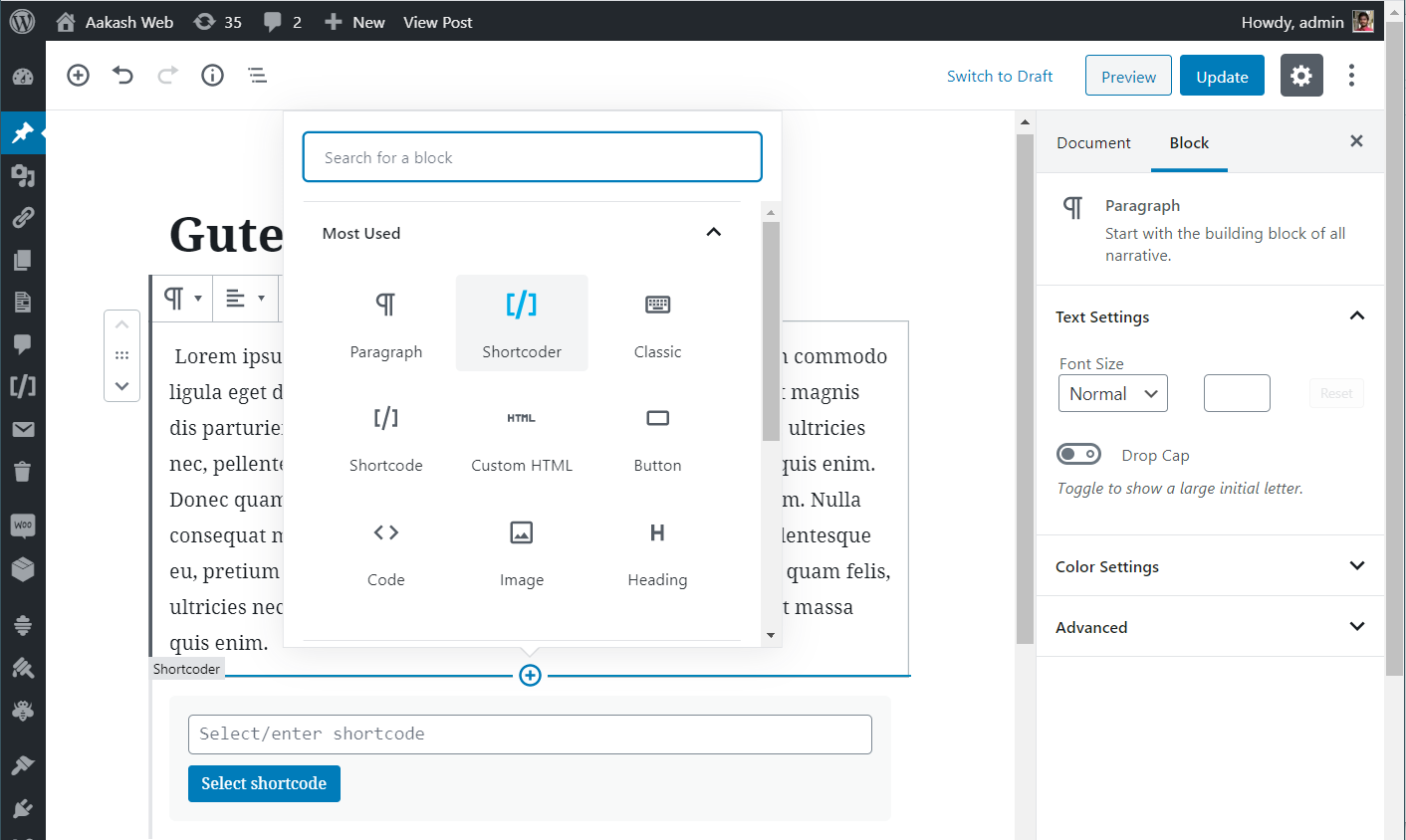
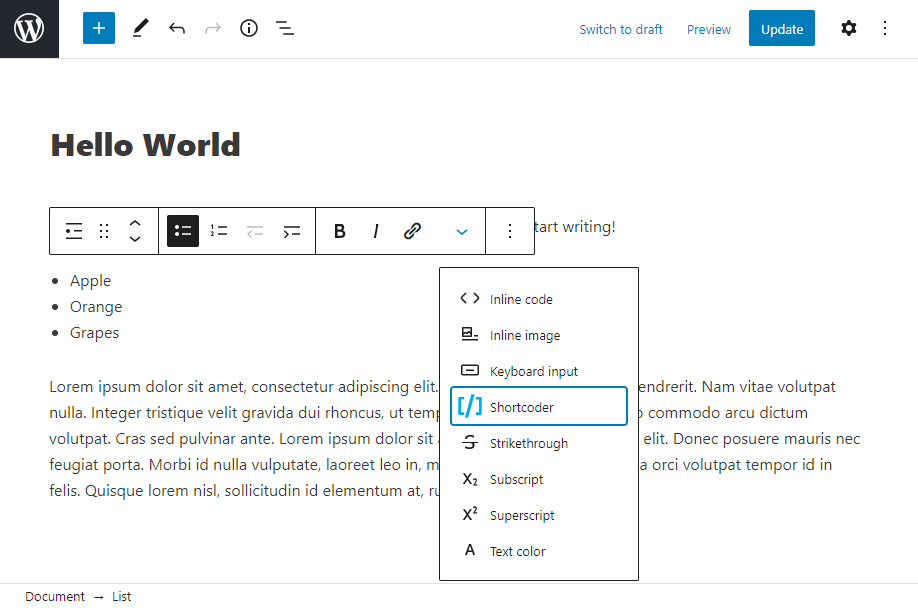
Though shortcodes can be used in any place manually, Shortcoder provides below options to select and insert the shortcodes created easily when working with the block editor.
- Shortcoder block
- Toolbar button to select and insert shortcodes inline (under “more”)
💎 Upgrade to PRO
Shortcoder also provides a PRO version which has additional features to further enhance the experience. Below features are offered in the PRO version.
- Custom editor – Edit Shortcode content using block editor or page builder plugins like Elementor and WPBakery.
- (New) Translation with WPML – Translate Shortcode content with WPML.
- Revisions – Revisions support for Shortcode content.
- Locate shortcode – Search posts and pages where a shortcode is used.
- Extra code – Include extra code to the footer when a shortcode is used in a page.
Get started with Shortcoder – PRO
Links
Installation
- Extract the zipped file and upload the folder
Shortcoderto to/wp-content/plugins/directory. - Activate the plugin through the
Pluginsmenu in WordPress. - Open the admin page from the “Shortcoder” link in the navigation menu.
Frequently asked questions
What are the allowed characters for shortcode name?
Allowed characters are alphabets, numbers, hyphens and underscores.
My shortcode is not working in my page builder!
Please check with your page builder plugin to confirm if the block/place/area where the shortcode is being used can execute shortcodes. If yes, then shortcode should work fine just like regular WordPress shortcodes.
My shortcode is not working!
Please check the following if you notice that the shortcode content is not printed or when the output is not as expected. Please verify if the shortcode content is printed. If shortcode content is not seen printed, check the shortcode settings to see if any option is enabled to restrict where and when shortcode is printed. Also confirm if the shortcode name is correct and there is no duplicate name attribute for the shortcode. If shortcode is printed but the output is not as expected, please try the shortcode content in an isolated environment and confirm if the shortcode content is working…
Can I insert PHP code in shortcode content?
No, right now the plugin supports only HTML, Javascript and CSS as shortcode content.
Can I use block editor or page builders like Elementor, WPBakery to create shortcode?
Yes, this feature is available in the PRO version. You can upgrade to the PRO version to design using custom editor and create shortcode for that.
Changelog
Version 5.0 is a major release. Shortcodes from v4 will be migrated to the new way of how shortcodes are stored in v5. Also the navigation is moved to the top level under posts/pages.
6.6
- New: Setting to allow Editors to browse and insert existing shortcodes from the post editor.
- Fix: Updated Shortcoder block editor as per the latest API.
- Fix: Support for WordPress 7.1
6.5.4
- Fix: Select and insert shortcode popup is available only for administrators.
- Fix: Custom parameter value will be sanitized by default.
- Fix: Remove double slash in the JS include URL of the TinyMCE editor button.
- Fix: Support for WordPress 7.0
6.5.3
- New: Added general setting to sanitize custom field values before using in shortcode content.
- Fix: Support for WordPress 6.9
6.5.2
- Fix: Sanitize custom field value before being inserted into post.
6.5.1
- Fix: Added
nullchecks to fix warning in some scenarios.
6.5
- Fix: Support for WordPress 6.8.
6.4
- New: Option to set shortcode display name next to shortcode name.
- New: Option to execute WordPress block HTML in shortcode content.
- Fix: Shortcoder roles are registered when plugin is activated.
6.3.2
- Fix: Verify permissions while closing Shortcoder changelog.
6.3.1
- Fix: Admin ajax vulnerability with nonce.
6.3
- New: Set default value for the custom field parameters.
- New: Custom parameter default value is shown in the insert shortcode popup.
- Fix: Restrict access to admin-ajax calls.
- Fix: Some admin texts were missing translation.
- Fix: Removed the note in the insert popup for fully closed shortcode.
- Fix: Debug comment line now has the name of the shortcode.
6.2
- New: Option to show shortcode content in “All shortcodes” page.
- Fix: Some texts were not translated.
- Fix: Error in WP Bakery page builder while picking images.
6.1
- New: Enhancements to shortcode edit screen meta boxes.
- Fix: HTML is escaped in the editor sometimes.
- Fix: Support for WordPress 6.1
6.0
- New: PRO version is introduced.
- New: Prevent same shortcode nested loop.
- New: New actions and filters introduced.
- Fix: Post excerpt shortcode parameter now prints full post excerpt.
- Fix: Enhancements to input and output data sanitization.
5.8
- New: Option to set description for the shortcode.
- New: New actions and filters introduced.
- Fix: Minor admin UI enhancements.
5.7
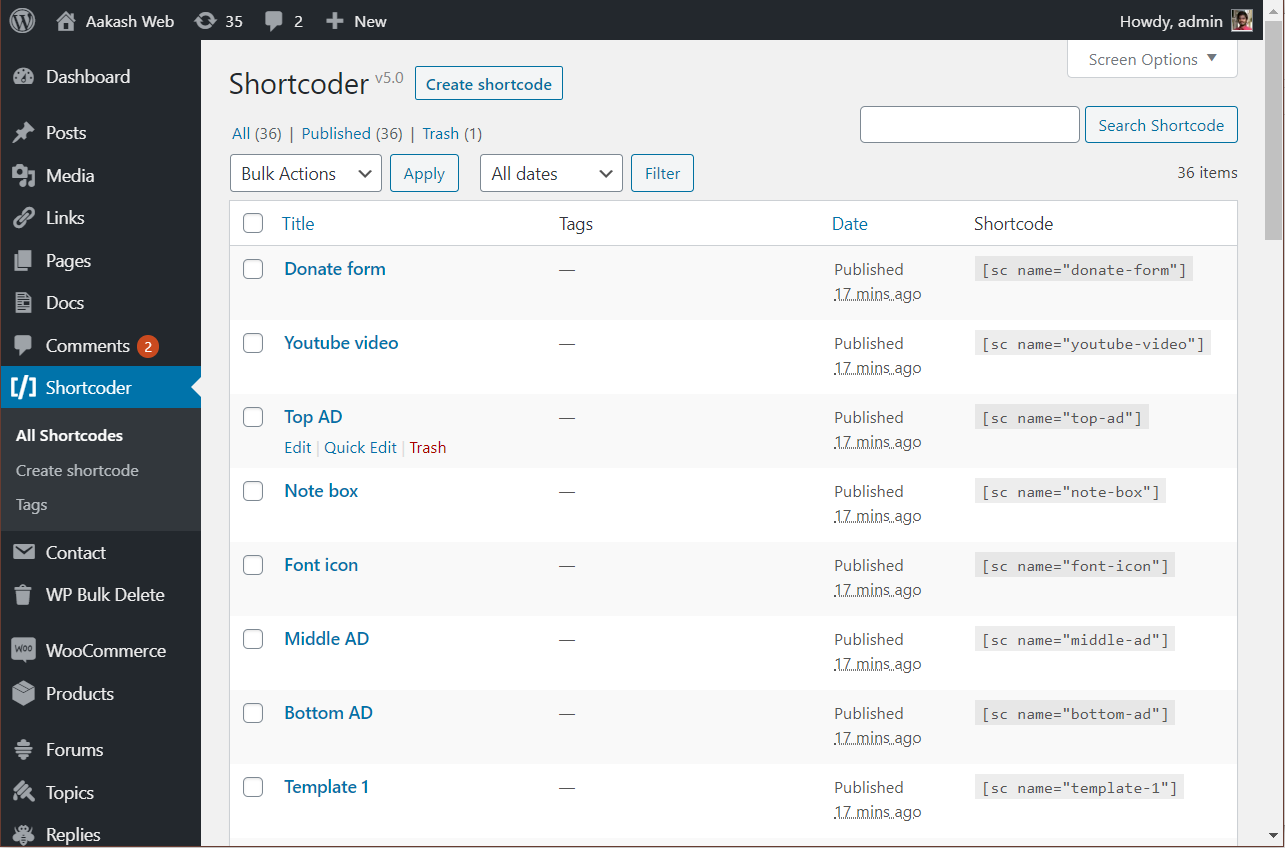
- New: Reordered shortcode column in the “All shortcodes” page.
- New: Option to copy shortcode directly from “All shortcodes” page.
- New: Filter
sc_mod_contentto modify shortcode content before execution. - Fix: Shortcode won’t save if the email field in the feedback form has invalid value.
- Fix: Custom parameter with hyphen was not highlighted in code editor.
- Fix: Minor admin UI enhancements.
5.6
- New: Shortcodes available to copy/insert are now closed by default.
- Fix: Custom parameter value 0 is not displayed.
- Fix: Support for WordPress 5.8
5.5
- New: General settings page to configure default editor and shortcode content.
- New: Block to insert shortcode rewritten from scratch.
- New: Toolbar button to insert shortcodes inline.
- New: Shortcodes are now closed by default when inserted from editor.
- Fix: Custom fields parsing issue when they are placed next to each other.
- Fix: Enclosed content in block input now retains multi-line.
- Fix: Minor refinements to UI.
5.4
- New: Code editor is now loaded locally and not from cloudflare.
- New: Code editor now shows hints and highlights any syntax error.
- New: Hyphens can now be used in shortcode custom parameters.
- Fix: Handle scenario where shortcode attribute is received as a string sometimes.
- Fix: Notice where
wp_localize_scriptwas called incorrectly. - Fix: Handle scenario where HTML is passed as shortcode parameter.
- New: WordPress requirement changed from 4.4 to 4.9
5.3.4
- New: Tested with WordPress 5.6
- Fix: Handle warning with
trimwhile fetching page metadata at some pages.
5.3.3
- New: Support for
post slugas the new shortcode parameter under WordPress information. - New: Codemirror has been updated to latest version.
- Fix: Handle code editor loading issue when there is any collision.
- Fix: Handle input fields which have empty
idattribute. - Fix: Handle issue of
$postobject being undefined at some cases. - Fix: Renamed usages of
__class__to__CLASS__
5.3.2
- New: In code editor, shortcodes will be highlighted and code editor font size is slightly bigger.
5.3.1
- New: Code editor is now made the default editor.
- Fix: Minor changes to admin UI.
5.3
- New: Added support for underscores in custom parameters.
- New: Getting ready for internationalization of the plugin.
- Fix: Insert shortcode popup shows duplicate available parameters in case of same parameter with different case.
5.2.1
- Fix: Custom parameters being not replaced in some scenarios.
- Fix: Minor enhancement to insert custom parameter form.
5.2
- New: Default values can now be provided to custom parameters.
- Fix: Script tags, custom field placeholder and backslash being stripped after saving the shortcode sometimes.
- Fix: Rel attribute being modified for links.
- New: Added “Manage shortcodes” link to plugin list page for easy access after activation.
5.1
- New: Import/Export link added to the shortcoder list page.
- Fix:
empty()was throwing error at some places for users using PHP 5.5 below as function return value was passed to it. - Fix: Shortcoder QTTags button was loading in frontends.
- Fix: “Insert shortcode” popup was hidden behind in theme customizer page.
- Fix:
array_key_existsarray but bool given warning. - Fix: Hide comments metabox in shortcode edit page as it was shown in certain conditions.
5.0.4
- Fix:
scriptandstyletags stripped after 4.x upgrade. New migration will run in this version and shortcode content will now be fixed.
5.0.3
- Fix: Shortcode content is not escaped when code editor is used. This is requirement because
post_contentbehaves strangely when user has rich editing enabled.
5.0.2
- Fix: Shortcodes inside shortcode content not getting executed.
- Fix: Disable Gutenberg block for older not supported WordPress versions.
5.0.1
- Fix: Code editor escaping HTML characters.
- Fix:
get_current_screen()undefined. - Fix: Code editor breaks if there is any other plugin which loads codemirror.
- Fix:
tools.phpis not found.
5.0
- New: Brand new version. Plugin rewritten from scratch.
- New: Shortcoder block for the block editor.
4.4
- New: Insert shortcode automatically adds “closing tag” if the shortcode has enclosed content parameter.
- Fix: Codemirror has been updated to latest version.
4.3
- New: Edit shortcode name after creating.
- New: Post modified date parameter added.
- Fix: Date parameters now display in site language.
4.2
- Fix: Some plugins fail to fire onload JS event since it was overwritten by shortcoder.
- Fix: Javascript in insert shortcode popup not working in IE 11.
- Fix: Missing parenthesis while calling
is_year. - Fix: Widgets page not loading insert shortcode popup.
- Fix: Removed settings emoji icon from plugin actions list.
- Fix: Load latest version 5.42.0 of codemirror.
- Fix: Updated minimum required WordPress version.
4.1.9
- Fix: Minor UI refinements for better experience.
- Fix: Import error where some exported JSON files have 0 as EOF.
4.1.8
- New: Insert custom fields in shortcode content.
- Fix: Removed comments in shortcode output
4.1.7
- New: Categorize, search and filter shortcodes using “tags”.
- New: Last used shortcode editor will be saved along with shortcode.
- New: Enclosed shortcode content can now be used as shortcode parameter.
- New: Active line highlight has been enabled for code editor.
- Fix: Codemirror has been updated to latest version.
- Fix: Minor admin interface enhancements.
4.1.6
- New: Date variables can noe be added into shortcode content.
- Fix: Error “trying to get property of non-object” is handled.
4.1.5
- New: Bloginfo variables can now be added into shortcode content.
4.1.4
- New: Codemirror powered syntax highlighted shortcode content code editor (beta).
4.1.3
- Fix: Shortcode names with not-allowed characters cannot be edited/deleted.
- New: Shortcode imports made can now be fresh or overwritten.
- New: Only users with
manage_optionscapability will see “edit shortcode” option in insert window. - Fix: Import failure with UTF-8 characters.
- Fix: Case sensitive search in admin pages.
- Fix: Minor admin interface changes.
4.1.2
- New: Search box for shortcodes in admin page.
4.1.1
- Fix: HTTP 500 error because of syntax error in import module.
4.1
- New: Import/export feature for shortcodes.
- Fix: Visual editor is now disabled by default.
- Fix: Added instructions in admin page.
4.0.3
- New: Added feature to sort created shortcodes list.
- Fix: HTML errors in admin page
4.0.2
- Fix: Sometimes
get_current_screen()was called early in some setups.
4.0.1
- Fix: Servers with PHP version < 5.5 were facing HTTP 500 error because of misuse of PHP language construct in code.
4.0
- New: Plugin rewritten from scratch.
- New: Brand new administration page
- New: Shortcode visibility settings, show/hide in desktop/mobile devices
- New: Insert WordPress information into shortcode content.
- Fix: Insert shortcode window is not loading.
- Fix: Unable to delete the shortcodes
(Older change logs are removed from this list)
Screenshots
For developers
Is this your plugin? Show off the numbers.
Add a live badge to your site, docs or GitHub README. It updates on its own — no account needed.
Best Shortcoder alternatives
All code plugins →





FAQ
Shortcoder: quick answers
Straight answers, pulled from live WordPress.org data.
Live data from WordPress.org · checked Sep 26, 2026
Is Shortcoder free?
Yes. Shortcoder is free to download and use from the official WordPress.org plugin directory.
Is Shortcoder safe to use in 2026?
Yes — Shortcoder is a safe, well-maintained plugin to use in 2026. It runs on 100K+ sites, is rated 4.9/5 and was last updated 2 weeks ago, and scores 81/100 on our health check.
How many websites use Shortcoder?
Shortcoder is active on 100K+ WordPress websites and has been downloaded 2,088,284 times since it launched in May 2010. It was downloaded 52,584 times in the last 30 days.
Does Shortcoder work with WordPress 7.1?
Yes. The developer has tested Shortcoder up to WordPress 7.1.2, the latest release. It requires WordPress 4.9.0 or newer.
What PHP version does Shortcoder need?
Shortcoder requires PHP 5.3 or higher. Most hosts run PHP 8.x today, so it works on any modern WordPress hosting.
When was Shortcoder last updated?
The latest version, 6.6, was released on September 14, 2026 (2 weeks ago).
Who makes Shortcoder?
Shortcoder is developed and maintained by vaakash.
What are the best alternatives to Shortcoder?
The most popular alternatives to Shortcoder are WPCode (3M+ installs), Code Snippets (1M+ installs) and Head & Footer Code (100K+ installs).
Powered by PageForge
Want thousands of pages that rank like these? Build them in an afternoon.
This directory runs on the same engine as PageForge. Turn any spreadsheet, CSV or API into thousands of fast, SEO-ready WordPress pages — with schema, internal links and AI-written copy baked in.
- CSV, Google Sheets & API data sources
- AI content, schema & internal links per page
- Works with Elementor, Gutenberg, Yoast & Rank Math
- Free on WordPress.org — no credit card


