


Head & Footer Code
Easy add site-wide, category and article specific custom code before the closing and , or after opening tag.

Solid choice
Head & Footer Code is a solid plugin choice in 2026, with a few things worth checking first. It runs on 100K+ sites, is rated 5/5 and was last updated 3 months ago, and scores 77/100 on our health check.
- Proven at scale on 100K+ active sites
- Loved by users — 5/5 from 51 reviews
- Tested with the latest WordPress (7.1)
How does it stack up?
Side-by-side on installs, updates, ratings & support


Daily downloads
Download spikes usually follow a new release — each site that auto-updates counts as a download.
Rankings
Where Head & Footer Code stands todayWordPress.org search rankings
Live position in the plugin search, top 100| Keyword | Position |
|---|---|
| body | #4 |
| code | #6 |
| footer | #5 |
| head | #1 |
| script | #21 |
Version adoption
Share of active sites per release.
Rating breakdown
★★★★★★★★★★ 5 from 51 reviews
About Head & Footer Code
From the official readme · v1.5.9Description
Head & Footer Code plugin helps you add custom code snippets (JavaScript, CSS, or HTML) to the page even if you are not a programmer. It could be within the <head> (site verification code for various services, custom styles, meta or Webfont link), right after opening <body> (pixel tracking, analytics or heatmap code) or just before closing </body> tag.
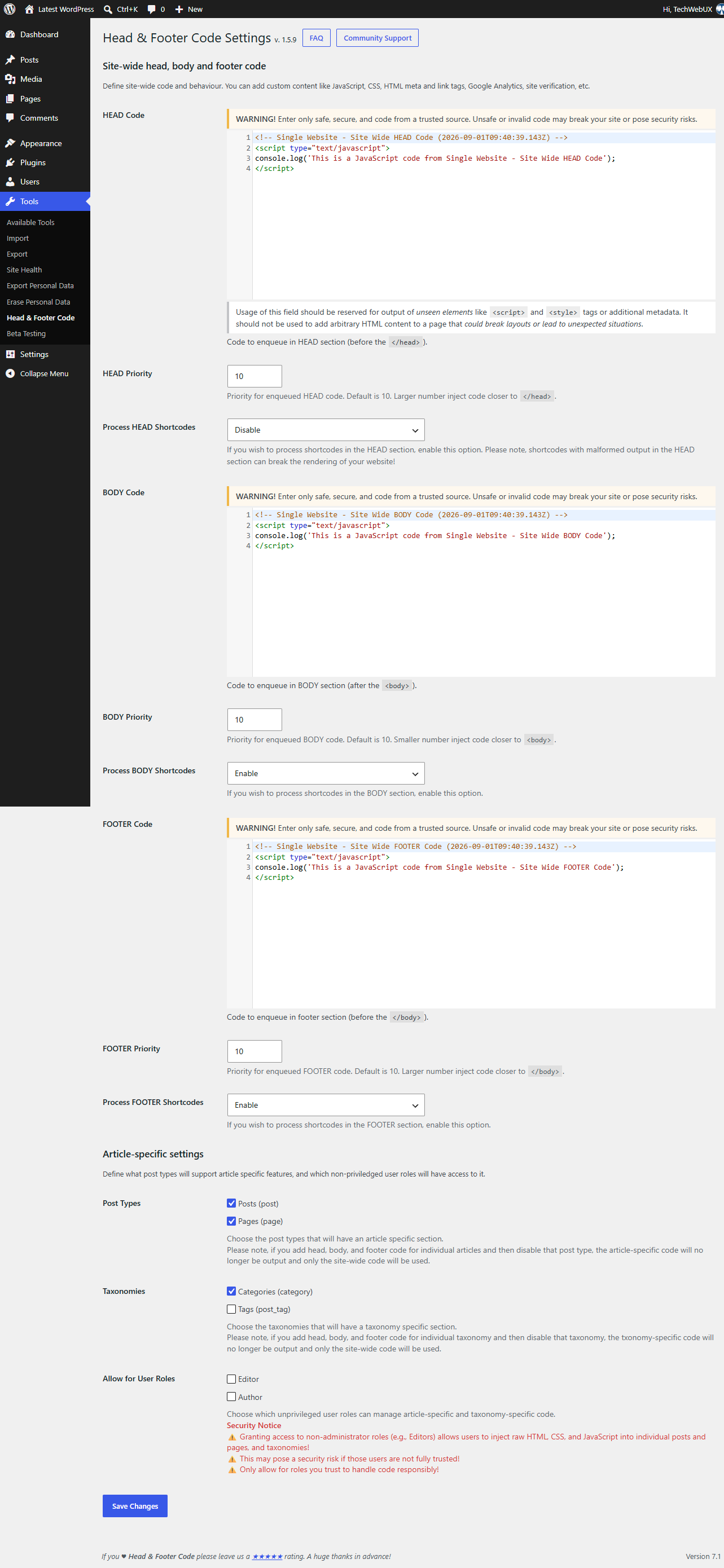
Go to Tools → Head & Footer Code in WordPress Dashboard. Insert custom code to HEAD, BODY or FOOTER section (depending on what you have to do).
All magic is done by hooking to WordPress hooks wp_head, wp_footer and wp_body_open.
💡 Trial Head & Footer Code plugin on a free dummy website before you add it on your project: Test It Now!
Various code snippets are supported, including but not limited to:
- Google Analytics 4
- Google Tag Manager
- Google Ads Conversion
- Lite Analytics
- Facebook/Meta Pixel
- Hotjar
- FullStory
- Google site verification
- Bing site verification
- Yandex site verification
- Alexa site verification
Homepage in Blog Posts mode
If your WordPress shows the latest blog posts on the homepage, you can also add specific code only for the homepage on Tools → Head & Footer Code (there will be section Head, body and footer code on Homepage in Blog Posts mode)
Article specific code
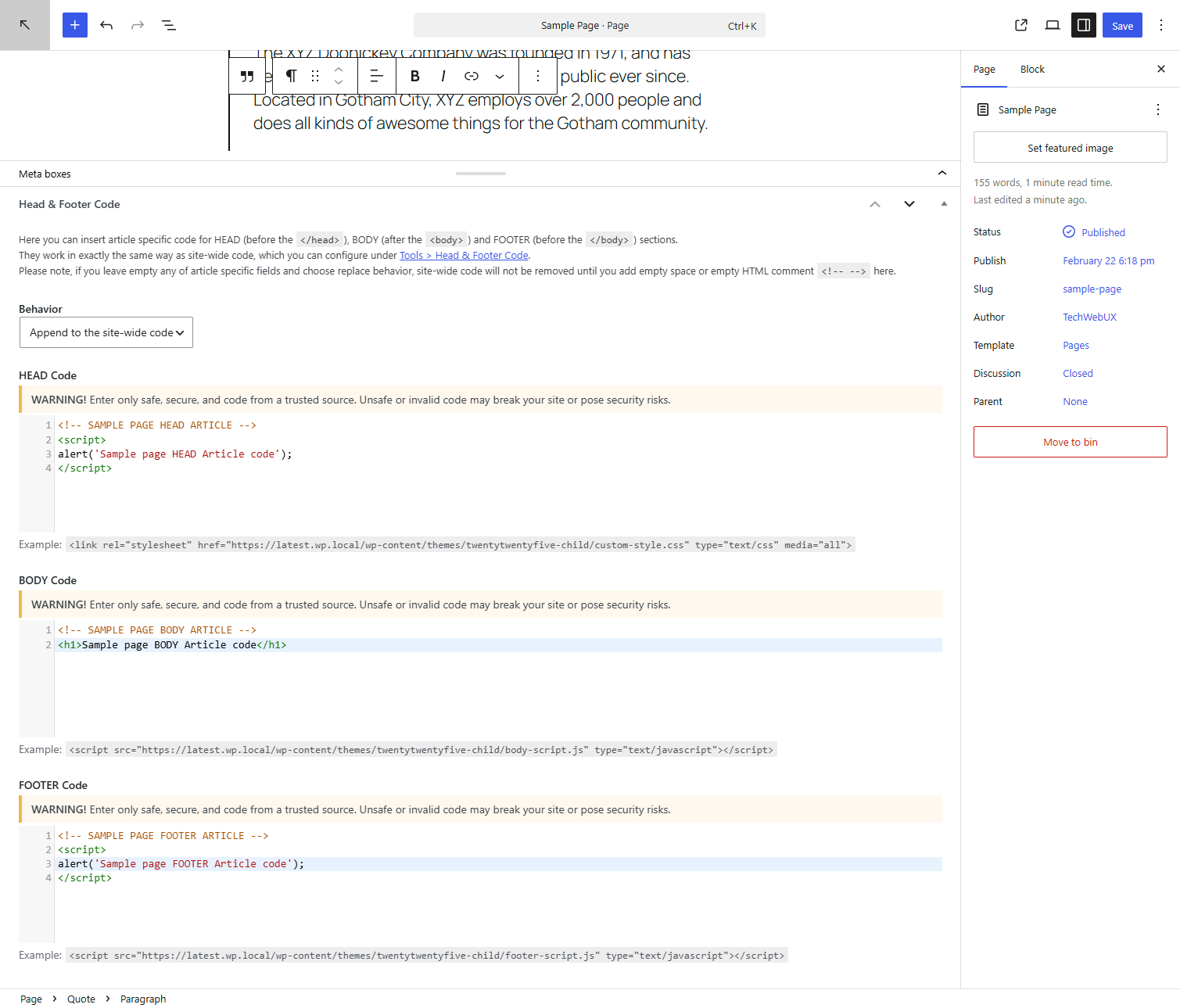
To insert custom code specific for individual article (post, page or custom post type), use article-specific Metabox while editing post/page/custom post type (check out Screenshots). There choose if that specific code appends to site-wide code defined on Tools → Head & Footer Code, or to replace it.
Category specific code
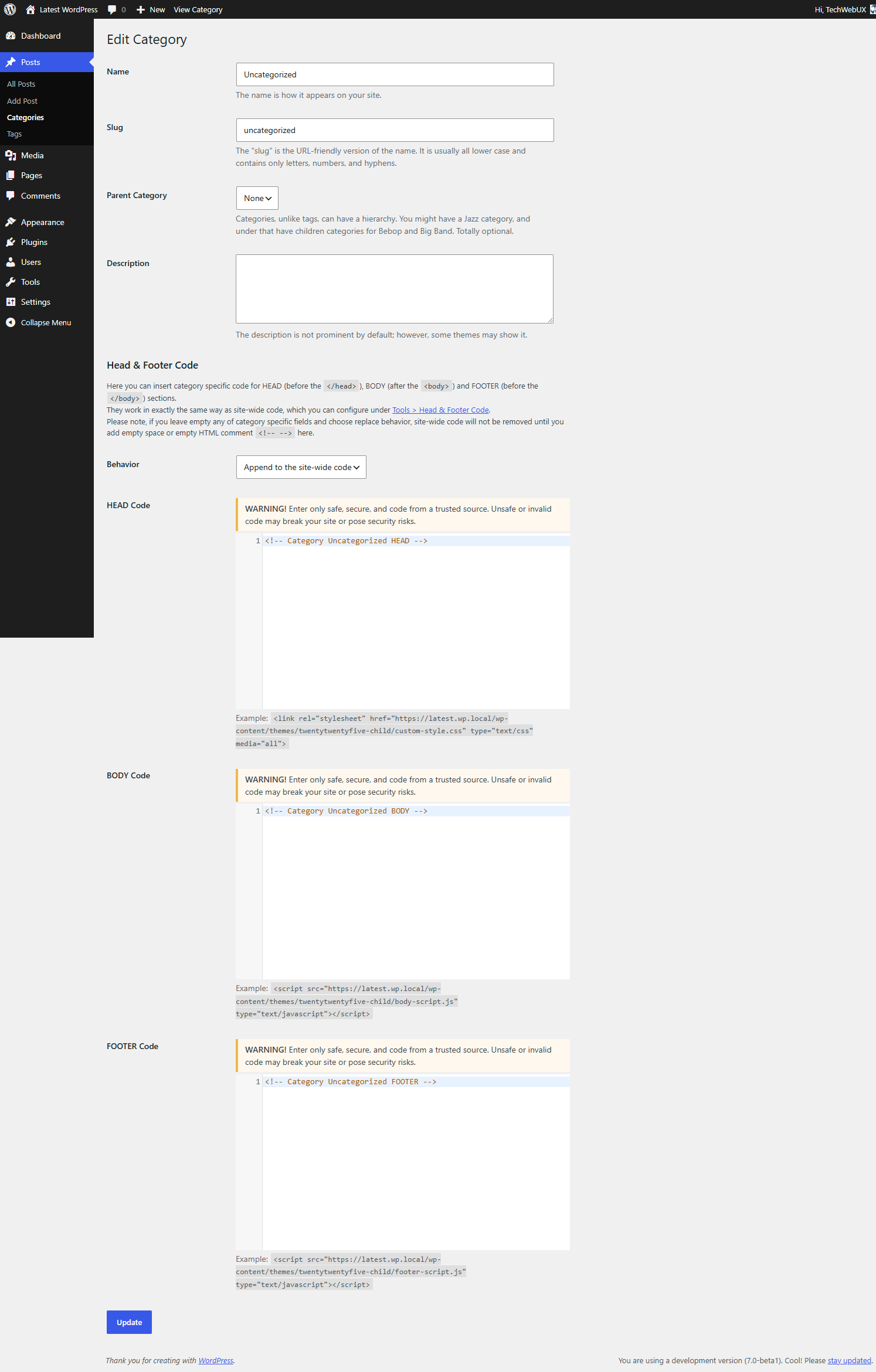
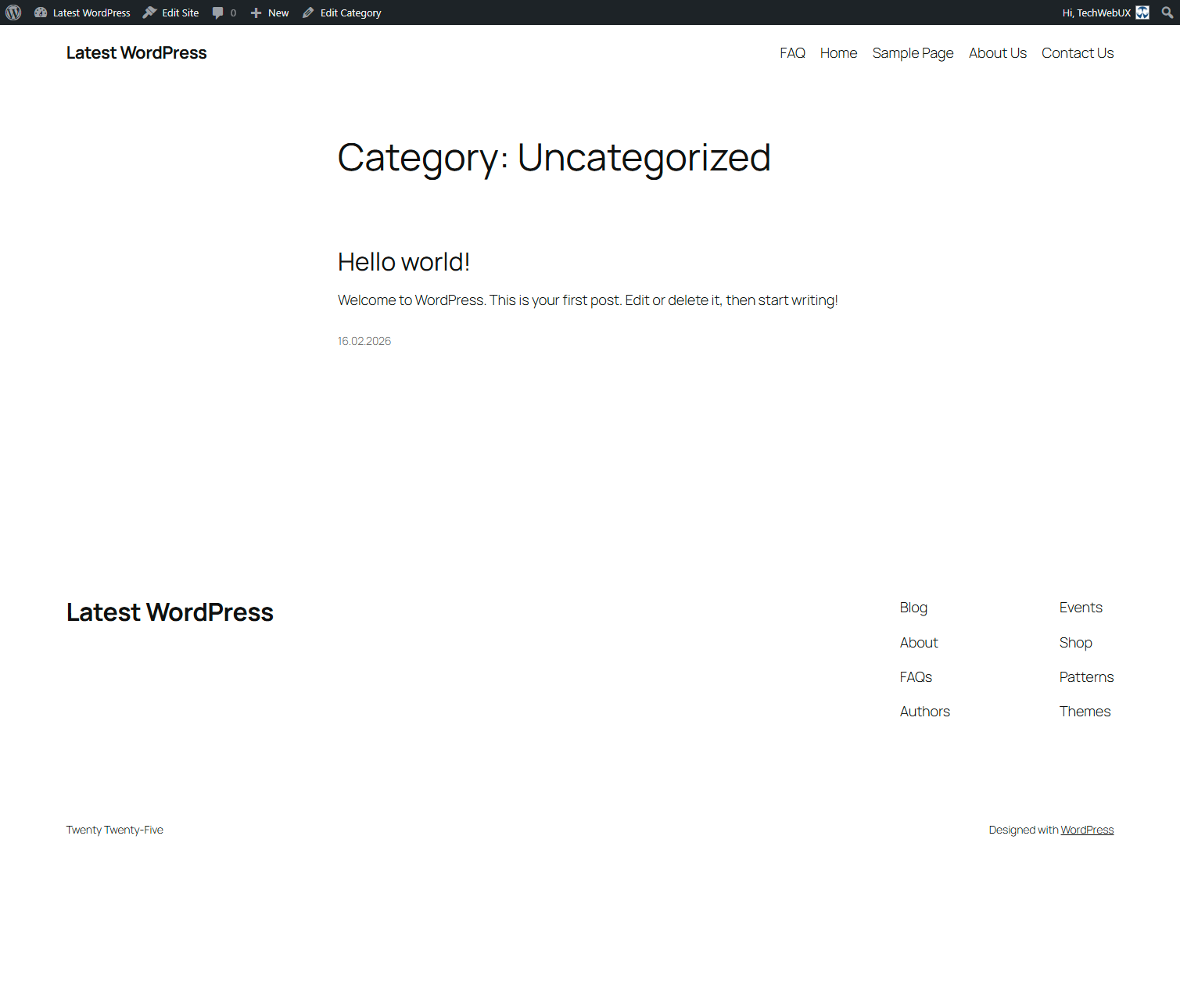
You can also define a Category specific code on each individual category.
Other taxonomies (tag and custom taxonomy) do not have available their specific code, but for them a Global code is used instead.
Video guide
Do you need our support?
If Head & Footer Code does not work on your project, please let us know by raising a new support ticket in the Community Forum and describe what does not works and how to reproduce the issue. We will make sure to resolve the issue as soon as possible.
If you find Head & Footer Code useful for your project, please review plugin.
Features
- Multisite and PHP 8.5 compatible!
- Set site-wide custom content for:
- head page section (before the
</head>) - body section (after the
<body>) – Requires WordPress 5.2! - footer page section (before the
</body>)
- head page section (before the
- Homepage in Blog Posts mode:
- set homepage specific custom code for head, body and/or footer
- toggle homepage specific custom code on paged Homepage (page 2, 3, a nd so on)
- Set article specific custom code for:
- head page section (before the
</head>) - body section (after the
<body>) – Requires WordPress 5.2! - footer page section (before the
</body>)
- head page section (before the
- Set category specific custom code for head, body and/or footer of the page
- Choose priority of printed custom code to head/body/footer sections (lower number mean far from
</head>and</body>and closer to<body>, higher number means closer to</head>and</body>and farther to<body>) - Choose which post types will have enabled article specific head/body/footer fields
- Choose should article specific head/body/footer code be appended to site-wide code, or will replace site-wide code
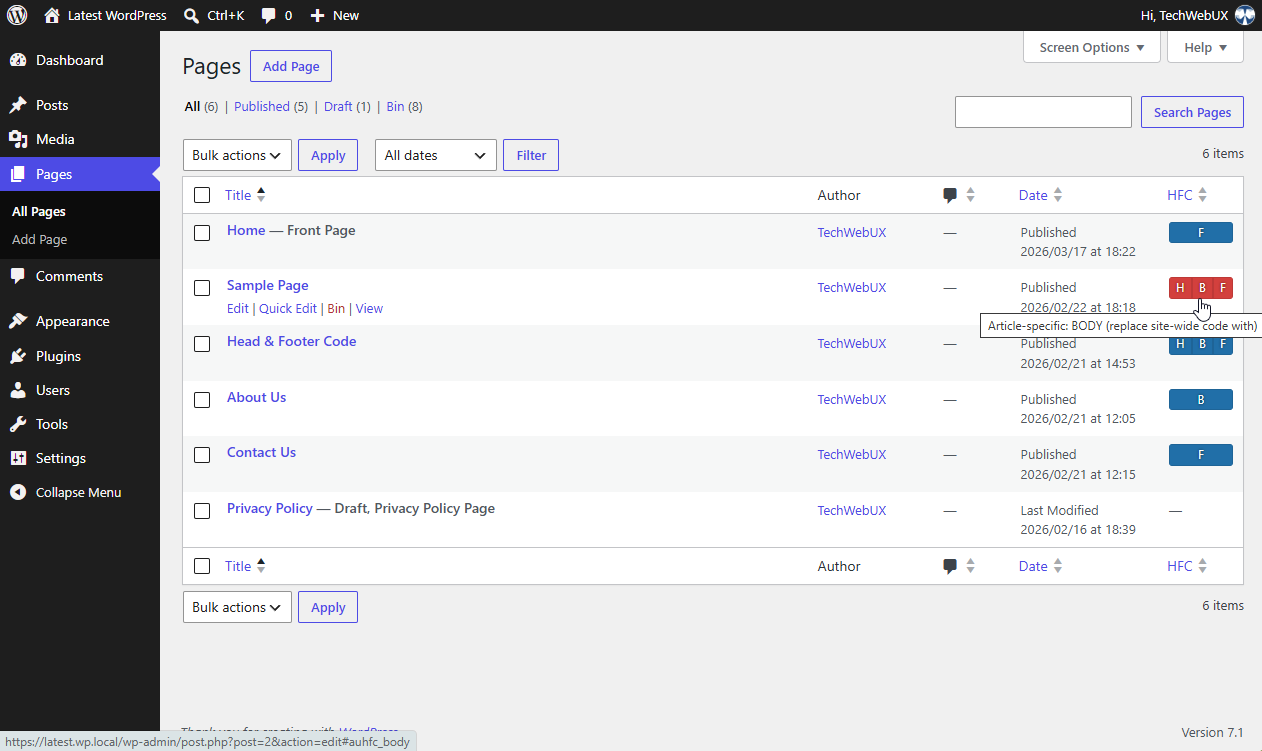
- View on Posts/Pages/Custom Post Types listing if article has defined any article specific custom code
- Site-wide section is located under Tools > Head & Footer Code
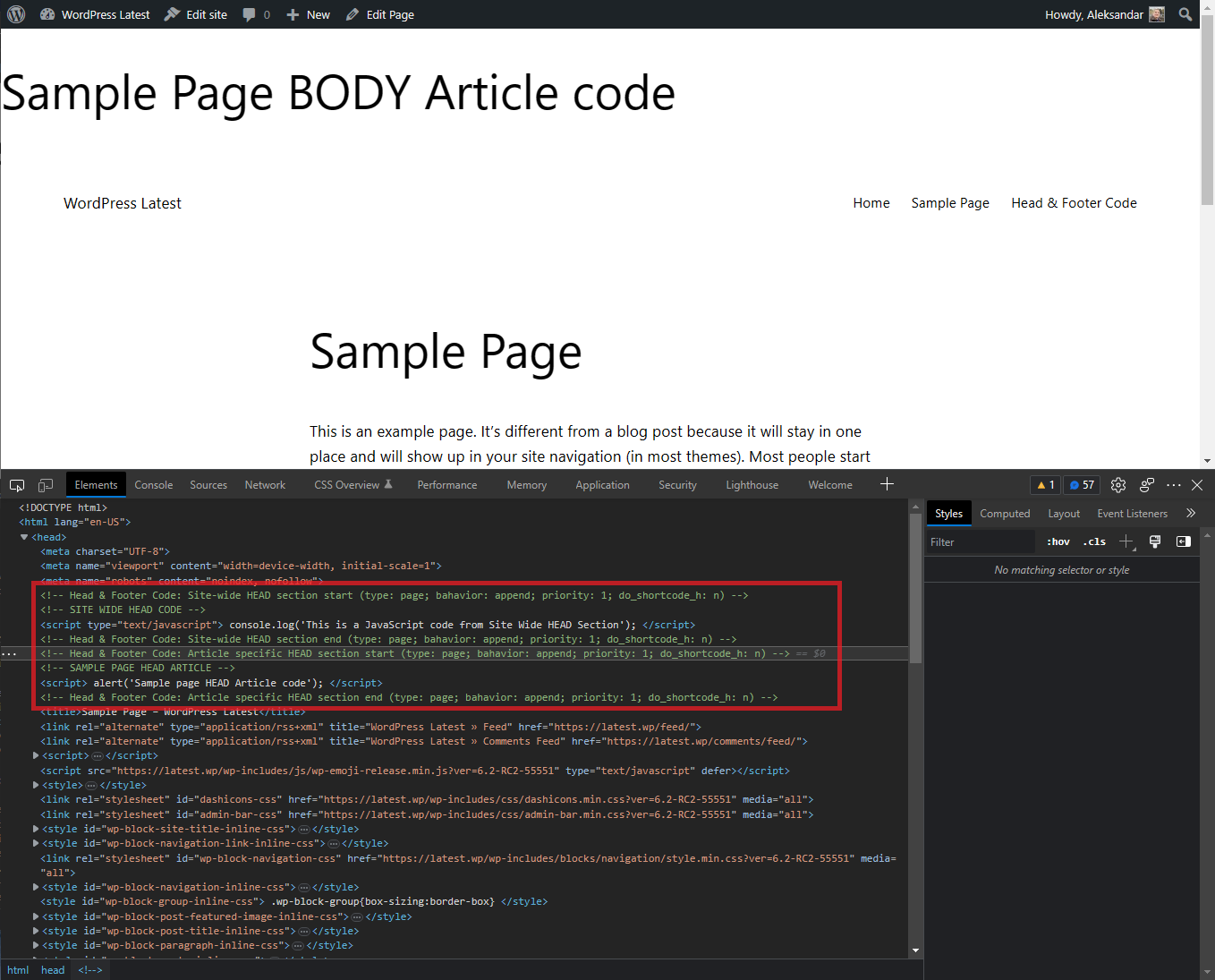
- If you have set WP_DEBUG constant in
wp-config.phptotrue, you’ll see site-wide and article specific entries in page source code wrapped to comments. - [NEW] allow unprivileged user roles Editor and Author to manage article-specific code on single site and multisite (disabled by default)
Data stored in database
General settings (HEAD, BODY, FOOTER global code and priority, Homepage code and behaviour) saves in WordPress option auhfc_settings.
Each post/page/custom post type specific HEAD, BODY and FOOTER code and behaviour saves to post meta _auhfc.
Each category specific HEAD, BODY and FOOTER code and behaviour saves to taxonomy meta _auhfc.
During the Uninstall process all these data has been deleted from the database.
In case you wish to reinstall plugin, DO NOT UNINSTALL IT although Deactivate, then delete the directory /wp-content/plugins/head-footer-code and then reinstall plugin.
Permissions on Multisite WordPress
- Access to Global: only Super Admin and Administrator
- Access to Article specific: Super Admin, Administrator; optional: Editor and Author
- Access to Category specific: only Super Admin and Administrator
Installation
Installation of the Head & Footer Code is easy as any other WordPress plugin.
Standard procedure
- In WordPress Dashboard go to Plugins → Add New.
- Enter
head footer codeto the Search plugins… field and wait for the moment. - Locate Head & Footer Code and click the Install Now button.
- After successful installation, click the Activate button.
- Click Settings link for Head & Footer Code or visit the Tools → Head & Footer Code.
- Add the desired code to the target section.
FTP procedure
- Click on the Download button to get Head & Footer Code installation package.
- Unpack archive head-footer-code.zip on local computer.
- Upload the entire directory head-footer-code to the
/wp-content/plugins/directory on your server. - In WordPress Dashboard go to Plugins → Installed Plugins and click the link Activate for the Head & Footer Code plugin.
- Click Settings link for Head & Footer Code or visit the Tools → Head & Footer Code.
- Add the desired code to the target section.
Changelog
Fixes a display regression from 1.5.8: article/category specific code saved before 1.5.8 (e.g. JSON-LD `` blocks) could show backslash-escaped quotes, both in the metabox editor and on the front end. This release restores correct display automatically.
1.5.9 (2026-08-31)
- Fix: JSON-LD and other article/category specific code saved before 1.5.8 could show backslash-escaped quotes; display is now corrected automatically without modifying stored post/term meta (thanks @sheenaljain for report)
1.5.8 (2026-08-16)
- Fix: WP Plugin Check errors and warnings
- Test: WordPress 7.1-RC3 and Twenty Twenty-Five 1.5 and Twenty Fifteen 4.2
- Improve: Additional layer of protection for post and taxonomy meta boxes against unpriviledged roles
1.5.7 (2026-04-01)
- Improve: Allow Programmable Search Engine tags (PageMap, DataObject and Attribute)
- Test: WordPress 7.0-RC2
1.5.6 (2026-03-23)
- Fix: update routine 10 infinite loop on sites with huge number of posts (10k+)
- Test: WordPress 7.0-beta6
1.5.5 (2026-03-11)
- Fix: Remove
set_time_limitfromupdate.phpto prevent fatal error on servers where it’s disabled
1.5.4 (2026-03-10)
- New: Add dynamic support for all public taxonomies (eg, Tags, Product Categories)
- Fix: There was no
Settings saved.notification - Fix: Allow
id,dir,classanddata-*attribute forscript,style,linkandiframetags. - Change: Move review CTA to the bottom of the Settings page
- Change: Increased minimum requirements to WordPress 5.2 and PHP 5.6
- Cleanup: Removed
wp_body_openfallback (no longer needed with WP 5.2+ requirement) - Improve: Introduce
Plugin_Infoclass for cleaner constant management - Optimize: Internal code refactoring for better maintainability and naming clarity
1.5.3 (2026-03-07)
- Fix: Allow
displayandvisibilityCSS properties for KSES - Fix: Category specific code was double escaped
- Improve: DRY Front rendering
- Improve: DRY plugin activation handling
- Improve: Post grid custom code indicators
- Improve: Resolve some PCP errors and warnings
- Test: PHP 8.4.15, WordPress 6.9.1, Twenty Twenty-Five 1.4
- Test: PHP 8.5.3, WordPress 7.0-beta3, Twenty Twenty-Five 1.4
- Test: PHP 5.6.20, WordPress 5.2.23, Twenty Ninetin 1.4
1.5.2 (2026-03-04)
- Fix: Allow all W3C standard attributes for iframe
- Test: WordPress 7.0-beta2
1.5.1 (2026-02-23)
- Fix: Code editor missing on categories
- Cleanup: Remove debugging info
- Update: Screenshots
1.5.0 (2026-02-22)
- Test: WordPress 7.0-beta1, Twenty Twenty-Five 1.4, PHP 8.5.3
- Fix: Missing code editor when creating a new article
- Fix: Incorrect use of
- Improve: Security (validate settings save data, better code filtering with included opening SCRIPT and STYLE tags)
- Optimize: Code editor on articles
- Optimize: Settings maintainability
1.4.6 (2025-12-01)
- Test: WordPress 6.9RC3, Twenty Twenty-Five 1.3, PHP 8.4.15
1.4.5 (2025-06-13)
- Fix: Compatibility with Jetpack > Writing > Composing > Compose using shortcode to embed media from popular sites
- Fix: Automatic conversion of false to array is deprecated in update.php
- Test: WordPress 6.8.1, Twenty Twenty-Five 1.2, Jetpack 14.7
1.4.4 (2025-05-31)
- Fix: Relaxed filtering to allow preloadans security/privacy attributes.
1.4.3 (2025-04-30)
- Fix: Relaxed filtering to allow blocks with
<,>,=>characters andtype="application/ld+json"for structured data (rich snippets), following stricter sanitization introduced in 1.4.0.
1.4.2 (2025-04-20)
- Fix: meta tag broken by security introduced in 1.4.0
1.4.1 (2025-04-13)
- Fix: hreflang link broken by security introduced in 1.4.0
1.4.0 (2025-04-12)
- Test: WordPress 6.8-RC3, Twenty Twenty-Five 1.1, Twenty Twenty-Three 1.6, Astra 4.9.2 and PHP 8.3.17
- Test: WordPress 4.9.26, Twenty Seventeen 1.7 and PHP 5.5.38
- Unclutter Settings page
- Improve: Security
- Improve: Refactor and reorganise codebase
- auhfc_settings() -> Techwebux\Hfc\Main::settings()
- auhfc_is_homepage_blog_posts() -> Techwebux\Hfc\Common::is_homepage_blog_posts()
- auhfc_add_to_homepage_paged() -> Techwebux\Hfc\Common::add_to_homepage_paged()
- sanitize_html_classes() -> Techwebux\Hfc\Common::sanitize_html_classes()
- auhfc_allowed_code() -> Techwebux\Hfc\Common::allowed_html()
- auhfc_form_allowed_code() -> Techwebux\Hfc\Common::form_allowed_html()
- auhfc_html2code -> Techwebux\Hfc\Common::html2code()
- auhfc_get_meta() -> Techwebux\Hfc\Common::get_meta()
- auhfc_get_post_type() -> Techwebux\Hfc\Common::get_post_type()
- auhfc_print_sitewide() -> Techwebux\Hfc\Common::print_sitewide()
- auhfc_out() -> Techwebux\Hfc\Common::out()
- auhfc_head_note() -> Techwebux\Hfc\Settings::head_note()
- auhfc_body_note() -> Techwebux\Hfc\Settings::body_note()
Screenshots


For developers
Is this your plugin? Show off the numbers.
Add a live badge to your site, docs or GitHub README. It updates on its own — no account needed.
Best Head & Footer Code alternatives
All body plugins →




FAQ
Head & Footer Code: quick answers
Straight answers, pulled from live WordPress.org data.
Live data from WordPress.org · checked Nov 17, 2026
Is Head & Footer Code free?
Yes. Head & Footer Code is free to download and use from the official WordPress.org plugin directory.
Is Head & Footer Code safe to use in 2026?
Head & Footer Code is a solid plugin choice in 2026, with a few things worth checking first. It runs on 100K+ sites, is rated 5/5 and was last updated 3 months ago, and scores 77/100 on our health check.
How many websites use Head & Footer Code?
Head & Footer Code is active on 100K+ WordPress websites and has been downloaded 2,804,158 times since it launched in August 2015. It was downloaded 17,734 times in the last 30 days.
Does Head & Footer Code work with WordPress 7.1?
Yes. The developer has tested Head & Footer Code up to WordPress 7.1.4, the latest release. It requires WordPress 5.2 or newer.
What PHP version does Head & Footer Code need?
Head & Footer Code requires PHP 5.6 or higher. Most hosts run PHP 8.x today, so it works on any modern WordPress hosting.
When was Head & Footer Code last updated?
The latest version, 1.5.9, was released on August 31, 2026 (3 months ago).
Who makes Head & Footer Code?
Head & Footer Code is developed and maintained by Aleksandar Urošević.
What are the best alternatives to Head & Footer Code?
The most popular alternatives to Head & Footer Code are Custom Body Class (10K+ installs), Header Footer Script Adder (1K+ installs) and Add URL Slugs as Body Class… (700+ installs).
Powered by PageForge
Want thousands of pages that rank like these? Build them in an afternoon.
This directory runs on the same engine as PageForge. Turn any spreadsheet, CSV or API into thousands of fast, SEO-ready WordPress pages — with schema, internal links and AI-written copy baked in.
- CSV, Google Sheets & API data sources
- AI content, schema & internal links per page
- Works with Elementor, Gutenberg, Yoast & Rank Math
- Free on WordPress.org — no credit card


