



Accessibility Assistant – Readabler
Readabler Accessibility Assistant adds AI-powered accessibility features directly to your WordPress site for a better user experience.

Use with caution
Accessibility Assistant works, but test it on a staging site before relying on it in 2026. It runs on 300+ sites and was last updated 1 month ago, and scores 49/100 on our health check.
- Momentum — downloads up 192.3% vs the previous 30 days
- Small user base (300+ active installs)
- Very few reviews so far
How does it stack up?
Side-by-side on installs, updates, ratings & support



Daily downloads
Download spikes usually follow a new release — each site that auto-updates counts as a download.
Rankings
Where Accessibility Assistant stands todayWordPress.org search rankings
Live position in the plugin search, top 100| Keyword | Position |
|---|---|
| accessibility | #93 |
| ada | #59 |
| AI | >100 |
| EAA | #21 |
| wcag | >100 |
Version adoption
Share of active sites per release.
About Accessibility Assistant – Readabler
From the official readme · v1.0.1Description
The Readabler Accessibility Assistant WordPress plugin is a robust tool designed to enhance website accessibility through AI-driven features. Seamlessly integrated into your WordPress site, it supports compliance with key accessibility standards, including WCAG 2.1, ADA, Section 508, EAA, and more. As part of the broader Readabler platform, it empowers website owners to create more inclusive digital experiences—particularly for users with visual impairments, cognitive challenges, reading difficulties, and a variety of other accessibility needs. Reviewed and approved by the Readabler team, this plugin is a powerful addition to any WordPress site.
Visit live demo to see the plugin in action.
🧠 AI-Powered Text-to-Speech (TTS)
- Uses advanced AI neural networks to deliver natural-sounding speech from on-page content.
- Supports multilingual voices, with various accents and gender choices.
- Reads not just plain text, but also dynamic content, forms, and UI elements, enhancing usability for blind and visually impaired users.
🧩 Accessibility Widget Interface
- Embeds a fully customizable accessibility widget on your site.
- Users can activate profiles like “Visually Impaired,” “Cognitive Disabilities,” “ADHD,” or “Epilepsy Safe Mode” with one click.
- The widget is fully responsive and mobile-friendly, adapting to any screen size.
🎨 Visual & Reading Adjustments
- Font scaling (increase/decrease text size)
- Line spacing, letter spacing, and word spacing customization
- Changeable fonts, including dyslexia-friendly options
- High contrast, low saturation, grayscale, inverted colors, brightness controls
- Focus highlight and mouse pointer customization
🔎 Orientation & Navigation Aids
- On-screen keyboard and screen ruler
- Magnifier tool for enlarging portions of the screen
- Focus enhancements for better navigation
- Real-time highlighting of headers, links, and interactive elements
Seamless WordPress Integration
- Easy setup with no coding required
- Designed to work with major WordPress themes and page builders (e.g., Elementor, WPBakery, Gutenberg)
- Loads asynchronously for fast performance and doesn’t interfere with other site scripts
- Compliant with major accessibility guidelines: WCAG 2.1, ADA, Section 508, EAA, and more
Minimum Requirements
- WordPress 6.7 or greater
- PHP version 7.4 or greater
- MySQL version 5.0 or greater
Recommended Hosting Requirements
- WordPress 6.8 or greater
- PHP version 8.2 or greater
- MySQL version 8.0 or greater OR MariaDB version 10.4 or greater.
- Nginx or Apache with mod_rewrite module
- WordPress Memory limit of 64 MB or greater (128 MB or higher is preferred)
- HTTPS support
External Services
This plugin connects to Readabler AI, a service operated by Merkulove, to provide the AI-powered accessibility features described above.
When the connection is used. The plugin only contacts the service once you have saved an Assistant Token on its settings screen. Without a token the plugin runs entirely from the files bundled with it and makes no external requests.
What is sent. With a token saved, each visitor’s browser loads the assistant’s script and stylesheet from https://account.readabler.com/api/core/v1/. The request carries your Assistant Token, which identifies your site to the service, and — as with any web request — your visitor’s IP address, browser user agent and the address of the page they are on. The plugin sends no other personal data, and stores nothing about your visitors on your site.
Where to read the terms. Privacy policy: https://readabler.com/privacy-policy/ — Data processing agreement: https://readabler.com/data-processing-agreement/
Please make sure your own privacy policy reflects this if you enable the connected features.
Resources
The unminified source for the bundled scripts and styles is in the sources directory of the plugin.
Installation
- Install using the WordPress built-in Plugin installer, or Extract the zip file and drop the contents in
thewp-content/plugins/directory of your WordPress installation. - Activate the plugin through the ‘Plugins’ menu in WordPress.
- Go to the AI Assistant Tab of the Readabler plugin settings.
- Install the client key that you received from the Readable AI service.
Frequently asked questions
Why Use Readabler AI on WordPress?
If you’re looking to add cutting-edge accessibility features with minimal setup and maximum impact, the Readabler AI WordPress plugin is a robust solution built for modern web standards and real-world accessibility needs. * Readabler helps ensure legal compliance with accessibility regulations. * Opens your site to a broader audience, including people with disabilities * Boosts SEO and UX by making your content more navigable and readable * Modern, AI-first approach with cloud-powered updates and improvements
How to integrate Readabler AI with WordPress?
The Readabler AI plugin is designed for seamless integration with WordPress. Once installed, it provides a user-friendly interface for managing accessibility features directly from your WordPress dashboard. Install the plugin from the WordPress Plugin Directory or upload it manually. Activate the plugin through the ‘Plugins’ menu in WordPress. Go to the Readabler Account Dashboard, choose Plan, and add your WordPress website URL. Select the features you want to enable and receive your unique Assistant Token. Copy the Assistant Token and paste it into the plugin settings.
How to use Readabler AI?
The Readabler AI Assistant is designed to be user-friendly and intuitive. Once the plugin is installed and activated, you can easily configure the settings to suit your website’s needs. The Assistant provides a floating icon on the bottom right corner of the screen, which users can click to access various features. Once the plugin is activated and configured, the Readabler AI Assistant will automatically appear on your website. Users can access it via the floating icon on the bottom right corner of the screen. The Assistant provides a range of features, including text-to-speech, visual…
Changelog
Recommended for every site: fixes translations, profile toggles that had no effect, and settings that failed to save.
1.0.1
- Fixed: the plugin text domain was never loaded, so the bundled translations had no effect.
- Fixed: translated labels on the settings screen could appear as HTML entities.
- Fixed: switching a profile off had no effect on the front end, because the settings reached JavaScript as strings instead of booleans.
- Fixed: a setting whose value is “0” was deleted instead of saved.
- Fixed: the widget could fail to load when the floating button is hidden and the panel was left open.
- Fixed: the widget no longer breaks in browsers that block site storage, such as private browsing.
- Fixed: Chinese now loads; Hebrew is recognised under both language codes.
- Fixed: button labels and toggle states could resolve to the wrong translation key.
- Fixed: asset URLs no longer contain a double slash.
- Fixed: a setting that fails to save is put back to its stored value instead of showing the new one.
- Fixed: an Assistant Token pasted across several lines is no longer stored with the line breaks.
- Changed: the Assistant Token is URL-encoded when passed to the API.
- Changed: settings are validated against their control type before being stored.
- Changed: the admin footer is only cleared on this plugin’s own screen.
- Added: deleting the plugin now removes its settings, including the Assistant Token.
- Added: support contact moved to the Readabler help desk.
1.0.0
- Initial release of the Readabler Accessibility Assistant plugin for WordPress.
Screenshots
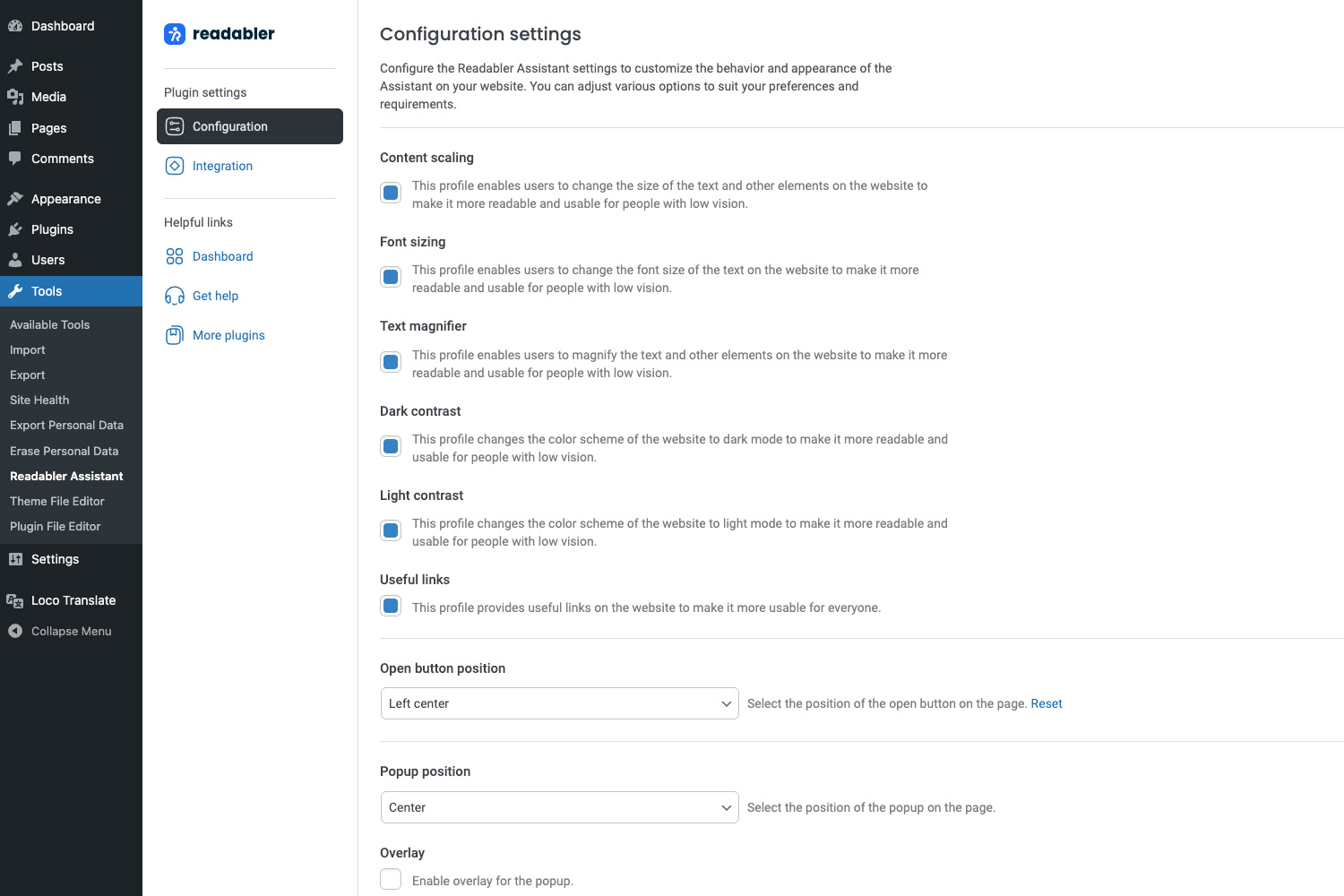

For developers
Is this your plugin? Show off the numbers.
Add a live badge to your site, docs or GitHub README. It updates on its own — no account needed.
Best Accessibility Assistant alternatives
All accessibility plugins →





FAQ
Accessibility Assistant – Readabler: quick answers
Straight answers, pulled from live WordPress.org data.
Live data from WordPress.org · checked Oct 4, 2026
Is Accessibility Assistant free?
Yes. Accessibility Assistant is free to download and use from the official WordPress.org plugin directory.
Is Accessibility Assistant safe to use in 2026?
Accessibility Assistant works, but test it on a staging site before relying on it in 2026. It runs on 300+ sites and was last updated 1 month ago, and scores 49/100 on our health check.
How many websites use Accessibility Assistant?
Accessibility Assistant is active on 300+ WordPress websites and has been downloaded 2,721 times since it launched in April 2025. It was downloaded 722 times in the last 30 days.
Does Accessibility Assistant work with WordPress 7.1?
Accessibility Assistant is officially tested up to WordPress 7.0.6, while the latest release is 7.1.2. It may still work, but try it on a staging site first.
What PHP version does Accessibility Assistant need?
Accessibility Assistant requires PHP 7.4 or higher. Most hosts run PHP 8.x today, so it works on any modern WordPress hosting.
When was Accessibility Assistant last updated?
The latest version, 1.0.1, was released on September 2, 2026 (1 month ago).
Who makes Accessibility Assistant?
Accessibility Assistant is developed and maintained by merkulove.
What are the best alternatives to Accessibility Assistant?
The most popular alternatives to Accessibility Assistant are Web Accessibility (formally… (500K+ installs), Auto Image Attributes From… (100K+ installs) and Accessibility by UserWay (80K+ installs).
Powered by PageForge
Want thousands of pages that rank like these? Build them in an afternoon.
This directory runs on the same engine as PageForge. Turn any spreadsheet, CSV or API into thousands of fast, SEO-ready WordPress pages — with schema, internal links and AI-written copy baked in.
- CSV, Google Sheets & API data sources
- AI content, schema & internal links per page
- Works with Elementor, Gutenberg, Yoast & Rank Math
- Free on WordPress.org — no credit card


