


Pinterest Importer
Pinterest Importer allows you to connect to your Pinterest.com account; to grab all your pins (including from secret and optionnally followed boards); and to import them in WordPress.

Consider an alternative
Pinterest Importer shows warning signs in 2026 — compare the alternatives below before installing. It runs on 30+ sites, is rated 4.3/5 and was last updated 7 years ago, and scores 33/100 on our health check.
- Small user base (30+ active installs)
- No update in 7 years
- Only tested up to WordPress 5.2 (latest is 7.1)
How does it stack up?
Side-by-side on installs, updates, ratings & support



Daily downloads
Download spikes usually follow a new release — each site that auto-updates counts as a download.
Rankings
Where Pinterest Importer stands todayWordPress.org search rankings
Live position in the plugin search, top 100| Keyword | Position |
|---|---|
| backup | >100 |
| importer | >100 |
| pins | >100 |
| >100 |
Version adoption
Share of active sites per release.
Rating breakdown
★★★★★★★★★★ 4.3 from 15 reviews
About Pinterest Importer
From the official readme · v0.7.2Description
Pinterest Importer allows you to connect to your Pinterest.com account; to grab all your pins (including from secret and optionnally followed boards); and to import them in WordPress.
The difference with other plugins is that it is not based on the (very limited) official Pinterest API; which also requires SSL.
This means that you can make a full backup (instead of getting only the last x pins); but it also means the plugin may broke one day or another.
Better use it quick !
- Nice GUI
- Uses a custom post type, which makes it easy to use specific theme templates or capabilities, etc.
- Get pins from regular boards, secret boards and followed boards (optional).
- Assign a WordPress category to each of your board (or let us handle it automatically)
- Supports both image & video pins; and sets automatically the corresponding post format
- Downloads original HD images from pins.
- Can be used on an ongoing basis : pins will not be imported several times
- Backup & display the pin metadatas in a metabox
- Set pin creation date as post date
- Handles hashtags, which are converted to post tags
- Cache pins in a JSON file for every board
Donate!
It truly took me a LOT of time to code this plugin.
If it saved you the time to backup manually a few hundred (or more!) pins, please consider converting this time into a donation.
This would be very appreciated — Thanks !
Instruction
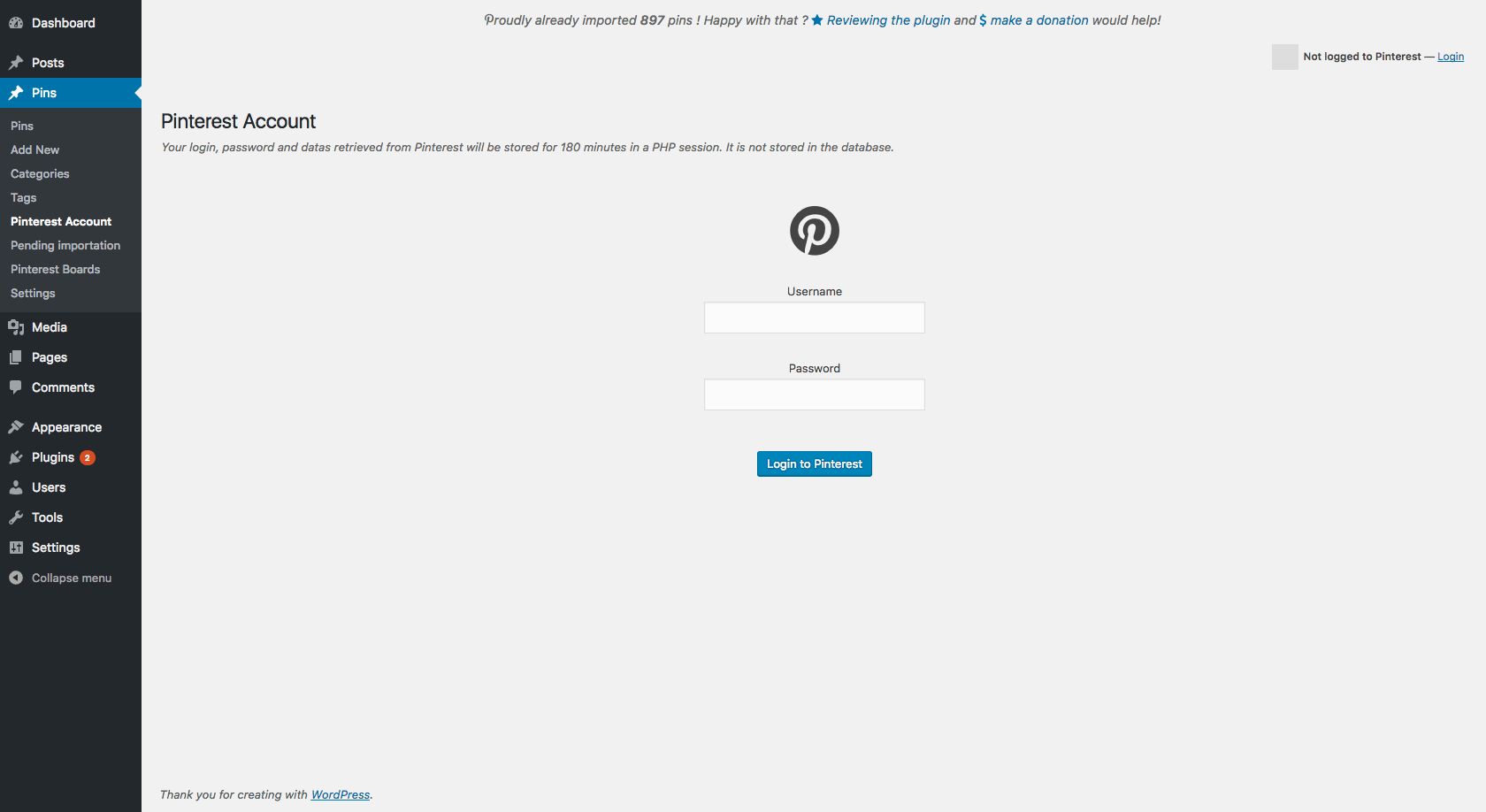
- Go to Pins -> Pinterest Account
- Follow the steps
- Enjoy !
Contributors
- seregazhuk for the (nice!) php-pinterest-bot library
- Other contributors are listed here
Notes
For feature request and bug reports, please use the forums.
If you are a plugin developer, we would like to hear from you. Any contribution would be very welcome.
TO DO
- use wp_update_term_count() ? seems posts count for categories is not updated.
- add source in post content should be optional
- a trashed pin should not be considered existing ?
- use some ajax functions (Pinterest queries, etc.)
- bug when creating ‘pinim_boards_settings’ : last board settings are not saved, so it is detected as new board when the page refreshes.
Localization
Installation
This plugin requires at least php 5.3.6 with the exif extension enabled.
- Upload the plugin to your blog and Activate it.
Changelog
0.7.1
- Updated php-pinterest-bot
- Minor fixes
0.7.0
- Lots of code cleanup
- Clearer interface
- Much faster than before
- Store raw pins in a cached JSON file for every board, and updates it only when the board’s ‘pin_count’ exceed the total of cached pins.
- Option to enable followed boards
0.6.0
- Finally resurrected !
- Now uses php-pinterest-bot library by seregazhuk
- Settings for boards followed
0.5.3
- fixed plugin broken due to Pinterest website’s changes
- Removed support for likes as it as been removed from Pinterest
0.5.2
- fixed plugin broken due to Pinterest website’s changes
- removed unused function get_board_id
0.5.1
- Fixed logout
Screenshots


For developers
Is this your plugin? Show off the numbers.
Add a live badge to your site, docs or GitHub README. It updates on its own — no account needed.
Best Pinterest Importer alternatives
All backup plugins →





FAQ
Pinterest Importer: quick answers
Straight answers, pulled from live WordPress.org data.
Live data from WordPress.org · checked Sep 29, 2026
Is Pinterest Importer free?
Yes. Pinterest Importer is free to download and use from the official WordPress.org plugin directory.
Is Pinterest Importer safe to use in 2026?
Pinterest Importer shows warning signs in 2026 — compare the alternatives below before installing. It runs on 30+ sites, is rated 4.3/5 and was last updated 7 years ago, and scores 33/100 on our health check.
How many websites use Pinterest Importer?
Pinterest Importer is active on 30+ WordPress websites and has been downloaded 10,849 times since it launched in April 2014. It was downloaded 99 times in the last 30 days.
Does Pinterest Importer work with WordPress 7.1?
Pinterest Importer is officially tested up to WordPress 5.2.28, while the latest release is 7.1.2. It may still work, but try it on a staging site first.
When was Pinterest Importer last updated?
The latest version, 0.7.2, was released on June 4, 2019 (7 years ago).
Who makes Pinterest Importer?
Pinterest Importer is developed and maintained by grosbouff.
What are the best alternatives to Pinterest Importer?
The most popular alternatives to Pinterest Importer are All-in-One WP Migration and… (5M+ installs), UpdraftPlus: WP Backup & Mi… (4M+ installs) and Jetpack (3M+ installs).
Powered by PageForge
Want thousands of pages that rank like these? Build them in an afternoon.
This directory runs on the same engine as PageForge. Turn any spreadsheet, CSV or API into thousands of fast, SEO-ready WordPress pages — with schema, internal links and AI-written copy baked in.
- CSV, Google Sheets & API data sources
- AI content, schema & internal links per page
- Works with Elementor, Gutenberg, Yoast & Rank Math
- Free on WordPress.org — no credit card


