



JetBackup – Backup, Restore & Migrate
Backup, restore, and migrate WordPress sites fast. Supports TAR, remote backups, multi schedules, and full multisite compatibility.

Solid choice
JetBackup is a solid plugin choice in 2026, with a few things worth checking first. It runs on 200K+ sites, is rated 4.5/5 and was last updated 1 month ago, and scores 70/100 on our health check.
- Proven at scale on 200K+ active sites
- Loved by users — 4.5/5 from 1,055 reviews
How does it stack up?
Side-by-side on installs, updates, ratings & support



Daily downloads
Download spikes usually follow a new release — each site that auto-updates counts as a download.
Rankings
Where JetBackup stands todayWordPress.org search rankings
Live position in the plugin search, top 100| Keyword | Position |
|---|---|
| backup | #9 |
| remote backup | #5 |
| restore | #7 |
Version adoption
Share of active sites per release.
Rating breakdown
★★★★★★★★★★ 4.5 from 1,055 reviews
About JetBackup – Backup, Restore & Migrate
From the official readme · v3.1.23.6Description
JetBackup is a powerful, easy-to-use WordPress backup and migration plugin. Create full or partial backups, restore in 1 click, and migrate across domains or hosts. Supports TAR format, cloud storage, and full automation.
Download JetBackup premium versions here: https://www.jetbackup.com/jetbackup-for-wordpress.
See JetBackup in Action Here!
Free Features
- Free Cloud Storage – 2 GB of free off site premium cloud storage
- Unlimited backup – create as many backups as you want, there is no limit
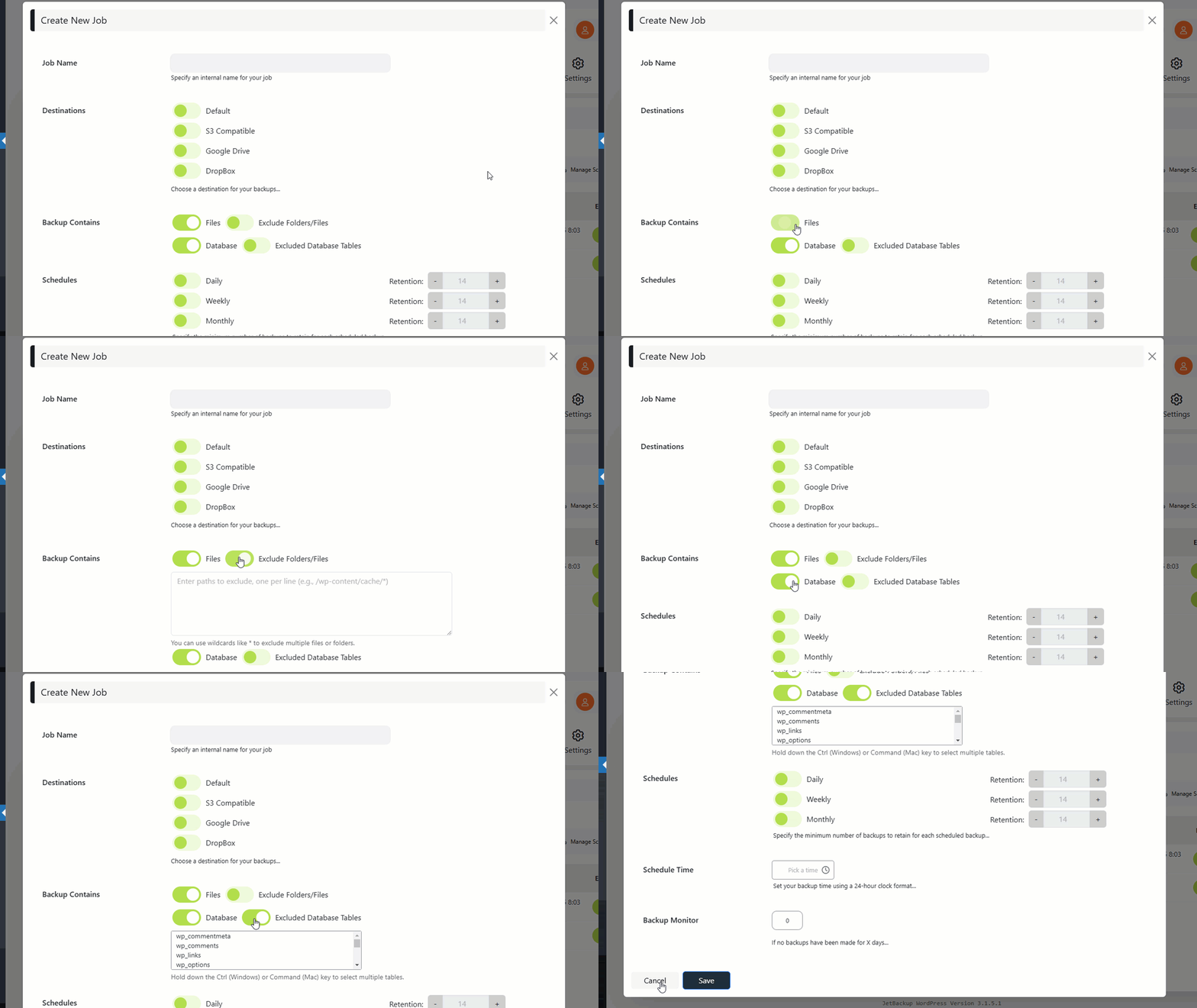
- Backup files, database or both – you can backup your database or files, or both
- Unlimited restore – restore any backup file whenever needed
- Download backup – download your backup files for migration
- Import backup – upload your backup file to restore it right away
- Backup cancellation – cancel the backup process while it is not finished yet
- Manage backups – delete backups, view backup or restore log
- Backup customization – you choose which folders you want to backup
- Live progress – precise progress of the current backup and restore process
- Export Backups – Export backups to hosting control panels (supports cPanel & DirectAdmin)
- MultiSite – Multisite support with selective subsite restore.
- Website migration – migrate your website from one hosting/domain to another one
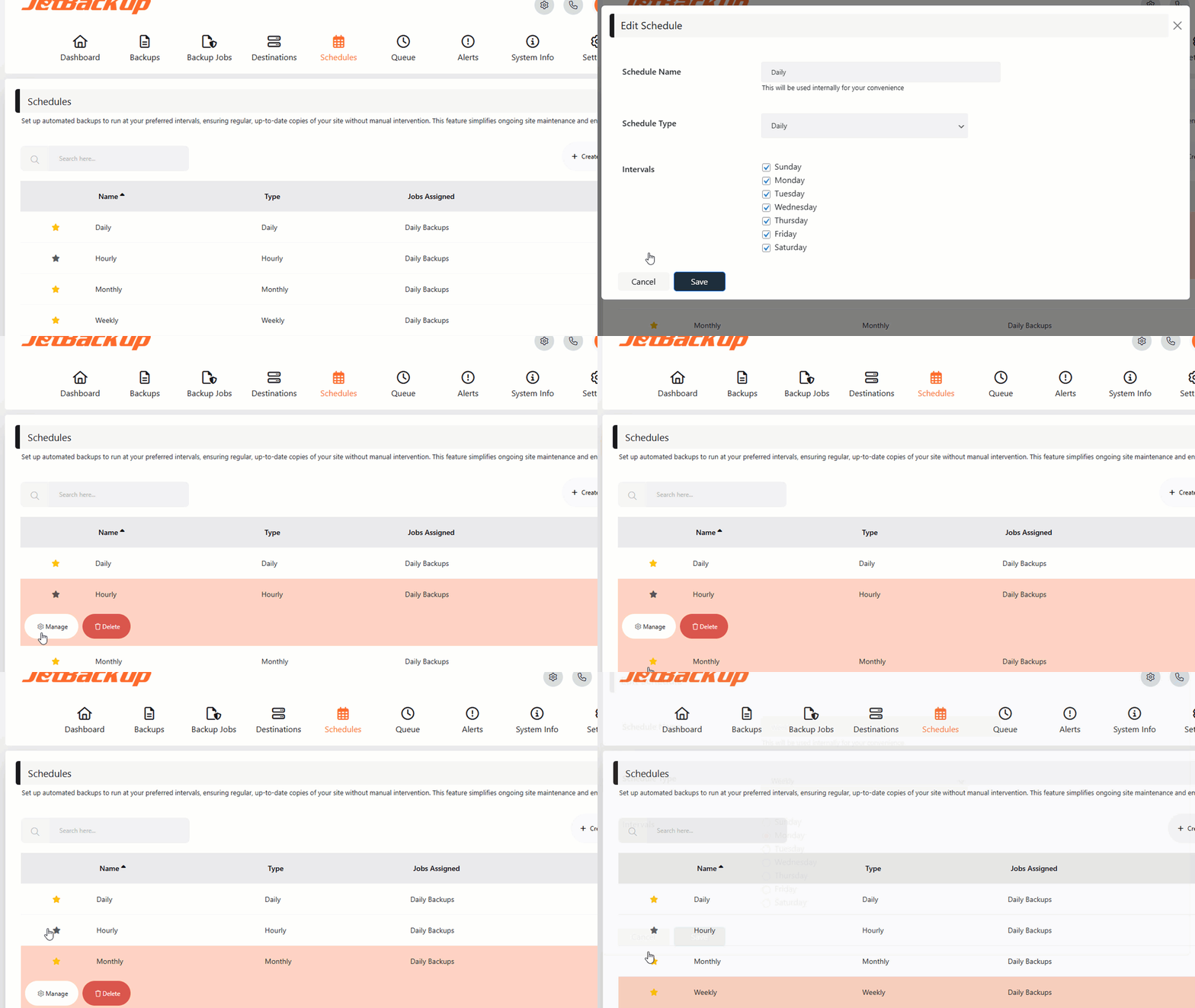
- Scheduled backup – set the frequency and time to perform automatic backup
- Multiple scheduled profiles – schedule your database and files to backup with different frequencies
- Backup retention – specify the number of backups you want to keep on your server
Premium Features
- Off Site Backups – Support for offsite remote backup destinations: Amazon S3 (and compatible), FTP, SFTP, Google Drive, One Drive, DropBox, Box, pCloud
– 24/7 Premium Support – Industry-leading support with a 15-minute SLA.
Documentation
The documentation can be found here: https://www.jetbackup.com/jetbackup-for-wordpress.
Why JetBackup?
– No extra libraries required
– Supports large websites
– Uses TAR archives for efficient storage
– Optimized for low-memory & shared hosting
– Seamless migration with serialized data refactoring
Minimum Requirements
– WordPress: 6.0 or higher
– PHP: 7.4 or higher (requires zlib & cURL)
Support
https://www.jetbackup.com/jetbackup-for-wordpress/support
Features
One-Click Backup
Perform full or custom backups with a single click.
Reliable Restores
Easily restore backups with a high success rate.
Download & Upload
Download backups or import them via our wizard.
Cloud Storage (Pro)
Automatically store backups on cloud platforms.
Automated Backups
Schedule automatic backups to run at set intervals.
Custom Backup Settings
Select specific files/folders for backup.
Server-Level Integration
Restore backups created by your hosting provider via JetBackup.
Background Mode
Run backups in low-priority mode for better performance.
Email Notifications
Receive alerts on backup success or failure.
Documentation
Perform manual backup
If you want to create a backup manually, follow these steps:
- Go to “Backup jobs” page
- Click “Run now” on the default backup job.
Import backups from local computer
If you have an exported backup file in your PC and you want to import it into your website, follow these steps:
- Go to “Backups” page
- Click on “Import & Restore” and select your file from your local computer
- Go to the kitchen, prepare a cup of coffee and watch the screen 🙂
Restore
Restoring is as easy as backing up. Just follow these instructions:
- Go to “Backups” page
- Choose your backup and click on the “Restore” button.
Installation
Installation Instructions
- For JetBackup Free, follow these steps.
- For JetBackup Premium, follow these steps.
Frequently asked questions
Why is it important to back up my website?
Your website is at risk of data loss due to hacking, hardware failure, or accidental deletions. Regular backups ensure you can restore your website anytime.
How often should I create backups?
It depends on how frequently your website content changes. Daily backups are ideal for dynamic sites, while weekly backups may be sufficient for static websites.
What is included in the free version?
The free version allows unlimited backups and restores, migration capabilities, and local storage management.
Why upgrade to JetBackup Premium?
Premium users get cloud storage options, scheduled backups, priority support, and advanced backup management.
What are the minimum requirements?
JetBackup requires PHP 7.4+ and a Linux-based server for optimal performance. Windows is supported but may have limitations due to known PHP issues.
Is JetBackup suitable for migration?
Yes! JetBackup creates an exact snapshot of your website. When restored, it maintains the same state, making migrations effortless.
Changelog
Important: This is a fully rewritten core, replacing the old BackupGuard plugin.
3.1.23.6
- Added indication and quick actions once a backup file upload fails.
- Add option to generate new authorization code when editing existing OneDrive destination.
- Add missing Quick Access Code button while creating JetBackup Storage.
- Hardened the public cron endpoint to enforce the cron token on all HTTP invocations.
- Hardened security – restore/migration. Reported by Jakub Herman via WPScan.
- Hardened security – backup/log downloads. Reported by Akshat Parikh (SN1PER) via WPScan.
- Hardened security – databases restore.
3.1.22.3
- Added support for WordPress Abilities API integration (WordPress 6.9+).
- Tightened archive extraction security.
- Fixed some edge cases where failed AJAX requests were not displayed.
- Fixed a minor GUI issue where the confirmation checkbox was not visible in the Import & Restore dialog.
- Fixed a PHP notice when aborting a queue item.
3.1.21.3
- Fixed S3 multipart upload resume for large files
- Added support for JetBackup Linux (v5.4+) dedupe engine
- Fixed a bug where the upload progress indicator could show incorrect percentage when a chunked upload resumes across multiple execution cycles
3.1.20.3
- Improved CLI management commands (fixed validation issues, corrected argument handling).
- Fixed schedule inconsistencies and next-run calculation issues.
- Improved file handling and cleanup logic in upload processes.
3.1.19.8
- Improved compatibility when restoring WordPress.com / WP Cloud-powered backups to non–WP Cloud environments.
- Socket API integration now shows clearer, more user-friendly compatibility check errors.
- Imported backups are now indexed, allowing multiple restores from the same backup without re-uploading.
- Reduced memory usage when indexing server-level backups with paginated fetching, socket timeouts, and progress tracking.
- Fixed backup failures and queue corruption on systems with non-standard character encodings in file names.
- Improved error logging – task errors are now visible in the job log within the GUI.
- Improved execution time handling for systems with low PHP time limits (30 seconds).
- Fixed potential timeout during compression on resource-constrained environments.
- Settings validation now only applies to fields that were actually changed, preventing unchanged invalid values from blocking unrelated settings updates.
3.1.18.9
- Fix: Improved stability on some servers by preventing a rare cron crash.
- Tweak: “Available disk space” in System Info is now hidden by default to avoid confusion on quota-based hosts (it may show server-wide free space instead of your quota).
- Suppressed the WordPress multisite “Upgrade Network” admin notice inside JetBackup’s pages
- Fix: Hardened install initialization to avoid fatal errors if installation cannot complete.
- Improved: Improved detection/compatibility for WP Cloud-powered platforms (WordPress.com / WP Cloud / Porkbun).
- Fixed: Retention cleanup not running for hourly scheduled backups due to schedule types not being associated with snapshots
- Fixed: Old JetBackup data directories from migrations no longer included in backups, reducing backup size inflation
Screenshots


For developers
Is this your plugin? Show off the numbers.
Add a live badge to your site, docs or GitHub README. It updates on its own — no account needed.
Best JetBackup alternatives
All backup plugins →





FAQ
JetBackup: quick answers
Straight answers, pulled from live WordPress.org data.
Live data from WordPress.org · checked Sep 26, 2026
Is JetBackup free?
Yes. JetBackup is free to download and use from the official WordPress.org plugin directory.
Is JetBackup safe to use in 2026?
JetBackup is a solid plugin choice in 2026, with a few things worth checking first. It runs on 200K+ sites, is rated 4.5/5 and was last updated 1 month ago, and scores 70/100 on our health check.
How many websites use JetBackup?
JetBackup is active on 200K+ WordPress websites and has been downloaded 4,778,487 times since it launched in May 2012. It was downloaded 95,324 times in the last 30 days.
Does JetBackup work with WordPress 7.1?
JetBackup is officially tested up to WordPress 7.0.6, while the latest release is 7.1.2. It may still work, but try it on a staging site first.
What PHP version does JetBackup need?
JetBackup requires PHP 7.4 or higher. Most hosts run PHP 8.x today, so it works on any modern WordPress hosting.
When was JetBackup last updated?
The latest version, 3.1.23.6, was released on August 26, 2026 (1 month ago).
Who makes JetBackup?
JetBackup is developed and maintained by JetBackup.
What are the best alternatives to JetBackup?
The most popular alternatives to JetBackup are All-in-One WP Migration and… (5M+ installs), UpdraftPlus: WP Backup & Mi… (4M+ installs) and Jetpack (3M+ installs).
Powered by PageForge
Want thousands of pages that rank like these? Build them in an afternoon.
This directory runs on the same engine as PageForge. Turn any spreadsheet, CSV or API into thousands of fast, SEO-ready WordPress pages — with schema, internal links and AI-written copy baked in.
- CSV, Google Sheets & API data sources
- AI content, schema & internal links per page
- Works with Elementor, Gutenberg, Yoast & Rank Math
- Free on WordPress.org — no credit card


