


NINJA AI Accessibility
The European Accessibility Act (in force since June 2025) and WCAG 2.1 AA make accessibility a legal requirement, not a nice-to-have. NINJA AI Accessibility scans every published post and page for the barriers you can…

Use with caution
NINJA AI Accessibility works, but test it on a staging site before relying on it in 2026. Was last updated 4 months ago, and scores 49/100 on our health check.
- Small user base (<10 active installs)
- Very few reviews so far
How does it stack up?
Side-by-side on installs, updates, ratings & support



Daily downloads
Download spikes usually follow a new release — each site that auto-updates counts as a download.
Rankings
Where NINJA AI Accessibility stands todayWordPress.org search rankings
Live position in the plugin search, top 100| Keyword | Position |
|---|---|
| accessibility | >100 |
| ada | >100 |
| Alt Text | >100 |
| EAA | #58 |
| wcag | >100 |
About NINJA AI Accessibility
From the official readme · v1.0.0Description
The European Accessibility Act (in force since June 2025) and WCAG 2.1 AA make
accessibility a legal requirement, not a nice-to-have. NINJA AI Accessibility
scans every published post and page for the barriers you can actually fix and
scores each one 0–100, worst-first.
This is not an accessibility “overlay.” Overlay widgets don’t create
compliance — courts have repeatedly ruled against them, and in 2025 a large
share of accessibility lawsuits targeted sites that had one installed. We don’t
hide problems behind a toolbar; we find the real ones in your content and tell
you how to fix them.
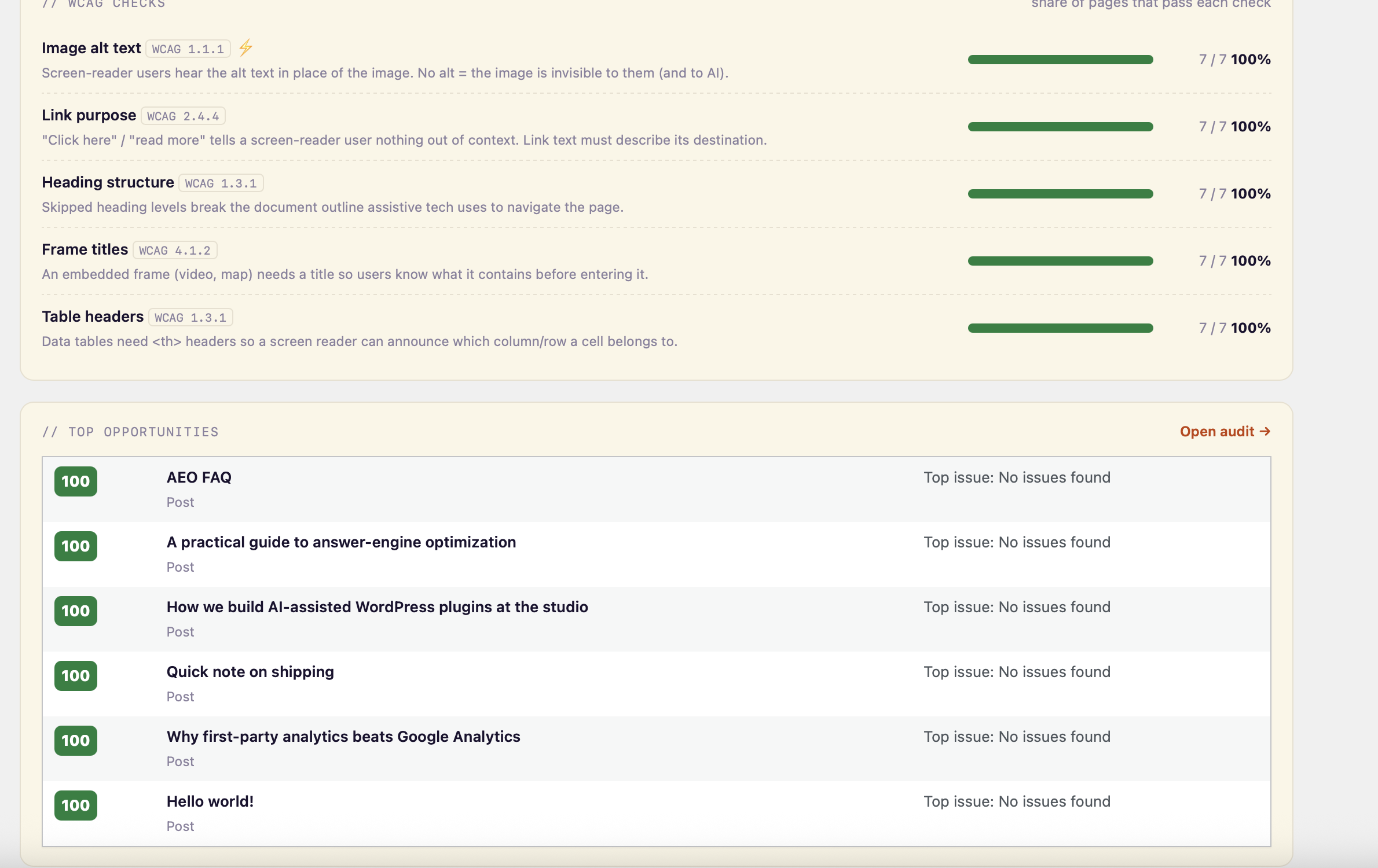
What it checks (per post/page, scored 0–100):
- Image alt text (WCAG 1.1.1) — flags images with no
altattribute. Valid
decorative images (alt="") are correctly left alone, so you don’t get
false positives. - Link purpose (WCAG 2.4.4) — empty links and vague text like “click here”
or “read more” that tell a screen-reader user nothing out of context. - Heading structure (WCAG 1.3.1) — skipped heading levels and multiple H1s
that break the document outline. - Frame titles (WCAG 4.1.2) — embedded iframes (video, maps) with no title.
- Table headers (WCAG 1.3.1) — data tables missing
<th>header cells.
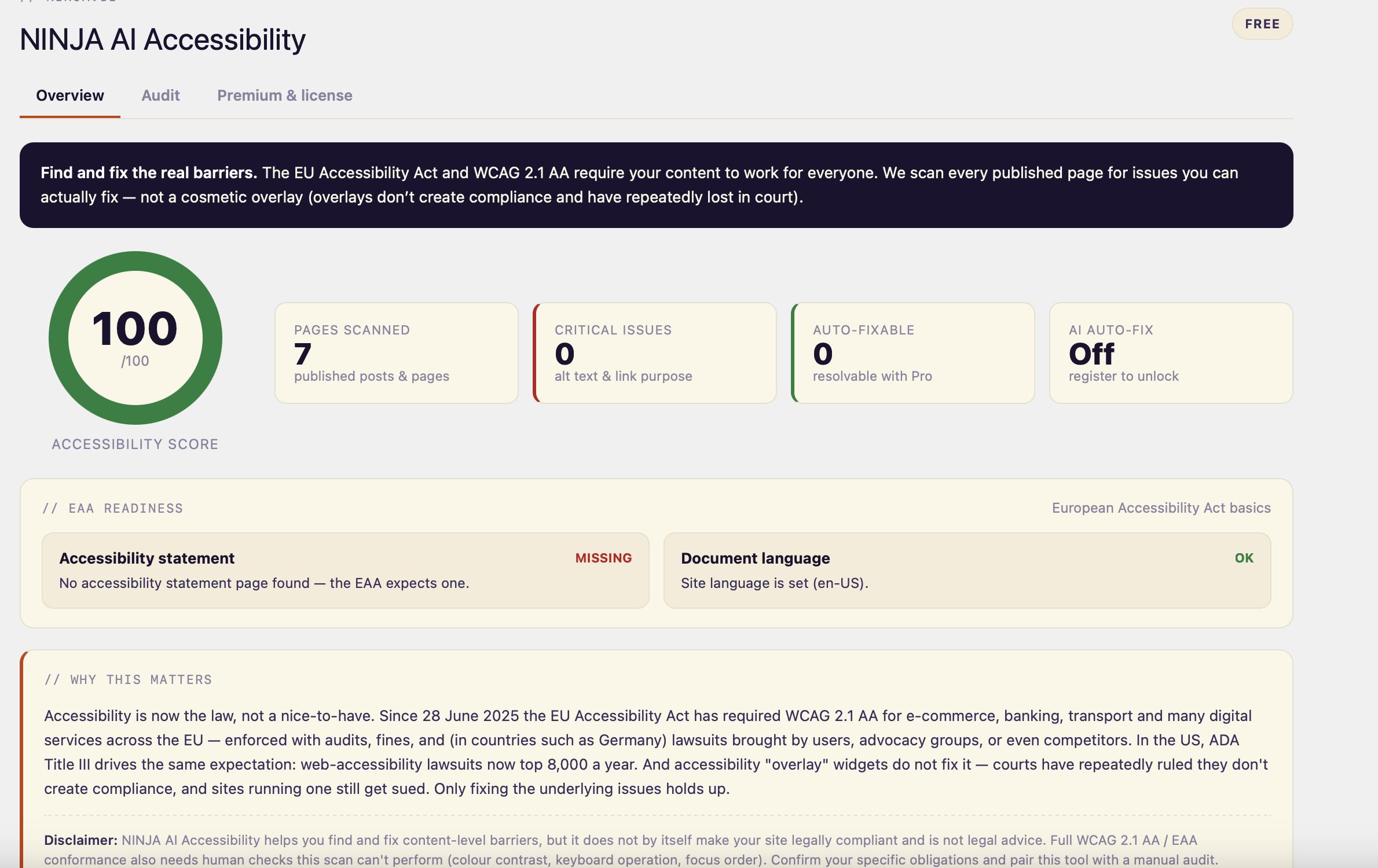
EAA readiness panel: checks for a published accessibility statement and a
declared document language.
Honest about its limits. Some criteria — colour contrast, keyboard focus
order, theme landmarks — depend on rendered styles and can’t be judged from
content alone, so we never claim to. Use this to fix what’s findable and pair
it with a manual review for full WCAG 2.1 AA / EAA conformance. The free plugin
runs entirely on your site and makes no external requests.
NINJA AI Accessibility Pro (optional add-on)
NINJA AI Accessibility Pro (from https://ninja.si — not the WordPress.org
directory) adds one-click, AI-assisted remediation (e.g. generating descriptive
alt text from each image) and Accessibility Watch — it re-scans on a
schedule and emails you when a new publish introduces a barrier or your score
drops. Pro is the only part that contacts ninja.si, and only after you register.
Installation
- In your WordPress admin go to Plugins → Add New, search for “NINJA AI Accessibility” and click Install Now — or upload the ZIP under Plugins → Add New → Upload Plugin.
- Click Activate.
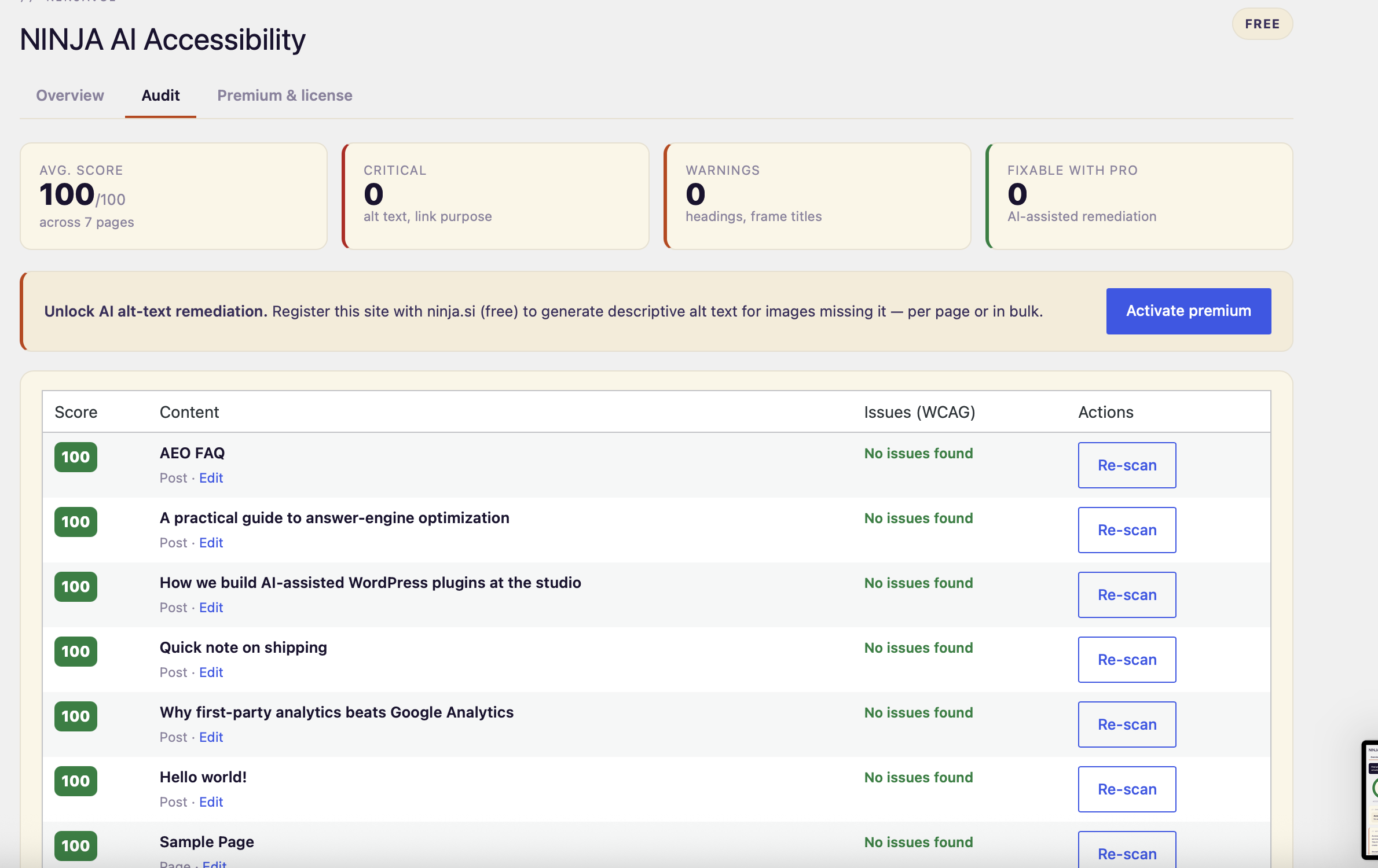
- Open Accessibility in the admin menu. The Overview tab shows your site score and EAA readiness; the Audit tab scores every post and page with a prioritized issue list and links straight to the editor.
No account, API key or external service is required.
Frequently asked questions
Is this an accessibility overlay?
No — and that’s the point. Overlays don’t make a site compliant and have lost in court. This plugin audits your real content so you can fix the underlying issues.
Does it make my site WCAG/EAA compliant on its own?
No plugin can. It finds and helps you fix the content-level barriers it can reliably detect; full conformance also needs a manual review (contrast, keyboard use, focus order). We’re explicit about what we can and can’t check.
Does the free plugin send data anywhere?
No. All scanning happens locally in your WordPress install.
Changelog
First release.
1.0.0
- Initial release: WCAG 2.1 content audit (alt text, link purpose, heading
structure, frame titles, table headers), 0–100 scoring, EAA readiness panel,
and a prioritized per-page audit.
Screenshots
For developers
Is this your plugin? Show off the numbers.
Add a live badge to your site, docs or GitHub README. It updates on its own — no account needed.
Best NINJA AI Accessibility alternatives
All accessibility plugins →





FAQ
NINJA AI Accessibility: quick answers
Straight answers, pulled from live WordPress.org data.
Live data from WordPress.org · checked Oct 5, 2026
Is NINJA AI Accessibility free?
Yes. NINJA AI Accessibility is free to download and use from the official WordPress.org plugin directory.
Is NINJA AI Accessibility safe to use in 2026?
NINJA AI Accessibility works, but test it on a staging site before relying on it in 2026. Was last updated 4 months ago, and scores 49/100 on our health check.
How many websites use NINJA AI Accessibility?
NINJA AI Accessibility is active on <10 WordPress websites and has been downloaded 221 times since it launched in May 2026. It was downloaded 45 times in the last 30 days.
Does NINJA AI Accessibility work with WordPress 7.1?
NINJA AI Accessibility is officially tested up to WordPress 7.0.6, while the latest release is 7.1.2. It may still work, but try it on a staging site first.
What PHP version does NINJA AI Accessibility need?
NINJA AI Accessibility requires PHP 7.4 or higher. Most hosts run PHP 8.x today, so it works on any modern WordPress hosting.
When was NINJA AI Accessibility last updated?
The latest version, 1.0.0, was released on May 25, 2026 (4 months ago).
Who makes NINJA AI Accessibility?
NINJA AI Accessibility is developed and maintained by Sebastjan.
What are the best alternatives to NINJA AI Accessibility?
The most popular alternatives to NINJA AI Accessibility are Web Accessibility (formally… (500K+ installs), Auto Image Attributes From… (100K+ installs) and Accessibility by UserWay (80K+ installs).
Powered by PageForge
Want thousands of pages that rank like these? Build them in an afternoon.
This directory runs on the same engine as PageForge. Turn any spreadsheet, CSV or API into thousands of fast, SEO-ready WordPress pages — with schema, internal links and AI-written copy baked in.
- CSV, Google Sheets & API data sources
- AI content, schema & internal links per page
- Works with Elementor, Gutenberg, Yoast & Rank Math
- Free on WordPress.org — no credit card


