


Media Sync
Simple plugin to scan "uploads" directory and bring those files into Media Library.

Solid choice
Media Sync is a solid plugin choice in 2026, with a few things worth checking first. It runs on 50K+ sites, is rated 4.7/5 and was last updated 3 months ago, and scores 69/100 on our health check.
- Proven at scale on 50K+ active sites
- Loved by users — 4.7/5 from 86 reviews
- Tested with the latest WordPress (7.1)
How does it stack up?
Side-by-side on installs, updates, ratings & support



Daily downloads
Download spikes usually follow a new release — each site that auto-updates counts as a download.
Rankings
Where Media Sync stands todayWordPress.org search rankings
Live position in the plugin search, top 100| Keyword | Position |
|---|---|
| ftp | #10 |
| import | >100 |
| media | #12 |
| server | #53 |
| uploads | #46 |
Version adoption
Share of active sites per release.
Rating breakdown
★★★★★★★★★★ 4.7 from 86 reviews
About Media Sync
From the official readme · v1.5.3Description
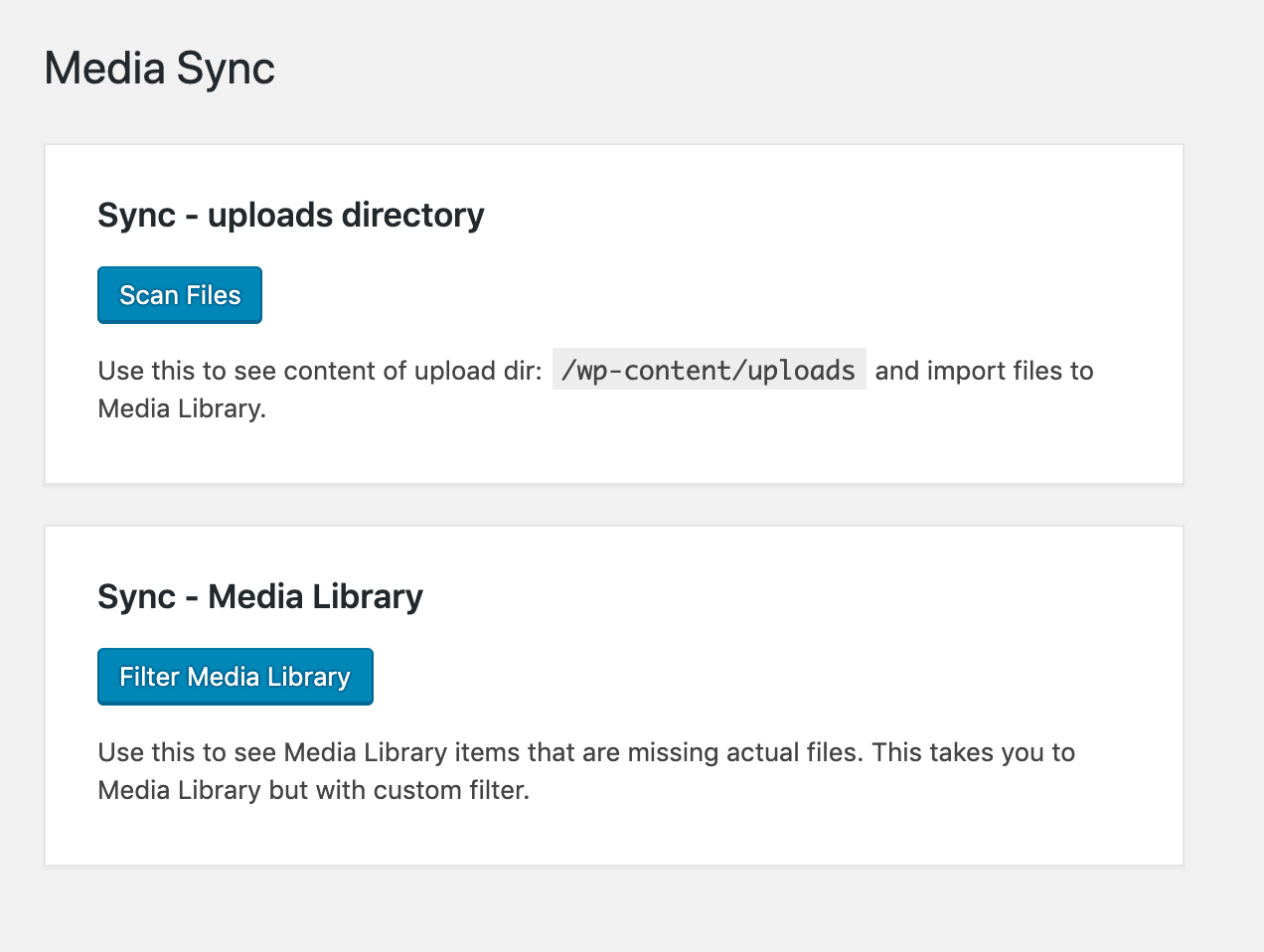
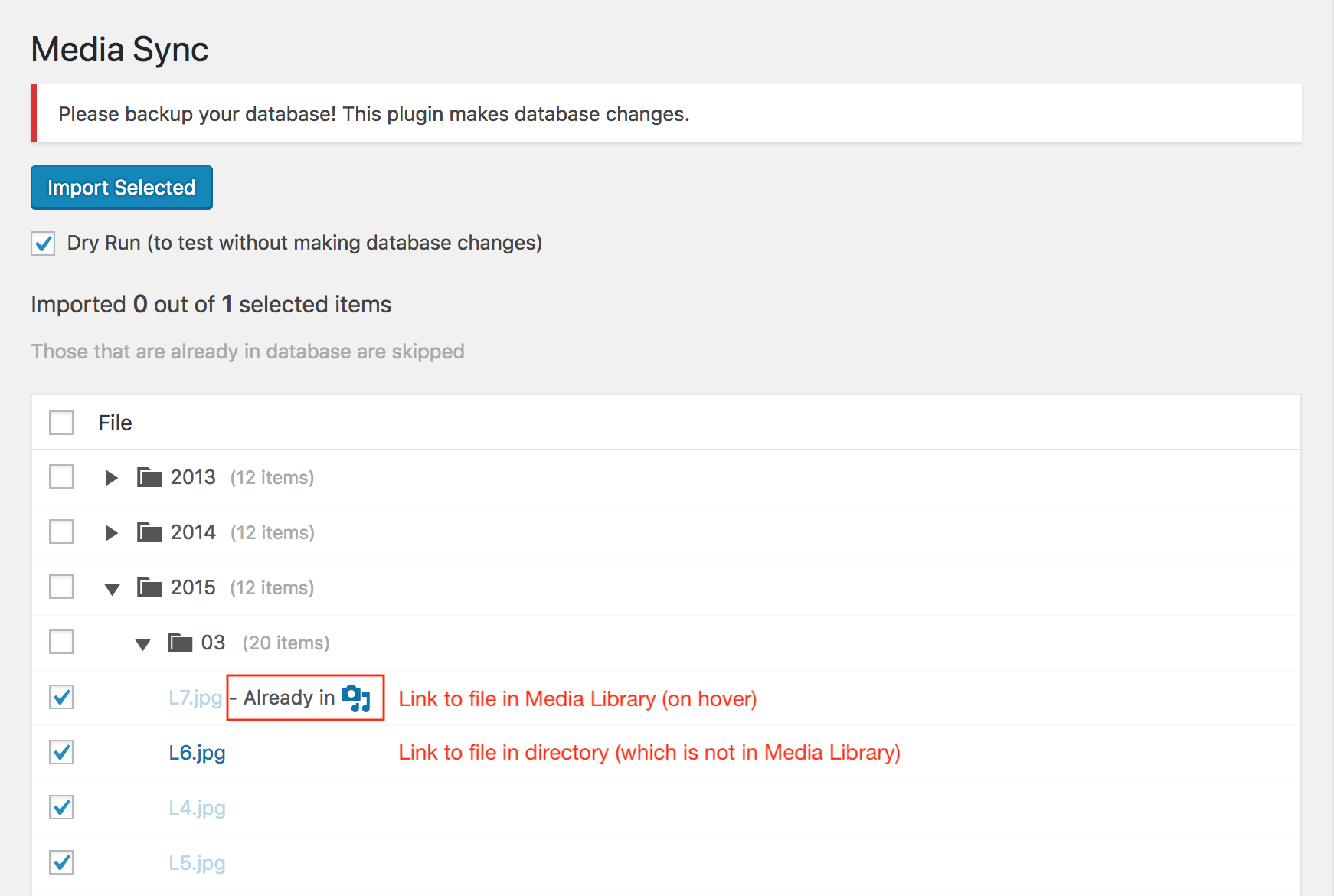
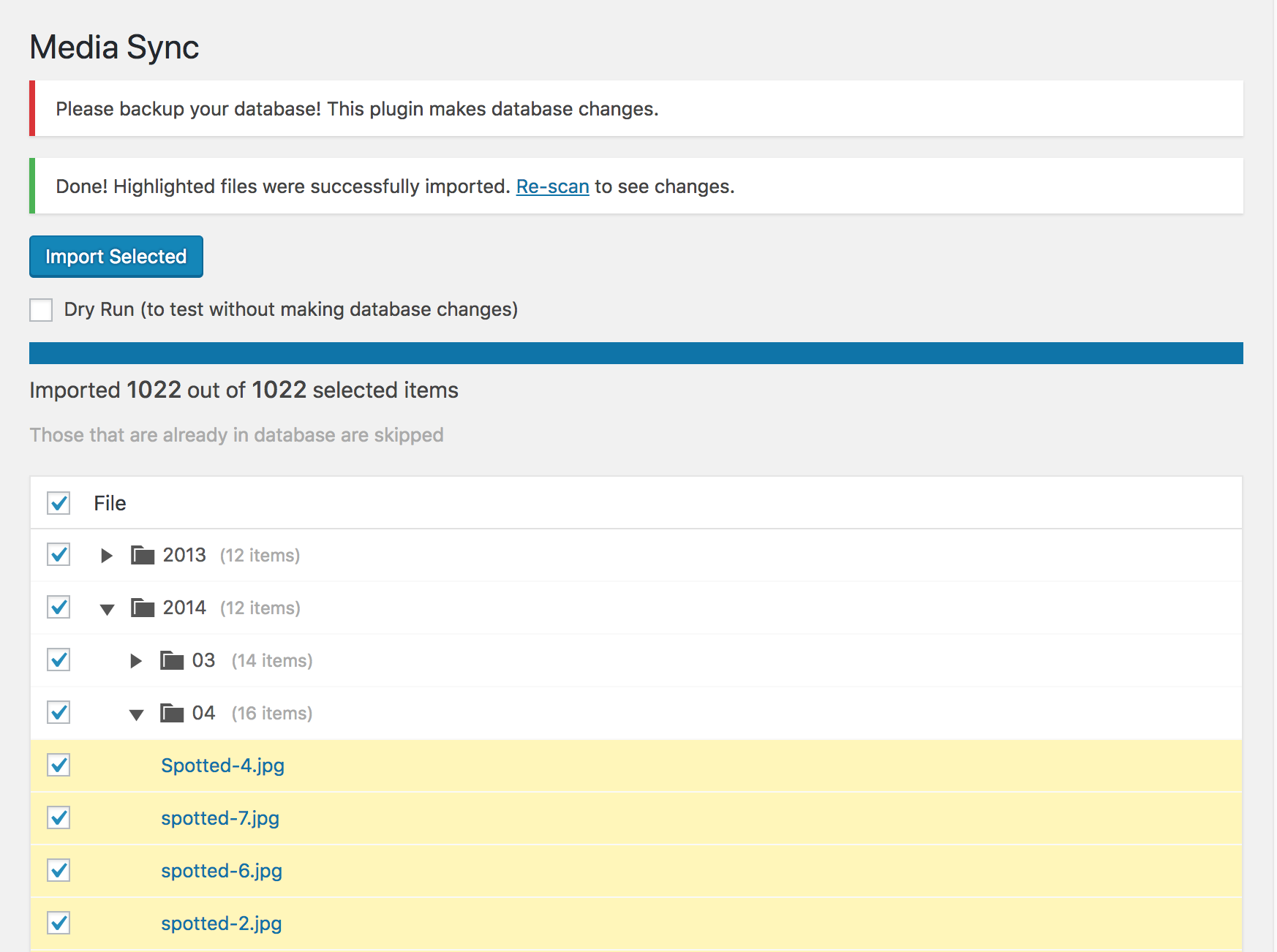
This plugin allows you to examine all files within the uploads directory to determine which ones are present in the Media Library and which ones are just sitting there unused. You can then choose the files you want to import into the database, thereby including them in the Media Library.
Moreover, you can utilize FTP to upload files directly to the uploads directory and subsequently add these files to the Media Library avoiding any file size limitations.
Disclaimers
-
“1 file first”
Please try to import only one file first – to see if it works as you expected. -
“All at once”
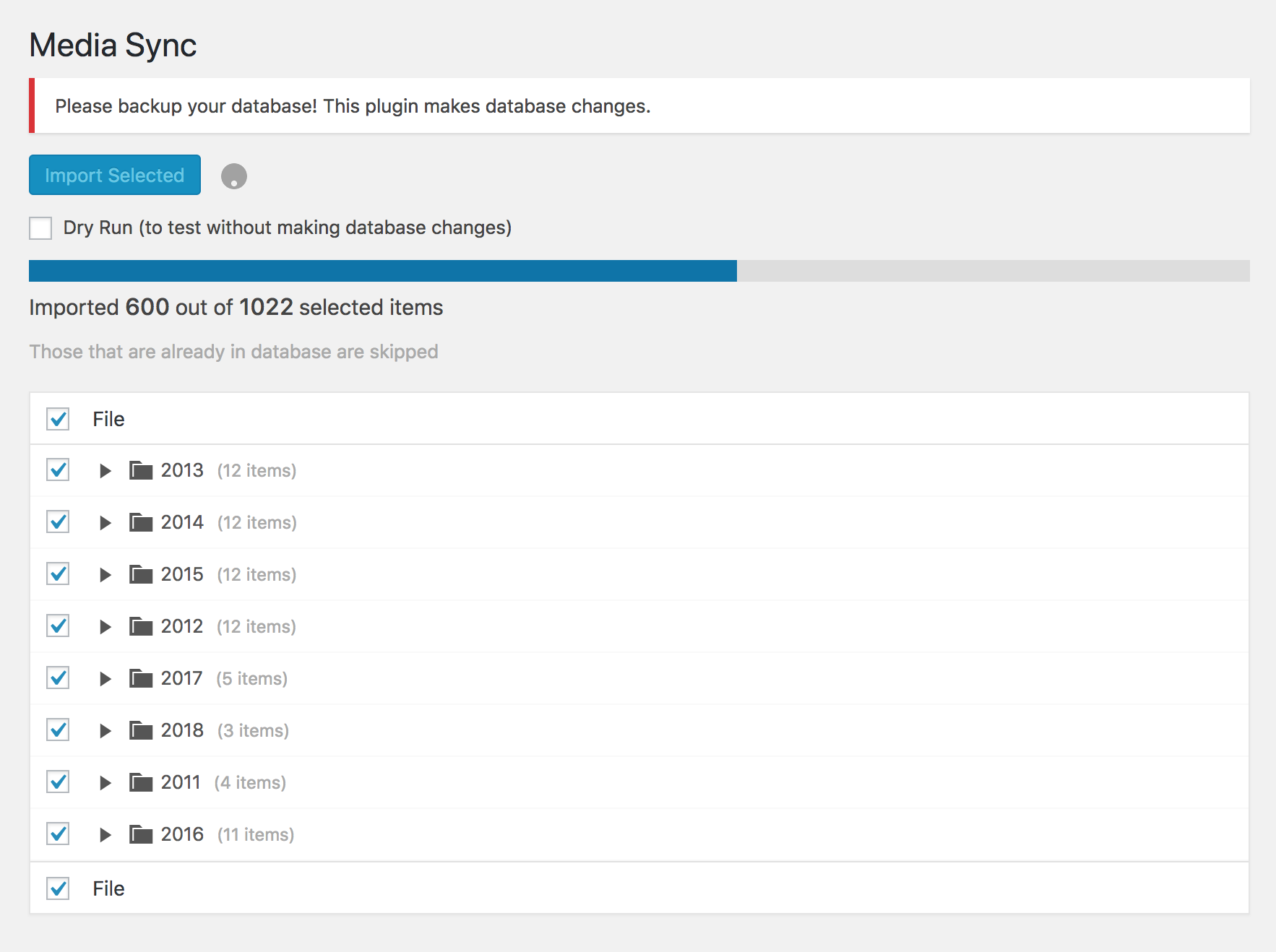
This plugin is designed for scanning, selecting, and importing all files at once. However, based on your server’s configuration, memory, and timeout challenges may arise with extensive file quantities. To mitigate this, a newly revamped pro version employs incremental directory scans to effectively tackle these issues. -
“Your setup is unique”
Please be aware that every WordPress installation is unique, and there may be instances where this plugin does not function as expected. Should this occur, we recommend enabling the debugging feature in the plugin’s settings to identify the issue. After investigating, kindly provide a detailed description of your findings in the Support section (or here if you’re using pro version). The more comprehensive the details, the higher the likelihood of resolving the problem effectively.
Ignored files
- various hidden files (.DS_Store, .htaccess),
- WP generated thumbnails (files ending with for example -100×100.jpg),
- WP generated scaled images (files ending with -scaled),
- optimized .webp versions of original images (.jpg.webp),
- retina thumbnails (-100×100@2x.jpg).
These can be modified and enhanced using the new advanced filters available in the pro version.
Media Sync Pro features
- Revised incremental scan: Allows scanning and importing unlimited number of files.
- Quick single directory rescan: Easily rescan one directory to find new files or apply a different filter without reloading the whole page.
- Advanced filters: Find any file by customizing all default filters, search for a specific file type (images, videos, etc.), skip by tailor-made rules, or enter any custom pattern.
- Schedule automatic imports: Select a desired interval and let the plugin automatically import any new files it finds.
- Import logs: View the history of manual or scheduled imports.
- Limit plugin access: Limit plugin access to a specific role.
Get pro version here.
Installation
- Upload
media-syncdirectory to the/wp-content/plugins/directory - Activate the plugin through the ‘Plugins’ menu in WordPress
Changelog
Compatibility with WordPress 7.1 client-side media processing. Also recognizes images edited in the Media Library as already imported.
1.5.3
- Compatibility with WordPress 7.1 client-side media processing. Files that WordPress 7.1 creates alongside an upload (the original HEIC image kept next to its JPEG version, and the video and poster image generated from an animated GIF) are now correctly recognized as already being in the Media Library, so they are not offered for import as duplicates.
- Also recognizes images edited in the Media Library (crop, rotate) as already imported.
- Tested for WordPress 7.1.
1.5.2
- When importing images or PDFs, use embedded metadata title (PDF info dictionary, XMP, or EXIF) instead of the filename.
1.5.1
- Fix file name corruption on Windows caused by
realpath()returning OS-native paths. Path validation now preserves the original file path after security checks pass.
1.5.0
- Security: Fix path traversal vulnerability (CVE-2026-6670) in
sub_dirandmedia_itemsparameters. File paths are now validated withrealpath()and restricted to the “uploads” directory. Stream wrappers (e.g.ftp://,php://) are rejected. Reported by Drew Webber (mcdruid) via Wordfence.
1.4.9
- Fix regex to avoid PHP warnings.
- Better error handling for expected memory or timeout issues when scanning for more files than your server is able to handle.
- Tested for WordPress 6.9.
- Tested for WordPress 6.9.4 and 7.0.
1.4.8
- Tested for WordPress 6.8
Screenshots
For developers
Is this your plugin? Show off the numbers.
Add a live badge to your site, docs or GitHub README. It updates on its own — no account needed.
Best Media Sync alternatives
All ftp plugins →





FAQ
Media Sync: quick answers
Straight answers, pulled from live WordPress.org data.
Source: WordPress.org
Is Media Sync free?
Yes. Media Sync is free to download and use from the official WordPress.org plugin directory.
Is Media Sync safe to use in 2026?
Media Sync is a solid plugin choice in 2026, with a few things worth checking first. It runs on 50K+ sites, is rated 4.7/5 and was last updated 3 months ago, and scores 69/100 on our health check.
How many websites use Media Sync?
Media Sync is active on 50K+ WordPress websites and has been downloaded 693,234 times since it launched in April 2018. It was downloaded 11,319 times in the last 30 days.
Does Media Sync work with WordPress 7.1?
Yes. The developer has tested Media Sync up to WordPress 7.1.5, the latest release. It requires WordPress 5.3 or newer.
What PHP version does Media Sync need?
Media Sync requires PHP 7.4 or higher. Most hosts run PHP 8.x today, so it works on any modern WordPress hosting.
When was Media Sync last updated?
The latest version, 1.5.3, was released on August 15, 2026 (3 months ago).
Who makes Media Sync?
Media Sync is developed and maintained by erolsk8.
What are the best alternatives to Media Sync?
The most popular alternatives to Media Sync are File Manager (1M+ installs), Advanced File Manager (100K+ installs) and File Manager Pro – Filester (100K+ installs).
Powered by PageForge
One template and a spreadsheet. A real page for every search.
PageForge turns each row of a CSV into a WordPress page with its own title, URL, SEO fields and schema, built on the layout you already designed. Free on WordPress.org.
- CSV and XLSX, plus Google Sheets on Professional and Enterprise
- Its own title, URL, SEO fields and schema for every page
- Works with the block editor, Elementor, Divi and Avada
- Free on WordPress.org, no credit card