


File Manager
file manager provides you ability to edit, delete, upload, download, copy and paste files and folders.

Safe pick
Yes — File Manager is a safe, well-maintained plugin to use in 2026. It runs on 1M+ sites, is rated 4.6/5 and was last updated 3 weeks ago, and scores 83/100 on our health check.
- One of the most-used plugins on the web — 1M+ active sites
- Loved by users — 4.6/5 from 1,493 reviews
- Actively developed — last update 3 weeks ago
- Tested with the latest WordPress (7.1)
- Slow support — only 14% of recent threads resolved
How does it stack up?
Side-by-side on installs, updates, ratings & supportDaily downloads
Download spikes usually follow a new release — each site that auto-updates counts as a download.
Rankings
Where File Manager stands todayWordPress.org search rankings
Live position in the plugin search, top 100| Keyword | Position |
|---|---|
| elfinder | #1 |
| file manager | #1 |
| ftp | #5 |
| wp file manager | #1 |
| wp-filemanager | #1 |
Version adoption
Share of active sites per release.
Rating breakdown
★★★★★★★★★★ 4.6 from 1,493 reviews
About File Manager
From the official readme · v8.0.7Description
File Manager allows you to edit, delete, upload, download, zip, copy and paste files and folders directly from the WordPress backend. Don’t bother with FTP to manage and move your files from location to location. The most powerful, flexible, and easiest WordPress file management solution ever built!
Key Features in File Manager free Version Plugin
Key Features in the Free File Manager plugin include:
* Operations: Various operations with files and folders on a remote server (copy, move, upload, create folder/file, rename, edit, delete, etc.)
* Move/Copy: Admin can Move/Copy files with Drag & Drop. Also includes multi file selection.
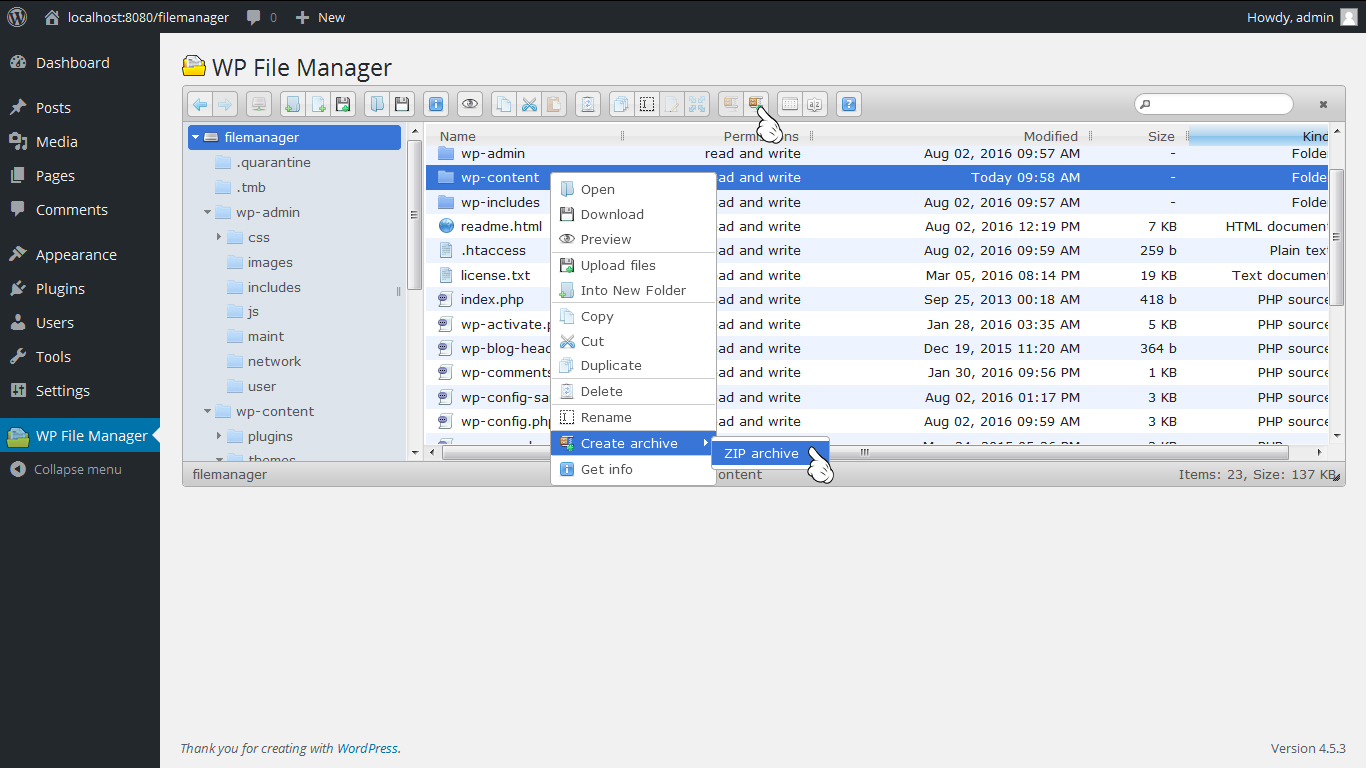
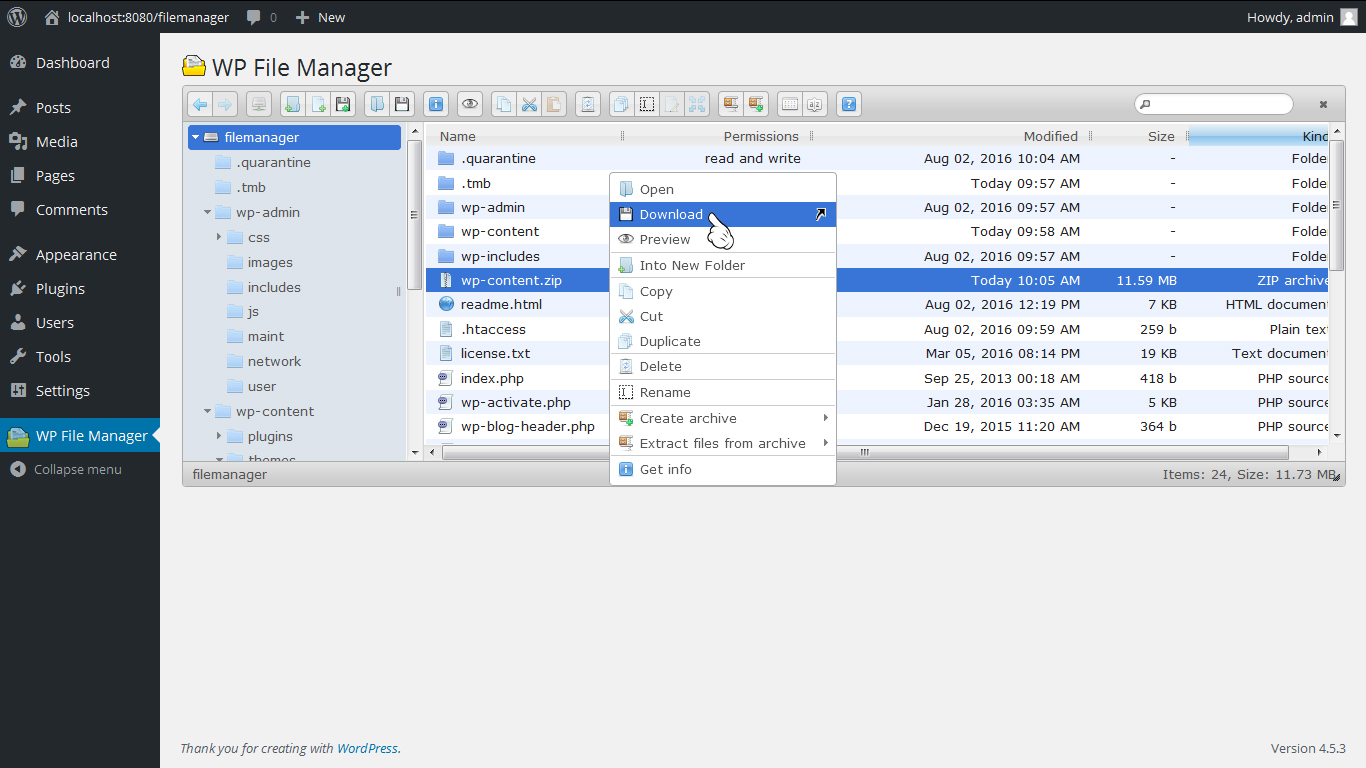
* Archives: Admin can create, archive and extract files(zip, rar, tar, gzip).
* File Size: Admin/User can upload any size files.
* File Type: Control what files can be uploaded and what file can be downloaded.
* Code Editor: File Manager comes with a built in integrated development environment (IDE) – New Feature
* Syntax Checker: File Manager now can complete code reviews before saving files to ensure your site will not go down when updating code. Reviewing code for errors has never been so easy! – New Feature
* Multiple Themes: Multiple File Manager Themes Available – New Feature
* Get Info: All file details, properties, information is now available by simply right clicking a file and selecting Get Info – New Feature
* Share Files by Email: With File Manager you can easily and quickly share files by Email. Simply right click a file and press share, that’s it! – New Feature
* Private Folder: Available only for File Manager Pro Edition
* Shortcode: Available only for File Manager Pro Edition
* Root Directory: Quickly and easily edit your root path directory. With this feature you can access files inside and outside of WordPress
* PDF Support: Preview PDF files easily
* Built-in Trash: Delete files by moving them to trash
* File View: Icon and list view both available for easy navigation
* Preview Support: Easily preview common file types including media (video, audio, mp3, thumbnails, etc)
* Search: Search functionality is built directly into File Manager making it simple to find your files.
* Shortcut Support: Common shortcuts are available in File Manager
* Automatic File Resize: automatically resize files once uploaded.
* Responsive UI: File Manager works on tablet and mobile devices
* Browsing History: File and folders browsing history
* Trash function: Move to Trash Folder Feature
* PDF Preview: PDF Preview feature available
* FTP/SFTP Support: Alternative to FTP or Cpanel
* File Preview: preview for common MIMEs and file types
* Directory Size: Calculate directory size
* Icon View: List and Icons view available for files and files
* Keyboard shortcuts: Keyboard shortcuts available e.g. copy,paste,drag & drop
* Drag and drop: File Drag & Drop file upload function available
* Functions Toolbar: Rich context menu and file manager functions toolbar
* Thumbnails: Thumbnails for all types of image files
* Upload to Media Library: We have now included the ability to enable images, pdf’s, and zip files to be uploaded to you folders and as well be available via the native WordPress Media Library
* Backup/Restore: Backup and restore themes files, plugins files,uploads folder and db data on server.
* Multi Languages Added
* File Upload Email Notifications: Admin will get a Notification whenever a file is Uploaded.
* File Download Notifications: Admin will get a Notification whenever a file is Downloaded.
* File Edit Email Notifications. Admin will get a Notification whenever a file is Edited.
Key Features in File Manager Pro Editions
- File Type: Control what files can be uploaded and what file can be downloaded.**
- Operations: Various operations with files and folders on a remote server (copy, move, upload, create folder/file, rename, edit, delete etc.)
- Shortcode: Available with custom attributes for frontend.
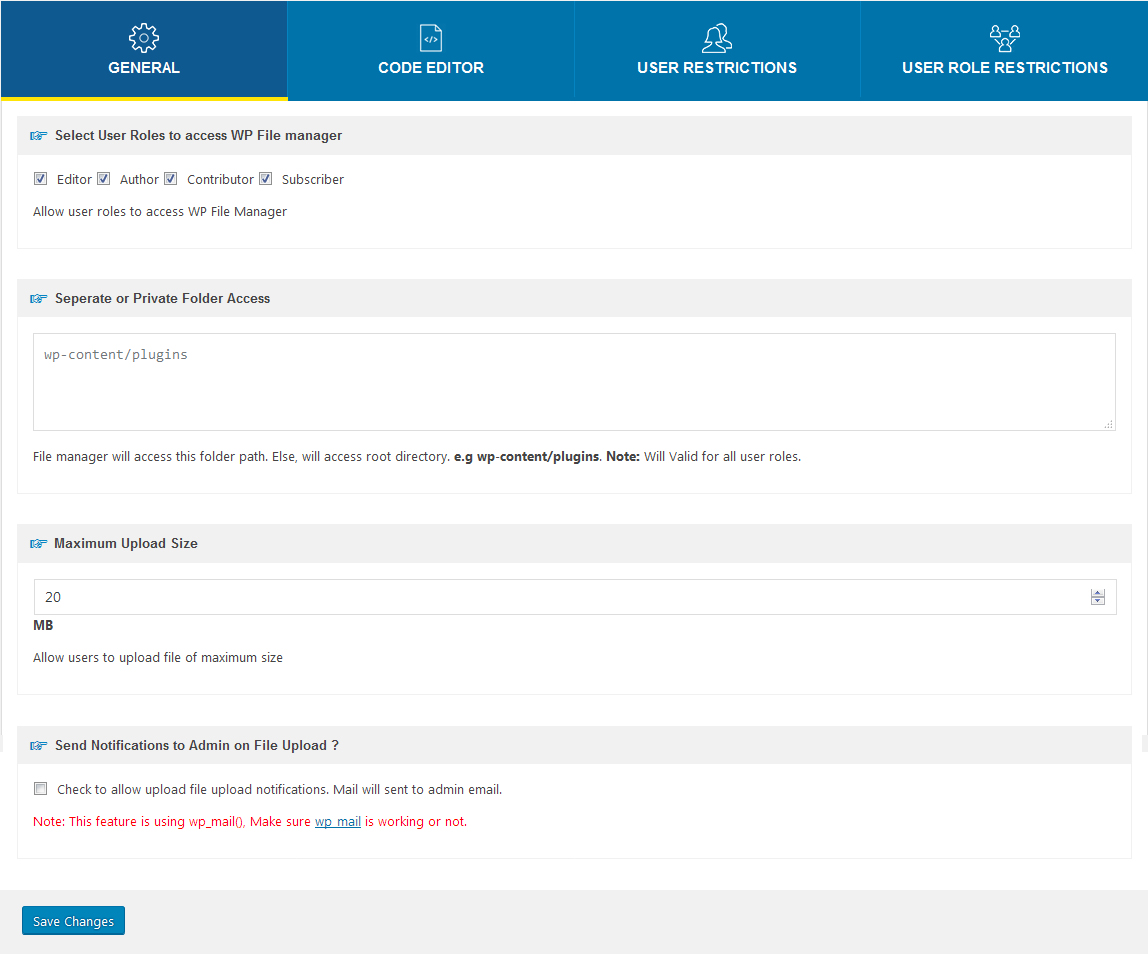
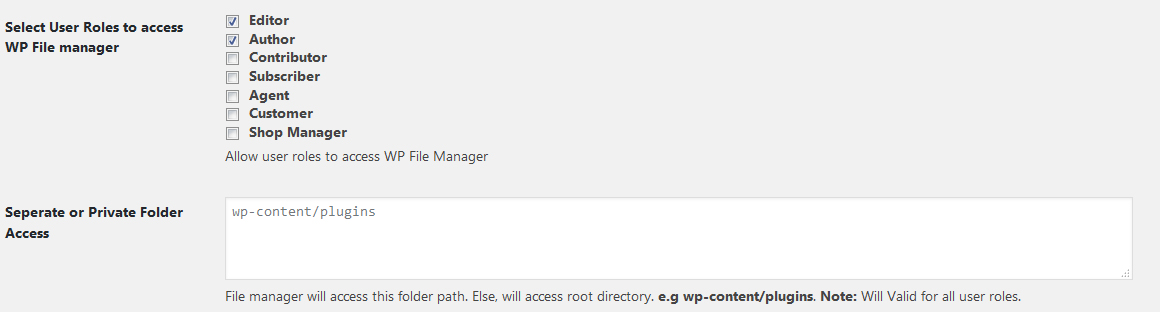
- Private Folder: Admin can give access of same and different folder to different users roles and different users.
- Move/Copy: Admin can Move/Copy files with Drag & Drop.
- Archives: Admin can create/extract files(zip, rar, tar, gzip).
- File Size: Admin/User can control file upload size.
- Fullscreen View: Admin can control code editor fullscreen view.
- Editor: There are a lots of themes available for code editor. Admin can control code editor themes.
- Hide Files/Folder: Here admin is able to hide files and folders for user roles and for users.
- File Type: Control what files can be uploaded and what file can be downloaded.
- User Role: admin is able to control file operations and hide and lock Files and Folders for user roles .
- Users: admin is able to control file operations and hide and lock Files and Folders for particular user .
- High performance: High performance server backend and light client UI.
- File system: Local file system storage drivers.
- Edit file: User can edit text files and images.
- Frontend Access: User can access frontend using shortcode.
- File Upload Email Notifications: Admin will get a Notification whenever a file is Uploaded.
- File Download Notifications: Admin will get a Notification whenever a file is Downloaded.
- File Edit Email Notifications: Admin will get a Notification whenever a file is Edited.
- Google Drive Integration: drag drop, copy paste all other operations between file manager and google drive.
- Dropbox Integration: drag drop, copy paste all other operations between file manager and dropbox.
Buy Pro Version with various features & support.
Contact us for Support Only Pro Version Users.
Documentation Click Here.
Addons with various features & support.
Upgrade to Pro Version
Premium Addons
File Manager Cloudflare R2 provides you ability to edit, delete, upload, download, copy and paste files and folders in Cloudflare R2 bucket.
File Manager Digital Ocean provides you ability to edit, delete, upload, download, copy and paste files and folders in Digital Ocean.
File Manager Google Drive provides you ability to edit, delete, upload, download, copy and paste files and folders in Google Drive.
File Manager OneDrive provides you ability to edit, delete, upload, download, copy and paste files and folders in OneDrive from File Manager.
File Manager Dropbox provides you ability to edit, delete, upload, download, copy and paste files and folders in dropbox.
File Manager Box provides you ability to edit, delete, upload, download, copy and paste files and folders in Box.
File Manager AWS S3 provides you ability to edit, delete, upload, download, copy and paste files and folders in AWS S3 bucket.
File Manager Git Github integration for file manager.
File Manager Slack Slack incoming webhook integration to file manager.
File Manager Google Cloud provides you ability to edit, delete, upload, download, copy and paste files and folders in Google Cloud bucket.
Support
- If any problem occurs, please contact us at https://filemanagerpro.io/contact/
How to use
- First Activate Plugin.
- Then Click on ” WP File Manager ” menu. Then do with files what you want to do.= Minimum requirements for File Manager =
* WordPress 3.3+
* PHP 5.x
* MySQL 5.x
If any problem occurs, please contact us at https://filemanagerpro.io/contact/
Installation
- Upload the
wp-file-managerfolder to the directory/wp-content/plugins/. - Activate the plugin using the ‘Plugins’ menu in WordPress.
Changelog
8.0.7 (30 oct, 2026)
Fix for manage_network Permissions in WP File Manager
8.0.6 (23 Sep, 2026)
- Security fixes based on the latest automated security review.
- Fixed Multisite filesystem access to ensure site Administrators cannot access installation-wide files outside their authorized site scope.
- Added OAuth state validation for Google Drive authentication callbacks to prevent unauthorized account/session association.
- Added strict origin validation for elFinder postMessage events to prevent cross-origin message spoofing.
- Fixed Dropbox OAuth state validation to ensure callbacks are bound to the initiating authentication session.
- Enabled HTTPS certificate verification for URL uploads.
- Added OAuth state validation and session binding for OneDrive authentication callbacks.
- Hardened HTML file previews to prevent active HTML/JavaScript content from executing in the WordPress origin.
- Fixed unsafe HTML attribute handling in the Online Convert integration.
- Hardened URL upload validation against DNS rebinding and SSRF bypasses.
8.0.5 (14 Sep, 2026)
Fixed CVE-2026-19708 backup exposure by requiring backup archives to be stored outside the public web root, failing closed when secure private storage is unavailable, and migrating or removing legacy public backup archives from wp-content/uploads.
Fixed the same-origin postMessage bypass in elFinder.
Fixed the DOM-based XSS in the elFinder playsound handler.
Notes that the combination could lead to administrator-session JavaScript execution and potentially remote code execution.
8.0.5 (3rd Sep, 2026)
- Security fix: Fixed a same-origin postMessage bypass in the bundled elFinder file browser (lib/js/elFinder.js and lib/js/elfinder.min.js). The origin check previously accepted any sender whose origin was a leading string-prefix of the site’s own address (e.g. https://example.co was wrongly accepted for https://example.com), instead of requiring an exact match. This allowed a malicious page to send forged messages into the File Manager admin screen.
- Security fix: Fixed a DOM-based XSS in the elFinder “playsound” handler, where a file name value taken from the postMessage payload was concatenated directly into an HTML string and inserted via .html(), allowing injected markup (e.g. an ) to run arbitrary JavaScript in the administrator’s session. The file name is now validated against a strict pattern and the audio element is built safely via the DOM API.
- Combined, the two issues above could allow an attacker-controlled web page to run JavaScript in a logged-in administrator’s browser and use that access to write and execute a PHP file on the server (remote code execution) with no interaction beyond the admin opening a link. Credit: Mutantgun, reported via WPScan / Jetpack / Automattic.
8.0.5 (24th Aug, 2026)
- Security fix (CVE-2026-19708): Secured backup storage, scoped multisite exports to the current site, and made backup creation fail closed when safe storage is unavailable.
- Security fix: Restored elFinder filename validation and hardened hidden-folder path matching.
- Security fix: Ignored invalid same-origin postMessage events and added capability/nonce checks to the help-notice AJAX action.
- Security fix: Retained the ImageMagick command-injection fix.
8.0.4 (16th Apr, 2026)
- Fixed elFinder bgcolor escaping issue
8.0.3 (24th Mar, 2026)
- Security fixes.
Screenshots



For developers
Is this your plugin? Show off the numbers.
Add a live badge to your site, docs or GitHub README. It updates on its own — no account needed.
Best File Manager alternatives
All elfinder plugins →| Rank | Plugin | Active installs |
|---|---|---|
| 2 |
 File Manager, Code Editor, and Backup by Managefy
Manage your folder and files , backup, user roles and database easily |
50+ |
FAQ
File Manager: quick answers
Straight answers, pulled from live WordPress.org data.
Live data from WordPress.org · checked Nov 18, 2026
Is File Manager free?
Yes. File Manager is free to download and use from the official WordPress.org plugin directory.
Is File Manager safe to use in 2026?
Yes — File Manager is a safe, well-maintained plugin to use in 2026. It runs on 1M+ sites, is rated 4.6/5 and was last updated 3 weeks ago, and scores 83/100 on our health check.
How many websites use File Manager?
File Manager is active on 1M+ WordPress websites and has been downloaded 37,184,183 times since it launched in August 2016. It was downloaded 816,704 times in the last 30 days.
Does File Manager work with WordPress 7.1?
Yes. The developer has tested File Manager up to WordPress 7.1.4, the latest release. It requires WordPress 4.0 or newer.
What PHP version does File Manager need?
File Manager requires PHP 5.2.4 or higher. Most hosts run PHP 8.x today, so it works on any modern WordPress hosting.
When was File Manager last updated?
The latest version, 8.0.7, was released on October 30, 2026 (3 weeks ago).
Who makes File Manager?
File Manager is developed and maintained by mndpsingh287.
What are the best alternatives to File Manager?
The most popular alternatives to File Manager are File Manager, Code Editor,… (50+ installs).
Powered by PageForge
Want thousands of pages that rank like these? Build them in an afternoon.
This directory runs on the same engine as PageForge. Turn any spreadsheet, CSV or API into thousands of fast, SEO-ready WordPress pages — with schema, internal links and AI-written copy baked in.
- CSV, Google Sheets & API data sources
- AI content, schema & internal links per page
- Works with Elementor, Gutenberg, Yoast & Rank Math
- Free on WordPress.org — no credit card


