



Mailchimp List Subscribe Form
Add a Mailchimp signup form block, widget, or shortcode to your WordPress site.

Use with caution
Mailchimp List Subscribe Form works, but test it on a staging site before relying on it in 2026. It runs on 60K+ sites, is rated 2.6/5 and was last updated 4 months ago, and scores 53/100 on our health check.
- Proven at scale on 60K+ active sites
- Mixed reviews — 2.6/5 from 77 ratings
How does it stack up?
Side-by-side on installs, updates, ratings & support



Daily downloads
Download spikes usually follow a new release — each site that auto-updates counts as a download.
Rankings
Where Mailchimp List Subscribe Fo… stands todayWordPress.org search rankings
Live position in the plugin search, top 100| Keyword | Position |
|---|---|
| >100 | |
| mailchimp | #3 |
| marketing | >100 |
| newsletter | #98 |
| signup | #22 |
Version adoption
Share of active sites per release.
Rating breakdown
★★★★★★★★★★ 2.6 from 77 reviews
About Mailchimp List Subscribe Form
From the official readme · v2.1.0Description
Use the Mailchimp List Subscribe plugin to quickly add a Mailchimp signup form block, widget, or shortcode to your WordPress site.
After installation, if you already have a Mailchimp account, you’ll log in with that account and then proceed to configure settings.
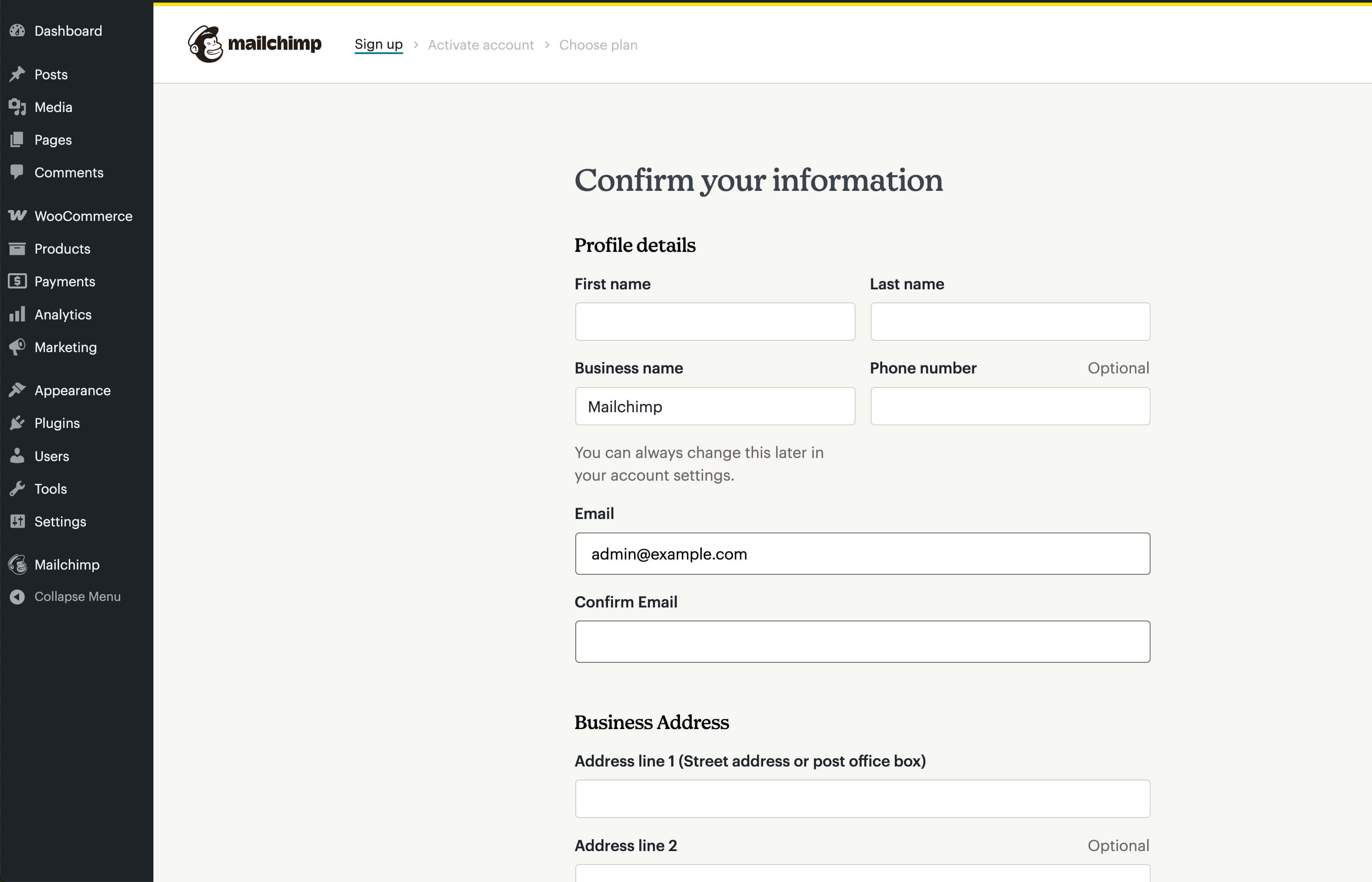
If you don’t have an account, you can create one directly in the plugin. After entering in all your personal details, you’ll need to activate your account via an email that will be sent to you. Once done, you’ll proceed to configure settings.
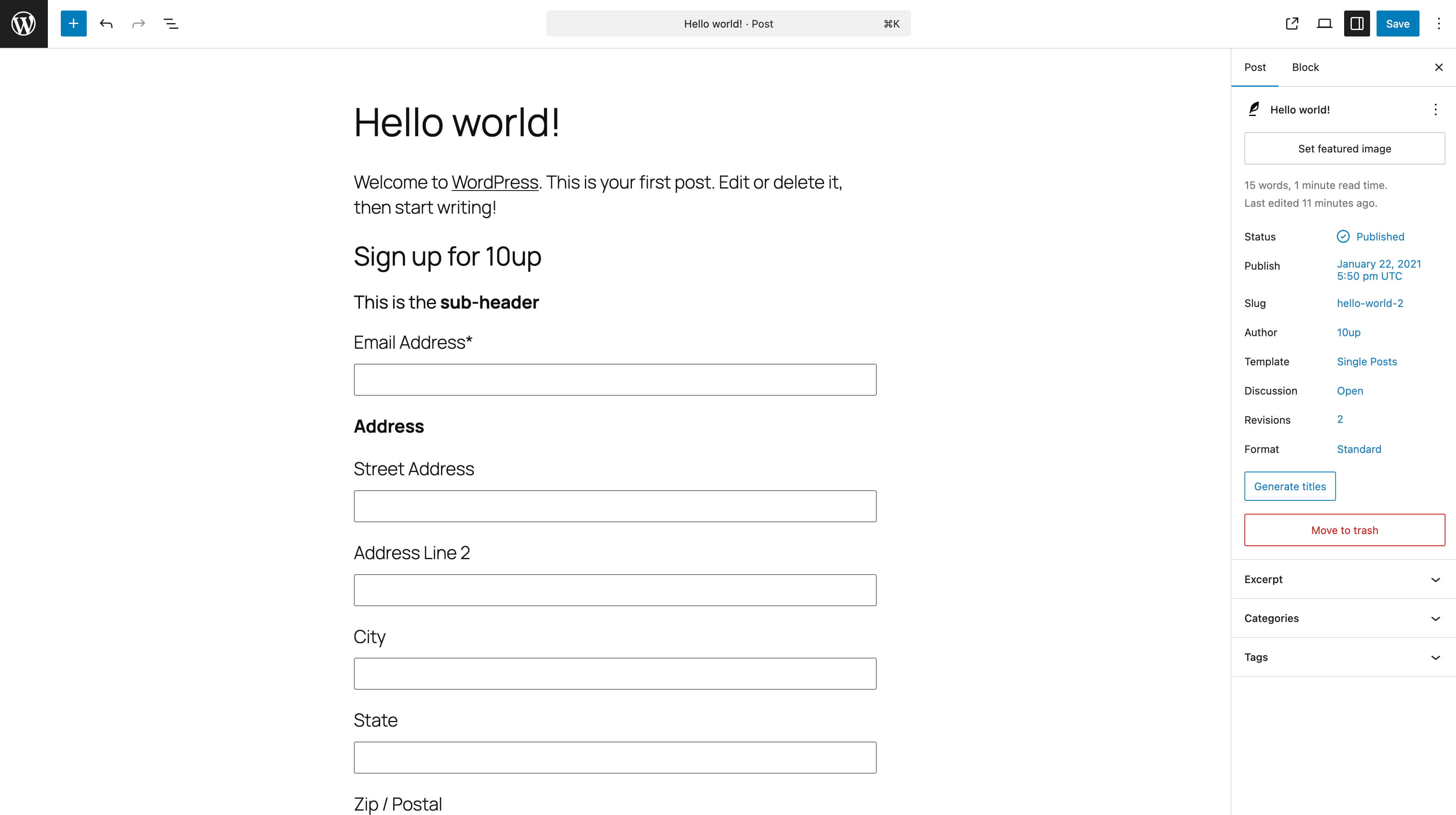
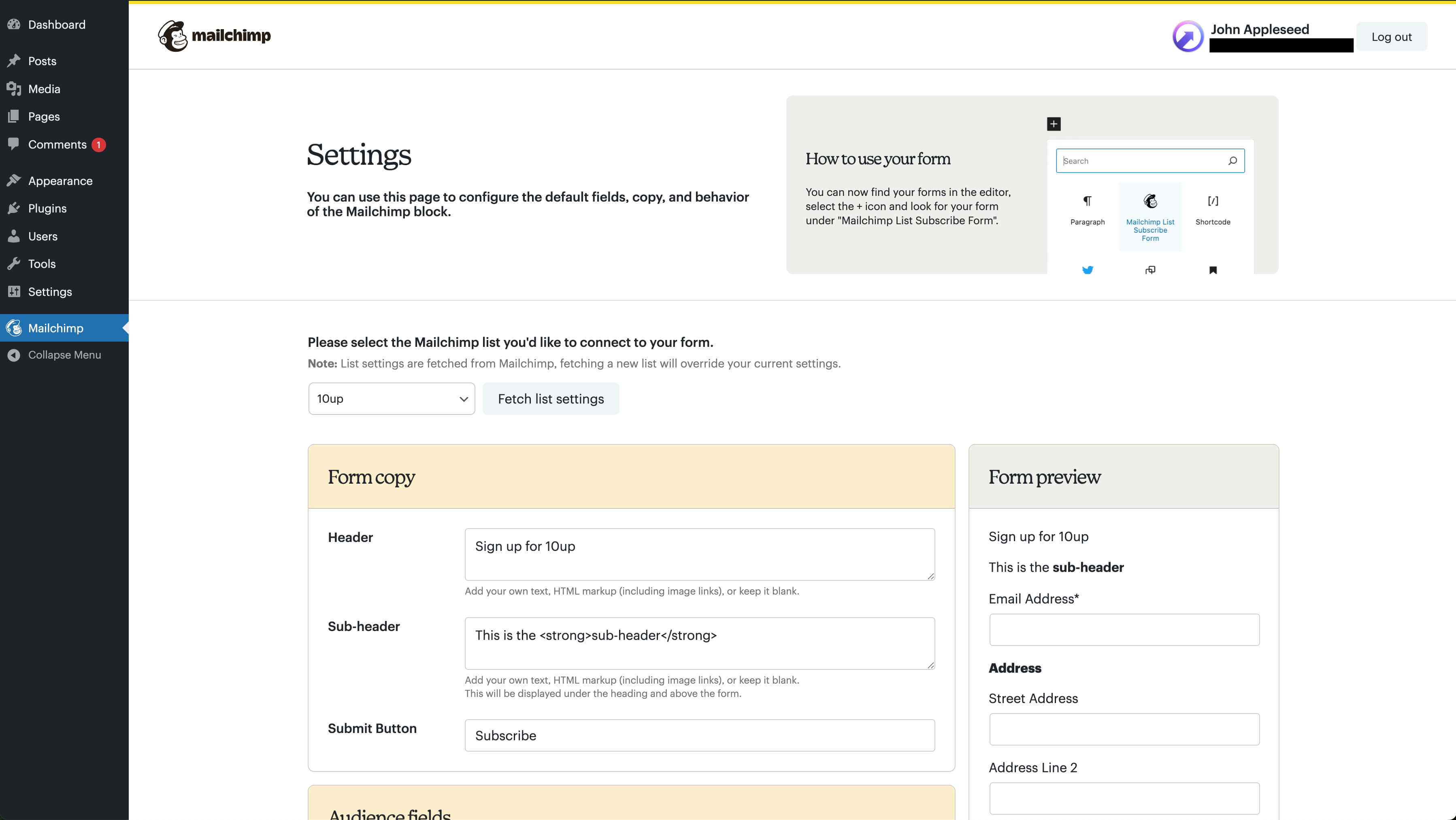
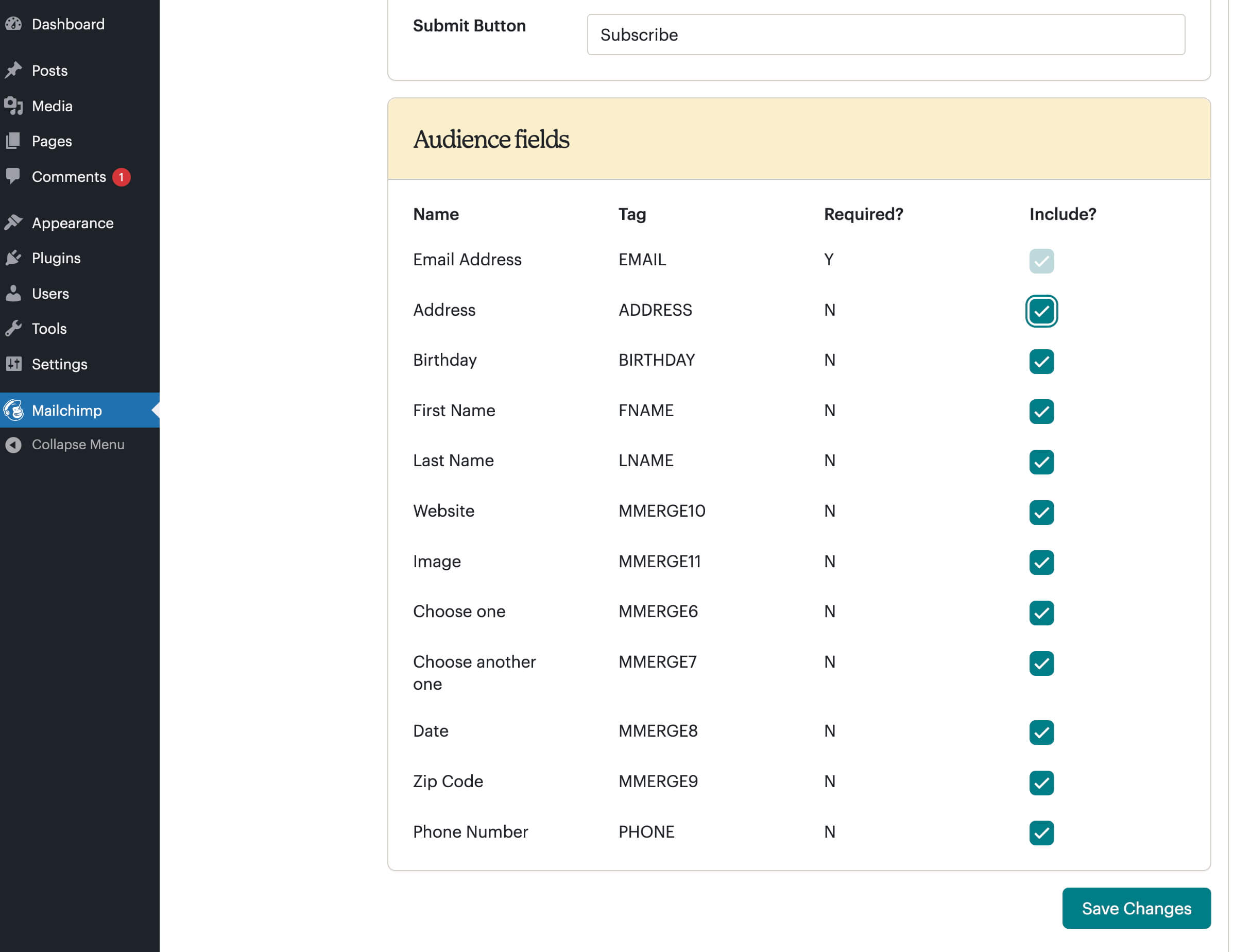
On the settings screen, you’ll select your Mailchimp list, choose merge fields and groups, and configure other options. Once done, you can now add the block, widget, or shortcode ([mailchimpsf_form]) to your site. Typically, installation and setup will take about 5-10 minutes, and absolutely everything can be done via the WordPress Setting GUI, with no file editing at all.
WordPress.com compatibility is limited to Business tier users only. How to add a signup form if you have a WordPress.com site.
Access Token Encryption
Starting in version 1.6.0, authentication has changed to use OAuth. As part of this process, we retrieve an access token that can be used to make API requests. To provide a high-level of security, this access token is encrypted before being stored in the WordPress database. In order to ensure this access token can be decrypted when used, the plugin relies on certain security constants that should remain unchanged.
With no additional configuration, we use the standard LOGGED_IN_KEY and LOGGED_IN_SALT constants that are normally set in your site’s wp-config.php file. Some sites make use of security plugins that rotate these constants on a periodic basis. When this happens, we won’t be able to decrypt the access token and you’ll need to reconnect your Mailchimp account to generate a new access token.
To prevent such issues, it is recommended to define two additional constants in your site’s wp-config.php file: MAILCHIMP_SF_ENCRYPTION_KEY and MAILCHIMP_SF_ENCRYPTION_SALT. These constants should consist of a combination of characters, preferably at least 32 characters long. Once set, these values should not be changed. For strong values, you can copy some of the values from here and use them. You’ll end up with additional code like the following in your wp-config.php file:
define( 'MAILCHIMP_SF_ENCRYPTION_KEY', 'put your unique phrase here' );
define( 'MAILCHIMP_SF_ENCRYPTION_SALT', 'put your unique phrase here' );
If these constants are added after you’ve already authenticated with Mailchimp, you will need to reconnect your account. To avoid this, you can copy the values from LOGGED_IN_KEY and LOGGED_IN_SALT (if they exist) to MAILCHIMP_SF_ENCRYPTION_KEY and MAILCHIMP_SF_ENCRYPTION_SALT respectively.
Upgrading
If you are upgrading to version 1.2.1 and you used the widget in your sidebar previously, all you need to do is drag the Mailchimp Widget back into the sidebar, visit the Mailchimp settings page (which will have maintained your prior settings), click the “Update List” button, and you’re done!
Installation
This section describes how to install the plugin and get started using it.
Version 2.8+
- Unzip our archive and upload the entire mailchimp directory to your
/wp-content/plugins/ directory. - Activate the plugin through the Plugins menu in WordPress.
- Navigate to the Mailchimp menu.
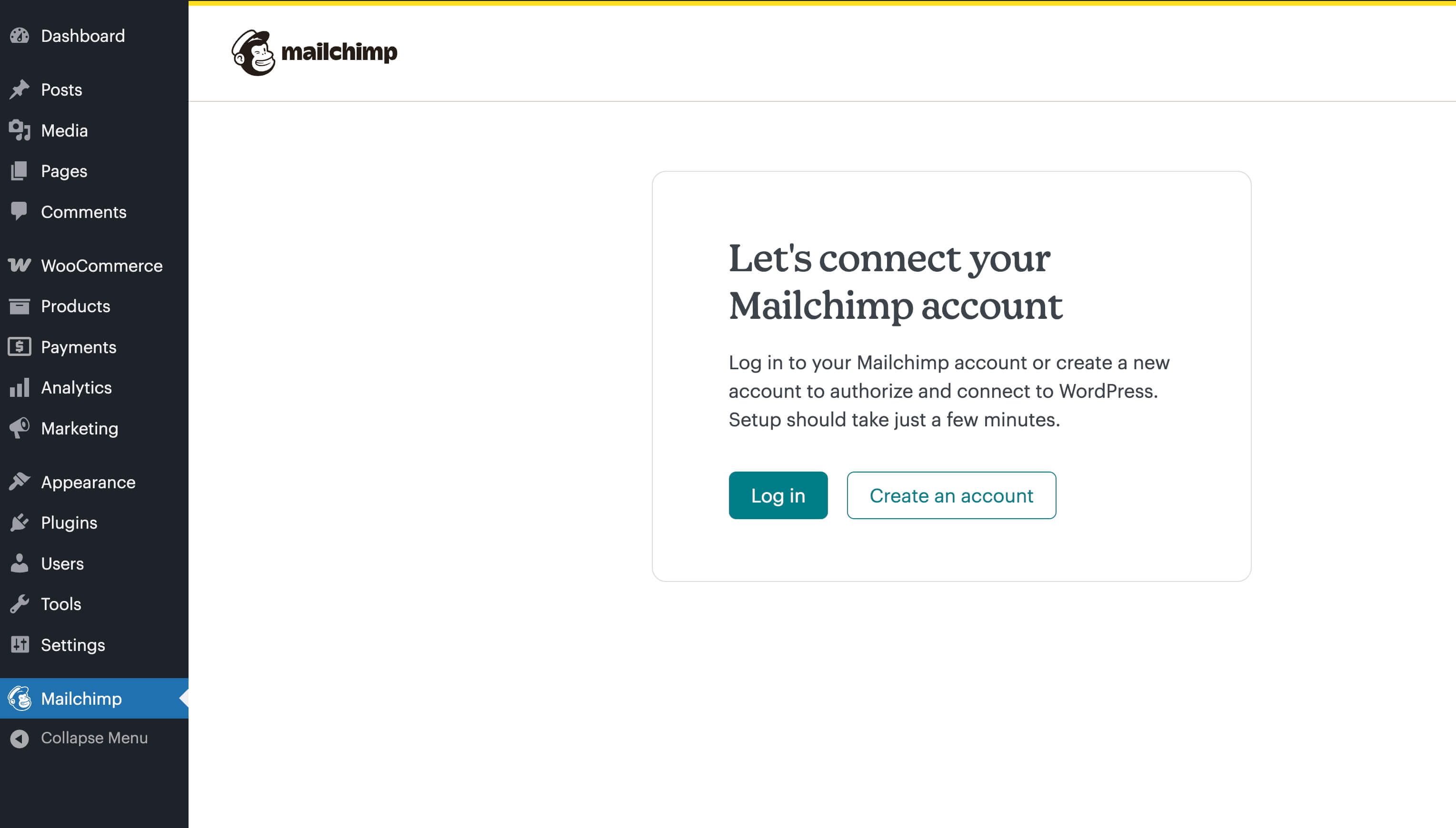
- Click the Log in button and proceed through the OAuth flow, logging in to your Mailchimp account and authorizing the application.
- Select the list where you want to send new Mailchimp subscribers.
- Optional: Turn Merge Fields and Groups on or off. Navigate to Appearance, and click Widgets. Drag the Mailchimp Widget into one of your Widget Areas.
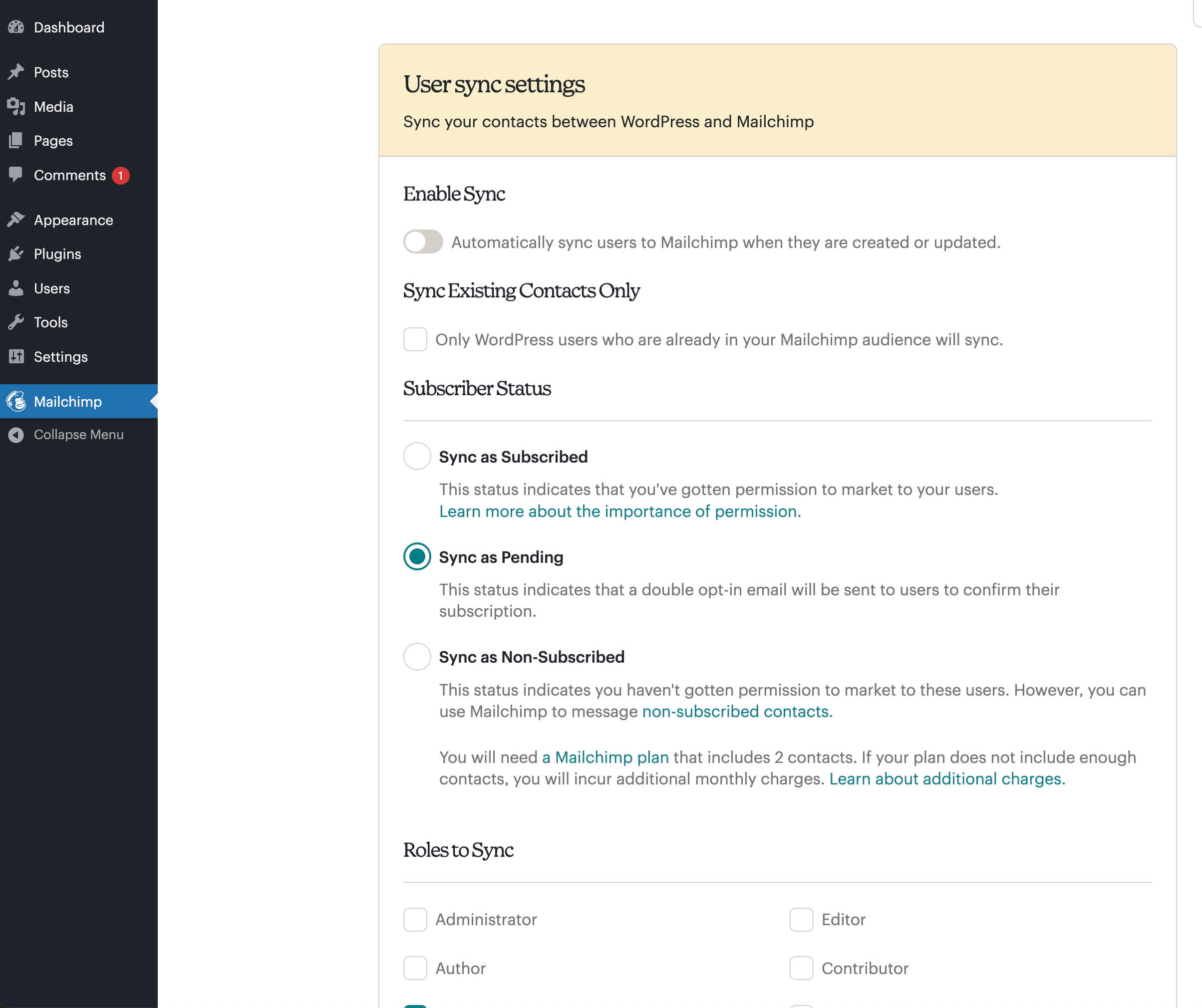
- Optional: turn on user synchronization to sync WordPress users to Mailchimp.
Frequently asked questions
Why am I not seeing all my fields in my form?
You need to ensure that the fields are enabled both in your Mailchimp account (Audience > Signup forms) and in the settings of this plugin. Once the fields are enabled in both places, then they’ll appear in the editor and frontend of your site.
How can I translate “MailChimp List Subscribe Form”?
Internationalization (i18n) is available on GlotPress at https://translate.wordpress.org/projects/wp-plugins/mailchimp/. Any assistance translating the plugin is greatly appreciated!
Changelog
This version increased the WordPress minimum version to from 6.4 to 6.4 and the PHP minimum version to 7.4.
2.1.0 – 2026-06-03
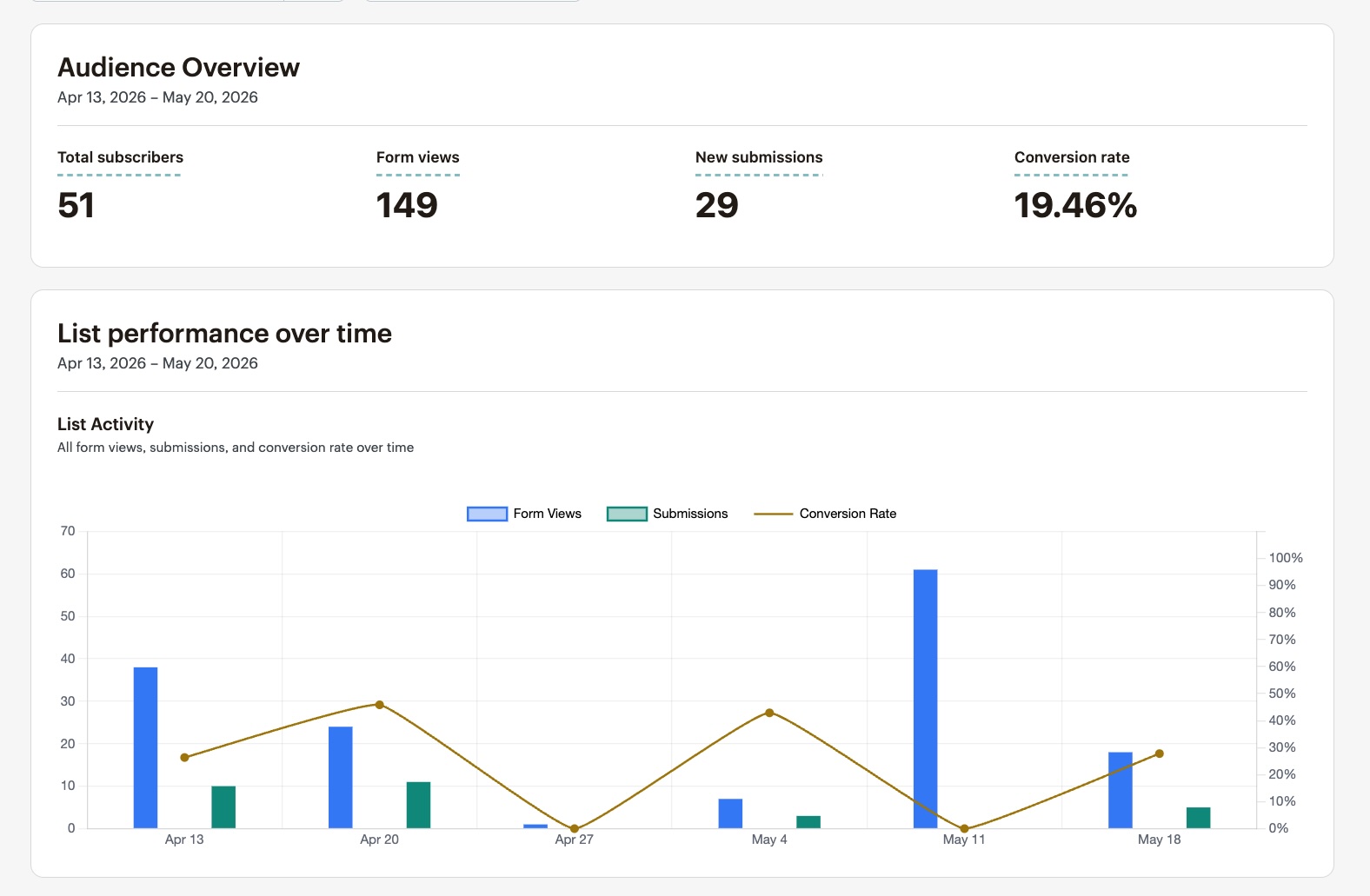
- Added: Introduce a simple analytics dashboard with an audience overview, list performance over time, and subscriber change-over-time charts (props @alaca, @iamdharmesh, @builtbytay, @ankitguptaindia, Romain Deville, @bezierer, April Domingo, @vikrampm1 via #212).
- Added: The
mailchimp_sf_list_limitfilter to allow modifying the list limit (props @jonjennings, @iamdharmesh, @alaca, @ankitguptaindia, @builtbytay via #210). - Changed: Bump WordPress “tested up to” version 7.0 (props @qasumitbagthariya, @iamdharmesh, @alaca, @ankitguptaindia via #205).
- Changed: Bump WordPress minimum supported version from 6.4 to 6.6 (props @qasumitbagthariya, @iamdharmesh, @alaca, @ankitguptaindia via #205).
- Changed: Bump PHP minimum supported version from 7.0 to 7.4 (props @alaca, @iamdharmesh, @builtbytay, @ankitguptaindia, Romain Deville, @bezierer, April Domingo, @vikrampm1 via #212).
2.0.1 – 2026-01-08
- Fixed: Provide CSRF hardening for Mailchimp List changes (props @iamdharmesh, @joemcgill, @dkotter, @qasumitbagthariya).
- Fixed: Plugin check plugin errors to improve overall codebase (props @iamdharmesh, @joemcgill, @dkotter, @qasumitbagthariya).
- Changed: Bump WordPress “tested up to” version 6.9 (props @iamdharmesh, @joemcgill, @qasumitbagthariya).
2.0.0 – 2025-08-11
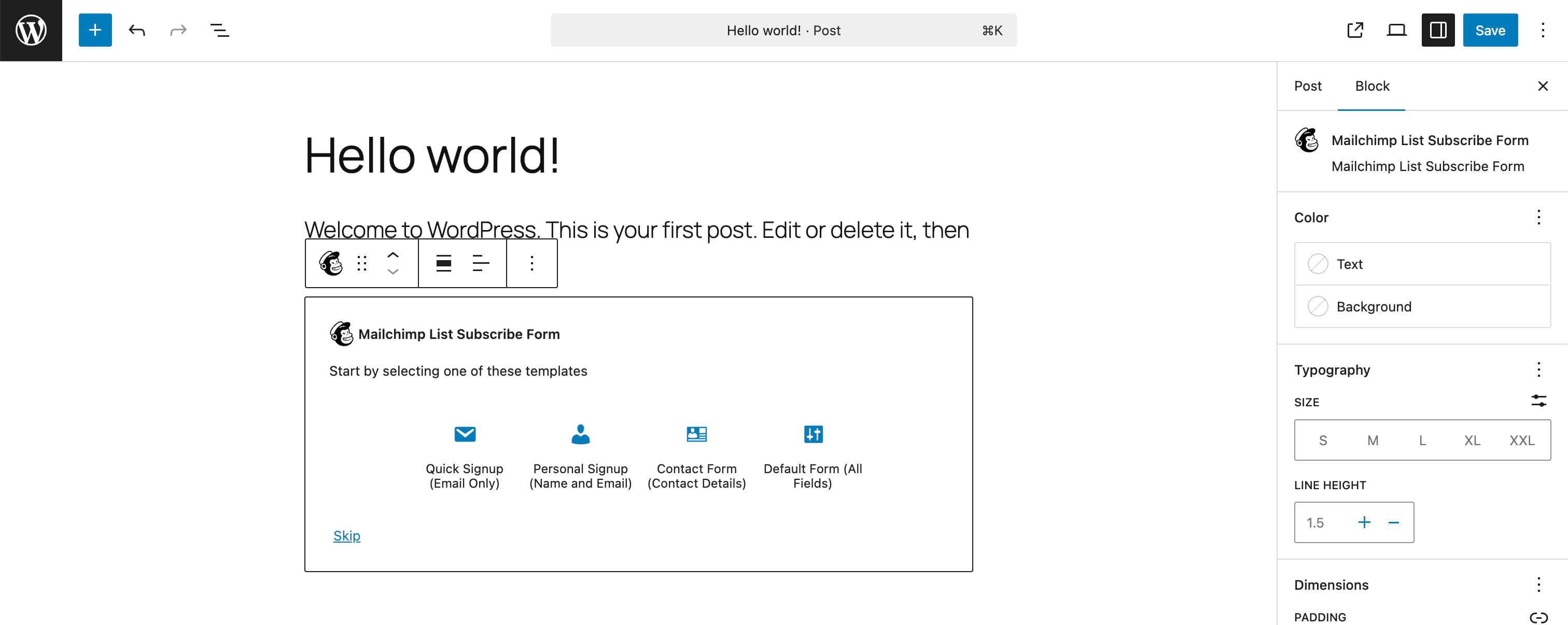
- Added: Form templates to the Mailchimp List Subscribe Form block, allowing users to quickly insert and publish specific forms (props @iamdharmesh, Romain Deville, @vikrampm1, @jeffpaul, @dkotter, @qasumitbagthariya via #171).
- Changed: Improved navigation and UX enhancements to the plugin settings page (props @iamdharmesh, Romain Deville, @jeffpaul, @dkotter, @qasumitbagthariya via #169).
- Changed: Allowed multiple Mailchimp forms on a single page (props @iamdharmesh, @jeffpaul, @dkotter, @qasumitbagthariya via #173).
- Changed: Update the form ID attribute and form field ID attributes (if you’re using ID selectors for custom styling, please update the selectors accordingly) (props @iamdharmesh, @jeffpaul, @dkotter, @qasumitbagthariya via #173).
- Fixed: Phone number and required field validations (props @iamdharmesh, @MaxwellGarceau, @jeffpaul, @dkotter, @qasumitbagthariya via #159).
- Security: Bump
tar-fsfrom 2.1.1 to 3.1.0 (props @dependabot, @iamdharmesh via #175). - Security: Bump
form-datafrom 2.3.3 to 2.5.5 and@cypress/requestfrom 3.0.1 to 3.0.9 (props @dependabot, @iamdharmesh via #176). - Security: Bump
@babel/runtimefrom 7.24.6 to 7.28.2 (props @dependabot, @iamdharmesh via #177). - Security: Bump
on-headersfrom 1.0.2 to 1.1.0 andcompressionfrom 1.7.4 to 1.8.1 (props @dependabot, @iamdharmesh via #178). - Security: Bump
serialize-javascriptfrom 6.0.0 to 6.0.2 andmochafrom 10.4.0 to 11.7.1 (props @dependabot, @iamdharmesh via #179). - Security: Bump
http-proxy-middlewarefrom 2.0.6 to 2.0.9 (props @dependabot, @iamdharmesh via #180).
1.9.1 – 2026-01-08
- Fixed: Provide CSRF hardening for Mailchimp List changes (props @iamdharmesh, @joemcgill, @dkotter, @qasumitbagthariya).
1.9.0 – 2025-06-04
- Added: New user synchronization feature that allows syncing WordPress users to Mailchimp (props @iamdharmesh, @jeffpaul, @dkotter, @qasumitbagthariya via #156).
- Changed: Improved the enqueueing of JavaScript scripts and styles (props @iamdharmesh, @dkotter, @qasumitbagthariya via #161).
1.8.1 – 2026-01-08
- Fixed: Provide CSRF hardening for Mailchimp List changes (props @iamdharmesh, @joemcgill, @dkotter, @qasumitbagthariya).
Screenshots

For developers
Is this your plugin? Show off the numbers.
Add a live badge to your site, docs or GitHub README. It updates on its own — no account needed.
Best Mailchimp List Subscribe Form alternatives
All email plugins →





FAQ
Mailchimp List Subscribe Form: quick answers
Straight answers, pulled from live WordPress.org data.
Live data from WordPress.org · checked Sep 27, 2026
Is Mailchimp List Subscribe Form free?
Yes. Mailchimp List Subscribe Form is free to download and use from the official WordPress.org plugin directory.
Is Mailchimp List Subscribe Form safe to use in 2026?
Mailchimp List Subscribe Form works, but test it on a staging site before relying on it in 2026. It runs on 60K+ sites, is rated 2.6/5 and was last updated 4 months ago, and scores 53/100 on our health check.
How many websites use Mailchimp List Subscribe Form?
Mailchimp List Subscribe Form is active on 60K+ WordPress websites and has been downloaded 2,581,815 times since it launched in May 2008. It was downloaded 6,997 times in the last 30 days.
Does Mailchimp List Subscribe Form work with WordPress 7.1?
Mailchimp List Subscribe Form is officially tested up to WordPress 7.0.6, while the latest release is 7.1.2. It may still work, but try it on a staging site first.
What PHP version does Mailchimp List Subscribe Form need?
Mailchimp List Subscribe Form requires PHP 7.4 or higher. Most hosts run PHP 8.x today, so it works on any modern WordPress hosting.
When was Mailchimp List Subscribe Form last updated?
The latest version, 2.1.0, was released on June 3, 2026 (4 months ago).
Who makes Mailchimp List Subscribe Form?
Mailchimp List Subscribe Form is developed and maintained by Mailchimp.
What are the best alternatives to Mailchimp List Subscribe Form?
The most popular alternatives to Mailchimp List Subscribe Form are WP Mail SMTP by WPForms (4M+ installs), MC4WP: Mailchimp for WordPr… (1M+ installs) and Easy WP SMTP (500K+ installs).
Powered by PageForge
Want thousands of pages that rank like these? Build them in an afternoon.
This directory runs on the same engine as PageForge. Turn any spreadsheet, CSV or API into thousands of fast, SEO-ready WordPress pages — with schema, internal links and AI-written copy baked in.
- CSV, Google Sheets & API data sources
- AI content, schema & internal links per page
- Works with Elementor, Gutenberg, Yoast & Rank Math
- Free on WordPress.org — no credit card


