



MagicWP Backup Restore and Migration
Backup, restore, and migrate any WordPress site — chunked, resumable, and shared-hosting friendly.

Solid choice
MagicWP Backup Restore and Migr… is a solid plugin choice in 2026, with a few things worth checking first. It runs on 10+ sites and was last updated 5 days ago, and scores 66/100 on our health check.
- Actively developed — last update 5 days ago
- Tested with the latest WordPress (7.1)
- Small user base (10+ active installs)
- Very few reviews so far
- Needs PHP 8.1 or newer
How does it stack up?
Side-by-side on installs, updates, ratings & support



Daily downloads
Download spikes usually follow a new release — each site that auto-updates counts as a download.
Rankings
Where MagicWP Backup Restore and… stands todayWordPress.org search rankings
Live position in the plugin search, top 100| Keyword | Position |
|---|---|
| backup | >100 |
| clone | >100 |
| database | >100 |
| migration | >100 |
| restore | >100 |
Version adoption
Share of active sites per release.
About MagicWP Backup Restore and Migration
From the official readme · v1.3.1Description
MagicWP Backup is a full backup, restore, and migration engine for WordPress, built for large sites and low-resource hosting.
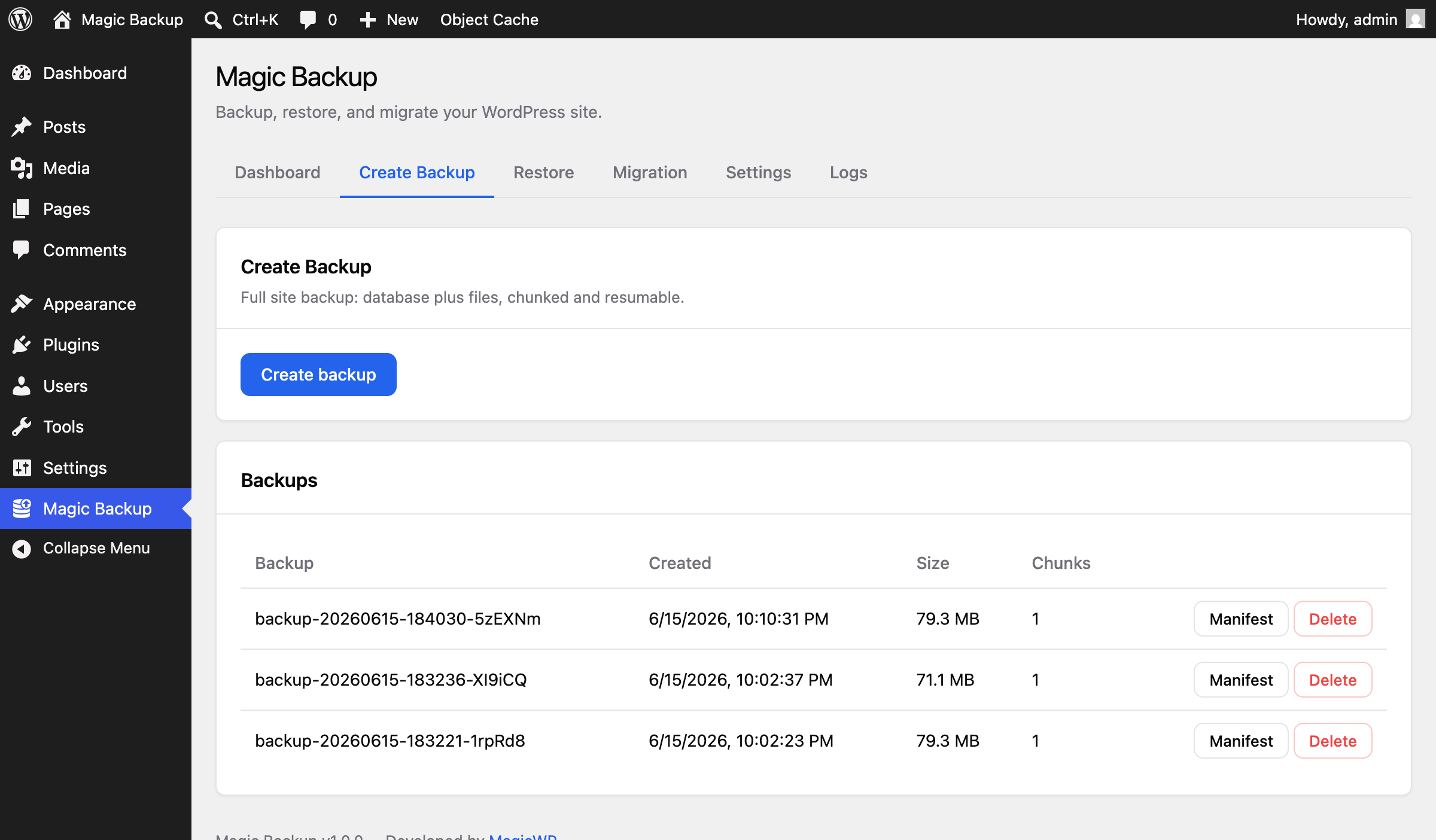
- Chunked, resumable backups (database + files) that fit shared-hosting time and memory limits.
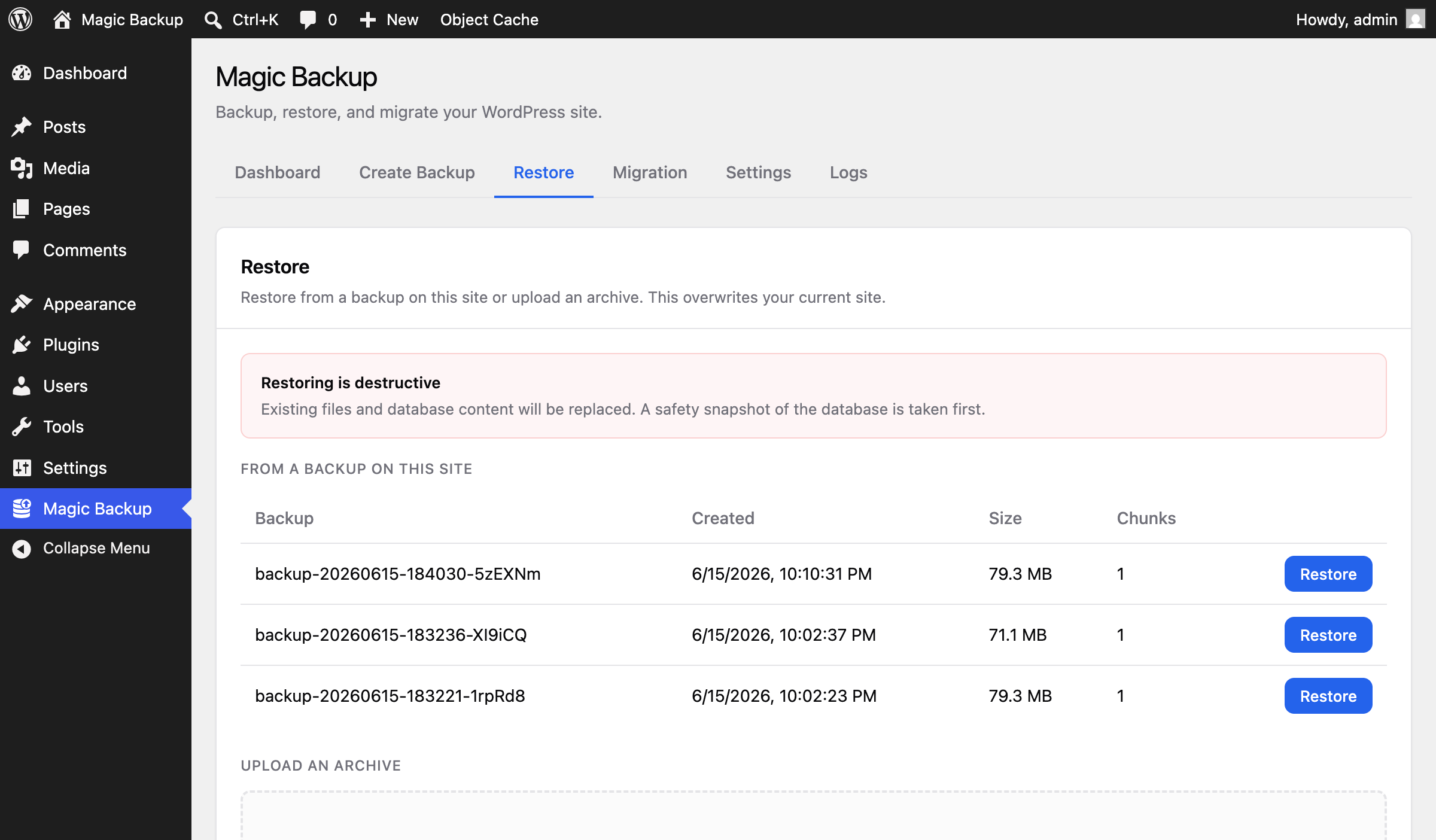
- Safe restore with integrity checks, a destructive-action confirmation, automatic table-prefix remapping, and serialized-safe URL search/replace.
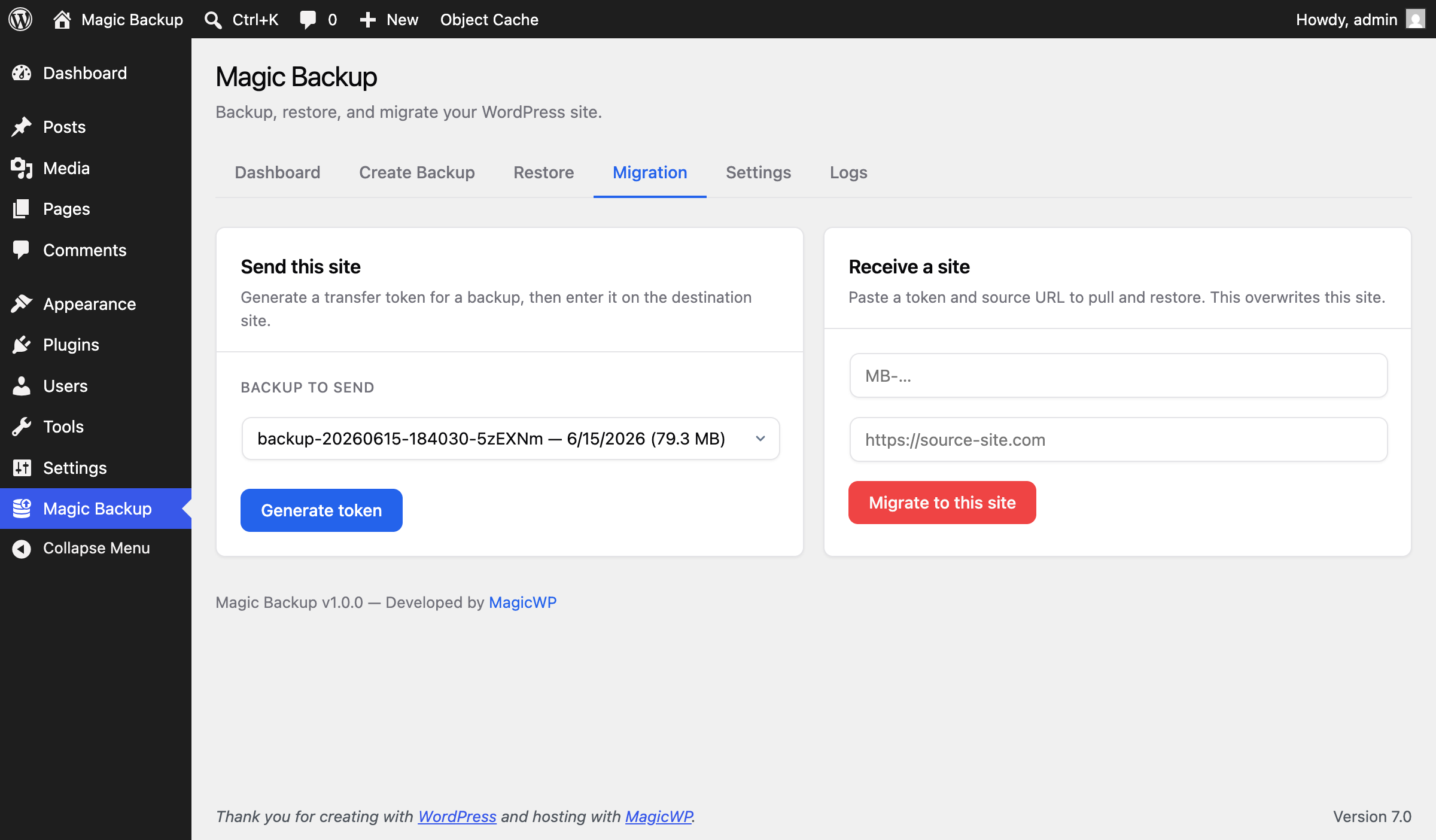
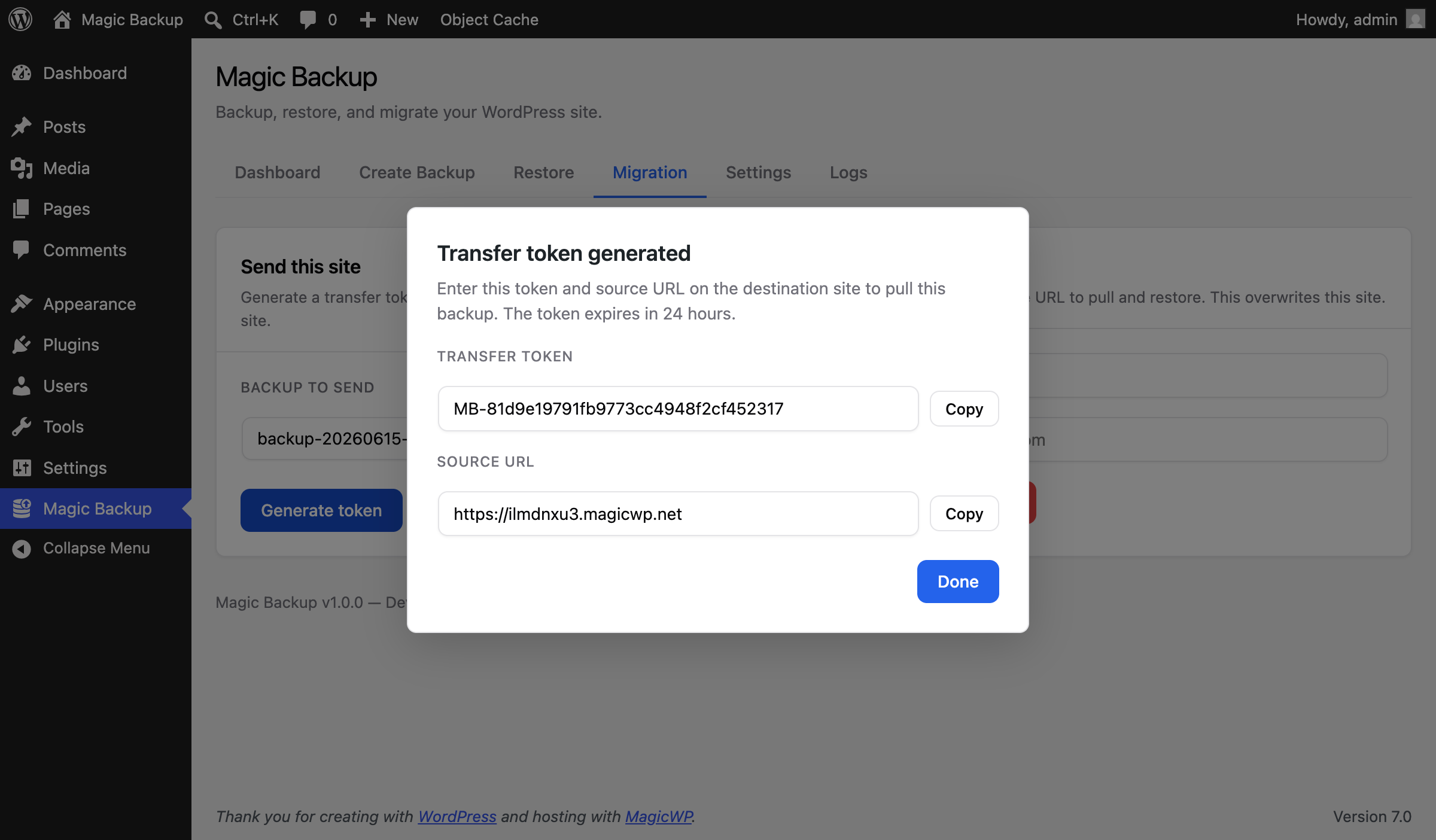
- One-click site-to-site migration with hashed transfer tokens.
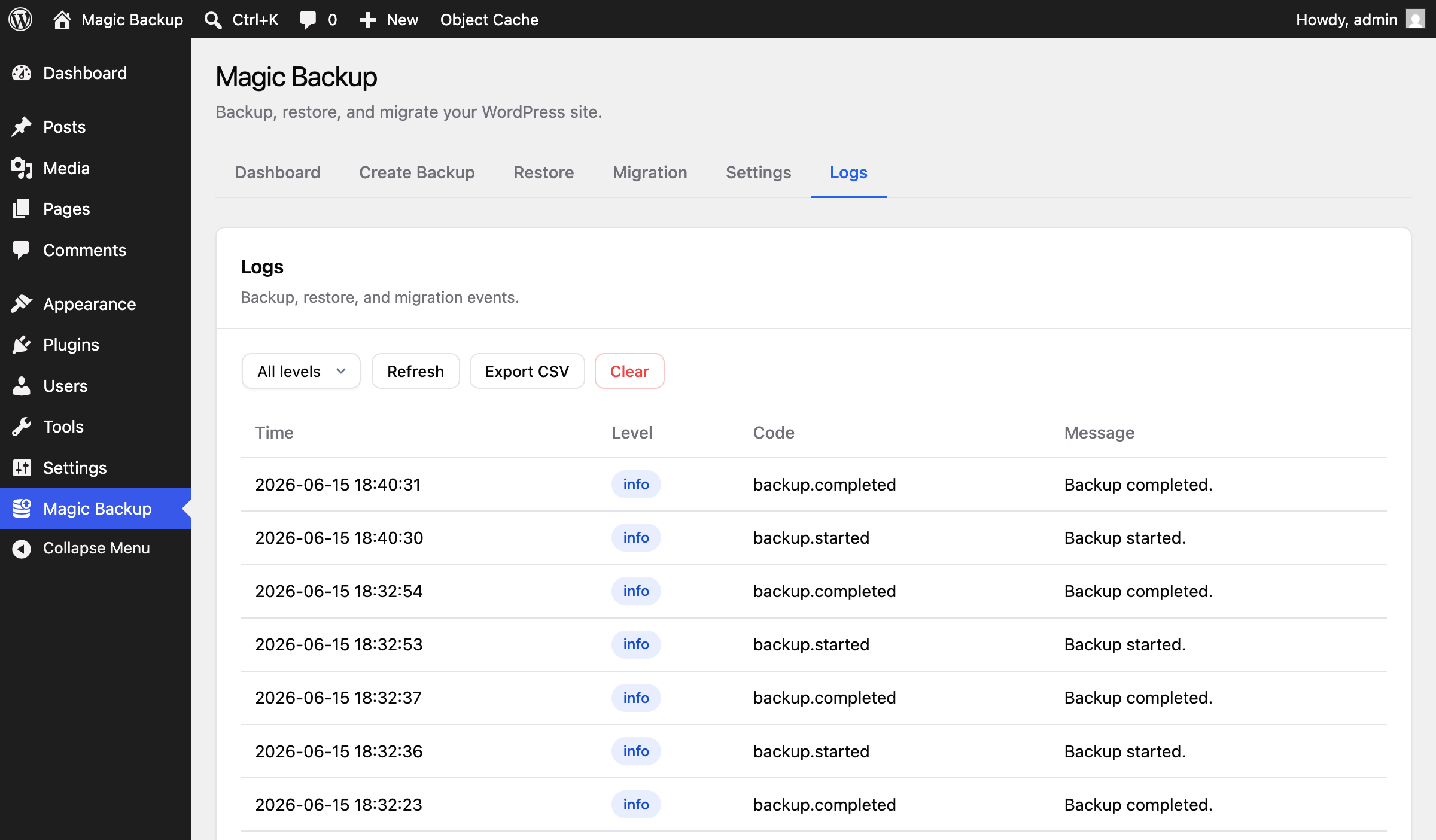
- Configurable exclusions (quick toggles + file-size limit), scheduled cleanup, and a structured log viewer with export.
- Caching plugins, their cache files, and the
object-cache.php/advanced-cache.phpdrop-ins are left out of every backup and restore, so a site never inherits a cache backend it does not have. - PSR-4 architecture (Composer-free), REST API at
/wp-json/magicwp-backup-restore-migration/v1/with capability + nonce protection.
Installation
- Upload the
magicwp-backup-restore-migrationfolder to/wp-content/plugins/. - Activate the plugin through the Plugins menu in WordPress.
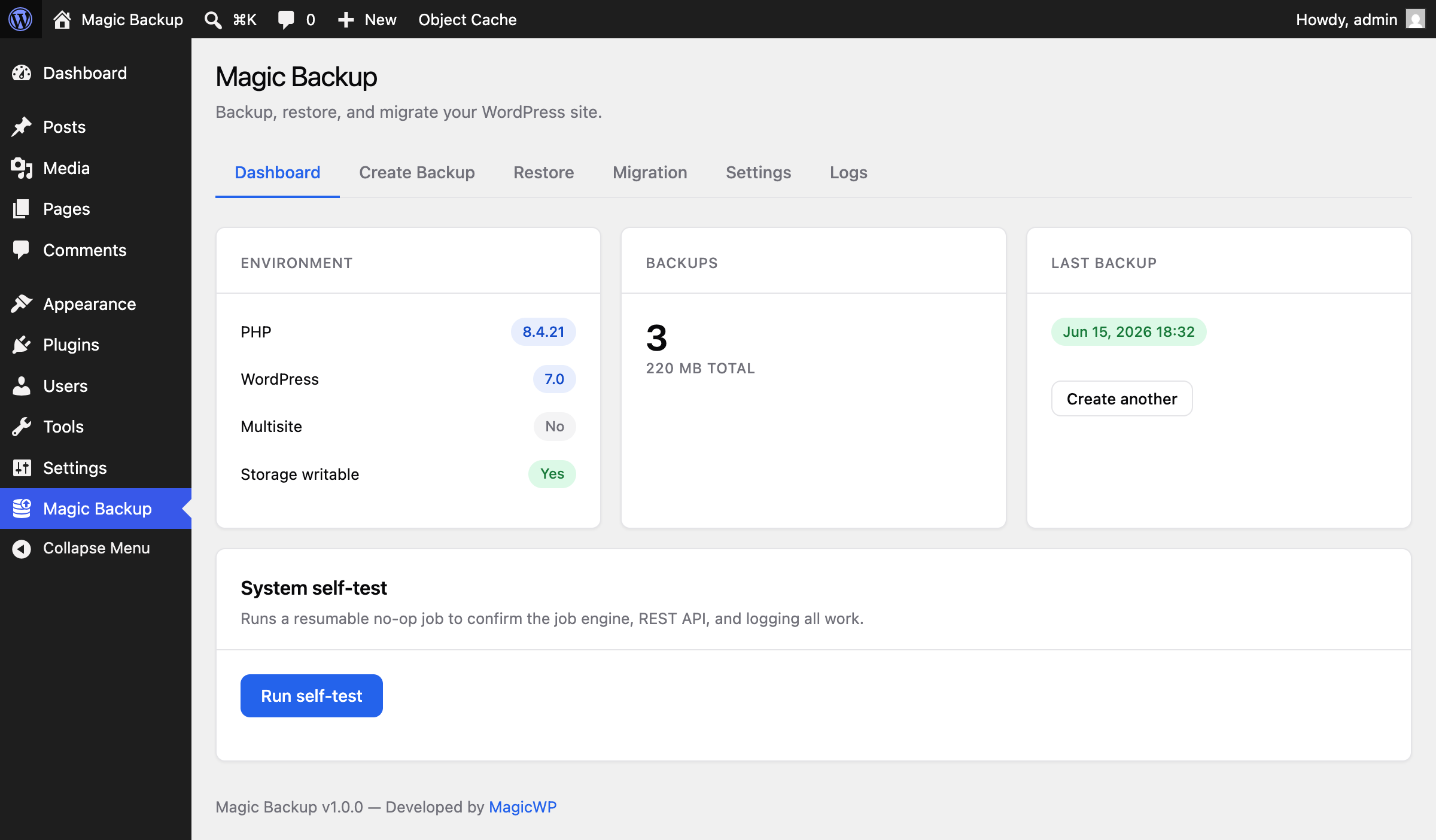
- Open MagicWP Backup in the admin sidebar and run the system self-test.
Changelog
Important fixes for restores and migrations: missing content, broken permalinks and Elementor/theme styles after a restore, timeouts, uploads and large downloads. Backups made with 1.2.0 can still be restored and are repaired automatically.
1.3.1
- Fixed: files left out of a backup were left out silently. Files above the “exclude files larger than” limit (100 MB by default) and symbolic links are now counted and reported in the log when the backup finishes, so an incomplete backup is visible straight away instead of at restore time.
- Security: receiving a site now requires the source site to use https. The transfer token and the whole site, database included, travel over that connection, and plain http was accepted before. Filter
magicwp_backup_allow_insecure_transferto allow it on a local or staging transfer.
1.3.0
- Fixed: links inside serialized objects (Elementor data, theme settings, widget options) kept pointing at the old site after a move.
- Fixed: restored sites missing posts, pages, users or whole plugin tables (for example WPForms) while the restore said it had finished. Database errors during a restore are now reported instead of ignored.
- Fixed: every “%” in the database turned into a long random code after a restore, which broke permalinks (pages returning 404), Elementor widths and spacing, theme CSS and encoded links. Backups made with 1.2.0 are repaired automatically when you restore them with this version.
- Fixed: theme settings and other saved options that contain links getting corrupted when the site moved to an address of a different length.
- Fixed: links pointing to the old site after moving to an address with a port number, and look-alike addresses (example.com.au when moving example.com) being changed by mistake.
- Fixed: restores that took more than one step logging you out half way and stopping, leaving the site partly restored. The database is now prepared on the side and switched over in one go at the end; if anything fails before that, your site’s database is left exactly as it was and you are told so.
- Fixed: restores timing out on hosts with a 30 or 60 second time limit.
- Fixed: Elementor pages showing old styles or images after moving to a new domain (Elementor’s CSS is now regenerated after a restore).
- Fixed: restoring a WooCommerce site onto a site that already has WooCommerce failing on database keys.
- Fixed: other plugins showing “mkdir(): Permission denied” warnings on every page after moving to a server where WordPress is in a different folder (for example Backup Migration). Server folder paths saved in the database are now updated during a restore, like the site address.
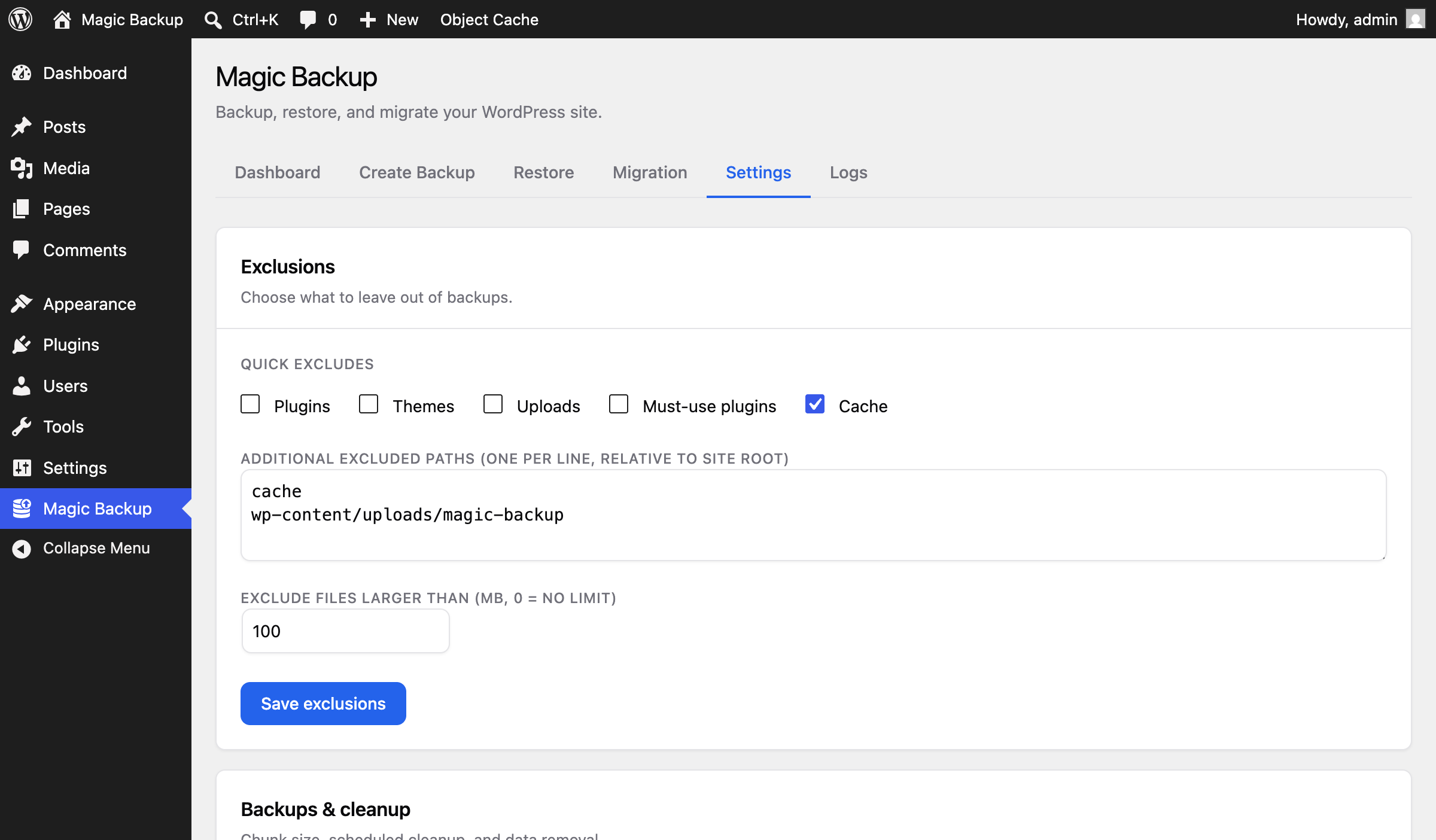
- New: other backup plugins’ backup folders (Backup Migration, UpdraftPlus, All-in-One WP Migration, Duplicator, WPvivid, BackWPup and more) are left out of backups and restores by default, so archives no longer contain backups of backups. You can switch this off under Settings → Exclusions.
- Fixed: restoring onto a site with a different table prefix renamed database columns and indexes whose names start with that prefix.
- Fixed: very large database rows (several MB) making a restore slow enough to time out.
- Fixed: restoring an older backup could replace the running copy of this plugin with an older version.
- Fixed: large backups (over about 100 MB per file) could not be downloaded because the server ran out of memory.
- Fixed: only the manifest could be downloaded from the Backups list. Every backup file now has a download link.
- Fixed: uploading a backup on the Restore page failed on most hosts, and the page stayed on “Uploading…”. Files are now uploaded in small pieces that fit your host’s upload limit, and real errors are shown.
- Fixed: running out of disk space during a restore now stops with a clear message instead of leaving cut-off files.
- New: if a restore is interrupted (tab closed, connection lost), the Restore page tells you what was and was not changed and lets you resume or discard it.
- New: backups made by a newer, incompatible version of the plugin are refused with a clear message before anything is changed.
- Changed: restoring into a single site of a multisite network is now refused with a message; it used to change user roles across the whole network.
- Changed: a restore can only run in one browser tab at a time; a second tab waits instead of running the same step twice.
- Security: a site-to-site transfer token now stops working on the source site as soon as the transfer finishes (it used to stay valid for 24 hours).
- Security: restoring no longer copies the source site’s backup folder key, job list and transfer tokens onto the destination site.
- Improved: only the latest pre-restore safety snapshot of the database is kept, instead of every snapshot being added to one ever-growing file.
- Compatibility: tested with WordPress 7.1 and PHP 8.4.
1.2.0
- Compatibility: tested with WordPress 7.1.
- New: caching plugins, their generated cache files, and the
object-cache.php,advanced-cache.phpandwp-cache-config.phpdrop-ins are excluded from backups, and skipped on restore so older archives are safe too. Restoring a Redis-backed site onto a host without Redis (or the reverse) no longer breaks the site. - New:
magicwp_backup_cache_exclusionsfilter to change that list, or empty it to back caches up as before.
1.1.0
- New: automatic scheduled backups (daily or weekly), run unattended via WP-Cron.
- New: email notifications on backup success and failure (optional).
- New: retention “keep newest N backups” option, alongside the delete-by-age rule.
1.0.0
- Initial public release.
- Backups: chunked, resumable streaming archive of database and files, sized to fit shared-hosting time and memory limits.
- Restore: integrity validation, confirm-gated destructive restore, automatic table-prefix remapping, and serialized-safe URL search/replace (keeps the destination
wp-config.php). - Migration: one-click site-to-site transfer with hashed transfer tokens and a token-gated download endpoint.
- Exclusions: quick toggles (Plugins, Themes, Uploads, Must-use plugins, Cache) plus an “exclude files larger than (MB)” limit.
- Maintenance: scheduled cleanup cron, structured log viewer with export, and a system self-test.
- Architecture: PSR-4 (Composer-free), REST API at
/wp-json/magicwp-backup-restore-migration/v1/with capability + nonce protection.
Screenshots
For developers
Is this your plugin? Show off the numbers.
Add a live badge to your site, docs or GitHub README. It updates on its own — no account needed.
Best MagicWP Backup Restore and Mi… alternatives
All backup plugins →





FAQ
MagicWP Backup Restore and Migration: quick answers
Straight answers, pulled from live WordPress.org data.
Live data from WordPress.org · checked Oct 20, 2026
Is MagicWP Backup Restore and Migr… free?
Yes. MagicWP Backup Restore and Migr… is free to download and use from the official WordPress.org plugin directory.
Is MagicWP Backup Restore and Migr… safe to use in 2026?
MagicWP Backup Restore and Migr… is a solid plugin choice in 2026, with a few things worth checking first. It runs on 10+ sites and was last updated 5 days ago, and scores 66/100 on our health check.
How many websites use MagicWP Backup Restore and Migr…?
MagicWP Backup Restore and Migr… is active on 10+ WordPress websites and has been downloaded 567 times since it launched in July 2026. It was downloaded 307 times in the last 30 days.
Does MagicWP Backup Restore and Migr… work with WordPress 7.1?
Yes. The developer has tested MagicWP Backup Restore and Migr… up to WordPress 7.1.3, the latest release. It requires WordPress 6.2 or newer.
What PHP version does MagicWP Backup Restore and Migr… need?
MagicWP Backup Restore and Migr… requires PHP 8.1 or higher. Most hosts run PHP 8.x today, so it works on any modern WordPress hosting.
When was MagicWP Backup Restore and Migr… last updated?
The latest version, 1.3.1, was released on October 15, 2026 (5 days ago).
Who makes MagicWP Backup Restore and Migr…?
MagicWP Backup Restore and Migr… is developed and maintained by MagicWP.io.
What are the best alternatives to MagicWP Backup Restore and Migr…?
The most popular alternatives to MagicWP Backup Restore and Migr… are All-in-One WP Migration and… (5M+ installs), UpdraftPlus: WP Backup & Mi… (4M+ installs) and Jetpack (3M+ installs).
Powered by PageForge
Want thousands of pages that rank like these? Build them in an afternoon.
This directory runs on the same engine as PageForge. Turn any spreadsheet, CSV or API into thousands of fast, SEO-ready WordPress pages — with schema, internal links and AI-written copy baked in.
- CSV, Google Sheets & API data sources
- AI content, schema & internal links per page
- Works with Elementor, Gutenberg, Yoast & Rank Math
- Free on WordPress.org — no credit card


