



JuanMa JWT Auth Pro
Modern JWT authentication with refresh tokens - built for SPAs and mobile apps with enterprise-grade security.

Consider an alternative
JuanMa JWT Auth Pro shows warning signs in 2026 — compare the alternatives below before installing. Was last updated 10 months ago, and scores 36/100 on our health check.
- Small user base (<10 active installs)
- Very few reviews so far
- Only tested up to WordPress 6.8 (latest is 7.1)
How does it stack up?
Side-by-side on installs, updates, ratings & support



Daily downloads
Download spikes usually follow a new release — each site that auto-updates counts as a download.
Rankings
Where JuanMa JWT Auth Pro stands todayWordPress.org search rankings
Live position in the plugin search, top 100| Keyword | Position |
|---|---|
| authentication | >100 |
| jwt | #55 |
| rest-api | >100 |
| security | >100 |
| tokens | >100 |
About JuanMa JWT Auth Pro
From the official readme · v1.2.1Description
Unlike basic JWT plugins that use single long-lived tokens, JWT Auth Pro implements modern OAuth 2.0 security best practices with short-lived access tokens and secure refresh tokens.
Why JWT Auth Pro?
The Problem with Basic JWT Plugins:
* Long-lived tokens (24h+) = Higher security risk
* No refresh mechanism = Tokens live until expiry
* XSS vulnerable = Tokens stored in localStorage
* No revocation = Can’t invalidate compromised tokens
JWT Auth Pro Solution:
* Short-lived access tokens (1h default) = Minimal attack window
* Secure refresh tokens = HTTP-only cookies, XSS protected
* Automatic token rotation = Fresh tokens on each refresh
* Complete session control = Revoke any user session instantly
Features
- Simple JWT Authentication – Clean, stateless token-based auth
- HTTPOnly Refresh Tokens – Secure refresh tokens in HTTP-only cookies
- Token Rotation – Automatic refresh token rotation for enhanced security
- CORS Support – Proper cross-origin request handling
- Clean Admin Interface – Simple configuration in WordPress admin
- Developer Friendly – Clear endpoints and documentation
Security Comparison
Feature
Basic JWT Plugins
JWT Auth Pro
Token Lifetime
Long (hours/days)
Short (1 hour)
Refresh Tokens
None
Secure HTTP-only
XSS Protection
Limited
HTTP-only cookies
Token Revocation
Manual only
Automatic rotation
Session Management
None
Database tracking
Security Metadata
None
IP + User Agent
Perfect for:
- Single Page Applications (React, Vue, Angular)
- Mobile Applications (iOS, Android)
- API Integrations (Third-party services)
- Headless WordPress (Decoupled architecture)
API Endpoints
POST /wp-json/jwt/v1/token– Login and get access tokenPOST /wp-json/jwt/v1/refresh– Refresh access tokenGET /wp-json/jwt/v1/verify– Verify token and get user infoPOST /wp-json/jwt/v1/logout– Logout and revoke refresh token
Security
- Stateless Authentication – JWT tokens contain all necessary information
- HTTPOnly Cookies – Refresh tokens stored securely, inaccessible to JavaScript
- Token Rotation – Refresh tokens automatically rotate on use
- Configurable Expiration – Set custom expiration times
- IP & User Agent Tracking – Additional security metadata
Support
For support and documentation, visit: https://github.com/juanma-wp/jwt-auth-pro-wp-rest-api
Privacy Policy
This plugin stores user session data including IP addresses and user agent strings for security purposes. This data is used solely for authentication and security monitoring.
Installation
- Upload the plugin files to
/wp-content/plugins/directory - Activate the plugin through the ‘Plugins’ screen in WordPress
- Go to Settings → JWT Auth Pro to configure the plugin
Configuration
Via wp-config.php (Recommended for production):
php

define('JWT_AUTH_PRO_SECRET', 'your-super-secret-key-here');

define('JWT_AUTH_PRO_ACCESS_TTL', 3600);      // 1 hour

define('JWT_AUTH_PRO_REFRESH_TTL', 2592000);  // 30 days
Via WordPress Admin:
Go to Settings → JWT Auth Pro to configure:
* JWT Secret Key
* Token expiration times
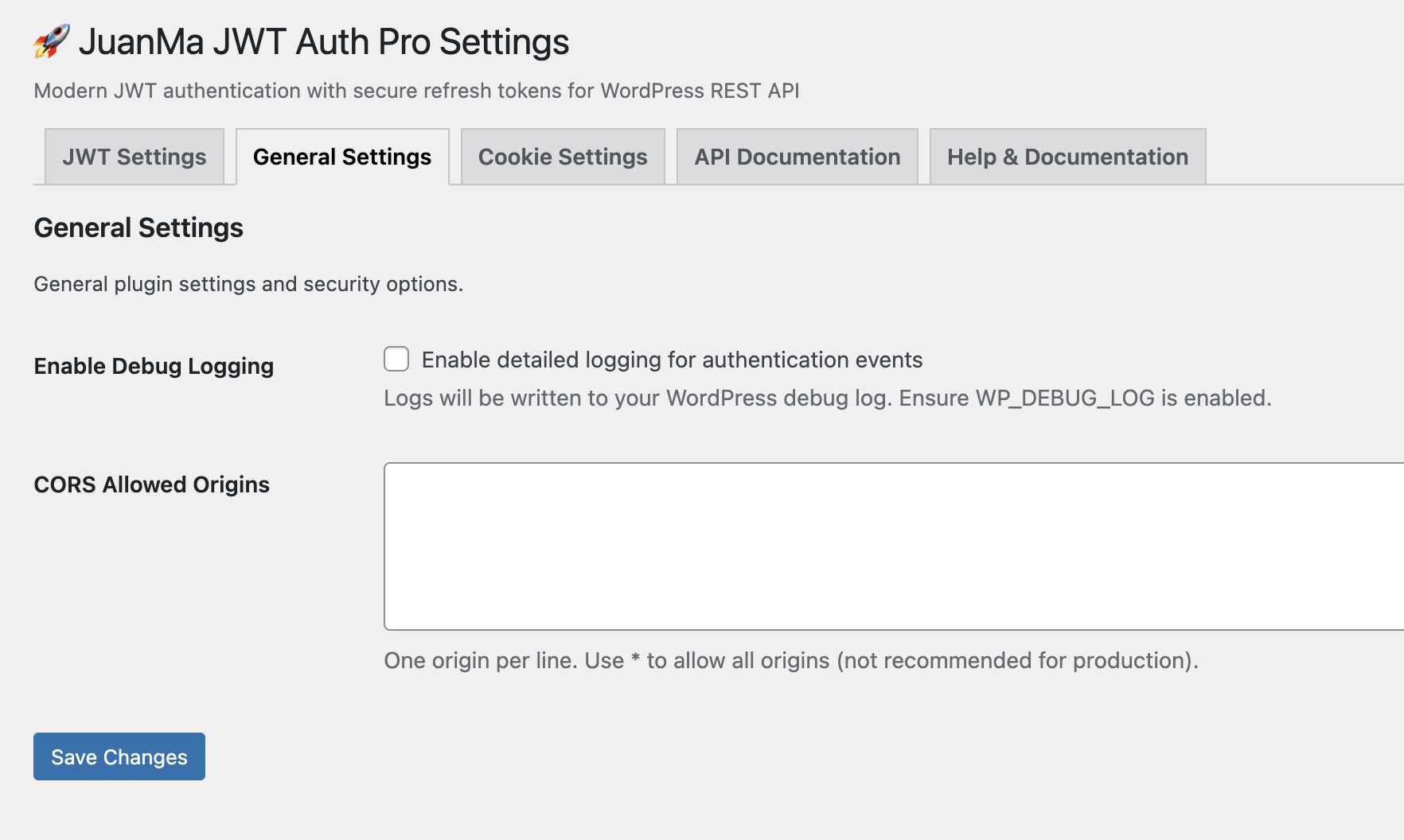
* CORS allowed origins
* Debug logging
Frequently asked questions
How is this different from other JWT plugins?
JWT Auth Pro implements modern security best practices with short-lived access tokens and secure refresh tokens, unlike basic JWT plugins that use long-lived tokens vulnerable to XSS attacks.
Is HTTPS required?
HTTPS is strongly recommended for HTTPOnly cookies to work securely, especially in production environments.
Can I use this with mobile apps?
Yes! JWT Auth Pro is designed specifically for modern applications including mobile apps, SPAs, and API integrations.
How do I revoke a user’s session?
You can revoke individual user sessions through the admin interface or programmatically using the provided API endpoints.
Changelog
1.0.0
- Initial release
- JWT authentication with access and refresh tokens
- HTTPOnly cookie support for secure refresh tokens
- Automatic token rotation
- CORS configuration
- Admin interface for plugin configuration
- Database session tracking
- IP and User Agent metadata for enhanced security
Screenshots


For developers
Is this your plugin? Show off the numbers.
Add a live badge to your site, docs or GitHub README. It updates on its own — no account needed.
Best JuanMa JWT Auth Pro alternatives
All authentication plugins →





FAQ
JuanMa JWT Auth Pro: quick answers
Straight answers, pulled from live WordPress.org data.
Live data from WordPress.org · checked Oct 5, 2026
Is JuanMa JWT Auth Pro free?
Yes. JuanMa JWT Auth Pro is free to download and use from the official WordPress.org plugin directory.
Is JuanMa JWT Auth Pro safe to use in 2026?
JuanMa JWT Auth Pro shows warning signs in 2026 — compare the alternatives below before installing. Was last updated 10 months ago, and scores 36/100 on our health check.
How many websites use JuanMa JWT Auth Pro?
JuanMa JWT Auth Pro is active on <10 WordPress websites and has been downloaded 378 times since it launched in December 2025. It was downloaded 48 times in the last 30 days.
Does JuanMa JWT Auth Pro work with WordPress 7.1?
JuanMa JWT Auth Pro is officially tested up to WordPress 6.8.10, while the latest release is 7.1.2. It may still work, but try it on a staging site first.
What PHP version does JuanMa JWT Auth Pro need?
JuanMa JWT Auth Pro requires PHP 7.4 or higher. Most hosts run PHP 8.x today, so it works on any modern WordPress hosting.
When was JuanMa JWT Auth Pro last updated?
The latest version, 1.2.1, was released on December 11, 2025 (10 months ago).
Who makes JuanMa JWT Auth Pro?
JuanMa JWT Auth Pro is developed and maintained by JuanMa Garrido.
What are the best alternatives to JuanMa JWT Auth Pro?
The most popular alternatives to JuanMa JWT Auth Pro are Limit Login Attempts (300K+ installs), WPS Limit Login (100K+ installs) and Two Factor (100K+ installs).
Powered by PageForge
Want thousands of pages that rank like these? Build them in an afternoon.
This directory runs on the same engine as PageForge. Turn any spreadsheet, CSV or API into thousands of fast, SEO-ready WordPress pages — with schema, internal links and AI-written copy baked in.
- CSV, Google Sheets & API data sources
- AI content, schema & internal links per page
- Works with Elementor, Gutenberg, Yoast & Rank Math
- Free on WordPress.org — no credit card


