


Inbox
Project URI: http://androidbubble.com/blog/wordpress/plugins/inbox

Consider an alternative
Inbox shows warning signs in 2026 — compare the alternatives below before installing. It runs on 10+ sites, is rated 3.7/5 and was last updated 2 years ago, and scores 29/100 on our health check.
- Small user base (10+ active installs)
- Very few reviews so far
- No update in over a year
- Only tested up to WordPress 6.6 (latest is 7.1)
How does it stack up?
Side-by-side on installs, updates, ratings & support



Daily downloads
Download spikes usually follow a new release — each site that auto-updates counts as a download.
Rankings
Where Inbox stands todayWordPress.org search rankings
Live position in the plugin search, top 100| Keyword | Position |
|---|---|
| chat plugin | >100 |
| chatbot | >100 |
| inbox | >100 |
| live chat | >100 |
| live support departments | #96 |
Version adoption
Share of active sites per release.
Rating breakdown
★★★★★★★★★★ 3.7 from 3 reviews
About Inbox
From the official readme · v1.2.2Description
-
Author: Fahad Mahmood
-
Project URI: http://androidbubble.com/blog/wordpress/plugins/inbox
-
Demo URI: http://demo.androidbubble.com/help
-
License: GPL 3. See License below for copyright jots and titles.
Inbox is a free communication tool for WooCommerce vendors and customers. Vnedors can manage their own communication threads privately with this plugin. Any user who is logged in can ask a question or put any query through help section. User will select the department from list to which he has some query and provide his email which is optional and his message. These messages will appear in your inbox and admin panel as well. Relevant Administrators or Moderators will reply the queries as support departments. Admin can add new departments, manage staff department-wise. Admin can also monitor communication threads and apply filters with an alert.
WooCommerce customers also can manage their communication threads with support departments and online vendors. Only logged-in user can communicate within the system. This plugin is an internal communication system among website registered users. In addition you can create support/help desks like contact forms etc. unregistered users can also submit inquiries and your administrator/moderators can reply those threads.
Tags
messages, users, administration, support, tickets, resolution center, disputes, alerts, chat, help desk, vendors
Features
- Admin can send/schedule messages to all users
- View all communication threads and apply filters
- Define different departments and assign staff for sales and support
- Shortcodes for users list
- Allow/Disallow words in threads
- Google Maps API compatibility
- Shortcode based pages
License
This WordPress plugin is a free software: you can redistribute it and/or modify it under the terms of the GNU General Public License as published by the Free Software Foundation, either version 2 of the License, or any later version. This WordPress plugin is distributed in the hope that it will be useful, but WITHOUT ANY WARRANTY; without even the implied warranty of MERCHANTABILITY or FITNESS FOR A PARTICULAR PURPOSE. See the GNU General Public License for more details. You should have received a copy of the GNU General Public License along with this WordPress plugin. If not, see http://www.gnu.org/licenses/gpl-2.0.html.
Installation
- Upload the plugin files to the
/wp-content/plugins/directory, or install the plugin through the WordPress plugins screen directly. - Activate the plugin through the ‘Plugins’ screen in WordPress
- There will be a link under WP Admin > Settings.
Frequently asked questions
Is this compatible with all WordPress themes?
Yes, it is compatible with all WordPress themes which are developed according to the WordPress theme development standards.
How can we use it?
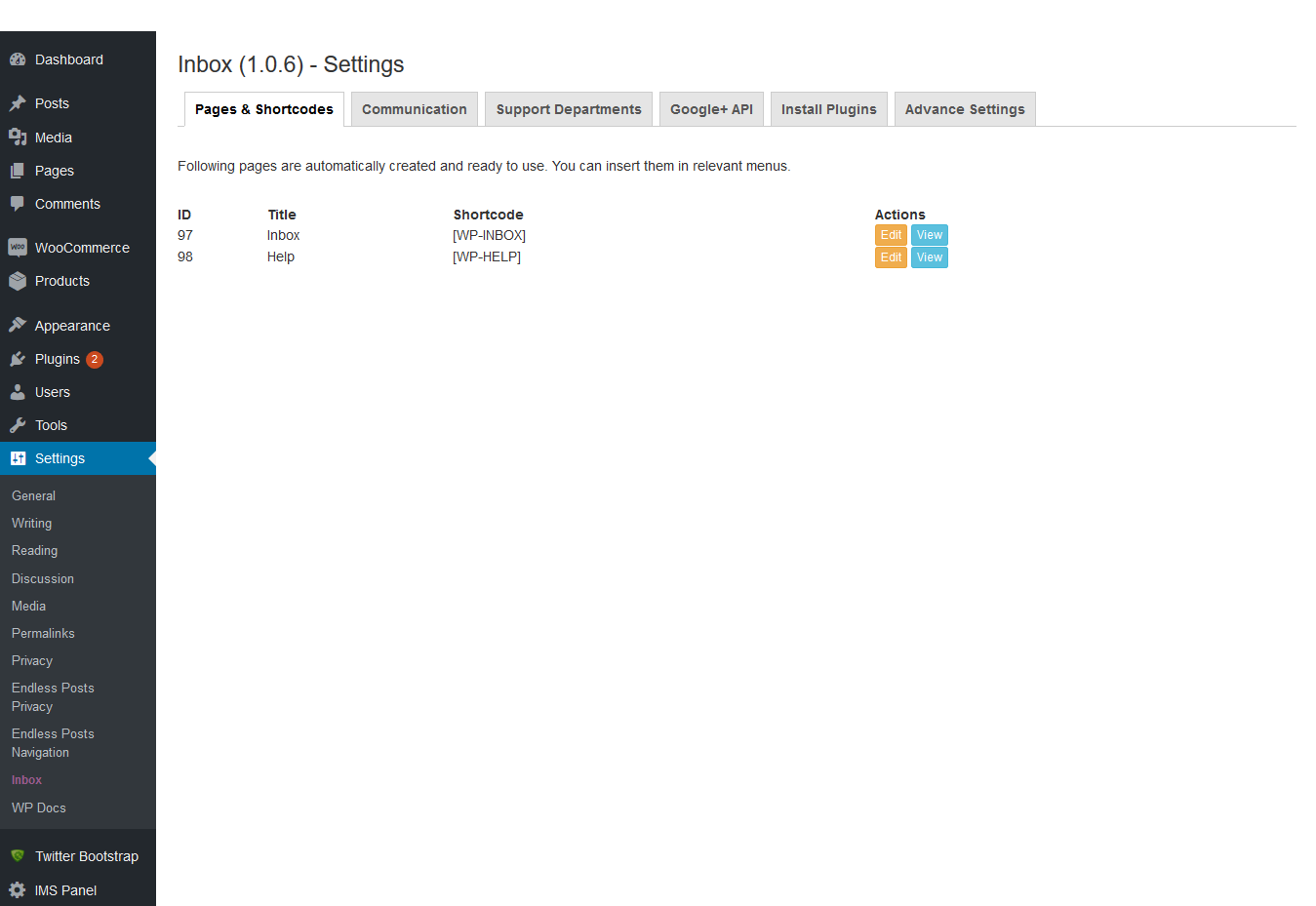
I. Install the Plugin and Activate it II. Go to Admin Panel > Settings > Inbox III. There are two readymade pages available in Pages & Short codes tab which can be inserted in relevant areas. IV. You can also use short code available in settings page, as per your requirements. V. In Communication tab, admin can view all conversations. VI. In Support Department tab you can add departments and manage staff as per departments. VII. In Google API tab you can add your Location API, which will help customers to find you easily through Google Maps API. Latitude and Longitude will be calculated from…
Is any other plugin required to use it?
WordPress Bootstrap CSS plugin required for this plugin mainly.
Can we communicate to multiple platform with this?
It Can be used only for the same platform users.
How can we select the user we want to send message?
If You are a seller then on your product & profile/author page a contact button will be appeared. If you belong to support, admin or HR department then people will approach you through contact or help page. This plugin can be used for communication between seller and user + admin and user.
Does email address required to send messages?
No, Email is optional for support page but account registration is required for the communication between seller and customer.
Can we use it on any page or only on a specified page?
Yes, you can use it on any page by just adding the short code to any page.
Does it support instant chat feature?
No Instant chat is not available in this version.
Can non-registered user send any query or message by using this?
Users can’t send messages to each other without login, but a visitor can send message to support or admin from help page.
Are all features being free in this plugin?
Yes, all basic/required features are free in this plugin.
What is the function of Google+ API?
If you are a seller so you can add your location by Google Maps API. Customers can find you by distance preferences through your latitude and longitude values.
Changelog
Updated version for WordPress.
1.2.1
- Updated version for WordPress. [12/06/2023]
1.2.0
- Updated version for WordPress. [02/05/2023]
1.1.9
- Updated version for WordPress. [07/09/2022]
1.1.8
- Language files updated. [Thanks to i. A. Kevin Koch – IT]
1.1.7
- Admin can send/schedule messages to all users. [Thanks to Sam & Team Ibulb Work]
1.1.6
- Default timezone from WP settings page. [Thanks to ramya & Team Ibulb Work]
Screenshots




For developers
Is this your plugin? Show off the numbers.
Add a live badge to your site, docs or GitHub README. It updates on its own — no account needed.
Best Inbox alternatives
All chat plugin plugins →





FAQ
Inbox: quick answers
Straight answers, pulled from live WordPress.org data.
Live data from WordPress.org · checked Oct 6, 2026
Is Inbox free?
Yes. Inbox is free to download and use from the official WordPress.org plugin directory.
Is Inbox safe to use in 2026?
Inbox shows warning signs in 2026 — compare the alternatives below before installing. It runs on 10+ sites, is rated 3.7/5 and was last updated 2 years ago, and scores 29/100 on our health check.
How many websites use Inbox?
Inbox is active on 10+ WordPress websites and has been downloaded 5,036 times since it launched in January 2019. It was downloaded 77 times in the last 30 days.
Does Inbox work with WordPress 7.1?
Inbox is officially tested up to WordPress 6.6.9, while the latest release is 7.1.2. It may still work, but try it on a staging site first.
What PHP version does Inbox need?
Inbox requires PHP 7.0 or higher. Most hosts run PHP 8.x today, so it works on any modern WordPress hosting.
When was Inbox last updated?
The latest version, 1.2.2, was released on November 4, 2024 (2 years ago).
Who makes Inbox?
Inbox is developed and maintained by Fahad Mahmood.
What are the best alternatives to Inbox?
The most popular alternatives to Inbox are HelpCrunch (2K+ installs), Chaport (2K+ installs) and Website Chat Button: Kommo… (1K+ installs).
Powered by PageForge
Want thousands of pages that rank like these? Build them in an afternoon.
This directory runs on the same engine as PageForge. Turn any spreadsheet, CSV or API into thousands of fast, SEO-ready WordPress pages — with schema, internal links and AI-written copy baked in.
- CSV, Google Sheets & API data sources
- AI content, schema & internal links per page
- Works with Elementor, Gutenberg, Yoast & Rank Math
- Free on WordPress.org — no credit card


