



Chat Bro Live Group Chat
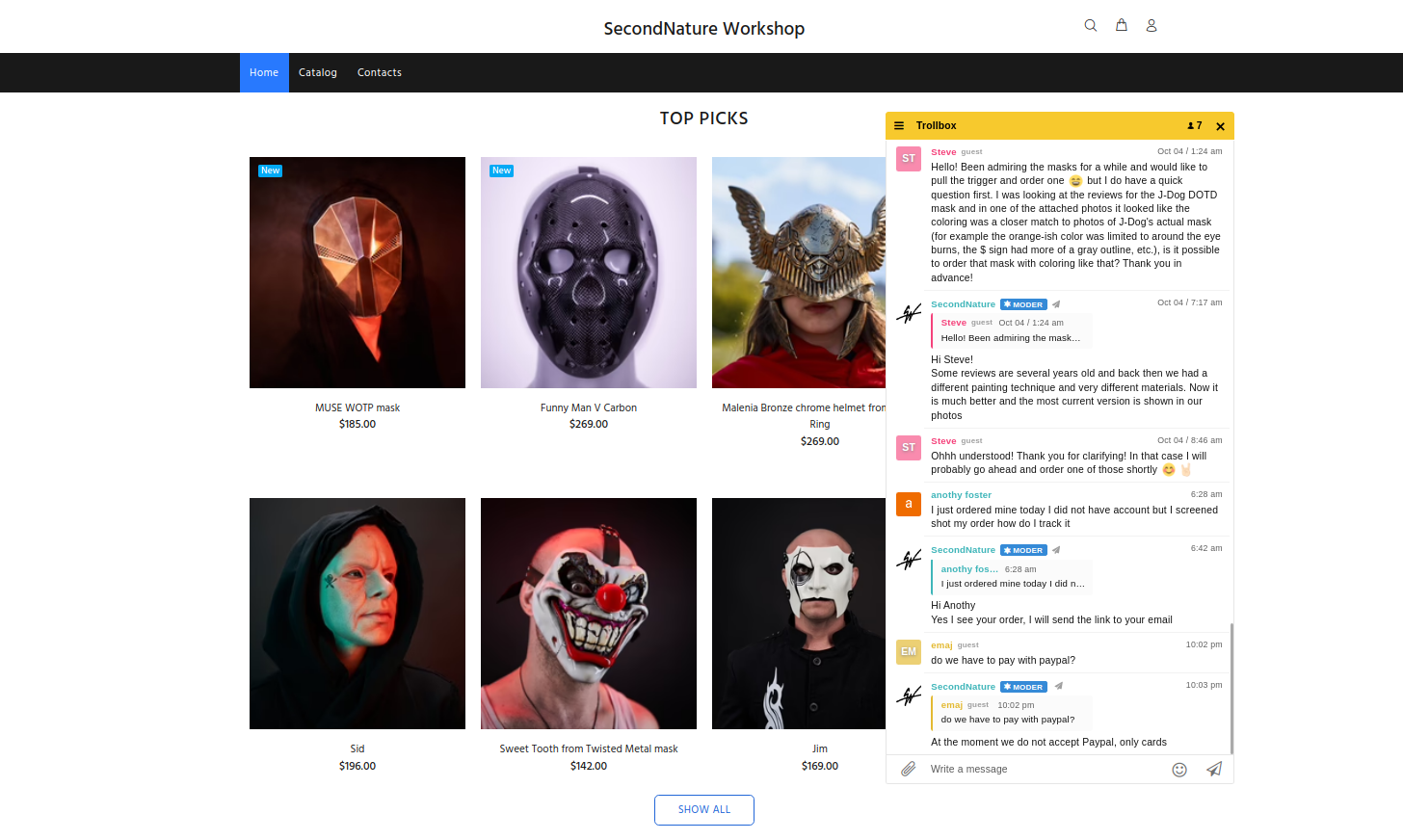
After installing the plugin just name your chat. Chat can be easily configured with visual chat constructor tool. You can change color scheme, size, initial state, etc.

Consider an alternative
Chat Bro Live Group Chat shows warning signs in 2026 — compare the alternatives below before installing. It runs on 100+ sites, is rated 4.4/5 and was last updated 2 years ago, and scores 39/100 on our health check.
- Small user base (100+ active installs)
- No update in 2 years
- Only tested up to WordPress 6.5 (latest is 7.1)
How does it stack up?
Side-by-side on installs, updates, ratings & support



Daily downloads
Download spikes usually follow a new release — each site that auto-updates counts as a download.
Rankings
Where Chat Bro Live Group Chat stands todayWordPress.org search rankings
Live position in the plugin search, top 100| Keyword | Position |
|---|---|
| chat | >100 |
| chat plugin | >100 |
| chat widget | >100 |
| live chat | >100 |
| Telegram chat | >100 |
Version adoption
Share of active sites per release.
Rating breakdown
★★★★★★★★★★ 4.4 from 20 reviews
About Chat Bro Live Group Chat
From the official readme · v4.1.0Description
ChatBro – live group chat for your website.
Why ChatBro?
- Support Telegram, VK chats and channels
- Audio, photo and video previews
- Web chat constructor
- Mobile ready
- Very fast
- Indexed by search robots
Easy Installation
After installing the plugin just name your chat. Chat can be easily configured with visual chat constructor tool. You can change color scheme, size, initial state, etc.
Link with Telegram
Add @chatbrobot to your Telegram chat or channel. Send /sync command in case of channel. You’ll receive sync url from bot.
Group chat is better than privates with operators
Most people just read chat and see admin’s reactions to realize that the website is functional and adequate. You can chat with visitor in private if needed.
Open Source
ChatBro plugin is an open source project. You can get the source code from GitHub.
Pull requests are welcome.
Frequently asked questions
How to add new administrators to the chat?
There could be only one administrator of the chat.
How to link Telegram group/supergroup with the web chat?
Add @ChatbroBot to the group. Bot will send a link via a personal message, by which you can link the web chat and the Telegram group/supergroup.
How to link the Telegram channel with the web chat?
Add @ChatbroBot to the selected channel as an administrator and type “/sync” in the channel. The bot will send a link for synchronization.
I can not add the bot to the channel
Use the desktop version of Telegram. Add the bot as an administrator (you can not add the bot as a common user).
Is your service suitable for broadcasting the Telegram channel to the website?
Our service is great for this. To send messages to one side (channel -> web chat), configure the web chat so that it does not allow sending messages. Additionally, you can configure the bot so that it can not write to the channel.
How to remove the synchronization of the web chat with a group/conversation?
There are a couple of ways to do this: * Delete the bot from the conversation/group/supergroup/channel. Synchronization will be automatically deleted, an alert will be sent to the private messages. * In the chat editor in the “Synchronization with messengers” block, you can see all active links and delete it.
Can I add my bot to synchronize messages?
You can add your bot. It will work just like the standard one and you will can to control over it. There are 2 types of bots: telegram and VK. VK bot is any empty or unused page in the social network. To add a bot, follow these steps: 1. Authorize. 2. Go to your profile using the site navigation. 3. Click the “Add your bot” button, select the bot type and enter the authorization data. Then click the “Add” button. If the data is correct, the bot will be added and automatically turned on.
Changelog
4.1.0
- Plugin refactoring, code updated for the latest wp version.
- Added ‘Plugin enabled’ option.
- Various minor improvements and fixes.
- Fixed a situation where it was impossible to delete a plugin that was never activated.
- Updated old logos and banner.
4.0.5
- Fixed shortcode option static=false, for cases when the chat is defined as static.
4.0.4
- Fixed display of profile and tariff tabs.
4.0.3
- Updated translations.
- Updated load own translations.
4.0.2
- Removed open chat button.
4.0.1
- API fixed.
- Fixed interface.
- Fixed saving settings.
Screenshots


For developers
Is this your plugin? Show off the numbers.
Add a live badge to your site, docs or GitHub README. It updates on its own — no account needed.
Best Chat Bro Live Group Chat alternatives
All chat plugins →





FAQ
Chat Bro Live Group Chat: quick answers
Straight answers, pulled from live WordPress.org data.
Live data from WordPress.org · checked Oct 5, 2026
Is Chat Bro Live Group Chat free?
Yes. Chat Bro Live Group Chat is free to download and use from the official WordPress.org plugin directory.
Is Chat Bro Live Group Chat safe to use in 2026?
Chat Bro Live Group Chat shows warning signs in 2026 — compare the alternatives below before installing. It runs on 100+ sites, is rated 4.4/5 and was last updated 2 years ago, and scores 39/100 on our health check.
How many websites use Chat Bro Live Group Chat?
Chat Bro Live Group Chat is active on 100+ WordPress websites and has been downloaded 38,639 times since it launched in April 2016. It was downloaded 160 times in the last 30 days.
Does Chat Bro Live Group Chat work with WordPress 7.1?
Chat Bro Live Group Chat is officially tested up to WordPress 6.5.12, while the latest release is 7.1.2. It may still work, but try it on a staging site first.
When was Chat Bro Live Group Chat last updated?
The latest version, 4.1.0, was released on May 22, 2024 (2 years ago).
Who makes Chat Bro Live Group Chat?
Chat Bro Live Group Chat is developed and maintained by ChatBro.
What are the best alternatives to Chat Bro Live Group Chat?
The most popular alternatives to Chat Bro Live Group Chat are Joinchat (700K+ installs), Floating Chat Widget: Conta… (300K+ installs) and Tidio (70K+ installs).
Powered by PageForge
Want thousands of pages that rank like these? Build them in an afternoon.
This directory runs on the same engine as PageForge. Turn any spreadsheet, CSV or API into thousands of fast, SEO-ready WordPress pages — with schema, internal links and AI-written copy baked in.
- CSV, Google Sheets & API data sources
- AI content, schema & internal links per page
- Works with Elementor, Gutenberg, Yoast & Rank Math
- Free on WordPress.org — no credit card


