



Followly – Email Automation for WooCommerce
Follow-up emails for WooCommerce with real filters, delays, manual runs and a catch-up run for orders that already exist.

Solid choice
Followly is a solid plugin choice in 2026, with a few things worth checking first. Was last updated 4 days ago, and scores 64/100 on our health check.
- Actively developed — last update 4 days ago
- Tested with the latest WordPress (7.1)
- Small user base (<10 active installs)
- Very few reviews so far
How does it stack up?
Side-by-side on installs, updates, ratings & support



Daily downloads
Download spikes usually follow a new release — each site that auto-updates counts as a download.
Rankings
Where Followly stands todayWordPress.org search rankings
Live position in the plugin search, top 100| Keyword | Position |
|---|---|
| automation | >100 |
| email automation | >100 |
| follow up emails | >100 |
| Order Emails | >100 |
| woocommerce | >100 |
About Followly
From the official readme · v1.0.1Description
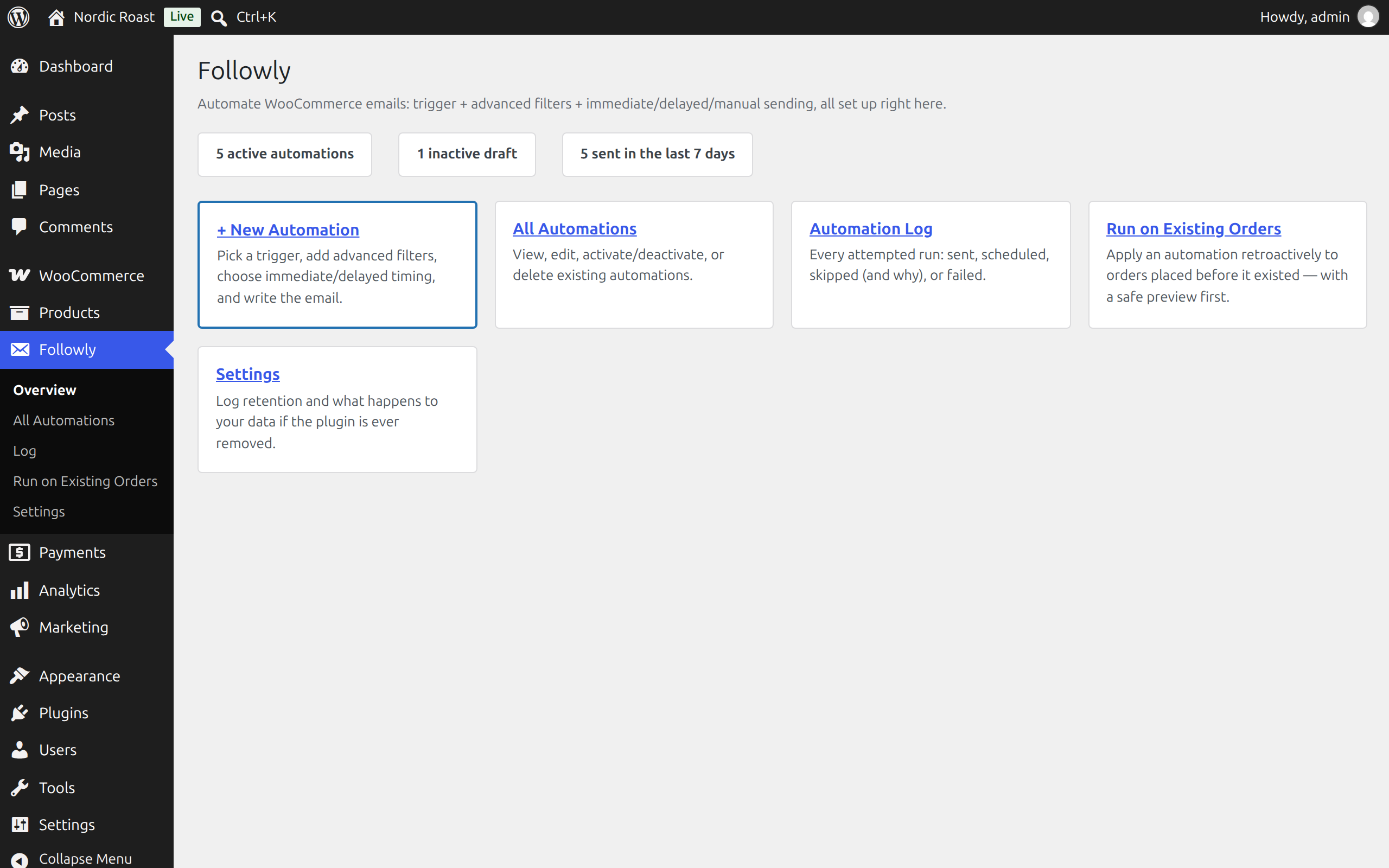
Followly sends emails automatically when something happens in your shop: an order changes status, a payment goes through, a customer registers, a product runs low. You decide exactly who gets which email and when.
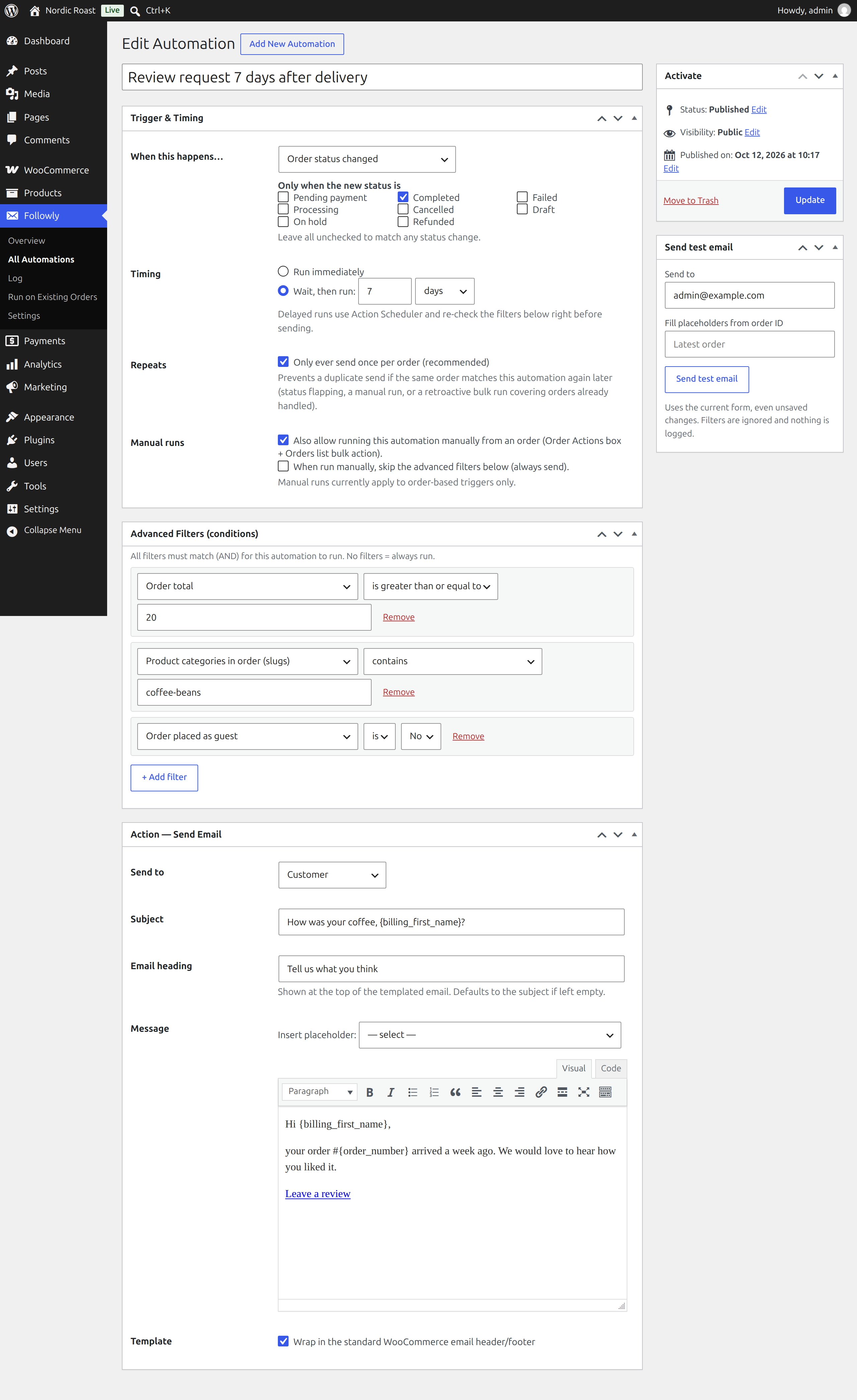
Every automation is three simple boxes on a normal WordPress edit screen: what triggers it, which conditions must be true, and the email itself. No drag-and-drop builder, no external service, no account. Everything runs inside your WordPress.
Triggers
- Order status changed (optionally only to specific statuses)
- New order paid (payment complete)
- Order fully refunded
- Customer registered
- Product low stock / out of stock
Conditions
All conditions must match (AND). Among them:
- Order total, item count, status, payment method, shipping method
- Products, variations or SKUs in the order (SKU prefixes match all variants)
- Product categories and coupon codes in the order
- Billing and shipping country
- Day of the week the order was placed
- Customer: number of paid orders, lifetime spend, role, guest or account
- Product stock quantity and categories (for stock triggers)
Timing
Send right away or after a delay of minutes, hours or days. Delays run through Action Scheduler, which ships with WooCommerce. The conditions are checked again right before sending, because an order may have changed in the meantime (for example it was cancelled).
Manual and catch-up runs
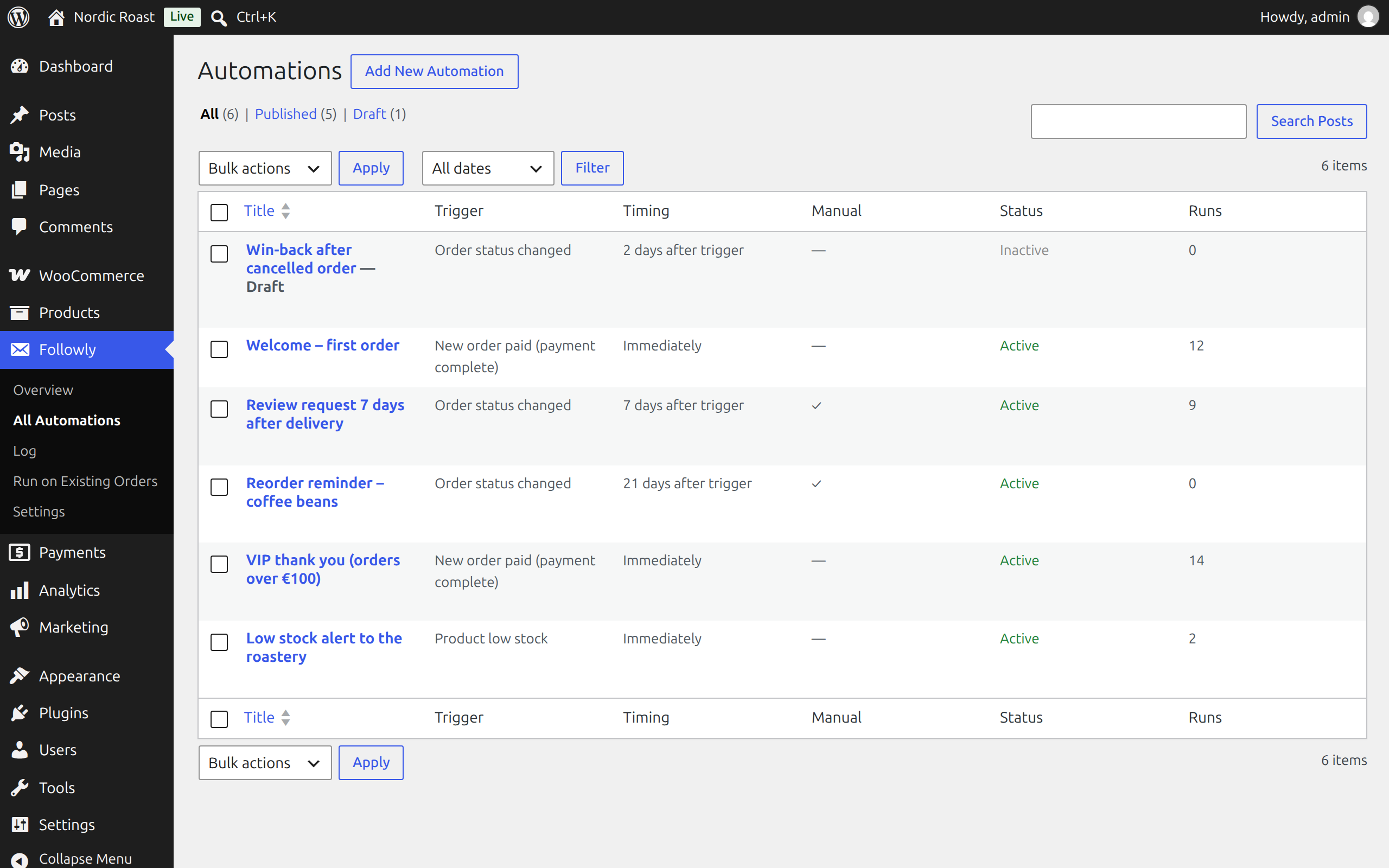
- Mark an automation as “allow manual run” and it appears in a single order’s Order actions box and as a bulk action on the orders list.
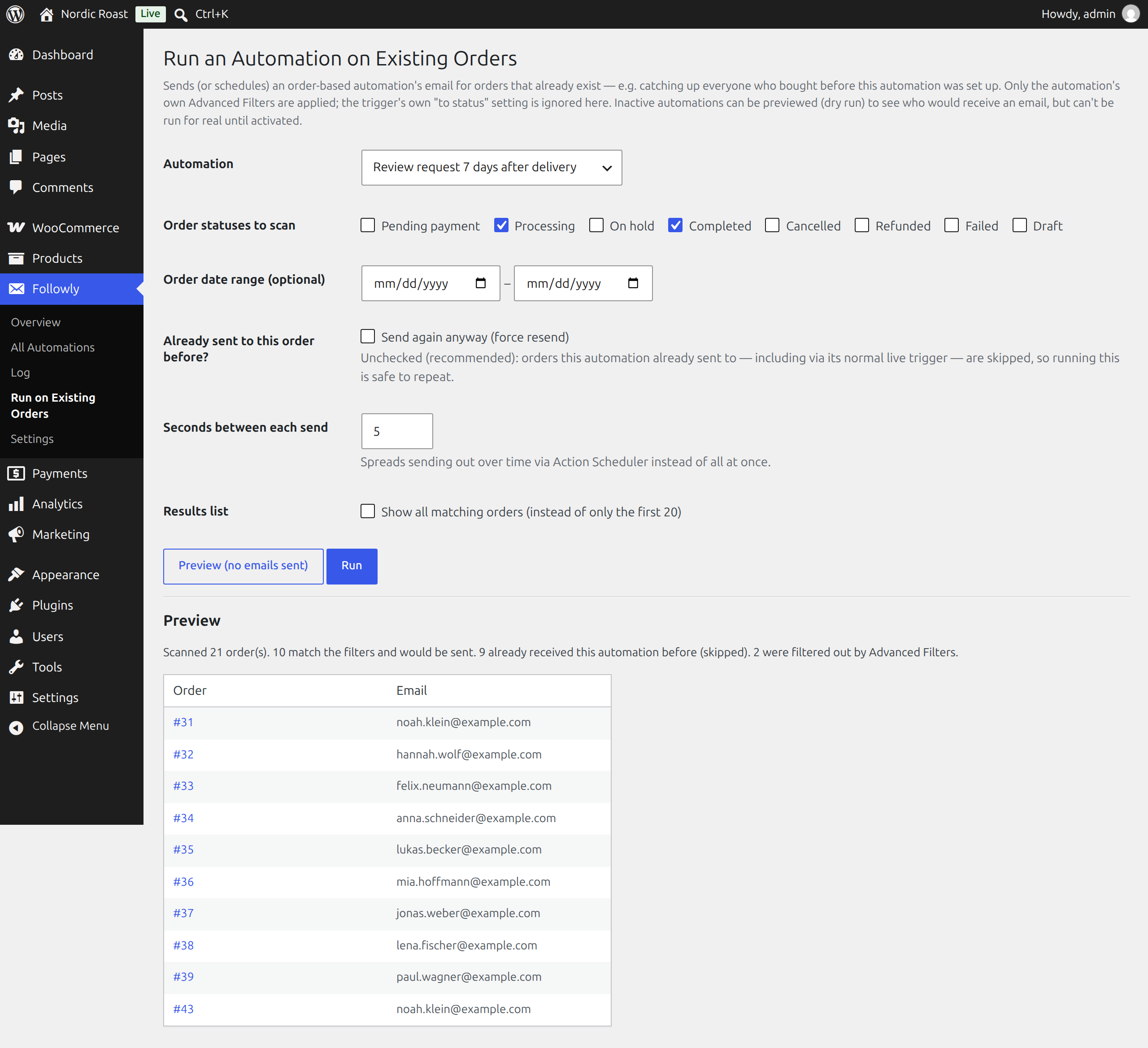
- Run on Existing Orders applies an automation to orders that already exist, for example everyone who bought before you set the automation up. You get a preview first. Every automation sends at most once per order by default, so running it twice is harmless.
The email
Subject, heading and body with placeholders such as {billing_first_name}, {order_number}, {order_items_table} or {order_view_url}. Emails use your WooCommerce email template, so they look like the rest of your shop’s emails. Send to the customer, the shop admin or a custom address.
Before you switch an automation on, send yourself a test email from the edit screen. It uses what is in the form right now, saved or not, and fills the placeholders from a real order of your choice (or the latest one).
Log
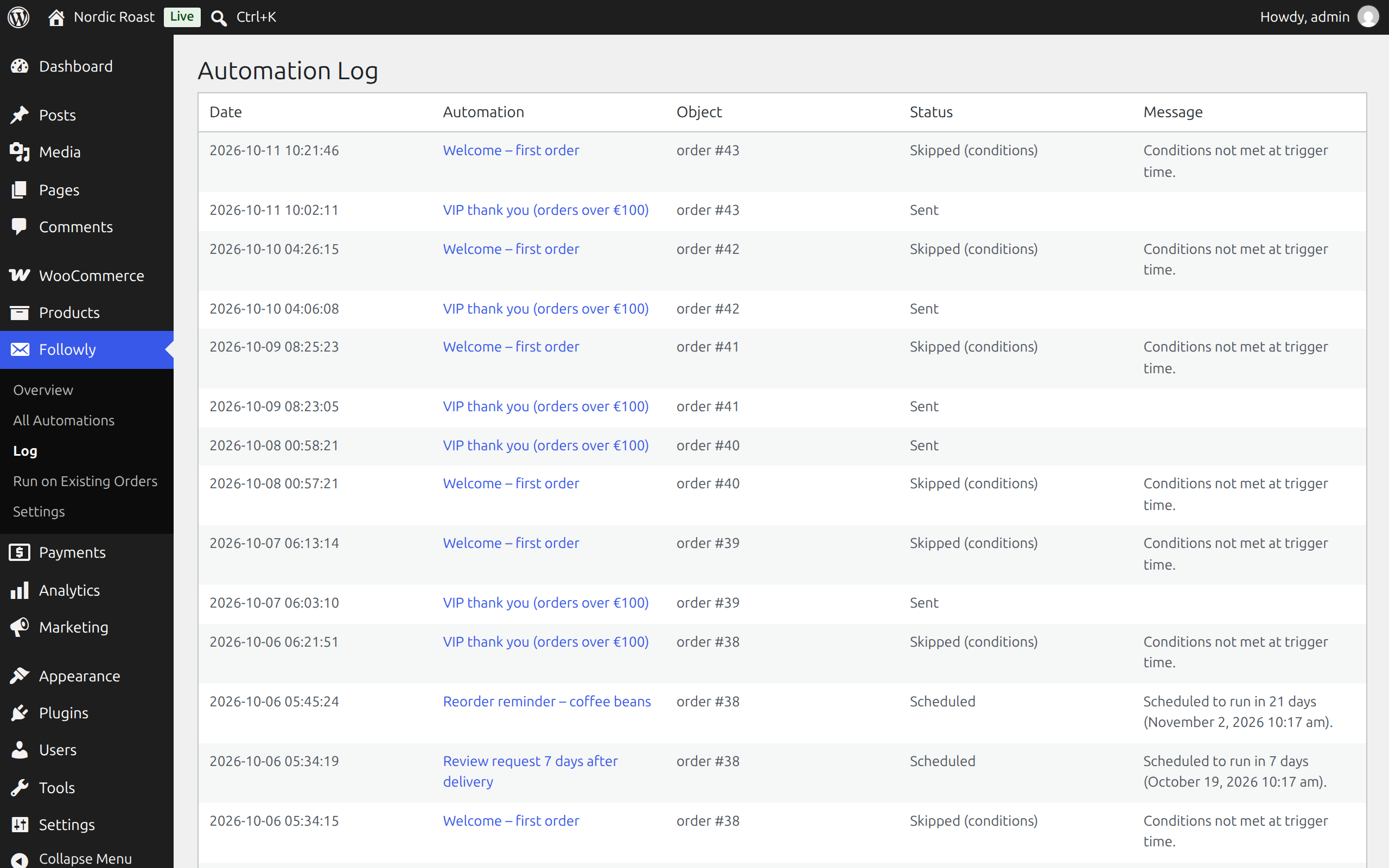
Every run is logged: sent, queued, skipped (and why) or failed. Emails that are still queued are listed on their own and can be cancelled before they go out. Old entries are cleaned up automatically after a period you choose.
Compatibility
- Works with both WooCommerce order storage modes (classic and High-Performance Order Storage)
- Translation-ready
Installation
- Install and activate WooCommerce.
- Install Followly from the plugin directory, or upload the plugin folder to
/wp-content/plugins/, and activate it. - Go to Followly → New Automation in the admin menu.
Frequently asked questions
Does it need an external service or account?
No. Everything runs inside your WordPress installation and uses WooCommerce’s own email system.
Will customers get the same email twice?
Not by default. Each automation sends at most once per order unless you switch that off. Manual runs can deliberately resend.
What happens if an order changes during the delay?
The conditions are checked again right before sending. If they no longer match (for example the order was cancelled), the email is skipped and the log says why.
Can I reach customers who ordered before I created the automation?
Yes, with Followly → Run on Existing Orders. Preview the matching orders first, then send or schedule the emails, spread out over time if you like.
Does it work with High-Performance Order Storage (HPOS)?
Yes, with both order storage modes.
I used the earlier “WooAutoMail” build. What happens to my automations?
Deactivate WooAutoMail, then activate Followly. Automations, settings, the log and emails that are scheduled but not sent yet are taken over automatically.
Changelog
Fixes filters with several countries or statuses being reset on save, and low stock alerts being sent only once per product. Please check automations that use "is one of" or "is none of".
1.0.1
- Fix: “is one of” / “is none of” filters on fields with fixed choices (countries, order status, payment method, …) now let you pick several values. Before, only one could be picked, and saving an automation that already had such a list replaced it with the first entry of the dropdown.
- Fix: low stock and out of stock alerts are sent every time again. “Only ever send once per order” applies to orders only, as its name says; before, it allowed only one alert per product ever.
- Fix: the log showed “skipped_already_sent” instead of a readable status.
- New: the Log page shows which emails are still queued (per automation, with the next send time) and lets you cancel them before they go out.
- Fix: a delayed or bulk-run email no longer looks like a pending duplicate in the log. Its “Queued” entry now changes to “has run” or “cancelled”, next to the separate “Sent” entry.
1.0.0
- First public release as Followly.
- New: send a test email from the automation edit screen.
- The log shows delays in days, hours or minutes and the planned send time.
- Renamed from the internal build “WooAutoMail”; existing data is migrated automatically.
Screenshots
For developers
Is this your plugin? Show off the numbers.
Add a live badge to your site, docs or GitHub README. It updates on its own — no account needed.
Best Followly alternatives
All automation plugins →





FAQ
Followly: quick answers
Straight answers, pulled from live WordPress.org data.
Live data from WordPress.org · checked Oct 17, 2026
Is Followly free?
Yes. Followly is free to download and use from the official WordPress.org plugin directory.
Is Followly safe to use in 2026?
Followly is a solid plugin choice in 2026, with a few things worth checking first. Was last updated 4 days ago, and scores 64/100 on our health check.
How many websites use Followly?
Followly is active on <10 WordPress websites and has been downloaded 93 times since it launched in October 2026. It was downloaded 98 times in the last 30 days.
Does Followly work with WordPress 7.1?
Yes. The developer has tested Followly up to WordPress 7.1.3, the latest release. It requires WordPress 6.5 or newer.
What PHP version does Followly need?
Followly requires PHP 7.4 or higher. Most hosts run PHP 8.x today, so it works on any modern WordPress hosting.
When was Followly last updated?
The latest version, 1.0.1, was released on October 13, 2026 (4 days ago).
Who makes Followly?
Followly is developed and maintained by tigru.it.
What are the best alternatives to Followly?
The most popular alternatives to Followly are OttoKit: All-in-One Automat… (90K+ installs), Zapier for WordPress (50K+ installs) and Uncanny Automator (40K+ installs).
Powered by PageForge
Want thousands of pages that rank like these? Build them in an afternoon.
This directory runs on the same engine as PageForge. Turn any spreadsheet, CSV or API into thousands of fast, SEO-ready WordPress pages — with schema, internal links and AI-written copy baked in.
- CSV, Google Sheets & API data sources
- AI content, schema & internal links per page
- Works with Elementor, Gutenberg, Yoast & Rank Math
- Free on WordPress.org — no credit card


