


F4 Post Tree
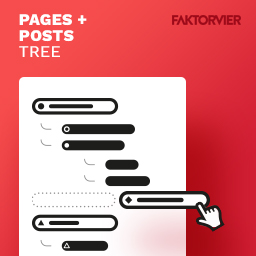
This plugin adds a neat and easy to use sidebar tree view to your posts and pages backend.

Solid choice
F4 Post Tree is a solid plugin choice in 2026, with a few things worth checking first. It runs on 500+ sites, is rated 5/5 and was last updated 4 months ago, and scores 62/100 on our health check.
- Small user base (500+ active installs)
- Very few reviews so far
How does it stack up?
Side-by-side on installs, updates, ratings & support



Daily downloads
Download spikes usually follow a new release — each site that auto-updates counts as a download.
Rankings
Where F4 Post Tree stands todayWordPress.org search rankings
Live position in the plugin search, top 100| Keyword | Position |
|---|---|
| drag-and-drop | #99 |
| hierarchy | #22 |
| sidebar | >100 |
| tree | #3 |
| treeview | #1 |
Version adoption
Share of active sites per release.
Rating breakdown
★★★★★★★★★★ 5 from 4 reviews
About F4 Post Tree
From the official readme · v2.0.5Description
F4 Post Tree adds a neat and easy to use sidebar tree view to your posts and/or pages backend.
Once activated, your posts/pages will be displayed hierarchically in the tree sidebar.
The sidebar appears on every post related page in WordPress, so you don’t have to leave your current page to manage or sort the posts/pages.
For every post status there is a icon color, so you can see if a post/page is published, draft or planned.
You can also see if someone else is currently editing a post. In this case a small lock-icon appears in the tree.
This Plugin is currently not compatible with Multisites. This feature will be added in the near future.
Usage
This plugin works out-of-the-box. By default, the tree will be displayed for both pages and posts. You can enable/disable the tree for both individually on the settings page (Settings -> F4 Post Tree).
Features overview
- Tree view sidebar for pages and posts backend
- Hierarchical order and display
- Drag and drop sorting
- Colorful icons for every post status
- Displayed on list view and edit page
- Lock symbol for posts that are currently locked by another user
- Automatically refresh if another user edits a page
Planned features
- Context menu for quick actions
- Multisite compatibility
- More tba
Upcoming PRO version
We’re working on a extended PRO version for this plugin, which adds a few neat features:
First of all, it adds support for custom post types.
But the most interesting feature is the support for menus. With this feature you can manage and sort the menus you want directly in your tree sidebar.
That means, you can activate every menu you want to be shown in the tree, so you can drag&drop posts directly at the position you want the post to appear in the menu. You don’t have do add/remove/sort posts and pages through the awkward menu page (Display -> Menus).
This feature improves the handling for menus drastic. Your editors and authors will love this!
If you are interested in this neat fetures, you can write us an email to get notified when the PRO version will be released.
Installation
- Upload the plugin files to the
/wp-content/plugins/f4-treedirectory, or install the plugin through the WordPress plugins screen directly - Activate the plugin through the ‘Plugins’ screen in WordPress
- Use the Settings -> F4 Post Tree screen to configure the plugin
Frequently asked questions
How can I add the tree to my custom post types?
This feature will be avaiable with the PRO version of our plugin. If you are interested, you can write us an email to get notified when the PRO version will be released.
When will the PRO version be released?
We don’t know yet, but as soon as possible! If you are interested, you can write us an email to get notified when the PRO version will be released.
How much will the PRO version cost?
We don’t know yet, but the pricing will be pretty reasonable. If you are interested, you can write us an email to get notified when the PRO version will be released.
Changelog
2.0.5
- Fix ajax vulnerability
- Support WordPress 7.0
2.0.4
- Update freemius sdk to version 2.13.0
- Support WordPress 6.9
2.0.3
- Fix move action for trees with a lot of nodes
2.0.2
- Make post types with orderby = menu_order sortable
- Fix pages order in tree
2.0.1
- Update translations
2.0.0
- Complete icons, style and javascript rework
- Save resized tree width on current user
- Better expanded nodes handling, so the tree stays expanded like expected
- Only poll for changes if browser tab is active
- Show better icons for posts
- Show special icon for password protected posts
- Disable sorting for non-hierarchically posts
- Migration from fancytree to wunderbaum
- Update required PHP version to 8.0.0
- Various performance and security optimisations
Screenshots


For developers
Is this your plugin? Show off the numbers.
Add a live badge to your site, docs or GitHub README. It updates on its own — no account needed.
Best F4 Post Tree alternatives
All drag-and-drop plugins →





FAQ
F4 Post Tree: quick answers
Straight answers, pulled from live WordPress.org data.
Live data from WordPress.org · checked Oct 2, 2026
Is F4 Post Tree free?
Yes. F4 Post Tree is free to download and use from the official WordPress.org plugin directory.
Is F4 Post Tree safe to use in 2026?
F4 Post Tree is a solid plugin choice in 2026, with a few things worth checking first. It runs on 500+ sites, is rated 5/5 and was last updated 4 months ago, and scores 62/100 on our health check.
How many websites use F4 Post Tree?
F4 Post Tree is active on 500+ WordPress websites and has been downloaded 13,524 times since it launched in March 2019. It was downloaded 244 times in the last 30 days.
Does F4 Post Tree work with WordPress 7.1?
F4 Post Tree is officially tested up to WordPress 7.0.6, while the latest release is 7.1.2. It may still work, but try it on a staging site first.
What PHP version does F4 Post Tree need?
F4 Post Tree requires PHP 8.0 or higher. Most hosts run PHP 8.x today, so it works on any modern WordPress hosting.
When was F4 Post Tree last updated?
The latest version, 2.0.5, was released on June 5, 2026 (4 months ago).
Who makes F4 Post Tree?
F4 Post Tree is developed and maintained by FAKTOR VIER.
What are the best alternatives to F4 Post Tree?
The most popular alternatives to F4 Post Tree are Elementor Website Builder (10M+ installs), Kirki (500K+ installs) and Page Builder by SiteOrigin (400K+ installs).
Powered by PageForge
Want thousands of pages that rank like these? Build them in an afternoon.
This directory runs on the same engine as PageForge. Turn any spreadsheet, CSV or API into thousands of fast, SEO-ready WordPress pages — with schema, internal links and AI-written copy baked in.
- CSV, Google Sheets & API data sources
- AI content, schema & internal links per page
- Works with Elementor, Gutenberg, Yoast & Rank Math
- Free on WordPress.org — no credit card


