


CMS Tree Page View – Reorder Pages with a Drag-and-Drop Tree
See every page as a drag-and-drop tree. Reorder your site structure in seconds — then edit, add and search right there.

Safe pick
Yes — CMS Tree Page View is a safe, well-maintained plugin to use in 2026. It runs on 50K+ sites, is rated 4.9/5 and was last updated 1 week ago, and scores 95/100 on our health check.
- Proven at scale on 50K+ active sites
- Loved by users — 4.9/5 from 365 reviews
- Actively developed — last update 1 week ago
- Tested with the latest WordPress (7.1)
How does it stack up?
Side-by-side on installs, updates, ratings & support



Daily downloads
Download spikes usually follow a new release — each site that auto-updates counts as a download.
Rankings
Where CMS Tree Page View stands todayWordPress.org search rankings
Live position in the plugin search, top 100| Keyword | Position |
|---|---|
| custom post types | >100 |
| drag-and-drop | #8 |
| page order | #6 |
| reorder pages | #1 |
| tree view | #1 |
Version adoption
Share of active sites per release.
Rating breakdown
★★★★★★★★★★ 4.9 from 365 reviews
About CMS Tree Page View
From the official readme · v2.7.0Description
Your whole site, laid out as one clear tree. Drag a page to move it, click to edit, and shape your structure in seconds.
See the tree in action:
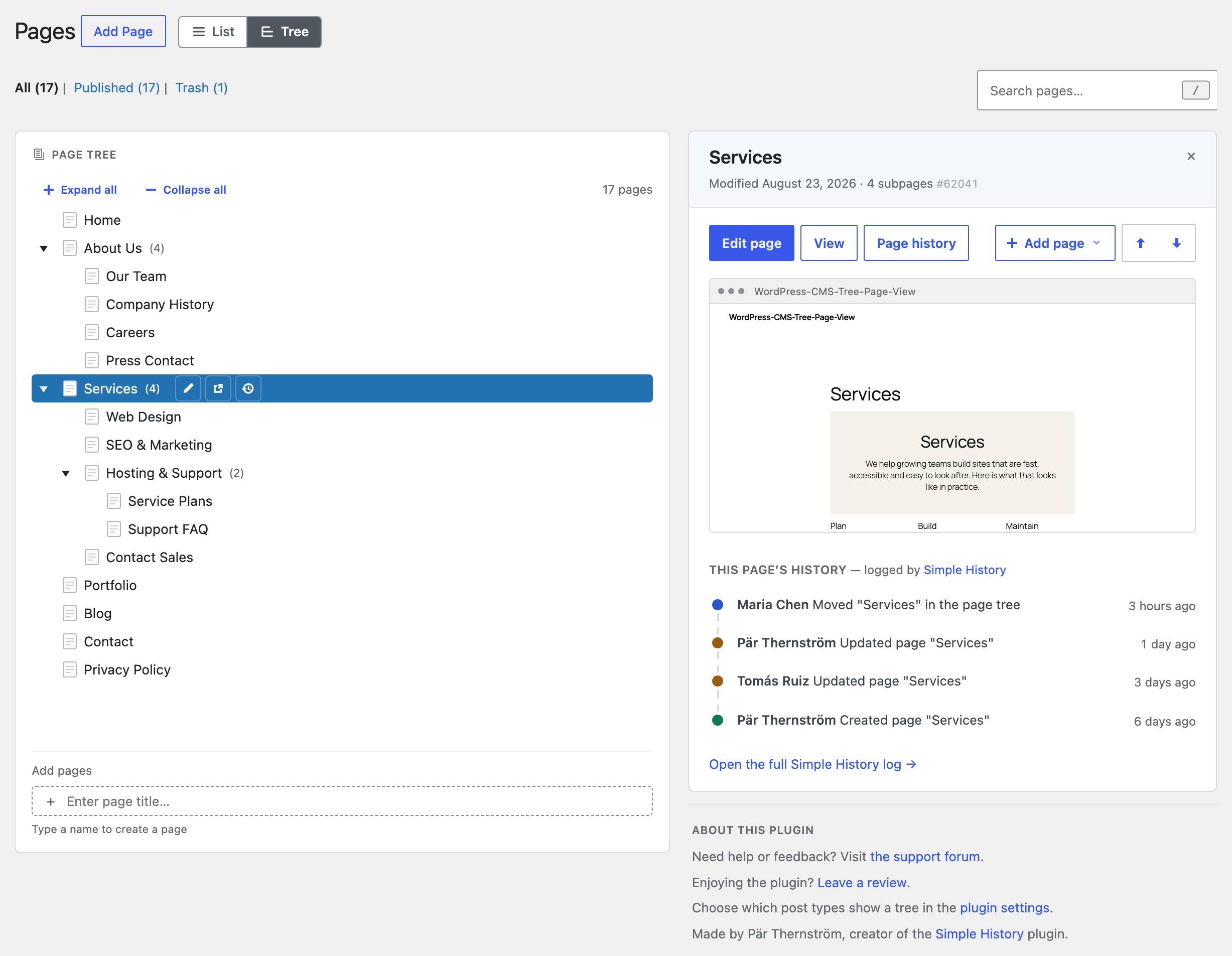
CMS Tree Page View gives WordPress the page overview it’s always been missing: one friendly tree of every page and post, so you can finally see how your site fits together — and rearrange it just by dragging.
No more clicking through endless paginated lists. Everything’s in front of you: drag a page to reorder or renest it, and edit, add or search right where you are. Setting up a brand-new site? Add a whole batch of pages at once.
Loved by editors, agencies and anyone who looks after a content-heavy site — and actively maintained again by its original author, in use since 2010 and translated into more than 20 languages.
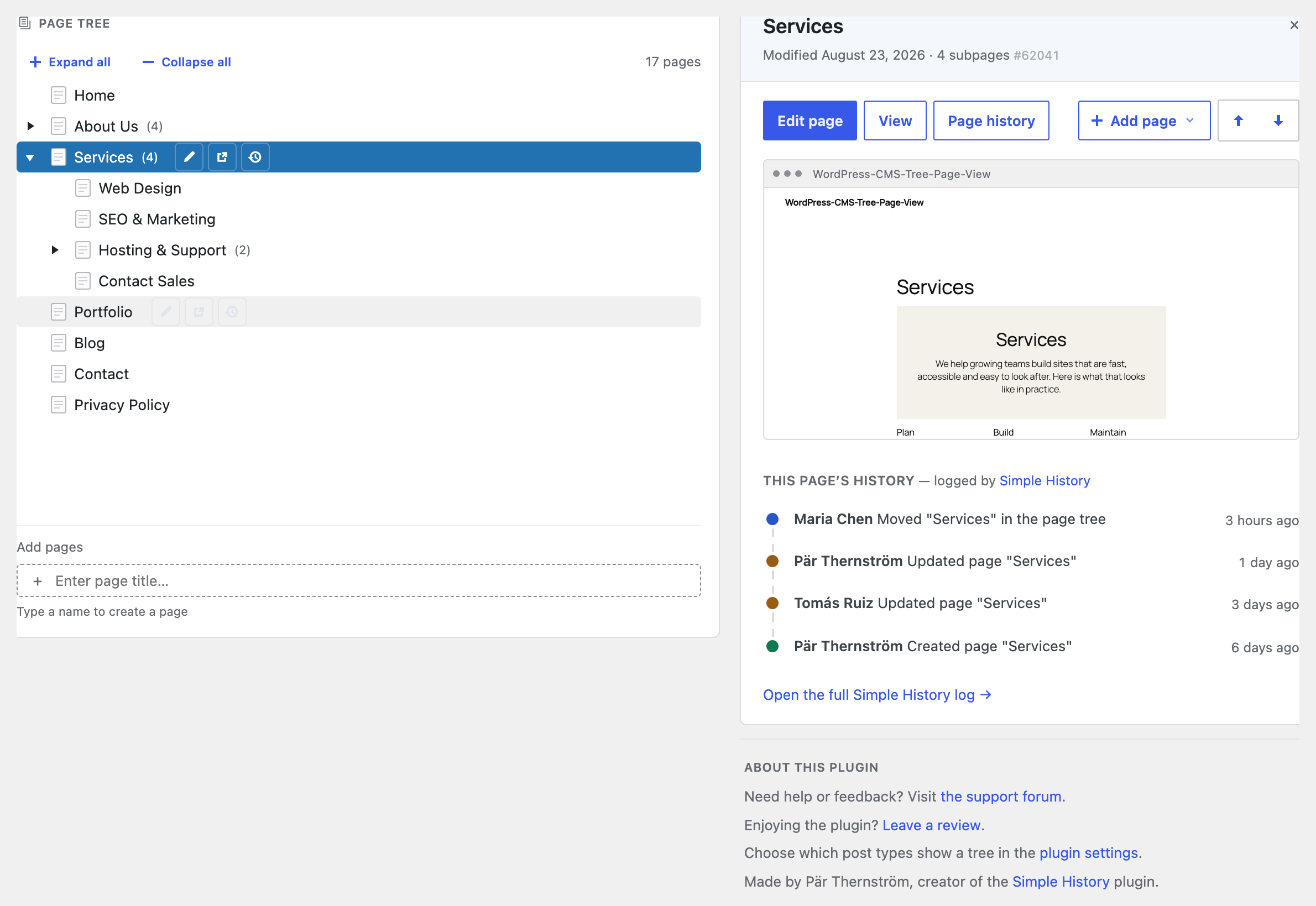
If you also run Simple History — my free activity-log plugin — the tree shows recent changes as you go: pick any page to see its history, or glance at the latest edits across your whole site, without leaving the screen.
Why you’ll like it
- See your whole site in one place. Every page, and exactly how it’s nested, in a single tree.
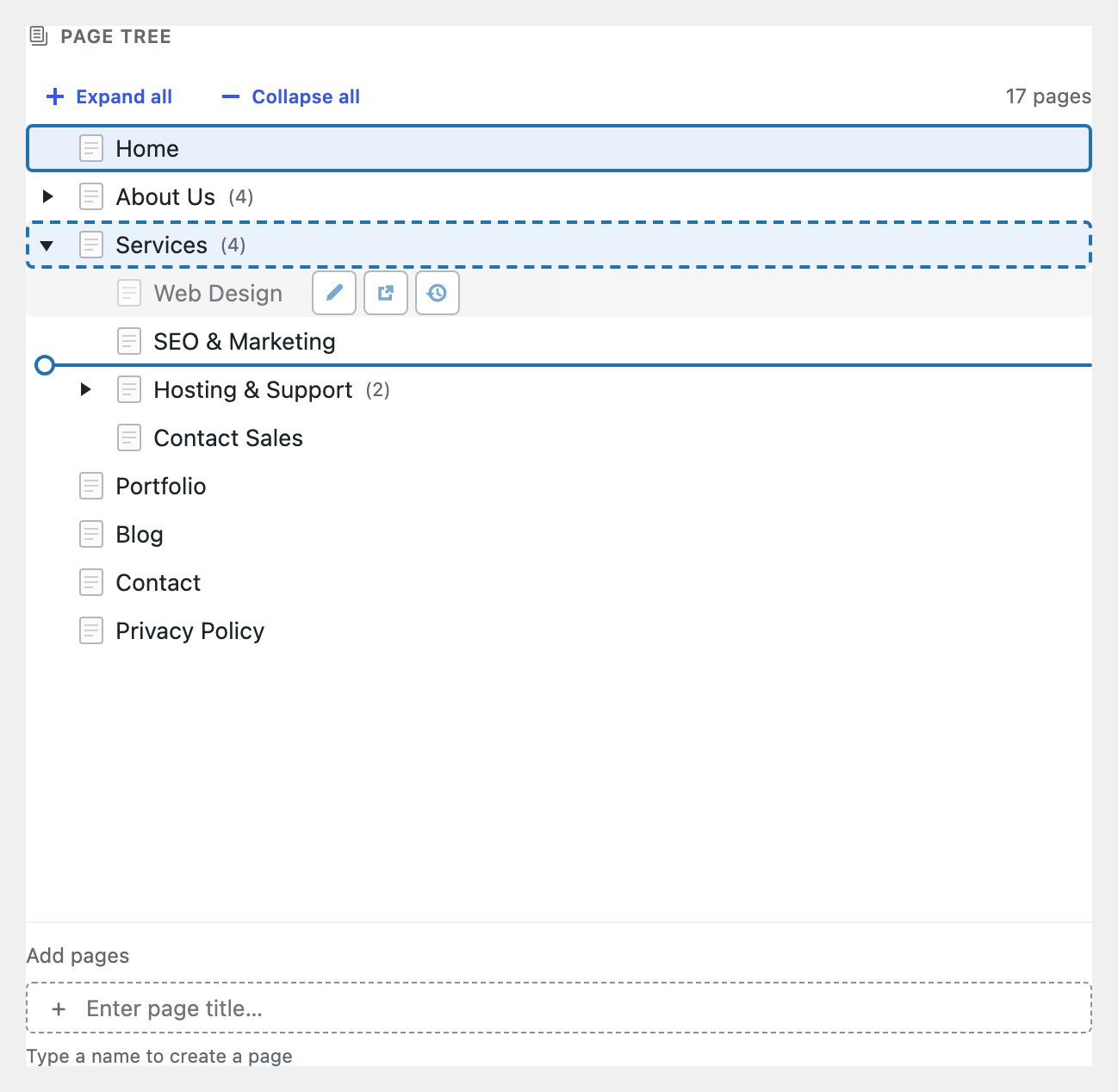
- Rearrange by dragging. Move a page up, down, or into another page just by dragging it — the order sticks, and your theme can use it too.
- Do everything without leaving the tree. Edit, view, add and search your pages right where you see them.
- Not just pages. Turn on the tree for posts, products or any content type — and drag an item from one tree into another to change what kind of thing it is.
What’s in the tree
- A clear, visual tree of your pages and posts — like folders in Finder or File Explorer
- Drag and drop to reorder and renest
- Drag a brand-new page straight into the tree to create it exactly where it belongs
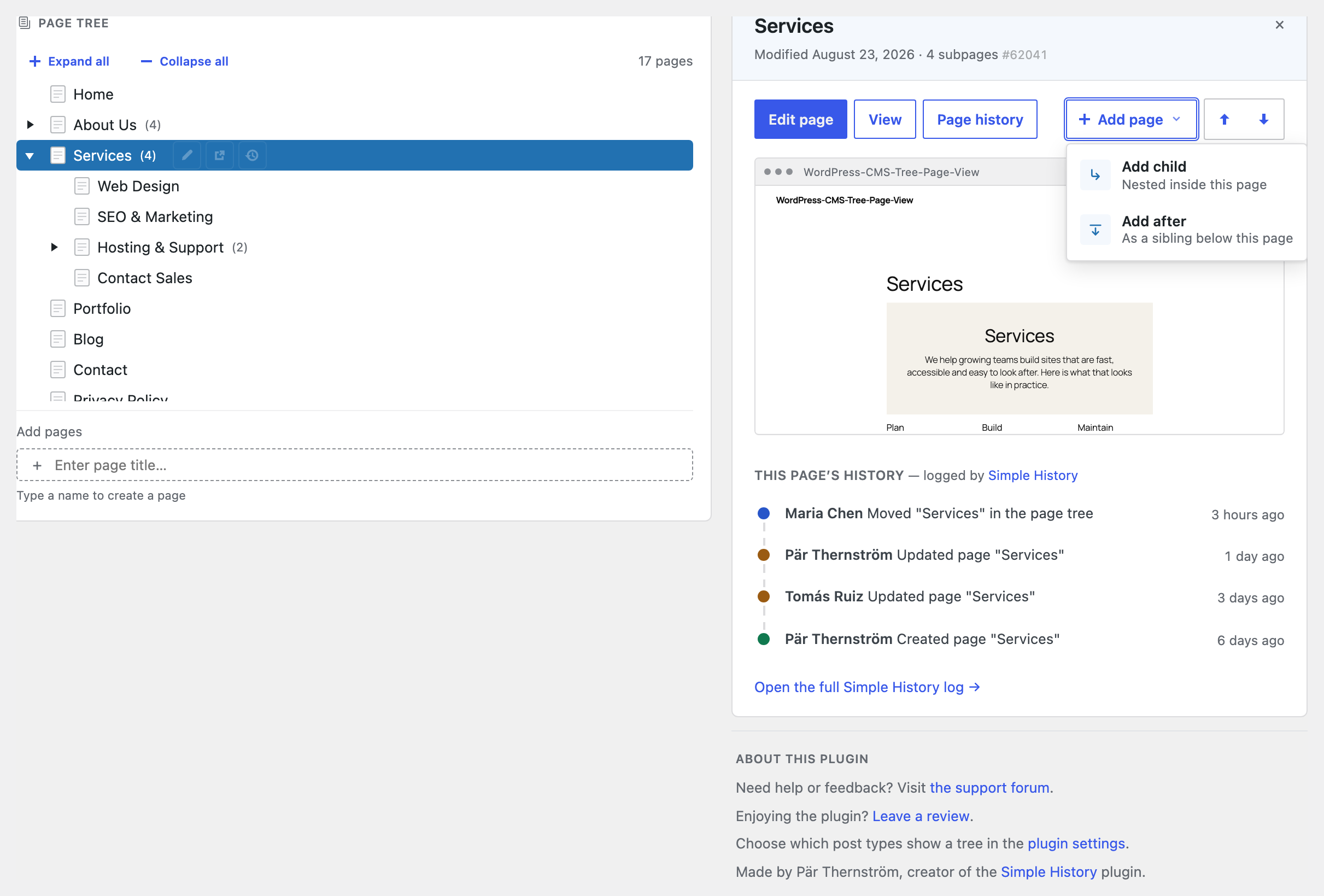
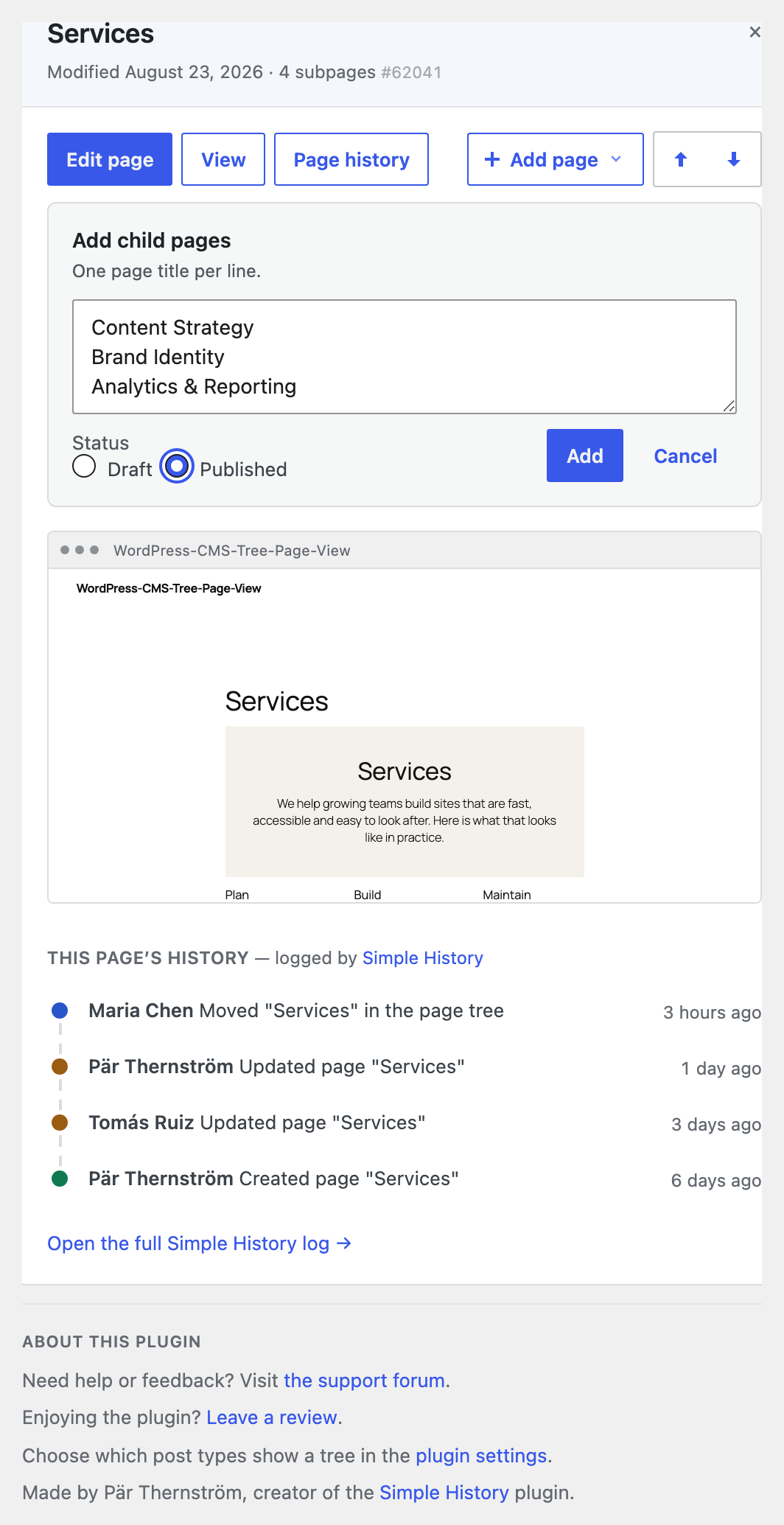
- Add a page after or inside another — or a whole batch at once
- Edit or view any page straight from its row: hover a page and the icons appear, or press “e” or “v”
- See a live preview of any page right beside the tree, without opening it
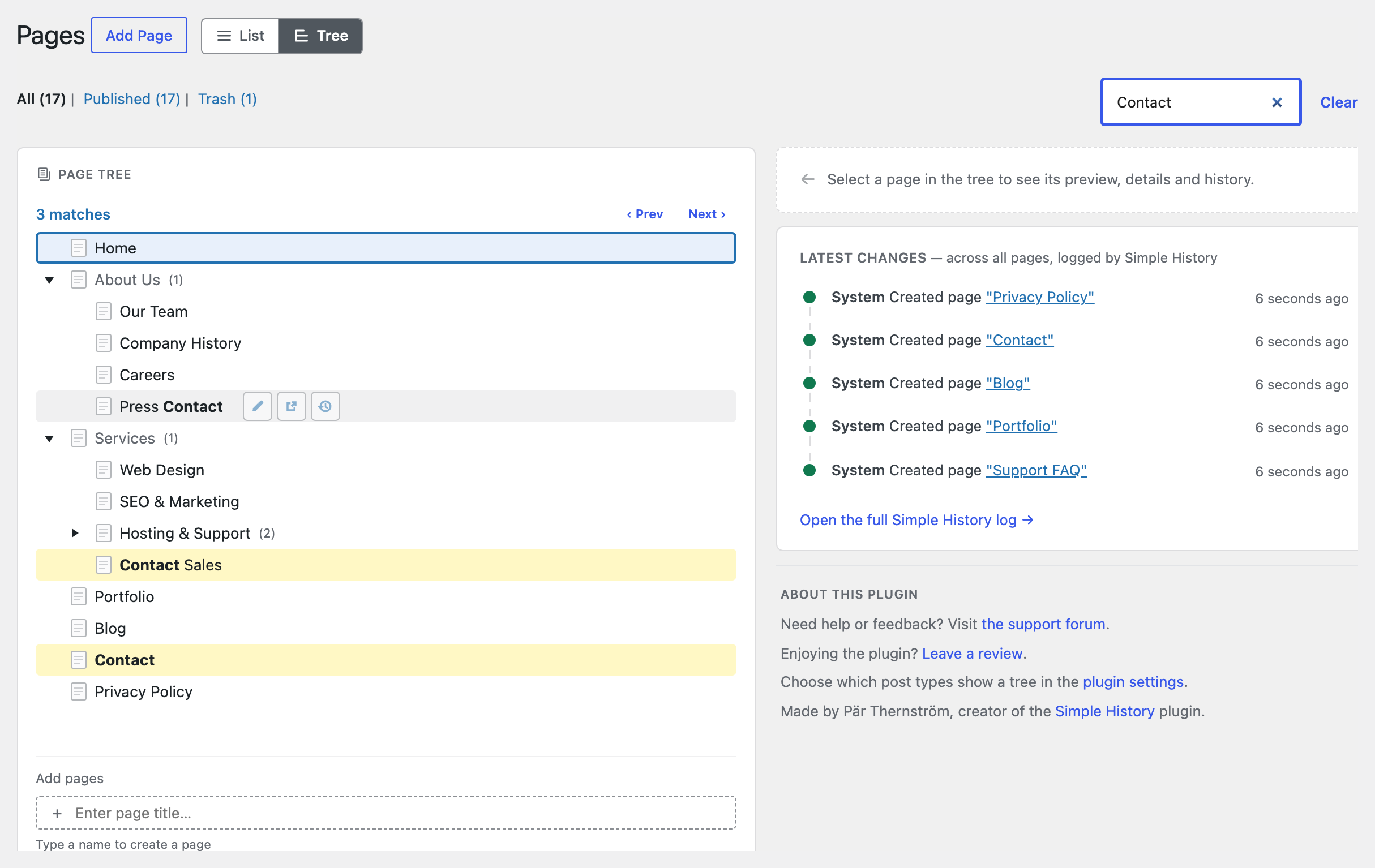
- Search the whole tree without leaving the screen
- Full keyboard navigation, so your hands can stay on the keys
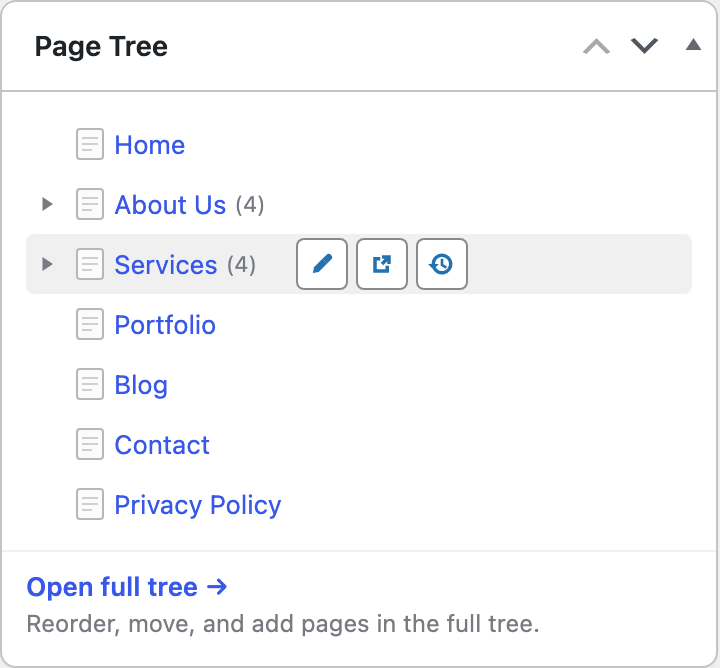
- A tree right on your dashboard, ready the moment you log in
- See who moved, edited or added a page, right beside the tree, plus a history icon on every row — when the free Simple History plugin is installed
- Works with pages, posts, products and any custom content type — hierarchical or not
Showing this order on your site
The plugin stores the order you set as WordPress’ “menu order”. It does not change how your
theme outputs your pages — to show them on the front end in the tree order, the query that
outputs them must sort by menu_order. See the FAQ below for ready-to-use code examples.
Translations/Languages
Available in 20+ languages, including German, French, Spanish, Russian, Italian, Dutch, Polish, Swedish, Greek, Finnish and Japanese.
Always show your pages in the admin area
If you want to always have a list of your pages available in your WordPress admin area, please check out the plugin
Admin Menu Tree Page View.
Donation and more plugins
- These two plugins work nicely together: install my free Simple History plugin and the tree will show you who recently moved, edited or added each page. On its own, Simple History is a complete activity log for your admin — logins (both failed and successful), post and page edits, plugin updates, user changes and more — so you can always see what happened on your site, and when.
- Using my Simple SEO plugin? The page card in the tree shows each page’s SEO title and description.
- If you like this plugin don’t forget to donate to support further development.
Installation
- Upload the folder “cms-tree-page-view” to “/wp-content/plugins/”
- Activate the plugin through the “Plugins” menu in WordPress
- Done!
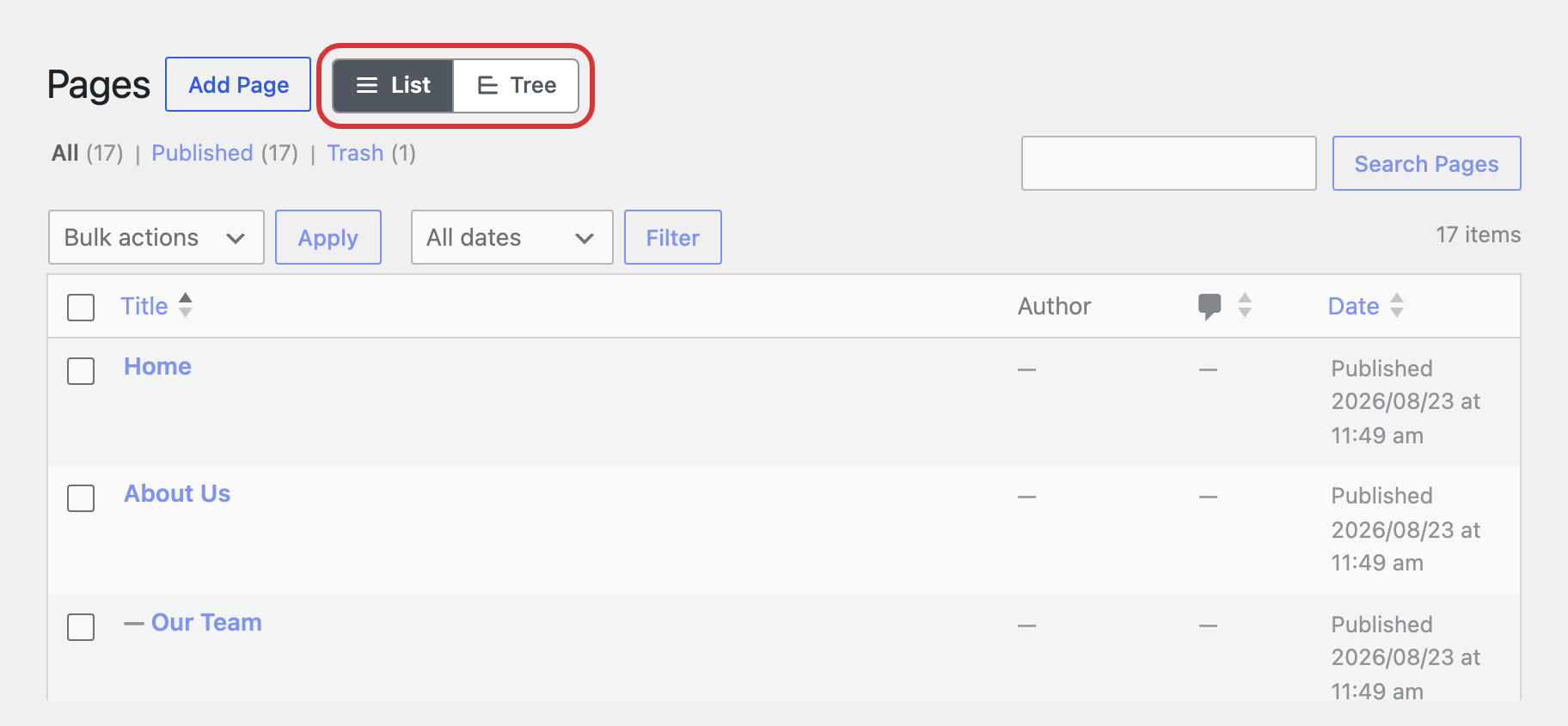
Now the tree with the pages will be visible both on the dashboard and in the menu under pages.
Changelog
2.7.0 (November 2026)
Added
- Move to top and Move to bottom buttons in the page card, next to the up and down arrows.
Changed
- The page card’s move buttons are disabled when the page is already first or last.
- After a move from the page card, the tree scrolls to keep the moved page in view.
Fixed
- Adding a page near the top of a long list is much faster (about 40 seconds down to 2 with 3000 sibling pages).
- Dragging a page to the top or bottom edge of the tree now scrolls the tree, so pages can be moved further than one screenful.
- The drop line and drop highlight now follow the pointer without lag on sites with thousands of pages.
2.6.0 (September 2026)
Added
- Page moves and additions in Simple History now link to the page’s editor and to the page in the tree.
- Developers: the
cms_tree_page_view_detail_rowsfilter adds read-only rows to the selected page’s card. Simple SEO uses it to show a page’s SEO title and description.
Removed
- The
move_cms_tree_view_pagecapability. It hasn’t controlled anything for years (moving pages needs permission to edit them), so it’s now removed from all roles.
2.5.2 (August 2026)
Fixed
- A custom post type’s tree could fail to load when a theme or plugin’s own routing reacted to
post_typein the URL; the REST API now uses non-colliding parameter names.
2.5.1 (August 2026)
Screenshots
For developers
Is this your plugin? Show off the numbers.
Add a live badge to your site, docs or GitHub README. It updates on its own — no account needed.
Best CMS Tree Page View alternatives
All custom post types plugins →





FAQ
CMS Tree Page View: quick answers
Straight answers, pulled from live WordPress.org data.
Live data from WordPress.org · checked Nov 17, 2026
Is CMS Tree Page View free?
Yes. CMS Tree Page View is free to download and use from the official WordPress.org plugin directory.
Is CMS Tree Page View safe to use in 2026?
Yes — CMS Tree Page View is a safe, well-maintained plugin to use in 2026. It runs on 50K+ sites, is rated 4.9/5 and was last updated 1 week ago, and scores 95/100 on our health check.
How many websites use CMS Tree Page View?
CMS Tree Page View is active on 50K+ WordPress websites and has been downloaded 1,830,749 times since it launched in March 2010. It was downloaded 31,517 times in the last 30 days.
Does CMS Tree Page View work with WordPress 7.1?
Yes. The developer has tested CMS Tree Page View up to WordPress 7.1.4, the latest release. It requires WordPress 6.6 or newer.
What PHP version does CMS Tree Page View need?
CMS Tree Page View requires PHP 7.4 or higher. Most hosts run PHP 8.x today, so it works on any modern WordPress hosting.
When was CMS Tree Page View last updated?
The latest version, 2.7.0, was released on November 7, 2026 (1 week ago).
Who makes CMS Tree Page View?
CMS Tree Page View is developed and maintained by Pär Thernström.
What are the best alternatives to CMS Tree Page View?
The most popular alternatives to CMS Tree Page View are Custom Post Type UI (1M+ installs), Meta Box (500K+ installs) and Pods (100K+ installs).
Powered by PageForge
Want thousands of pages that rank like these? Build them in an afternoon.
This directory runs on the same engine as PageForge. Turn any spreadsheet, CSV or API into thousands of fast, SEO-ready WordPress pages — with schema, internal links and AI-written copy baked in.
- CSV, Google Sheets & API data sources
- AI content, schema & internal links per page
- Works with Elementor, Gutenberg, Yoast & Rank Math
- Free on WordPress.org — no credit card


