


Essential Content Types
Essential Content Types allows you to feature the impressive content through different content/post types on your website just the way you want it.

Use with caution
Essential Content Types works, but test it on a staging site before relying on it in 2026. It runs on 20K+ sites, is rated 3.7/5 and was last updated 3 months ago, and scores 61/100 on our health check.
- Proven at scale on 20K+ active sites
- Very few reviews so far
How does it stack up?
Side-by-side on installs, updates, ratings & support



Daily downloads
Download spikes usually follow a new release — each site that auto-updates counts as a download.
Rankings
Where Essential Content Types stands todayWordPress.org search rankings
Live position in the plugin search, top 100| Keyword | Position |
|---|---|
| content types | #4 |
| custom content types | #5 |
| custom post types | #21 |
| post types | #17 |
| taxonomy | >100 |
Version adoption
Share of active sites per release.
Rating breakdown
★★★★★★★★★★ 3.7 from 3 reviews
About Essential Content Types
From the official readme · v2.6Description
Essential Content Types allows you to feature the impressive content through different content/post types on your website just the way you want it. These content/post types are missed by the themes in WordPress Theme Directory as the feature falls more towards the plugins’ territory.
Content is at the forefront of any website. Changing the layout of your important content changes the way your website looks, which may not be a plus point if your current website layout is loved by your users.
Additionally, switching themes changes your website layout completely. Therefore, to keep things looking spic-and- span in your website, we bring you Essential Content.
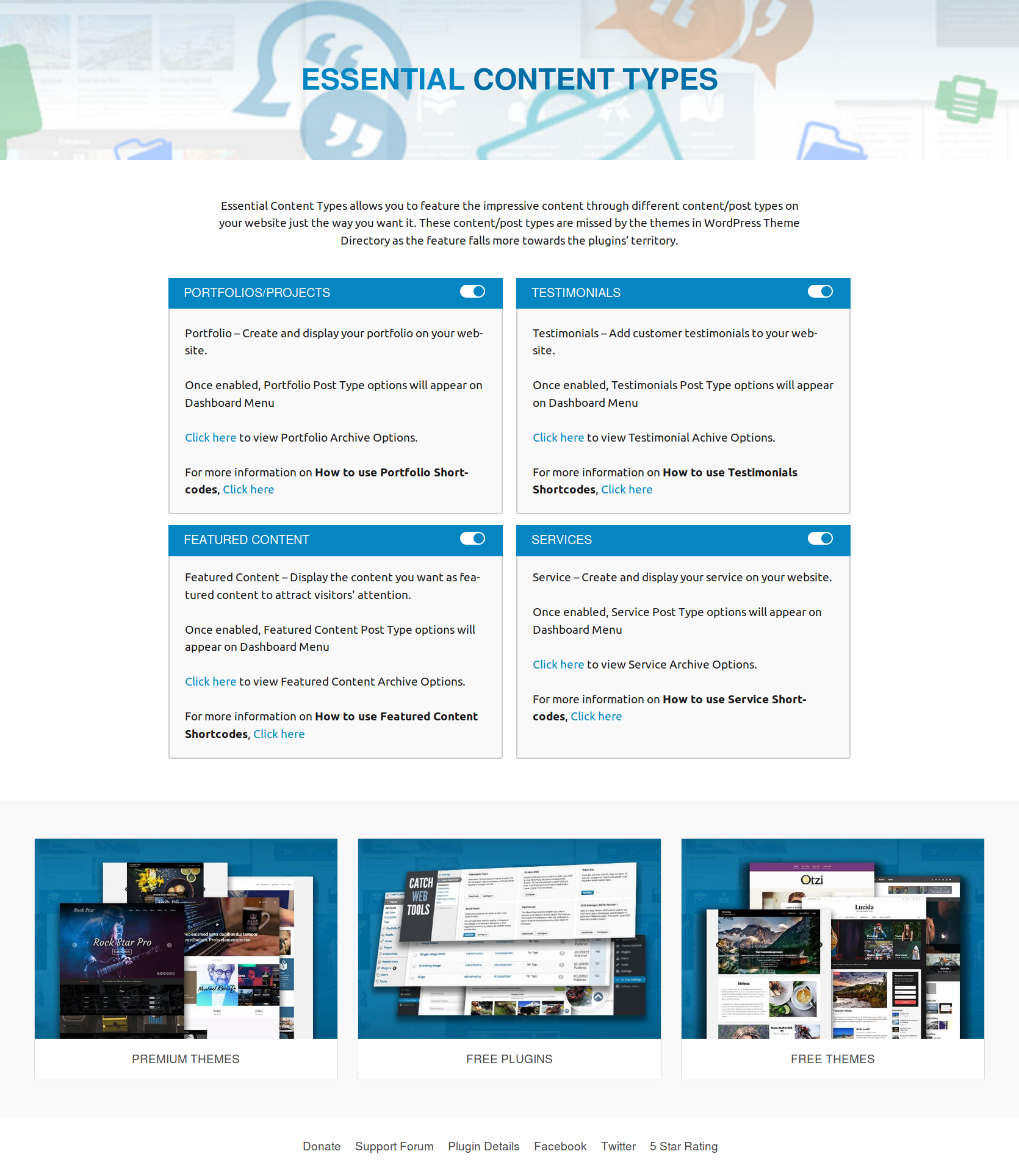
Essential Content allows you to add up to three content/post types:
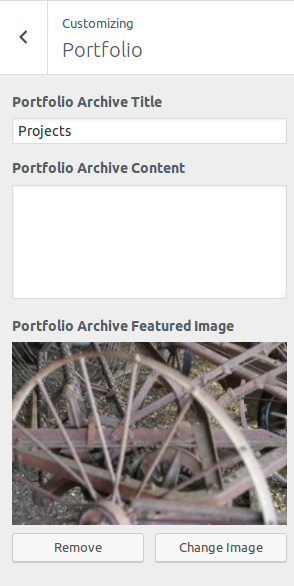
* Portfolio – Create and display your portfolio on your website
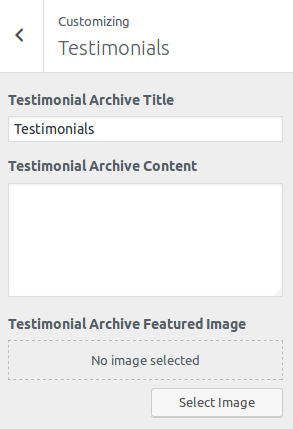
* Testimonials – Add customer testimonials to your website
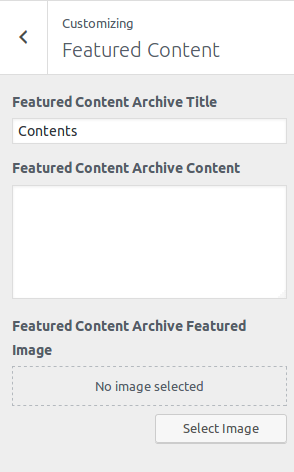
* Featured Content – Display the content you want as featured content on your website to attract visitors’ attention
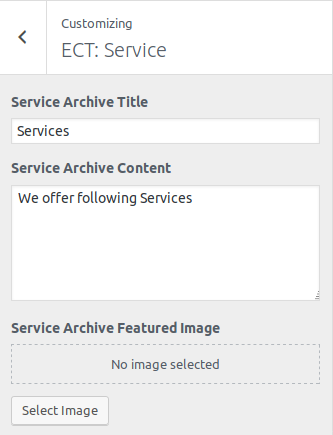
* Services – Add your services on your website
Features of Essential Content:
* Enable/Disable any content/post type as needed
* Light-weight
* Supports all themes on WordPress
Essential Content is inspired by Jetpack’s Custom Content Types feature.
However, not everyone wants to have a plugin that “does-it- all”. Some may want plugins to be niche focused and concentrate on smaller areas.
That is precisely what we have done with Essential Content. Essential content, true to its name, has only the essential elements. We have added the features that WordPressers use most. We have ruled out all other elements to make it non-bloated and clean. It takes up lesser space and does the job well.
If you think we have missed any essential content/post types, please let us know. We’ll review the frequency of usage and add your suggestions.
Portfolio Shortcode
You can use shortcodes to embed portfolio projects on posts and pages.
Embedding Portfolio Projects
To embed portfolio projects on posts and pages, first activate the Portfolio custom content type on your site and add some projects to your portfolio.
Next, add the [portfolio] shortcode to a post or page. The shortcode will display projects in different ways, depending on how you use the optional attributes to customize the portfolio layout.
Attributes
* display_types: display Project Types. (true/false)
* display_tags: display Project Tags. (true/false)
* display_content: display project content. (true/false)
* include_type: display specific Project Types. Defaults to all. (comma-separated list of Project Type slugs)
* include_tag: display specific Project Tags. Defaults to all. (comma-separated list of Project Tag slugs)
* columns: number of columns in shortcode. Defaults to 2. (number, 1-6)
* showposts: number of projects to display. Defaults to all. (number)
* order: display projects in ascending or descending order. Defaults to ASC for sorting in ascending order, but you can reverse the order by using DESC to display projects in descending order instead. (ASC/DESC)
* orderby: sort projects by different criteria, including author name, project title, and even rand to display in a random order. Defaults to sorting by date. (author, date, title, rand)
Example
[portfolio display_types="true" display_tags="false" include_type="grooming-tips,best-kitties" columns="2" showposts="10" orderby="title"]
The example will display up to ten portfolio projects in two columns, in ascending alphabetical order by project title. It will display Project Types, hide Project Tags, and only display projects that are assigned the “Grooming Tips” or “Best Kitties” Project Types.
Featured Content Shortcode
You can use shortcodes to embed featured content on posts and pages.
Embedding Featured Content Projects
To embed featured content on posts and pages, first activate the Featured Content content type on your site and add some projects to your featured content.
Next, add the [featured_content] shortcode to a post or page. The shortcode will display projects in different ways, depending on how you use the optional attributes to customize the featured content layout.
Attributes
* display_types: display Content Types. (true/false)
* display_tags: display Content Tags. (true/false)
* display_content: display project content. (true/false)
* include_type: display specific Content Types. Defaults to all. (comma-separated list of Content Type slugs)
* include_tag: display specific Content Tags. Defaults to all. (comma-separated list of Content Tag slugs)
* columns: number of columns in shortcode. Defaults to 2. (number, 1-6)
* showposts: number of projects to display. Defaults to all. (number)
* order: display projects in ascending or descending order. Defaults to ASC for sorting in ascending order, but you can reverse the order by using DESC to display projects in descending order instead. (ASC/DESC)
* orderby: sort projects by different criteria, including author name, project title, and even rand to display in a random order. Defaults to sorting by date. (author, date, title, rand)
Example
[featured_content display_types="true" display_tags="false" include_type="grooming-tips,best-kitties" columns="2" showposts="10" orderby="title"]
The example will display up to ten featured content in two columns, in ascending alphabetical order by project title. It will display Content Types, hide Content Tags, and only display projects that are assigned the “Grooming Tips” or “Best Kitties” Content Types.
Testimonials Shortcode
You can use shortcodes to embed testimonials on posts and pages.
Embedding Testimonials
To embed testimonials on posts and pages, first activate the Testimonial custom content type on your site and add some testimonials.
Next, add the [testimonials] shortcode to a post or page. The shortcode will display testimonials in different ways, depending on how you use the optional attributes to customize the testimonials layout.
Attributes
* display_content: display testimonial content. (full/true/false)
* image: display the featured image. (true/false) Defaults to true.
* columns: number of columns in shortcode. Defaults to 1. (number, 1-6)
* showposts: number of testimonials to display. Defaults to all. (number)
* order: display testimonials in ascending or descending chronological order. Defaults to ASC for sorting in ascending order, but you can reverse the order by using DESC to display testimonials in descending order instead. (ASC/DESC)
* orderby: sort testimonials by different criteria, including author name, testimonial title, and even rand to display in a random order. Defaults to sorting by date. (author, date, title, rand)
Example
[testimonials columns="2" showposts="10" orderby="title"]
The example will display up to ten testimonials in two columns, in ascending alphabetical order by testimonial title.
Service Shortcode
You can use shortcodes to embed service on posts and pages.
Embedding Service Projects
To embed service on posts and pages, first activate the Service content type on your site and add some projects to your Service.
Next, add the [services] shortcode to a post or page. The shortcode will display projects in different ways, depending on how you use the optional attributes to customize the featured content layout.
Attributes
* display_types: display Content Types. (true/false)
* display_tags: display Content Tags. (true/false)
* display_content: display project content. (true/false)
* include_type: display specific Content Types. Defaults to all. (comma-separated list of Content Type slugs)
* include_tag: display specific Content Tags. Defaults to all. (comma-separated list of Content Tag slugs)
* columns: number of columns in shortcode. Defaults to 2. (number, 1-6)
* showposts: number of projects to display. Defaults to all. (number)
* order: display projects in ascending or descending order. Defaults to ASC for sorting in ascending order, but you can reverse the order by using DESC to display projects in descending order instead. (ASC/DESC)
* orderby: sort projects by different criteria, including author name, project title, and even rand to display in a random order. Defaults to sorting by date. (author, date, title, rand)
Example
[services display_types="true" display_tags="false" include_type="grooming-tips,best-kitties" columns="2" showposts="10" orderby="title"]
The example will display up to ten featured content in two columns, in ascending alphabetical order by project title. It will display Content Types, hide Content Tags, and only display projects that are assigned the “Grooming Tips” or “Best Kitties” Content Types.
Food Menu Shortcode
You can use shortcodes to embed Food Menu on posts and pages.
Embedding Food Menu
Embedding Food Menu
To embed food menus on posts and pages, first activate the Food Menu custom content type on your site and add some food menus.
Next, add the [food_menu] shortcode to a post or page. The shortcode will display food menu in the selected post or page.
Attributes
* showposts: number of menu items to display. Defaults to all. (number)
* include_type: display specific Content Types. Defaults to all. (comma-separated list of Content Type slugs)
* include_tag: display specific Content Tags. Defaults to all. (comma-separated list of Content Tag slugs)
Example
[food_menu showposts="10" include_type="pizza,burger,breakfast"]
The example will display up to ten menu items. It will only display menu items in “Pizza”, “Burger” or “Breakfast” sections.
Translations
To translate the plugin, use translate.wordpress.org (GlotPress). You only need your WordPress.org account to join the collaborative translation project.
You can translate Essential Widgets on translate.wordpress.org.
Installation
The easy way (via Dashboard) :
- Go to Plugins > Add New
- Type in the Essential Content Types in Search Plugins box
- Click Install Now to install the plugin
- After Installation click activate to start using the Essential Content Types
- Go to Essential Content Types from Dashboard menu
- Use Shortcodes in your posts/pages/templates
Not so easy way (via FTP) :
- Download the Essential Content Types
- Unarchive Essential Content Types plugin
- Copy folder with
essential-content-types.zip - Open the ftp
\wp-content\plugins\ - Paste the plug-ins folder in the folder
- Go to admin panel => open item “Plugins” => activate Essential Content Types
- Go to Essential Content Types from Dashboard menu
- Use Shortcodes in your posts/pages/templates
Changelog
2.6 (Released: June 16, 2026)
- Bug Fixed: Settings page no longer shows PHP warnings when a content type’s options haven’t been saved yet
- Bug Fixed: Saving content-type settings no longer triggers a PHP warning if the option had never been saved before
- Bug Fixed: Food Menu drag-and-drop reordering no longer triggers a warning when an item has no menu assigned
- Bug Fixed: Testimonial position text no longer triggers a warning when a testimonial has no position set
- Bug Fixed: Settings link on the Plugins page no longer appears on unrelated plugins
- Improved: License links now use secure HTTPS
- Improved: Tag links for Portfolio, Featured Content, and Service items now reference the correct taxonomy
2.5 (Released: May 24, 2026)
- Security Fix: All admin form submissions, AJAX handlers, and meta boxes now properly validate and sanitize user input before saving
- Security Fix: Admin access checks now use WordPress capability checks instead of role checks, which works correctly with custom user roles
- Bug Fixed: Food menu price field now has its own security check before saving
- Bug Fixed: Testimonial Customizer settings (title, description, featured image) now save and display correctly whether or not Jetpack is active
- Restored: Testimonials section is again visible under Appearance > Customize when Jetpack is not active
- Bug Fixed: Portfolio section now works correctly when WooCommerce is active alongside Jetpack
- Bug Fixed: Archive page titles for non-ECT post types (e.g. blog posts) were sometimes blank or incorrect
- Bug Fixed: PHP 8 compatibility — resolved an undefined variable error on archive pages
- Bug Fixed: Uninstalling on a multisite network now correctly removes plugin data from all sites
- Bug Fixed: Several admin labels and help text that were not available for translation can now be translated
- Bug Fixed: Food menu category filtering updated to use the current WordPress API
- Improved: Admin and shortcode scripts now load in the footer for better page performance
- Compatibility check up to version 7.0
2.4 (Released: April 05, 2026)
- Bug Fixed: WordPress.WP.I18n.TextDomainMismatch
- Bug Fixed: missing_direct_file_access_protection
- Bug Fixed: WordPress.WP.I18n.MissingTranslatorsComment
- Bug Fixed:WordPress.Security.EscapeOutput.OutputNotEscaped
- Compatibility check up to version 7.0
2.3 (Released: May 13, 2025)
- Bug Fixed: Translation loading
- Compatibility check up to version 6.8
2.2.6 (Released: September 05, 2024)
- Compatibility check up to version 6.6
2.2.5 (Released: July 05, 2024)
- Bug Fixed: Localization issue (Reported by itapress)
- Bug Fixed: Text domain issue (Reported by itapress)
Screenshots
For developers
Is this your plugin? Show off the numbers.
Add a live badge to your site, docs or GitHub README. It updates on its own — no account needed.
Best Essential Content Types alternatives
All content types plugins →

FAQ
Essential Content Types: quick answers
Straight answers, pulled from live WordPress.org data.
Live data from WordPress.org · checked Sep 27, 2026
Is Essential Content Types free?
Yes. Essential Content Types is free to download and use from the official WordPress.org plugin directory.
Is Essential Content Types safe to use in 2026?
Essential Content Types works, but test it on a staging site before relying on it in 2026. It runs on 20K+ sites, is rated 3.7/5 and was last updated 3 months ago, and scores 61/100 on our health check.
How many websites use Essential Content Types?
Essential Content Types is active on 20K+ WordPress websites and has been downloaded 936,698 times since it launched in April 2017. It was downloaded 2,746 times in the last 30 days.
Does Essential Content Types work with WordPress 7.1?
Essential Content Types is officially tested up to WordPress 7.0.6, while the latest release is 7.1.2. It may still work, but try it on a staging site first.
What PHP version does Essential Content Types need?
Essential Content Types requires PHP 7.4 or higher. Most hosts run PHP 8.x today, so it works on any modern WordPress hosting.
When was Essential Content Types last updated?
The latest version, 2.6, was released on June 16, 2026 (3 months ago).
Who makes Essential Content Types?
Essential Content Types is developed and maintained by Catch Themes.
What are the best alternatives to Essential Content Types?
The most popular alternatives to Essential Content Types are Custom Post Type UI (1M+ installs), Pods (100K+ installs) and Query All The Post Types (30+ installs).
Powered by PageForge
Want thousands of pages that rank like these? Build them in an afternoon.
This directory runs on the same engine as PageForge. Turn any spreadsheet, CSV or API into thousands of fast, SEO-ready WordPress pages — with schema, internal links and AI-written copy baked in.
- CSV, Google Sheets & API data sources
- AI content, schema & internal links per page
- Works with Elementor, Gutenberg, Yoast & Rank Math
- Free on WordPress.org — no credit card


