



Kirki – Freeform Page Builder, Website Builder & Customizer
Freeform page builder & website builder for WordPress. Infinite canvas for complex, interactive websites. Built-in forms, animations & Customizer.

Safe pick
Yes — Kirki is a safe, well-maintained plugin to use in 2026. It runs on 500K+ sites, is rated 4.5/5 and was last updated 2 weeks ago, and scores 84/100 on our health check.
- Proven at scale on 500K+ active sites
- Loved by users — 4.5/5 from 81 reviews
- Actively developed — last update 2 weeks ago
- Tested with the latest WordPress (7.1)
How does it stack up?
Side-by-side on installs, updates, ratings & support



Daily downloads
Download spikes usually follow a new release — each site that auto-updates counts as a download.
Rankings
Where Kirki stands todayWordPress.org search rankings
Live position in the plugin search, top 100| Keyword | Position |
|---|---|
| drag-and-drop | #20 |
| form builder | #28 |
| freeform canvas | #1 |
| page builder | #8 |
| website builder | #3 |
Version adoption
Share of active sites per release.
Rating breakdown
★★★★★★★★★★ 4.5 from 81 reviews
About Kirki
From the official readme · v6.3.1Description
Kirki is a freeform visual builder for WordPress and an advanced theme customizer that lets you design and build complete websites visually — without coding.
Unlike traditional page builders, Kirki uses an infinite freeform canvas, giving you full creative freedom without rigid grids or layout restrictions.
Build landing pages, business websites, blogs, and full websites with responsive controls, dynamic content, and powerful design tools — all inside WordPress.
Watch Kirki in action:
🔥 Why Choose Kirki?
Kirki combines a modern visual builder with WordPress’s powerful customization system — so you can design freely without sacrificing flexibility.
✔ Freeform canvas — no rigid layouts or constraints
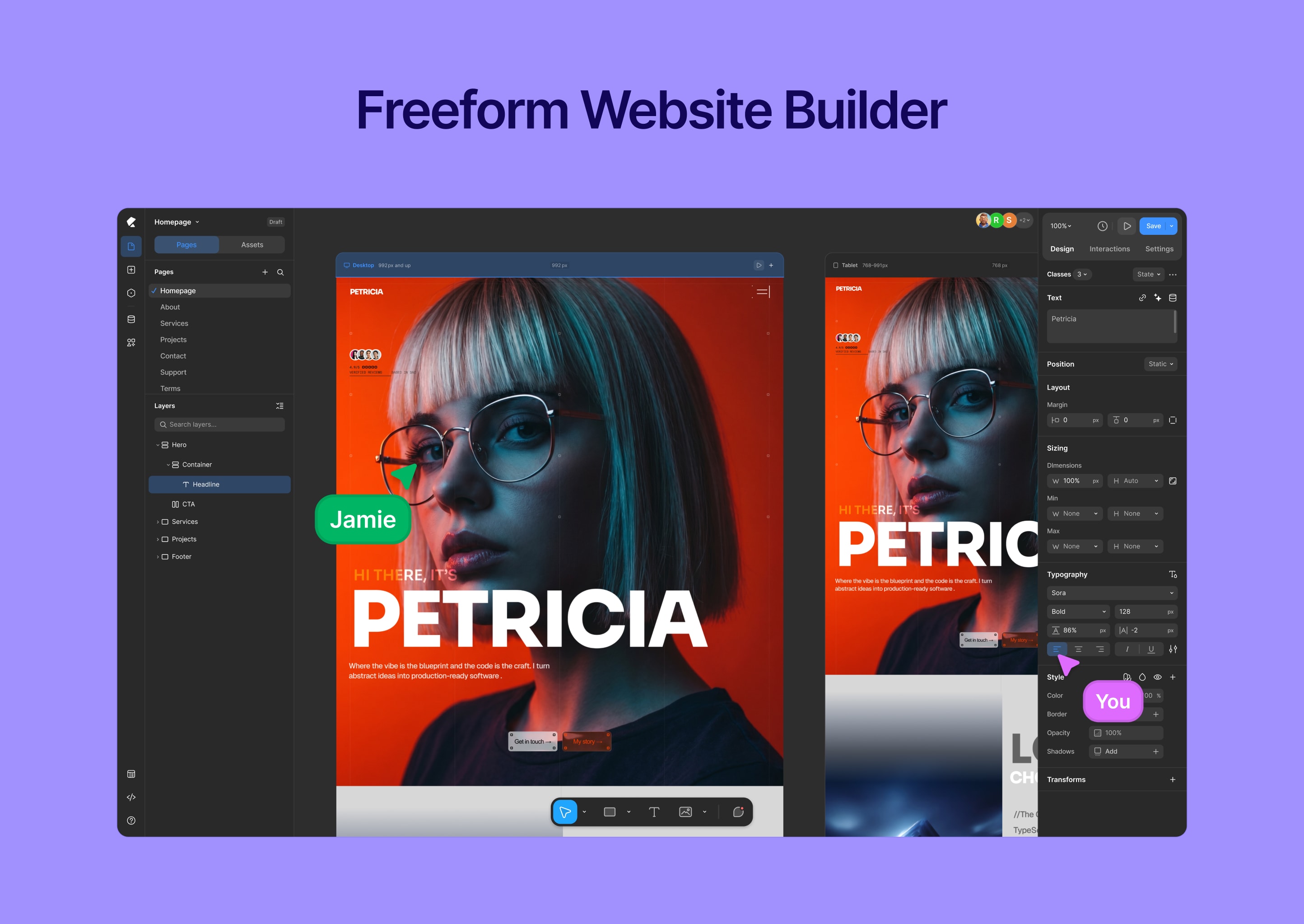
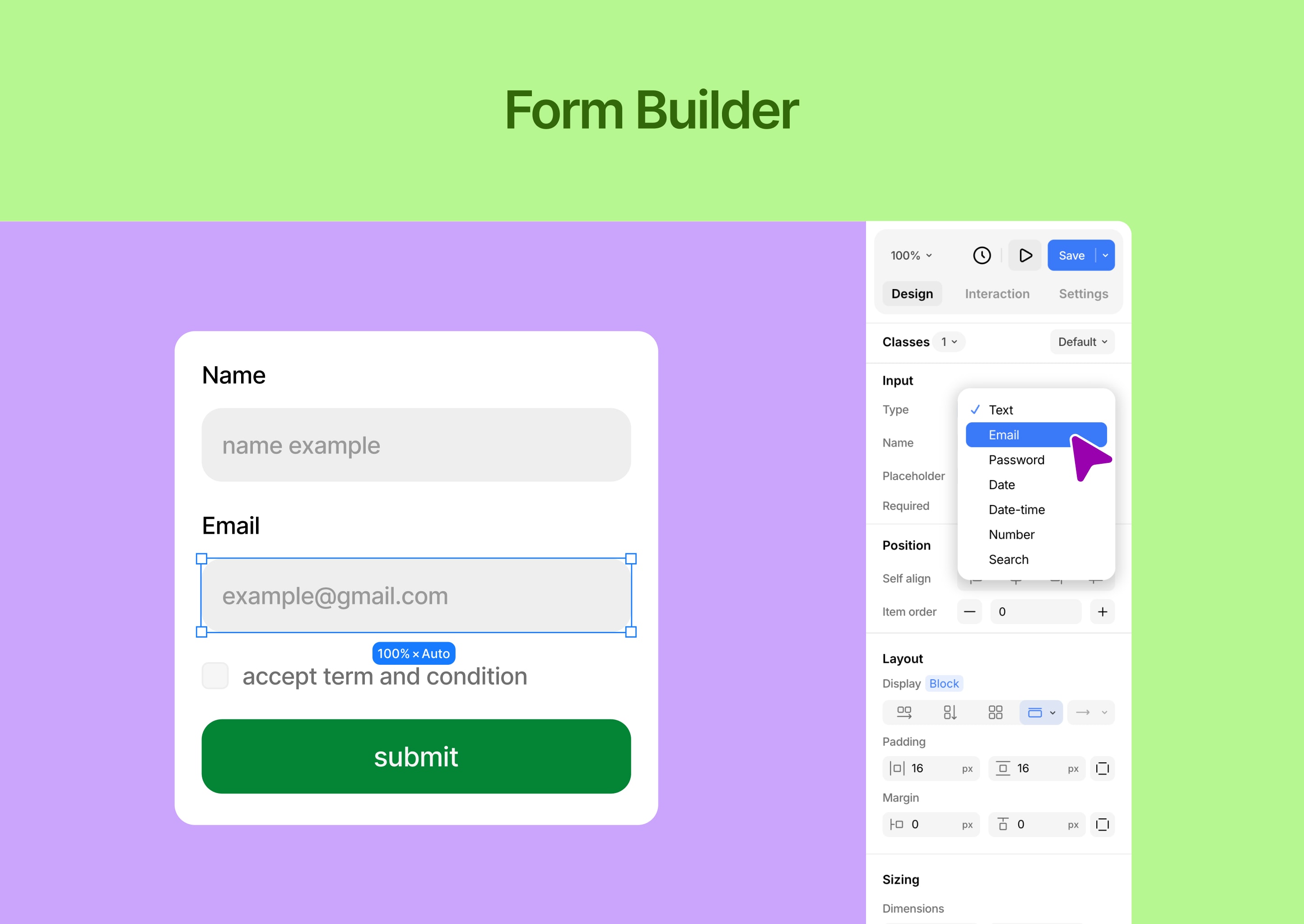
✔ Drag-and-drop visual editor with precise control
✔ Responsive editing for desktop, tablet, and mobile
✔ Built-in tools (forms, popups, dynamic content)
✔ Clean, performance-focused output
✔ Works with any WordPress theme
✔ Built for designers, developers, and teams
🧱 Core Features
Visual Website Builder
Design your website visually with full control.
- Freeform drag-and-drop editor
- Infinite canvas — no grid or column restrictions
- Real-time responsive editing (desktop, tablet, mobile)
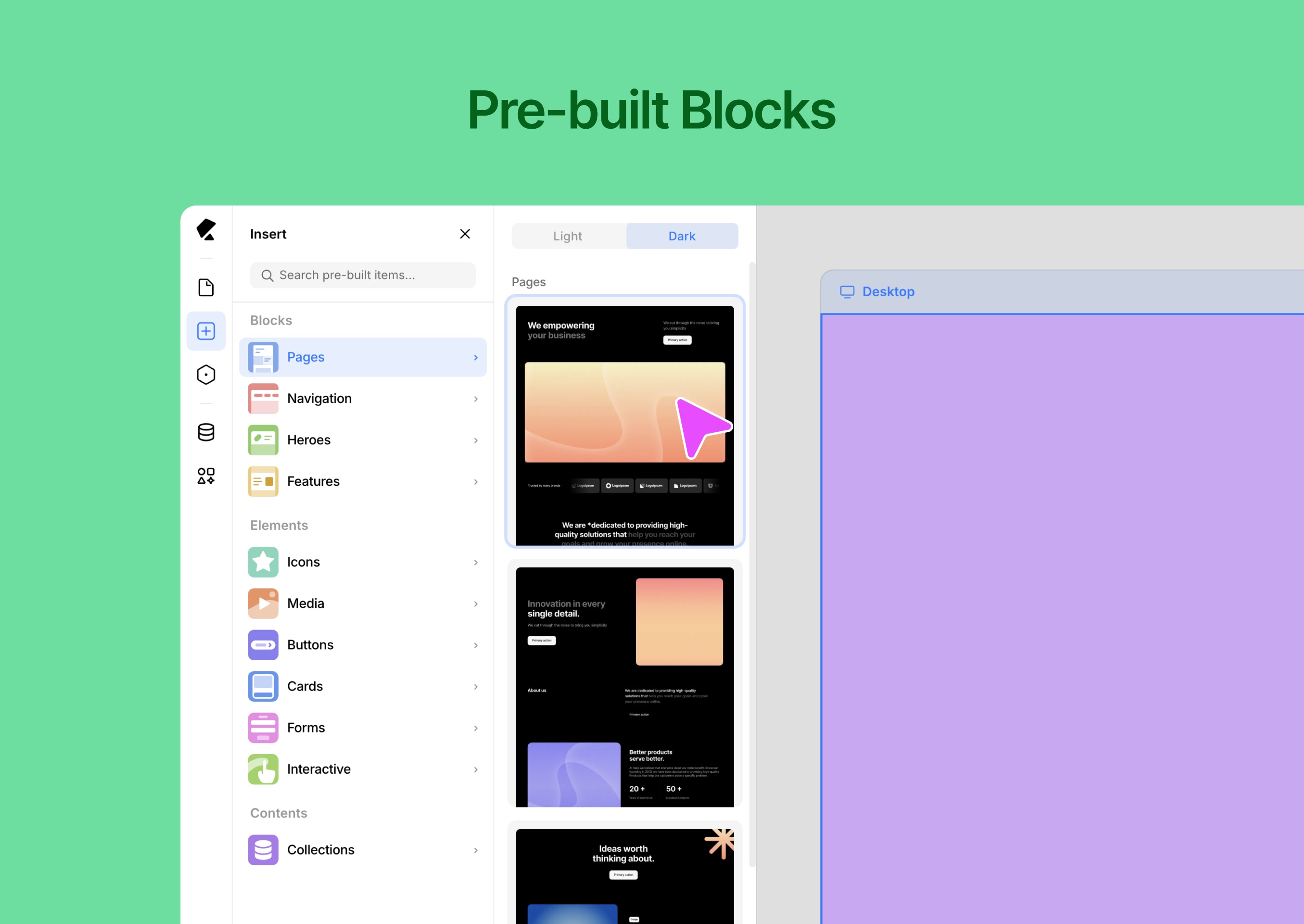
- Pre-built components and layout blocks
- Global styles (colors, fonts, spacing)
- Version history and rollback
- Media manager for assets
- Light & dark mode interface
⚡ Dynamic Content & Smart Features
Build scalable, data-driven websites.
- Dynamic content system (collections & templates)
- Conditional visibility controls
- Custom attributes for advanced control
- Developer-friendly extensibility
- Reusable design systems and components
🎨 Templates & Design Assets
Start fast and customize everything.
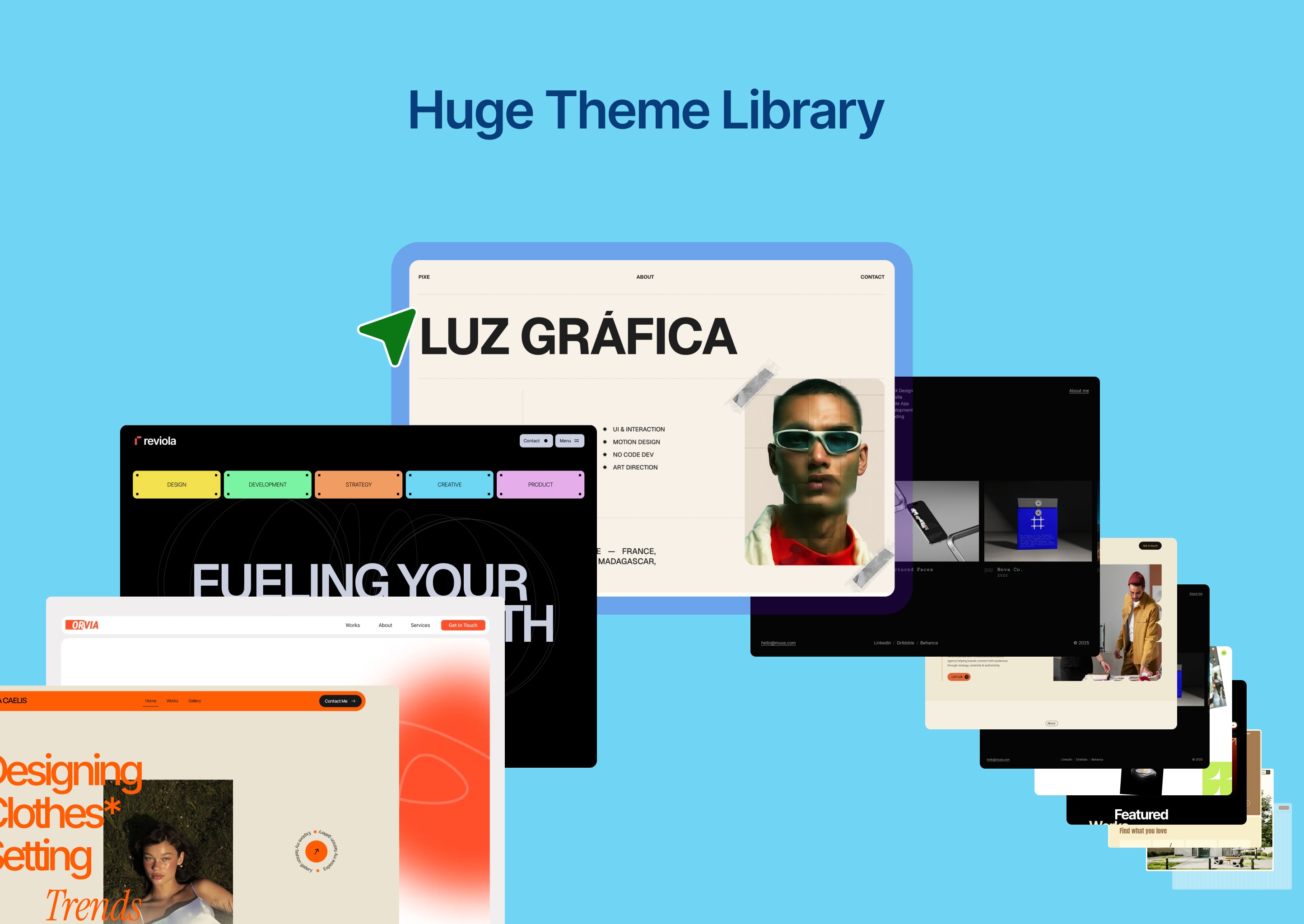
- Ready-made website templates
- Pre-built sections and layout blocks
- Reusable design assets
- Import / export projects easily
🧩 Built-in Tools
Everything you need — without extra plugins.
- Form builder with submission management
- Popup builder with visual controls
- Interaction and animation builder
- Icon library and media tools
🎬 Interactions & Animations
Create engaging, modern experiences.
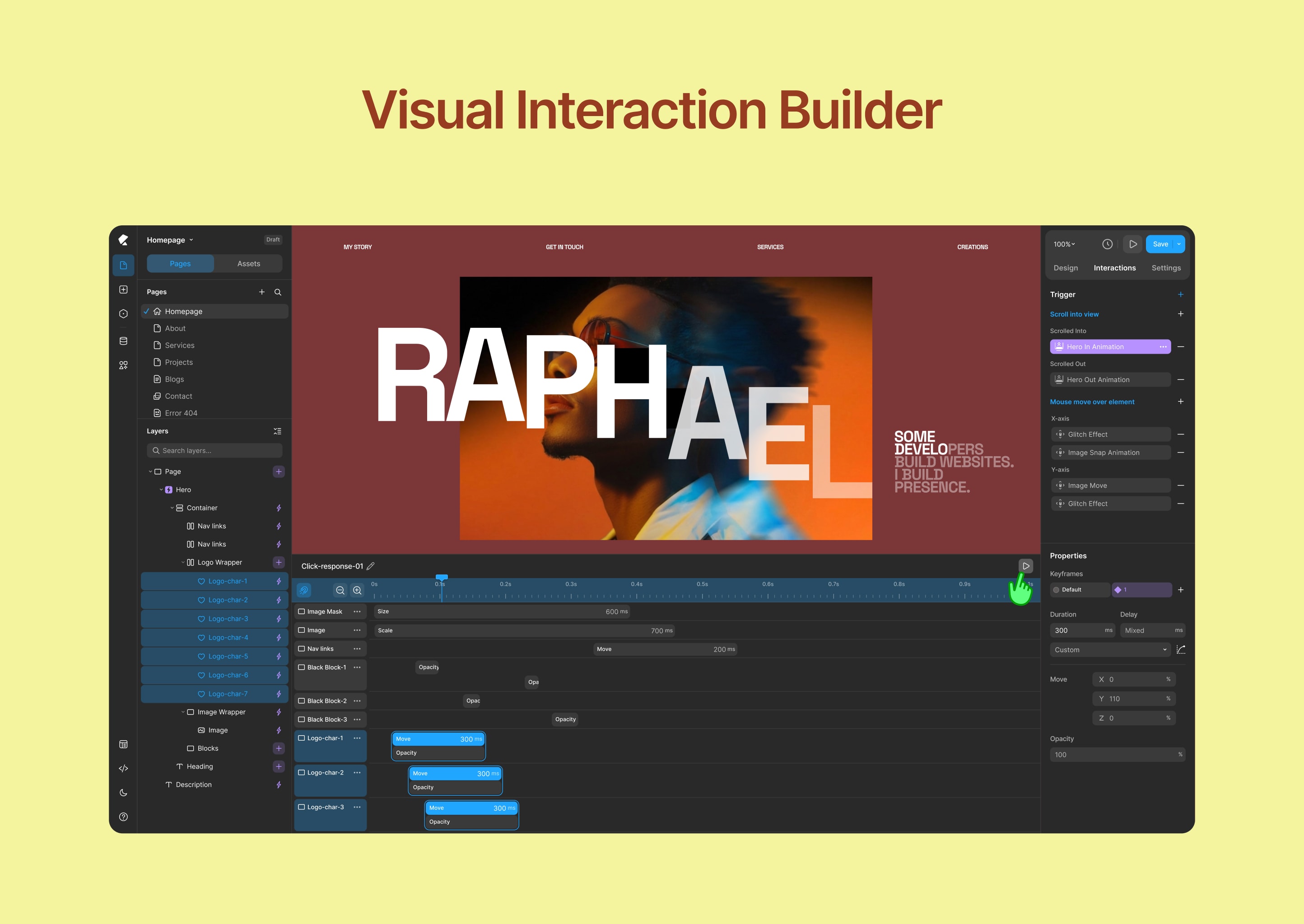
- Visual animation builder
- Interaction timeline editor
- Custom transitions and effects
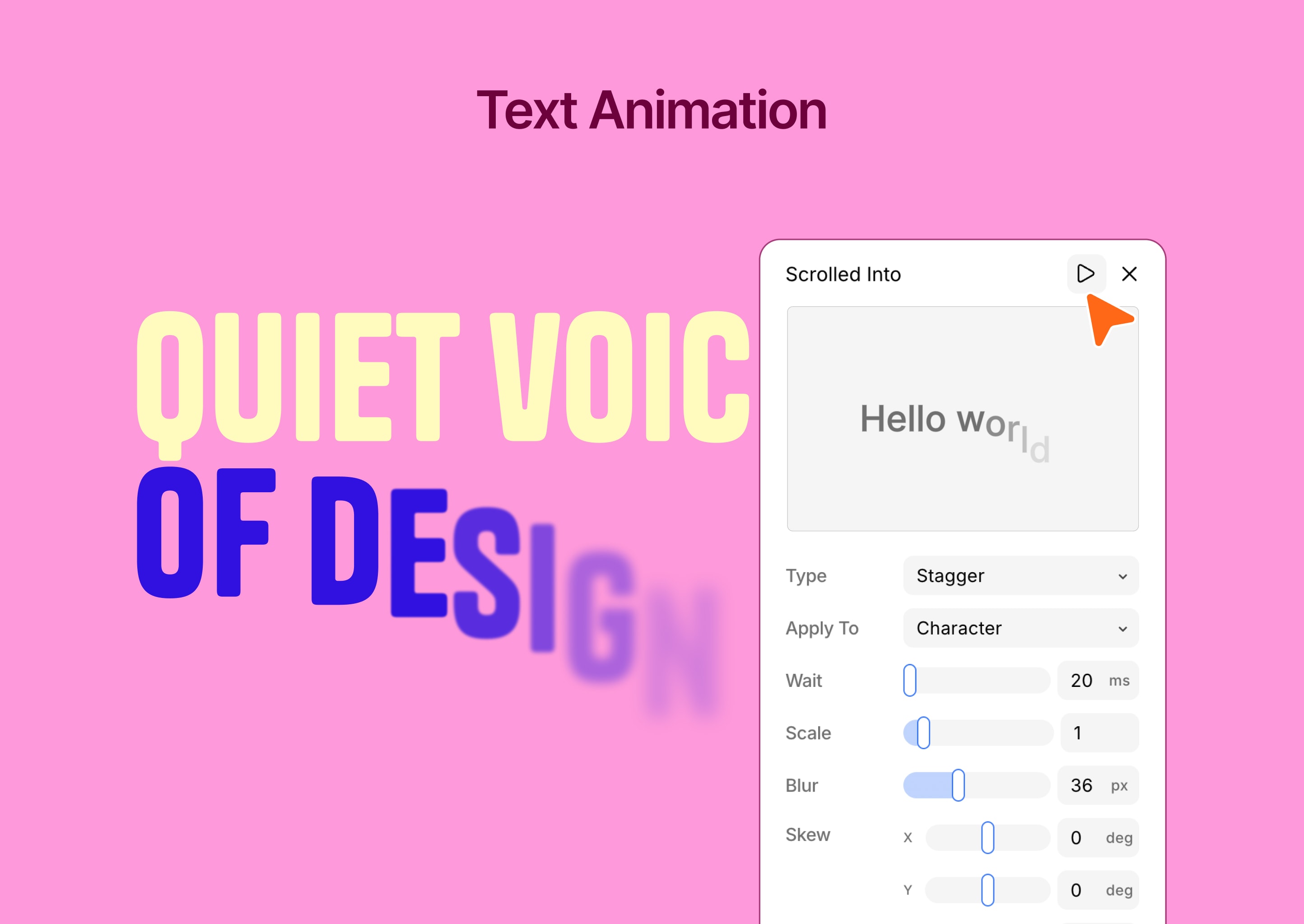
- Text animation tools
⚙️ Advanced WordPress Customizer
Extend WordPress customization with powerful controls.
- 35+ customizer controls
- Real-time preview
- Automatic CSS generation
- Conditional logic support
- Developer-friendly API
- Performance optimized
👥 Who Is Kirki For?
- Designers who want full creative freedom
- Freelancers building client websites
- Agencies managing multiple projects
- Developers extending WordPress functionality
- Anyone looking for a no-code visual builder for WordPress
🚀 What Makes Kirki Different?
Kirki is not just another page builder.
Instead of forcing layouts into rows and columns, Kirki gives you a freeform design experience — similar to modern design tools — while keeping the full power of WordPress.
Design freely. Build with WordPress.
Support
- Community support: https://facebook.com/groups/kirkicommunity
- Documentation: https://kirki.com/docs
- Website: https://kirki.com
Installation
- Go to Plugins → Add New
- Search for Kirki
- Click Install Now and Activate
Or manually:
- Upload the plugin to
/wp-content/plugins/kirki/ - Activate via WordPress dashboard
- Open Kirki and start building
Frequently asked questions
Is Kirki free?
Yes, Kirki is free to use. Additional advanced features are available in Kirki Pro.
What’s included in the free version?
The free version includes the full Customizer framework with 35+ controls, and the core visual builder. Kirki Pro unlocks advanced capabilities including dynamic content, the full interaction timeline, popup builder, and premium templates.
Do I need coding knowledge?
No. Kirki is designed for visual, no-code website building.
Can I use Kirki with any theme?
Yes, Kirki works with any WordPress theme.
Is Kirki responsive?
Yes. You can design for desktop, tablet, and mobile.
Can I export my designs?
Yes, import and export features are available.
Does Kirki support dynamic content?
Yes, you can create dynamic templates and data-driven designs.
Where can I get support?
Free users can get help from the Kirki community on Facebook: https://facebook.com/groups/kirkicommunity — thousands of designers and developers ready to help. Priority ticket support is available for Pro and Agency plan users at https://kirki.com/support
I was using Kirki as a Customizer framework. Has anything changed?
Nothing. All existing Customizer controls are fully preserved. Your current setup will not be affected by the update. The visual builder is simply a new addition on top of the framework you already rely on.
Changelog
Kirki 6.0.0 is a major release — the builder has been fully rebuilt as a freeform visual canvas and rebranded from Droip to Kirki. All existing Customizer controls are fully preserved — no changes to your current setup. We strongly recommend backing up your site before updating.
6.3.1
- New: Added dynamic content support to ComponentInstanceFields.
- New: Added SVG selection color preview for updating SVG fill and stroke colors.
- New: Pusher broadcasting configuration for faster, real-time updates.
- Update: Variable search now supports searching by value.
- Update: Pasting copied strings or elements is now supported across multiple selected elements.
- Update: Improved drag-and-drop snapping by adjusting coordinates when the closest vertical and horizontal snap points are detected.
- Update: Resizing elements while holding Shift now maintains the aspect ratio in all drag directions.
- Update: Added blend mode support for multiple selected elements.
- Update: Preserved the component edit canvas size across create and save actions.
- Update: The component editing canvas now automatically adapts to the content size.
- Fix: Fixed a viewport-wise CSS inheritance issue affecting text styles.
- Fix: Resolved an issue with form data export.
- Fix: Fixed an issue where transparent or PNG images could get a black background when pasted.
6.3.0
- New: Master Components, nested component support, and Custom Component Fields.
- New: Freeform Positioning across breakpoints for absolutely and fixed-positioned elements.
- Update: Copy/paste interactions now understand the element structure and hierarchy, enabling more accurate operations.
- Update: Media selection experience improved for background image, cms, and other media fields.
- Update: Optimizing canvas drag and drop element outline indicators.
- Fix: Fixed the bulk update functionality to change the post_status of Content Manager items to Draft.
- Fix: Keyboard shortcuts now work seamlessly with French and other international keyboard layouts.
- Fix: Resolved collection rendering issue with view-only tokens.
- Fix: Addressed all known security vulnerabilities.
6.2.5
- Update: Redesigned the Island toolbar with updated icons, layout, and functionality.
- Update: Moved the editor’s dark/light mode controls to the Island.
- Update: Updated SVG element settings.
- Update: Improved responsive device resizing based on minimum and maximum device width ranges.
- Update: Updated Form reCAPTCHA element settings and functionality.
- Update: Refreshed the empty placeholder design for Image, Video, Lottie, and Lightbox elements.
- Fix: Resolved an issue causing DynamicTextBox to glitch when focused.
6.2.4
- Update: Verify font files before parsing OpenType features.
- Update: Show the text clamp value when a font-size clamp is configured.
- Fix: Resolve an issue with the Dashboard page list API when deleting a page.
- Fix: Address security vulnerabilities related to XSS through attacker-injected object keys.
- Fix: Fully disable unauthorized POST API calls.
6.2.3
- New: Copy-and-paste interactions now also support the interaction library.
- Update: Updated the default styles for headings, buttons, images, and tabs.
- Fix: Fixed an issue with font family OpenType feature data parsing.
- Fix: Prevented font upload issues when changing file extensions.
- Fix: Reset typography-related CSS when applying a text style.
- Fix: Removed ZIP file upload functionality from custom font uploads.
6.2.2
- New: Added Element Multiselect for selecting and editing multiple elements at once.
- New: Added vertical resizing for the custom interaction timeline editor.
- Update: Advanced typography panel functionality updated for open type feature text.
- Update: Text animations now play only when the element enters the viewport.
- Update: Improved the Layer Panel and Canvas drag preview opacity for better visibility.
- Update: Removed the File element from the Form Builder.
- Fix: Resolved specificity issues in text style and variable CSS generation.
- Fix: Fixed custom animation timeline previews so transform animations replay chronologically instead of collapsing by property.
Screenshots
For developers
Is this your plugin? Show off the numbers.
Add a live badge to your site, docs or GitHub README. It updates on its own — no account needed.
Best Kirki alternatives
All drag-and-drop plugins →





FAQ
Kirki: quick answers
Straight answers, pulled from live WordPress.org data.
Live data from WordPress.org · checked Sep 27, 2026
Is Kirki free?
Yes. Kirki is free to download and use from the official WordPress.org plugin directory.
Is Kirki safe to use in 2026?
Yes — Kirki is a safe, well-maintained plugin to use in 2026. It runs on 500K+ sites, is rated 4.5/5 and was last updated 2 weeks ago, and scores 84/100 on our health check.
How many websites use Kirki?
Kirki is active on 500K+ WordPress websites and has been downloaded 15,687,696 times since it launched in May 2014. It was downloaded 350,577 times in the last 30 days.
Does Kirki work with WordPress 7.1?
Yes. The developer has tested Kirki up to WordPress 7.1.2, the latest release. It requires WordPress 5.9 or newer.
What PHP version does Kirki need?
Kirki requires PHP 7.4 or higher. Most hosts run PHP 8.x today, so it works on any modern WordPress hosting.
When was Kirki last updated?
The latest version, 6.3.1, was released on September 15, 2026 (2 weeks ago).
Who makes Kirki?
Kirki is developed and maintained by Themeum.
What are the best alternatives to Kirki?
The most popular alternatives to Kirki are Elementor Website Builder (10M+ installs), Page Builder by SiteOrigin (400K+ installs) and Page Builder: Pagelayer (400K+ installs).
Powered by PageForge
Want thousands of pages that rank like these? Build them in an afternoon.
This directory runs on the same engine as PageForge. Turn any spreadsheet, CSV or API into thousands of fast, SEO-ready WordPress pages — with schema, internal links and AI-written copy baked in.
- CSV, Google Sheets & API data sources
- AI content, schema & internal links per page
- Works with Elementor, Gutenberg, Yoast & Rank Math
- Free on WordPress.org — no credit card


