



Post and Page Builder by BoldGrid – Visual Drag and Drop Editor
Post and Page Builder is a standalone plugin which adds functionality to the existing TinyMCE Editor.

Solid choice
Post and Page Builder by BoldGr… is a solid plugin choice in 2026, with a few things worth checking first. It runs on 50K+ sites, is rated 4.7/5 and was last updated 2 months ago, and scores 75/100 on our health check.
- Proven at scale on 50K+ active sites
- Loved by users — 4.7/5 from 140 reviews
- Tested with the latest WordPress (7.1)
How does it stack up?
Side-by-side on installs, updates, ratings & supportDaily downloads
Download spikes usually follow a new release — each site that auto-updates counts as a download.
Rankings
Where Post and Page Builder by Bo… stands todayWordPress.org search rankings
Live position in the plugin search, top 100| Keyword | Position |
|---|---|
| boldgrid | #3 |
| drag-and-drop | #6 |
| editor | #55 |
| page builder | #16 |
| tinyMCE | #15 |
Version adoption
Share of active sites per release.
Rating breakdown
★★★★★★★★★★ 4.7 from 140 reviews
About Post and Page Builder by BoldGrid
From the official readme · v1.27.15Description
What is the Post and Page Builder by BoldGrid?
The Post and Page Builder is an intuitive drag and drop editor plugin and the easiest way to create and edit pages for any theme. Whether you are new to WordPress or consider yourself a pro, BoldGrid solutions will make your WordPress life better. Stop dealing with site-breaking shortcodes and theme restricted editors. You are going to love just how fast and easily you can create beautiful websites now.
Try out the BoldGrid Demo on Cloud WordPress to see for yourself!
Features
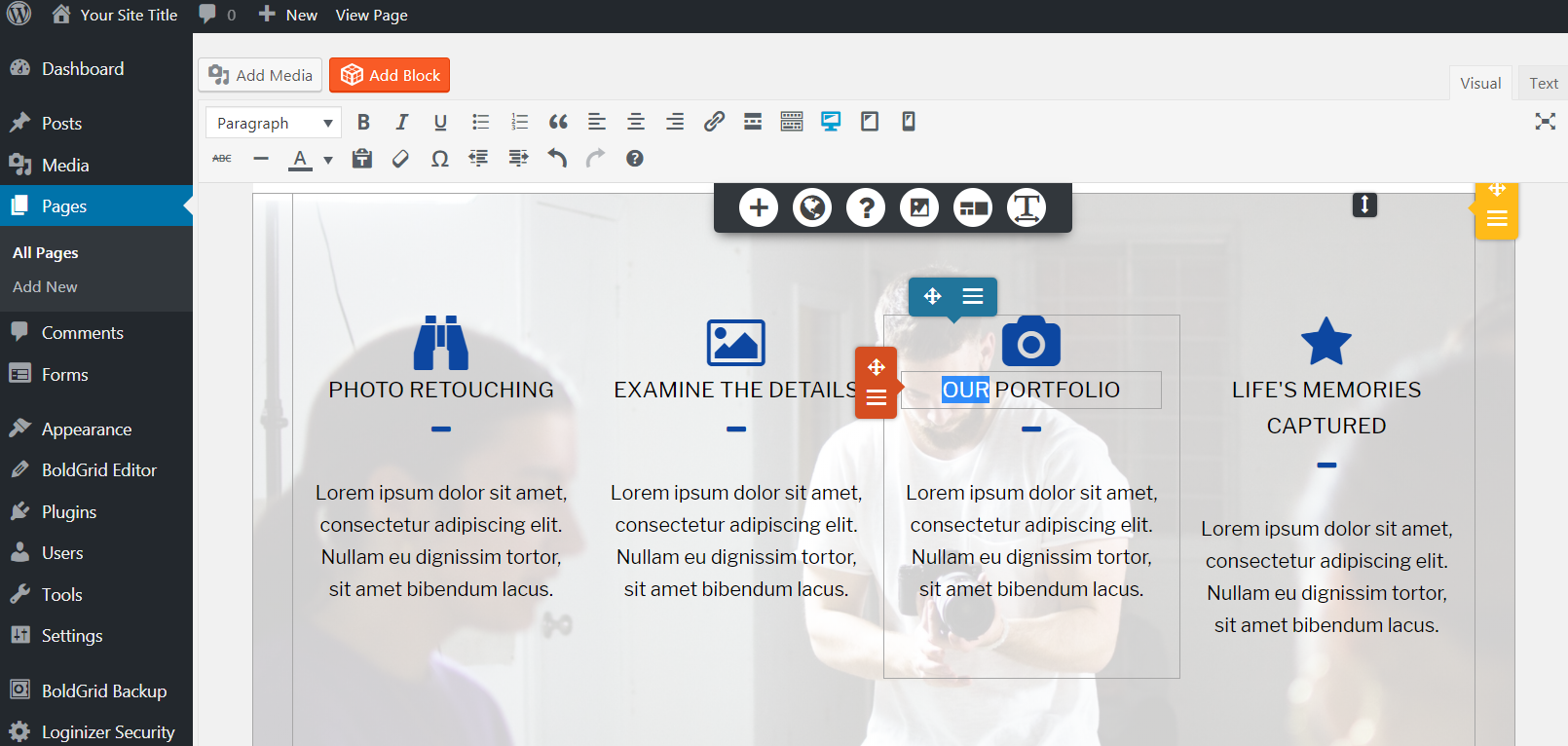
- Drag and Drop Editing – Create simple or complex layouts with our unique editing experience
- BoldGrid Blocks – Hundreds of professional layout designs to work from
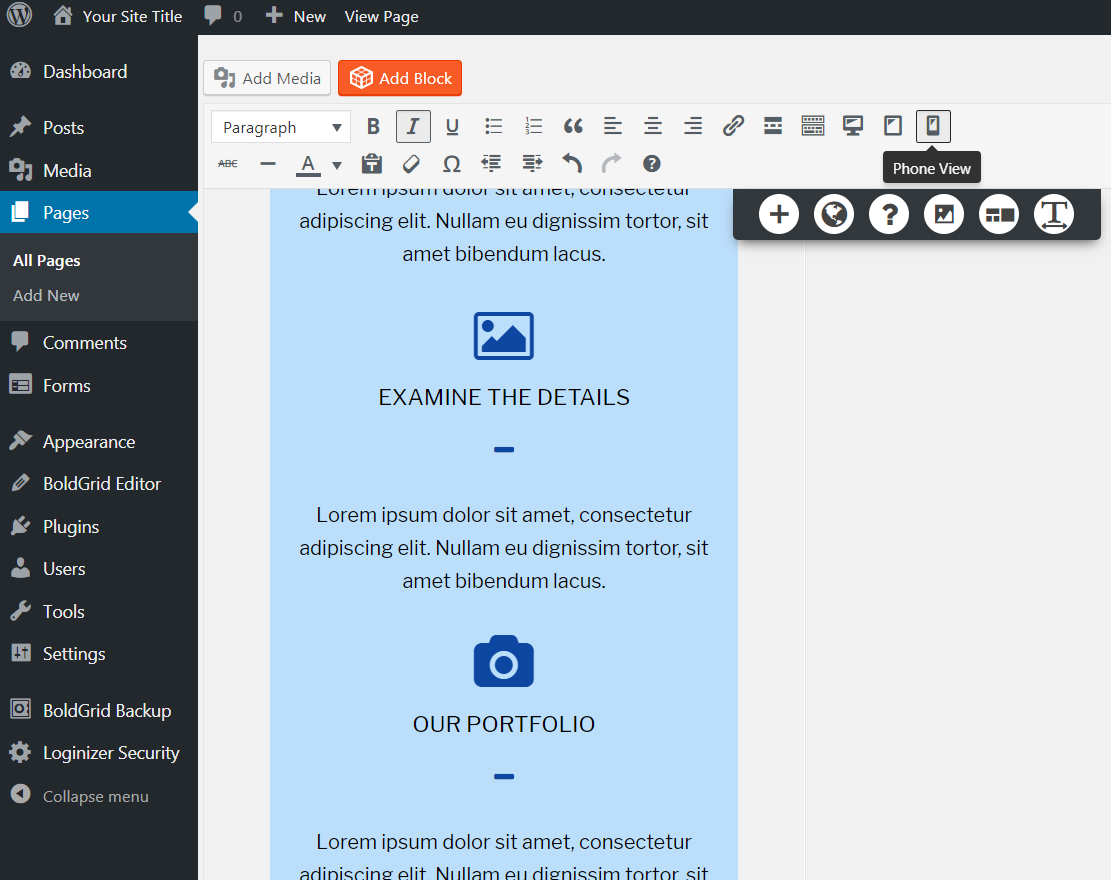
- 100% Mobile-friendly – Responsive layouts and controls to change the design per device
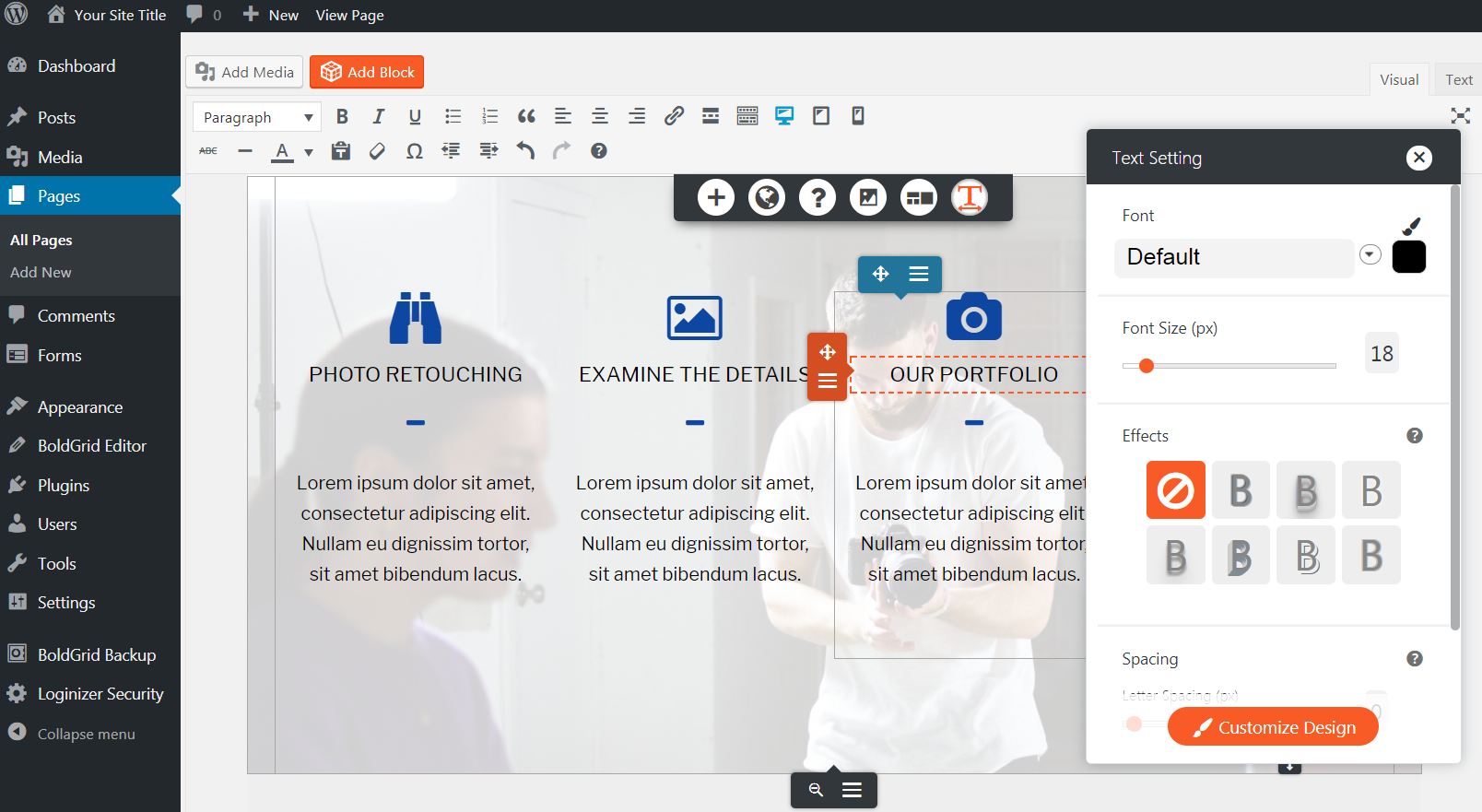
- Google Fonts – Change font family, font size, font color, letter spacing, line height and more
- Theme Compatibility – Our WordPress Page Builder is designed to work with any WordPress Theme
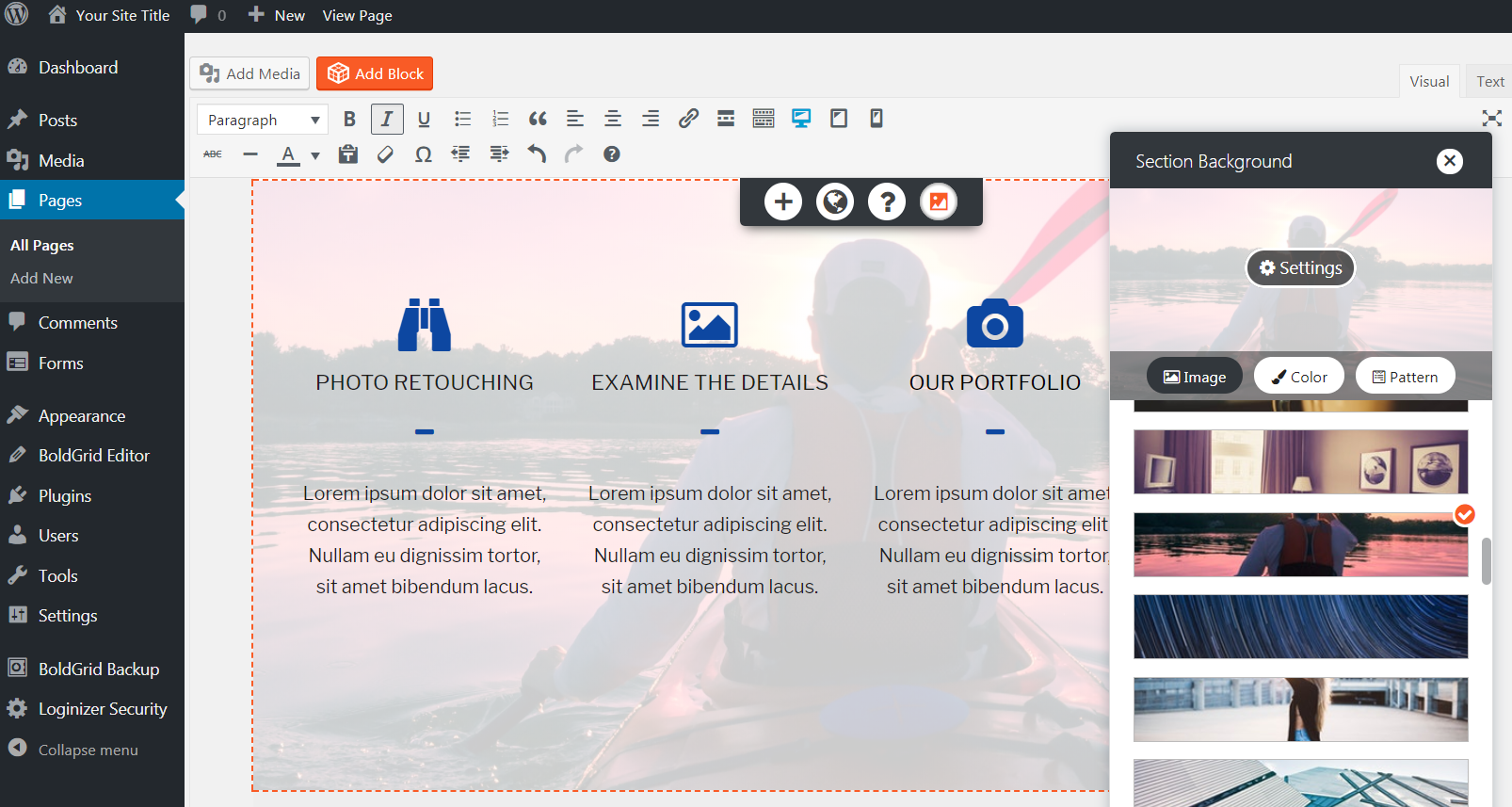
- Custom Backgrounds – Add background images, gradient backgrounds, patterns, overlays, and background colors
- Fast and Free Support – Growing Community and knowledge base
- Animations – Add effects as the user scrolls down the page with Animate.css or background parallax scroll effects
- Advanced Controls – Add margin, padding, box shadows, borders, alignment and more to almost any element
- Bootstrap Grid – Drag and drop controls for bootstrap rows and columns elements
- Add Custom CSS Classes – Complete control over any element
- Clean, Simple Markup – Easily create a professionally coded template without experience
- Google Maps – Embed and customize maps into your post or page
- Web Components – High quality reusable and customizable HTML elements
- Font Awesome Icons – Insert and customize any Font Awesome icons
- CSS Grid – Full width, column and row based layouts
- Image Editing – Apply image filters and automatically crop images
- Button Designs – Fully customizable button designs
- Custom Post Types – Save and reuse full page layouts or BoldGrid Block designs
- WordPress Editor Integration – Integrated into TinyMCE so you can keep the same workflow
- No Need for Shortcodes! – Faster page loads by saving your custom HTML5 elements
Additional Features when used with other BoldGrid plugins:
- Dozens of free layout templates
- Integrated with professional image banks
- Contact Forms
- On-page SEO recommendations for targeted search phrase
Visit our website to learn more about additional BoldGrid plugins to further improve your WordPress experience!
People Love BoldGrid
“It’s really the perfect starting point for just about any web project, allowing users to get their site up and running in very short time. ” – Digital.com
“BoldGrid is a great extension to WordPress that will make my job a lot easier and faster while creating custom layouts and pages.” – Webhostingmedia.net
“Well, I have seen many site builders but this is the only one that provides so many features.” – Woblogger.com
A Post and Page Builder That Works With Your Theme and Plugins
The Post and Page Builder by BoldGrid is designed to work with almost any WordPress theme. Add it to your existing website today, or try a BoldGrid theme for your new website. Alternatively, consider upgrading and using the powerful BoldGrid framework theme (available in Premium subscription) as an excellent time saver for agencies and developers.
A Post and Page Builder Stuffed With Pre-Designed Templates & Blocks
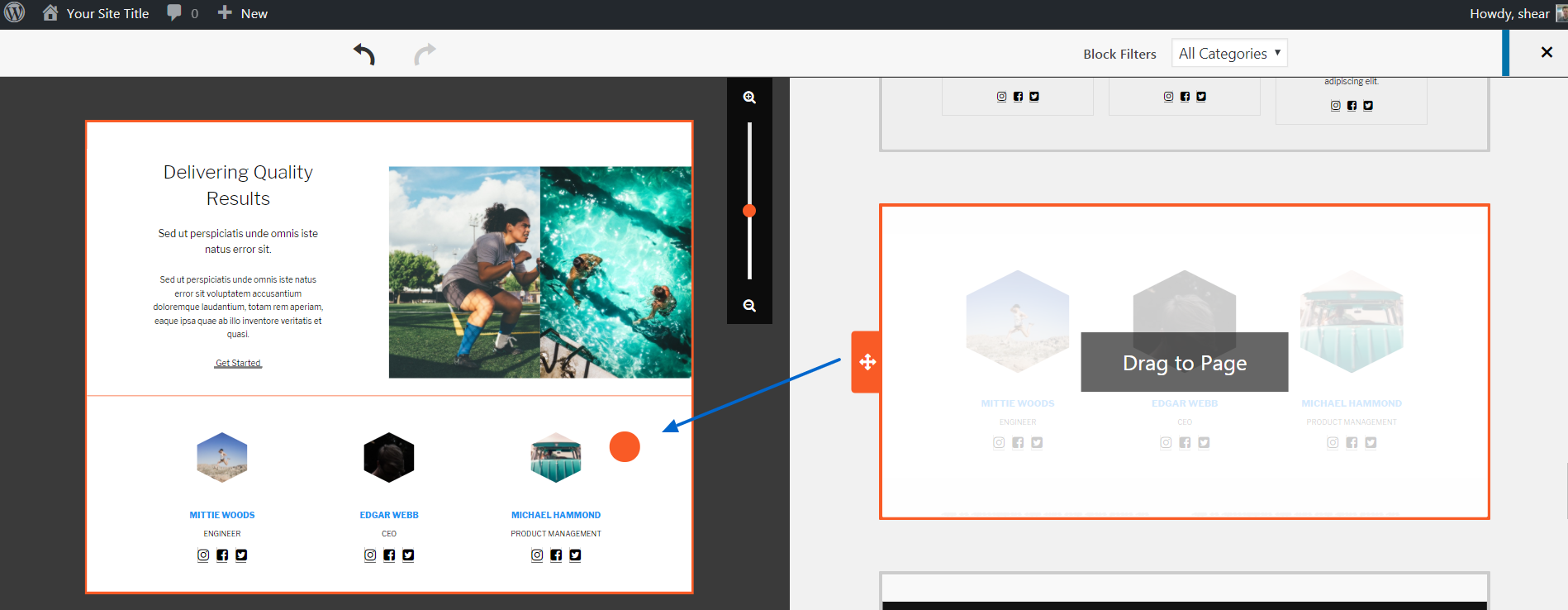
Create layouts and pages faster and easier than ever with Blocks by BoldGrid. Blocks are pre-built page sections consisting of various layouts of rows and columns prepopulated with content that can be edited visually or with HTML and CSS. Blocks utilize a wide variety of content that can be completely customized to fit your needs such as icons, buttons, free and premium images, font packs, and more.
A Post and Page Builder That Is Faster Than The Rest
The Post and Page Builder by BoldGrid is designed to create pages that load fast. BoldGrid ditches shortcodes in favor of clean markup that can be served quickly. That also means BoldGrid code is easy to assess and customize.
Coming Soon / Maintenance Page
Great for making “under construction” or “coming soon” pages. You can create a simple page within minutes by using free professionally designed WordPress Blocks.
Bootstrap WYSIWYG Post & Page Builder for WordPress
Our drag and drop system is built on the Bootstrap Grid. You can drag columns, rows, and containers around your pages to make quick updates to pages. Advanced CSS controls allow you to make pixel perfect designs.
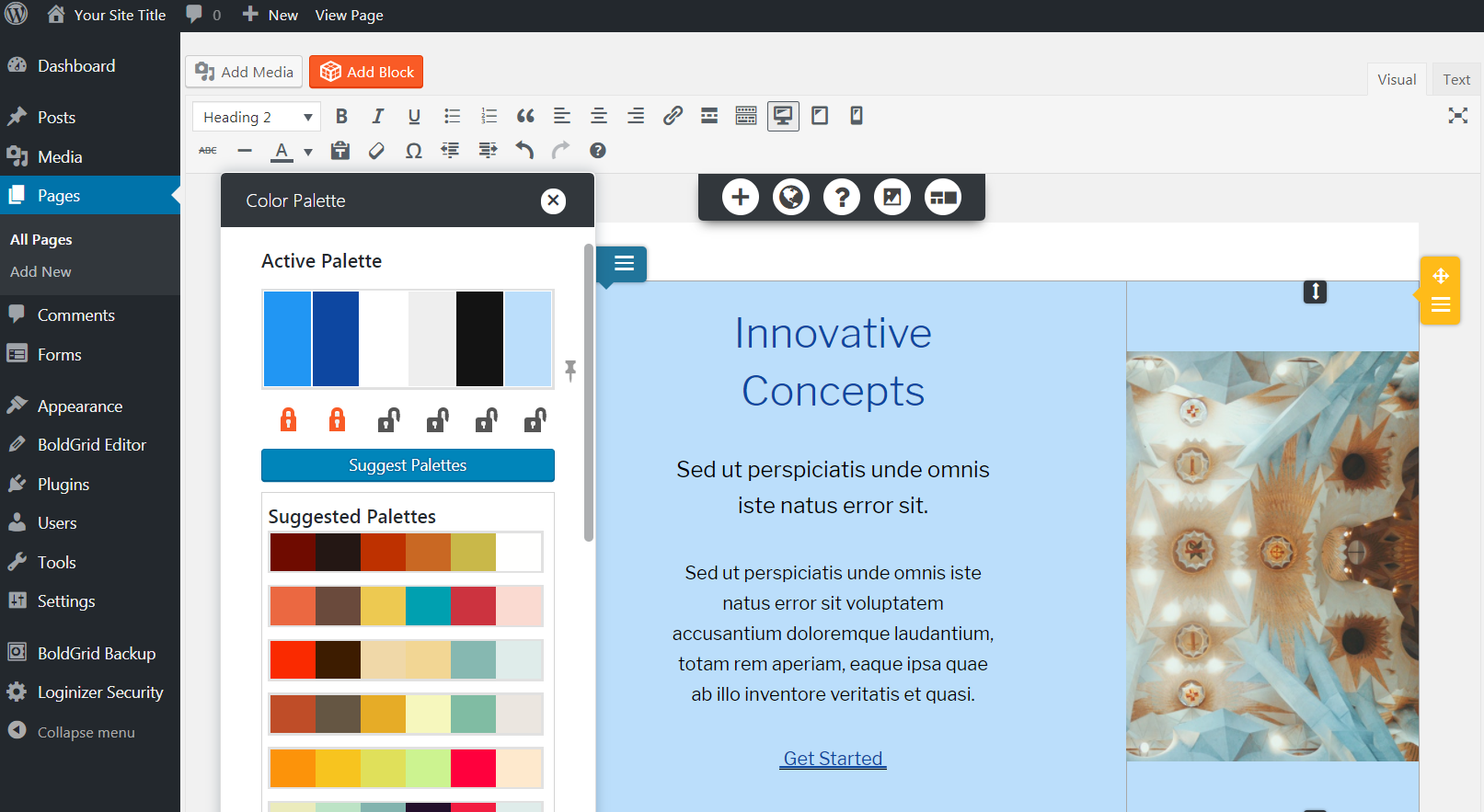
Create Custom Color Palette
Choose your brand’s colors and we’ll help your design stay unified. Our unique color palette system is built with SASS and allows you to change all the colors on your site. You don’t have to choose from a few presets anymore!
Installation
Minimum Requirements
- PHP version 7.4 or greater
- WordPress 4.7 or greater
From within WordPress
- Visit ‘Plugins > Add New’
- Search for ‘Post and Page Builder by BoldGrid’
- Activate Post and Page Builder from your Plugins page.
Manually
- Upload the entire post-and-page-builder folder to the /wp-content/plugins/ directory.
- Activate the plugin through the Plugins menu in WordPress.
You will find a ‘Post and Page Builder’ menu in your WordPress admin panel and find most features within the
WordPress Editor.
Changelog
This is a security update. All users are encouraged to update to this version.
1.27.15
- Security Update: Hardened component widget previews in the editor
- Security Update: Hardened upload and style file writes
- Security Update: Constrained editor save persistence
- Security Update: Restricted GridBlock listing queries
1.27.14
- Security Update: Patched a stored Cross-Site Scripting (XSS) vulnerability in table heading labels
- Update: Raised the minimum required PHP version to 7.4
- Update: Switched plugin Composer usage to Composer 2
1.27.13
- Bug Fix: Saved Connect Key not recognized for non-admin users (Editors) when adding premium blocks #649
1.27.12
- Security Update: Hardened authentication, request validation, and related editor flows
1.27.11
- Security Update: Patched a stored Cross-Site Scripting (XSS) vulnerability in Hover Box backgrounds
1.27.10
- Security Update: Patched vulnerability when saving Connect Key
Screenshots
For developers
Is this your plugin? Show off the numbers.
Add a live badge to your site, docs or GitHub README. It updates on its own — no account needed.
Best Post and Page Builder by Bold… alternatives
All boldgrid plugins →| Rank | Plugin | Active installs |
|---|---|---|
| 2 |
 BoldGrid Easy SEO – Simple and Effective SEO
Easy SEO helps you easily create keyword rich content and rank higher in the search engines. |
40K+ |
| 3 |
 Map Block
Insert a Google Map into the Gutenberg editor. |
6K+ |
FAQ
Post and Page Builder by BoldGrid: quick answers
Straight answers, pulled from live WordPress.org data.
Live data from WordPress.org · checked Nov 17, 2026
Is Post and Page Builder by BoldGr… free?
Yes. Post and Page Builder by BoldGr… is free to download and use from the official WordPress.org plugin directory.
Is Post and Page Builder by BoldGr… safe to use in 2026?
Post and Page Builder by BoldGr… is a solid plugin choice in 2026, with a few things worth checking first. It runs on 50K+ sites, is rated 4.7/5 and was last updated 2 months ago, and scores 75/100 on our health check.
How many websites use Post and Page Builder by BoldGr…?
Post and Page Builder by BoldGr… is active on 50K+ WordPress websites and has been downloaded 1,868,873 times since it launched in November 2017. It was downloaded 2,964 times in the last 30 days.
Does Post and Page Builder by BoldGr… work with WordPress 7.1?
Yes. The developer has tested Post and Page Builder by BoldGr… up to WordPress 7.1.4, the latest release. It requires WordPress 4.7 or newer.
What PHP version does Post and Page Builder by BoldGr… need?
Post and Page Builder by BoldGr… requires PHP 7.4 or higher. Most hosts run PHP 8.x today, so it works on any modern WordPress hosting.
When was Post and Page Builder by BoldGr… last updated?
The latest version, 1.27.15, was released on September 25, 2026 (2 months ago).
Who makes Post and Page Builder by BoldGr…?
Post and Page Builder by BoldGr… is developed and maintained by BoldGrid.
What are the best alternatives to Post and Page Builder by BoldGr…?
The most popular alternatives to Post and Page Builder by BoldGr… are BoldGrid Easy SEO (40K+ installs) and Map Block (6K+ installs).
Powered by PageForge
Want thousands of pages that rank like these? Build them in an afternoon.
This directory runs on the same engine as PageForge. Turn any spreadsheet, CSV or API into thousands of fast, SEO-ready WordPress pages — with schema, internal links and AI-written copy baked in.
- CSV, Google Sheets & API data sources
- AI content, schema & internal links per page
- Works with Elementor, Gutenberg, Yoast & Rank Math
- Free on WordPress.org — no credit card


