



Export Media as ZIP
Export images from your WordPress media library as a ZIP file — filter by year and image size before downloading.

Use with caution
Export Media as ZIP works, but test it on a staging site before relying on it in 2026. It runs on 3K+ sites, is rated 3.7/5 and was last updated 1 month ago, and scores 59/100 on our health check.
- Tested with the latest WordPress (7.1)
- Very few reviews so far
How does it stack up?
Side-by-side on installs, updates, ratings & support



Daily downloads
Download spikes usually follow a new release — each site that auto-updates counts as a download.
Rankings
Where Export Media as ZIP stands todayWordPress.org search rankings
Live position in the plugin search, top 100| Keyword | Position |
|---|---|
| backup | >100 |
| Download Images | #75 |
| export | #30 |
| media | #59 |
| zip | #4 |
Version adoption
Share of active sites per release.
Rating breakdown
★★★★★★★★★★ 3.7 from 3 reviews
About Export Media as ZIP
From the official readme · v2.0.1Description
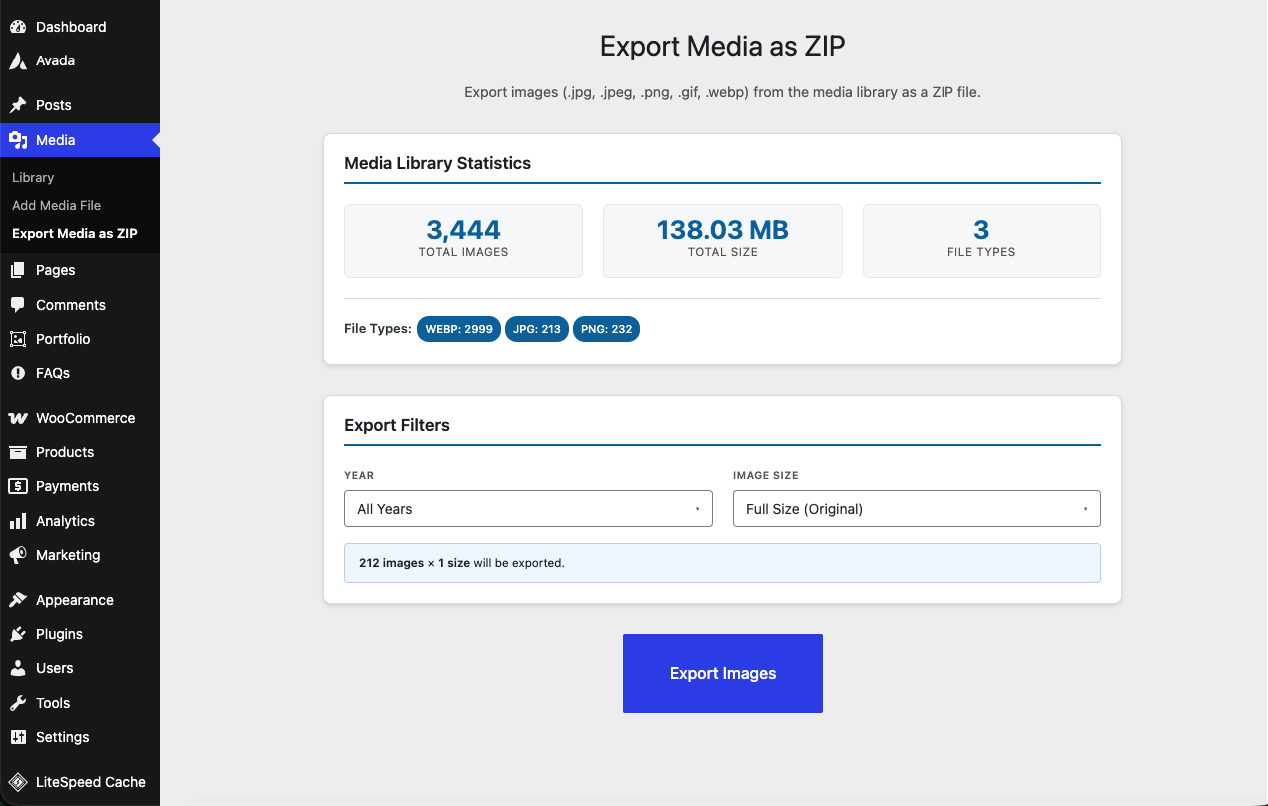
Export Media as ZIP is a lightweight plugin that lets administrators export images from the WordPress media library as a ZIP file. Choose exactly what to download using the year and image size filters before exporting.
Key Features
- Export JPG, PNG, GIF, JPEG, and WEBP images
- Filter by year — select one or more upload years to narrow the export
- Filter by image size — choose from Full Size (original) or any intermediate size registered by WordPress core, your active theme, or plugins (e.g. Thumbnail, Medium, Large, custom sizes)
- Live export preview shows how many images match the current filters before you start
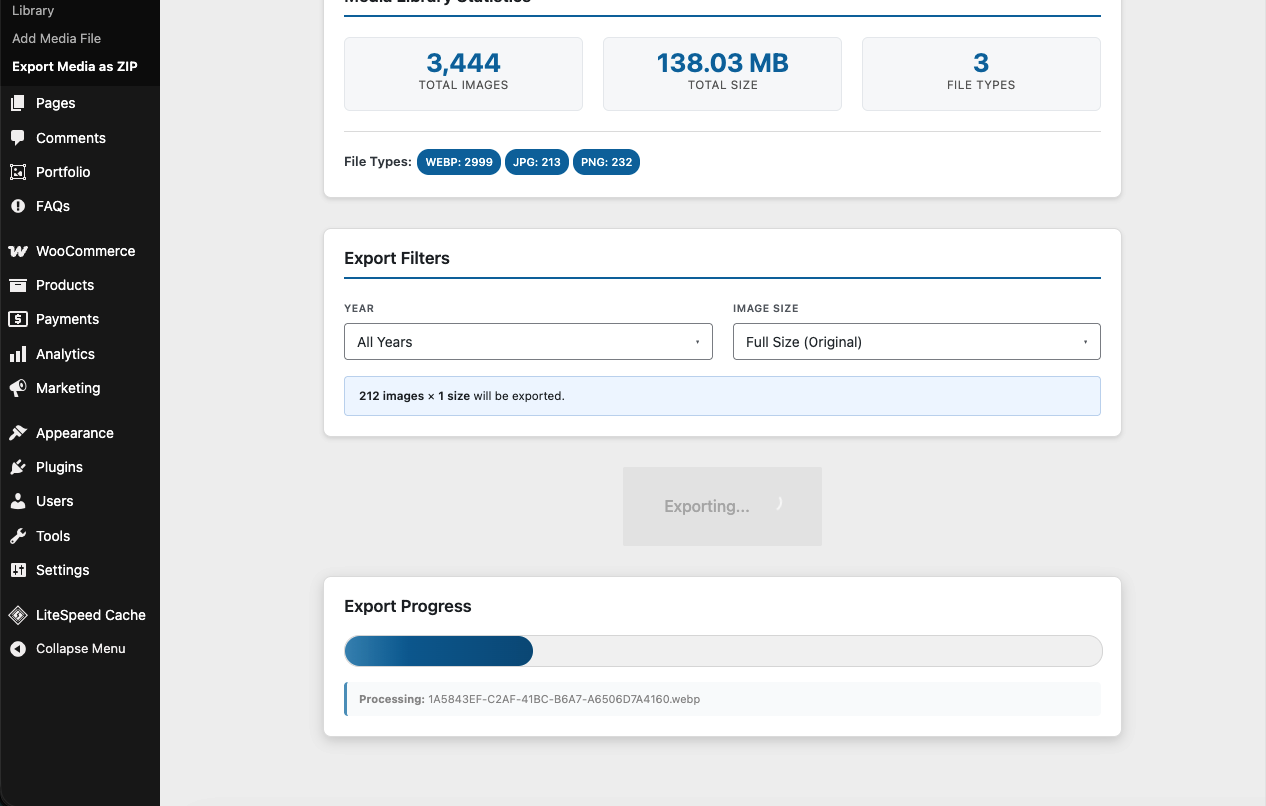
- Real-time progress bar during export
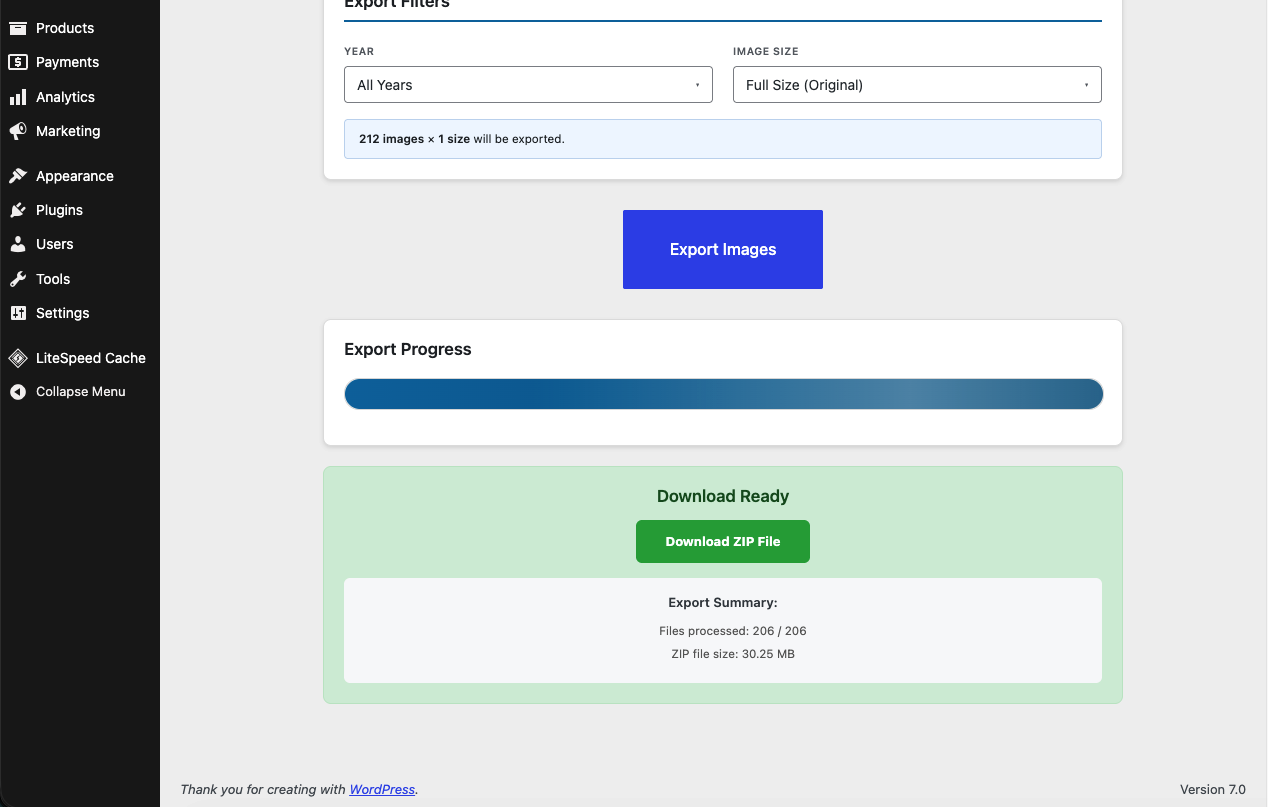
- Auto-expiring ZIP file — cleaned up automatically after 5 minutes
- Admin-only access
- No external dependencies
Premium Features
- Document export — include PDF, Word (doc/docx), Excel (xls/xlsx), and PowerPoint (ppt/pptx) files alongside images
- Background export — large exports run via WP-Cron in chunks instead of a single blocking request, so they don’t time out; you get an email with the download link when the ZIP is ready
- Scheduled export — configure a recurring (daily, weekly, or monthly) export with your preferred filters; each run emails a fresh download link automatically
Support
If you have any questions or need help, please open an issue on GitHub or contact me at huzoorbux@gmail.com.
Installation
- Upload the plugin folder to
/wp-content/plugins/export-media-as-zipor install via the WordPress Plugin Directory. - Activate the plugin through the Plugins menu in WordPress.
- Go to Media > Export Media as ZIP.
- Use the Year and Image Size dropdowns to select what to export.
- Click Export Images and download the generated ZIP.
Changelog
2.0.1
- Fixed: the same ZIP was downloaded no matter which year was selected (browser/CDN cache served the previous export from a fixed URL). Each export now gets its own unique filename.
- Fixed: deselecting all years exported every year instead of nothing.
- Security: export ZIPs are no longer publicly reachable in the uploads folder. They are stored in a protected
emaz-exportsdirectory with random filenames and downloaded only through an authenticated handler (admin + nonce for manual exports, secret per-job token for emailed links). Expiry is now enforced at download time instead of relying on WP-Cron.
2.0
- Added Premium document export — PDF, Word, Excel, and PowerPoint files alongside images
- Added Premium background export — chunked WP-Cron processing with email notification, for exports too large for a single request
- Added Premium scheduled export — recurring daily/weekly/monthly exports emailed automatically
- Plugin menu is now a top-level admin menu instead of a submenu under Media
1.9
- Tested up to WordPress 7.1
1.7
- Added Year filter — export images from one or more specific upload years
- Added Image Size filter — choose Full Size (original) and/or any intermediate size registered by the theme or plugins
- Live export preview shows image and size count before starting
- Replaced flat checkbox layout with dropdown-style filter UI
- Export now uses WP_Query against the database instead of filesystem scanning, ensuring only real media library attachments are included
- Uses wp_get_registered_image_subsizes() (WP 5.3+) with fallback for older installs
1.6
- Added media library statistics panel (total images, total size, file type breakdown)
- Added real-time progress bar with file counter
- Added auto-cleanup of expired ZIP files via WP-Cron
- Improved error handling and user messaging
1.5
- Tested up to WordPress 6.9
Screenshots
For developers
Is this your plugin? Show off the numbers.
Add a live badge to your site, docs or GitHub README. It updates on its own — no account needed.
Best Export Media as ZIP alternatives
All backup plugins →





FAQ
Export Media as ZIP: quick answers
Straight answers, pulled from live WordPress.org data.
Live data from WordPress.org · checked Nov 18, 2026
Is Export Media as ZIP free?
Yes. Export Media as ZIP is free to download and use from the official WordPress.org plugin directory.
Is Export Media as ZIP safe to use in 2026?
Export Media as ZIP works, but test it on a staging site before relying on it in 2026. It runs on 3K+ sites, is rated 3.7/5 and was last updated 1 month ago, and scores 59/100 on our health check.
How many websites use Export Media as ZIP?
Export Media as ZIP is active on 3K+ WordPress websites and has been downloaded 16,329 times since it launched in November 2025. It was downloaded 2,237 times in the last 30 days.
Does Export Media as ZIP work with WordPress 7.1?
Yes. The developer has tested Export Media as ZIP up to WordPress 7.1.4, the latest release. It requires WordPress 6.0 or newer.
What PHP version does Export Media as ZIP need?
Export Media as ZIP requires PHP 7.4 or higher. Most hosts run PHP 8.x today, so it works on any modern WordPress hosting.
When was Export Media as ZIP last updated?
The latest version, 2.0.1, was released on October 9, 2026 (1 month ago).
Who makes Export Media as ZIP?
Export Media as ZIP is developed and maintained by Huzoor Bux.
What are the best alternatives to Export Media as ZIP?
The most popular alternatives to Export Media as ZIP are All-in-One WP Migration and… (5M+ installs), UpdraftPlus: WP Backup & Mi… (4M+ installs) and Jetpack (3M+ installs).
Powered by PageForge
Want thousands of pages that rank like these? Build them in an afternoon.
This directory runs on the same engine as PageForge. Turn any spreadsheet, CSV or API into thousands of fast, SEO-ready WordPress pages — with schema, internal links and AI-written copy baked in.
- CSV, Google Sheets & API data sources
- AI content, schema & internal links per page
- Works with Elementor, Gutenberg, Yoast & Rank Math
- Free on WordPress.org — no credit card


