



Digipacket Backup Toolkit
Back up, restore, import and encrypt your WordPress site. Resumable on any host, AES-256-GCM sealed, and nothing leaves your server.

Use with caution
Digipacket Backup Toolkit works, but test it on a staging site before relying on it in 2026. Was last updated 2 months ago, and scores 55/100 on our health check.
- Small user base (<10 active installs)
- Very few reviews so far
- Needs PHP 8.2 or newer
How does it stack up?
Side-by-side on installs, updates, ratings & support



Daily downloads
Download spikes usually follow a new release — each site that auto-updates counts as a download.
Rankings
Where Digipacket Backup Toolkit stands todayWordPress.org search rankings
Live position in the plugin search, top 100| Keyword | Position |
|---|---|
| backup | >100 |
| encryption | >100 |
| migration | >100 |
| restore | >100 |
| scheduled backups | >100 |
About Digipacket Backup Toolkit
From the official readme · v2.0.1Description
Digipacket Backup Toolkit copies your files and your database into a single .dpbackup
archive, puts that archive back when you need it, and can seal it with AES-256-GCM
so a stolen copy is worth nothing without your key.
Everything runs on your own server. The plugin makes no outbound connection,
has no account, no telemetry and no paid tier hidden behind a button.
Built for hosts that cut you off
Shared hosting kills long requests. Every operation here is therefore cut into
slices that fit inside max_execution_time and resume where they stopped — the
file scan, the SQL dump, the compression, the encryption, the extraction and the
row-by-row replay of the database. A 100,000-file site is backed up and restored
with flat memory, in as many requests as it takes.
What it does today
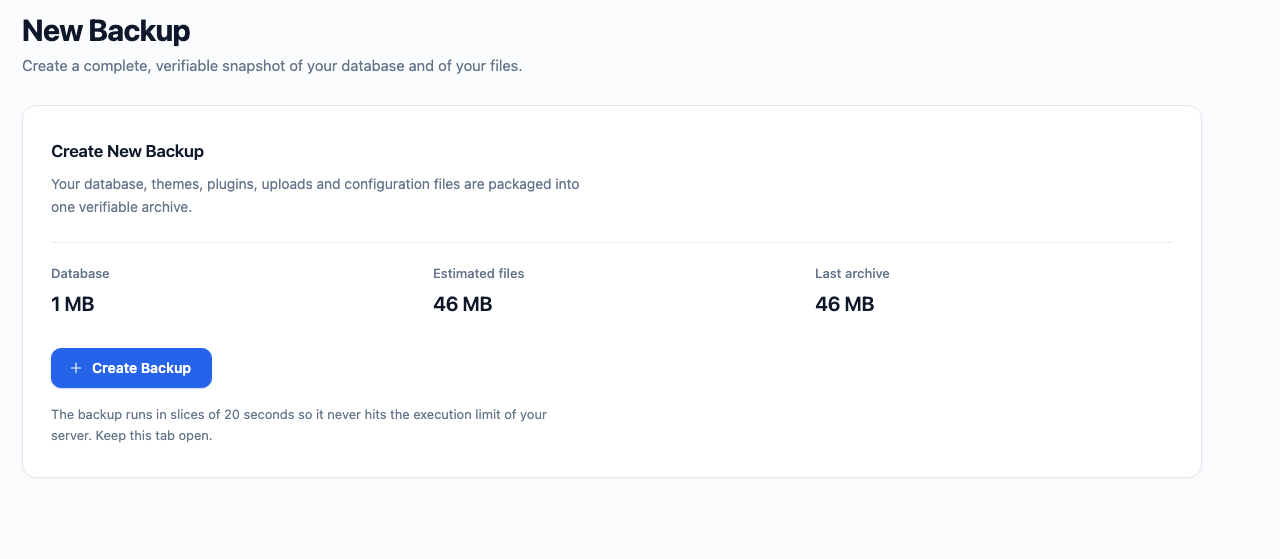
- Backups — full site, database only,
wp-content, plugins, themes or uploads.
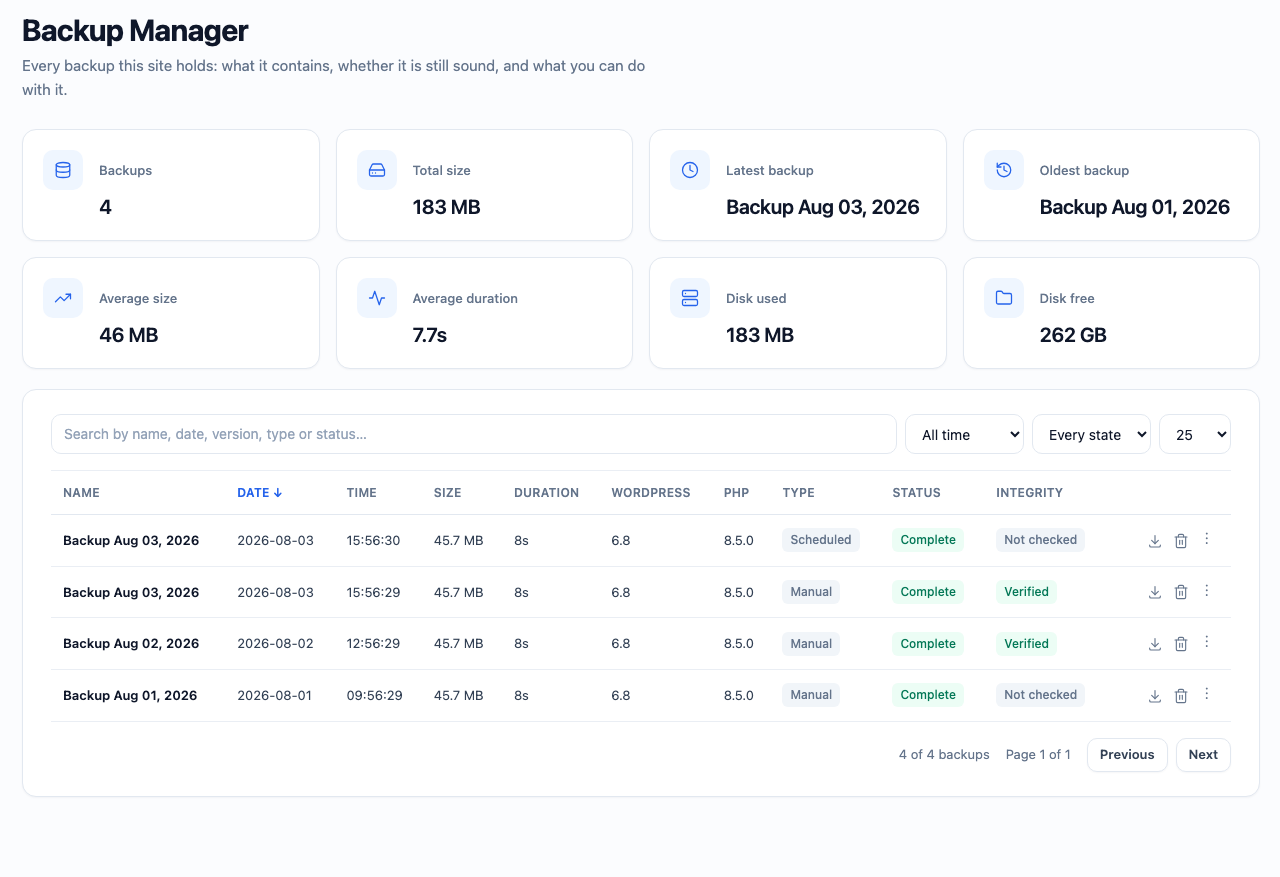
Progress is reported live, with the size, the duration and the checksum of the archive. - Backup Manager — search, filters, sorting, pagination, integrity check, rename,
duplicate, download and delete, plus a detail card showing the manifest and the
journal the archive carries inside itself. - Import — upload an archive produced on another site, in slices. Every entry is
verified before publication: signature, checksums, manifest, directory traversal,
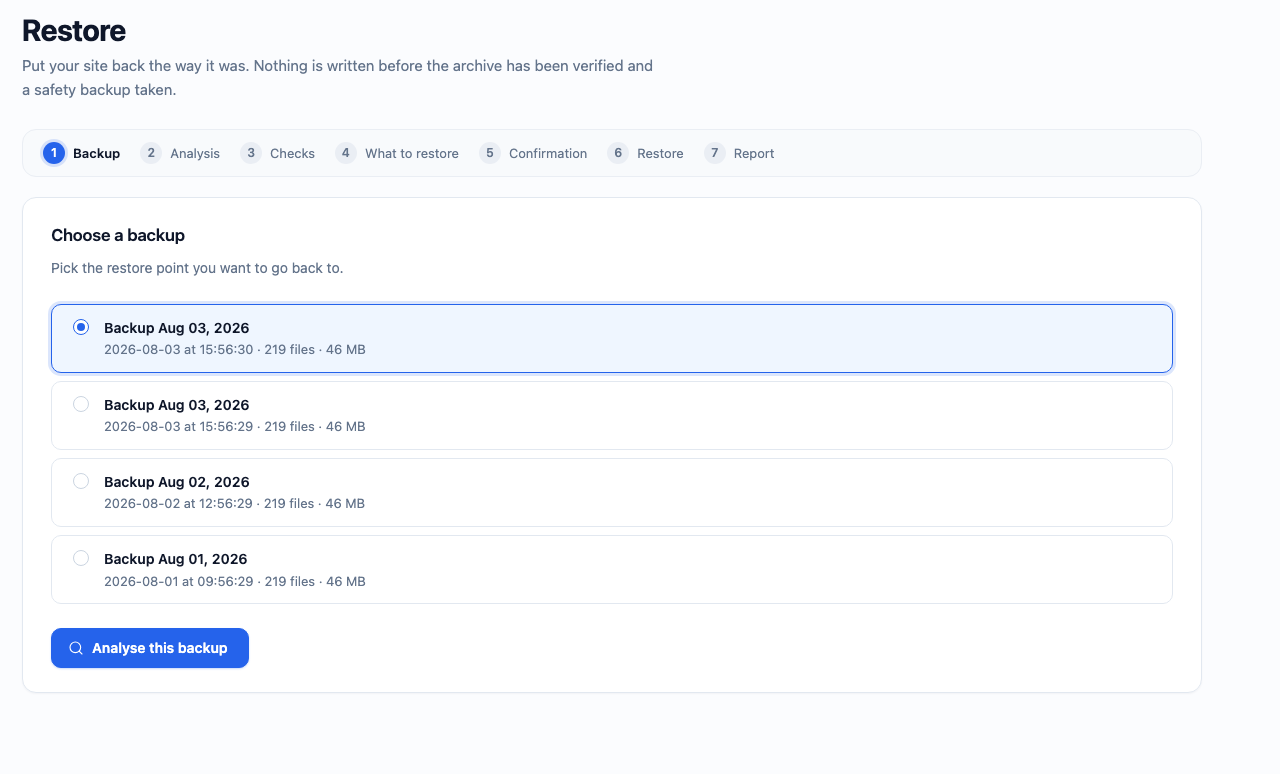
Zip Slip and symbolic links are all refused. - Restore — a seven step wizard with preflight checks. A safety snapshot of the
current site is taken before a single byte is written, and a failure half way
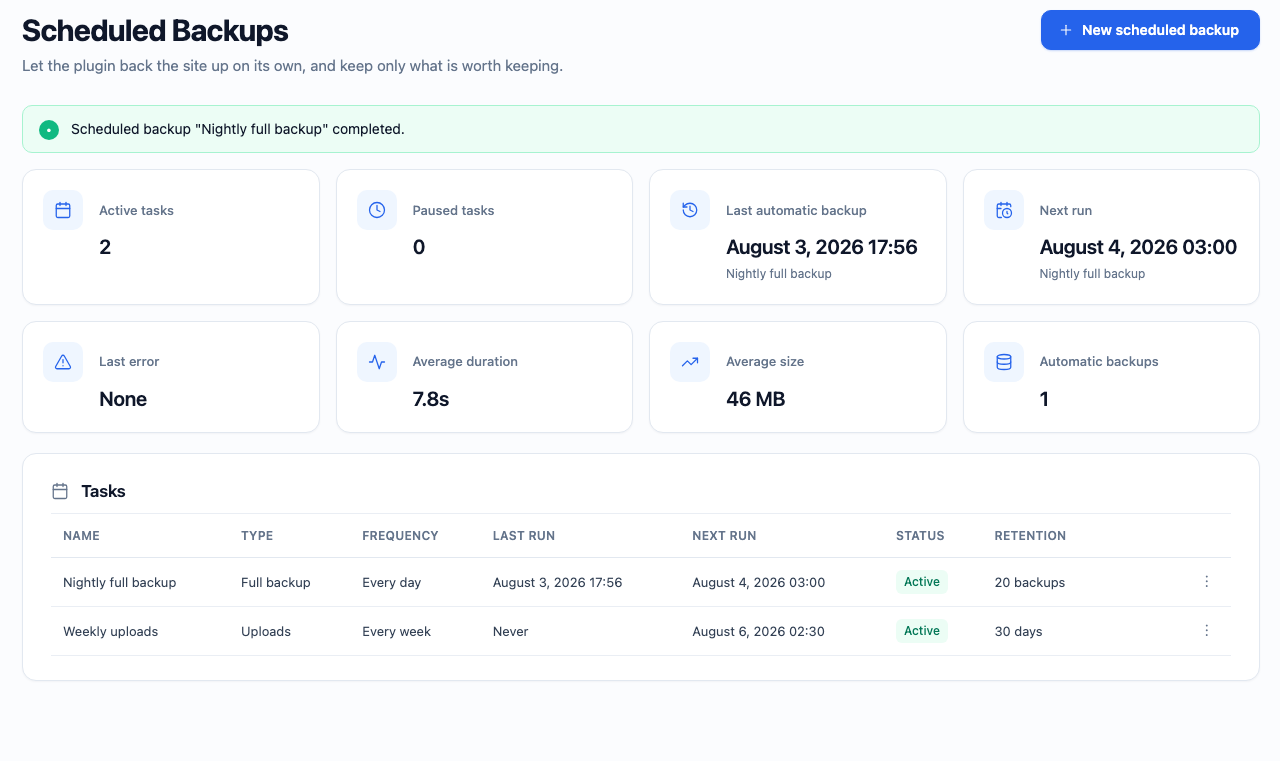
through rolls the site back to it automatically. - Scheduled backups — hourly to monthly, or a custom cron expression. Retention
by count or by age, run history, pause, duplicate, and a Run Now button. Deleting a
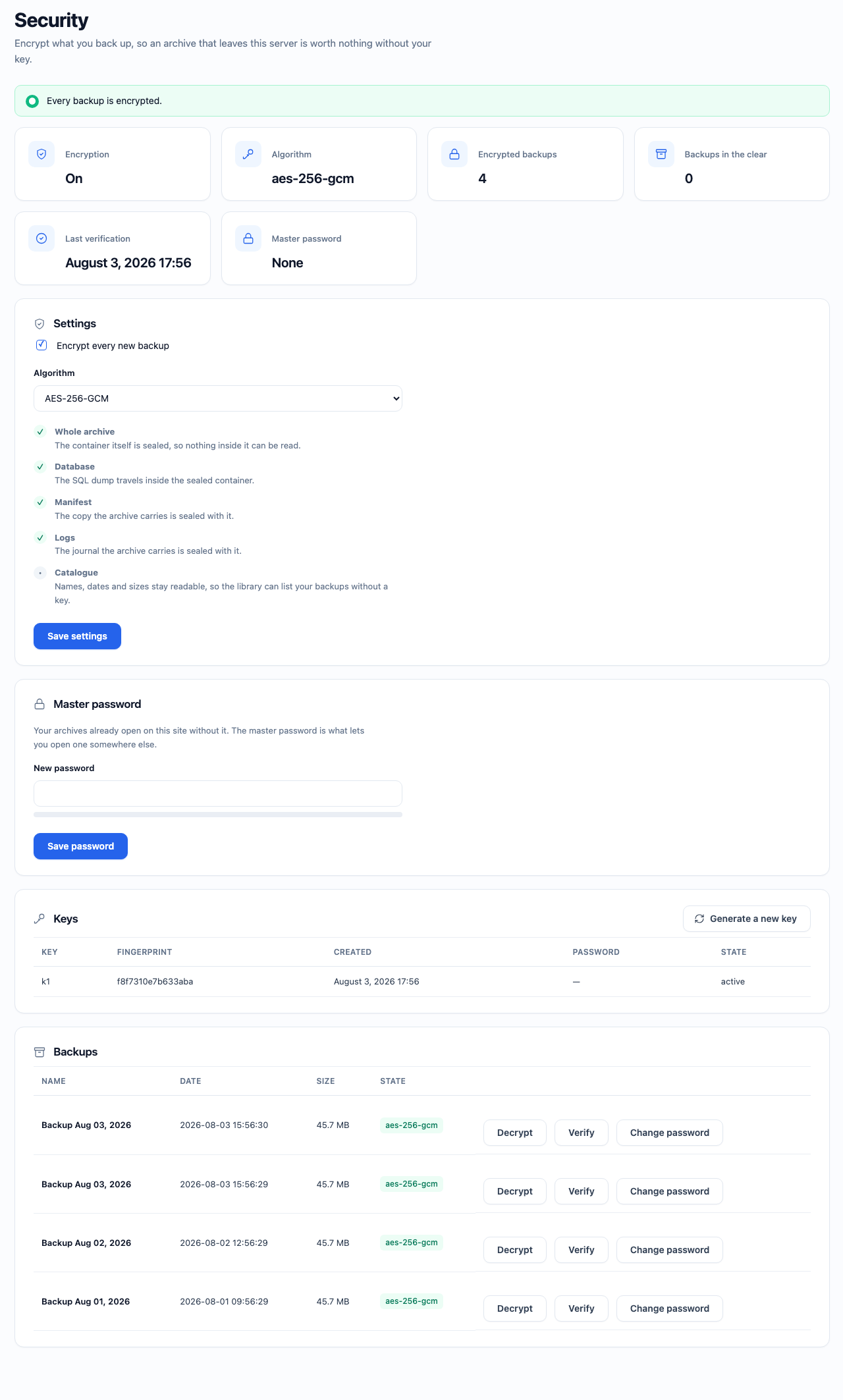
schedule never deletes the backups it produced. - Encryption — AES-256-GCM over the whole container, a keyring that survives
rotation, an optional master password, and transparent decryption when you import
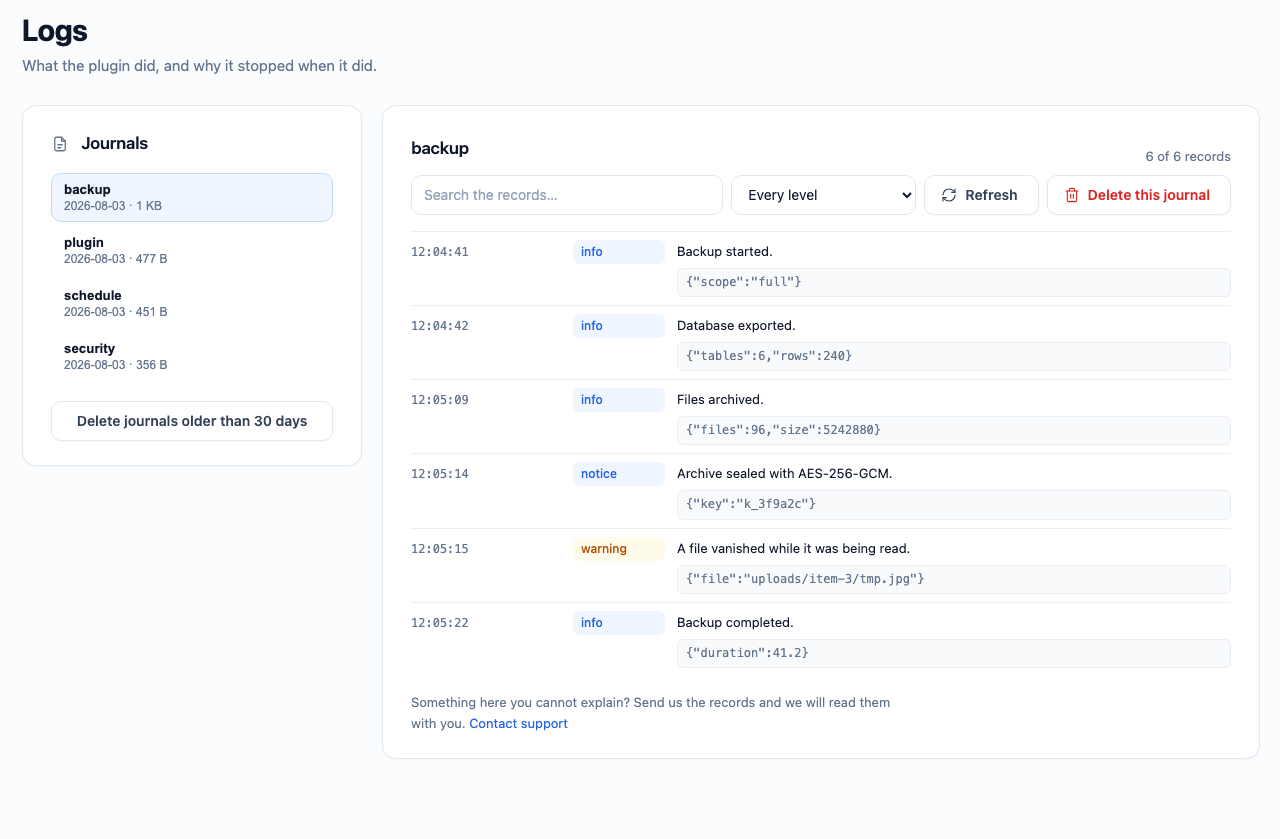
or restore. Existing backups can be sealed afterwards, and sealed ones opened again. - Logs — every operation writes what it did and why it stopped. Read a journal by
severity or by search, delete one, or clear the ones older than your retention rule.
Where your backups live
In wp-content/digipacket-backups/, outside the plugin directory — because
WordPress deletes a plugin’s own folder before installing a new version, and a
backup plugin that stored its archives there would destroy them at every update.
The folder is protected by an .htaccess and a silent index.php, both written
at activation. Nginx ignores .htaccess, so on Nginx the equivalent rule has to
be added by hand — see the FAQ below. The digipacket_wp_backup_storage_path
filter moves the whole thing anywhere you like, including outside the web root,
which is stronger than any web server rule.
What it does not do
- No export to Google Drive, Dropbox, S3 or OneDrive yet. That is the next release.
- No incremental backups: every run produces a complete archive.
Installation
- Upload the plugin through Plugins → Add New → Upload Plugin, or extract it into
wp-content/plugins/. - Activate it. Eight storage directories are created, with their protection files.
No database table is added. - Open Backup Toolkit → New Backup and take your first backup.
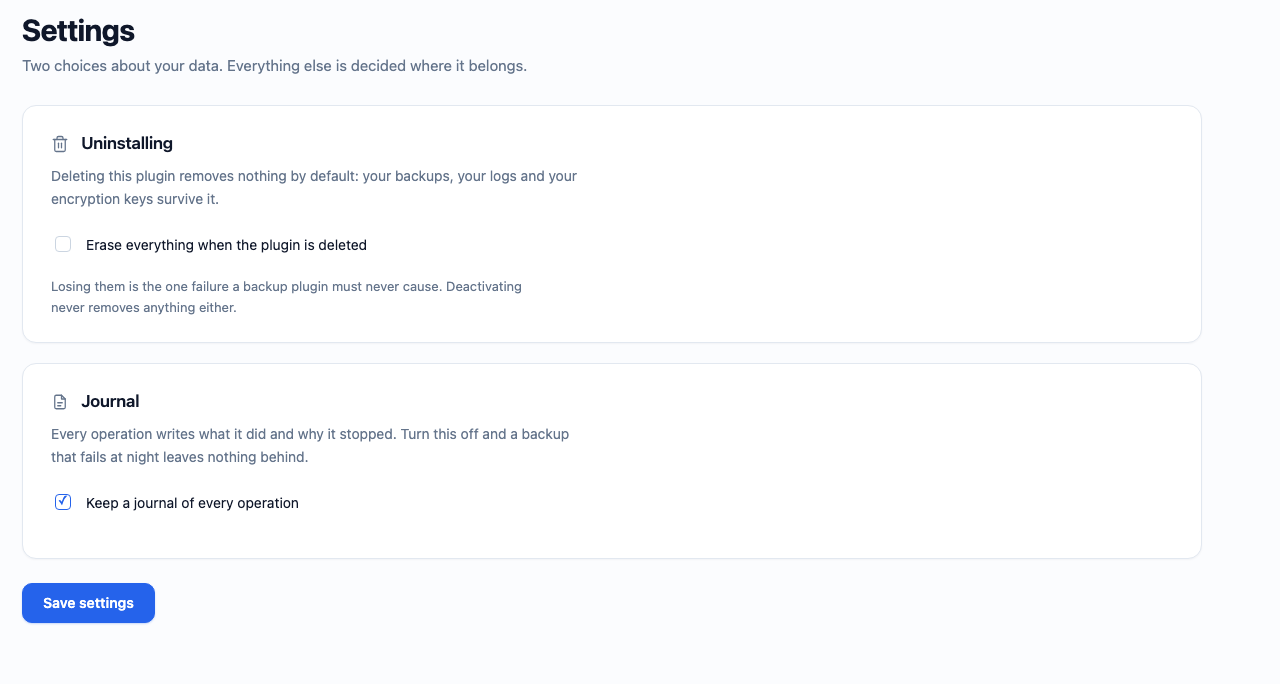
- Optionally visit Backup Toolkit → Settings to decide what deleting the plugin does
to your archives. It destroys nothing unless you ask it to.
The plugin needs PHP 8.2, WordPress 6.8, and the zip and openssl PHP extensions.
If any of these is missing it stays inert and explains why in a notice, rather than
failing with an error.
Frequently asked questions
Are my backups sent anywhere?
No. The plugin makes no outbound connection of any kind. Your archives stay on your server until you download them yourself.
The task says Active, the hour has passed, and nothing ran.
Open Backup Toolkit → Scheduled Backups. If the screen says WP-Cron is not firing, that is the answer: WordPress only runs scheduled work when a request comes in, and it triggers that work through a request the server makes to itself. A local install, a firewall or an HTTP password blocks it, and nothing ever runs. The fix is a real cron. Add to wp-config.php: define('DISABLE_WP_CRON', true); then, every five minutes: curl -s https://example.com/wp-cron.php?doing_wp_cron > /dev/null Check the timezone too. The Next run tile is written on the site’s clock, in Settings → General, which is not…
My scheduled backup never ran. Why?
Two reasons, usually together. First, a new schedule fires one full interval after you create it — a daily task runs in 24 hours, not tonight. The Next run column tells you exactly when. Second, WP-Cron only wakes up when someone loads a page, so on a site with no traffic nothing happens until your next visit. For a dependable schedule, disable WP-Cron and call wp-cron.php from a real system cron.
Can I choose the hour a scheduled backup runs at?
Yes. Pick Every day or Every week, then fill Start at — and for a weekly one, tick the days. The hour is the one on your site’s clock, and it stays that hour when the clocks change. Leave it empty and the frequency behaves as a plain interval: a daily task created at 14:07 runs at 14:07 the next day.
My scheduled backup says it failed. Where do I see why?
The notice names the cause itself. The full account is in Backup Toolkit → Logs, journal schedule, and in the task’s own History — the ⋮ menu of its row. One cause looks like a failure but is not: if a backup was already running when the schedule fired — a manual one whose tab was closed keeps the engine busy for up to an hour — the task simply waits and starts on its own within minutes. It is not marked failed and its next run is not pushed to tomorrow.
What is this pre_restore_… file?
The safety snapshot. Before a restore writes anything, the plugin takes a complete backup of the site as it stands, so a failure can be undone. It is a normal backup, marked “Safety copy” in the library. It is never deleted automatically — delete it yourself once you are satisfied the restore worked.
I lost my master password. Can you recover my archives?
No, and neither can anyone else. That is what encryption means. The keyring in storage/keys/keyring.json opens the archives sealed on this site; back it up somewhere safe, or set a master password so an archive can travel to another site.
Can I restore a backup on a different site?
Yes. Import the archive on the other site, then restore it. If the archive is encrypted and the other site does not have your keyring, the import pauses and asks for the master password instead of failing.
Does deleting the plugin delete my backups?
No. Uninstalling removes nothing by default. There is a setting to opt into a full cleanup, and it is off unless you turn it on.
I run Nginx. How do I protect the backup folder?
Nginx never reads .htaccess, so the guard the plugin writes has no effect there. Add this to your server { } block, before the generic location ~ \.php$ block, then reload with nginx -t && systemctl reload nginx: location ~* /wp-content/digipacket-backups/ { deny all; return 403; } If you moved the storage with the digipacket_wp_backup_storage_path filter, use your own path in that rule. Better still, point the filter at a directory outside the document root — /var/backups/digipacket/, readable and writable by the PHP user — and no web server rule is needed at all, because there is no URL…
Does it work on shared hosting?
That is what it is designed for. Every long operation resumes across requests, so a 30 second max_execution_time is enough.
Where do I get help?
Ask in the support forum here, or write to us directly at https://dynetwork.net/contact.php — the link is on the plugins list and on the Logs screen. If something failed, send the records from Backup Toolkit → Logs with it: that file is what explains a failure after the fact.
Changelog
Backups move out of the plugin directory, where a plugin update used to delete them. Existing archives are carried over automatically when the files were replaced by hand.
2.0.1
Securitynow owns every superglobal read in the plugin, and hands back
nothing until the request has proved its nonce and its capability. Handlers
used to verify once and then read$_POSTfrom a dozen small private helpers:
the check did run first, but nothing in the code said so, and a reader called
from a new path tomorrow would have read unproved input without anything
failing. Reading input and proving the request are now the same act.- Covered that rule with a suite, after finding that the WordPress stand-in used
by the tests had nowp_verify_nonceat all — so every authorisation check in
the suite had been passing on a function that did not exist. - Removed the Nginx sample file. It protected
wp-content/plugins/…/storage/,
which has not been where the archives live since 1.6.6, so its rules guarded an
empty directory. The correct rule is in the FAQ, pointing at the real path. - Text domain aligned with the directory slug.
2.0.0
- Renamed to Digipacket Backup Toolkit. The plugin directory does not allow a
standalone “WP” in a plugin’s public naming, so the display name, the slug,
the text domain and the sidebar entry all changed. Nothing about how the
plugin works changed with them: the storage path, the settings, the filters
and the archives already on disk are untouched.
1.9.10
- Dropped the empty storage skeleton the package still carried from the layout
used before 1.6.6. The storage has lived inwp-content/digipacket-backups/
since then, where activation creates every directory and writes its own
.htaccess andindex.php; the copies inside the plugin were byte-identical
dead weight, and one strayindex.jsonhad no business shipping at all. - Declared compatibility with WordPress 7.0.
1.9.9
- Statistic tiles no longer cut their value short. “August 3, 2026 17:37” is what
the default WordPress date format produces, and it does not fit a quarter of
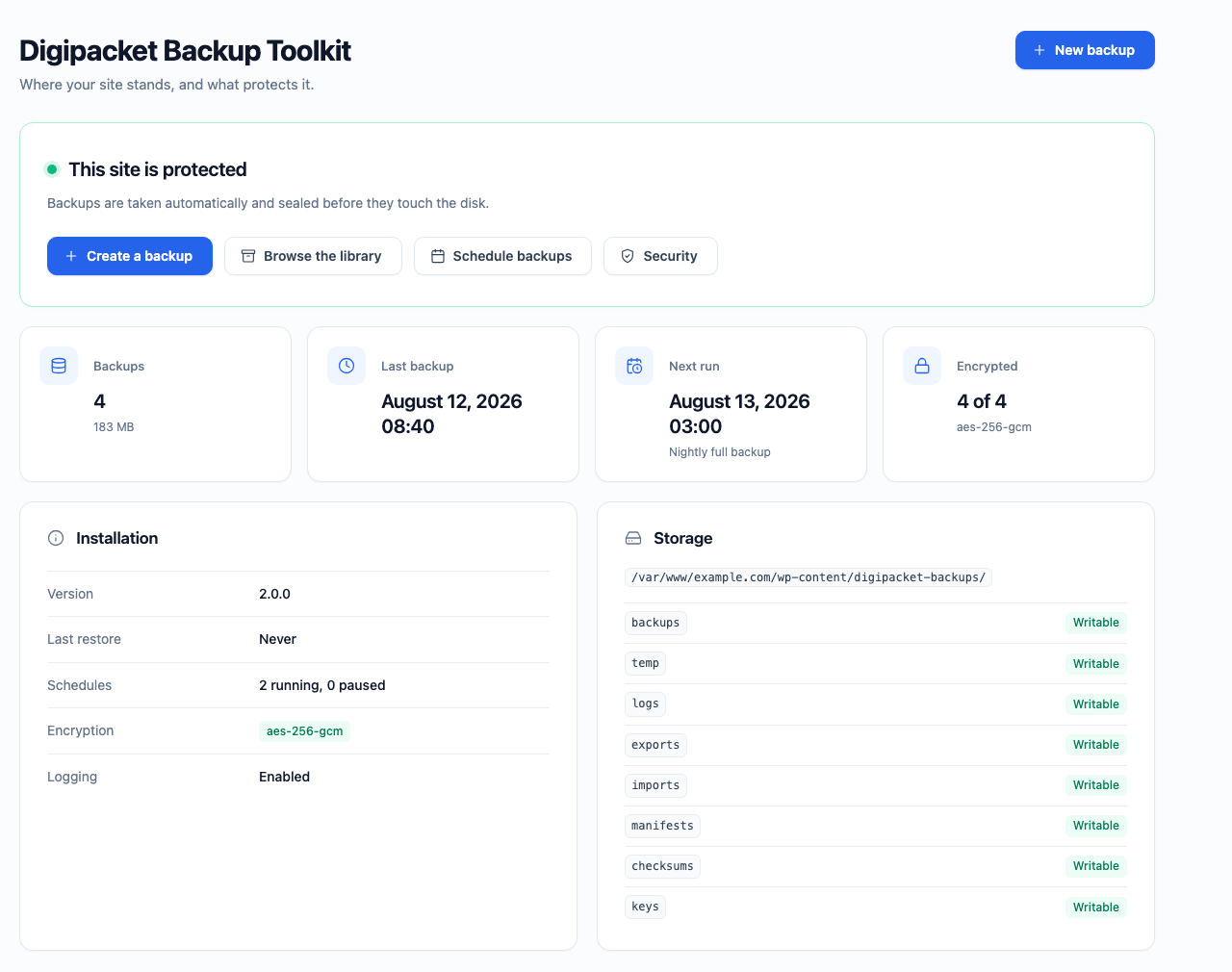
the screen: every date tile ended in an ellipsis. The value wraps instead. - Refreshed the screenshots of the listing.
1.9.8
- The dashboard card no longer outlines itself in amber when it has a warning to
give — “Backups are not encrypted” and its siblings. The dot beside the title
already says it.
1.9.7
- The ⋮ menu of a row is no longer cut off by the table. It was positioned
inside the wrapper that scrolls the table sideways, and anything positioned
inside a box withoverflowset is clipped by it: everything past the third
entry disappeared at the edge. It now floats above the screen, opens upward
when the row sits near the bottom of the window, and closes when the page
scrolls under it.
Screenshots
For developers
Is this your plugin? Show off the numbers.
Add a live badge to your site, docs or GitHub README. It updates on its own — no account needed.
Best Digipacket Backup Toolkit alternatives
All backup plugins →





FAQ
Digipacket Backup Toolkit: quick answers
Straight answers, pulled from live WordPress.org data.
Live data from WordPress.org · checked Oct 21, 2026
Is Digipacket Backup Toolkit free?
Yes. Digipacket Backup Toolkit is free to download and use from the official WordPress.org plugin directory.
Is Digipacket Backup Toolkit safe to use in 2026?
Digipacket Backup Toolkit works, but test it on a staging site before relying on it in 2026. Was last updated 2 months ago, and scores 55/100 on our health check.
How many websites use Digipacket Backup Toolkit?
Digipacket Backup Toolkit is active on <10 WordPress websites and has been downloaded 184 times since it launched in August 2026. It was downloaded 65 times in the last 30 days.
Does Digipacket Backup Toolkit work with WordPress 7.1?
Digipacket Backup Toolkit is officially tested up to WordPress 7.0.7, while the latest release is 7.1.3. It may still work, but try it on a staging site first.
What PHP version does Digipacket Backup Toolkit need?
Digipacket Backup Toolkit requires PHP 8.2 or higher. Most hosts run PHP 8.x today, so it works on any modern WordPress hosting.
When was Digipacket Backup Toolkit last updated?
The latest version, 2.0.1, was released on August 16, 2026 (2 months ago).
Who makes Digipacket Backup Toolkit?
Digipacket Backup Toolkit is developed and maintained by Digipacket.
What are the best alternatives to Digipacket Backup Toolkit?
The most popular alternatives to Digipacket Backup Toolkit are All-in-One WP Migration and… (5M+ installs), UpdraftPlus: WP Backup & Mi… (3M+ installs) and Jetpack (3M+ installs).
Powered by PageForge
Want thousands of pages that rank like these? Build them in an afternoon.
This directory runs on the same engine as PageForge. Turn any spreadsheet, CSV or API into thousands of fast, SEO-ready WordPress pages — with schema, internal links and AI-written copy baked in.
- CSV, Google Sheets & API data sources
- AI content, schema & internal links per page
- Works with Elementor, Gutenberg, Yoast & Rank Math
- Free on WordPress.org — no credit card


