


Passster – Password Protect Pages and Content
Password Protect Pages, Posts & Content in WordPress

Safe pick
Yes — Passster is a safe, well-maintained plugin to use in 2026. It runs on 10K+ sites, is rated 4.2/5 and was last updated 1 week ago, and scores 90/100 on our health check.
- Proven at scale on 10K+ active sites
- Actively developed — last update 1 week ago
- Tested with the latest WordPress (7.1)
- Responsive support — 100% of recent threads resolved
How does it stack up?
Side-by-side on installs, updates, ratings & support



Daily downloads
Download spikes usually follow a new release — each site that auto-updates counts as a download.
Rankings
Where Passster stands todayWordPress.org search rankings
Live position in the plugin search, top 100| Keyword | Position |
|---|---|
| password | #6 |
| Password Protect | #4 |
| password protection | #6 |
| restrict content | #1 |
| sitewide | #2 |
Version adoption
Share of active sites per release.
Rating breakdown
★★★★★★★★★★ 4.2 from 60 reviews
About Passster
From the official readme · v4.3.16Description
Password Protect Pages, Posts & Content in WordPress
Passster is an all-in-one plugin to password protect pages, content, or your entire site in seconds—quick, secure, and easy to use.
Passster offers three protection modes to cover every use case you may think of when it comes to password protecting your WordPress website.
Passster Pro – Even more protection features when making a purchase
Multiple Passwords & Password Lists
– Assign multiple passwords for different users.
– Create and manage large password lists for easy control.
Quick & Bulk Edit for Password Protection
– Use WordPress Quick Edit and Bulk Edit to protect multiple pages instantly.
Unlock Content by User Role or Email
– Automatically grant access to specific users or email addresses.
Password Expiration & Usage Limits
– Set passwords to expire after a number of uses, first use, or by a time limit (hours, days, weeks).
– Track which passwords were used and when they will expire.
Generate Unlock Links
– Create encrypted unlock links so users can access content without entering a password.
– Automatically shorten links with Bit.ly for easy sharing.
WooCommerce Protection & Sales
– Protect WooCommerce pages, products, and checkout with a password.
– Sell access to protected content—generate and email passwords automatically after purchase.
Detailed Password Usage Statistics
– Track when and how often passwords are used.
– View first usage date, IP (optional), and browser details.
Quick Comparison (Free vs. Pro)
Free Version:
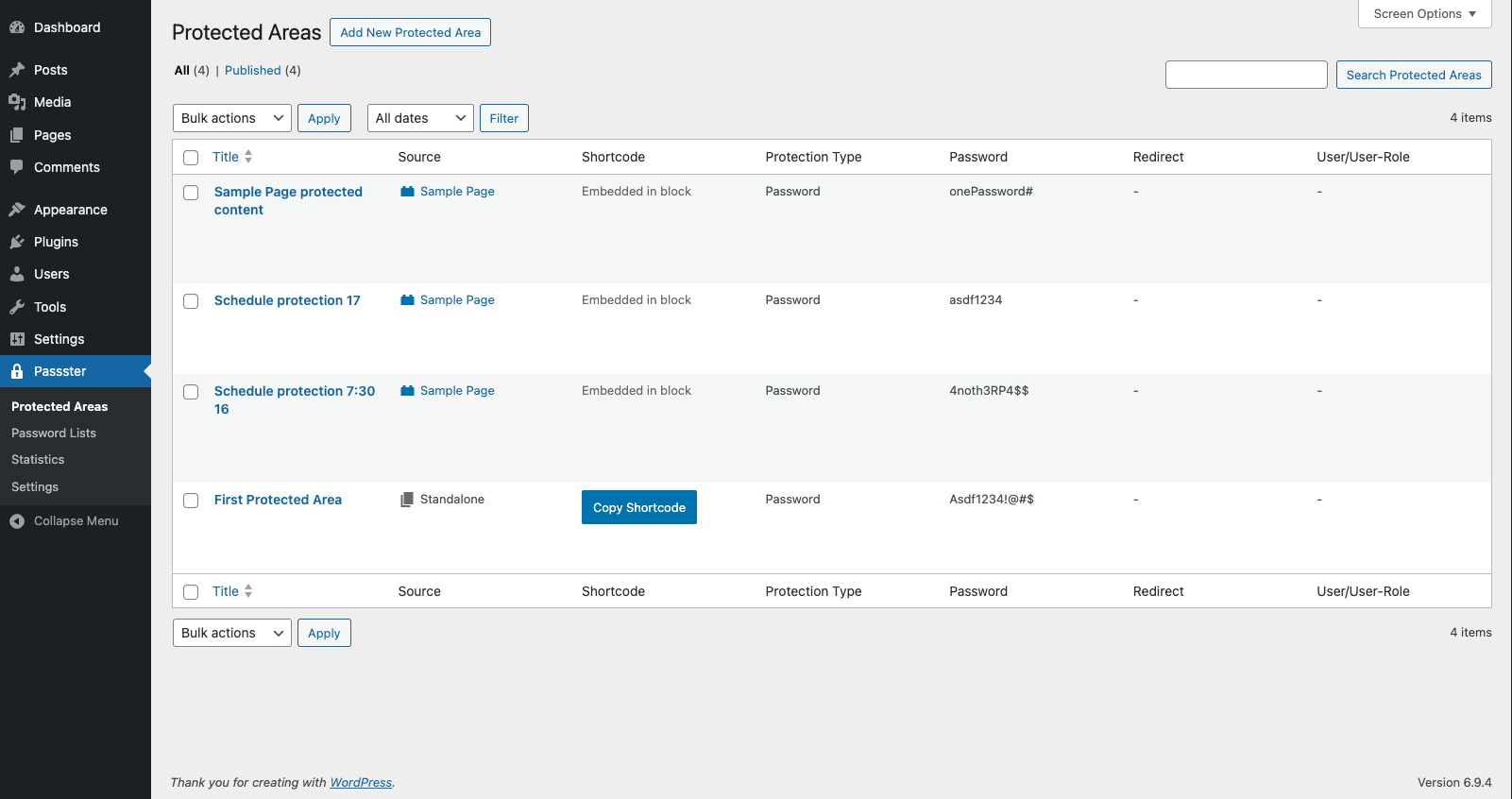
✔ Protect sections of pages using shortcodes or blocks.
✔ Secure entire pages and posts.
✔ Automatically protect child pages with a single click.
✔ Lock down your entire site with a password.
✔ Unlock protected content without refreshing the page.
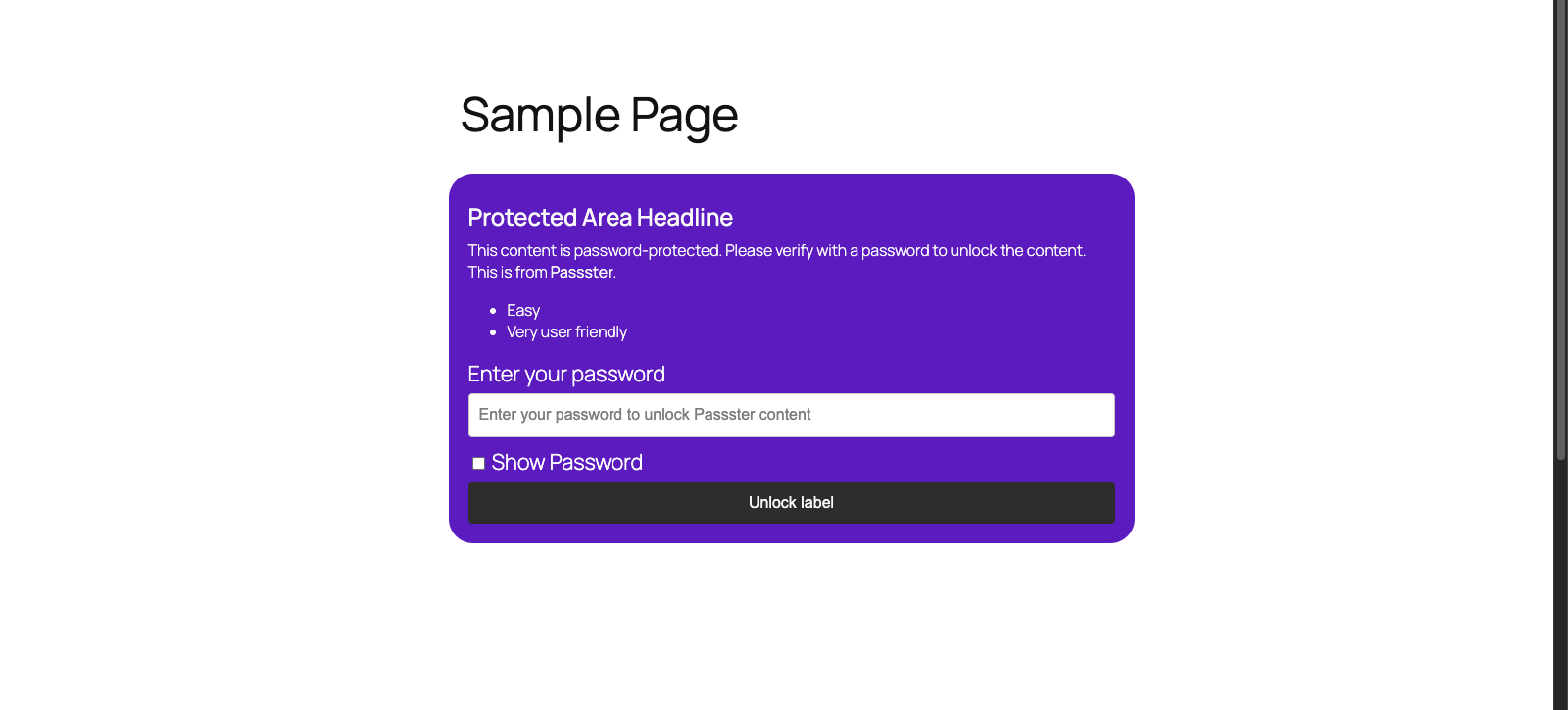
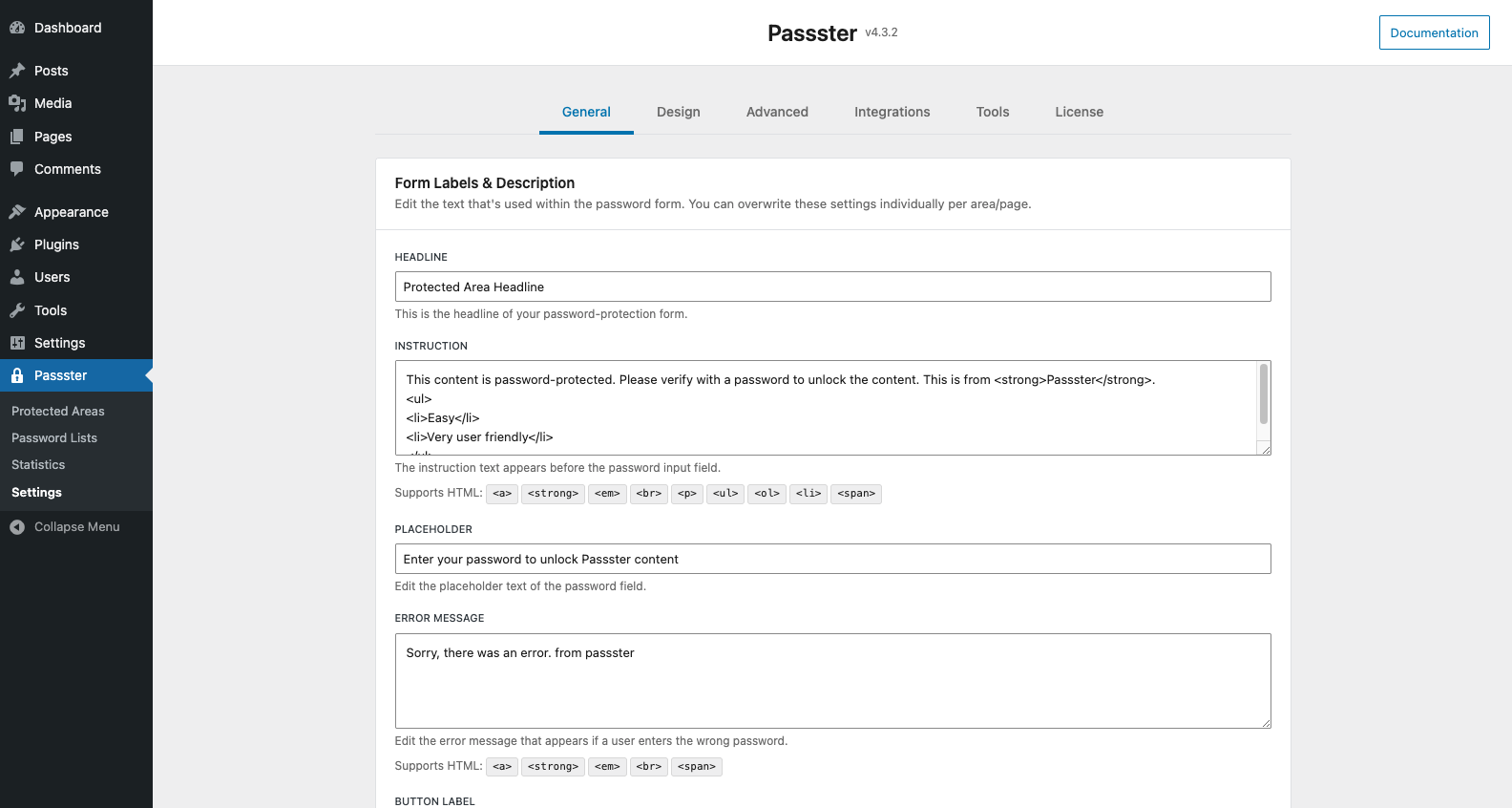
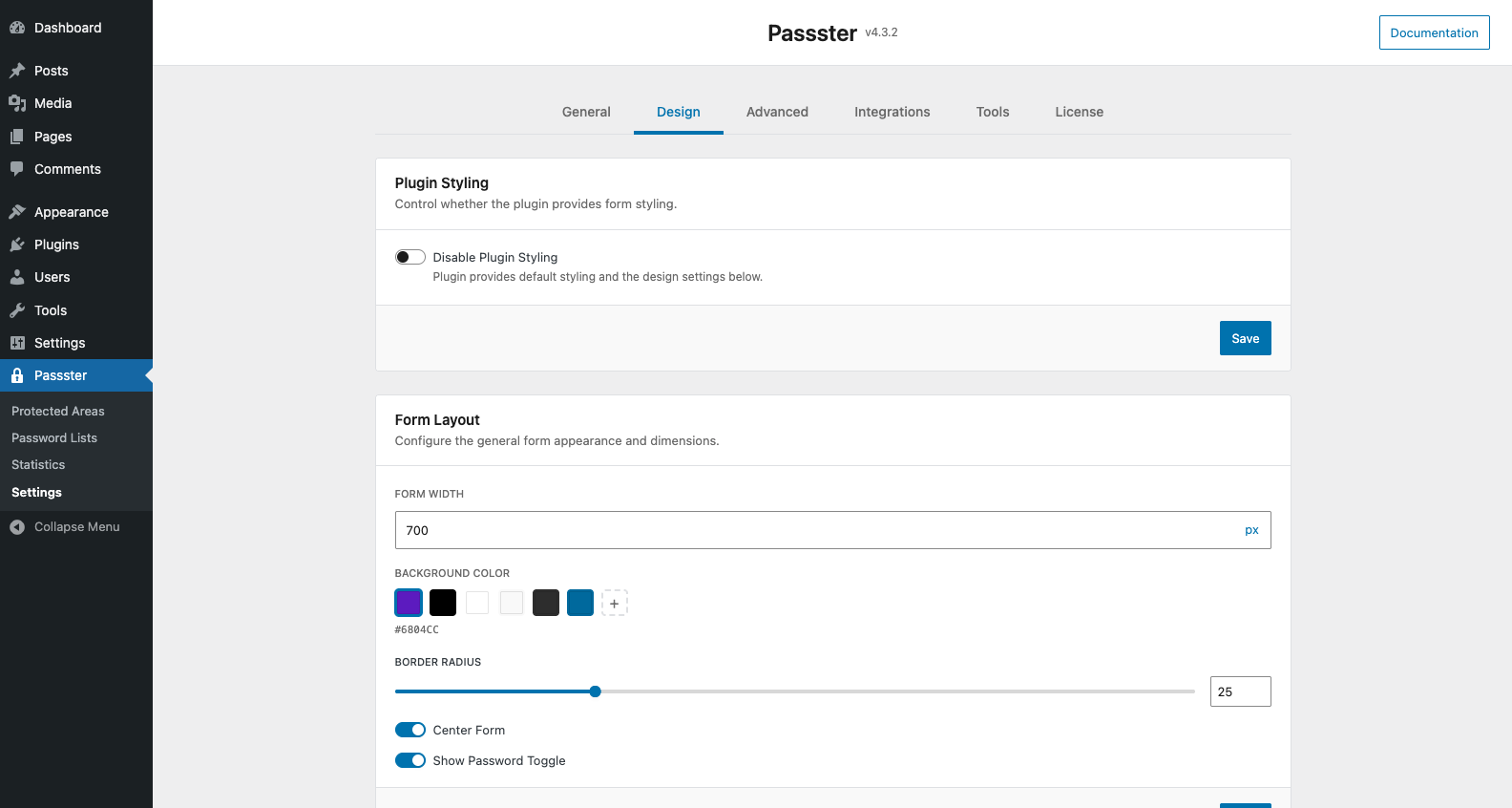
✔ Customize the design, labels, and descriptions of the password form.
✔ Use cookies to grant access across multiple protected areas.
Pro Version:
✔ Everything in the free version, plus:
✔ Protect content with multiple passwords or password lists.
✔ Quickly set up password protection via Quick Edit or Bulk Edit.
✔ Protect content using Google reCAPTCHA or hCAPTCHA.
✔ Unlock protected content by user role or email.
✔ Set passwords to expire based on usage limits or time intervals.
✔ Generate encrypted unlock links for seamless access.
✔ Track and prevent concurrent password sharing.
✔ Secure WooCommerce products and store pages.
✔ Sell access to protected content via WooCommerce integration.
✔ Detailed statistics on password usage and lists.
Get it now on passster.com/
Documentation
Learn more about this plugin in our official documentation
Support
- Free users: Ask in our forum
- Pro users: Get priority help
Installation
Passster is simple to install:
- Download the .zip’
- Unzip
- Upload the directory to your ‘/wp-content/plugins’ directory
- Go to the plugin management page and enable the Passster Plugin
- Browse to Settings > Passster
- Customise your settings and your good to go!
Frequently asked questions
Can I use Passster in multiple languages
All primary texts and information can be modified from the admin area of Passster. The plugin is fully translatable in your language. There are only en_EN and de_DE at the moment, but you can easily add your preferred language as a .po/.mo. It’s also fully compatible with WPML and Polylang.
Where do I report security bugs found in this plugin?
Please report security bugs found in the source code of the Passster plugin through the Patchstack Vulnerability Disclosure Program. The Patchstack team will assist you with verification, CVE assignment, and notify the developers of this plugin.”
Changelog
New features and bug fixes. Please upgrade.
4.3.16 – 18.09.2026
- Added: Post Type Level Protection: password-protect an entire post type at once.
- Fixed: Unlock link redirects on archive pages.
4.3.15 – 10.09.2026
- Fixed: Compatibility issue with some page builders.
4.3.14 – 03.09.2026
- Fixed: Security update.
- Fixed: Minor admin UI improvements.
4.3.13 – 02.09.2026
- Fixed: Security update.
4.3.12 – 01.09.2026
- Fixed: Security update.
4.3.11 – 25.08.2026
- Fixed: Some Design settings were not being applied to the password form.
Screenshots
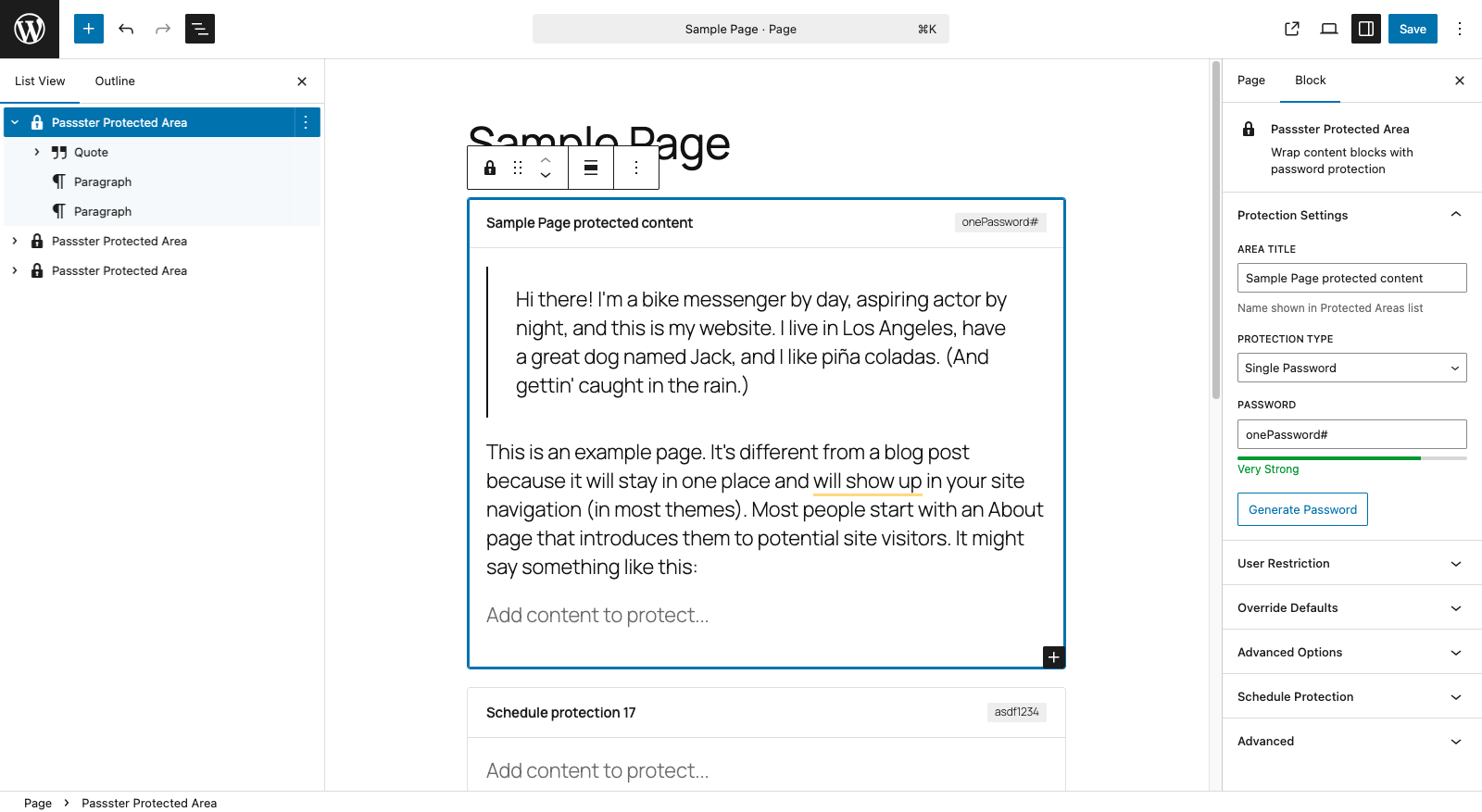
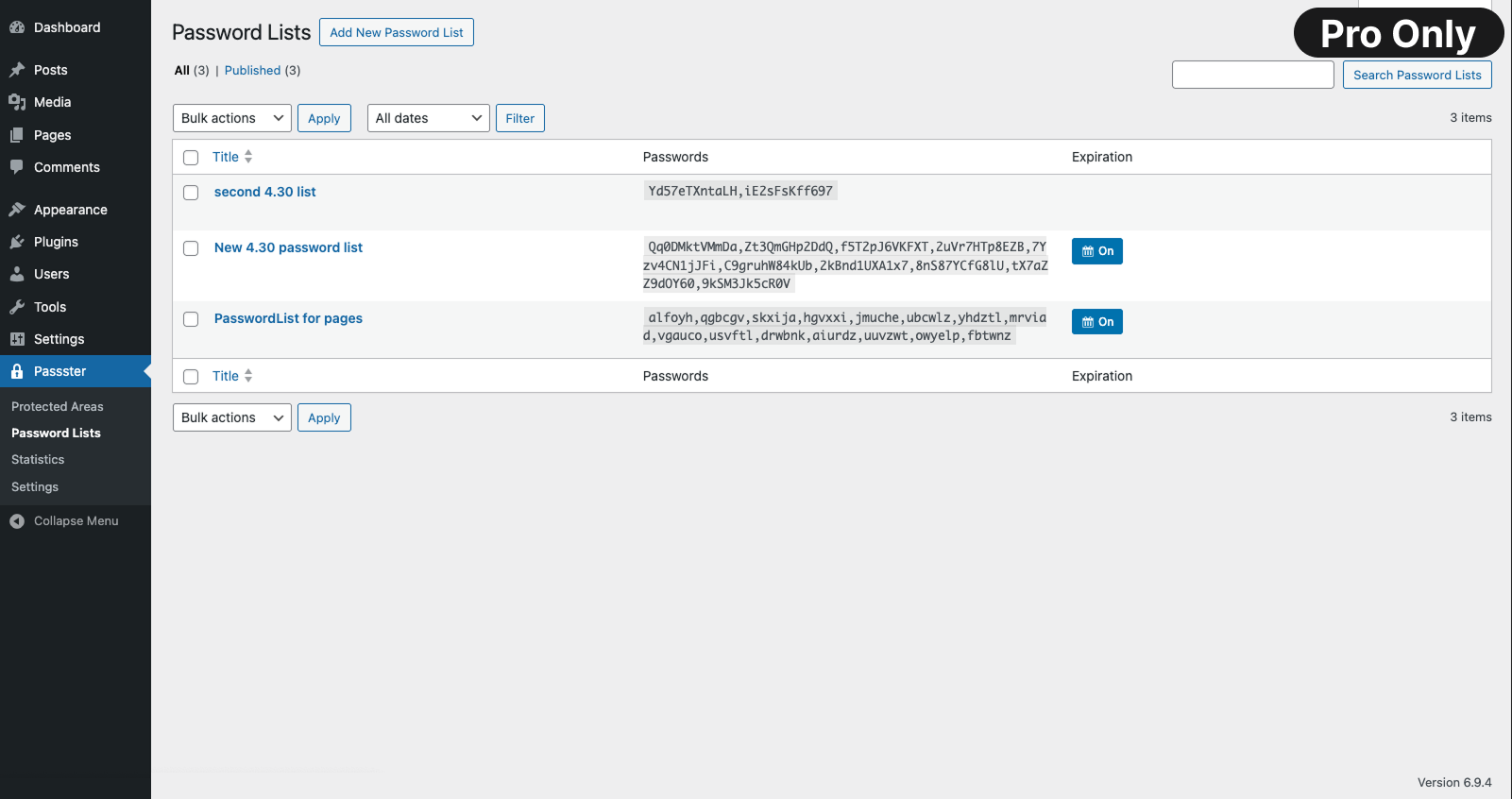
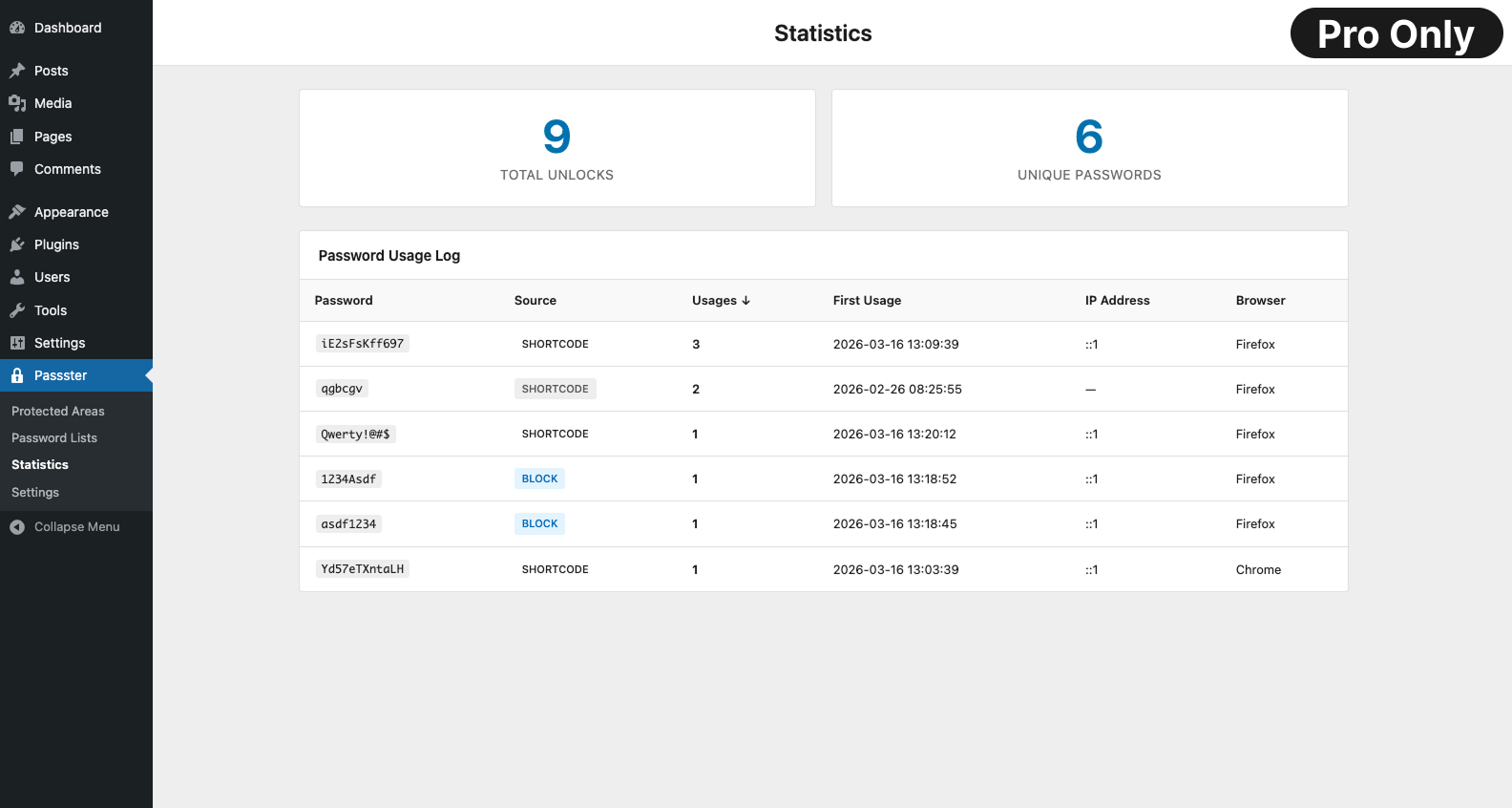
For developers
Is this your plugin? Show off the numbers.
Add a live badge to your site, docs or GitHub README. It updates on its own — no account needed.
Best Passster alternatives
All password plugins →





FAQ
Passster: quick answers
Straight answers, pulled from live WordPress.org data.
Live data from WordPress.org · checked Sep 28, 2026
Is Passster free?
Yes. Passster is free to download and use from the official WordPress.org plugin directory.
Is Passster safe to use in 2026?
Yes — Passster is a safe, well-maintained plugin to use in 2026. It runs on 10K+ sites, is rated 4.2/5 and was last updated 1 week ago, and scores 90/100 on our health check.
How many websites use Passster?
Passster is active on 10K+ WordPress websites and has been downloaded 671,500 times since it launched in December 2013. It was downloaded 26,566 times in the last 30 days.
Does Passster work with WordPress 7.1?
Yes. The developer has tested Passster up to WordPress 7.1.2, the latest release. It requires WordPress 6.5 or newer.
What PHP version does Passster need?
Passster requires PHP 7.2 or higher. Most hosts run PHP 8.x today, so it works on any modern WordPress hosting.
When was Passster last updated?
The latest version, 4.3.16, was released on September 18, 2026 (1 week ago).
Who makes Passster?
Passster is developed and maintained by WP Chill.
What are the best alternatives to Passster?
The most popular alternatives to Passster are Theme My Login (50K+ installs), PPWP (30K+ installs) and Google Authenticator (20K+ installs).
Powered by PageForge
Want thousands of pages that rank like these? Build them in an afternoon.
This directory runs on the same engine as PageForge. Turn any spreadsheet, CSV or API into thousands of fast, SEO-ready WordPress pages — with schema, internal links and AI-written copy baked in.
- CSV, Google Sheets & API data sources
- AI content, schema & internal links per page
- Works with Elementor, Gutenberg, Yoast & Rank Math
- Free on WordPress.org — no credit card


