



CodingBunny Mail SMTP
Configure an SMTP server to send emails from your WordPress site. Simple, lightweight, and secure.

Solid choice
CodingBunny Mail SMTP is a solid plugin choice in 2026, with a few things worth checking first. It runs on 10+ sites and was last updated 2 weeks ago, and scores 66/100 on our health check.
- Actively developed — last update 2 weeks ago
- Tested with the latest WordPress (7.1)
- Small user base (10+ active installs)
- Very few reviews so far
How does it stack up?
Side-by-side on installs, updates, ratings & support



Daily downloads
Download spikes usually follow a new release — each site that auto-updates counts as a download.
Rankings
Where CodingBunny Mail SMTP stands todayWordPress.org search rankings
Live position in the plugin search, top 100| Keyword | Position |
|---|---|
| >100 | |
| >100 | |
| phpmailer | #36 |
| smtp | >100 |
| wp_mail | >100 |
Version adoption
Share of active sites per release.
About CodingBunny Mail SMTP
From the official readme · v1.0.6Description
CodingBunny Mail SMTP allows you to easily configure an SMTP server to send all outgoing emails from your WordPress website.
By default, WordPress uses the wp_mail() function which relies on the server’s PHP mail configuration. This often leads to delivery issues or emails ending up in spam. This plugin solves that problem by routing emails through a reliable SMTP server.
Key Features
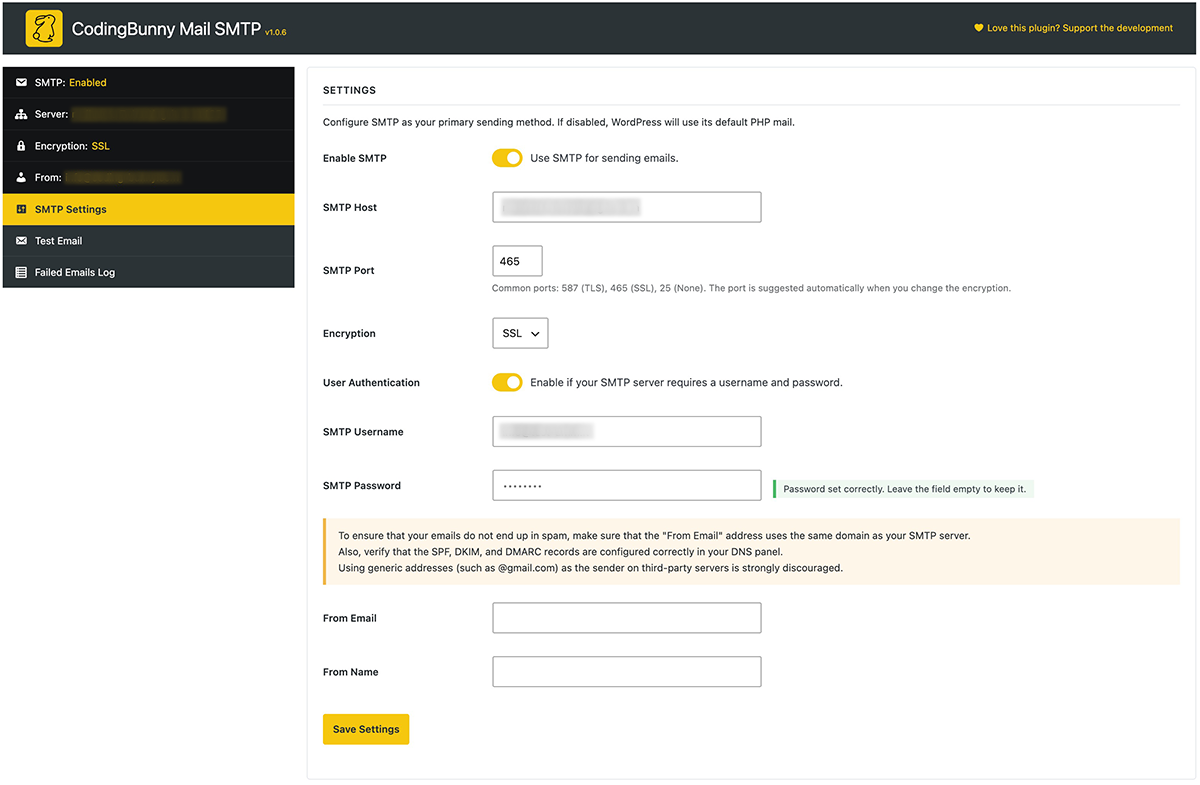
- Enable or disable SMTP with a single toggle
- Supports SSL, TLS, or no encryption
- SMTP port suggested automatically based on the encryption type
- Optional SMTP authentication (username & password)
- Secure password storage using encryption
- Settings can be defined as constants in wp-config.php
- Custom “From Email” and “From Name”
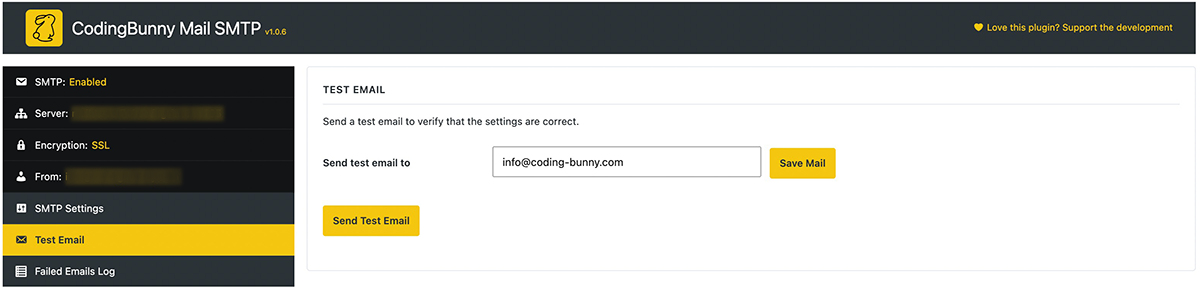
- Built-in test email tool
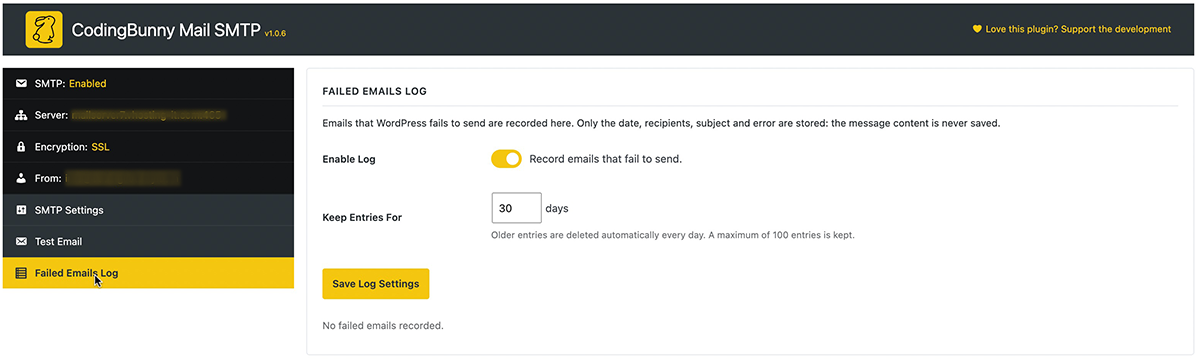
- Failed emails log with configurable retention
- Lightweight, no third-party dependencies
- Fully compatible with WordPress PHPMailer
- Clean and accessible admin interface
Security
The SMTP password is encrypted before being stored in the database and is never displayed in plain text in the WordPress admin area. For maximum security, you can define it as a constant in wp-config.php so that it is never stored in the database at all.
Configuration
You can configure the following options:
- SMTP Host (e.g.
smtp.example.com) - SMTP Port (e.g.
587) - Encryption: None, TLS, or SSL
- Enable/Disable SMTP authentication
- SMTP Username & Password
- Sender Email Address
- Sender Name
After saving, use the Test Email section to verify your configuration.
Configuration via wp-config.php
Every setting can also be defined as a constant in wp-config.php. Constants take priority over the values saved in the admin area, and the related fields are shown as read-only.
define( 'CODINGBUNNY_MAIL_SMTP_ENABLED', true );define( 'CODINGBUNNY_MAIL_SMTP_HOST', 'smtp.example.com' );define( 'CODINGBUNNY_MAIL_SMTP_PORT', 587 );define( 'CODINGBUNNY_MAIL_SMTP_ENCRYPTION', 'tls' );(none,tlsorssl)define( 'CODINGBUNNY_MAIL_SMTP_AUTH', true );define( 'CODINGBUNNY_MAIL_SMTP_USERNAME', 'user@example.com' );define( 'CODINGBUNNY_MAIL_SMTP_PASSWORD', 'your-password' );define( 'CODINGBUNNY_MAIL_SMTP_FROM_EMAIL', 'noreply@example.com' );define( 'CODINGBUNNY_MAIL_SMTP_FROM_NAME', 'My Website' );
You can define only the constants you need: the remaining settings are read from the admin area.
Uninstall
When the plugin is uninstalled, all plugin options (including encrypted credentials and the failed emails log) are removed from the database.
Installation
- Upload the
codingbunny-mail-smtpfolder to the/wp-content/plugins/directory
or - Install the plugin via the WordPress Plugins screen
- Activate the plugin through the Plugins menu in WordPress
- Go to Settings → CodingBunny Mail SMTP
- Configure your SMTP details and save
Frequently asked questions
Does this plugin replace wp_mail()?
Yes. The plugin hooks into WordPress PHPMailer and sends all emails via SMTP when enabled.
Is the SMTP password secure?
Yes. The password is encrypted using WordPress salts and OpenSSL before being stored. You can also define it in wp-config.php so that it is never stored in the database.
What happens if I leave the password field empty?
The existing password will not be overwritten.
Can I define the settings in wp-config.php?
Yes. See the “Configuration via wp-config.php” section for the full list of supported constants.
What does the failed emails log store?
Only the date, recipients, subject and error message of emails that WordPress failed to send. The message content is never stored. Entries are deleted automatically after the retention period (30 days by default, maximum 100 entries), and you can clear the log or disable it at any time.
Can I disable SMTP temporarily?
Yes. Simply disable the “Enable SMTP” toggle.
Does this plugin conflict with other mail plugins?
It is recommended to use only one SMTP/mail plugin at a time.
Changelog
1.0.6 – 09/29/2026
- Improved: Redesigned admin interface, consistent with the other CodingBunny plugins
- New: Sidebar navigation with separate sections for SMTP settings, test email and failed emails log
- New: Status panel showing whether SMTP is enabled, the server in use, the encryption and the sender address
- New: The number of failed emails is shown next to the log section
- Improved: After sending a test email or clearing the log you return to the same section
1.0.5 – 09/27/2026
- New: SMTP settings can be defined as constants in wp-config.php
- New: The SMTP port is suggested automatically when the encryption type changes
- New: Failed emails log with configurable retention and automatic daily cleanup
- Fix: Saving the settings without re-entering the password no longer overwrites the stored SMTP password
- Fix: Invalid border value in the admin button styles
- Improved: SMTP port and encryption values are validated when saving
- Improved: All admin buttons and toggles are keyboard-accessible
1.0.4 – 08/28/2026
- Updated: CodingBunny Mail SMTP is now tested up to WordPress 7.1
1.0.3 – 03/06/2026
- Updated: CodingBunny Mail SMTP is now tested up to WordPress 7
- Improved: Added placeholder in the password field when it is set
- Improved: Improved error handling
- Improved: Optimized the sending of test emails
- Improved: Improved compatibility with SMTP servers
- Improved: Improved password security
1.0.2 – 01/28/2026
- Fix: Fixed a bug that deleted the test email when saving settings
- Fix: Fixed a bug that prevented the Sender Name from working if the Sender Email was not set
1.0.1 – 01/28/2026
- Fix: Fixed test email saving error
Screenshots
For developers
Is this your plugin? Show off the numbers.
Add a live badge to your site, docs or GitHub README. It updates on its own — no account needed.
Best CodingBunny Mail SMTP alternatives
All email plugins →





FAQ
CodingBunny Mail SMTP: quick answers
Straight answers, pulled from live WordPress.org data.
Live data from WordPress.org · checked Oct 15, 2026
Is CodingBunny Mail SMTP free?
Yes. CodingBunny Mail SMTP is free to download and use from the official WordPress.org plugin directory.
Is CodingBunny Mail SMTP safe to use in 2026?
CodingBunny Mail SMTP is a solid plugin choice in 2026, with a few things worth checking first. It runs on 10+ sites and was last updated 2 weeks ago, and scores 66/100 on our health check.
How many websites use CodingBunny Mail SMTP?
CodingBunny Mail SMTP is active on 10+ WordPress websites and has been downloaded 741 times since it launched in January 2026. It was downloaded 195 times in the last 30 days.
Does CodingBunny Mail SMTP work with WordPress 7.1?
Yes. The developer has tested CodingBunny Mail SMTP up to WordPress 7.1.3, the latest release. It requires WordPress 6.0 or newer.
What PHP version does CodingBunny Mail SMTP need?
CodingBunny Mail SMTP requires PHP 8.0 or higher. Most hosts run PHP 8.x today, so it works on any modern WordPress hosting.
When was CodingBunny Mail SMTP last updated?
The latest version, 1.0.6, was released on September 29, 2026 (2 weeks ago).
Who makes CodingBunny Mail SMTP?
CodingBunny Mail SMTP is developed and maintained by CodingBunny.
What are the best alternatives to CodingBunny Mail SMTP?
The most popular alternatives to CodingBunny Mail SMTP are WP Mail SMTP by WPForms (4M+ installs), MC4WP: Mailchimp for WordPr… (1M+ installs) and Easy WP SMTP (500K+ installs).
Powered by PageForge
Want thousands of pages that rank like these? Build them in an afternoon.
This directory runs on the same engine as PageForge. Turn any spreadsheet, CSV or API into thousands of fast, SEO-ready WordPress pages — with schema, internal links and AI-written copy baked in.
- CSV, Google Sheets & API data sources
- AI content, schema & internal links per page
- Works with Elementor, Gutenberg, Yoast & Rank Math
- Free on WordPress.org — no credit card


