



CN Blog Mailer
CN Blog Mailer is a lightweight, easy-to-use newsletter plugin that automatically sends your latest blog posts to subscribers. Perfect for bloggers who want to keep their audience engaged without the complexity of…

Use with caution
CN Blog Mailer works, but test it on a staging site before relying on it in 2026. Was last updated 4 months ago, and scores 49/100 on our health check.
- Small user base (<10 active installs)
- Very few reviews so far
How does it stack up?
Side-by-side on installs, updates, ratings & support



Daily downloads
Download spikes usually follow a new release — each site that auto-updates counts as a download.
Rankings
Where CN Blog Mailer stands todayWordPress.org search rankings
Live position in the plugin search, top 100| Keyword | Position |
|---|---|
| >100 | |
| email notifications | >100 |
| mailing list | >100 |
| newsletter | >100 |
| subscribers | >100 |
About CN Blog Mailer
From the official readme · v3.5.49Description
CN Blog Mailer is a lightweight, easy-to-use newsletter plugin that automatically sends your latest blog posts to subscribers. Perfect for bloggers who want to keep their audience engaged without the complexity of third-party email marketing services.
Build your mailing list with customizable subscription forms, schedule automated email notifications, and track delivery – all from your WordPress dashboard.
Features
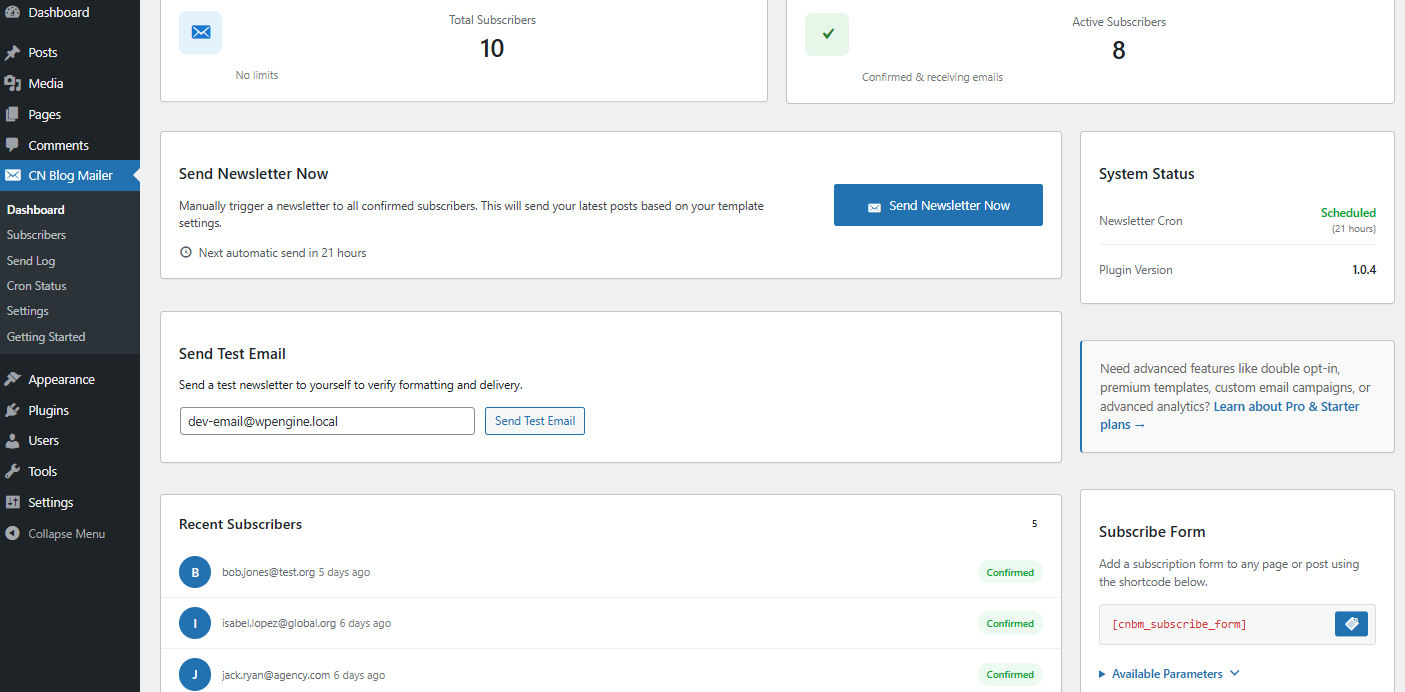
- Automated Newsletters – Schedule automatic newsletters with your latest posts
- Unlimited Subscribers – No subscriber limits
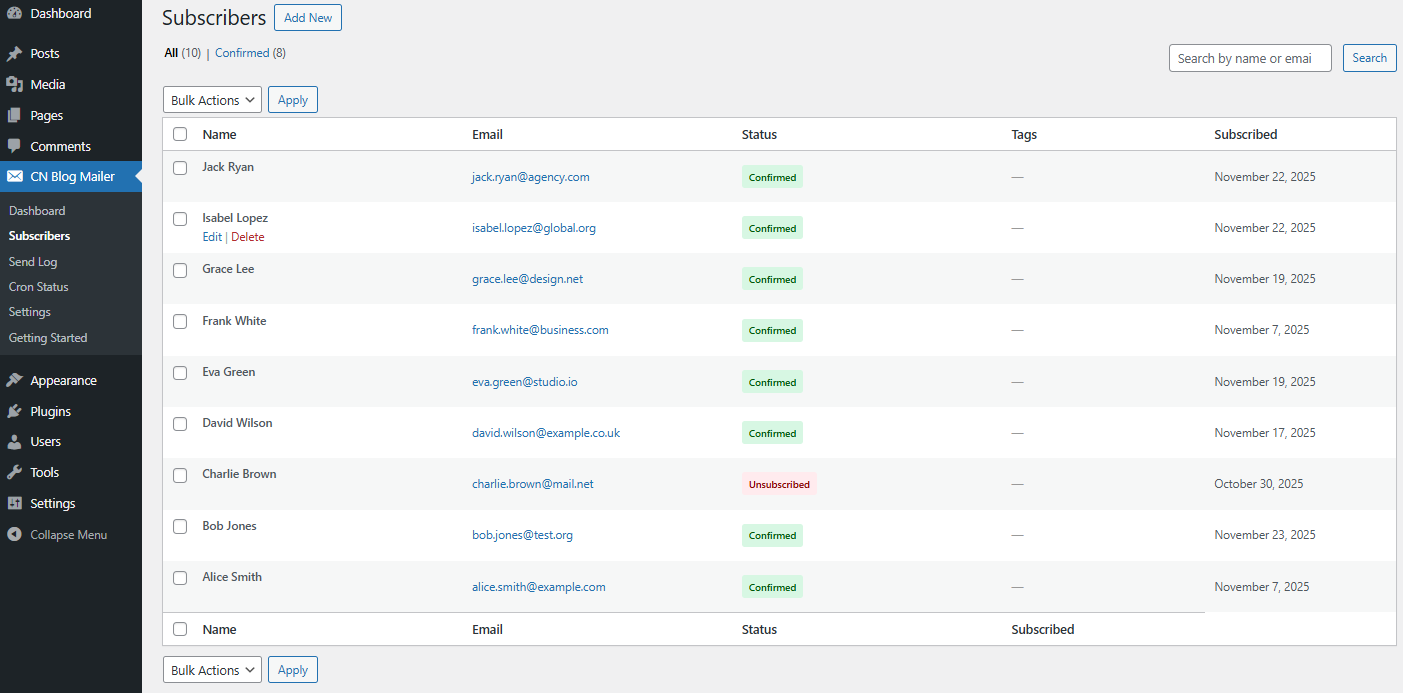
- Subscriber Management – Easy-to-use subscriber list management
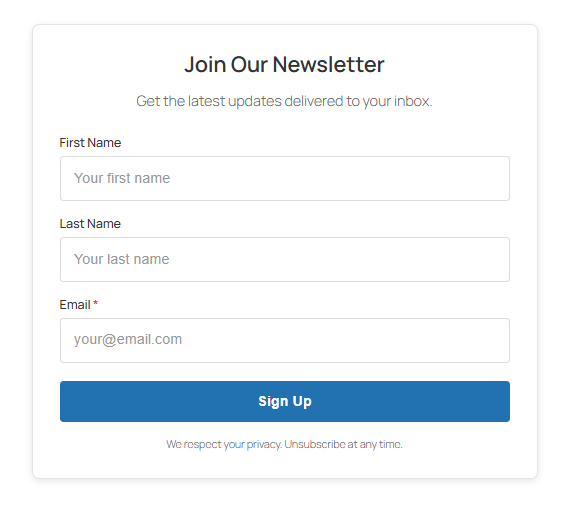
- Subscription Forms – Add subscribe forms anywhere with
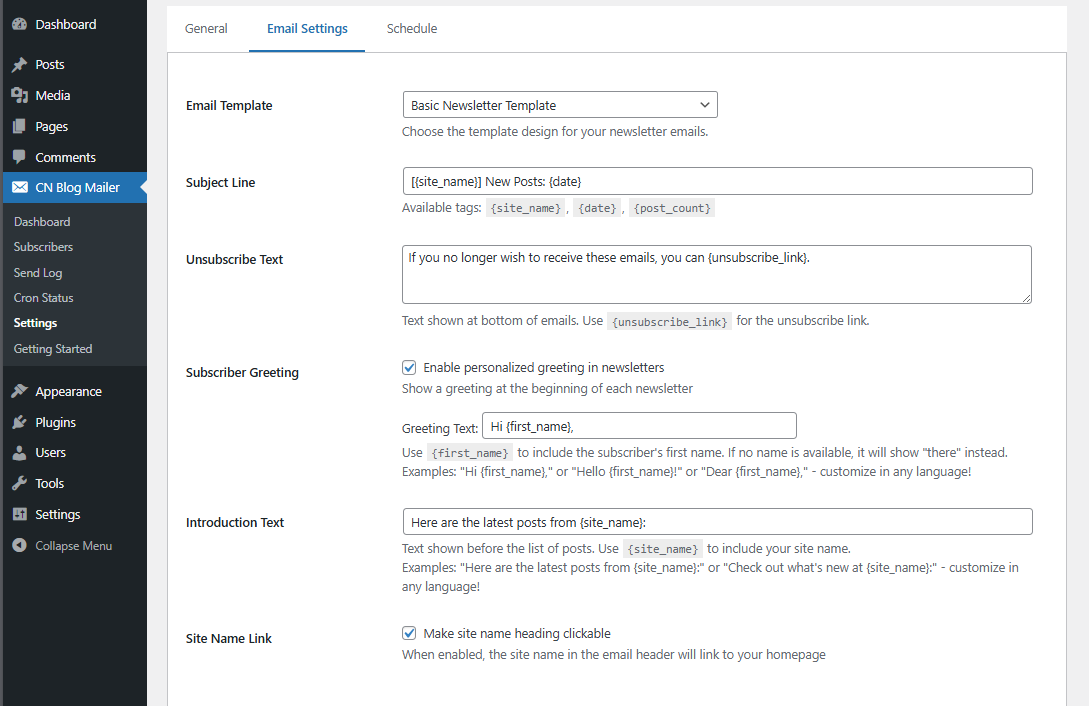
[cnbm_subscribe_form]shortcode - Customizable Templates – Email template customization (Colors, Fonts)
- Send Log – Track all sent emails
- Cron Monitoring – Monitor your automated sending jobs
- Manual Sending – Send newsletters on demand
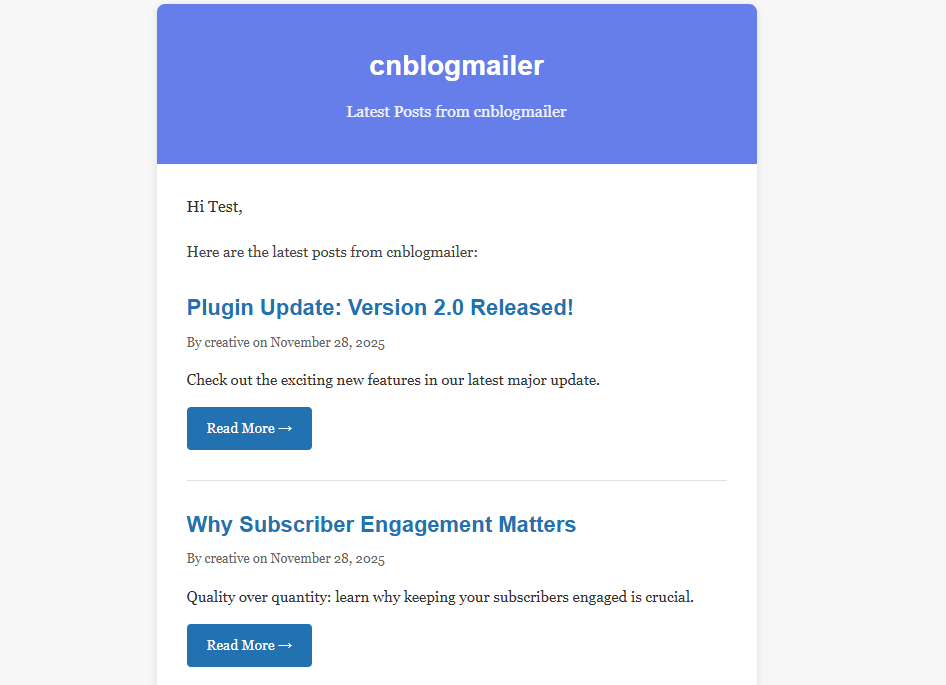
- Test Emails – Preview newsletters before sending
- Reliable Queue System – Handle large subscriber lists efficiently
Perfect For
- Bloggers who want to notify subscribers of new posts
- Small businesses sharing updates
- Content creators building an audience
- Anyone wanting simple email automation
How It Works
- Activate the plugin
- Configure your sending preferences
- Add the subscription form to your site
- Subscribers receive automatic newsletters with your latest posts
Support
For support, please visit Creative Noesis Support.
Privacy Policy
CN Blog Mailer stores subscriber information (email addresses, names, subscription dates) in your WordPress database. No data is sent to external services unless you configure an SMTP service.
When subscribers use the unsubscribe link, they can opt to delete all their data.
If you delete the plugin and choose to remove data, all subscriber information will be permanently deleted from your database.
Installation
- Upload the
cn-blog-mailerfolder to the/wp-content/plugins/directory - Activate the plugin through the ‘Plugins’ menu in WordPress
- Go to CN Blog Mailer → Settings to configure your preferences
- Add the subscription form using the
[cnbm_subscribe_form]shortcode
Minimum Requirements
- WordPress 5.8 or greater
- PHP version 7.4 or greater
- MySQL version 5.7 or greater OR MariaDB version 10.2 or greater
Frequently asked questions
Do I need a third-party email service?
No! CN Blog Mailer uses WordPress’s built-in wp_mail() function. However, for better deliverability with large lists, we recommend using an SMTP plugin like WP Mail SMTP.
How often are newsletters sent?
You can configure the sending frequency in settings. Options include daily, weekly, bi-weekly, monthly, custom interval, or manual sending only. A background process runs every 30 minutes to ensure newsletters are sent reliably even on low-traffic sites.
Can I customize the email template?
Yes! You can customize the email template including colors, fonts, and content length.
Is there a subscriber limit?
No, there are no subscriber limits. The plugin includes a reliable queue system to handle subscriber lists of any size. However, for large subscriber lists (1,000+), we recommend: * Using an SMTP service (like SendGrid, Mailgun, or Amazon SES) instead of your hosting’s mail server for better deliverability * Monitoring your sending reputation and bounce rates * Ensuring your server has adequate resources to process large batches
How do subscribers unsubscribe?
Every email includes an automatic unsubscribe link. Subscribers can opt-out with one click.
Is it GDPR compliant?
Yes! The plugin includes: * Clear consent during subscription * Easy unsubscribe process * Complete data deletion on uninstall (if configured) * No data sent to third parties
What happens to my data if I delete the plugin?
You can configure whether to keep or delete all subscriber data when uninstalling the plugin.
Changelog
Initial release.
3.5.49
- Replaced background processor with robust failsafe mechanisms
- Added atomic locking to prevent race conditions during batched email sends
- Improved timeout handling and introduced fatal error isolation (Throwable catching)
- Added duplicate email prevention natively directly into the queue insertion
3.1
- Reliability improvements for shared/slow servers
- Added concurrent send prevention (distributed locking)
- Added graceful timeout handling (stops at 80% of execution time)
- Added campaign progress tracking table
- Added automated health checks to recover stuck emails
1.0.8
- Added: Reset Last Send Time feature for easier testing
- Added: 30-minute schedule reliability checker for consistent newsletter delivery
- Improved: Scheduling reliability on low-traffic sites
1.0.7
- Improved: Newsletter scheduling system
1.0.6
- Fixed: Bug Fix in Display Time
1.0.5
- Fixed: Emails getting stuck in ‘processing’ status now automatically recovered
- Fixed: Newsletter schedule being lost after sending – schedule now persists correctly
- Added: Automatic recovery mechanism for queue processing failures
- Added: Schedule persistence check after each cron execution
Screenshots
For developers
Is this your plugin? Show off the numbers.
Add a live badge to your site, docs or GitHub README. It updates on its own — no account needed.
Best CN Blog Mailer alternatives
All email plugins →





FAQ
CN Blog Mailer: quick answers
Straight answers, pulled from live WordPress.org data.
Live data from WordPress.org · checked Sep 28, 2026
Is CN Blog Mailer free?
Yes. CN Blog Mailer is free to download and use from the official WordPress.org plugin directory.
Is CN Blog Mailer safe to use in 2026?
CN Blog Mailer works, but test it on a staging site before relying on it in 2026. Was last updated 4 months ago, and scores 49/100 on our health check.
How many websites use CN Blog Mailer?
CN Blog Mailer is active on <10 WordPress websites and has been downloaded 843 times since it launched in January 2026. It was downloaded 83 times in the last 30 days.
Does CN Blog Mailer work with WordPress 7.1?
CN Blog Mailer is officially tested up to WordPress 7.0.6, while the latest release is 7.1.2. It may still work, but try it on a staging site first.
What PHP version does CN Blog Mailer need?
CN Blog Mailer requires PHP 7.4 or higher. Most hosts run PHP 8.x today, so it works on any modern WordPress hosting.
When was CN Blog Mailer last updated?
The latest version, 3.5.49, was released on May 20, 2026 (4 months ago).
Who makes CN Blog Mailer?
CN Blog Mailer is developed and maintained by creativenoesis.
What are the best alternatives to CN Blog Mailer?
The most popular alternatives to CN Blog Mailer are WP Mail SMTP by WPForms (4M+ installs), MC4WP: Mailchimp for WordPr… (1M+ installs) and Easy WP SMTP (500K+ installs).
Powered by PageForge
Want thousands of pages that rank like these? Build them in an afternoon.
This directory runs on the same engine as PageForge. Turn any spreadsheet, CSV or API into thousands of fast, SEO-ready WordPress pages — with schema, internal links and AI-written copy baked in.
- CSV, Google Sheets & API data sources
- AI content, schema & internal links per page
- Works with Elementor, Gutenberg, Yoast & Rank Math
- Free on WordPress.org — no credit card


